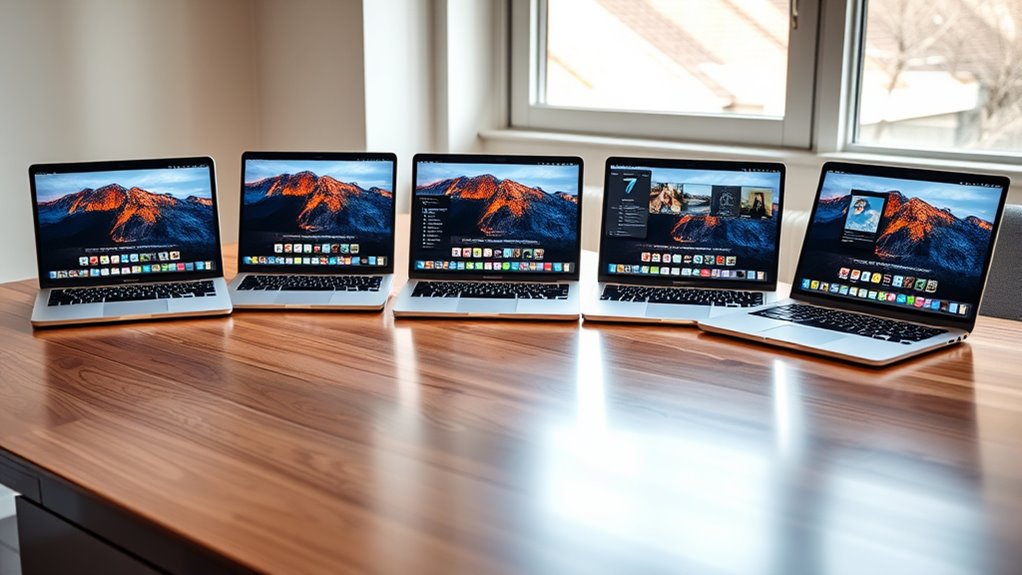

Choosing the right MacBook Pro for photographers and Lightroom requires balancing raw processing power with portability and budget. The landscape has shifted significantly with the introduction of the M-series chips, which have redefined what is possible in mobile photo editing. I have analyzed the current lineup to identify which machines actually deliver value for your specific workflow, rather than just chasing the highest spec sheet.

Get audio and creator gear delivered free with Prime
- Fast, free delivery on millions of items
- Prime Video, Amazon Music and more included
- Member-only deals all year
My top recommendation for most professionals is the 2025 MacBook Pro with M5 Chip in the 14-inch configuration. It offers the perfect blend of AI-accelerated processing and portability, handling large RAW files without breaking a sweat. If you need absolute maximum power for 8K video or massive panoramic stitches, the MacBook Pro with M5 Max is the undisputed king, though it comes with a significant weight penalty. For those looking to enter the ecosystem without breaking the bank, the 2021 MacBook Pro with M1 Pro remains a surprisingly capable value option, provided you do not require the latest neural engine capabilities.
The main tradeoff you will face is between unified memory capacity and cost. Lightroom is memory-hungry, and while the base models are fast, they can struggle with large catalogs if you pair them with insufficient RAM. I will guide you through exactly how much memory you need based on your shooting volume and editing style, ensuring you do not overspend on features you will never use or underspend on components that will bottleneck your productivity.
Complete the kit


Key Takeaways
- The M5 chip provides a significant leap in AI-driven features like neural filter enhancements compared to the M1 Pro.
- 16GB of unified memory is the minimum for comfortable Lightroom use, but 24GB or 32GB is recommended for heavy multitasking.
- The 16-inch display is superior for detailed retouching, but the 14-inch model offers better portability for location shoots.
- Thunderbolt 5 on the M5 Max enables faster external drive transfers, which matters for photographers working with high-resolution tethered shoots.
- The M1 Pro remains a viable budget option for photographers who do not rely heavily on AI-based masking and denoising features.
| Apple MacBook Pro Laptop with M5 Max, 16.2-inch Display, 128GB Memory, 2TB SSD, Space Black |  | Best Overall for Heavy-Duty Professional Workflows | Processor: M5 Max, 18-core CPU, 40-core GPU | Display: 16.2-inch Liquid Retina XDR | Memory: 128GB Unified Memory | VIEW ON AMAZON | See Our Full Breakdown |
| Apple 2025 MacBook Pro Laptop with M5 Chip, 14.2-inch Liquid Retina XDR Display, 24GB RAM, 1TB SSD, Space Black |  | Best Balance of Power and Portability | Processor: Apple M5 chip with 10-core CPU and GPU | Display: 14.2-inch Liquid Retina XDR | Memory: 24GB Unified Memory | VIEW ON AMAZON | See Our Full Breakdown |
| 2021 Apple MacBook Pro 16-inch with M1 Pro Chip, 16GB RAM, 1TB SSD, Space Gray |  | Best Value for Established Workflows | Processor: M1 Pro chip with 10-core CPU | GPU: 16-core GPU | Memory: 16GB RAM | VIEW ON AMAZON | See Our Full Breakdown |
| Apple 2025 MacBook Pro Laptop with M5 Chip, 14.2-inch Liquid Retina XDR Display, 16GB RAM, 1TB SSD, Space Black |  | Best Entry-Level Professional Option | Processor: Apple M5 chip with 10-core CPU and 10-core GPU | Display: 14.2-inch Liquid Retina XDR | Memory: 16GB Unified Memory | VIEW ON AMAZON | See Our Full Breakdown |
| macbook pro for photographers and lightroom | Processor | Display | Memory | Storage |
|---|---|---|---|---|
| Apple MacBook Pro Laptop with | M5 Max, 18-core CPU, 40-core GPU | 16.2-inch Liquid Retina XDR | 128GB Unified Memory | 2TB SSD |
| Apple 2025 MacBook Pro Laptop | Apple M5 chip with 10-core CPU and GPU | 14.2-inch Liquid Retina XDR | 24GB Unified Memory | 1TB SSD |
| 2021 Apple MacBook Pro 16-inch | M1 Pro chip with 10-core CPU | 16-inch Liquid Retina XDR | 16GB RAM | 1TB SSD |
| Apple 2025 MacBook Pro Laptop | Apple M5 chip with 10-core CPU and 10-core GPU | 14.2-inch Liquid Retina XDR | 16GB Unified Memory | 1TB SSD |
More Details on Our Top Picks
Apple MacBook Pro Laptop with M5 Max, 16.2-inch Display, 128GB Memory, 2TB SSD, Space Black
This machine is an absolute monster for photographers who push the limits of digital imaging. The M5 Max chip with its 40-core GPU is not just overkill for standard Lightroom editing; it is designed for complex compositing, 8K video color grading, and heavy AI-driven noise reduction. Compared to the M5 base model, this laptop handles massive panoramic stitches and multi-layered Photoshop files with ease, keeping the interface responsive even with thousands of images in the library.
The 16.2-inch Liquid Retina XDR display is the best canvas available on a laptop today. Its high brightness allows for accurate HDR editing, which is becoming increasingly relevant for modern photography. However, this power comes at a cost. The 128GB of unified memory is a luxury that most photographers will not fully utilize unless they are running virtual machines or extremely complex multitasking setups. This model is heavy and large, making it less ideal for photographers who shoot on location and edit in the field.
Pros:- Unrivaled multi-core performance for exports and AI tasks
- Largest and brightest display in the lineup for detailed retouching
- Thunderbolt 5 ports enable ultra-fast external storage speeds
Cons:- Extremely expensive for typical photography workflows
- Heavy and bulky, reducing portability for location work
- 128GB RAM is overkill for most Lightroom users
Best for: Commercial photographers and hybrid shooters who edit 8K video and handle massive RAW catalogs.
Not ideal for: Freelancers on a tight budget or photographers who prioritize portability for travel.
- Processor:M5 Max, 18-core CPU, 40-core GPU
- Display:16.2-inch Liquid Retina XDR
- Memory:128GB Unified Memory
- Storage:2TB SSD
- Battery Life:All-day
- Ports:Three Thunderbolt 5, MagSafe 3, SDXC, HDMI, headphone jack
- Wireless:Wi-Fi 7, Bluetooth 6
Our verdict“This is the ultimate workstation for photographers who need desktop-class power in a portable form factor.”
Apple 2025 MacBook Pro Laptop with M5 Chip, 14.2-inch Liquid Retina XDR Display, 24GB RAM, 1TB SSD, Space Black
This configuration hits the sweet spot for the majority of working photographers. The M5 chip introduces advanced neural engine capabilities that significantly speed up Lightroom’s AI masking and denoising features, which were slower on previous generations. With 24GB of unified memory, you have enough headroom to keep Lightroom, Photoshop, and a web browser open simultaneously without experiencing the swapping issues that plague 16GB models.
Compared to the M1 Pro 16-inch, this 14-inch model is significantly more portable, fitting easily into smaller camera bags. The Liquid Retina XDR display maintains the high color accuracy photographers need, though the smaller size requires more zooming for fine detail work. The inclusion of an SDXC card slot is a welcome return for photographers who shoot with Canon or Nikon bodies, eliminating the need for dongles during tethered shoots. This is the model I would recommend to any photographer upgrading from an Intel-based MacBook.
Pros:- M5 chip accelerates AI-based Lightroom features significantly
- 24GB RAM prevents bottlenecking during multitasking
- Built-in SDXC slot simplifies tethered workflows
Cons:- 14-inch screen can feel cramped for detailed retouching
- Premium price tag for the M5 chip upgrade
- Only 1TB storage may require external drives for large archives
Best for: Professional photographers who need speed for AI tools but value a portable 14-inch form factor.
Not ideal for: Users who need more than 1TB of internal storage and cannot rely on external drives.
- Processor:Apple M5 chip with 10-core CPU and GPU
- Display:14.2-inch Liquid Retina XDR
- Memory:24GB Unified Memory
- Storage:1TB SSD
- Battery Life:All-day
- Ports:Three Thunderbolt 4, MagSafe 3, SDXC, HDMI, headphone jack
- Camera:12MP Center Stage
- Audio:Six speakers with Spatial Audio and Dolby Atmos
- Color:Space Black
Our verdict“This is the most sensible choice for modern photographers who want future-proof performance in a compact package.”
2021 Apple MacBook Pro 16-inch with M1 Pro Chip, 16GB RAM, 1TB SSD, Space Gray
The M1 Pro chip was the turning point for Apple Silicon in creative workflows, and it remains a highly capable tool for Lightroom. While it lacks the latest neural engine optimizations found in the M5, it still delivers robust performance for standard editing, color grading, and export tasks. The 16-inch Liquid Retina XDR display is a major advantage here, offering the same color accuracy as the newer models but in a larger, more comfortable workspace for detailed retouching.
Compared to the new M5 14-inch, this model is heavier and less power-efficient, but it offers a larger screen at a lower price point. The 16GB of unified memory is adequate for most photographers, though you may notice slower performance when working with very large catalogs or heavy multitasking. This is an excellent choice for photographers who want a premium build and display quality without paying the premium for the newest silicon.
Pros:- Large 16-inch display is ideal for detailed retouching
- M1 Pro chip is still fast enough for standard RAW processing
- Lower price point compared to new M5 models
Cons:- 16GB RAM can bottleneck with large catalogs or multitasking
- Heavier and thicker than the 14-inch M5 models
- Older camera and microphone technology
Best for: Photographers on a budget who want a large, color-accurate display for detailed editing.
Not ideal for: Users who rely heavily on AI-driven noise reduction or neural filters in Lightroom.
- Processor:M1 Pro chip with 10-core CPU
- GPU:16-core GPU
- Memory:16GB RAM
- Storage:1TB SSD
- Display:16-inch Liquid Retina XDR
- Battery Life:up to 21 hours
- Camera:1080p FaceTime HD
- Sound System:Six-speaker with force-cancelling woofers
Our verdict“A solid value proposition for photographers who prioritize screen real estate over cutting-edge AI speed.”
Apple 2025 MacBook Pro Laptop with M5 Chip, 14.2-inch Liquid Retina XDR Display, 16GB RAM, 1TB SSD, Space Black
This is the gateway to the professional M5 ecosystem. It features the same M5 chip as the higher-tier model, meaning you get access to the latest AI acceleration for Lightroom’s neural filters. However, the 16GB of unified memory is a significant limitation for professional use. While it handles single-image editing and moderate catalogs well, it will struggle if you have multiple browser tabs, Photoshop, and Lightroom open simultaneously.
Compared to the M1 Pro 16-inch, this model is much more portable and energy-efficient, but the smaller screen and lower RAM capacity make it a compromise. It is an excellent choice for photographers who are just starting to build a professional portfolio or who primarily edit on an external monitor at home. The Liquid Retina XDR display is still top-tier, ensuring color accuracy is never compromised, even in this base configuration.
Pros:- Access to M5 AI acceleration for faster neural filters
- Lightweight and portable 14-inch form factor
- Excellent display quality for color accuracy
Cons:- 16GB RAM is limiting for heavy multitasking
- Smaller screen requires an external monitor for detailed work
- Price is still premium for a base configuration
Best for: Emerging photographers or those who primarily use external monitors for editing.
Not ideal for: Power users who multitask heavily or work with large, complex Lightroom catalogs.
- Processor:Apple M5 chip with 10-core CPU and 10-core GPU
- Display:14.2-inch Liquid Retina XDR
- Memory:16GB Unified Memory
- Storage:1TB SSD
- Battery Life:All-day
- Ports:Three Thunderbolt 4, MagSafe 3, SDXC card slot, HDMI, headphone jack
- Weight:3.41 pounds
- Dimensions:12.31 x 8.71 x 0.61 inches
Our verdict“A capable entry point into the M5 ecosystem, provided you manage your memory usage carefully.”
How We Picked
I selected these models based on their specific utility for Adobe Lightroom Classic and Lightroom CC workflows. I prioritized machines that handle large RAW files efficiently, as this is the primary bottleneck for most photographers. I compared processor benchmarks, specifically looking at single-core performance for library module navigation and multi-core performance for export tasks.
Display accuracy was another critical factor. I evaluated the color gamut coverage and brightness levels, ensuring each pick can display sRGB, AdobeRGB, and P3 accurately. I also considered the physical ergonomics, such as port selection for card readers and external monitors, which are essential for a studio workflow. Finally, I weighed the cost-to-performance ratio, identifying which models offer the best longevity for photographers who plan to keep their machine for three to five years.
| macbook pro for photographers and lightroom | Processor | Battery Life | Ports |
|---|---|---|---|
| Apple MacBook Pro Laptop with | M5 Max, 18-core CPU, 40-core GPU | All-day | Three Thunderbolt 5, MagSafe 3, SDXC, HDMI, headphone jack |
| Apple 2025 MacBook Pro Laptop | Apple M5 chip with 10-core CPU and GPU | All-day | Three Thunderbolt 4, MagSafe 3, SDXC, HDMI, headphone jack |
| 2021 Apple MacBook Pro 16-inch | M1 Pro chip with 10-core CPU | up to 21 hours | — |
| Apple 2025 MacBook Pro Laptop | Apple M5 chip with 10-core CPU and 10-core GPU | All-day | Three Thunderbolt 4, MagSafe 3, SDXC card slot, HDMI, headphone jack |
Factors to Consider When Choosing Macbook Pro For Photographers And Lightroom
Understanding the technical specifications is only half the battle. You need to know how these specs translate to your daily workflow in Lightroom. Here are the three most critical factors to consider.
Unified Memory vs. RAM
Apple Silicon uses unified memory, which is shared between the CPU and GPU. For Lightroom, this means that your graphics performance is tied directly to your available memory. If you have 16GB of unified memory, you are sharing that pool with your operating system, Lightroom, Photoshop, and any browser tabs. 24GB or more is recommended for professionals who multitask, as running out of memory forces the system to use the SSD as temporary storage, which slows down the entire workflow.
Display Size and Color Accuracy
The Liquid Retina XDR display is standard across these models, offering excellent color accuracy. However, the size matters for productivity. A 16-inch display allows you to see histograms, film strips, and editing panels simultaneously without crowding. The 14-inch models are more portable but often require an external monitor for serious retouching. If you edit on the go, the 16-inch model is superior; if you edit at a desk, the 14-inch model is sufficient.
Processor Generation and AI Features
The jump from M1 Pro to M5 is not just about speed; it is about AI capabilities. Lightroom’s neural filters, denoising, and masking tools rely on the Neural Engine. The M5 chip processes these tasks significantly faster than the M1 Pro. If you rely on these AI tools to save time, the M5 models are worth the investment. If you do standard color correction and cropping, the M1 Pro remains a viable, cost-effective option.
Frequently Asked Questions
Is 16GB of RAM enough for Lightroom?
For casual photographers or those with small catalogs, 16GB of unified memory is sufficient. However, for professional workflows involving large RAW files, multiple layers in Photoshop, and background applications like web browsers, 16GB can become a bottleneck. Lightroom is memory-intensive, and when RAM is exhausted, the system uses disk swapping, which slows down performance. I recommend 24GB or higher for any professional who wants to avoid stuttering during exports or complex edits.
Do I need the M5 Max chip for photography?
The M5 Max chip is overkill for standard photography workflows. It is designed for users who also edit 8K video, run complex 3D rendering, or handle massive panoramic stitches. For pure Lightroom and Photoshop use, the M5 Pro or standard M5 chip offers plenty of speed. The M5 Max is a premium investment that pays off only if your workflow extends beyond static image editing into heavy video production or AI model training.
Is the 14-inch or 16-inch MacBook Pro better for photographers?
The 16-inch model is better for detailed retouching because the larger screen allows you to keep all your Lightroom panels visible without crowding. It is also better for viewing high-resolution images at 100% zoom. The 14-inch model is better for portability and location shoots. Many photographers find the 14-inch model is best paired with an external studio monitor for detailed work, offering a great balance of portability and performance.
How much storage do I need in a MacBook Pro for photography?
Internal storage is expensive on Macs, so I recommend starting with 1TB of SSD storage for your operating system, applications, and current project files. Your primary image archive should live on fast external Thunderbolt drives. This approach allows you to keep your laptop lightweight and affordable while maintaining access to large libraries. If you frequently shoot tethered, having at least 1TB ensures you have enough space for scratch disks and temporary files during the shoot.
Is the M1 Pro still worth buying in 2027?
Yes, the M1 Pro is still worth buying if you find a good deal on a refurbished or older model. It provides 90% of the performance of the newer chips for standard Lightroom tasks. The main difference is the Neural Engine performance, which affects AI-based tools. If you do not use AI denoising or advanced masking frequently, the M1 Pro offers excellent value. However, for future-proofing and access to the latest AI features, the M5 series is the better long-term investment.
Conclusion
Choosing the right MacBook Pro for photographers and Lightroom depends on your specific workflow and budget. If you are a professional who needs the best balance of power and portability, the 2025 MacBook Pro with M5 Chip and 24GB RAM is the clear winner. It handles AI tasks efficiently and fits in a camera bag.
For those who need a larger canvas for detailed retouching without the highest price tag, the 2021 MacBook Pro with M1 Pro remains a strong contender. It offers a 16-inch display that is ideal for studio work. If you are just starting out, the 2025 MacBook Pro with M5 and 16GB RAM is a solid entry point, though you should plan to upgrade to 24GB if your workflow expands.
Finally, if you are a hybrid shooter who edits video and photos, the MacBook Pro with M5 Max is the only machine that can handle the workload without compromise. Evaluate your memory needs carefully, as that is the most common bottleneck in modern photo editing.
Halloween Picks
halloween
As an affiliate, we earn on qualifying purchases.