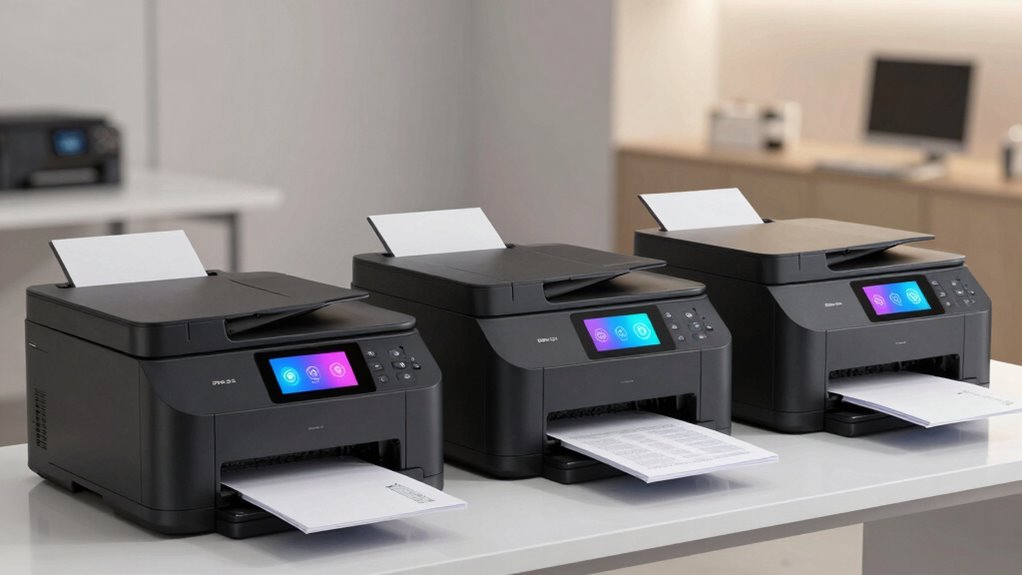
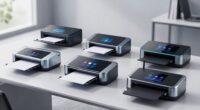
Choosing the right laser printer with duplex and wireless capabilities can significantly streamline your workflow, whether for small business or home office. In this roundup, I focus on models that balance speed, connectivity, and ease of use. For most users, the HP LaserJet M207dw offers a compelling mix of speed and security, making it ideal for busy small offices. The Canon Color imageCLASS LBP646Cdw stands out for color printing, perfect for creative or multi-purpose environments. Meanwhile, the Brother DCP-L2640DW delivers multifunctionality with scanning and copying, fitting for those needing all-in-one features. Each comes with tradeoffs, like limited color options or higher toner costs, which are worth considering depending on your needs.

Get audio and creator gear delivered free with Prime
- Fast, free delivery on millions of items
- Prime Video, Amazon Music and more included
- Member-only deals all year
Complete the kit



Key Takeaways
- The HP LaserJet M207dw is best for small offices prioritizing speed and security in monochrome printing.
- Canon’s LBP646Cdw offers vibrant color printing but sacrifices multifunctionality for simplicity.
- Brother’s DCP-L2640DW combines printing, scanning, and copying, suited for small businesses needing all-in-one features.
- Toner costs and functionality limitations vary, influencing long-term expenses and workflow suitability.
- Wireless setup ease and mobile printing support are common strengths among these models, but monitor for monochrome-only options.
| HP LaserJet M207dw Laser Wireless Printer, Black and White, Duplex, Office Use |  | Best for Small Office Speed and Security | Print Speed: Up to 28 pages per minute | Connectivity: Wireless, Ethernet | Duplex Printing: Yes | VIEW ON AMAZON | See Our Full Breakdown |
| Canon Color imageCLASS LBP646Cdw Wireless Laser Printer – White, Print Only, 26 PPM |  | Best for Color Printing in Small & Home Offices | Printer Type: Laser | Color: Color | Wireless: Yes | VIEW ON AMAZON | See Our Full Breakdown |
| Canon imageCLASS LBP122dw Wireless Monochrome Duplex Laser Printer |  | Best Compact Monochrome for Home and Personal Use | Print Speed: 30 pages per minute | Connectivity: Wireless | Duplex: Yes | VIEW ON AMAZON | See Our Full Breakdown |
| Brother DCP-L2640DW Wireless Monochrome Multi-Function Laser Printer with Copy and Scan |  | Best for Small Business Multitasking | Print Speed: 36 pages per minute | Scan Speed: 23.6/7.9 ipm | Auto Document Feeder: 50 pages | VIEW ON AMAZON | See Our Full Breakdown |
| Brother HL-L2460DW Wireless Monochrome Laser Printer with Duplex and Mobile Printing |  | Best for Home and Small Teams | Print Speed: 36 pages per minute | Connectivity: Wi-Fi, Ethernet, USB | Automatic Duplex: Yes | VIEW ON AMAZON | See Our Full Breakdown |
| laser printer duplex wireless | Print Speed | Connectivity | Paper Capacity |
|---|---|---|---|
| HP LaserJet M207dw Laser Wirel | Up to 28 pages per minute | Wireless, Ethernet | — |
| Canon Color imageCLASS LBP646C | 26 PPM | — | 250 sheets |
| Canon imageCLASS LBP122dw Wire | 30 pages per minute | Wireless | — |
| Brother DCP-L2640DW Wireless M | 36 pages per minute | Wireless, Ethernet, USB | 250 sheets |
| Brother HL-L2460DW Wireless Mo | 36 pages per minute | Wi-Fi, Ethernet, USB | 250 sheets |
More Details on Our Top Picks
HP LaserJet M207dw Laser Wireless Printer, Black and White, Duplex, Office Use
This model shines with a rapid printing speed of 28 pages per minute and robust security features, making it a top choice for small office environments. Its wireless and Ethernet options provide flexible setup, and automatic duplex printing reduces paper waste. However, it’s limited to black-and-white printing, which could be a drawback for those needing color output. Compared to multifunction printers, it lacks scanning or copying, but for straightforward printing needs, it excels.
Pros:- Fast printing speed of 28 ppm
- Wireless and Ethernet connectivity
- Automatic duplex printing
- Built-in security features
Cons:- Limited to black-and-white printing
- No scanning or copying functions
- Designed primarily for small offices
Best for: Small offices needing fast, secure monochrome printing
Not ideal for: Users requiring color printing or multifunction capabilities
- Print Speed:Up to 28 pages per minute
- Connectivity:Wireless, Ethernet
- Duplex Printing:Yes
- Color:Black and White
- Ideal For:1-5 people
- Security Features:Yes
Our verdict“A reliable monochrome printer ideal for small office workflows emphasizing speed and security.”
Canon Color imageCLASS LBP646Cdw Wireless Laser Printer – White, Print Only, 26 PPM
This Canon model offers vibrant color printing at a speed of 26 pages per minute, supported by a 5-inch LCD for easy control. It’s perfect for users who need high-quality color documents but don’t require scanning or copying. Its high-capacity toner reduces running costs, and wireless setup is straightforward. The main tradeoff is that it’s a print-only device, limiting its functionality compared to multifunctional counterparts. For those seeking sharp color output with minimal fuss, it’s a solid choice.
Pros:- Fast print speeds of up to 26 ppm
- Wireless setup and mobile printing
- High-capacity toner for high yield
- Automatic duplex printing
Cons:- Print-only functionality
- No scanning or copying
- Limited to small/home office use
Best for: Small or home offices needing color printing
Not ideal for: Users looking for multifunction features like scanning or copying
- Printer Type:Laser
- Color:Color
- Wireless:Yes
- Print Speed:26 PPM
- First Print Time:10.3 seconds
- Display:5-inch LCD
- Toner:Canon Genuine Toner 075 / 075 high-capacity
- Paper Capacity:250 sheets
Our verdict“A dedicated color laser printer that balances speed and ease of use but lacks multifunctionality.”
Canon imageCLASS LBP122dw Wireless Monochrome Duplex Laser Printer
This compact monochrome laser printer is designed for personal or small home offices, delivering a swift 30 pages per minute and duplex printing. Its wireless capabilities support mobile printing via Canon PRINT app, making it easy to manage remotely. Its size makes it ideal for tight spaces, but it’s limited to monochrome printing and requires genuine toner, which can be costly over time. If your needs are basic monochrome printing with a small footprint, this model fits well, but it won’t serve those requiring color or multifunction features.
Pros:- Fast printing at 30 ppm
- Wireless connectivity for mobile printing
- Compact design fits small spaces
Cons:- Print-only functionality
- Limited to monochrome printing
- Costly genuine toner
Best for: Home or personal use requiring compact, monochrome printing
Not ideal for: Users needing color, scanning, or copying
- Print Speed:30 pages per minute
- Connectivity:Wireless
- Duplex:Yes
- Toner:Canon GENUINE Toner 071 / 071 high-capacity
- Design:Compact
Our verdict“A space-saving monochrome printer ideal for simple, fast printing at home or for personal use.”
Brother DCP-L2640DW Wireless Monochrome Multi-Function Laser Printer with Copy and Scan
This Brother model combines printing, scanning, and copying in a compact monochrome device, supporting speeds up to 36 ppm. Its multiple connectivity options include dual-band Wi-Fi, Ethernet, and USB, providing versatile setup options. The 50-page auto document feeder makes multi-page scanning and copying straightforward. While it’s limited to monochrome, its multifunctionality makes it a valuable option for small businesses needing an all-in-one device, though toner replacement costs and the absence of color might be drawbacks for some users.
Pros:- Fast printing and scanning speeds
- Multiple connectivity options
- Auto document feeder for multi-page tasks
- Compact footprint
Cons:- Limited to monochrome output
- No color printing
- Toner costs can add up
Best for: Small businesses needing multifunction functionality
Not ideal for: Users requiring color printing or high-volume monochrome printing without scanning or copying
- Print Speed:36 pages per minute
- Scan Speed:23.6/7.9 ipm
- Auto Document Feeder:50 pages
- Connectivity:Wireless, Ethernet, USB
- Paper Capacity:250 sheets
Our verdict“An excellent multifunction monochrome printer for small business environments needing all-in-one capabilities.”
Brother HL-L2460DW Wireless Monochrome Laser Printer with Duplex and Mobile Printing
This Brother model is a compact, monochrome laser printer designed for efficiency at home or small teams, offering a rapid 36 ppm print speed and automatic duplex printing. Its wireless and Ethernet options make setup flexible, and the mobile app support simplifies remote management. The main tradeoff is its monochrome-only output, which limits use for color documents. Toner replacement costs are also a consideration, especially for high-volume printing. Overall, this model balances speed, connectivity, and affordability for basic monochrome printing needs.
Pros:- Fast printing speed of 36 ppm
- Wireless and Ethernet connectivity
- Automatic duplex printing
- Mobile app support
Cons:- Limited to monochrome printing
- Potential toner costs over time
Best for: Home offices and small teams prioritizing speed and remote management
Not ideal for: Users needing color printing or multifunction features
- Print Speed:36 pages per minute
- Connectivity:Wi-Fi, Ethernet, USB
- Automatic Duplex:Yes
- Paper Capacity:250 sheets
- Mobile Printing:Yes
Our verdict“A reliable, fast monochrome laser printer suited for remote or small team setups, with simple management features.”

How We Picked
Our selection process focused on models that combine duplex printing with wireless connectivity, prioritizing speed, ease of use, and suitability for small offices or home use. We evaluated print speed, multifunction capabilities, security features, and user reviews to identify options that balance performance and value. Tradeoffs like color support, toner costs, and physical size were also considered, ensuring each pick serves a distinct user scenario without overshadowing the others.
| laser printer duplex wireless | Connectivity |
|---|---|
| HP LaserJet M207dw Laser Wirel | Wireless, Ethernet |
| Canon Color imageCLASS LBP646C | — |
| Canon imageCLASS LBP122dw Wire | Wireless |
| Brother DCP-L2640DW Wireless M | Wireless, Ethernet, USB |
| Brother HL-L2460DW Wireless Mo | Wi-Fi, Ethernet, USB |
Factors to Consider When Choosing Laser Printer Duplex Wireless
When selecting a wireless duplex laser printer, the key factors include print speed, multifunction capabilities, connectivity options, and ongoing costs. Your choice depends heavily on your specific needs—whether you require color, scanning, or just fast monochrome printing. I’ll walk you through the most important considerations to help you identify the best fit for your environment.
Print Speed and Volume
If speed is your priority, models like the Brother HL-L2460DW and DCP-L2640DW stand out with speeds of 36 ppm. For small offices with high volume needs, faster speeds reduce wait times and increase productivity. Conversely, for light use or personal setups, slower but more affordable options may suffice.
Functionality: Mono, Color, or Multi-Function
Decide if you need color printing or multifunction features like scanning and copying. The Canon LBP646Cdw is excellent if color output is essential, while the Brother DCP-L2640DW offers all-in-one functionality. For basic monochrome needs, the HP M207dw and Canon LBP122dw provide fast, secure printing without extra features that might increase costs.
Connectivity and Ease of Use
Wireless setup and mobile printing support are standard among these models, but look for dual-band Wi-Fi or Ethernet if you need a more stable connection. The LCD screens and app support also vary, influencing how easy it is to manage print jobs remotely, especially for small teams or home offices.
Cost of Ownership
Consider toner costs and yield, especially for high-volume printing. High-capacity toners reduce frequency but can be more expensive upfront. Monochrome models generally have lower ink costs, but color models like the Canon LBP646Cdw might entail higher ongoing expenses. Balance initial costs with long-term running expenses to find the best value.
Frequently Asked Questions
What should I look for in a wireless duplex laser printer?
The most important features are print speed, duplex printing capability, wireless connectivity, and whether it meets your specific needs for color or multifunctional use. Consider ongoing toner costs and the physical size of the printer to ensure it fits your workspace.
Are duplex printers more expensive than single-sided models?
Generally, duplex printers tend to cost a bit more upfront due to the added technology required for automatic double-sided printing. However, they often save money over time by reducing paper use and increasing efficiency, especially in high-volume environments.
Can I use these printers with any mobile device?
Most of these printers support popular mobile printing protocols like Apple AirPrint, Google Cloud Print, or manufacturer-specific apps. Compatibility is typically straightforward, but it’s wise to check specific app requirements and network configurations to ensure smooth operation.
Is color printing worth the extra cost?
If you frequently need to produce vibrant presentations, marketing materials, or color-coded documents, investing in a color laser printer like the Canon LBP646Cdw can be worthwhile. For pure text or monochrome documents, a monochrome model often offers faster speeds and lower running costs.
How often should I replace the toner?
That depends on your print volume and toner capacity. High-capacity toners can last several thousand pages, reducing replacement frequency. Monitor your usage and choose models with toner yields that match your expected volume to avoid frequent replacements or unexpected costs.
Conclusion
For small offices or teams prioritizing speed and security, the HP LaserJet M207dw offers reliable monochrome performance. Users needing vibrant color output for creative projects should consider the Canon LBP646Cdw, despite its limited multifunctionality. Small businesses that require a versatile device with scanning and copying will find the Brother DCP-L2640DW to be a strong choice, while home users seeking compact, fast monochrome printing may prefer the Brother HL-L2460DW. Your specific workflow and budget will determine the best fit among these options.
Halloween Picks
halloween
As an affiliate, we earn on qualifying purchases.