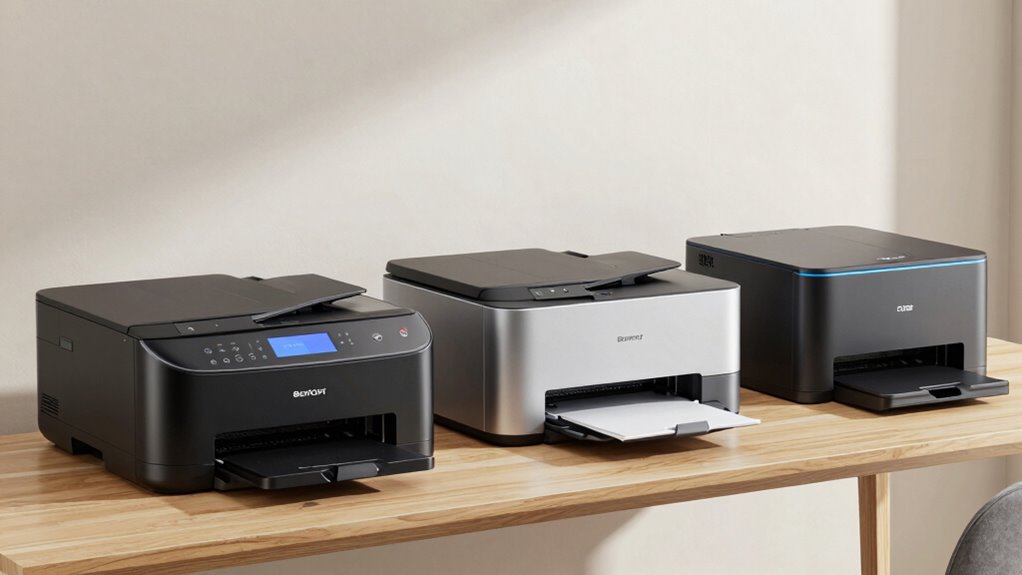

Choosing the right laser printer for a home office in 2026 requires balancing speed, size, and functionality. Whether you need a straightforward monochrome device or a versatile all-in-one, the options vary significantly. I’ve curated five models that stand out for different needs, from budget-friendly basics to premium features. Each has its own strengths and tradeoffs, so consider your specific workflow and space constraints before making a decision.

Get audio and creator gear delivered free with Prime
- Fast, free delivery on millions of items
- Prime Video, Amazon Music and more included
- Member-only deals all year
Complete the kit


Key Takeaways
- The best overall choice balances speed, size, and cost, like the Brother HL-L2405W.
- Small teams benefit from compact models like the HP LaserJet M110w, which excel in space-saving design.
- All-in-one options such as the HP LaserJet Pro 3101sdw add scanning and copying, ideal for multi-tasking home offices.
- Laser printers designed specifically for home use tend to be monochrome, with color options generally requiring larger, more expensive models.
- Connectivity options like Wi-Fi and mobile printing support are vital for seamless integration into modern workflows.
| Brother HL-L2405W Wireless Monochrome Laser Printer with Mobile Printing |  | Best Overall Home Office Laser Printer | Print Speed: 30 pages per minute | Connectivity: Wi-Fi (dual-band), USB | Paper Capacity: 250 sheets | VIEW ON AMAZON | See Our Full Breakdown |
| HP LaserJet MFP M140w Wireless Black & White Printer |  | Best for Small Teams and Multi-Function Needs | Print Speed: Up to 21 pages per minute | Functions: Print, Scan, Copy | Connectivity: Wireless | VIEW ON AMAZON | See Our Full Breakdown |
| HP LaserJet M110w Wireless Black & White Printer |  | Best Compact and Smallest Laser Printer | Printer Type: Laser | Print Speed: Up to 21 pages per minute | Connectivity: USB, Wireless | VIEW ON AMAZON | See Our Full Breakdown |
| HP LaserJet Pro MFP 3101sdw Wireless Black and White All-in-One Laser Printer |  | Best for Small Teams Needing All-in-One Functionality | Print Speed: Up to 35 ppm | Input Tray Capacity: 250 sheets | Auto Document Feeder: 50 sheets | VIEW ON AMAZON | See Our Full Breakdown |
| Brother DCP-L2640DW Wireless Monochrome Multi-Function Printer |  | Best for Small Business and Multi-Function Use | Print Speed: Up to 36 ppm | Scan Speed: Up to 23.6/7.9 ipm | Auto Document Feeder: 50 pages | VIEW ON AMAZON | See Our Full Breakdown |
| laser printer for home office | Print Speed | Connectivity | Functions |
|---|---|---|---|
| Brother HL-L2405W Wireless Mon | 30 pages per minute | Wi-Fi (dual-band), USB | — |
| HP LaserJet MFP M140w Wireless | Up to 21 pages per minute | Wireless | Print, Scan, Copy |
| HP LaserJet M110w Wireless Bla | Up to 21 pages per minute | USB, Wireless | — |
| HP LaserJet Pro MFP 3101sdw Wi | Up to 35 ppm | Wireless Wi-Fi | Print, Scan, Copy |
| Brother DCP-L2640DW Wireless M | Up to 36 ppm | Wi-Fi (dual-band), Ethernet, USB | Print, Scan, Copy |
More Details on Our Top Picks
Brother HL-L2405W Wireless Monochrome Laser Printer with Mobile Printing
This model stands out for its fast printing speed of 30 pages per minute and large 250-sheet paper tray, making it suitable for frequent printing without constant refills. Its dual-band Wi-Fi and USB connectivity support flexible setup, while mobile printing via app adds convenience. However, its monochrome-only output and lack of duplex printing mean it’s best for straightforward black-and-white tasks. The optional toner subscription can reduce running costs but might increase upfront expenses if not utilized fully.
Pros:- Fast 30 ppm print speed
- Large 250-sheet capacity
- Wireless and USB connectivity
- Mobile printing support
Cons:- Black-and-white only
- No duplex printing
- Frequent toner replacements without subscription
Best for: Small home offices needing high-speed, reliable monochrome printing
Not ideal for: Users requiring color printing or automatic duplexing
- Print Speed:30 pages per minute
- Connectivity:Wi-Fi (dual-band), USB
- Paper Capacity:250 sheets
- Printer Type:Monochrome Laser
- Included:Refresh subscription trial
Our verdict“A top pick for high-volume monochrome printing in small home office settings.”
HP LaserJet MFP M140w Wireless Black & White Printer
The HP LaserJet MFP M140w offers a compact footprint combined with versatile functionality, including printing, scanning, and copying. It’s ideal for small teams of 1-3 people who need a reliable, multi-use device. While it’s quick for its class—up to 21 ppm—and easy to set up, it’s limited to black-and-white output and only supports HP cartridges with chips, which can be more costly long-term. It’s a solid choice for those prioritizing space and multi-functionality over high-volume speed.
Pros:- Compact size fits small spaces
- Multi-function (print, scan, copy)
- Wireless and mobile device compatibility
- Easy setup
Cons:- Limited to black & white printing
- Cartridges with chips can be costly
- Not designed for high-volume printing
Best for: Small teams needing a multi-purpose monochrome device
Not ideal for: Those requiring color printing or high-volume output
- Print Speed:Up to 21 pages per minute
- Functions:Print, Scan, Copy
- Connectivity:Wireless
- Size:Small
- Compatibility:Microsoft, Mac, AirPrint, Android, Chromebook
Our verdict“A versatile, space-efficient choice for small teams that need more than just printing.”
HP LaserJet M110w Wireless Black & White Printer
The HP LaserJet M110w is the smallest laser printer available, making it perfect for very tight spaces. It offers comparable speed—up to 21 ppm—and straightforward wireless setup, making it suitable for casual or light use at home. Its maximum paper capacity of 150 sheets may require frequent refills, which is a downside for larger tasks. Its primary appeal is size, making it a natural choice for minimal desk space but less suited for high-volume or heavy-duty printing.
Pros:- Compact size fits small spaces
- Fast 21 ppm printing
- Wireless and mobile printing
- Easy to set up
Cons:- Limited to black & white
- 150-sheet capacity requires frequent refills
- Primarily for small-scale use
Best for: Single users or very small teams with space constraints
Not ideal for: High-volume or multi-user environments
- Printer Type:Laser
- Print Speed:Up to 21 pages per minute
- Connectivity:USB, Wireless
- Maximum Media Size:8.5 x 14 inches
- Paper Capacity:150 sheets
HP LaserJet Pro MFP 3101sdw Wireless Black and White All-in-One Laser Printer
This all-in-one device offers rapid printing at up to 35 ppm, with the added benefits of scanning and copying. Its 250-sheet input tray and auto duplex printing help reduce manual effort, making it suitable for busy small teams. The reliance on HP chips for cartridges is a consideration for long-term costs, and it’s limited to monochrome output. Still, for those who need a reliable, multi-function printer that handles volume efficiently, this model is a compelling choice.
Pros:- Fast 35 ppm print speed
- Auto duplex saves paper
- 250-sheet input tray
- Wireless connectivity
Cons:- Limited to monochrome
- Cartridge dependency with chips
- No color printing
Best for: Small teams that need fast, multi-functional printing
Not ideal for: Users needing color printing or minimal budget options
- Print Speed:Up to 35 ppm
- Input Tray Capacity:250 sheets
- Auto Document Feeder:50 sheets
- Connectivity:Wireless Wi-Fi
- Functions:Print, Scan, Copy
Our verdict“A powerful all-in-one solution for small offices focusing on speed and efficiency.”
Brother DCP-L2640DW Wireless Monochrome Multi-Function Printer
The Brother DCP-L2640DW combines fast printing—up to 36 ppm—and efficient scanning and copying, with a 50-page automatic document feeder. Its dual-band Wi-Fi, Ethernet, and USB options provide flexible connectivity, making it suitable for small business environments or home offices that handle diverse tasks. The monochrome-only output limits its use for color jobs, but its overall speed and multi-functionality make it a versatile workhorse for everyday document handling.
Pros:- Fast 36 ppm speed
- Multi-function (print, scan, copy)
- Flexible connectivity options
- Auto document feeder
Cons:- Monochrome only
- Requires genuine toner
- Limited to small-scale printing
Best for: Small businesses or busy home offices needing multi-tasking capabilities
Not ideal for: Those requiring color printing or larger paper capacity
- Print Speed:Up to 36 ppm
- Scan Speed:Up to 23.6/7.9 ipm
- Auto Document Feeder:50 pages
- Connectivity:Wi-Fi (dual-band), Ethernet, USB
- Functions:Print, Scan, Copy
Our verdict“A reliable, multi-purpose printer that handles small business workflows efficiently.”

How We Picked
Our selection process focused on printers that deliver reliable monochrome laser printing suited for home offices. I prioritized models that offer fast print speeds, compact footprints, and user-friendly wireless connectivity. Cost considerations included both initial purchase price and ongoing toner expenses, with a special eye toward features that maximize value for small-scale, low-volume printing environments. Each model was assessed against alternatives to highlight unique strengths and limitations relevant to home office users.
| laser printer for home office | Connectivity |
|---|---|
| Brother HL-L2405W Wireless Mon | Wi-Fi (dual-band), USB |
| HP LaserJet MFP M140w Wireless | Wireless |
| HP LaserJet M110w Wireless Bla | USB, Wireless |
| HP LaserJet Pro MFP 3101sdw Wi | Wireless Wi-Fi |
| Brother DCP-L2640DW Wireless M | Wi-Fi (dual-band), Ethernet, USB |
Factors to Consider When Choosing Laser Printer For Home Office
Selecting the right laser printer for a home office involves understanding your printing volume, space limitations, and whether multi-functionality is necessary. Monochrome models are typically more affordable and faster for text-heavy documents, but if color is needed, you’ll face larger, pricier options. Wireless connectivity is essential for flexible placement and easy printing from multiple devices. Durability and ongoing toner costs also matter—consider models with efficient toner use or subscription options if you print frequently.
Size and Space
For small or cluttered home offices, compact models like the HP LaserJet M110w or Brother HL-L2405W are ideal because they fit easily on desks or shelves. Larger all-in-one units, such as the HP LaserJet Pro 3101sdw, require more space but offer greater functionality. Measure your available area carefully before choosing a model to ensure it won’t become an obstacle.
Print Volume and Speed
If your home office involves frequent printing of documents, speed and capacity matter. Models like the Brother HL-L2405W and Brother DCP-L2640DW excel with speeds over 30 ppm and large paper trays, reducing refills and wait times. For occasional printing, slower or smaller models may suffice, but keep in mind that slower speeds can become frustrating during busy periods.
Multi-Functionality
Consider whether you need scanning and copying capabilities. All-in-one models like the HP LaserJet Pro 3101sdw and Brother DCP-L2640DW combine these features efficiently. If you only need basic printing, a simpler monochrome printer could save money and space. Think about your workflow—multi-functionality can streamline tasks or add unnecessary complexity if not needed.
Connectivity and Cost
Wireless options such as Wi-Fi and mobile printing support flexible setups and device compatibility. However, keep in mind that some models depend on proprietary cartridges with chips, which can increase long-term costs. Subscription services for toner, like with the Brother HL-L2405W, may lower ongoing expenses but add to upfront costs. Balance convenience with total cost of ownership when making your choice.
Frequently Asked Questions
What is the main advantage of monochrome laser printers for home use?
Monochrome laser printers are generally faster, more cost-effective per page, and produce sharper text than inkjet counterparts. This makes them ideal for home offices focused on document printing, especially when color isn’t necessary. Their simplicity often translates to lower maintenance and fewer issues over time.
Are all-in-one laser printers worth it for a home office?
All-in-one laser printers offer the convenience of printing, scanning, and copying in a single device, which can save space and streamline workflows. However, they tend to be larger, more expensive, and sometimes slower than dedicated printers. If your tasks involve frequent multi-tasking, they can be a smart investment; otherwise, a dedicated printer might be enough.
How important is wireless connectivity in a home laser printer?
Wireless connectivity is highly beneficial for home offices, allowing multiple devices to print without cluttering the workspace with cables. It also simplifies placement, enabling printing from smartphones, tablets, and laptops. Nonetheless, ensure your Wi-Fi network is stable to avoid interruptions or connection issues.
What should I consider about toner costs?
Toner costs can significantly influence the total cost of ownership. Some models rely on proprietary cartridges with chips, which tend to be more expensive and may require frequent replacements. Subscription services or high-yield toner options can reduce costs over time, but evaluate your expected printing volume to choose the most economical solution.
Is color laser printing necessary for a home office?
For most home office tasks centered around documents and text, monochrome printers suffice and are more affordable. Color laser printers are larger, more expensive, and often slower. Consider whether you need color for presentations or marketing materials; if not, a monochrome model provides faster, cheaper printing for everyday needs.
Conclusion
For buyers prioritizing high-speed, high-volume monochrome printing with minimal space, the Brother HL-L2405W offers an excellent balance of performance and affordability. Small teams or those needing multi-functionality will find the HP LaserJet Pro 3101sdw appealing, despite its monochrome limitation. Space-conscious individuals or single users who print infrequently should consider the HP LaserJet M110w for its compact size. Lastly, small business owners or busy home offices requiring fast, versatile multi-tasking devices will benefit from the Brother DCP-L2640DW, which combines speed and multi-functionality seamlessly. Tailoring your choice to your specific workflow and space will lead to the best long-term satisfaction.
Fall Picks
fall essentials
As an affiliate, we earn on qualifying purchases.