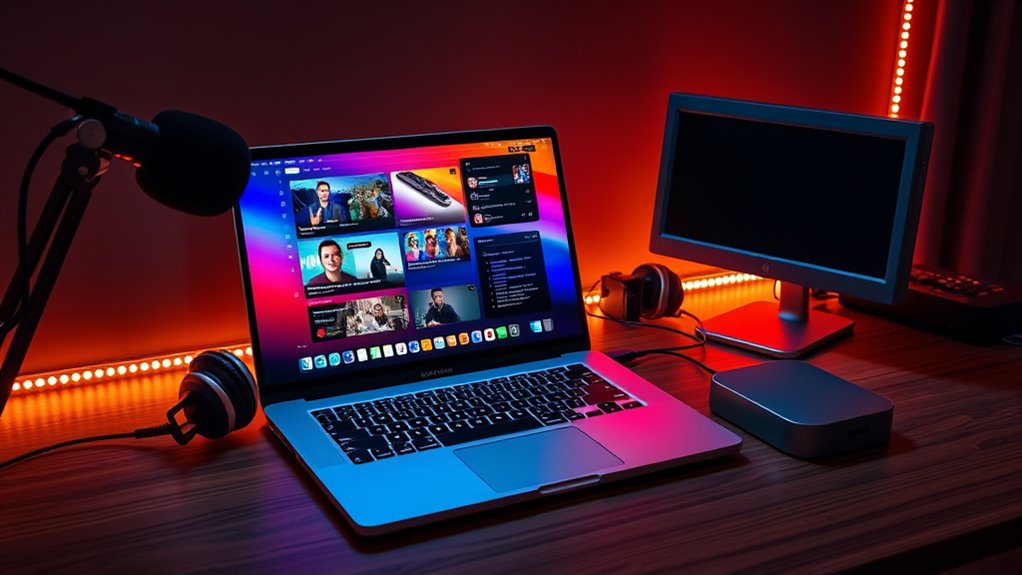

For most creators, I’d choose the 2025 14-inch MacBook Pro with M5 as the best overall fit: it pairs current-generation Apple silicon with 24GB of memory and a 1TB SSD in a portable setup. The 14-inch M5 Pro with 48GB is a stronger match for heavier editing and multitasking, while the 16-inch M5 Pro with 64GB gives demanding workflows more memory and screen space. The main tradeoffs are portability versus workspace, and whether your streaming and editing workload can make good use of premium chip and memory configurations. Older M1 and M2 models may suit lighter work or a tighter budget, but their smaller memory and storage allocations can constrain growth. Read on for how all 12 options compare and which one fits your setup.

Get audio and creator gear delivered free with Prime
- Fast, free delivery on millions of items
- Prime Video, Amazon Music and more included
- Member-only deals all year
Complete the kit


Key Takeaways
- The 2025 14-inch M5 model is the balanced pick: 24GB of memory and 1TB of storage provide more room for creator multitasking than the 8GB configurations in several older models.
- M5 Pro separates mobile power from desktop-like headroom: the 14-inch version offers 48GB of memory, while the 16-inch version raises that to 64GB for larger projects and more demanding concurrent work.
- The M5 Max with 128GB is a specialist choice: its memory capacity best suits unusually heavy production workloads, not every livestreamer.
- Renewed Apple silicon models can offer a middle ground: the 2024 M4 Max and 2021 M1 Pro have more creator-oriented hardware than entry-level Intel-era options, though condition and remaining support matter.
- Several older picks carry clear limits: 8GB RAM models and Intel-based machines may handle basic tasks, but are less flexible for simultaneous streaming, editing, and long-term use than newer Apple silicon options.




| macbook pro for live streaming and content creation | Display | Memory | Storage | Processor |
|---|---|---|---|---|
| Apple 2025 MacBook Pro Laptop | 14.2-inch Liquid Retina XDR | 24GB unified memory | 1TB SSD | Apple M5 with 10-core CPU and GPU |
| Apple MacBook Pro Laptop with | 14.2-inch Liquid Retina XDR | 48GB unified memory | 1TB SSD | Apple M5 Pro with 15-core CPU and 16-core GPU |
| Apple MacBook Pro with M2 Chip | 13-inch Retina, 2560 x 1600 pixels | 8GB RAM | 512GB SSD | Apple M2, 8-core CPU |
| Apple MacBook Pro 2020 with M1 | 13.3-inch Retina, 2560 x 1600 pixels | 8GB | 256GB SSD | Apple M1, 8-core, 3.2 GHz |
| Apple 2021 MacBook Pro 16.2-in | 16.2-inch Liquid Retina XDR | 16GB RAM | 512GB SSD | Apple M1 Pro with 10-core CPU and 16-core GPU |
| Apple MacBook Pro 16.2-inch wi | 16.2-inch Liquid Retina XDR | 128GB unified memory | 2TB SSD | — |
| Apple MacBook Pro 13-inch | 13-inch Retina, 2560 x 1600, True Tone | 8GB DDR3 SDRAM | 256GB SSD | 8th-generation Intel Core i5, 1.4GHz, dual-core |
| Apple 2024 MacBook Pro 14-inch | 14.2-inch Liquid Retina XDR | 36GB | 1TB SSD | M4 Max |
| Apple 16-inch MacBook Pro with | 16-inch Liquid Retina XDR | 64GB | 1TB SSD | M5 Pro, 18-core CPU |
| Apple MacBook Pro 15-inch Reti | 15.4-inch Retina, 2880 x 1800 | 16GB | 256GB SSD | Intel Core i7, 2.6GHz, quad-core |
| Apple MacBook Pro | 13.3-inch Retina, 2560 x 1600 | 32GB LPDDR4 | 1TB SSD | 2.0GHz Intel Core i5 |
| Apple MacBook Pro with M2 Max | 16.2-inch | 32GB | 1TB SSD | Apple M2 Max |
More Details on Our Top Picks
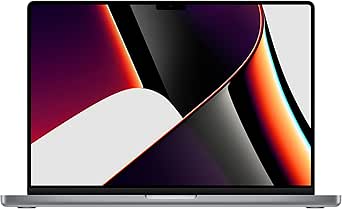
Apple 2025 MacBook Pro Laptop with M5 Chip, 14.2-inch Liquid Retina XDR Display, 24GB Memory, 1TB SSD, Space Black
I rank this as the most balanced pick for a creator who streams, edits, and works on the go. The M5 chip, 24GB unified memory, and 1TB SSD give a live-streaming setup room for broadcast software, browser tools, and active media files without stepping up to the more specialized M5 Pro model. Its 14.2-inch Liquid Retina XDR display makes color and timeline details easier to inspect, while HDMI and the SDXC slot simplify connecting a display or importing footage. The 12MP Center Stage camera is useful for direct-to-camera sessions when an external camera is not part of the setup. Compared with the M1 Pro 16-inch model, this one is more compact and newer, but its smaller screen and standard M5 chip are less suited to large editing timelines or heavier multicam work.
The tradeoff is that this is a capable all-rounder, not the lineup’s highest-performance workstation; creators with demanding effects-heavy projects should look at the M5 Pro or M1 Pro options.
Pros:- M5 chip and 24GB unified memory support a broad mix of streaming and creative apps
- 1TB SSD provides room for active projects and recorded footage
- HDMI and SDXC slot reduce the need for adapters in common creator workflows
- 12MP Center Stage camera and six-speaker system support calls and monitoring
Cons:- The 14.2-inch display offers less timeline space than the 16.2-inch M1 Pro model
- Standard M5 processing is a less fitting choice than M5 Pro for especially demanding production workloads
- The listed ports may still require a hub for setups with several USB accessories
Best for: Solo streamers and video creators who want a current, portable MacBook Pro with enough memory and storage for a mixed live-production and editing workflow.
Not ideal for: Editors working with complex multicam timelines or heavy effects who need the extra CPU and GPU capacity of the M5 Pro or a larger display for prolonged editing.
- Processor:Apple M5 with 10-core CPU and GPU
- Display:14.2-inch Liquid Retina XDR
- Memory:24GB unified memory
- Storage:1TB SSD
- Camera:12MP Center Stage
- Ports:Three Thunderbolt 4, MagSafe 3, SDXC card slot, HDMI, headphone jack
- Audio:Six speakers with Spatial Audio and Dolby Atmos
- Color:Space Black
Our verdict“Choose this M5 model for a portable, well-rounded streaming and creation machine; step up to M5 Pro if your projects are consistently more demanding.”
Apple MacBook Pro Laptop with M5 Pro Chip, 15-core CPU, 16-core GPU, 14.2-inch Liquid Retina XDR Display, 48GB RAM, 1TB SSD, Space Black
For creators who run a stream while editing, compositing, or keeping many production tools open, this is the strongest workload-focused 14-inch choice in this batch. The M5 Pro chip pairs a 15-core CPU and 16-core GPU with 48GB unified memory, giving demanding apps more headroom than the standard M5 MacBook Pro. That matters when a broadcast app, source footage, browser dashboards, and creative software compete for resources. Thunderbolt 5, HDMI, and SDXC also make it easier to connect production gear and move camera files. Compared with the M1 Pro 16-inch model, this machine offers a newer Pro chip and more memory in a smaller display size; the older model may suit creators who value a larger work surface more than a newer platform.
The key compromise is portability: this configuration is described as heavy, and the 14.2-inch screen still gives less editing space than a 16-inch model. Its capabilities may also be unnecessary for simple single-camera streams.
Pros:- M5 Pro CPU and GPU provide stronger capacity for demanding creative workflows
- 48GB unified memory gives multiple active production apps more room
- Thunderbolt 5, HDMI, and SDXC support varied production connections
- 1TB SSD accommodates active projects and footage
Cons:- The 14.2-inch screen is smaller for timeline work than the M1 Pro 16-inch model
- The listed configuration is heavy for creators who travel frequently
- Its high-end performance may go unused in straightforward streaming setups
Best for: Video professionals and streamers who run multiple production apps together, work with demanding media, and want substantial memory in a 14.2-inch laptop.
Not ideal for: Beginners or single-camera creators with light editing needs who can use the standard M5 model’s more modest performance and memory.
- Processor:Apple M5 Pro with 15-core CPU and 16-core GPU
- Display:14.2-inch Liquid Retina XDR
- Memory:48GB unified memory
- Storage:1TB SSD
- Ports:Three Thunderbolt 5, MagSafe 3, SDXC, HDMI, headphone jack
- Connectivity:Wi-Fi 7 and Bluetooth 6
- Camera:12MP Center Stage
- Speakers:Six with Spatial Audio and Dolby Atmos
Our verdict“Pick the M5 Pro when your live stream and editing workload regularly runs several demanding apps at once, rather than for basic creator tasks.”
Apple MacBook Pro with M2 Chip, 13-inch Retina Display, 8GB RAM, 512GB SSD, Touch Bar, Backlit Keyboard, FaceTime HD Camera, Space Gray
This 13-inch M2 MacBook Pro is the compact entry in this group for creators whose work is mostly a simple stream, calls, and lighter edits. Its 3-pound design and up to 20 hours of listed battery life suit mobile recording or working away from a desk, while the 512GB SSD gives more project space than the 256GB drive in the renewed M1 model. The M2 chip is a newer option than that M1 configuration, but 8GB of RAM is the real constraint: running broadcast software alongside editing tools and browser tabs may leave less breathing room than the 24GB M5 model. Its 13-inch Retina display is also smaller and lacks the XDR designation found on the newer 14.2-inch models.
I would choose it for portability and lighter workloads, not as a long-term machine for complex content production. Two Thunderbolt 3 ports can also mean extra adapters in a multi-device streaming setup.
Pros:- Compact 3-pound design is easier to carry than the 16-inch MacBook Pro models
- M2 chip is a newer-generation option than the renewed M1 MacBook Pro in this group
- 512GB SSD offers more local project space than the renewed M1 model’s 256GB
- Listed battery life reaches up to 20 hours
Cons:- 8GB RAM is limiting for simultaneous streaming, editing, and browser workloads
- 13-inch Retina display provides less workspace than the 14.2-inch and 16.2-inch options
- Two Thunderbolt 3 ports may require adapters for a camera and other peripherals
Best for: New creators who prioritize a light laptop for calls, basic live streams, and occasional edits rather than heavy effects or multicam production.
Not ideal for: Streamers who keep several demanding apps open or edit large projects, since 8GB of RAM and two Thunderbolt 3 ports restrict workflow flexibility compared with the M5 models.
- Processor:Apple M2, 8-core CPU
- Display:13-inch Retina, 2560 x 1600 pixels
- Memory:8GB RAM
- Storage:512GB SSD
- Battery life:Up to 20 hours
- Weight:3 pounds
- Connectivity:Wi-Fi 6, Bluetooth, Thunderbolt 3
- Ports:Two Thunderbolt 3 ports and headphone jack
Our verdict“Choose this model for a portable start in light streaming and editing, but favor the M5 MacBook Pro if your workload is growing.”
Apple MacBook Pro 2020 with M1 Chip (13-inch, 8GB RAM, 256GB SSD) Space Gray (Renewed)
This renewed M1 MacBook Pro is the simplest fit here for basic streaming and lightweight content tasks, rather than a demanding production workstation. The M1 chip and listed battery life of up to 20 hours support mobile use, while its 13.3-inch Retina display keeps the machine compact. Against the M2 MacBook Pro in this roundup, however, it has half the SSD capacity at 256GB, so recorded streams and working footage will fill local storage sooner. Both configurations list 8GB of memory, which makes them less appealing for creators who expect to run a stream, editing software, and numerous browser tools at the same time. The M5 model’s 24GB memory and 1TB SSD make it a much more comfortable choice for expanding workloads.
Its renewed status adds uncertainty around cosmetic condition, and the listed warranty is only 90 days. I would keep it to basic setups and plan on external storage for media files.
Pros:- M1 chip offers a capable foundation for basic streaming and everyday creative tasks
- Listed battery life reaches up to 20 hours
- Compact 13.3-inch Retina display and 3-pound weight suit mobile use
- SSD storage supports quick access to apps and files
Cons:- 8GB memory is restrictive for heavier streaming and editing combinations
- 256GB SSD leaves less room for recordings than the M2 model’s 512GB drive
- Renewed condition may include cosmetic imperfections and the listed warranty is 90 days
Best for: Budget-conscious first-time streamers who need a compact Mac for calls, basic broadcasts, and light edits, and are comfortable buying a renewed device.
Not ideal for: Creators who record long sessions locally, rely on several production apps at once, or need a longer warranty and predictable cosmetic condition.
- Processor:Apple M1, 8-core, 3.2 GHz
- Display:13.3-inch Retina, 2560 x 1600 pixels
- Memory:8GB
- Storage:256GB SSD
- Graphics:8-core GPU with shared memory
- Battery life:Up to 20 hours
- Weight:3 pounds
- Warranty:90-day limited warranty
Our verdict“Choose this renewed M1 only for basic streaming and light editing where compact size matters more than memory, storage, and warranty headroom.”
Apple 2021 MacBook Pro 16.2-inch with M1 Pro chip, 16GB RAM, 512GB SSD – Space Gray
For a creator who edits as much as they stream, the 16.2-inch M1 Pro MacBook Pro earns its place through screen area and graphics capability. Its Liquid Retina XDR display gives timelines, preview windows, and tool panels more room than the 14.2-inch M5 models, while the 10-core CPU and 16-core GPU are suited to demanding creative workflows. The six-speaker system and 1080p FaceTime HD camera also make it a practical self-contained workstation for calls and audio checks. Compared with the M5 Pro 14.2-inch model, this one trades a newer chip and 48GB memory for a larger display; the M5 Pro is a stronger fit for memory-heavy multitasking, while this M1 Pro is appealing when screen space leads the decision.
At 4.62 pounds, it is the least convenient option here to carry, and 16GB RAM with 512GB storage is less generous than the newer M5 configurations. It suits desk-based creators more than frequent travelers.
Pros:- 16.2-inch Liquid Retina XDR display gives editing timelines and preview windows more room
- M1 Pro with 10-core CPU and 16-core GPU supports demanding creative workflows
- Six-speaker system and 1080p FaceTime HD camera suit calls and monitoring
- Listed battery life reaches up to 21 hours
Cons:- At 4.62 pounds, it is substantially less convenient to carry than the 14.2-inch models
- 16GB RAM is below the M5 model’s 24GB and the M5 Pro model’s 48GB
- 512GB SSD provides less local project capacity than the 1TB M5 configurations
Best for: Video editors and streamers who work mainly at a desk, value a large built-in preview and timeline area, and need capable GPU performance.
Not ideal for: Frequent travelers or creators who need the larger memory and storage configurations available in the newer M5 models.
- Processor:Apple M1 Pro with 10-core CPU and 16-core GPU
- Display:16.2-inch Liquid Retina XDR
- Memory:16GB RAM
- Storage:512GB SSD
- Battery life:Up to 21 hours
- Weight:4.62 pounds
- Camera:1080p FaceTime HD
- Audio:Six-speaker system with force-cancelling woofers
Our verdict“Choose the 16-inch M1 Pro if a spacious editing display matters more than lighter travel weight or the newer M5 models’ greater memory capacity.”
Apple MacBook Pro 16.2-inch with M5 Max, 128GB RAM, 2TB SSD, Space Black
For livestreamers who also edit multicamera footage, build complex effects, or run demanding creative tools, this configuration offers the most headroom in this group. Its 18-core M5 Max CPU, 40-core GPU, and 128GB unified memory are better suited to heavy parallel workloads than the M5 Pro model with 64GB, while the 2TB SSD leaves more room for active projects and captured media than the 1TB options. The 16.2-inch XDR display gives timelines and preview windows useful working space, and HDMI, SDXC, and Thunderbolt 5 help connect a capture setup. The tradeoff is a large, heavy machine with capabilities many single-camera streamers will not use. I’d choose the M5 Pro 16-inch instead for a less extreme workload and skip this if portability matters most.
Pros:- 40-core GPU and 128GB unified memory provide substantial capacity for demanding creative workloads
- 2TB SSD offers more local project space than the 1TB configurations in this roundup
- 16.2-inch Liquid Retina XDR display provides ample room for timelines and live previews
- Thunderbolt 5, HDMI, and SDXC support a flexible capture and peripheral setup
Cons:- Heavy and bulky for creators who frequently work away from a desk
- The highest-end processing and memory configuration may exceed the needs of routine streaming
- Memory is limited to the listed 128GB configuration
Best for: Professional creators running demanding livestream production alongside high-resolution editing, effects, and large project libraries
Not ideal for: Single-camera streamers or mobile creators who do light editing and would rather carry a smaller, less overbuilt laptop
- Display:16.2-inch Liquid Retina XDR
- CPU:M5 Max, 18-core
- GPU:40-core
- Memory:128GB unified memory
- Storage:2TB SSD
- Ports:Three Thunderbolt 5, MagSafe 3, SDXC, HDMI, headphone jack
- Wireless:Wi-Fi 7, Bluetooth 6
Our verdict“Choose this when your livestreaming and post-production workloads genuinely need maximum memory, graphics power, and local storage.”
Apple MacBook Pro 13-inch, 8GB RAM, 256GB SSD, Space Gray (Renewed)
This renewed 13-inch MacBook Pro is the entry-level choice here for simple streams, class presentations, and light creator tasks—not a machine for ambitious production. Its 8th-generation dual-core Intel Core i5 and 8GB RAM are far behind the M4 Max 14-inch and the newer M5 systems, so multitasking between a streaming app, browser tabs, and editing software can become restrictive. The compact 2.6-pound design and 2560 x 1600 Retina display make it easier to carry and pleasant for basic monitoring, while Touch ID adds convenient device access. Its older macOS 10.13 listing and small SSD are substantial limits for current creative workflows. I’d treat it as a low-demand starter or secondary computer; streamers planning regular editing should move up to a newer Apple silicon model.
Pros:- Portable 2.6-pound design suits travel and classroom use
- 2560 x 1600 Retina display offers clear viewing for basic stream monitoring
- SSD storage and Touch ID support quick everyday access
- Lower-demand tasks can fit its compact 13-inch form
Cons:- 8GB RAM and a dual-core processor constrain streaming multitasking and editing
- 256GB storage leaves limited space for recorded footage and creative projects
- Listed macOS 10.13 High Sierra is substantially older than the systems on newer models
Best for: Students or occasional creators who need a portable Mac for simple webcam streams, presentations, and everyday tasks
Not ideal for: Creators who run multiple production apps, edit high-resolution footage, or need current software support and room for media
- Processor:8th-generation Intel Core i5, 1.4GHz, dual-core
- Memory:8GB DDR3 SDRAM
- Storage:256GB SSD
- Display:13-inch Retina, 2560 x 1600, True Tone
- Graphics:Intel Iris Plus Graphics 645
- Weight:2.6 pounds
- Operating system:macOS 10.13 High Sierra
- Ports:2 USB-C, Thunderbolt 3
Our verdict“Pick this only for basic, occasional streaming and everyday use; creators producing and editing regularly should choose a newer Apple silicon MacBook Pro.”
Apple 2024 MacBook Pro 14-inch with M4 Max Chip, 36GB RAM, 1TB SSD, Silver (Renewed)
This 14-inch M4 Max is the compact pick for creators who need serious processing power but do not want the 16-inch M5 Max model’s larger footprint. Its M4 Max chip and 36GB RAM suit demanding editing and livestream production, while the Liquid Retina XDR display keeps a high-quality preview panel in a more travel-friendly size. The three Thunderbolt 5 ports, HDMI, and SDXC make it easier to connect capture gear and storage without relying only on adapters. Compared with the 16-inch M5 Pro model, this configuration emphasizes a smaller chassis and a Max-tier chip, but has less listed memory and storage than the 64GB/1TB option or the 128GB/2TB M5 Max. As a renewed model, warranty coverage may be more limited; check the seller’s terms before relying on it for paid work.
Pros:- M4 Max chip is suited to demanding creative tasks in a 14-inch format
- Liquid Retina XDR display provides a high-quality preview surface
- Thunderbolt 5, HDMI, and SDXC support common streaming and media workflows
- All-day battery life supports work away from an outlet
Cons:- Renewed status may come with more limited warranty coverage
- 36GB RAM is less headroom than the 64GB and 128GB configurations in this lineup
- 14-inch workspace is smaller than the 16-inch M5 Max and M5 Pro displays
Best for: Mobile video creators and livestreamers who need a compact workstation with strong editing capability and useful built-in ports
Not ideal for: Creators who need the largest possible screen, extensive memory for very heavy projects, or the assurance of a new-product warranty
- Processor:M4 Max
- Display:14.2-inch Liquid Retina XDR
- Memory:36GB
- Storage:1TB SSD
- Ports:Three Thunderbolt 5, MagSafe 3, SDXC, HDMI, headphone jack
- Battery life:All-day
- Color:Silver
Our verdict“Choose this renewed 14-inch model if you value a smaller footprint and Max-class creative power more than maximum memory or a new-product warranty.”
Apple 16-inch MacBook Pro with M5 Pro chip, 64GB RAM, 1TB SSD, Space Black
The 16-inch M5 Pro is the balanced choice for creators whose livestreaming setup grows into substantial editing and multitasking, but does not call for the M5 Max’s highest graphics tier. Its 64GB memory gives more room for complex projects and multiple active applications than the 36GB M4 Max 14-inch, while the 18-core CPU and 20-core GPU offer a strong foundation for production work. The large Liquid Retina XDR display is useful when keeping a stream preview, control panels, and an editing timeline visible together. Against the 16.2-inch M5 Max, it gives up GPU cores and half the listed memory, but still provides ample capacity for many creator workflows and has 1TB of storage. The tradeoff is a large chassis, and the supplied specs do not list ports or battery life.
Pros:- 64GB memory supports demanding multitasking and larger creative projects
- 18-core M5 Pro CPU and 20-core GPU provide substantial processing capacity
- 16-inch Liquid Retina XDR display gives room for production controls and timelines
- 1TB SSD provides useful local space for active project files
Cons:- Large 16-inch chassis is less convenient for frequent travel
- M5 Pro GPU and memory capacity are below the M5 Max 16-inch configuration
- Listed specs do not state port selection or battery life
Best for: Creators who edit large projects and multitask during streams, but do not need the M5 Max’s 40-core GPU or 128GB memory
Not ideal for: Highly mobile creators or effects-heavy professionals whose workloads justify the M5 Max model’s greater graphics and memory capacity
- Processor:M5 Pro, 18-core CPU
- Graphics:20-core GPU
- Memory:64GB
- Storage:1TB SSD
- Display:16-inch Liquid Retina XDR
- Color:Space Black
Our verdict“Choose this 16-inch M5 Pro when 64GB memory and a large workspace matter more than the M5 Max’s higher graphics ceiling.”
Apple MacBook Pro 15-inch Retina Core i7 2.6GHz with Touch Bar, 16GB RAM, 256GB SSD (Renewed)
This renewed 15-inch Intel MacBook Pro may suit creators tied to older software or accessories, but its dated platform makes it a cautious choice for a new streaming setup. The quad-core Core i7, 16GB RAM, and Radeon Pro 450 graphics offer more listed memory and discrete graphics than the 13-inch renewed Intel model, making it the stronger of those two for light editing and production multitasking. Still, it falls well short of the M4 Max 14-inch for demanding current workflows, and its 256GB SSD can fill quickly with recordings. Four Thunderbolt 3 ports provide useful connectivity, though the listed macOS 10.12 Sierra is old enough to raise software compatibility questions. The included 90-day warranty is a limited safety net, not a substitute for checking application support and refurbishment terms.
Pros:- 16GB RAM and quad-core Intel processor offer more multitasking capacity than the 13-inch renewed Intel option
- Radeon Pro 450 discrete graphics support light creative work
- 15.4-inch 2880 x 1800 Retina display offers a large, detailed workspace
- Four Thunderbolt 3 ports provide several wired connection options
Cons:- Listed macOS 10.12 Sierra may limit compatibility with current creative and streaming software
- 256GB SSD leaves little room for captured video and project libraries
- Renewed condition can include visible wear, and the stated warranty is 90 days
Best for: Creators who need an inexpensive secondary Mac for legacy software, light editing, or a workflow built around Intel-era tools
Not ideal for: New streamers who need current operating-system support, substantial local recording space, or dependable performance in demanding modern production apps
- Display:15.4-inch Retina, 2880 x 1800
- Processor:Intel Core i7, 2.6GHz, quad-core
- Graphics:AMD Radeon Pro 450, 2GB GDDR5
- Memory:16GB
- Storage:256GB SSD
- Operating system:macOS 10.12 Sierra
- Ports:Four Thunderbolt 3 (USB-C)
- Warranty:90 days
Our verdict“Consider it only if you specifically need an Intel Mac for a legacy workflow; most new streamers are better served by a newer Apple silicon model.”
Apple MacBook Pro (Mid 2020) 13-inch, 2.0GHz Intel Core i5, 32GB RAM, 1TB SSD, Space Gray (Renewed)
This renewed 13-inch MacBook Pro suits creators who want 32GB of memory and a 1TB SSD for juggling streaming software, browser tabs, and project files without stepping up to a newer, larger model. Its four USB-C/Thunderbolt ports also give a small streaming setup room for accessories, though you may still need adapters for common connections. Compared with the 2023 16-inch MacBook Pro with M2 Max, this model is far less capable for intensive video effects and sustained encoding; its Intel Core i5 and integrated Iris Plus graphics are better suited to lighter, mostly 1080p workflows. The 13.3-inch Retina screen is sharp, but cramped beside the larger model’s workspace, and the 720p webcam is a weak point for direct-to-camera streams. Refurbished condition can also mean cosmetic wear.
Pros:- 32GB RAM helps keep streaming tools, editing software, and browser tabs running together.
- 1TB SSD provides room for active media projects and recordings.
- Four USB-C/Thunderbolt ports offer flexibility for capture and recording accessories.
- 2560 x 1600 Retina display delivers a sharp workspace in a compact form.
Cons:- Intel Core i5 and integrated Iris Plus graphics are less suited to demanding effects and sustained video encoding than the M2 Max model.
- 720p webcam is a limitation for creators streaming directly from the laptop.
- Renewed unit may show cosmetic wear, and its 13.3-inch screen gives less editing space.
Best for: Budget-conscious creators who need generous memory and storage for a compact, mostly 1080p streaming and editing workflow.
Not ideal for: Creators who edit demanding 4K projects, rely on a built-in high-quality camera, or want the sustained performance and battery life of an Apple silicon MacBook Pro.
- Model year:2020
- Display:13.3-inch Retina, 2560 x 1600
- Processor:2.0GHz Intel Core i5
- Memory:32GB LPDDR4
- Storage:1TB SSD
- Graphics:Intel Iris Plus
- Ports and connectivity:4 USB-C/Thunderbolt ports, Bluetooth 5
- Weight:3.1 lbs
Our verdict“Choose this renewed Intel model for a compact streaming setup that benefits from 32GB RAM and 1TB storage, but skip it for demanding video production or a strong built-in camera.”
Apple MacBook Pro with M2 Max Chip (16.2-inch, 32GB, 1TB SSD) – Space Gray (Renewed)
For creators running a stream while editing high-resolution footage, the M2 Max and 32GB memory make this 16-inch model the stronger production choice in this pair. Its larger 16.2-inch display gives timelines and control panels more room than the 2020 13-inch Intel MacBook Pro, while HDMI and SDXC can simplify connecting a display or importing camera footage. The 1080p camera is also better suited to direct-to-camera streaming than the older model’s 720p option. A quoted battery life of up to 22 hours and a six-speaker system add flexibility for mobile work and playback. The tradeoffs are its heavier, larger body and renewed condition, which may include cosmetic wear or warranty limits. Buyers with lighter 1080p workloads may find the smaller Intel model’s form factor more appealing.
Pros:- M2 Max chip is suited to demanding creative workloads and concurrent streaming tasks.
- 16.2-inch display provides more room for editing timelines and streaming controls.
- HDMI and SDXC slots support common display and camera workflows without relying solely on adapters.
- 1080p camera and up to 22 hours of stated battery life support mobile streaming and production.
Cons:- Larger and heavier than the 13-inch Intel MacBook Pro, making it less convenient to carry.
- Renewed condition may involve cosmetic imperfections or limited warranty coverage.
- Its performance and size may be unnecessary for basic streaming or light editing.
Best for: Video creators and streamers who run demanding creative apps, work with camera footage, and want a large built-in display with useful production ports.
Not ideal for: Creators prioritizing a compact, lightweight laptop or those whose basic streaming and editing tasks do not need M2 Max performance.
- Model year:2023
- Display:16.2-inch
- Processor:Apple M2 Max
- Memory:32GB
- Storage:1TB SSD
- Battery life:Up to 22 hours
- Ports:MagSafe, 3 Thunderbolt 4, SDXC, HDMI, headphone jack
- Camera:1080p FaceTime HD
- Wireless:Wi-Fi 6E, Bluetooth 5.3
Our verdict“Pick this renewed M2 Max MacBook Pro for demanding creative workloads and a more capable streaming setup, if you can accept its larger size and renewed-unit caveats.”
How We Picked
I ranked these models around the work named in the search: running a livestream while managing scenes, browser tabs, audio tools, and other creator apps, then editing or exporting content afterward. I gave more weight to memory capacity, chip generation, and practical storage than to screen size alone, since these affect how comfortably a machine can handle overlapping tasks and growing media libraries. I also considered portability, display size, and whether a configuration appears aimed at everyday creators or unusually demanding production.
The order favors current Apple silicon configurations with room for multitasking, then older or renewed models that still make sense for a specific budget or workload. A high-end chip does not automatically rank first if most buyers will not use its extra capacity, and a lower-cost older machine ranks lower when limited RAM, storage, or Intel hardware narrows its useful life. Renewed listings also bring condition and battery-health uncertainty, so I treat them as more dependent on seller details than new models.
Factors to Consider When Choosing Macbook Pro For Live Streaming And Content Creation
I’d start with the livestream and editing workflow you actually run, not the biggest specification on the page. These choices span new Apple silicon, older M-series machines, and Intel-era models, so the right fit depends on how much work happens at once and how long you expect to keep the laptop.
Match Memory to Simultaneous Work
Live production often asks a laptop to run more than one demanding app at a time: streaming software, a browser, audio processing, chat, and perhaps an editor. That makes memory a practical buying constraint, not just a spec for large video projects. An 8GB configuration can be adequate for a simple setup, but it leaves less room for growth and multitasking than the 24GB or higher options here. Avoid spending on a powerful chip while choosing too little memory for the way you work. If you routinely switch between a stream and editing assets, I’d prioritize a higher-memory configuration before paying for the largest chip tier.
Choose Chip Power for Your Actual Production Load
A livestream with a camera, microphone, and a few scene changes is a different workload from multi-camera production, complex effects, or frequent high-resolution exports. The M5 and M5 Pro options target broad creator use, while Max configurations make more sense for demanding work that can use their extra processing capacity. More chip power can reduce friction in intensive workflows, but it cannot fix weak internet, poor capture hardware, or an overloaded software setup. A common mistake is buying the highest tier because the project might someday become more complex. I’d pay for that headroom only if current projects already push the machine or if a clear production upgrade is planned.
Treat Storage as Part of the Streaming Setup
Recorded streams, source footage, project files, and exported versions can fill a drive faster than everyday documents. The 256GB and 512GB configurations in this roundup call for more deliberate file management or external storage, while 1TB and 2TB provide more breathing room for active projects. External drives can extend capacity, but they add equipment to pack and connect, and they may be inconvenient during a mobile stream. Don’t confuse available storage with memory: one stores files, while the other supports active tasks. Before choosing, estimate how many projects you keep on the laptop at once and whether your recording workflow relies on local capture.
Decide Whether Screen Size Helps or Hinders
A larger display can make a timeline, preview, chat, and control panels easier to view together, which may reduce reliance on an external monitor. It also makes the laptop less compact to carry between a studio, classroom, or location shoot. A 14-inch model is easier to fit into a mobile kit, but a complex streaming layout may feel crowded on its built-in screen. Think about where you’ll place the laptop during a stream and whether you already use an external display. Screen size should follow your working environment rather than stand in for processing power.
Check Renewed Condition and Support Before Buying
Renewed models can widen the set of configurations available, but the label does not tell you the battery’s present capacity, cosmetic condition, or included accessories. Check the seller’s warranty and return terms, confirm the exact chip and memory configuration, and ask how battery condition is described. Older Intel models deserve extra scrutiny because age can affect both performance and the useful period for software support. A tempting configuration is not a good value if it needs an early battery replacement or cannot run the tools your workflow depends on. I’d compare the full ownership tradeoff, not just the specification list.
Plan for Connections, Audio, and Network Separately
The laptop is only one part of a dependable stream: camera capture, a microphone or audio interface, lighting, and a stable network matter just as much to the result. Check that the ports and adapters in your setup can connect all required gear without awkward disconnections during a live session. Wired network access may be useful in a fixed studio, while a mobile setup needs a realistic plan for Wi-Fi and backup connectivity. Don’t assume that buying a more powerful MacBook fixes dropped frames caused by a capture device or unstable upload speed. Set aside time and budget for the supporting equipment your workflow needs.
Frequently Asked Questions
Is 8GB of memory enough for livestreaming and editing?
It can work for a simple stream with a small number of apps, especially if editing is light and occasional. The 8GB models in this lineup give you less room to run streaming software, browser tabs, audio tools, and an editor together. If you plan to record while streaming or edit the footage on the same laptop, more memory is a safer choice. I’d treat 8GB as a constrained entry point rather than a configuration for a growing production setup. Also check the exact model and software support before choosing an older listing.
Should I choose an M5 Pro or an M5 Max for creator work?
For many creators, the M5 Pro configurations in this roundup are the more balanced place to start, especially when the priority is livestreaming alongside regular editing. The M5 Max with 128GB is aimed at workloads that can use substantial processing and memory headroom. If your work consists mainly of a straightforward stream and edited clips, that extra capacity may not change your day-to-day experience enough to justify choosing it over a more modest configuration. Look at the complexity of current projects, the number of apps you run at once, and how long you expect to keep the laptop. Buy the Max tier for a defined workload, not a vague fear of outgrowing the machine.
Is a renewed MacBook Pro a sensible choice for a streaming setup?
It can be, particularly when a renewed Apple silicon model provides the memory and chip performance your workflow needs. The tradeoff is added uncertainty around battery condition, cosmetic wear, and seller support compared with a new machine. Before buying, verify the precise model, memory, storage, warranty, and return terms rather than relying on a broad product title. For a laptop used in regular location streams, battery condition deserves extra attention. If reliability is more important than getting a particular older configuration, a new model may be the lower-risk choice.
Do I need a 16-inch model for live streaming?
No; a 16-inch display is helpful when you want more room for a preview, timeline, chat, or control panels on the laptop itself. It does not replace the need for enough memory, suitable streaming software, or a reliable connection. If you stream from a fixed desk with an external monitor, a 14-inch model may be easier to carry without giving up much practical workspace. If the laptop screen is your main production display, the larger format may make session management more comfortable. Choose based on your setup and travel habits, not screen size alone.
How much storage should I choose if I record every livestream?
Choose based on how many recordings and active editing projects you keep locally. A 1TB drive offers more working room than the 256GB and 512GB configurations in this roundup, while the 2TB option suits larger local libraries. External storage can hold archives, but it adds another device to manage and may complicate a mobile workflow. Keep in mind that recorded source files, exports, and project backups can all use space. If you plan to retain everything on the laptop, prioritize capacity; if you archive regularly, a smaller internal drive may be workable.
Conclusion
For most people creating and streaming from one laptop, I’d pick the 2025 14-inch M5 MacBook Pro with 24GB memory and 1TB SSD as the best overall balance. The 14-inch M5 Pro with 48GB is my best step-up for heavier multitasking, while the 16-inch M5 Pro with 64GB suits creators who want more screen area and memory for demanding projects. For a best premium specialist, the 16-inch M5 Max with 128GB is the standout when the workload can use that headroom. Beginners should focus on a current Apple silicon model with enough memory and storage, rather than choosing an older 8GB machine simply because it looks like a low-commitment option. For a specific renewed option, the 2024 14-inch M4 Max offers a powerful configuration, but I’d make the purchase only after checking condition, battery details, and return coverage. The best choice is the one that fits your actual stream, editing load, and portability needs without paying for capacity you won’t use.
Fall Picks
fall essentials
As an affiliate, we earn on qualifying purchases.