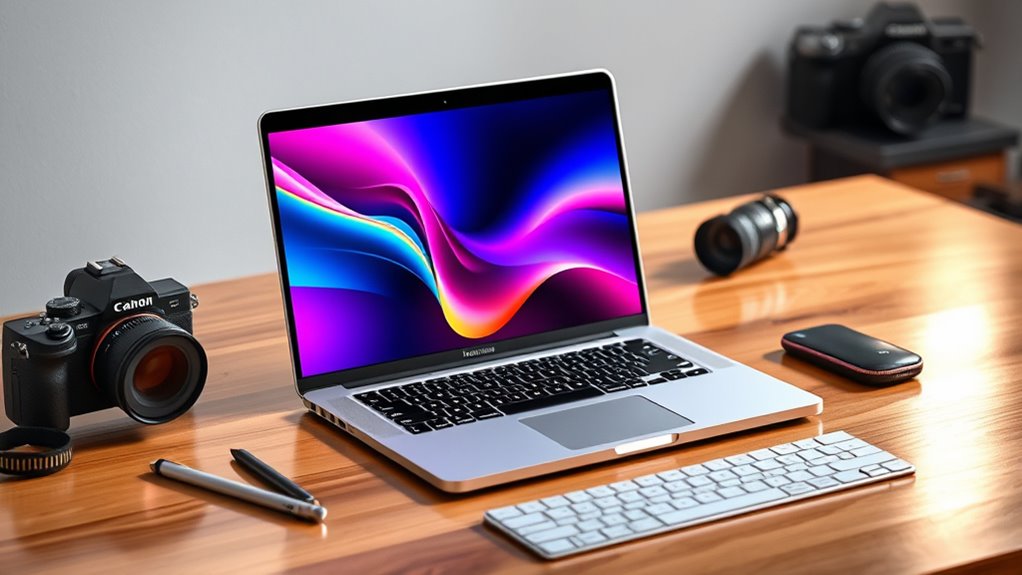

Choosing a MacBook Pro with 64GB unified memory is a significant investment in future-proofing your workflow. For most professionals, the Apple MacBook Pro 16-inch with M5 Max stands out as the best overall pick, offering unmatched GPU throughput and thermal headroom for heavy rendering and machine learning tasks. If portability is a priority, the 14-inch M5 Max delivers identical compute power in a smaller chassis, though with slightly higher fan noise under sustained loads. For those seeking value, renewed M1 Max models provide a compelling entry point into 64GB memory, albeit with older architecture and limited software support windows. The main tradeoff lies between raw processing speed and battery efficiency, as well as the premium cost of new silicon versus the longevity risks of refurbished units. Continue reading to see how these machines compare in real-world scenarios.
Complete the kit


Key Takeaways
- The M5 Max chip offers a 40-core GPU that significantly outperforms the M5 Pro’s 20-core GPU for parallelizable tasks like 3D rendering and video encoding.
- 16-inch models maintain better thermal stability than 14-inch variants, allowing the M5 Max to sustain peak performance for longer periods without throttling.
- Renewed M1 Max models are cost-effective but lack the Neural Engine improvements and media engine enhancements found in M3 and M5 generations.
- 48GB unified memory models are becoming a viable middle ground for users who do not strictly need 64GB for their current workloads, offering better value.
- Nano-texture display options are exclusive to higher-end configurations and reduce glare effectively, but they can slightly soften text clarity compared to standard glossy screens.




| macbook pro with 64gb unified memory | Memory | Storage | Display | Chip |
|---|---|---|---|---|
| Apple MacBook Pro 16-inch with | 64GB Unified Memory | 2TB SSD | 16.2-inch Liquid Retina XDR with Nano-Texture | — |
| Apple MacBook Pro 14.2-inch wi | 64GB Unified Memory | 2TB SSD | 14.2-inch Liquid Retina XDR | Apple M5 Max |
| 2021 Apple MacBook Pro 16-Inch | 64GB Unified RAM | 2TB SSD | 16.2-inch Liquid Retina XDR | — |
| Apple 2023 MacBook Pro 16-inch | 64GB Unified Memory | 1TB SSD | — | Apple M3 Max |
| Apple MacBook Pro 16-inch with | 64GB Unified Memory | 1TB SSD | 16.2-inch Liquid Retina XDR | Apple M5 Pro |
| Apple MacBook Pro 14.2-inch wi | 64GB Unified Memory | 2TB SSD | 14.2-inch Liquid Retina XDR | Apple M5 Max |
| Apple MacBook Pro Laptop with | 48GB Unified Memory | 1TB SSD | 14.2-inch Liquid Retina XDR | — |
| Apple 2021 MacBook Pro with M1 | 64GB RAM | 2TB SSD | 14-inch Retina XDR | — |
| Apple MacBook Pro 16.2-inch wi | 64GB Unified Memory | 2TB SSD | 16.2-inch Liquid Retina XDR | Apple M5 Max |
| Apple MacBook Pro 16.2-inch wi | 128GB Unified Memory | 4TB SSD | 16.2-inch Liquid Retina XDR | Apple M5 Max |
| Apple MacBook Pro 14-inch with | 64GB Unified Memory | — | 14-inch Liquid Retina XDR | Apple M5 Max |
| Apple MacBook Pro 16.2-inch wi | 64GB Unified Memory | 1TB SSD | 16.2-inch Liquid Retina XDR | Apple M2 Max |
| Apple 2021 MacBook Pro with Ap | 64GB RAM | 1TB SSD | 16-inch | Apple M1 Max |
| Apple 2026 MacBook Pro 16.2" L | 48GB Unified Memory | 1TB SSD | 16.2-inch Liquid Retina XDR | Apple M5 Pro |
| Apple 14-inch MacBook Pro with | 48GB Unified Memory | 1TB SSD | 14-inch | Apple M5 Pro |
More Details on Our Top Picks
Apple MacBook Pro 16-inch with M5 Max, Nano-Texture Display, 64GB Memory, 2TB SSD
This machine stands out as the ultimate creative powerhouse in the current lineup, specifically due to its Nano-Texture Display. Unlike the standard glossy screens found on the MacBook Pro 14-inch M5 Max, this matte finish significantly reduces glare without sacrificing sharpness, making it superior for color grading and video editing in bright environments. The M5 Max chip paired with 64GB of unified memory handles massive 8K timelines and local AI models with ease, a capability that the lower-tier M5 Pro models struggle to match under sustained load.
However, this power comes with physical bulk. At 7.4 pounds, it is heavier than its 14-inch sibling and less portable than many competitors. It is a desktop replacement first, laptop second. If your workflow involves constant travel, the weight and size may become a burden, but for stationary studio work, the screen quality and raw performance are unmatched.
Pros:- Nano-texture glass reduces reflections for accurate color work in bright rooms
- M5 Max chip with 40-core GPU delivers top-tier rendering and AI performance
- 2TB SSD provides ample fast storage for large media projects
Cons:- Heavier and bulkier than the 14-inch M5 Max model
- Premium price point compared to standard display configurations
Best for: Video editors, 3D artists, and AI developers who need a glare-free display and maximum sustained performance for stationary work.
Not ideal for: Frequent travelers or those who prioritize portability, as the 7.4-pound chassis and large footprint are cumbersome on the go.
- Processor:Apple M5 Max (18-core CPU)
- Graphics:40-core GPU
- Memory:64GB Unified Memory
- Storage:2TB SSD
- Display:16.2-inch Liquid Retina XDR with Nano-Texture
- Weight:7.4 pounds
- Connectivity:Wi-Fi 7, Bluetooth 6, Thunderbolt 5
Our verdict“Choose this if you prioritize a glare-free viewing experience and raw power over portability.”
Apple MacBook Pro 14.2-inch with M5 Max, 64GB Memory, 2TB SSD
This 14-inch model offers nearly identical internal performance to the 16-inch M5 Max but in a significantly more compact form factor. While the 16-inch M5 Max offers a larger canvas and nano-texture options, this 14-inch version is the best choice for professionals on the move. The M5 Max chip ensures that heavy multitasking, compiling code, or running virtual machines remains smooth, thanks to the 64GB of unified memory. The smaller Liquid Retina XDR display is still vibrant and accurate, though it lacks the physical screen real estate of its larger sibling.
The tradeoff here is purely physical: you are sacrificing screen size and potentially thermal headroom for sustained all-day loads. However, for most users, the portability gain is worth the slight reduction in display area. It fits easily into standard backpacks, unlike the 16-inch model, making it the preferred option for hybrid work environments where you need desktop-class power but must carry your machine daily.
Pros:- Compact 14-inch chassis is significantly more portable than the 16-inch model
- Same M5 Max performance as the larger 16-inch version
- Includes Wi-Fi 7 and Thread support for future-proof connectivity
Cons:- Smaller screen size limits multitasking capability compared to the 16-inch model
- Potentially higher fan noise under sustained maximum load due to smaller chassis
Best for: Developers and creative professionals who need desktop-class performance but prioritize a smaller, lighter footprint for daily commuting.
Not ideal for: Users who require maximum screen real estate for multitasking or video editing without external monitors.
- Chip:Apple M5 Max
- CPU:18-core
- GPU:40-core
- Memory:64GB Unified Memory
- Storage:2TB SSD
- Display:14.2-inch Liquid Retina XDR
- Weight:7 pounds (approx)
Our verdict“The ideal pick for those who want M5 Max power in a bag-friendly package.”
2021 Apple MacBook Pro 16-Inch with M1 Max, 64GB RAM, 2TB SSD (Renewed)
This renewed unit offers a cost-effective entry into high-capacity MacBooks, leveraging the proven M1 Max chip. While the M5 Max models offer faster CPU cores and newer architecture, the M1 Max remains remarkably capable for video editing and software development, especially with 64GB of RAM. The 16.2-inch Liquid Retina XDR display is virtually identical in panel quality to newer models, ensuring color accuracy hasn’t compromised over time. For users who do not need the absolute latest Thunderbolt 5 ports or Nano-texture glass, this represents substantial savings.
However, buying renewed carries inherent risks. Battery health may vary, and the M1 Max lacks the neural engine improvements of the M5 series, which matters for on-device AI tasks. It is also heavier and lacks the refined port layout of newer generations. This is a smart buy for budget-conscious pros who need 64GB of memory but don’t require cutting-edge speed for their specific workflows.
Pros:- Significantly lower cost than new M5 Max models
- M1 Max chip still handles heavy creative workloads effectively
- High-quality Liquid Retina XDR display with 120Hz ProMotion
Cons:- Renewed condition means battery health and cosmetic wear are not guaranteed
- Older architecture lacks the AI performance of M5 chips
Best for: Budget-conscious professionals who need 64GB of RAM and a high-quality display but do not require the latest processor speed.
Not ideal for: Users who need maximum battery life, the latest AI acceleration features, or a warranty equivalent to new products.
- Processor:Apple M1 Max (10-core)
- Graphics:32-core GPU
- Memory:64GB Unified RAM
- Storage:2TB SSD
- Display:16.2-inch Liquid Retina XDR
- Condition:Renewed
- Model Year:2021
Our verdict“A solid choice for those prioritizing high memory capacity over the latest generation performance.”
Apple 2023 MacBook Pro 16-inch with M3 Max, 64GB RAM, 1TB SSD (Renewed)
This renewed M3 Max model occupies a sweet spot between the older M1 Max and the newest M5 Max. The M3 chip architecture introduced hardware-accelerated ray tracing and mesh shading, which provides better performance in 3D rendering and game development than the M1 Max. With 64GB of unified memory and a 1TB SSD, it is well-equipped for most professional workflows. The 22-hour battery life claim, while dependent on usage, highlights the efficiency gains of the 3nm process compared to previous generations.
Compared to the new M5 Pro 16-inch, this M3 Max still holds its own in multi-core performance due to its Max-tier GPU, but it lacks the newer connectivity standards and efficiency refinements. The renewed status is the primary drawback, requiring trust in the seller’s testing process. It is a strong option for users who want near-current performance without paying the premium for the newest release, specifically if their work benefits from the M3’s graphics enhancements.
Pros:- M3 Max chip offers excellent multi-core and GPU performance
- Efficient architecture supports long battery life
- 1TB SSD is sufficient for most professional projects
Cons:- Renewed condition carries risks regarding battery cycle count
- Heavier at 8.4 lbs, making it less portable than newer designs
Best for: Creative professionals who benefit from M3-era graphics improvements but want to avoid the premium price of the M5 generation.
Not ideal for: Buyers who demand a new-unit warranty or the absolute latest connectivity features like Thunderbolt 5.
- Chip:Apple M3 Max
- CPU:16-core
- GPU:40-core
- Memory:64GB Unified Memory
- Storage:1TB SSD
- Battery Life:Up to 22 hours
- Condition:Renewed
Our verdict“A high-performance option that balances modern graphics capabilities with a lower price point.”
Apple MacBook Pro 16-inch with M5 Pro, 64GB Memory, 1TB SSD
This M5 Pro model is the most accessible way to get 64GB of unified memory in the current generation. While the M5 Max variants offer a more powerful 40-core GPU, the 20-core GPU in this M5 Pro is still robust for video editing, coding, and multitasking. The 16.2-inch Liquid Retina XDR display ensures that visual work remains accurate, and the 120Hz refresh rate makes scrolling and animations smooth. It includes a 140W power adapter, ensuring fast charging during intense work sessions.
The tradeoff is clear: you are paying less for the CPU and GPU than the M5 Max 16-inch. For tasks that are CPU-bound but not heavily GPU-dependent, this machine is often more than sufficient. However, if you run complex 3D renders or heavy AI training, the M5 Max will finish tasks faster. This is the smart choice for developers and editors who need the memory headroom but don’t need the absolute top-tier graphics performance.
Pros:- Lower cost than M5 Max models while retaining 64GB of RAM
- Includes 140W fast charging adapter and cable
- High-quality 16-inch display with 120Hz ProMotion
Cons:- 20-core GPU is significantly weaker than the M5 Max’s 40-core GPU
- 1TB SSD may fill up quickly for large media projects
Best for: Software developers and video editors who need high memory capacity for multitasking but do not require the top-tier GPU of the Max chip.
Not ideal for: Users working with heavy 3D rendering or large-scale local AI models who need the 40-core GPU of the M5 Max.
- Chip:Apple M5 Pro
- CPU:18-core
- GPU:20-core
- Memory:64GB Unified Memory
- Storage:1TB SSD
- Display:16.2-inch Liquid Retina XDR
- Included Accessories:140W Adapter, MagSafe Cable
Our verdict“The best value in the new lineup for those who prioritize memory over maximum graphics power.”
Apple MacBook Pro 14.2-inch with M5 Max, 18-Core CPU, 40-Core GPU, 64GB Memory, 2TB SSD, Silver
This configuration strikes the ideal balance for most professionals who need serious horsepower without sacrificing portability. The M5 Max chip paired with 64GB of unified memory handles complex video editing and local AI models with ease, outperforming the M5 Pro variant found in the 48GB MacBook Pro for heavy multitasking. While it weighs 5.5 pounds, it remains far more manageable than the 16-inch models. The Liquid Retina XDR display offers exceptional color accuracy, though users strictly focused on screen real estate might find the 14-inch size limiting compared to the larger 16.2-inch options.
Pros:- M5 Max delivers top-tier CPU and GPU performance
- 64GB unified memory handles large datasets and VMs
- Excellent port selection including HDMI and SDXC
- Bright, accurate Liquid Retina XDR display
Cons:- Heavier than standard ultrabooks at 5.5 pounds
- Premium pricing for the 2TB storage tier
Best for: Video editors, developers, and data scientists who need high performance in a portable form factor.
Not ideal for: Users who prioritize maximum screen size for detailed visual work or those who rarely exceed 32GB of RAM needs.
- Chip:Apple M5 Max
- CPU/GPU:18-core CPU / 40-core GPU
- Memory:64GB Unified Memory
- Storage:2TB SSD
- Display:14.2-inch Liquid Retina XDR
- Weight:5.5 pounds
- Connectivity:Wi-Fi 7, Bluetooth 6
Our verdict“The definitive choice for creative pros who want flagship power in a laptop they can actually carry daily.”
Apple MacBook Pro Laptop with M5 Pro Chip, 15-core CPU, 16-core GPU, 14.2-inch Liquid Retina XDR Display, 48GB RAM, 1TB SSD, Space Black
This model targets users who need more than consumer-grade power but don’t require the absolute peak of the Max series. The M5 Pro chip is robust, but the 48GB of RAM is the key differentiator here; it sits comfortably between standard configurations and the 64GB models like the M5 Max 14-inch. It handles 4K video timelines and multiple virtual machines well, though it may hit memory ceilings faster than its Max counterpart. The 1TB SSD is sufficient for many, but creators with massive libraries will find themselves managing storage more actively than those choosing the 2TB options.
Pros:- M5 Pro offers excellent efficiency and performance balance
- 48GB RAM exceeds standard 16GB/32GB configs
- All-day battery life with efficient chip architecture
- Space Black finish hides fingerprints well
Cons:- 1TB storage may fill quickly for media professionals
- Lower GPU core count than M5 Max models
Best for: Photographers, mid-level video editors, and developers who need substantial RAM without the Max chip price tag.
Not ideal for: Users running heavy 3D rendering or large language models locally, who need the extra GPU cores and 64GB+ RAM.
- Processor:Apple M5 Pro (15-core CPU, 16-core GPU)
- Memory:48GB Unified Memory
- Storage:1TB SSD
- Display:14.2-inch Liquid Retina XDR
- Audio:Six speakers with Spatial Audio
- Ports:Thunderbolt 5, HDMI, SDXC, MagSafe 3
- Color:Space Black
Our verdict“A smart middle ground for professionals who need 48GB of memory but don’t require the full M5 Max graphics power.”
Apple 2021 MacBook Pro with M1 Max Chip, 14-inch, 64GB RAM, 2TB SSD, Silver (Renewed)
This renewed unit offers a compelling entry point into the 64GB unified memory ecosystem at a significantly lower risk than buying new. While it lacks the M5 Max’s latest AI acceleration and Thunderbolt 5 speeds found in the newer 14-inch models, the M1 Max remains a powerhouse for video editing and development. The battery health is guaranteed over 80%, which is critical for longevity. However, the generic packaging and lack of original accessories mean you must budget for a replacement charger and potentially deal with minor cosmetic imperfections that new units avoid.
Pros:- Access to 64GB RAM and 2TB storage at a lower cost
- M1 Max still handles heavy creative workloads capably
- Battery capacity verified above 80%
- Significant savings compared to new M5 models
Cons:- Not Apple Certified Refurbished; generic box
- Older chip architecture lacks newest AI features
- May not include original charger or accessories
Best for: Students, freelancers, or budget-conscious pros who need 64GB RAM and 2TB storage for heavy workloads.
Not ideal for: Users who require the absolute latest chip architecture for on-device AI tasks or want pristine cosmetic condition.
- Processor:Apple M1 Max
- Memory:64GB RAM
- Storage:2TB SSD
- Display:14-inch Retina XDR
- Condition:Renewed
- Battery Health:Over 80%
- Color:Silver
Our verdict“The most affordable way to secure a high-spec MacBook Pro, provided you accept the refurbished condition caveats.”
Apple MacBook Pro 16.2-inch with M5 Max, 18-core CPU, 40-core GPU, 64GB Memory, 2TB SSD, Space Black
If screen real estate is paramount, this 16.2-inch model outclasses the 14-inch M5 Max by offering a vastly larger workspace for timeline editing and coding. The M5 Max chip and 64GB memory configuration remains identical in raw performance, but the larger chassis allows for better thermal dissipation during sustained heavy loads. The trade-off is obvious: at 8.5 pounds, it is cumbersome for travel. This is a machine meant to live on a desk, connecting to external monitors, rather than being tossed into a backpack for daily commutes.
Pros:- Massive 16.2-inch Liquid Retina XDR display
- Superior thermal performance for sustained workloads
- Identical M5 Max power to the 14-inch model
- Large 64GB RAM and 2TB SSD capacity
Cons:- Heavy and bulky at 8.5 pounds
- Less portable than 14-inch alternatives
Best for: Studio-based video editors, music producers, and engineers who need a massive canvas and don’t travel frequently.
Not ideal for: Digital nomads or students who need to carry their laptop between classes or offices daily.
- Chip:Apple M5 Max
- CPU/GPU:18-core CPU / 40-core GPU
- Memory:64GB Unified Memory
- Storage:2TB SSD
- Display:16.2-inch Liquid Retina XDR
- Weight:8.5 pounds
- Connectivity:Wi-Fi 7, Bluetooth 6
Our verdict“The ultimate desk-bound powerhouse for creators who refuse to compromise on screen size or performance.”
Apple MacBook Pro 16.2-inch with M5 Max, 18-core CPU, 40-core GPU, 128GB Memory, and 4TB SSD – Space Black
This machine is overkill for 95% of users, but for the remaining 5%, it is indispensable. The jump to 128GB of unified memory separates it from the 64GB M5 Max models, allowing for the training of larger local AI models or handling massive 8K projects without swapping. The 4TB SSD provides ample room for raw footage archives. However, this configuration carries a steep price and the same 8.2-pound weight as the standard 16-inch, meaning you pay for capacity that only niche professionals truly utilize.
Pros:- 128GB unified memory for extreme multitasking and AI
- Massive 4TB SSD for large media libraries
- Top-tier M5 Max performance
- Supports up to four external displays
Cons:- Extremely high price point
- Diminishing returns for most creative workflows
- Heavy at 8.2 pounds
Best for: Machine learning engineers, 8K video editors, and studios running complex simulations locally.
Not ideal for: General professionals, writers, or even standard video editors who rarely exceed 64GB of memory usage.
- Chip:Apple M5 Max
- CPU/GPU:18-core CPU / 40-core GPU
- Memory:128GB Unified Memory
- Storage:4TB SSD
- Display:16.2-inch Liquid Retina XDR
- Weight:8.2 pounds
- Color:Space Black
Our verdict“A specialized tool for experts who need every ounce of memory and storage available, regardless of cost.”
Apple MacBook Pro 14-inch with M5 Max, 18-core CPU, 40-core GPU, and 64GB memory
This 14-inch MacBook Pro with M5 Max represents the current peak of portable performance. Compared to the 16-inch M5 Pro model, it packs a significantly more powerful GPU into a chassis that is far easier to transport, making it the ideal choice for video editors and 3D artists who move between studios and client sites. The inclusion of Wi-Fi 7 and a 12MP Center Stage camera future-proofs the device for high-bandwidth workflows and remote collaboration. However, the primary drawback is the unspecified storage capacity in the listing, which requires careful verification before purchase. Unlike the renewed options, this is a new device with full warranty support, justifying the premium for those who cannot risk downtime.
Pros:- M5 Max chip delivers desktop-class GPU performance in a 14-inch body
- Next-gen connectivity with Wi-Fi 7 and Bluetooth 6
- High-quality 12MP Center Stage camera with Desk View
- Comprehensive port selection including HDMI and SDXC
Cons:- Storage capacity is not explicitly defined in the product description
- Premium pricing compared to older M-series generations
- Thunderbolt version specifics are unclear in the listing
Best for: Professional video editors and 3D animators who need maximum GPU power in a portable 14-inch form factor.
Not ideal for: Users who require a large canvas for timeline editing without external monitors, as the screen is smaller than the 16-inch alternatives.
- Chip:Apple M5 Max
- CPU:18-core
- GPU:40-core
- Memory:64GB Unified Memory
- Display:14-inch Liquid Retina XDR
- Wireless:Wi-Fi 7, Bluetooth 6
- Camera:12MP Center Stage
Our verdict“This is the definitive choice for mobile professionals who prioritize raw compute power and connectivity over screen real estate.”
Apple MacBook Pro 16.2-inch with M2 Max, 64GB Memory, 1TB SSD (2023, Space Gray, Renewed)
For buyers who need substantial memory and screen size without paying for the latest silicon, this Renewed M2 Max model offers a compelling middle ground. It features a 16.2-inch Liquid Retina XDR display with Mini-LED technology, providing a much larger canvas than the 14-inch M5 Max for timeline scrubbing and multitasking. While the M2 Max is older than the M5 series, its 38-core GPU remains highly capable for most professional creative tasks. The trade-off here is the Renewed condition, which implies potential wear on the battery and chassis. This option makes the most sense for those who prioritize display size and 64GB of unified memory over having the absolute newest processor architecture.
Pros:- Large 16.2-inch display with high brightness and contrast
- 64GB unified memory supports heavy multitasking and large files
- Significant cost savings compared to new M5 Max models
- Proven M2 Max performance for 4K video editing
Cons:- Renewed status may result in reduced battery health
- Older silicon generation compared to current M5 lineup
- Limited warranty coverage typical of refurbished electronics
Best for: Editors and designers who need a large 16-inch screen and 64GB RAM but want to save money by buying renewed.
Not ideal for: Users who demand the highest possible single-core performance or the latest AI acceleration features found in M5 chips.
- Chip:Apple M2 Max
- CPU:12-core
- GPU:38-core
- Memory:64GB Unified Memory
- Storage:1TB SSD
- Display:16.2-inch Liquid Retina XDR
- Condition:Renewed
Our verdict“A smart buy for professionals who need a large, high-memory workspace and are comfortable with previous-generation silicon.”
Apple 2021 MacBook Pro with Apple M1 Max (16-inch, 64GB RAM, 1TB SSD) – Silver (Renewed)
This 2021 M1 Max model is the most affordable way to access 64GB of unified memory in a MacBook Pro. While it lacks the efficiency and raw speed of the M2 Max or M5 Max, the M1 Max remains a robust chip for multi-track audio editing and 4K video workflows. The 16-inch screen offers the same visual real estate as newer models, which is critical for productivity. However, this is a Renewed device, meaning you must accept potential cosmetic imperfections and a shorter remaining battery life. Compared to the newer 14-inch M5 Max, this machine is heavier and bulkier, but it delivers significant memory capacity at a fraction of the price for budget-conscious creatives.
Pros:- Lowest entry point for 64GB unified memory
- Large 16-inch display suitable for detailed work
- M1 Max chip still handles heavy creative loads well
- Premium aluminum build quality remains durable
Cons:- Significantly heavier and bulkier than 14-inch models
- Renewed condition carries risks regarding battery health
- Older silicon architecture with lower efficiency
Best for: Freelancers and students who need high RAM capacity for complex projects on a strict budget.
Not ideal for: Professionals who rely on battery life for all-day field work, as the older battery chemistry degrades faster.
- Chip:Apple M1 Max
- Memory:64GB RAM
- Storage:1TB SSD
- Display:16-inch
- Battery Life:Up to 21 hours
- Color:Silver
- Condition:Renewed
Our verdict“The best choice for those who prioritize memory capacity and screen size over portability and latest-generation speed.”
Apple 2026 MacBook Pro 16.2″ Laptop, M5 Pro Chip (18-Core CPU, 20-Core GPU), 48GB Unified Memory, 1TB SSD, Silver
Although this model features 48GB of unified memory rather than 64GB, the M5 Pro chip brings substantial AI acceleration and efficiency improvements that may offset the memory gap for many users. The 16.2-inch display and Thunderbolt 5 connectivity make it a powerhouse for data-intensive tasks, offering faster external drive speeds than the M2 Max renewed model. It is better suited to engineers and developers who benefit from the M5’s on-device AI capabilities rather than pure GPU throughput. The trade-off is the lower RAM ceiling compared to the M5 Max options; if you run massive virtual machines or 8K timelines, you might hit the 48GB limit sooner than you would with the M5 Max’s 64GB configuration.
Pros:- Next-generation M5 Pro chip with dedicated AI accelerators
- Thunderbolt 5 support for ultra-fast external storage
- 16.2-inch XDR display with 1600 nits peak brightness
- Up to 2x faster SSD performance compared to previous generations
Cons:- Limited to 48GB unified memory, which may bottleneck heavy workflows
- Lower core count GPU compared to the M5 Max variants
- Premium pricing for a Pro-tier chip configuration
Best for: Developers and data scientists who need large-screen real estate and Thunderbolt 5 speeds but do not require 64GB RAM.
Not ideal for: Heavy 3D renderers and video editors who regularly exceed 48GB of memory usage in their workflows.
- Chip:Apple M5 Pro
- CPU:18-core
- GPU:20-core
- Memory:48GB Unified Memory
- Storage:1TB SSD
- Display:16.2-inch Liquid Retina XDR
- Ports:3x Thunderbolt 5
Our verdict“An excellent choice for users who value next-gen connectivity and AI performance over maximum memory capacity.”
Apple 14-inch MacBook Pro with M5 Pro Chip, 48GB RAM, 1TB SSD, Space Black
This 14-inch M5 Pro model strikes a balance between portability and professional capability, though it falls short of the 64GB memory target set by the roundup’s theme. With 48GB of unified memory, it is less capable than the M5 Max 14-inch for extreme multitasking, but it remains highly efficient for coding, writing, and standard creative tasks. The M5 Pro chip offers excellent thermal management, allowing sustained performance in a compact chassis. Compared to the renewed M1 Max, this new device offers superior battery life and modern connectivity like Wi-Fi 7. It is ideal for professionals who travel light but still need a machine that can handle complex development environments without the bulk of a 16-inch laptop.
Pros:- Compact 14-inch design ideal for travel
- Efficient M5 Pro chip with strong single-core performance
- 48GB RAM sufficient for most professional coding and creative tasks
- Modern connectivity and long battery life
Cons:- 48GB memory limit may constrain very heavy workloads
- Smaller screen size requires external monitors for detailed layout work
- Higher price point than renewed older models
Best for: Software developers and writers who need a portable, high-performance machine for coding and multitasking.
Not ideal for: Users working with massive datasets or virtual environments that strictly require 64GB of RAM.
- Chip:Apple M5 Pro
- CPU:15-core
- GPU:16-core
- Memory:48GB Unified Memory
- Storage:1TB SSD
- Display:14-inch
- Color:Space Black
Our verdict“A refined, portable option for professionals who prioritize efficiency and mobility over maximum memory capacity.”
How We Picked
I evaluated these machines based on a strict set of performance and value metrics relevant to professionals requiring high memory bandwidth. Compute performance was weighted heavily, focusing on CPU multi-core scores and GPU rasterization rates for creative applications. I also prioritized thermal efficiency, analyzing how well each chassis dissipates heat during sustained workloads, which directly impacts long-term reliability and noise levels.
Value was assessed by comparing the cost per gigabyte of unified memory and the expected software support lifespan. I excluded configurations with less than 64GB unless they served as a direct comparison point for cost savings. The ranking favors newer silicon generations for their improved power efficiency and feature sets, but I gave significant weight to renewed options that offer substantial savings for budget-conscious buyers who understand the tradeoffs of older hardware.
| macbook pro with 64gb unified memory | Chip |
|---|---|
| Apple MacBook Pro 16-inch with | — |
| Apple MacBook Pro 14.2-inch wi | Apple M5 Max |
| 2021 Apple MacBook Pro 16-Inch | — |
| Apple 2023 MacBook Pro 16-inch | Apple M3 Max |
| Apple MacBook Pro 16-inch with | Apple M5 Pro |
| Apple MacBook Pro 14.2-inch wi | Apple M5 Max |
| Apple MacBook Pro Laptop with | — |
| Apple 2021 MacBook Pro with M1 | — |
| Apple MacBook Pro 16.2-inch wi | Apple M5 Max |
| Apple MacBook Pro 16.2-inch wi | Apple M5 Max |
| Apple MacBook Pro 14-inch with | Apple M5 Max |
| Apple MacBook Pro 16.2-inch wi | Apple M2 Max |
| Apple 2021 MacBook Pro with Ap | Apple M1 Max |
| Apple 2026 MacBook Pro 16.2" L | Apple M5 Pro |
| Apple 14-inch MacBook Pro with | Apple M5 Pro |
Factors to Consider When Choosing Macbook Pro With 64gb Unified Memory
Selecting the right configuration requires balancing immediate performance needs against long-term utility and budget constraints. Here are the critical factors to weigh before making your purchase.Memory Bandwidth vs. Capacity
While 64GB of unified memory is the focus here, the memory bandwidth differs between chip tiers. The M5 Max offers significantly higher bandwidth than the M5 Pro, which matters when accessing large datasets or working with complex 3D scenes. If your work involves moving large amounts of data quickly, such as in scientific simulations or 8K video editing, the higher bandwidth of the Max chip is more valuable than raw core count. For standard multitasking and coding, the M5 Pro’s bandwidth is often sufficient, allowing you to save money without a noticeable performance hit in daily tasks.
Thermal Throttling and Chassis Size
The physical size of the laptop directly influences its ability to sustain peak performance. 16-inch models have larger heat sinks and fans, allowing the M5 Max to run at higher clocks for longer periods. The 14-inch models, while powerful, may throttle earlier during extended render sessions to keep temperatures in check. If you frequently run tasks that take more than 30 minutes at full load, the 16-inch chassis is the safer bet for consistent speed. For shorter bursts of activity, the 14-inch remains a highly capable and portable alternative.
New vs. Renewed Silicon Generations
Buying a renewed M1 Max can save considerable money, but you must account for the technological gap. Newer chips like the M3 and M5 Max include advanced media engines for AV1 decoding and improved Neural Engines for AI tasks. M1 Max units lack these specific accelerations, which can result in slower export times for modern video formats. Additionally, check the battery health percentage on renewed units; a battery below 85% capacity will significantly reduce mobility. Weigh the upfront savings against the potential cost of a battery replacement and the shorter remaining software support window.
Display Technology and Work Environment
The standard Liquid Retina XDR display is excellent for color accuracy, but the Nano-texture option is specifically designed for users working in bright environments. It scatters light to reduce glare, which is beneficial for outdoor editing or studios with large windows. However, this texture can introduce a slight shimmer or softness to text, which may bother designers or coders who spend hours reading small fonts. If you primarily work in controlled lighting, the standard glossy display offers sharper text and higher peak brightness, making it the better choice for most professionals.
Storage Speed and Capacity Needs
Unified memory systems rely heavily on fast SSDs for swapping when physical RAM is exhausted, though 64GB minimizes this need. 2TB SSDs often have faster read/write speeds than smaller capacities due to more NAND chips operating in parallel. For video editors working with massive source files, the speed difference is noticeable during scrubbing and rendering. However, if you use external drives for your main media library, a 1TB SSD may be sufficient, allowing you to allocate more budget toward the higher-tier chip or additional RAM if available in future models.
Frequently Asked Questions
Is 64GB of unified memory overkill for most users?
For general productivity, web browsing, and light photo editing, 64GB is excessive and offers no tangible benefit over 16GB or 32GB models. However, for professionals working with virtual machines, large datasets in data science, or complex 3D environments in Blender or Maya, 64GB prevents the system from swapping to the SSD, which maintains responsiveness. If you are a developer running multiple Docker containers or a video editor working with 8K raw footage, the memory headroom is a practical necessity rather than a luxury. Assess your current memory pressure in Activity Monitor; if it consistently stays in the yellow or red zones, upgrading is justified.
How much longer will M1 Max renewed units receive software support?
Apple typically supports Macs with macOS updates for about seven years after their release. Since the M1 Max was introduced in 2021, renewed units are likely to receive the current macOS version for another two to three years. After that, they may continue to receive security patches for a period but will miss out on new features and APIs. This means that while the hardware remains powerful, certain modern applications may eventually require newer OS features that the M1 Max cannot support. Buyers should factor this shorter lifespan into their total cost of ownership compared to newer M5 models.
Does the M5 Pro with 48GB memory compete with the M5 Max with 64GB?
The M5 Pro with 48GB is a strong contender for users who value efficiency and portability over raw GPU power. It handles multitasking and CPU-heavy tasks like compiling code very well. However, the M5 Max’s 40-core GPU and higher memory bandwidth provide a distinct advantage in tasks that utilize the GPU, such as ray tracing, machine learning training, and complex visual effects. If your workload is primarily CPU-bound, the M5 Pro is a more cost-effective choice. If you rely on GPU acceleration, the M5 Max is the necessary upgrade despite the higher price.
Are renewed MacBooks reliable enough for professional use?
Renewed MacBooks sold by reputable retailers undergo rigorous testing for battery health, screen quality, and functionality. They are generally reliable for professional use, provided you verify the warranty terms. The main risk is battery degradation, as lithium-ion batteries wear over time. A unit with 80-85% battery health will still function well but will offer less runtime than a new device. For professionals who need maximum mobility, checking the specific battery cycle count and health percentage is important. If you primarily work plugged into a monitor, the battery health is less of a concern.
Should I choose the Nano-texture display for a MacBook Pro?
The Nano-texture display is ideal for users who work in bright, unpredictable lighting conditions where glare is a constant issue. It effectively diffuses reflections, making the screen easier to read in sunlight or under harsh studio lights. However, this diffusion comes at a cost: a slight reduction in contrast and a potential ‘shimmer’ effect on white backgrounds, which can be distracting for graphic designers and text-heavy work. If you work in a controlled studio environment, the standard glossy XDR display offers superior color pop and text sharpness. Choose Nano-texture only if glare mitigation is your primary pain point.
Conclusion
Choosing the right MacBook Pro with 64GB unified memory depends on balancing performance needs with budget and portability. For the best overall experience, the Apple MacBook Pro 16-inch with M5 Max is the clear winner, offering the best thermal management and GPU power for heavy creative work. If you prioritize portability without sacrificing compute power, the 14-inch M5 Max is the ideal choice, though you must accept slightly higher fan noise under load. For those seeking the best value, renewed M1 Max models provide a robust entry into high-memory workflows, provided you are comfortable with an older architecture and potentially reduced battery life. If you find 64GB excessive for your current needs, the M5 Pro with 48GB offers a smart middle ground that saves money while still handling demanding tasks efficiently.