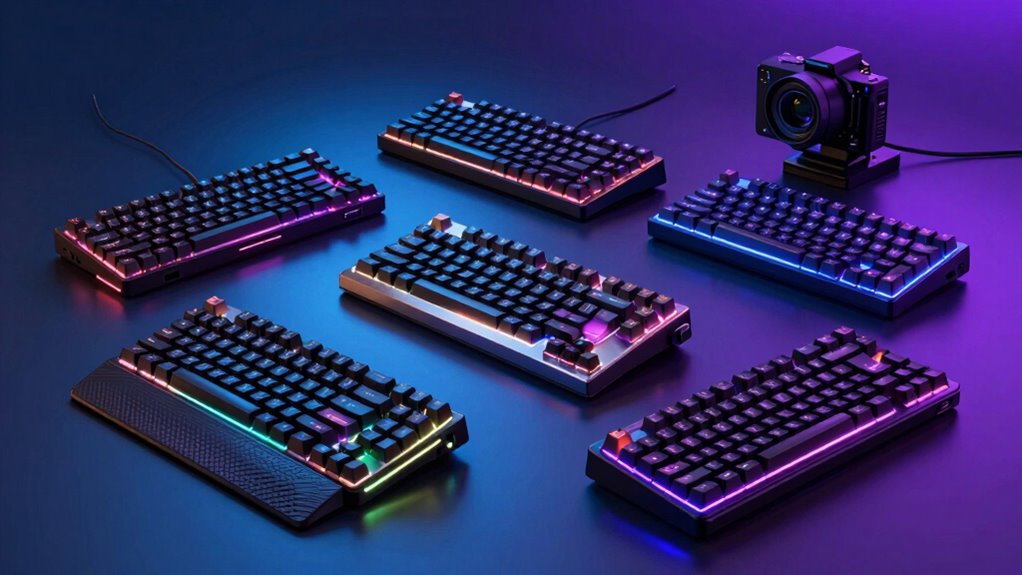
Choosing a premium mechanical keyboard for gaming in 2026 means balancing top-tier features with your specific needs. The ASUS ROG Strix Scope II X stands out for its hot-swappable switches and ergonomic design, ideal for long gaming sessions. The SteelSeries Apex Pro TKL offers extreme customization with adjustable actuation, perfect for competitive players. Meanwhile, options like the SteelSeries Apex 5 incorporate innovative features like OLED displays and hybrid switches for durability and real-time info. Each choice involves tradeoffs—whether it’s wired versus wireless, size constraints, or feature complexity—making understanding your priorities essential.

Get audio and creator gear delivered free with Prime
- Fast, free delivery on millions of items
- Prime Video, Amazon Music and more included
- Member-only deals all year
Complete the kit


Key Takeaways
- Premium gaming keyboards often feature advanced customization, such as hot-swappable switches or adjustable actuation points.
- Wired models excel in latency and stability but limit portability, while wireless options add convenience at a potential cost of complexity or latency.
- Durability and build quality, like PBT keycaps and aircraft-grade frames, are hallmarks of high-end models, influencing long-term value.
- Additional features like OLED displays, macro programmability, or multi-device connectivity differentiate top-tier models.
- Tradeoffs include size, price, and complexity—consider what features align best with your gaming style and setup.
| ASUS ROG Strix Scope II X Wired Mechanical Gaming Keyboard |  | Best Overall for Customization and Comfort | Connectivity: Wired USB-C | Switch Type: Hot-swappable ROG NX V2 | Keycaps: PBT doubleshot | VIEW ON AMAZON | See Our Full Breakdown |
| SteelSeries USB Apex 5 Hybrid Mechanical Gaming Keyboard with RGB and OLED Display |  | Best for Real-Time Info and Durability | Switch Type: Hybrid Blue Mechanical | Display: OLED Smart Display | Frame Material: Aircraft Grade Aluminum | VIEW ON AMAZON | See Our Full Breakdown |
| SteelSeries Apex Pro TKL Gen 3 Gaming Keyboard with OmniPoint 3.0 Switches |  | Best for Custom Actuation and Speed | Switch Type: OmniPoint 3.0 Hall Effect | Actuation Levels: 40 (0.1mm to 4.0mm) | Bottom Out Force: 45g | VIEW ON AMAZON | See Our Full Breakdown |
| AULA F75 Pro Wireless Mechanical Keyboard, 75% Hot Swappable RGB Backlit Gaming Keyboard with Knob and PBT Side-Printed Keycaps |  | Best for Versatility and Wireless Convenience | Connection: Bluetooth 5.0, 2.4GHz, USB-C | Battery Capacity: 4000mAh | Switch Type: Pre-lubed linear | VIEW ON AMAZON | See Our Full Breakdown |
| Logitech G413 SE Full-Size Mechanical Gaming Keyboard – Black |  | Best Budget-Friendly Full-Size Option | Keycaps: PBT, wear-resistant | Switch Type: Tactile mechanical | Backlighting: White LED | VIEW ON AMAZON | See Our Full Breakdown |
| mechanical keyboard for gaming premium | Switch Type | Keycaps |
|---|---|---|
| ASUS ROG Strix Scope II X Wire | Hot-swappable ROG NX V2 | PBT doubleshot |
| SteelSeries USB Apex 5 Hybrid | Hybrid Blue Mechanical | — |
| SteelSeries Apex Pro TKL Gen 3 | OmniPoint 3.0 Hall Effect | Double Shot PBT |
| AULA F75 Pro Wireless Mechanic | Pre-lubed linear | — |
| Logitech G413 SE Full-Size Mec | Tactile mechanical | PBT, wear-resistant |
More Details on Our Top Picks
ASUS ROG Strix Scope II X Wired Mechanical Gaming Keyboard
The ASUS ROG Strix Scope II X is a full-size wired keyboard that combines high-end features with user-focused ergonomics. Its hot-swappable ROG NX V2 switches allow gamers to customize feel and maintenance easily, while durable PBT doubleshot keycaps resist wear. The adjustable angles and detachable wrist rest make it comfortable for long sessions. Compared with other models, its wired connection ensures minimal latency, making it ideal for competitive gaming. However, the wired setup limits portability, and its premium price might deter casual users.
Pros:- Hot-swappable switches for easy customization
- Durable PBT keycaps resist wear
- Ergonomic design with adjustable angles and wrist rest
Cons:- Wired connection limits portability
- Premium price may not suit budget-conscious users
Best for: Gamers seeking maximum customization and ergonomic comfort in a full-size wired setup.
Not ideal for: Players who prefer wireless keyboards or need ultra-portable options.
- Connectivity:Wired USB-C
- Switch Type:Hot-swappable ROG NX V2
- Keycaps:PBT doubleshot
- Full-Size:Yes
- Number Pad:Yes
- Compatibility:PC/Mac
Our verdict“A versatile, feature-rich keyboard perfect for gamers prioritizing customization and comfort.”
SteelSeries USB Apex 5 Hybrid Mechanical Gaming Keyboard with RGB and OLED Display
The SteelSeries Apex 5 offers a hybrid blue switch design that balances tactile feedback with longevity, making it suitable for both gaming and typing. Its aircraft-grade aluminum frame provides durability, while the per-key RGB lighting and reactive effects add visual flair. The built-in OLED display is a standout feature, delivering real-time info such as game stats or notifications. Compared to other options, its size might be bulky for smaller desks, and the premium price reflects its extensive feature set. This model is ideal for gamers who want both durability and integrated info at their fingertips.
Pros:- Tactile hybrid blue switches with high durability
- Customizable RGB lighting with reactive effects
- OLED display for real-time info
Cons:- Large size may not fit small desks
- Premium price may be prohibitive
Best for: Gamers wanting a durable, feature-packed keyboard with real-time display capabilities.
Not ideal for: Players with limited desk space or those seeking a wireless setup.
- Switch Type:Hybrid Blue Mechanical
- Display:OLED Smart Display
- Frame Material:Aircraft Grade Aluminum
- RGB:Per-Key RGB
- Wrist Rest:Magnetic, full palm support
- Dimensions:900 x 300 x 4 mm
Our verdict“A robust, visually striking keyboard suited for those who value durability and integrated real-time info.”
SteelSeries Apex Pro TKL Gen 3 Gaming Keyboard with OmniPoint 3.0 Switches
The SteelSeries Apex Pro TKL Gen 3 pushes customization further with OmniPoint 3.0 magnetic switches, offering 40 adjustable actuation levels. This makes it ideal for players who want fine-tuned sensitivity, whether for quick reactions or precise presses. Its aluminum top plate and triple-layer foam dampening add to its durability and quiet operation. The OLED display allows quick adjustments, but its TKL layout excludes a number pad, which might be a drawback for some users. Its high price reflects its advanced tech, making it best suited for serious competitive gamers.
Pros:- 40 adjustable actuation levels for tailored responsiveness
- Fast Rapid Trigger and Tap features
- Robust build with PBT keycaps and aluminum top
Cons:- Higher price point
- Complex features may require learning
Best for: Players seeking extreme customization and speed with adjustable actuation.
Not ideal for: Users who need full-size layouts or are budget-conscious.
- Switch Type:OmniPoint 3.0 Hall Effect
- Actuation Levels:40 (0.1mm to 4.0mm)
- Bottom Out Force:45g
- Keycaps:Double Shot PBT
- Connectivity:USB-C
- Features:OLED display, RGB, protection mode
Our verdict“A top-tier choice for competitive gamers demanding precise, adjustable response settings.”
AULA F75 Pro Wireless Mechanical Keyboard, 75% Hot Swappable RGB Backlit Gaming Keyboard with Knob and PBT Side-Printed Keycaps
The AULA F75 Pro combines flexibility with premium features, offering a 75% layout that saves space without sacrificing essential keys. Its wireless capability via Bluetooth 5.0 and 2.4GHz, along with USB-C wired support, makes it highly adaptable across gaming and productivity setups. Hot-swappable switches and full RGB customization mean you can tailor the feel and look easily. Its multi-function knob adds control, but the driver setup for advanced lighting effects can be complex, and linear switches may not satisfy tactile switch enthusiasts. It’s best for gamers who value versatility and mobility over pure wired performance.
Pros:- Wireless connectivity with Bluetooth and 2.4GHz
- Hot-swappable switches for customization
- Compact 75% layout saves space
Cons:- Setup complexity for advanced lighting
- Linear switches only
Best for: Gamers needing a compact, wireless, and highly customizable keyboard for multiple devices.
Not ideal for: Tactile switch lovers or those with limited setup patience.
- Connection:Bluetooth 5.0, 2.4GHz, USB-C
- Battery Capacity:4000mAh
- Switch Type:Pre-lubed linear
- Layout:75% (81 keys)
- Backlight:RGB, 16.8 million colors
- Additional:Multi-function knob, water-resistant
Our verdict“A flexible, space-saving keyboard ideal for multi-device gamers who want wireless freedom and customization.”
Logitech G413 SE Full-Size Mechanical Gaming Keyboard – Black
The Logitech G413 SE offers durability and performance at a more accessible price point. Its PBT keycaps are resistant to wear, and the tactile mechanical switches provide responsive feedback for gaming and typing. The sleek brushed aluminum top case adds a premium feel, and anti-ghosting with media controls round out its feature set. While it lacks wireless connectivity and some advanced features, its straightforward design makes it suitable for gamers who prioritize reliability without frills. It’s a solid choice for those who want premium feel without the premium price.
Pros:- Durable PBT keycaps and aluminum case
- Responsive tactile switches
- Backlit keys with customizable lighting
Cons:- No wireless support
- Limited to basic features
Best for: Gamers seeking a durable, wired, full-size keyboard with reliable performance at a lower cost.
Not ideal for: Players who want wireless setup or extensive customization options.
- Keycaps:PBT, wear-resistant
- Switch Type:Tactile mechanical
- Backlighting:White LED
- Layout:Full-size
- Material:Brushed aluminum
- Features:Anti-ghosting, media controls
Our verdict“A dependable, well-built wired keyboard suitable for serious gaming on a budget.”
How We Picked
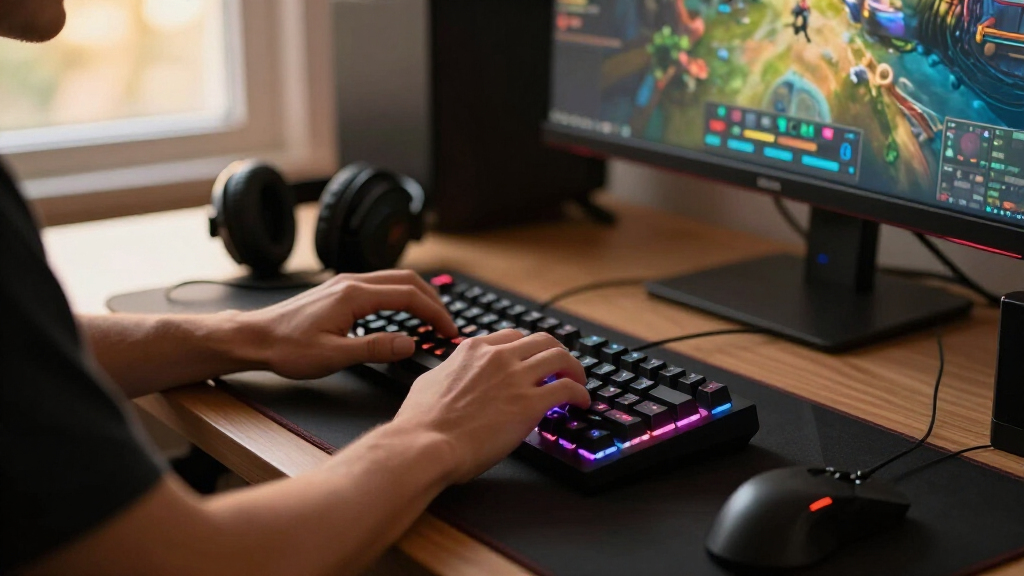
Our selection process focused on premium features that elevate gaming performance, including build quality, customization options, and innovative tech. We prioritized models with high durability, such as PBT keycaps and sturdy frames, ensuring longevity. Connectivity versatility was key—wired for stability, wireless for convenience—while features like hot-swappable switches, OLED displays, and adjustable actuation added distinct value. Price was a factor but secondary to feature richness and user flexibility. We compared these aspects across multiple brands and models, aiming to identify keyboards that stand out for serious gaming enthusiasts seeking premium quality.
| mechanical keyboard for gaming premium | Switch Type | Keycaps |
|---|---|---|
| ASUS ROG Strix Scope II X Wire | Hot-swappable ROG NX V2 | PBT doubleshot |
| SteelSeries USB Apex 5 Hybrid | Hybrid Blue Mechanical | — |
| SteelSeries Apex Pro TKL Gen 3 | OmniPoint 3.0 Hall Effect | Double Shot PBT |
| AULA F75 Pro Wireless Mechanic | Pre-lubed linear | — |
| Logitech G413 SE Full-Size Mec | Tactile mechanical | PBT, wear-resistant |
Factors to Consider When Choosing Mechanical Keyboard For Gaming Premium
Selecting the right premium gaming mechanical keyboard requires understanding key features that impact your gameplay and comfort. Consider your preferred layout, switch type, connectivity, and additional tech like displays or customization options. High-end models often balance build quality, responsiveness, and advanced features, but knowing which features align with your gaming style helps narrow choices.Switch Types and Responsiveness
The core of any gaming keyboard is its switches. Premium models often feature hot-swappable, customizable, or adjustable switches. Mechanical switches like tactile or clicky types favor responsiveness, while linear switches excel in speed. The SteelSeries Apex Pro with its adjustable actuation is ideal for players who want to fine-tune sensitivity, whereas hybrid or standard switches offer reliable, consistent feedback for most gamers.
Build Quality and Durability
Premium keyboards often incorporate durable materials such as PBT keycaps and aluminum frames. These ensure longevity and resist wear from intense gaming. For example, the SteelSeries Apex 5 features an aluminum frame for added sturdiness, while the Logitech G413 uses a brushed aluminum top case. Choosing a model with high-quality materials minimizes replacement costs and maintains aesthetic appeal over time.
Connectivity and Setup
Decide whether wired or wireless connectivity suits your setup. Wired keyboards like the ASUS ROG Scope II X offer minimal latency, crucial for competitive gaming. Wireless options like the AULA F75 Pro provide flexibility and reduce desk clutter but may involve setup complexity and potential latency. Some models support multi-device pairing, enhancing versatility across different gaming consoles or PCs.
Additional Features and Customization
Premium keyboards often include features like OLED displays, macro programmability, multi-function knobs, and extensive RGB customization. These features can enhance gameplay by providing real-time info or quick controls. However, they also add complexity and cost. Consider whether these extras align with your needs or if they might be more of a distraction than a benefit.
Frequently Asked Questions
Are wired or wireless gaming keyboards better?
Wired keyboards generally provide lower latency and a more stable connection, which is critical in fast-paced gaming. Wireless models offer portability and less desk clutter, but may introduce slight delays or connectivity issues. For competitive gaming, wired options like the ASUS ROG Scope II X tend to be more reliable, while wireless models are better suited for casual or multi-device setups.
What switch type should I choose for gaming?
Choosing the right switch depends on your preference for feel and responsiveness. Tactile or clicky switches, such as those in the SteelSeries Apex 5, provide feedback that helps with precise timing. Linear switches, like on the AULA F75 Pro, offer smooth, fast actuation ideal for rapid presses. Adjustable switches, like the OmniPoint in the Apex Pro, allow fine-tuning for optimal responsiveness, making them popular among competitive players.
Is RGB lighting necessary in a premium gaming keyboard?
While RGB lighting adds visual flair and can improve key visibility in low light, it is primarily a matter of personal preference. High-end models like the SteelSeries Apex 5 and AULA F75 Pro offer extensive lighting customization, which can enhance the gaming experience. However, if you prioritize performance and durability, RGB might be less important compared to switch quality and build materials.
How important are build materials in a gaming keyboard?
Materials like aluminum frames and PBT keycaps contribute significantly to durability and tactile feel. High-quality materials resist wear and deformation over time, maintaining performance and appearance. For instance, the SteelSeries Apex 5’s aircraft-grade aluminum frame ensures rigidity, while PBT keycaps on most premium models provide a premium typing experience that withstands heavy use.
Should I prioritize features like OLED displays or macro keys?
Features like OLED displays and macro keys can offer quick access to game stats or custom commands, enhancing your gaming efficiency. However, these extras often come at a higher price and add complexity. If you prefer straightforward performance with a focus on responsiveness and durability, these features may be less critical. For tech enthusiasts and competitive players, they can be worthwhile investments.
Conclusion
If you prioritize maximum customization and comfort for long gaming sessions, the ASUS ROG Strix Scope II X makes a compelling choice. Gamers seeking extreme responsiveness and adjustability will find the SteelSeries Apex Pro TKL ideal, especially for competitive play. For those who want durability and real-time info, the SteelSeries Apex 5 offers a balanced mix of features. Budget-conscious buyers or those needing a reliable wired setup should consider the Logitech G413 SE. Ultimately, your choice depends on your specific gaming style, setup constraints, and desired feature set.