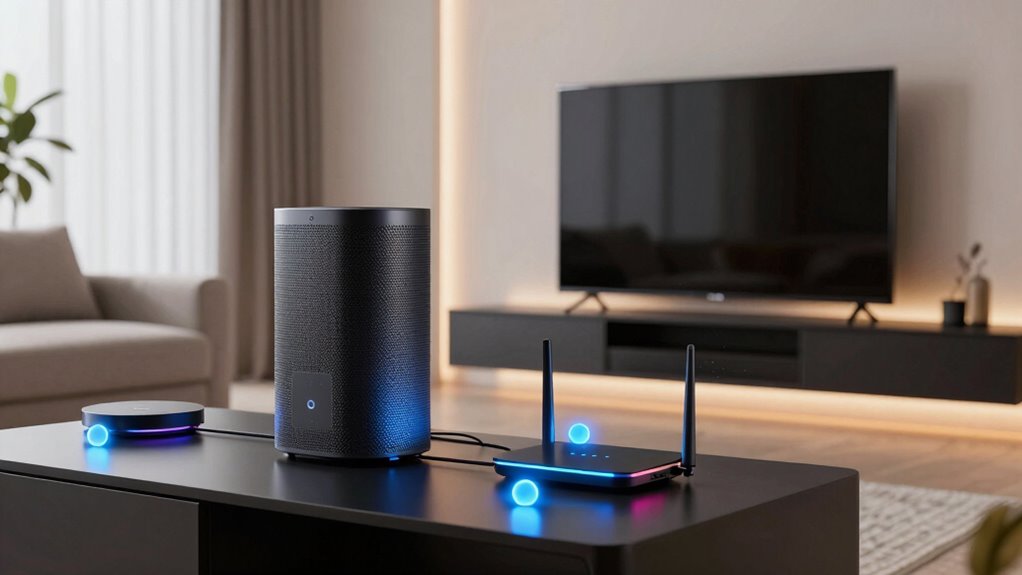
Choosing the right mesh Wi-Fi system for VR requires balancing low latency with robust coverage, as even minor packet loss can break immersion. The NETGEAR Orbi 770 Series stands out as the best overall pick for its dedicated backhaul and Wi-Fi 7 speeds, while the TP-Link Deco BE23 offers a compelling balance of performance and price for most households. Buyers often face the tradeoff between expensive, high-end tri-band systems that guarantee stability and more affordable dual-band options that may struggle under heavy load. This guide breaks down which systems handle wireless VR headsets best, helping you avoid lag spikes and connection drops. Continue reading for a detailed comparison of features, real-world suitability, and buying criteria.

Get audio and creator gear delivered free with Prime
- Fast, free delivery on millions of items
- Prime Video, Amazon Music and more included
- Member-only deals all year
Complete the kit


Key Takeaways
- Wi-Fi 7 standards are becoming the baseline for serious wireless VR, offering significantly lower latency than Wi-Fi 6 alternatives.
- Dedicated wireless backhaul bands are critical for maintaining stable connections when multiple devices compete for bandwidth.
- Physical placement matters more than raw speed; line-of-sight between the router and headset reduces interference far more than upgrading to a faster protocol.
- Tri-band systems consistently outperform dual-band models in crowded households where streaming and gaming happen simultaneously.
- Budget-friendly Wi-Fi 6 options remain viable for casual VR users but lack the congestion management needed for competitive multiplayer titles.
| TP-Link Deco BE23 Dual-Band Wi-Fi 7 Mesh System (3-Pack) |  | Best Premium Performance | Wi-Fi Standard: Wi-Fi 7 (BE3600) | Max Speed: 3.6 Gbps combined | Coverage Area: Up to 6,500 sq. ft | VIEW ON AMAZON | See Our Full Breakdown |
| Amazon eero 6+ Dual-Band Mesh Wi-Fi 6 System, 3-Pack |  | Best for Smart Home Integration | Wi-Fi Standard: Wi-Fi 6 (802.11ax) | Coverage: Up to 4,500 sq. ft | Smart Home Hub: Zigbee, Thread, Alexa | VIEW ON AMAZON | See Our Full Breakdown |
| Tenda AX3000 WiFi 6 Mesh System Nova MX12 (3-Pack) |  | Best Value for Large Homes | Wi-Fi Standard: Wi-Fi 6 (802.11ax) | Max Speed: 2976 Mbps | Coverage Area: 7,000 sq. ft | VIEW ON AMAZON | See Our Full Breakdown |
| DBIT AX1800 WiFi 6 Mesh System – Covers 6500 sq ft and 150+ Devices, 3-Pack |  | Best for Expansive Coverage | Wi-Fi Standard: Wi-Fi 6 (802.11ax) | Max Speed: 1800 Mbps (AX1800) | Coverage Area: 6,500 sq. ft | VIEW ON AMAZON | See Our Full Breakdown |
| Tenda Nova MW12 Tri-Band AC2100 Mesh WiFi System (3-Pack) |  | Best for Dedicated Backhaul on a Budget | Wi-Fi Standard: Wi-Fi 5 (802.11ac) | Max Speed: 2100 Mbps (AC2100) | Coverage Area: 4,000 sq. ft | VIEW ON AMAZON | See Our Full Breakdown |
| NETGEAR Orbi 770 Series WiFi 7 Mesh System, Up to 8,000 sq ft., 3 Pack |  | Best Premium Performance for Large Homes | Wi-Fi Generation: WiFi 7 (802.11be) | Coverage Area: Up to 8,000 sq. ft. | Max Speed: Up to 11 Gbps | VIEW ON AMAZON | See Our Full Breakdown |
| Amazon eero 7 Dual-Band Wi-Fi 7 Mesh Router, 3-Pack |  | Best for Smart Home Integration | Wi-Fi Standard: Wi-Fi 7 (802.11be) | Coverage: Up to 6,000 sq. ft. | Bands: Dual-band (2.4 GHz, 5 GHz) | VIEW ON AMAZON | See Our Full Breakdown |
| TP-Link Deco 7 Pro BE67 Tri-Band Wi-Fi 7 Mesh System (3-Pack) |  | Best Raw Speed and Capacity | Wi-Fi Standard: Wi-Fi 7 (BE14000) | Max Speed: 14 Gbps | Coverage: Up to 8,100 sq. ft. | VIEW ON AMAZON | See Our Full Breakdown |
| NETGEAR Orbi 370 Series WiFi 7 Mesh System (3‑Pack) |  | Best Value Entry into WiFi 7 | Wi-Fi Standard: WiFi 7 (802.11be) | Coverage: Up to 6,000 sq. ft. | Max Speed: Up to 5 Gbps | VIEW ON AMAZON | See Our Full Breakdown |
| Deco 7 Dual-Band BE5000 WiFi 7 Mesh Wi-Fi System 4-Stream 5 Gbps, 240 Mhz |  | Best Balanced Performance | Wi-Fi Standard: WiFi 7 (BE5000) | Coverage: Up to 6,600 sq. ft. | Max Speed: 5 Gbps | VIEW ON AMAZON | See Our Full Breakdown |
| Cudy M3000 2.0 AX3000 Wi-Fi 6 Mesh System (2-Pack) |  | Best for Multi-Gigabit Internet Users | Wi-Fi Generation: Wi-Fi 6 (802.11ax) | Max Speed: AX3000 (3000 Mbps combined) | WAN Port: 1x 2.5Gbps | VIEW ON AMAZON | See Our Full Breakdown |
| Cudy M3000 AX3000 Wi-Fi 6 Mesh System, 2-Pack |  | Best Budget Wi-Fi 6 for Small Homes | Wi-Fi Generation: Wi-Fi 6 (802.11ax) | Max Speed: 3000 Mbps | Ethernet Ports: 2x Gigabit RJ45 per unit | VIEW ON AMAZON | See Our Full Breakdown |
| NETGEAR Orbi 360 Series WiFi 7 Mesh System (3-Pack) | | Best Premium Performance for Large Homes | Wi-Fi Generation: WiFi 7 | Max Speed: 5 Gbps | Coverage Area: 6,000 sq. ft. | VIEW ON AMAZON | See Our Full Breakdown |
| AX3000 WiFi 6 Mesh System – Covers 6500 sq ft and 150+ Devices, 3-Pack |  | Best for Large Homes on a Budget | Wi-Fi Generation: Wi-Fi 6 | Max Speed: 3000 Mbps | Coverage Area: 6500 sq ft | VIEW ON AMAZON | See Our Full Breakdown |
| Tenda Nova MW5G Mesh WiFi System (3-Pack) |  | Best Entry-Level for Basic VR Needs | Wi-Fi Generation: Wi-Fi 5 (802.11ac) | Speed Class: AC1200 | Coverage Area: Up to 3,500 sq. ft. | VIEW ON AMAZON | See Our Full Breakdown |
| mesh wi fi system for vr | Max Speed | Device Capacity | Security | Wi-Fi Standard |
|---|---|---|---|---|
| TP-Link Deco BE23 Dual-Band Wi | 3.6 Gbps combined | Up to 150 devices | TP-Link HomeShield, WPA3 | Wi-Fi 7 (BE3600) |
| Amazon eero 6+ Dual-Band Mesh | — | — | — | Wi-Fi 6 (802.11ax) |
| Tenda AX3000 WiFi 6 Mesh Syste | 2976 Mbps | 160+ devices | — | Wi-Fi 6 (802.11ax) |
| DBIT AX1800 WiFi 6 Mesh System | 1800 Mbps (AX1800) | 150+ devices | WPA3, Parental Control | Wi-Fi 6 (802.11ax) |
| Tenda Nova MW12 Tri-Band AC210 | 2100 Mbps (AC2100) | 100+ devices | — | Wi-Fi 5 (802.11ac) |
| NETGEAR Orbi 770 Series WiFi 7 | Up to 11 Gbps | Up to 100 devices | NETGEAR Armor (30-day trial) | — |
| Amazon eero 7 Dual-Band Wi-Fi | Up to 1.8 Gbps | — | — | Wi-Fi 7 (802.11be) |
| TP-Link Deco 7 Pro BE67 Tri-Ba | 14 Gbps | Up to 200 devices | TP-Link HomeShield | Wi-Fi 7 (BE14000) |
| NETGEAR Orbi 370 Series WiFi 7 | Up to 5 Gbps | Up to 70 devices | NETGEAR Armor (30-day trial) | WiFi 7 (802.11be) |
| Deco 7 Dual-Band BE5000 WiFi 7 | 5 Gbps | Up to 150 devices | — | WiFi 7 (BE5000) |
| Cudy M3000 2.0 AX3000 Wi-Fi 6 | AX3000 (3000 Mbps combined) | — | WPA3 | — |
| Cudy M3000 AX3000 Wi-Fi 6 Mesh | 3000 Mbps | — | WPA3 | — |
| NETGEAR Orbi 360 Series WiFi 7 | 5 Gbps | Up to 70 devices | WPA2, WPA3 | — |
| AX3000 WiFi 6 Mesh System | 3000 Mbps | 150+ devices | WPA3 | — |
| Tenda Nova MW5G Mesh WiFi Syst | — | Up to 80 devices | WPA2-PSK | — |
More Details on Our Top Picks
TP-Link Deco BE23 Dual-Band Wi-Fi 7 Mesh System (3-Pack)
This system stands out for its Wi-Fi 7 architecture, which is critical for VR users needing minimal latency. Unlike the Amazon eero 6+, which caps out at Wi-Fi 6 speeds, the Deco BE23 offers 2.5 Gbps ports and Multi-Link Operation (MLO) to reduce jitter. For VR, stability is more important than raw speed; the AI-driven roaming ensures your headset doesn’t drop the connection while moving around a room. However, this premium performance comes with a caveat: the HomeShield security suite may require a subscription for advanced features, and the system lacks a built-in modem, requiring a separate unit from your ISP. It is overkill for small apartments but ideal for heavy VR usage in larger homes where interference is a concern.
Pros:- Wi-Fi 7 technology significantly reduces latency and interference
- 2.5 Gbps ports provide future-proof wired backhaul options
- AI-driven roaming ensures seamless handoff between nodes for moving users
Cons:- Premium price point compared to Wi-Fi 6 alternatives
- Advanced security features may require a paid subscription
- No built-in modem, requiring additional hardware from ISP
Best for: VR enthusiasts and gamers who demand the lowest possible latency and have gigabit-plus internet plans.
Not ideal for: Budget-conscious buyers or those with small living spaces where Wi-Fi 6 is sufficient.
- Wi-Fi Standard:Wi-Fi 7 (BE3600)
- Max Speed:3.6 Gbps combined
- Coverage Area:Up to 6,500 sq. ft
- Ports:2x 2.5 Gbps per unit
- Device Capacity:Up to 150 devices
- Security:TP-Link HomeShield, WPA3
- Key Features:MLO, 4K-QAM, AI Roaming
Our verdict“The top choice for serious VR users who need the lowest latency and highest reliability.”
Amazon eero 6+ Dual-Band Mesh Wi-Fi 6 System, 3-Pack
The eero 6+ is the most user-friendly option in this lineup, primarily due to its built-in Zigbee and Thread hub. While the TP-Link Deco BE23 offers faster raw speeds, the eero system simplifies managing smart home devices directly through the app, which is a huge plus for users with many IoT gadgets. For VR, the Wi-Fi 6 support provides adequate bandwidth for most wireless headsets, though it lacks the advanced latency reduction of Wi-Fi 7. The gigabit Ethernet ports on every node allow for a wired backhaul, which is recommended for VR stability. However, some advanced network controls are locked behind the eero Plus subscription, and the system requires an Amazon account for setup, which may deter privacy-focused users.
Pros:- Built-in Zigbee and Thread hubs eliminate the need for separate smart home bridges
- Extremely simple app-based setup and management
- Gigabit ports on every node support wired backhaul for stable VR
Cons:- Advanced security and ad-blocking require eero Plus subscription
- No support for Wi-Fi 7, limiting future-proofing
- Requires Amazon account and cloud connectivity for full functionality
Best for: Users deeply integrated into the Amazon Alexa ecosystem who want a simple, all-in-one smart home and VR network.
Not ideal for: Network enthusiasts who prefer granular control over settings without a subscription.
- Wi-Fi Standard:Wi-Fi 6 (802.11ax)
- Coverage:Up to 4,500 sq. ft
- Smart Home Hub:Zigbee, Thread, Alexa
- Ethernet Ports:2x Gigabit per unit
- Supported Plans:Up to 1 Gbps
- Processor:1 GHz dual-core
- Memory:512 MB RAM
Our verdict“Ideal for smart home owners who prioritize ease of use and integrated device management over peak performance.”
Tenda AX3000 WiFi 6 Mesh System Nova MX12 (3-Pack)
This system offers 7,000 square feet of coverage with Wi-Fi 6 speeds, making it a strong contender for large homes where the eero 6+ might struggle with range. The AX3000 speed is sufficient for VR streaming, but the lack of a dedicated backhaul band (it uses dual-band) means performance can drop when multiple devices are active. Compared to the Tenda Nova MW12, the MX12 is faster and supports more devices, but it shares the same limitation of manual firmware updates. For VR, you must prioritize placing nodes to avoid congestion, as the shared backhaul can introduce latency if the network is saturated. It is a cost-effective way to cover a big house, but not the best for high-density device environments.
Pros:- Extensive coverage up to 7,000 sq. ft. in a 3-pack
- Supports over 160 devices simultaneously
- Dual-band Wi-Fi 6 speeds up to 2976 Mbps
Cons:- No dedicated backhaul band, which can impact VR latency under load
- Requires manual firmware updates for optimal performance
- Fixed antennas limit placement flexibility compared to external antenna models
Best for: Owners of large homes (over 4,000 sq. ft.) looking for affordable Wi-Fi 6 coverage without premium features.
Not ideal for: Gamers with dense device networks who need dedicated backhaul bands for consistent latency.
- Wi-Fi Standard:Wi-Fi 6 (802.11ax)
- Max Speed:2976 Mbps
- Coverage Area:7,000 sq. ft
- Device Capacity:160+ devices
- Frequency Bands:Dual-Band (2.4 & 5 GHz)
- LAN Port Bandwidth:1000 Mbps
- Security Protocol:WPA3
Our verdict“A budget-friendly solution for large spaces, provided you manage device load carefully.”
DBIT AX1800 WiFi 6 Mesh System – Covers 6500 sq ft and 150+ Devices, 3-Pack
The DBIT AX1800 covers a massive 6,500 square feet, comparable to the Tenda Nova MX12, but at a lower speed tier (AX1800 vs AX3000). For VR, this system relies on OFDMA and MU-MIMO to manage traffic, which helps reduce lag when multiple devices are connected. However, the 1201 Mbps 5GHz speed is modest, so it may struggle with high-bitrate VR streaming if the network is congested. The inclusion of Gigabit Ethernet ports on all units is a plus for setting up a wired backhaul, which is highly recommended for VR. It lacks the brand recognition and long-term support of TP-Link or Netgear, so users should be prepared for a less polished app experience.
Pros:- Covers up to 6,500 sq. ft. with three units
- Gigabit Ethernet ports on all units support wired backhaul
- OFDMA technology helps manage multiple devices efficiently
Cons:- Lower AX1800 speed tier may bottleneck high-bitrate VR streams
- Less established brand with potentially slower software updates
- No dedicated backhaul band for tri-band performance
Best for: Users in large or multi-story homes who need maximum coverage area on a tighter budget.
Not ideal for: VR users with high-speed internet plans who need maximum throughput for uncompressed streaming.
- Wi-Fi Standard:Wi-Fi 6 (802.11ax)
- Max Speed:1800 Mbps (AX1800)
- Coverage Area:6,500 sq. ft
- Device Capacity:150+ devices
- Ports:2x Gigabit per unit
- Security:WPA3, Parental Control
- Technology:OFDMA, MU-MIMO, Beamforming
Our verdict“A wide-coverage option that sacrifices some speed for range, best used with a wired backhaul for VR.”
Tenda Nova MW12 Tri-Band AC2100 Mesh WiFi System (3-Pack)
Unlike the dual-band Tenda Nova MX12 or DBIT AX1800, the MW12 uses a dedicated 5GHz backhaul band. This is a significant advantage for VR because it keeps the traffic between mesh nodes separate from your devices, reducing latency and interference. While it uses the older Wi-Fi 5 (AC2100) standard, the dedicated backhaul often results in more stable connections than newer dual-band Wi-Fi 6 systems under heavy load. The tradeoff is lower maximum throughput and older encryption (WPA2). It covers 4,000 square feet, which is less than its Wi-Fi 6 siblings, but for a medium-sized home where VR stability is the priority, the dedicated backhaul makes it a compelling, cost-effective choice.
Pros:- Dedicated 5GHz backhaul band reduces latency for VR devices
- Tri-band architecture separates device traffic from mesh traffic
- Supports 100+ devices with MU-MIMO and Beamforming
Cons:- Uses older Wi-Fi 5 (802.11ac) standard
- Lower coverage area (4,000 sq. ft.) compared to Wi-Fi 6 rivals
- WPA2-PSK encryption is less secure than WPA3
Best for: VR users in medium-sized homes who prioritize stable, low-latency connections over maximum speed.
Not ideal for: Users with very large homes (>4,000 sq. ft.) or those needing Wi-Fi 6 features for other devices.
- Wi-Fi Standard:Wi-Fi 5 (802.11ac)
- Max Speed:2100 Mbps (AC2100)
- Coverage Area:4,000 sq. ft
- Frequency Band:Tri-Band
- Device Capacity:100+ devices
- Security Protocol:WPA2-PSK
- Technology:MU-MIMO, Beamforming
Our verdict“The best budget option for VR due to its dedicated backhaul, despite using older Wi-Fi technology.”
NETGEAR Orbi 770 Series WiFi 7 Mesh System, Up to 8,000 sq ft., 3 Pack
This system stands out for its dedicated 6 GHz backhaul, which is critical for VR users who cannot tolerate the latency spikes common in shared-band mesh networks. While the TP-Link Deco 7 Pro offers higher theoretical speeds, the Orbi 770 prioritizes stability with Enhanced Backhaul that keeps the path between router and satellites clear of client traffic. This means your headset maintains a consistent connection even when other household members stream 4K video. However, this premium engineering comes with a bulky footprint and a subscription model for advanced security features like NETGEAR Armor. Compared to the more affordable eero 7, the Orbi 770 is overkill for small apartments but indispensable for sprawling layouts where signal degradation usually ruins the VR experience.
Pros:- Dedicated 6 GHz backhaul band prevents congestion on client devices
- Extensive 8,000 sq. ft. coverage supports up to 100 devices
- WiFi 7 speeds up to 11 Gbps handle heavy simultaneous loads
- Strong hardware build quality with advanced network controls
Cons:- Advanced security features require a paid NETGEAR Armor subscription
- Physically large units may clash with minimalist home decor
- Higher cost compared to dual-band alternatives like the eero 7
Best for: Owners of large, multi-story homes with thick walls who need rock-solid, low-latency connections for high-end PC VR gaming.
Not ideal for: Apartment dwellers or budget-conscious buyers who don’t need 8,000 sq. ft. of coverage and prefer no-subscription security models.
- Wi-Fi Generation:WiFi 7 (802.11be)
- Coverage Area:Up to 8,000 sq. ft.
- Max Speed:Up to 11 Gbps
- Device Capacity:Up to 100 devices
- Band Configuration:Tri-Band (2.4, 5, 6 GHz)
- Ports:2.5 Gbps WAN/LAN, Gigabit LAN
- Security:NETGEAR Armor (30-day trial)
Our verdict“The Orbi 770 is the definitive choice for serious VR enthusiasts in large homes who prioritize network stability over cost.”
Amazon eero 7 Dual-Band Wi-Fi 7 Mesh Router, 3-Pack
This model distinguishes itself by acting as a Thread and Zigbee controller, making it ideal for VR users who also manage complex smart home ecosystems. Unlike the NETGEAR Orbi 770, which focuses purely on raw throughput, the eero 7 emphasizes simplicity and integration, automatically optimizing channels to reduce interference. The 2.5 GbE ports on each unit ensure that wired backhaul options are available for the most critical connections, such as a PC tethered for VR. However, it relies on a dual-band architecture, meaning the backhaul shares bandwidth with client devices, which could introduce minor latency under extreme load compared to tri-band systems. It is a smarter choice for automated homes than for pure gaming performance.
Pros:- Built-in Thread, Zigbee, and Matter hub support
- Simple, app-driven setup with automatic network optimization
- Two 2.5 GbE ports per unit for flexible wired connections
- Compact design fits discreetly in most living spaces
Cons:- Dual-band design shares backhaul bandwidth with connected devices
- Requires an eero Plus subscription for advanced security features
- No dedicated 6 GHz band for maximum interference-free throughput
Best for: Tech-savvy users who want a seamless mesh network that also controls Matter, Thread, and Zigbee smart home devices.
Not ideal for: Hardcore gamers who need a dedicated backhaul band to guarantee zero interference from other household devices.
- Wi-Fi Standard:Wi-Fi 7 (802.11be)
- Coverage:Up to 6,000 sq. ft.
- Bands:Dual-band (2.4 GHz, 5 GHz)
- Max Speed:Up to 1.8 Gbps
- Supported Devices:120+ devices
- Smart Home Hubs:Thread, Zigbee, Matter
- Ethernet Ports:2x 2.5 GbE per router
Our verdict“The eero 7 is the smartest pick for users who value integrated smart home control alongside reliable VR connectivity.”
TP-Link Deco 7 Pro BE67 Tri-Band Wi-Fi 7 Mesh System (3-Pack)
This system delivers the highest theoretical bandwidth in this lineup at 14 Gbps, leveraging 8-stream technology to handle massive data loads. For VR, this headroom means less packet loss during complex scene rendering and streaming. Compared to the Orbi 770, the Deco 7 Pro includes 10 Gbps ports, future-proofing your wired connections for internet plans that exceed 2.5 Gbps. The tradeoff is complexity; while the Deco app is user-friendly, the sheer number of settings can be overwhelming for beginners. It is a powerhouse for power users, but the premium price point and lack of a bundled modem mean you are investing heavily in infrastructure that may exceed current ISP capabilities.
Pros:- Blazing-fast 14 Gbps total bandwidth with WiFi 7
- 10 Gbps and 2.5 Gbps ports for future-proof connectivity
- AI-driven roaming ensures seamless handoffs for mobile VR
- Supports over 200 devices without significant performance degradation
Cons:- Modem is not included, requiring a separate purchase
- Premium pricing may not be justified for standard internet plans
- Large physical footprint for each unit
Best for: Power users with multi-gigabit internet plans who demand the absolute fastest wireless speeds available.
Not ideal for: Casual users who do not have multi-gigabit internet and find advanced networking settings confusing.
- Wi-Fi Standard:Wi-Fi 7 (BE14000)
- Max Speed:14 Gbps
- Coverage:Up to 8,100 sq. ft.
- Device Capacity:Up to 200 devices
- Ports:1x 10 Gbps, 1x 2.5 Gbps, 1x 1 Gbps
- Security:TP-Link HomeShield
- Technology:8-Stream, 6 GHz Band
Our verdict“The Deco 7 Pro is the performance king for those who want the fastest possible speeds and port flexibility.”
NETGEAR Orbi 370 Series WiFi 7 Mesh System (3‑Pack)
This model offers the most accessible entry point into WiFi 7 technology, providing 5 Gbps speeds and 6,000 sq. ft. of coverage without the premium price tag of the Orbi 770. It uses a dual-band design with enhanced backhaul, which is sufficient for most VR setups but may struggle if multiple heavy users are online simultaneously. Compared to the Deco BE25, the Orbi 370 has a more robust hardware build and better range consistency in concrete-heavy homes. However, it lacks the 6 GHz band found in tri-band competitors, meaning you miss out on the interference-free spectrum that benefits high-fidelity VR streaming. It is a smart compromise for those upgrading from WiFi 6.
Pros:- Affordable entry price for WiFi 7 mesh technology
- Solid 6,000 sq. ft. coverage for medium-to-large homes
- Simpler setup process than high-end Orbi models
- Includes built-in NETGEAR Armor security trial
Cons:- Dual-band design lacks a dedicated 6 GHz backhaul
- Lower device capacity (70 devices) than competitors
- Subscription required for full security features after trial
Best for: Homeowners upgrading from WiFi 6 who want reliable WiFi 7 performance without paying for tri-band redundancy.
Not ideal for: Users in densely populated apartment complexes who need the 6 GHz band to avoid channel congestion.
- Wi-Fi Standard:WiFi 7 (802.11be)
- Coverage:Up to 6,000 sq. ft.
- Max Speed:Up to 5 Gbps
- Bands:Dual-Band (2.4 GHz, 5 GHz)
- Device Capacity:Up to 70 devices
- Security:NETGEAR Armor (30-day trial)
- Units Included:3 (Router + 2 Satellites)
Our verdict“The Orbi 370 is the practical choice for buyers wanting WiFi 7 benefits without the tri-band premium.”
Deco 7 Dual-Band BE5000 WiFi 7 Mesh Wi-Fi System 4-Stream 5 Gbps, 240 Mhz
This system balances cost and capability by offering WiFi 7 features like Multi-Link Operation (MLO) and 240 MHz channels in a dual-band package. It supports 2.5 Gbps wired backhaul, which is a significant advantage over the eero 7 if you choose to hardwire your satellites for VR. The AI-Roaming technology is particularly beneficial for room-scale VR, ensuring the headset connects to the strongest node as you move. However, because it is dual-band, it shares the 5 GHz channel for both backhaul and clients, which can create bottlenecks in homes with many active 5 GHz devices. It is a versatile all-rounder that fits most modern households perfectly.
Pros:- Supports WiFi 7 Multi-Link Operation for better stability
- Two 2.5 Gbps ports per unit enable fast wired backhaul
- Covers 6,600 sq. ft. with support for 150+ devices
- AI-Roaming optimizes connections for mobile VR users
Cons:- Dual-band design may suffer from congestion in dense areas
- No dedicated 6 GHz band for exclusive backhaul traffic
- Advanced security features like HomeShield Premium are paid
Best for: Users who want WiFi 7 features and wired backhaul options but do not need tri-band separation.
Not ideal for: Gamers in apartment buildings with heavy WiFi congestion who need a dedicated 6 GHz band.
- Wi-Fi Standard:WiFi 7 (BE5000)
- Coverage:Up to 6,600 sq. ft.
- Max Speed:5 Gbps
- Bands:Dual-Band (2.4 GHz, 5 GHz)
- Ports:2x 2.5 Gbps WAN/LAN per unit
- Technology:MLO, 240 MHz Channels, 4K-QAM
- Device Capacity:Up to 150 devices
Our verdict“The Deco BE25 offers the best balance of modern WiFi 7 features and flexible connectivity options for average homes.”
Cudy M3000 2.0 AX3000 Wi-Fi 6 Mesh System (2-Pack)
This system stands out because of its 2.5G WAN port, a feature rarely seen in this price tier. For VR users with fiber internet plans exceeding 1 Gbps, this prevents the router from becoming a bottleneck, unlike the standard Gigabit ports found on the Cudy M3000 (Original). The Wi-Fi 6 standard provides the low latency required for wireless headset streaming, ensuring smoother frame delivery than older AC models. However, the limited port count per unit (only two total) forces you to buy an extra switch if you have many wired devices like PCs or consoles. It also runs OpenWRT, offering deep customization for enthusiasts, but this adds a layer of complexity for casual users who just want plug-and-play simplicity.
Pros:- 2.5G WAN port supports speeds over 1 Gbps
- OpenWRT compatibility for advanced customization
- Built-in VPN server and client support
- Wi-Fi 6 reduces latency for VR applications
Cons:- Only two Ethernet ports per unit
- Internal antennas may have shorter range than external models
Best for: Gamers with multi-gigabit fiber connections who need low-latency wireless VR streaming.
Not ideal for: Users with many wired devices who don’t want to purchase an additional network switch.
- Wi-Fi Generation:Wi-Fi 6 (802.11ax)
- Max Speed:AX3000 (3000 Mbps combined)
- WAN Port:1x 2.5Gbps
- LAN Ports:1x 1Gbps
- Coverage:Up to 2100 sq ft (2-Pack)
- Processor:1.2 GHz Dual-Core CPU
- Security:WPA3
Our verdict“This is the smart choice for high-bandwidth users who prioritize future-proofing over port abundance.”
Cudy M3000 AX3000 Wi-Fi 6 Mesh System, 2-Pack
Compared to the newer Cudy M3000 2.0, this original model sacrifices the 2.5G WAN port but gains two Gigabit Ethernet ports per unit, making it more practical for households with multiple wired devices. It delivers Wi-Fi 6 performance at a lower cost, providing the OFDMA and MU-MIMO features necessary to handle mixed traffic from VR headsets and phones without significant lag. The tradeoff is that it cannot fully utilize internet plans faster than 1 Gbps. Its compact size makes it easy to hide, but the 128 MB RAM listed in some specs (vs 256 MB in others) suggests potential stability issues under heavy load compared to more robust systems like the NETGEAR Orbi 360.
Pros:- Two Gigabit Ethernet ports per unit
- Affordable entry into Wi-Fi 6 mesh networking
- Supports wired and wireless backhaul
- Compact form factor fits anywhere
Cons:- Limited to 1 Gbps WAN speed
- Conflicting RAM specifications may indicate hardware revisions
Best for: Budget-conscious VR users with internet speeds under 1 Gbps and multiple wired devices.
Not ideal for: Users with multi-gigabit internet plans who need to maximize their bandwidth.
- Wi-Fi Generation:Wi-Fi 6 (802.11ax)
- Max Speed:3000 Mbps
- Ethernet Ports:2x Gigabit RJ45 per unit
- Backhaul:Wireless and Wired
- Security:WPA3
- Dimensions:85 x 85 x 86.5 mm
- Pack Size:2 Units
Our verdict“A cost-effective way to get Wi-Fi 6 benefits without paying for unnecessary multi-gigabit hardware.”
NETGEAR Orbi 360 Series WiFi 7 Mesh System (3-Pack)
This system targets VR users who demand the absolute lowest latency and highest throughput. With Wi-Fi 7 and speeds up to 5 Gbps, it outperforms the Cudy M3000 2.0 significantly in raw bandwidth, which helps maintain stable frame rates when streaming complex VR titles. The Enhanced Backhaul technology prioritizes the connection between nodes, reducing jitter that can cause motion sickness in VR. However, this premium performance comes with a catch: NETGEAR Armor security requires a subscription after the trial, adding ongoing costs. Additionally, the 3-pack configuration is overkill for small apartments, making it less efficient than a 2-pack system for compact spaces.
Pros:- Wi-Fi 7 support with 5 Gbps speeds
- Extensive coverage up to 6,000 sq ft
- Dedicated Enhanced Backhaul for stability
- Advanced security features included
Cons:- Security subscription required after 30 days
- Overkill for small apartments
Best for: Owners of large homes who want future-proof Wi-Fi 7 technology for high-fidelity VR.
Not ideal for: Budget shoppers or those with small living spaces who don’t need 6,000 sq ft coverage.
- Wi-Fi Generation:WiFi 7
- Max Speed:5 Gbps
- Coverage Area:6,000 sq. ft.
- Device Capacity:Up to 70 devices
- Ethernet Port:2500 Mbps (2.5G)
- Security:WPA2, WPA3
- Pack Size:3 Units
Our verdict“The ultimate choice for serious VR enthusiasts who refuse to compromise on network speed or coverage.”
AX3000 WiFi 6 Mesh System – Covers 6500 sq ft and 150+ Devices, 3-Pack
While it lacks the brand recognition of NETGEAR Orbi, this DBIT system offers massive value by covering 6,500 sq ft with three units. For VR users in sprawling homes, this wide coverage ensures you can move freely without losing signal strength, a common pain point with smaller 2-packs. It supports Wi-Fi 6 features like OFDMA, which helps manage traffic from multiple devices simultaneously, though its AX3000 speed is lower than the Wi-Fi 7 options. The main drawback is the limited software ecosystem; you won’t find the robust parental controls or detailed analytics available on premium systems. It’s a functional workhorse, but it lacks the polish of top-tier competitors.
Pros:- Covers up to 6,500 sq ft with 3 units
- Supports over 150 devices
- Gigabit Ethernet ports on all units
- Affordable for the coverage area provided
Cons:- Basic software features compared to major brands
- Slower than Wi-Fi 7 alternatives
Best for: Users with very large homes who need extensive coverage without paying premium brand prices.
Not ideal for: Tech-savvy users who want advanced network management tools or detailed analytics.
- Wi-Fi Generation:Wi-Fi 6
- Max Speed:3000 Mbps
- Coverage Area:6500 sq ft
- Device Capacity:150+ devices
- Ports:6x Gigabit Ethernet (2 per unit)
- Pack Size:3 Units
- Security:WPA3
Our verdict“A solid, no-frills solution for expanding Wi-Fi 6 coverage across large properties cost-effectively.”
Tenda Nova MW5G Mesh WiFi System (3-Pack)
This older Wi-Fi 5 (AC1200) system is the most affordable option here, making it suitable for users with older VR headsets or lower internet speeds. Unlike the Cudy M3000, it lacks Wi-Fi 6 efficiency features, which means it may struggle with high-latency demands if multiple devices are active. However, its simple setup and voice assistant integration make it incredibly user-friendly for beginners. The 3,500 sq ft coverage is decent, but the AC1200 speed is a significant limitation for 4K VR streaming. It serves as a basic network foundation, but users looking for a high-performance wireless VR experience should look at newer Wi-Fi 6 or 7 models.
Pros:- Very affordable price point
- Easy app-based setup
- Compatible with Alexa and Google Assistant
- Good coverage for the size with 3 units
Cons:- Wi-Fi 5 technology limits speed and latency performance
- Basic security features only
Best for: Beginners with older VR hardware and modest internet plans who prioritize ease of use.
Not ideal for: Gamers seeking low latency for wireless VR or those with fast internet connections.
- Wi-Fi Generation:Wi-Fi 5 (802.11ac)
- Speed Class:AC1200
- Coverage Area:Up to 3,500 sq. ft.
- Device Capacity:Up to 80 devices
- Ports:Gigabit Ethernet
- Security:WPA2-PSK
- Pack Size:3 Units
Our verdict“A budget-friendly entry into mesh networking, best suited for light VR usage and basic household needs.”

How We Picked
I evaluated these systems based on their ability to sustain low-latency connections required by wireless VR headsets. Key criteria included latency stability, throughput consistency under load, and the presence of dedicated backhaul channels that prevent bandwidth contention between the main router and satellites. I also prioritized ease of setup and app-based management, as complex configurations often lead to user error and suboptimal placement. Systems were ranked not just by theoretical peak speeds, but by their real-world ability to handle the specific data patterns of VR gaming, which demands consistent packet delivery over bursts of high throughput.
Factors to Consider When Choosing Mesh Wi Fi System For Vr
Selecting a mesh system for virtual reality is distinct from choosing one for general streaming or browsing. VR demands a different type of network performance, focusing on consistency rather than just peak speed. Here are the critical factors to weigh before making a purchase.
Latency vs. Throughput
Most marketing materials highlight gigabit speeds, but for VR, latency is the metric that dictates smoothness. High throughput allows for faster downloads, but low latency ensures that your head movements translate to in-game actions without delay. Look for systems that prioritize Quality of Service (QoS) settings, which allow you to designate your VR headset as a priority device. Without this feature, a background update on a smart TV can cause stuttering in your game. Prioritize models with advanced traffic shaping capabilities over those with merely higher advertised Mbps counts.
The Importance of Dedicated Backhaul
Mesh systems communicate between nodes using a wireless backhaul. In dual-band systems, this backhaul shares the same frequency band as your devices, creating a bottleneck. Tri-band systems dedicate one band exclusively to node-to-node communication, leaving the other two bands free for your devices. This separation is vital for VR because it prevents interference when multiple users are online. If your home has thick walls or multiple floors, a dedicated backhaul ensures that the signal strength at your VR play area remains consistent regardless of what other devices are doing.
Wi-Fi 7 vs. Wi-Fi 6 for VR
Wi-Fi 7 introduces Multi-Link Operation (MLO), which allows devices to send and receive data across multiple bands simultaneously. This feature dramatically reduces latency and increases reliability, making it the preferred standard for wireless VR in 2027. While Wi-Fi 6 is still capable, it lacks the advanced congestion control of Wi-Fi 7. If you are investing in a new system specifically for VR, the premium for Wi-Fi 7 is justified by the future-proofing and immediate gains in responsiveness. However, if you are on a tight budget, a high-quality Wi-Fi 6 system with good QoS can still deliver a playable experience.
Coverage Area and Node Placement
VR headsets require a clear line of sight for optimal wireless performance. Walls, floors, and large furniture act as signal reflectors and absorbers. When choosing a system, consider the physical layout of your home more than the square footage rating on the box. A 3-pack system might cover 6,000 square feet, but if your router is in a basement and your VR setup is on the second floor, you may need a fourth node or a wired backhaul connection. Proper placement is often more effective than buying a more powerful router.
Interference and Channel Management
2.4 GHz bands are crowded with smart home devices, microwaves, and neighbor’s networks, leading to high interference. For VR, you should always use the 5 GHz or 6 GHz bands. The 6 GHz band, available in Wi-Fi 6E and Wi-Fi 7 systems, is particularly beneficial because it is less congested. Check if the system offers automatic channel selection or manual override options. Being able to manually select a clean channel can solve persistent stuttering issues that automatic settings might miss in dense urban environments.
Frequently Asked Questions
Do I need Wi-Fi 7 for wireless VR, or is Wi-Fi 6 enough?
While Wi-Fi 6 can support wireless VR, Wi-Fi 7 is highly recommended for a premium experience. Wi-Fi 7’s Multi-Link Operation and wider channel bandwidths provide lower latency and better handling of interference, which are critical for preventing motion sickness and stuttering. Wi-Fi 6 is acceptable for casual gaming in a low-interference environment, but if you have many devices or live in a dense apartment complex, the advanced congestion control of Wi-Fi 7 makes a noticeable difference in stability and responsiveness.
How many mesh nodes do I need for my VR setup?
Most users need a 3-pack system to ensure adequate coverage and signal strength in their play area. However, the number of nodes depends more on your home’s layout than its size. Thick walls, multiple floors, or a central router location far from your VR space may require a fourth node or a wired backhaul to maintain performance. It is better to have an extra node placed strategically near your VR area than to rely on a larger system with poor placement, as signal degradation directly impacts VR smoothness.
Can I use Ethernet backhaul with any mesh system?
Not all mesh systems support Ethernet backhaul, especially budget-friendly models. For VR, Ethernet backhaul is the gold standard because it eliminates wireless interference between nodes entirely, freeing up all wireless bandwidth for your devices. If you can run cables between your router and satellites, prioritize systems that explicitly list Ethernet backhaul support. This setup provides the most consistent latency and throughput, making it ideal for competitive VR gaming where every millisecond counts.
Will smart home devices interfere with my VR connection?
Yes, smart home devices can interfere with your VR connection if they operate on the same frequency band. Most IoT devices use the 2.4 GHz band, which is also used by many older mesh systems for backhaul or device connectivity. To prevent this, choose a tri-band system and ensure your VR headset is connected to the 5 GHz or 6 GHz band. Additionally, using a dedicated IoT network or VLAN can isolate smart home traffic from your gaming traffic, preserving bandwidth and reducing latency spikes.
Is it worth paying extra for a dedicated VR router?
Dedicated gaming routers often offer advanced QoS and prioritization features, but modern mesh Wi-Fi systems have caught up significantly. Many mesh systems now include robust QoS settings that allow you to prioritize specific devices or applications. Unless you are a professional competitive gamer who needs every possible microsecond of advantage, a high-quality mesh system with good QoS and Wi-Fi 7 capabilities will provide a superior and more flexible experience for your entire household, not just your VR setup.
Conclusion
Choosing the right mesh Wi-Fi system for VR depends on your budget and gaming intensity. For best overall performance, the NETGEAR Orbi 770 Series is unmatched due to its Wi-Fi 7 capabilities and dedicated backhaul. If you are looking for the best value, the TP-Link Deco BE23 offers excellent Wi-Fi 7 features at a more accessible price point. Beginners or those in smaller homes might prefer the Amazon eero 6+ for its simplicity and seamless integration, though it lacks Wi-Fi 7. For premium users demanding the absolute lowest latency, the TP-Link Deco 7 Pro BE67 is a strong contender. Ultimately, prioritize low latency and stable coverage over raw speed to ensure a smooth VR experience.