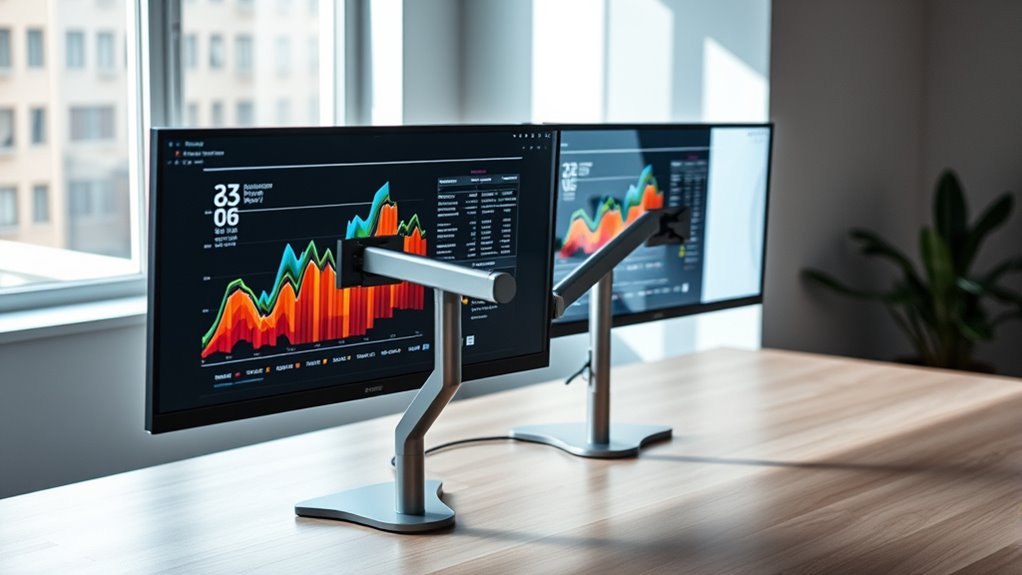

Finding the right monitor arms for dual setup can be a game-changer for productivity and ergonomics. The VIVO Dual Monitor Desk Mount stands out as the best overall for its robust build and wide compatibility, while the HUANUO FlowLift™ Pro offers excellent adjustability for a versatile workspace. For those on a budget, the WALI Dual Monitor Stand provides solid performance without breaking the bank, but may lack some premium features. Tradeoffs often include balancing weight capacity, adjustability, and ease of installation. Keep reading to explore the full lineup and find the best fit for your setup.

Get audio and creator gear delivered free with Prime
- Fast, free delivery on millions of items
- Prime Video, Amazon Music and more included
- Member-only deals all year
Key Takeaways
- Top contenders prioritize adjustable arms that support a wide range of monitor sizes and weights.
- Build quality and stability vary significantly, influencing long-term durability and safety.
- Installation methods, such as clamp versus grommet, impact setup flexibility and desk compatibility.
- More premium options often include full motion, height adjustment, and cable management features.
- Budget-friendly models tend to have fewer advanced features but can still deliver reliable dual monitor support.


More Details on Our Top Picks
VIVO Dual Monitor Desk Mount, Holds 2 Computer Screens up to 30 inches and 22 lbs Each, Heavy Duty Fully Adjustable Steel Stand with C-Clamp and Grommet, Black, STAND-V002
The VIVO STAND-V002 stands out for supporting larger monitors up to 30 inches and 22 lbs each, making it ideal for users with sizeable screens who need full flexibility. Its sturdy steel construction combined with full articulation—tilt, swivel, rotation, and height—delivers a highly customizable viewing experience. Compared to the VIVO Dual Monitor Stand, which supports slightly smaller screens, this model offers greater capacity for heavier and larger monitors, though it may require more desk space for full movement. The installation is straightforward, with reliable mounting options via C-clamp or grommet. However, its full articulation can demand extra clearance space, and it’s limited to monitors with VESA 75x75mm or 100x100mm patterns. This pick is best for those prioritizing robust build quality and large monitor support without sacrificing flexibility.Pros:- Supports large monitors up to 30 inches and 22 lbs each
- Full articulation including tilt, swivel, rotation, and height adjustment
- Sturdy steel construction with easy installation
Cons:- Requires sufficient desk space for full movement
- Limited to monitors with VESA 75x75mm or 100x100mm mounting holes
Best for: Professionals or enthusiasts with large, heavy monitors seeking a durable, fully adjustable mount.
Not ideal for: Users with limited desk space or smaller monitors under 13 inches who won’t utilize the full range of motion.
- Screen Size Range:13-30 inches
- Maximum Weight per Monitor:22 lbs
- Mounting Type:Tabletop Mount
- Movement:Swivel, Tilt, Rotate, Height Adjustment
- VESA Compatibility:75x75mm, 100x100mm
- Material:Metal
- Color:Black
- Warranty:3 Years
Our verdict“This is the best choice for users needing a heavy-duty, fully adjustable mount for larger monitors.”
VIVO Dual Monitor Stand, Fully Adjustable Arms for 17 to 32 inch Screens, Mechanical Articulating Desk Mount, Black
The VIVO Dual Monitor Stand offers a versatile solution for a wide range of monitor sizes from 17 to 32 inches, supporting up to 19.8 lbs each. Its fully adjustable arms provide tilt, swivel, and rotation, comparable to the more premium HUANUO FlowLift™ Pro, but at a lower cost. While it supports a broad size and weight range, its back extension can sometimes extend past the desk edge, and assembly can be tricky for less experienced users. Unlike the VIVO Desk Mount, which is more robust for larger monitors, this stand excels for users balancing affordability with flexibility. The mounting options via clamp or grommet add to its convenience, though the arms’ length may limit placement options on smaller desks or tight spaces.Pros:- Supports a wide monitor size range (17-32 inches)
- Fully adjustable tilt, swivel, and rotation
- Helps maximize desk space with dual monitors
Cons:- Back of arms may extend beyond desk edge
- Assembly can be complex for newcomers
Best for: Home office users who want flexible, adjustable monitor support on a budget.
Not ideal for: Users with very limited desk space or those needing support for monitors heavier than 19.8 lbs.
- Screen Size Compatibility:17-32 inches
- Weight Capacity:19.8 lbs
- VESA Pattern:75x75mm, 100x100mm
- Tilt Range:±90°
- Swivel:180°
- Rotation:360°
- Mounting Options:Clamp or grommet
- Color:Black
Our verdict“Ideal for budget-conscious users needing flexible dual monitor positioning for mid-sized screens.”
HUANUO FlowLift™ Pro Monitor Arm for 13–32″ Screens, Fully-Adjustable with Tilt/Swivel/Rotation, Tool-Free VESA Mount, C-Clamp/Grommet Base, Max Load 19.8 lbs
The HUANUO FlowLift™ Pro is tailored for users prioritizing ergonomic comfort with screens from 13 to 32 inches and support for up to 19.8 lbs. Its MechaSpring arm provides smooth, durable support that outperforms less sturdy mechanisms like the VIVO Dual Monitor Stand. The tool-free VESA mounting simplifies setup, but it’s best suited for wood desks, limiting its versatility on other surfaces. While the tilt of 85 degrees is generous, the maximum weight support of 19.8 lbs might be restrictive for heavier monitors, and some users report insufficient instructions. Compared to more basic options, this arm offers a high degree of ergonomic adjustment, but less compatibility with non-wood surfaces.Pros:- Highly adjustable tilt, swivel, and rotation for ergonomic comfort
- Durable MechaSpring arm provides long-lasting support
- Easy tool-free VESA mounting for quick setup
Cons:- Limited to wood surfaces for optimal stability
- Supports monitors only up to 19.8 lbs
- Installation instructions may be insufficient
Best for: Office workers or gamers who need highly adjustable, ergonomic monitor positioning on wood desks.
Not ideal for: Those with glass or metal desks, or heavier monitors exceeding 19.8 lbs.
- Screen Size Range:13–32 inches
- Max Load:19.8 lbs
- VESA Compatibility:75×75mm or 100×100mm
- Tilt Range:85 degrees
- Movement Type:Articulating, Tilt
- Color:Black
- Material:Aluminum
- Desk Compatibility:Wood only
Our verdict“Best suited for ergonomic-focused setups on wood desks with lightweight to mid-weight monitors.”
VIVO Freestanding Dual Monitor Stand with Adjustable Arms and Glass Base, Supports 13-32 inch Monitors, Black
This VIVO Freestanding Dual Monitor Stand combines sleek design with solid stability thanks to its tempered glass base, supporting monitors from 13 to 32 inches and up to 22 lbs each. The adjustable arms provide tilt, swivel, rotation, and height, comparable to clamp-based mounts but offers a free-standing setup ideal for flexible desk arrangements. The glass base adds a modern aesthetic but is heavier and potentially more fragile than plastic alternatives, making placement and movement slightly more cumbersome. Assembly might be challenging due to the weight, and pulling monitors forward could destabilize the setup if not properly secured. It’s a strong choice for users who want a stylish, stable stand without desk clamps, although it’s less portable than clamp-mounted options.Pros:- Sturdy tempered glass base offers excellent stability
- Supports a wide range of monitor sizes and VESA patterns
- Flexible positioning with full tilt, swivel, and rotation
Cons:- Glass base is heavier and more fragile than plastic
- Assembly can be complex due to weight
- Monitor stability may reduce if moved or pulled excessively
Best for: Design-conscious professionals or home users seeking a stylish, stable dual monitor solution without permanent desk modifications.
Not ideal for: Users with limited space or those needing ultra-lightweight solutions for frequent repositioning.
- Compatibility:13-32 inches, up to 22 lbs
- Base Material:Tempered glass
- Base Dimensions:42.5 cm x 26 cm
- Tilt:+90° to -90°
- Swivel:360°
- Rotation:360°
- Height Adjustment:Yes
- Color:Black
Our verdict“Ideal for users wanting a stylish, stable dual monitor setup with flexible positioning and a modern look.”
ErGear Dual Monitor Stand for 17-33 inch Screens, Max 22 lbs per Arm, Adjustable VESA Mount
The ErGear Dual Monitor Stand supports large screens up to 33 inches and 22 lbs per arm, making it suitable for heavier, high-end displays. Its tested durability for 20,000 cycles underscores its reliability, especially for demanding environments. Its adjustable tilt, swivel, and height control make ergonomic alignment simple. Compared to the HUANUO FlowLift™ Pro, which offers more precise ergonomic features, the ErGear stand emphasizes strength and long-term stability. However, it requires a wooden table for maximum stability and can be more challenging to install on tables with beams or panels. Its robust steel construction ensures durability but adds weight, making repositioning slightly more effortful.Pros:- Supports large monitors up to 33 inches and 22 lbs
- Tested for 20,000 adjustment cycles for durability
- Flexible tilt, swivel, and height adjustments
Cons:- Requires a wooden table for best stability
- Assembly can be difficult on tables with beams or panels
Best for: Power users or professionals who frequently change monitor positions and need a highly durable, heavy-duty stand.
Not ideal for: Users with non-wood desks or lighter monitors under 17 inches, where such capacity is unnecessary.
- Monitor Size Range:17-33 inches
- Weight Capacity:22 lbs
- VESA Compatibility:75x75mm, 100x100mm
- Maximum Height Adjustment:17.5 inches
- Extension Range:17.5 inches
- Material:Steel
- Installation Options:C-clamp, Grommet mount
- Table Compatibility:Wood, beams, panels
Our verdict“Best for heavy-duty, durable support on stable wooden surfaces for large, heavy monitors.”
WALI Dual Monitor Stand for 13-32 inch Screens, Adjustable Dual Monitor Arms with VESA Mount, Holds up to 22 lbs, Black
This WALI dual monitor arm stands out primarily for its affordability while still offering essential ergonomic adjustments. Compared with the MountUp Dual Monitor Desk Mount, it provides similar full motion flexibility but with a lower weight capacity, making it perfect for lighter screens. Its simple C-clamp or grommet mounting options make setup quick, especially on wooden desks. However, it’s less suited for very heavy or larger monitors, with a 22 lbs limit, unlike the MountUp which can handle heavier loads. Its full-motion range supports ergonomic positioning, but the design favors smaller, lighter screens. For users who prioritize a budget-friendly, space-saving solution without demanding heavyweight support, this model fits well.
Pros:- Affordable price point for dual monitor setups
- Full motion adjustments for optimal ergonomics
- Easy installation with multiple mounting options
- Cable management helps organize workspace
Cons:- Limited to monitors weighing up to 22 lbs, restricting heavier screens
- Designed mainly for wooden desks, less stable on desks with crossbeams
Best for: Budget-conscious users with lightweight monitors up to 22 lbs and desks compatible with clamp or grommet mounts.
Not ideal for: Professionals needing support for heavy or ultra-large screens, or desks with crossbeams that complicate mounting.
- Compatibility:Screens up to 32 inches, VESA 75x75mm/100x100mm
- Weight Capacity:22 lbs per arm
- Adjustments:Height up to 17.3 inches, extend 19.3 inches, swivel +90°/-90°, tilt +70°/-45°, rotate 360°
- Mounting Options:C-clamp or grommet base for desks 0.39″–2.76″ thick
Our verdict“This stand makes the most sense for budget-minded users with lightweight monitors and straightforward desk setups.”
MountUp Dual Monitor Stand for 17 to 43 Inch Screens, Adjustable Heavy Duty Mount with Full Motion
This MountUp model supports a broad range of monitor sizes, from 17 to 43 inches, and handles up to 33 lbs per arm, making it ideal for larger, heavier screens compared to the HUANUO Vertical Dual Mount. Its full motion capabilities, including tilt, swivel, and rotation, provide highly customizable ergonomic positioning. The robust alloy steel construction ensures stability, but its weight and size can make installation more cumbersome, especially on smaller or less sturdy desks. Adjustments require effort, particularly for very heavy monitors, and it’s best suited for users who need maximum flexibility and support for sizable displays. For those with heavier or larger monitors, this mount combines strength with adaptability, though it demands careful installation.
Pros:- Supports a wide range of large and heavy monitors
- Full motion articulation for ergonomic customization
- Durable alloy steel construction adds stability
- Cable management included for tidy setups
Cons:- Heavy and potentially difficult to install on small or delicate desks
- Adjustments can require effort, especially for very heavy screens
Best for: Professionals using large or heavy monitors (up to 43 inches and 33 lbs) who need maximum flexibility and durability.
Not ideal for: Casual users with lightweight or small monitors, or those with limited space for bulky mounting hardware.
- Supported Screen Size:17-43 inches
- Maximum Load:33 lbs per arm
- VESA Compatibility:75x75mm, 100x100mm
- Tilt Range:30 degrees
- Rotation:360 degrees
- Swivel:180 degrees
Our verdict“This mount is perfect for users with large, heavy monitors needing robust support and full motion flexibility.”
Mountup Dual Monitor Stand Fits 32-49 Inch Screens, Heavy Duty Dual Monitor Arm with Full Motion and Height Adjustment
This Mountup stand shines with its support for ultrawide and curved monitors, including models like the Samsung Odyssey G9, thanks to its 32-49 inch compatibility. It offers full motion adjustments—tilt, swivel, and rotate—and vertical stacking to maximize space efficiency. Compared to smaller or lighter-duty options like the WALI Dual Monitor Stand, it provides a sturdier, more versatile solution for massive screens, but with a caveat: it requires specific desk thickness ranges and can be more complex to install. Its vertical stacking feature adds stability for large monitors, yet the weight and size demand careful setup. It’s best for users with large, ultrawide screens seeking a space-efficient, ergonomic solution that handles heavy, expansive displays.
Pros:- Supports very large ultrawide or curved monitors
- Full motion for ergonomic positioning
- Vertical stacking for space efficiency
- Cable management included
Cons:- Requires specific desk thickness for optimal mounting
- Heavy monitors may need additional support or installation effort
Best for: Designers, gamers, or professionals using ultrawide or curved monitors up to 49 inches that need space-saving, full-motion support.
Not ideal for: Users with small or lightweight monitors, or those with limited desk space or incompatible desk thicknesses.
- Weight Capacity:7.7-44 lbs
- Supported Screen Sizes:22-49 inches
- Mounting Type:Tabletop
- Movement:Swivel, Tilt, Rotate
- Maximum Tilt Angle:90 Degrees
- Material:Aluminum
Our verdict“This mount is best suited for those with large ultrawide or curved monitors who need maximum space savings and flexibility.”
HUANUO Vertical Dual Monitor Mount for 17-32 Inch Screens
This HUANUO vertical dual mount emphasizes space efficiency with its stacking design, ideal for reducing clutter on smaller desks. Its adjustable height and full articulation—tilt, swivel, and rotation—offer ergonomic benefits similar to the MountUp Heavy Duty Mount, but with a focus on vertical alignment. While it supports monitors from 17 to 32 inches, some users might find the need for a sturdy, stable desk essential for optimal performance, especially with taller stacks. Its compatibility is limited to VESA 75x75mm or 100x100mm, and installation can be complex for novices. This setup is perfect for those prioritizing space-saving and ergonomic positioning in compact workspaces, but less suitable for very heavy or large monitors.
Pros:- Excellent space-saving vertical stacking design
- Full articulation for ergonomic positioning
- Supports a wide range of monitor sizes (17-32 inches)
- Reduces neck and back strain
Cons:- Requires a sturdy, stable desk for best stability
- Limited to VESA-compatible monitors
- Installation may be complex for some users
Best for: Office workers or creatives with medium-sized monitors seeking ergonomic solutions in tight spaces.
Not ideal for: Heavy or large monitors over 32 inches, or users with unstable desks that can’t support vertical stacking.
- Maximum Tilt Angle:45 Degrees
- Compatible Devices:Monitor
- Maximum Supported Screen Size:32 Inches
- Weight Capacity per Monitor:17.6 lbs
- Desk Thickness Compatibility:Up to 3.14 inches
Our verdict“This mount makes a strong case for users wanting ergonomic, space-efficient vertical monitor setups in small offices.”
MountUp Dual Monitor Desk Mount, Fully Adjustable Aluminum Double Monitor Arm for 17-32 inch Screens
This MountUp desk mount excels with its combination of sturdy die-cast aluminum construction and full motion flexibility for 17-32 inch monitors. It offers a full range of ergonomic adjustments—tilt, swivel, rotation—similar to the VIVO Dual Monitor Desk Mount, but with a more premium build and cable management features. Its support for monitors weighing up to 19.8 lbs makes it suitable for most office setups, though heavier screens might require a different model like the MountUp Heavy Duty mount. Its easy tool-free assembly and versatile mounting options (edge or grommet) make it appealing for users who want a reliable, durable solution. However, some assembly time and tension adjustments may be needed for optimal performance. It’s ideal for everyday office use with moderate weight monitors.
Pros:- Sturdy, lightweight aluminum construction
- Full motion adjustments for ergonomic comfort
- Easy to assemble with tool-free features
- Supports a wide range of VESA-compatible monitors
Cons:- Limited to monitors under 19.8 lbs, not suitable for very heavy screens
- Adjustments may require some tension tuning for perfect balance
Best for: Office professionals needing a durable, fully adjustable dual monitor arm for standard size screens.
Not ideal for: Users with large or very heavy monitors over 20 lbs, or those seeking ultra-heavy-duty mounts.
- Compatibility:2 monitors, 17-32 inches
- Weight Capacity:4.4-19.8 lbs per arm
- Material:Die-cast aluminum
- Mounting Options:Desk edge or grommet hole
- Cable Management:Yes
Our verdict“This model offers a reliable, versatile solution for users with moderate-weight monitors seeking full ergonomic control.”
5Rcom Dual Monitor Stand for 17-34 Inch Screens, Full Motion Dual Monitor Arms with VESA Mount, Holds up to 22lbs
This stand stands out for supporting a wide array of monitor sizes from 17 to 34 inches, making it highly adaptable compared to the narrower size range of the ErGear Dual Monitor Stand. Its full motion capabilities, including tilt, swivel, and height adjustments, enable precise ergonomic positioning, though it might be bulkier on small desks where space is limited. The 22 lbs weight capacity per arm offers broader compatibility with heavier monitors, but the maximum extension of just over 21 inches could limit setups requiring more reach. Assembly is straightforward, and cable management is integrated, helping keep workspaces tidy. Compared with less adjustable options, this offers a more flexible and durable solution for diverse monitor setups, though it may be somewhat bulky for compact desks.
Pros:- Supports a broad size range of 17-34 inches
- Full motion adjustment for ergonomic comfort
- Includes cable management for a clutter-free workspace
- High weight capacity of 22 lbs per arm
Cons:- Can be bulky for small desks
- Requires some assembly and setup time
- Limited arm reach for very large setups
Best for: Professionals with mixed monitor sizes and heavier screens seeking maximum flexibility
Not ideal for: Users with very limited desk space or smaller, lightweight monitors under 17 inches
- Screen Size Compatibility:17-34 inches
- Weight Capacity:22 lbs per arm
- VESA Mount:75x75mm and 100x100mm
- Max Arm Reach:21.2 inches
- Max Height Adjustment:17.3 inches
- Material:Metal
Our verdict“This pick suits users who need a versatile, heavy-duty dual monitor arm with extensive adjustability and broad size support.”
ErGear Dual Monitor Stand for 2 Screens up to 32 Inches, Adjustable Desk Mount with Tilt, Swivel, Rotate, Supports 17.6 lbs per Monitor
Compared with the 5Rcom stand, the ErGear Dual Monitor Stand offers a slightly more compact extension span, but it supports monitors only up to 32 inches and 17.6 lbs, which narrows its versatility. Its full tilt, swivel, and rotation features promote ergonomic positioning, but the installation can be tricky if your desk has beams or uneven surfaces. The clamp and grommet mounting options provide flexible setup, yet users with non-wooden desks may face stability issues. This model excels for users with standard-sized monitors and straightforward desk environments, but it might not accommodate heavier or larger screens comfortably.
Pros:- Supports monitors up to 32 inches and 17.6 lbs
- Full adjustability with tilt, swivel, and rotation
- Flexible clamp and grommet mounting options
- Space-efficient design
Cons:- Limited to monitors under 32 inches
- Installation may be complex on non-wooden desks
- Maximum arm reach of about 31 inches may be restrictive for some setups
Best for: Users with 17-32 inch monitors and standard wooden desks seeking comprehensive motion control
Not ideal for: Owners of oversized or particularly heavy monitors, or unconventional desks with beams or glass surfaces
- Monitor Size Compatibility:13-32 inches
- Weight Limit:17.6 lbs per monitor
- VESA Compatibility:75×75 mm or 100×100 mm
- Arm Span:31.22 inches
- Tilt Range:+/-45°
- Swivel Range:+/-90°
Our verdict“A solid choice for users with mid-sized monitors and standard desks, looking for full motion flexibility.”
HUANUO FlowLift™ Dual Monitor Stand, Fully Adjustable Gaming Monitor Desk Mount for 13–32″ Computer Screens, Full Motion VESA 75×75/100×100 with C-Clamp & Grommet Base, Each Arm Holds 4.4 to 19.8 lbs
The HUANUO FlowLift™ stands out for its gaming-oriented full motion support, accommodating monitors from 13 to 32 inches with a weight range of 4.4 to 19.8 lbs. It emphasizes stability with a dual C-clamp, making it ideal for intense typing or gaming without wobbling, unlike lighter or more flexible arms. Its ergonomic adjustments, including tilt, swivel, and rotation, help reduce strain during long sessions. However, the desk must be suitable—wooden, with no crossbeams, and within specific thickness ranges—limiting its use on some desk types. It’s best for dedicated gaming setups or workstations emphasizing stability and full motion, but less ideal for lightweight monitors or unconventional desks.
Pros:- Supports monitors from 13-32 inches and up to 19.8 lbs
- Full motion adjustment including tilt, swivel, and rotation
- Dual C-clamp for maximum stability during intense use
- Includes VESA compatibility and cable management
Cons:- Desk must meet specific material and thickness conditions
- Limited to monitors within weight and size ranges
- Assembly may be complex for inexperienced users
Best for: Gamers or long-hour users needing stable, fully adjustable monitor positioning
Not ideal for: Users with glass or plastic desks, or monitors that are lighter than 4.4 lbs
- Supported Screen Size:13–32 inches
- Max Load:19.8 lbs
- VESA Pattern:75x75mm, 100x100mm
- Height Adjustment:Up to 21.1 inches
- Extension Length:Up to 25.59 inches
- Mounting Options:Clamp, Grommet
Our verdict“Ideal for gamers and heavy users needing a stable, highly adjustable dual monitor setup on suitable desks.”
ErGear Dual Monitor Arm for 13–32″ Screens, Adjustable VESA Mount with Tool-Free Installation
The ErGear Dual Monitor Arm emphasizes quick, tool-free installation, making it appealing for users who prefer minimal setup fuss compared to the more involved assembly of the HUANUO FlowLift™. Its support for monitors up to 32 inches and 19.8 lbs aligns with typical home or office needs, but it lacks the extensive reach of larger models, potentially limiting positioning flexibility. The adjustments include height, tilt, and swivel, providing ergonomic benefits, though stability on uneven or glass desks can be a concern. This arm is well-suited for those valuing straightforward installation and reliable support within its size and weight limits, but it isn’t ideal for very large or heavy monitors.
Pros:- Quick, tool-free installation process
- Supports monitors up to 32 inches and 19.8 lbs
- Adjustable height, tilt, swivel, and rotation
- Durable construction with smooth movement
Cons:- Limited to monitors up to 32 inches
- Requires flat, stable wooden or similar desks
- Maximum extension about 18 inches may limit some setups
Best for: Home office users seeking an easy-to-install dual monitor setup for standard-sized screens
Not ideal for: Power users with oversized, heavy monitors or unconventional desk surfaces
- Supported Screen Size:13–32 inches
- Max Load:19.8 lbs
- VESA Pattern:75x75mm, 100x100mm
- Height Adjustment:Up to 17.5 inches
- Extension:Up to 18.1 inches
- Tilt Range:+80°/-50°
Our verdict“A practical option for users prioritizing quick setup and moderate monitor sizes with reliable adjustability.”
HUANUO Dual Monitor Stand for 13″–40″ Monitors with USB, Height Adjustable, VESA Mount, Clamp/Grommet Base
The HUANUO Dual Monitor Stand supports a broad range of monitor sizes, from 13 to 40 inches, with a maximum weight capacity of 26.4 lbs per arm, surpassing many competitors like the 5Rcom. Its height adjustment up to 21.1 inches and full motion range facilitate ergonomic setups for large or heavy monitors, and the built-in USB ports add extra functionality. However, its large size and weight capacity mean it’s best suited for heavy-duty, serious workstations, and the setup can be complex, especially for users unfamiliar with mounting options. It’s ideal for those with large, weighty monitors and a need for connectivity, but overkill for lighter or smaller screens.
Pros:- Supports monitors up to 40 inches and 26.4 lbs
- Height adjustable up to 21.1 inches
- Full motion including tilt, swivel, and rotation
- Includes built-in USB ports for device charging
Cons:- Requires careful installation and compatible desk setup
- Bulky size may dominate small desks
- Complex setup for some users
Best for: Professionals with large, heavy monitors needing height flexibility and integrated USB ports
Not ideal for: Users with lightweight monitors or limited desk space, as the stand can be bulky and heavy
- Supported Screen Size:13-40 inches
- Max Load per Arm:26.4 lbs
- VESA Compatibility:75x75mm, 100x100mm
- Height Adjustment:Up to 21.1 inches
- Extension Length:Up to 25.59 inches
- USB Ports:2
Our verdict“Best suited for heavy, large monitors needing maximum height flexibility and integrated USB connectivity.”
How We Picked
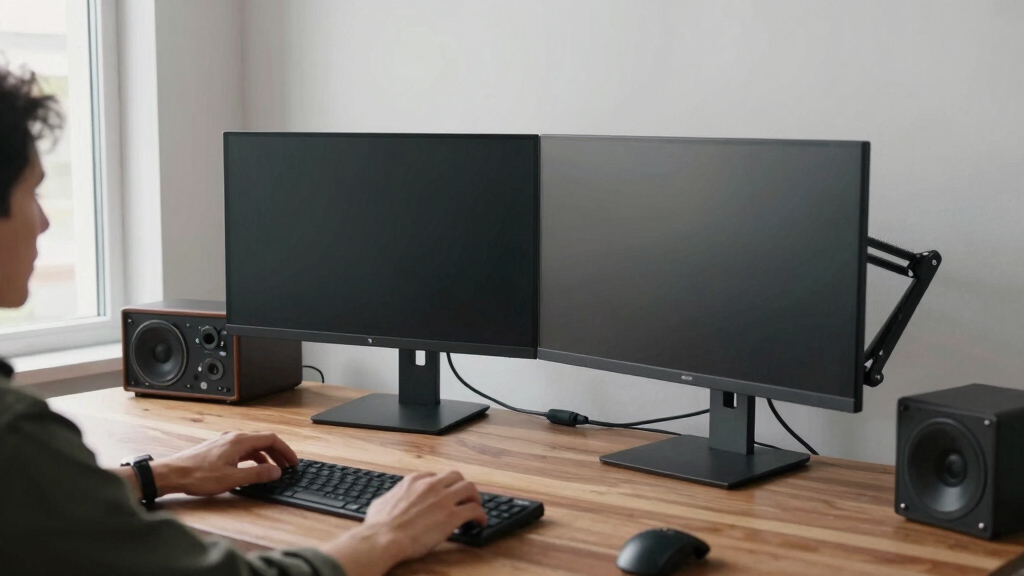
I evaluated these monitor arms based on key criteria that matter most for dual setup users. Performance factors included weight capacity, range of motion, and stability to ensure they can hold heavy monitors securely. Usability was assessed through ease of installation, adjustability, and cable management features, which influence daily convenience. Build quality and material durability were also considered, as these determine longevity. Lastly, I balanced value and price to highlight options that offer the best features without unnecessary overspending. The ranking reflects an overall assessment of these factors, prioritizing versatility and reliability for a dual monitor environment.Factors to Consider When Choosing Monitor Arms Dualsetup
Choosing the right dual monitor arms involves weighing several important factors beyond just compatibility. Understanding these considerations helps prevent common pitfalls like overpaying for unnecessary features or selecting a model that doesn’t support your monitor sizes. The right choice depends on your workspace, monitor weight, and desired flexibility. Here are key factors to keep in mind:Compatibility and Size Support
Ensure the monitor arms can handle your specific monitor sizes and weights. Some models support up to 32 inches, while others extend to 43 inches or more. Always check the maximum weight capacity to avoid overloading, which can compromise stability. Picking a model with a flexible VESA range also helps accommodate various monitor brands and mounting standards, offering greater versatility without needing additional adapters.
Adjustability and Range of Motion
Look for arms with full articulation—tilt, swivel, rotation, and height adjustment—especially if you spend long hours at your desk. This flexibility can significantly improve ergonomics and comfort, reducing strain. However, more adjustable models tend to be more complex and might require more space or a sturdier desk. Balance your need for movement with the available desk space and stability considerations.
Installation Method and Desk Compatibility
Decide between clamp and grommet mounting based on your desk type and personal preference. Clamps are generally easier to install and remove, making them suitable for temporary setups or desks with limited grommet holes. Grommet mounts require a hole in your desk but offer a more stable, flush appearance. Consider your desk thickness and surface material to ensure compatibility and ease of installation.
Build Quality and Durability
Sturdy materials like steel or aluminum typically provide better stability and longer lifespan. Cheaper plastics might save money upfront but can wobble or degrade over time. Check reviews for signs of wobbling or looseness, especially if you plan to use the setup intensively. A well-built arm minimizes maintenance and ensures your monitors stay secure over years of use.
Cable Management and Aesthetics
Integrated cable management features help keep your workspace tidy and prevent accidental disconnections. Consider models with clips or channels along the arms for routing power and data cables. Besides functionality, aesthetic appeal matters—sleek designs and neutral colors blend better with modern desks. Think about how the monitor arms will complement your overall workspace style.
Price and Value
High-end models with full motion, larger weight capacity, and premium materials cost more but often last longer and offer better performance. Budget options can work well if your monitors are lightweight and you don’t need extensive movement. Prioritize features that match your daily needs, and avoid overpaying for extras you won’t use. Balance your budget with the longevity and functionality you require.
Frequently Asked Questions
Can I mount dual monitor arms on a glass desk?
Mounting dual monitor arms on a glass desk is possible, but it requires special clamps designed for glass surfaces. These clamps distribute pressure evenly to prevent cracking or slipping. Alternatively, using a grommet mount through a reinforced hole can provide more stability. Always verify the weight limits and ensure the glass desk can support the combined weight of your monitors and the mount.
How do I choose between clamp and grommet mounting?
Clamp mounts are generally easier to install and remove, making them ideal for temporary setups or desks without existing grommet holes. Grommet mounts, however, offer a cleaner look and higher stability since they are anchored through a hole in the desk. Your choice depends on your desk type, whether you prefer a removable solution, and if your desk has a suitable grommet hole.
Will a dual monitor arm support ultrawide monitors?
Many dual monitor arms can support ultrawide monitors, provided they meet the size and weight specifications. However, some models with narrower VESA plates or limited adjustment range may struggle to hold wider displays securely. Always check the maximum width and weight capacity, and consider a model with full articulation to position ultrawide monitors comfortably without strain.
Are there dual monitor arms suitable for heavy, professional-grade monitors?
Yes, several high-end options are designed for heavy professional monitors, supporting weights over 30 lbs per arm. These models typically feature reinforced arms, robust materials, and wider VESA compatibility. Investing in a heavy-duty arm ensures your monitors stay stable and secure, even with larger or more demanding displays, but they tend to be more expensive.
What is the typical lifespan of a dual monitor arm?
The lifespan depends on build quality, usage, and maintenance, but well-made models can last 5-10 years or more. Regularly checking for loose joints and cleaning moving parts can extend the life. Cheaper, lower-quality arms may require replacement sooner due to wobbling or wear. Investing in a reputable brand usually pays off in durability and consistent performance over time.
Conclusion
For most users seeking a reliable, versatile dual monitor setup, the VIVO Dual Monitor Desk Mount strikes a balance between affordability and performance, making it ideal for both home and office environments. Those who want premium features like full motion and seamless adjustability should consider the MountUp Dual Monitor Stand or HUANUO FlowLift™ Pro. Beginners or light users will appreciate budget-friendly options like the WALI Dual Monitor Stand, while professionals with heavy or ultrawide monitors should opt for heavy-duty models like the MountUp Heavy Duty Dual Mount. Ultimately, your choice depends on your workspace, monitor weight, and desired flexibility—match accordingly to get the best dual monitor arm setup in 2026.