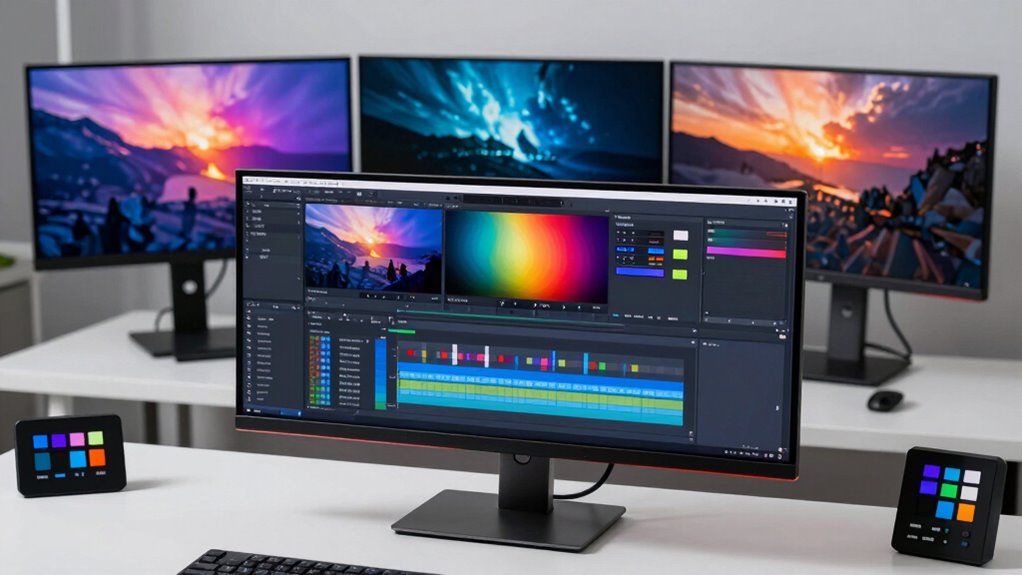
Finding the right monitor for 4K video editing involves balancing color accuracy, screen size, connectivity, and budget. The ASUS ProArt PA279CRV stands out as the best overall choice thanks to its factory calibration and accurate color reproduction. For larger screens, the BenQ PV3200U offers a spacious workspace with excellent color coverage, making it ideal for detailed editing. Meanwhile, the Dell S2725QS delivers a high refresh rate and fast response times at a more accessible price point. These options illustrate the common tradeoffs: higher color fidelity often comes with a bigger price tag or size, while budget models may compromise on color precision. Continue reading for a detailed breakdown of each monitor and what makes them the best picks for 2026.

Get audio and creator gear delivered free with Prime
- Fast, free delivery on millions of items
- Prime Video, Amazon Music and more included
- Member-only deals all year
Complete the kit


Key Takeaways
- The ASUS ProArt PA279CRV offers the most accurate factory-calibrated colors for professional-grade editing.
- Large screens like the BenQ PV3200U provide more workspace but typically come at a higher cost and size tradeoff.
- Connectivity options such as USB-C and Thunderbolt are becoming standard for seamless device integration.
- Higher refresh rates like 120Hz are beneficial for video playback and editing fluidity, but may be less relevant for static image work.
- Size and resolution balance is key—larger screens improve workflow but may require more desk space and higher budgets.
| ASUS ProArt PA279CRV 27-Inch 4K UHD HDR Professional Monitor for Mac |  | Best Overall for Professional Color Accuracy | Display Size: 27 inches | Resolution: 3840 x 2160 (4K UHD) | Panel Type: IPS | VIEW ON AMAZON | See Our Full Breakdown |
| BenQ PV3200U 32” 4K UHD Monitor for Video Editing, 95% DCI-P3, sRGB, Rec.709, USB-C, Mac Compatible, Factory-Calibrated, Ergonomic Stand |  | Best Value for Wide Color Gamut and Professional Calibration | Size: 32 inches | Resolution: 4K UHD | Color Coverage: 95% DCI-P3, 100% sRGB, Rec.709 | VIEW ON AMAZON | See Our Full Breakdown |
| CUNPU 27-inch 4K IPS Ultra-Slim Bezel Monitor for Photo and Video Editing |  | Best for Sleek Design and Versatile Connectivity | Size: 27 inches | Resolution: 3840 x 2160 (4K UHD) | Refresh Rate: 70Hz | VIEW ON AMAZON | See Our Full Breakdown |
| LG 27UP850K-W 27-inch 4K UHD IPS Monitor with HDR 400 and USB-C |  | Best for Versatile Work and Entertainment | Size: 27 inches | Resolution: 3840 x 2160 (4K UHD) | HDR: VESA DisplayHDR 400 | VIEW ON AMAZON | See Our Full Breakdown |
| LG 27US500-W Ultrafine Monitor 27-Inch 4K UHD HDR10 IPS Borderless Display |  | Best for Budget-Friendly Creative Work | Size: 27 inches | Resolution: 3840 x 2160 (4K UHD) | Panel Type: IPS | VIEW ON AMAZON | See Our Full Breakdown |
| ASUS ProArt PA329CRV 32-Inch 4K HDR Professional Monitor for Mac |  | Best for Color Accuracy and Professional Work | Display Size: 31.5 inches | Resolution: 3840 x 2160 (4K UHD) | Display Technology: LED LCD | VIEW ON AMAZON | See Our Full Breakdown |
| Dell 27″ S2725QS 4K UHD IPS Monitor, 120Hz, 0.03ms, AMD FreeSync Premium |  | Best for Smooth Visuals and Versatile Use | Screen Size: 27 inches | Resolution: 3840 x 2160 (4K UHD) | Panel Type: IPS LED | VIEW ON AMAZON | See Our Full Breakdown |
| monitor for video editing 4k | Resolution | Connectivity | Size | Color Gamut |
|---|---|---|---|---|
| ASUS ProArt PA279CRV 27-Inch 4 | 3840 x 2160 (4K UHD) | DisplayPort, USB-C (96W), HDMI, USB hub | — | — |
| BenQ PV3200U 32” 4K UHD Monito | 4K UHD | USB-C, HDMI | 32 inches | — |
| CUNPU 27-inch 4K IPS Ultra-Sli | 3840 x 2160 (4K UHD) | — | 27 inches | — |
| LG 27UP850K-W 27-inch 4K UHD I | 3840 x 2160 (4K UHD) | USB Type-C, HDMI, DisplayPort | 27 inches | 95% DCI-P3 |
| LG 27US500-W Ultrafine Monitor | 3840 x 2160 (4K UHD) | — | 27 inches | 90% DCI-P3 |
| ASUS ProArt PA329CRV 32-Inch 4 | 3840 x 2160 (4K UHD) | DisplayPort, HDMI, USB, USB Type C | — | 98% DCI-P3 |
| Dell 27" S2725QS 4K UHD IPS Mo | 3840 x 2160 (4K UHD) | DisplayPort, HDMI | — | 99% sRGB |
More Details on Our Top Picks
ASUS ProArt PA279CRV 27-Inch 4K UHD HDR Professional Monitor for Mac
The ASUS ProArt PA279CRV stands out for its exceptional color precision, covering 99% DCI-P3 and Adobe RGB, making it ideal for critical color grading and professional editing. Compared to the LG 27UP850K-W, it offers slightly more accurate factory calibration and a broader color gamut, though at a higher price. Its versatile connectivity—including USB-C with 96W Power Delivery—and ergonomic stand support long hours of precise work. The 5-year warranty offers peace of mind for demanding workflows. The main tradeoff is its premium cost, which might deter casual creators. This monitor suits seasoned professionals who prioritize color fidelity and ergonomic comfort over budget constraints.
Pros:- High color accuracy with 99% DCI-P3 and Adobe RGB coverage
- Factory calibrated for immediate use
- USB-C with 96W Power Delivery for single-cable connectivity
- Ergonomic stand with multiple adjustments
Cons:- Premium price may be prohibitive for casual users
- Limited to professional and creative applications
Best for: Professional video editors and colorists needing top-tier accuracy and reliability
Not ideal for: Casual creators or hobbyists who won’t utilize the professional-grade features
- Display Size:27 inches
- Resolution:3840 x 2160 (4K UHD)
- Panel Type:IPS
- Color Coverage:99% DCI-P3, 99% Adobe RGB
- Color Accuracy:Delta E < 2
- Connectivity:DisplayPort, USB-C (96W), HDMI, USB hub
Our verdict“This monitor is a smart choice for professionals who demand precise color reproduction and ergonomic flexibility.”
BenQ PV3200U 32” 4K UHD Monitor for Video Editing, 95% DCI-P3, sRGB, Rec.709, USB-C, Mac Compatible, Factory-Calibrated, Ergonomic Stand
The BenQ PV3200U offers a larger 32-inch screen with excellent color coverage, including 95% DCI-P3, 100% sRGB, and Rec.709, making it well-suited for detailed video work. Unlike the smaller LG 27UP850K-W, it provides a bigger workspace, which can enhance multitasking and timeline editing. Factory calibration ensures color accuracy out of the box, while the ergonomic stand supports comfortable hours of editing. Its USB-C port simplifies connections, and dual speakers add convenience. However, the 65W power delivery might be limiting for power-hungry peripherals, and the price remains high for non-professional users. It’s tailored for professionals who need a large, accurate display without the extra bells and whistles of high-end gaming or extra connectivity options.
Pros:- Large 32-inch display for increased workspace
- Excellent color coverage with 95% DCI-P3
- Factory calibration for immediate professional use
- USB-C with power delivery and ergonomic stand
Cons:- Higher price point compared to smaller monitors
- Limited to professional editing features
Best for: Video editors and colorists seeking a larger screen with reliable color calibration
Not ideal for: Casual users or gamers who prioritize high refresh rates or gaming features
- Size:32 inches
- Resolution:4K UHD
- Color Coverage:95% DCI-P3, 100% sRGB, Rec.709
- Connectivity:USB-C, HDMI
- Calibration:Factory calibrated
- Stand Features:Tilt, swivel, pivot, height adjustment
Our verdict“This monitor suits professionals who want a sizable, accurate display without unnecessary gaming features.”
CUNPU 27-inch 4K IPS Ultra-Slim Bezel Monitor for Photo and Video Editing
The CUNPU 27-inch 4K IPS combines a modern ultra-slim bezel with vibrant 100% DCI-P3 coverage, making it visually appealing and suitable for both editing and multimedia use. Its 70Hz refresh rate isn’t ideal for high-end gaming but suffices for video editing workflows. Unlike the LG 27US500-W, it emphasizes a stylish design with multiple input options like DisplayPort and HDMI, along with advanced picture modes. Its limited ergonomic adjustments might be a drawback for prolonged use. This model is best suited for users who value aesthetics and multi-input flexibility over high refresh rates or extensive ergonomic features, making it less suited for fast-paced gaming or extensive ergonomic customization.
Pros:- Ultra-slim bezel for a modern look
- Vivid 4K resolution with 100% DCI-P3
- Supports Picture-by-Picture and Picture-in-Picture modes
- Multiple connectivity options
Cons:- 70Hz refresh rate may be insufficient for gaming or fast video playback
- Limited ergonomic adjustments
Best for: Creative professionals who prioritize sleek design and versatile inputs for multimedia editing
Not ideal for: Gamers or users needing extensive ergonomic adjustments for long editing sessions
- Size:27 inches
- Resolution:3840 x 2160 (4K UHD)
- Refresh Rate:70Hz
- Color Coverage:100% DCI-P3
- Brightness:300 nits
- Ports:DisplayPort 1.4, HDMI 2.0, headphone jack
Our verdict“This monitor is a stylish option for users seeking vibrant visuals and flexible input options for creative work.”
LG 27UP850K-W 27-inch 4K UHD IPS Monitor with HDR 400 and USB-C
The LG 27UP850K-W balances vibrant visuals with smart features, offering HDR 400 support and 95% DCI-P3 coverage, making it suitable for both editing and multimedia. Its USB-C port with 90W power delivery simplifies setup, and the built-in stereo speakers add convenience. Compared to the BenQ PV3200U, its smaller size is more adaptable to compact workspaces but may limit workspace for detailed editing. The adjustable stand and features like Black Stabilizer enhance usability. Still, its relatively high price and complex interface for smart features might not appeal to all users. This monitor is a solid choice for those who need a versatile display for both creative work and daily entertainment.
Pros:- Vibrant 4K display with HDR 400 support
- USB-C with 90W power delivery
- Ergonomic stand with height, tilt, and pivot adjustments
- Built-in stereo speakers with Waves MaxxAudio
Cons:- Premium price for a 27-inch display
- Interface for smart features may be complex for some
Best for: Creative professionals who want a versatile, feature-rich monitor for work and multimedia
Not ideal for: Users seeking a large workspace or budget-conscious buyers
- Size:27 inches
- Resolution:3840 x 2160 (4K UHD)
- HDR:VESA DisplayHDR 400
- Color Gamut:95% DCI-P3
- Connectivity:USB Type-C, HDMI, DisplayPort
- Additional Features:Black Stabilizer, Dynamic Action Sync
Our verdict“This monitor offers a versatile mix of features for multimedia editing and daily use in a compact size.”
LG 27US500-W Ultrafine Monitor 27-Inch 4K UHD HDR10 IPS Borderless Display
The LG 27US500-W presents a clean borderless design with a 4K UHD IPS panel that covers 90% DCI-P3, supporting HDR10 for enhanced contrast and colors. It offers a range of adjustable features, including an ergonomic stand and on-screen controls, making it suitable for extended editing sessions. Compared with the ASUS ProArt PA279CRV, it provides a more affordable option with decent color accuracy for less demanding professional tasks. Its HDR10 support adds a layer of visual enhancement, though it doesn’t match high-end HDR standards. The absence of built-in speakers and limited connectivity details suggest it’s best for budget-conscious creatives who prioritize visual quality over extensive features or connectivity options.
Pros:- Borderless design for immersive viewing
- IPS panel with 90% DCI-P3 coverage
- Adjustable ergonomic stand
- Supports HDR10 for better contrast
Cons:- No built-in speakers
- Limited detailed connectivity options
Best for: Budget-conscious creators looking for a reliable 4K IPS display for editing
Not ideal for: Professionals needing wide color gamut or extensive connectivity options
- Size:27 inches
- Resolution:3840 x 2160 (4K UHD)
- Panel Type:IPS
- HDR:HDR10
- Color Gamut:90% DCI-P3
- Design:Borderless
Our verdict“This monitor suits budget-minded users who need a decent 4K IPS display with HDR support for everyday editing tasks.”
ASUS ProArt PA329CRV 32-Inch 4K HDR Professional Monitor for Mac
The ASUS ProArt PA329CRV stands out for its impressive 98% DCI-P3 coverage and factory calibration, making it ideal for color-critical editing tasks. Compared to the Dell S2725QS, which offers a slightly lower 99% sRGB coverage and a smaller 27-inch screen, this model provides a larger workspace suited for detailed editing. Its support for VESA DisplayHDR400 allows for enhanced contrast, though it comes with higher power consumption at 96W. The monitor’s extensive connectivity, including USB-C with 96W Power Delivery, supports seamless workflow integration. However, its size and weight demand a spacious desk, and the premium price may be a barrier for some users. Overall, this monitor is tailored for professionals who prioritize color accuracy and large display real estate, accepting the tradeoff of higher energy use and cost.
Pros:- Exceptional color accuracy with 98% DCI-P3 and factory calibration
- Large 32-inch 4K display ideal for detailed editing
- Versatile connectivity with USB-C and 96W Power Delivery
Cons:- High power consumption at 96W
- Bulky size requiring ample desk space
- Potentially expensive for casual users
Best for: Professional video editors and colorists needing precise color fidelity and large 4K workspace
Not ideal for: Budget-conscious creators or those with limited desk space who don’t require extensive color coverage
- Display Size:31.5 inches
- Resolution:3840 x 2160 (4K UHD)
- Display Technology:LED LCD
- Contrast Ratio:1000:1
- Brightness:1370.4 lumens
- Color Gamut:98% DCI-P3
- HDR Support:VESA DisplayHDR400
- Connectivity:DisplayPort, HDMI, USB, USB Type C
- Power Consumption:96 watts
Our verdict“This monitor is best suited for professionals demanding top-tier color accuracy and a spacious editing environment, accepting higher energy and cost considerations.”
Dell 27″ S2725QS 4K UHD IPS Monitor, 120Hz, 0.03ms, AMD FreeSync Premium
The Dell S2725QS offers a compelling blend of 4K resolution, fast refresh rate, and a sleek design, making it a versatile choice for both editing and casual gaming. Its 120Hz refresh rate and 0.03ms response time with AMD FreeSync Premium deliver ultra-smooth motion that is often absent from more color-focused monitors like the ASUS ProArt PA329CRV. With 99% sRGB coverage, it ensures vivid, accurate colors suitable for editing, though it doesn’t match the wider color gamut of the ProArt. The 27-inch size balances workspace and desk space, with blue light reduction via ComfortView Plus helping reduce eye strain. However, its contrast ratio of 1500:1 is modest compared to VA panels, and brightness of 350 nits might fall short in brightly lit rooms. This pick makes the most sense for users seeking a balanced monitor for editing, gaming, and everyday use, accepting some limitations in contrast and brightness.
Pros:- Vivid 4K visuals with 99% sRGB and HDR readiness
- Fast 120Hz refresh rate and 0.03ms response time for smooth motion
- Blue light reduction with ComfortView Plus for eye comfort
Cons:- Brightness limited to 350 nits in very bright rooms
- Contrast ratio of 1500:1 is modest compared to VA panels
- Smaller 27-inch size may restrict workspace for detailed editing
Best for: Content creators who want a versatile 4K display capable of smooth motion and good color accuracy
Not ideal for: Color specialists needing the widest color gamut or those working primarily in very bright environments
- Screen Size:27 inches
- Resolution:3840 x 2160 (4K UHD)
- Panel Type:IPS LED
- Refresh Rate:120Hz
- Response Time:0.03ms
- Contrast Ratio:1500:1
- Brightness:350 nits
- Color Gamut:99% sRGB
- Connectivity:DisplayPort, HDMI
Our verdict“This monitor offers a balanced mix of smooth visuals and color accuracy, ideal for users who need both work and play capabilities in a 4K display.”
How We Picked
These monitors were selected based on their suitability for professional 4K video editing, emphasizing color accuracy, resolution, connectivity, and build quality. We prioritized products with factory calibration or wide color gamuts, as accurate color reproduction is critical for editing. Size and ergonomic features were also considered, ensuring comfortable long-term use. Additionally, value was factored in by comparing features relative to price, aiming to recommend options that deliver professional performance without unnecessary overspending. Monitors with reliable reviews and consistent performance across multiple criteria earned higher rankings, helping buyers find the best fit for their specific editing needs.| monitor for video editing 4k | Connectivity |
|---|---|
| ASUS ProArt PA279CRV 27-Inch 4 | DisplayPort, USB-C (96W), HDMI, USB hub |
| BenQ PV3200U 32” 4K UHD Monito | USB-C, HDMI |
| CUNPU 27-inch 4K IPS Ultra-Sli | — |
| LG 27UP850K-W 27-inch 4K UHD I | USB Type-C, HDMI, DisplayPort |
| LG 27US500-W Ultrafine Monitor | — |
| ASUS ProArt PA329CRV 32-Inch 4 | DisplayPort, HDMI, USB, USB Type C |
| Dell 27" S2725QS 4K UHD IPS Mo | DisplayPort, HDMI |
Factors to Consider When Choosing Monitor For Video Editing 4k
Choosing a monitor for 4K video editing involves several key considerations. Beyond resolution, color accuracy and coverage are paramount to ensure your edits translate well across devices. Connectivity options like USB-C or Thunderbolt streamline workflows, especially when working with modern laptops. Screen size and ergonomics affect comfort and productivity, making it essential to select a model that fits your workspace and offers adjustable stands. Price-to-performance ratio varies widely, so understanding what features matter most can prevent overspending on unnecessary specs. Ultimately, balancing these factors helps you select a monitor that enhances your editing precision and efficiency.Color Accuracy and Coverage
Color fidelity is the foundation of a good editing monitor. Look for models with factory calibration, wide color gamuts like DCI-P3 or AdobeRGB, and support for HDR standards such as HDR 400 or HDR10. These features ensure your edits are true to life and consistent across various devices. Cheaper monitors may claim 4K resolution but lack accurate color reproduction, leading to potential mismatches in final output. Investing in higher-end displays reduces the need for external calibration, saving time and effort in the editing process.
Screen Size and Resolution
While 4K resolution is standard, screen size significantly impacts workflow. Larger monitors (27 inches and above) provide more workspace, making it easier to handle detailed timelines and multiple windows. However, bigger screens also demand more desk space and typically come at a higher cost. Consider your workspace constraints and whether a larger display justifies the investment. A 27-inch monitor with 4K resolution strikes a good balance for most editing professionals, offering ample detail without overwhelming your desk.
Connectivity and Compatibility
Modern editing setups benefit from versatile connectivity options like USB-C, Thunderbolt, and HDMI. These ports enable single-cable setups that transfer video, audio, and power, simplifying your workspace. Compatibility with your editing hardware, especially Macs or high-end PCs, is essential to avoid connection issues. Some monitors include built-in hubs or card readers, adding to convenience. Checking these features ensures your monitor integrates seamlessly into your workflow, saving time and reducing cable clutter.
Ergonomics and Build Quality
Extended editing sessions require a monitor that can be adjusted for comfort. Look for models with height, tilt, swivel, and pivot adjustments. A sturdy stand and good build quality also matter to withstand daily use. Features like anti-glare coatings help reduce eye strain, especially in brightly lit environments. Investing in ergonomic features improves productivity and reduces fatigue, making long editing sessions more sustainable.
Price and Value
High-end monitors with extensive color coverage and premium features come at a premium price, but they deliver significant benefits for professional work. Budget options may seem attractive but often compromise on color accuracy, connectivity, or build quality. Consider what features are non-negotiable for your workflow and where you can compromise. Sometimes, spending a bit more upfront results in better long-term value, reducing the need for external calibration or upgrades later.
Frequently Asked Questions
Is 4K resolution necessary for professional video editing?
While 4K resolution isn’t strictly necessary for editing, it provides a more detailed workspace that helps in managing fine details and high-quality footage. Most professional editors prefer 4K displays to match their source footage and deliver high-resolution exports. However, the benefits depend on your workflow; if you primarily work with HD footage, a 4K monitor might be more than you need. For those working with 4K footage regularly, a 4K display ensures accuracy and reduces scaling issues.
How important is color accuracy compared to other features?
Color accuracy is arguably the most critical feature in a video editing monitor because it directly affects the fidelity of your final product. Inaccurate colors can lead to mismatched hues and poor visual quality when exporting or sharing projects. Features like factory calibration, wide color gamuts, and HDR support ensure your colors are true to the original footage. Prioritizing color accuracy over other features like size or refresh rate makes sense for professionals who need precise visual results.
Should I choose a larger monitor or multiple smaller monitors?
Choosing between a larger monitor and multiple smaller ones depends on your workflow preferences and workspace size. A single large monitor simplifies cable management and provides a unified workspace, which can enhance focus. Multiple monitors offer flexibility, allowing you to spread timelines, reference images, and tools across screens. However, they can be more expensive and require more desk space. For most professionals, a 27-inch 4K monitor strikes a good balance, but if you need extensive multitasking, dual or triple setups might be worth considering.
Is high refresh rate important for video editing?
High refresh rates, such as 120Hz, mainly benefit smooth playback and editing of motion-heavy footage. They can make scrubbing through timelines and reviewing fast-moving scenes feel more fluid. However, for static image editing and color grading, refresh rate is less impactful than color accuracy and resolution. If your workflow involves a lot of motion previewing or real-time playback, a higher refresh rate can be a valuable feature to consider.
What should I consider about connectivity when choosing a monitor?
Connectivity options are vital for a clean, efficient setup. USB-C and Thunderbolt ports enable single-cable connections that transfer video, data, and power, reducing clutter. Check if the monitor supports the latest standards to future-proof your setup. Additional features like built-in hubs or SD card readers can enhance convenience. Compatibility with your computer’s ports and the ability to connect multiple peripherals without adapters will improve your overall editing experience.
Conclusion
For professionals prioritizing absolute color precision and calibration, the ASUS ProArt PA279CRV makes the most sense as the best overall pick. Those with larger workspaces or needing extensive color coverage might prefer the BenQ PV3200U for its size and professional specs. Budget-conscious buyers who still want solid performance should consider the Dell S2725QS with its high refresh rate and affordability. Beginners or casual editors can start with more affordable models that still deliver 4K resolution, while advanced users working on high-end projects should opt for premium displays with HDR and wide gamuts. Tailor your choice to your specific workflow, workspace, and budget to get the most from your investment.
Fall Picks
fall essentials
As an affiliate, we earn on qualifying purchases.