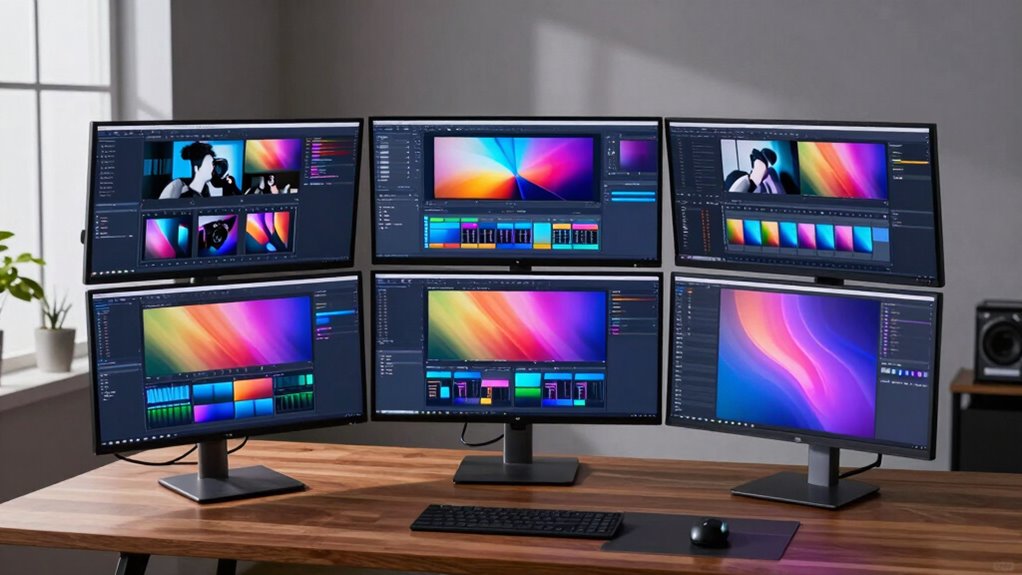

For content creators, a high-quality monitor is essential to produce precise, vibrant visuals and streamline workflow. The ASUS ProArt PA279CV stands out as the best overall pick thanks to its accurate 4K display and versatile USB-C connectivity. The Samsung ViewFinity S7 offers a larger, high-resolution screen ideal for multitasking, while the NEWER F700 is perfect for on-the-go video work with its bright, portable design. Buyers often face tradeoffs between resolution, color accuracy, and price, making it important to prioritize your specific needs. Continue reading for a detailed breakdown of each option’s strengths and weaknesses.

Get audio and creator gear delivered free with Prime
- Fast, free delivery on millions of items
- Prime Video, Amazon Music and more included
- Member-only deals all year
Complete the kit


Key Takeaways
- Color accuracy and calibration are critical for professional content creation, and the ASUS ProArt models excel here.
- Screen size and resolution impact multitasking and detail work; larger or 4K screens are better for complex workflows.
- Port selection, especially USB-C and HDMI, can simplify setup and reduce cable clutter for creators working across multiple devices.
- Price varies widely; investing in higher-quality panels pays off for serious editing, while budget options suit casual creators.
- Portability matters for on-location shoots; smaller, bright monitors like the NEEWER F700 are designed for flexibility.
| ASUS ProArt PA279CV 27-Inch 4K UHD USB-C Professional Monitor |  | Best Overall for Content Creators Needing Professional Color Accuracy | Display Size: 27 inches | Resolution: 4K UHD (3840 x 2160) | Panel Type: IPS | VIEW ON AMAZON | See Our Full Breakdown |
| Samsung 32″ ViewFinity S7 (S71H) 4K UHD IPS HDR10 High Resolution Monitor |  | Best for Color-Accurate, Large Format Displays with HDR | Screen Size: 32 inches | Resolution: 3840 x 2160 (4K UHD) | Panel Type: IPS | VIEW ON AMAZON | See Our Full Breakdown |
| NEEWER F700 7-inch Camera Field Monitor with Touch Screen, 2000nit Brightness, 1920×1080 IPS, 4K HDMI Loop, 3D LUT Support, Batteries & Accessories |  | Best Portable Field Monitor for On-Location Video Shooting | Display Size: 7 inches | Resolution: 1920×1080 | Brightness: 2000nit | VIEW ON AMAZON | See Our Full Breakdown |
| ASUS ProArt PA278QV 27-Inch 1440p QHD Professional Monitor |  | Best for Color-Focused Work at a Slightly Lower Resolution | Display Size: 27 inches | Resolution: 2560 x 1440 (QHD) | Color Gamut: 100% sRGB & 100% Rec. 709 | VIEW ON AMAZON | See Our Full Breakdown |
| Samsung 27″ ViewFinity S7 (S70H) High-Resolution Monitor |  | Best Compact 4K UHD Monitor for Versatile Use | Size: 27 inches | Resolution: 3840 x 2160 (4K UHD) | HDR: HDR10 | VIEW ON AMAZON | See Our Full Breakdown |
| Dell 27 Monitor S2725QS, 4K UHD IPS, 120Hz, 5ms, FreeSync Premium |  | Best All-Around for Versatile Content Creation | Display Size: 27 inches | Resolution: 4K UHD | Panel Type: IPS | VIEW ON AMAZON | See Our Full Breakdown |
| monitors for content creator | Resolution | Display Size | Panel Type | Connectivity |
|---|---|---|---|---|
| ASUS ProArt PA279CV 27-Inch 4K | 4K UHD (3840 x 2160) | 27 inches | IPS | USB-C with 65W Power Delivery, HDMI, DisplayPort, USB 3.1 |
| Samsung 32" ViewFinity S7 | 3840 x 2160 (4K UHD) | — | IPS | — |
| NEEWER F700 7-inch Camera Fiel | 1920×1080 | 7 inches | — | — |
| ASUS ProArt PA278QV 27-Inch 14 | 2560 x 1440 (QHD) | 27 inches | — | DisplayPort, HDMI, DVI-D, Mini DP, USB hub |
| Samsung 27" ViewFinity S7 | 3840 x 2160 (4K UHD) | — | — | HDMI, DisplayPort |
| Dell 27 Monitor S2725QS | 4K UHD | 27 inches | IPS | — |
More Details on Our Top Picks
ASUS ProArt PA279CV 27-Inch 4K UHD USB-C Professional Monitor
The ASUS ProArt PA279CV stands out as the best overall choice for content creators who require precise color reproduction. Its factory-calibrated display with 100% sRGB and Rec. 709 coverage ensures reliable color fidelity, surpassing the calibrated standards of the ASUS ProArt PA278QV. The inclusion of USB-C with 65W Power Delivery allows for a clutter-free workspace, ideal for those integrating laptops and peripherals. The 5-year warranty and a free 3-month Adobe Creative Cloud subscription add long-term value that professionals will appreciate. The main tradeoff is the inconsistent mention of a 23.8-inch display in the description, which appears to be an error, and the absence of customer ratings or price info, making it harder to gauge affordability. Overall, this monitor is perfect for serious creators who need dependable color accuracy and versatile connectivity.
Pros:- Superior color accuracy with factory calibration and wide color gamut
- Versatile connectivity options including USB-C with Power Delivery
- Long-term peace of mind with a 5-year warranty and free Adobe Creative Cloud
Cons:- Description’s inconsistent mention of a 23.8-inch display can be confusing
- Lack of pricing and customer rating info limits purchase confidence
Best for: Professional content creators and designers seeking high color accuracy and reliable calibration
Not ideal for: Casual users or hobbyists who don’t need exact color precision or extensive connectivity
- Display Size:27 inches
- Resolution:4K UHD (3840 x 2160)
- Panel Type:IPS
- Response Time:5.0 ms
- Color Gamut:100% sRGB, 100% Rec. 709
- Connectivity:USB-C with 65W Power Delivery, HDMI, DisplayPort, USB 3.1
- Warranty:5 years
- Additional Offer:3-month Adobe Creative Cloud subscription
Our verdict“Best suited for professionals requiring dependable color accuracy and versatile connectivity in a 27-inch 4K display.”
Samsung 32″ ViewFinity S7 (S71H) 4K UHD IPS HDR10 High Resolution Monitor
The Samsung 32″ ViewFinity S7 (S71H) offers a larger workspace with a vibrant 4K UHD IPS panel, making it ideal for those who benefit from expansive screens with rich colors. Its HDR10 support enhances contrast, surpassing the standard IPS panels like the ASUS ProArt PA278QV, which lack HDR. The wide 178° viewing angles and Eye Saver Mode make it suitable for long hours of editing, especially in well-lit environments. However, the price may be steep for some users, and limited info on stand adjustment could restrict ergonomic comfort. Designed primarily for professionals needing accurate color and larger visuals, it may be overkill for casual or mobile workflows. This monitor balances size, color fidelity, and eye comfort, making it a strong choice for serious content work or detailed visual tasks.
Pros:- Excellent 4K UHD image clarity with accurate, vibrant colors
- Wide 178° viewing angles and HDR10 support enhance visual experience
- Features for eye comfort, including Eye Saver Mode
Cons:- Potentially high price may exclude budget-conscious users
- Limited information on stand adjustability could impact ergonomic setup
Best for: Professionals who require a large, vibrant, color-accurate display with HDR for detailed editing and review
Not ideal for: Casual users or gamers who prioritize refresh rates or budget-friendly options
- Screen Size:32 inches
- Resolution:3840 x 2160 (4K UHD)
- Panel Type:IPS
- HDR:HDR10
- Viewing Angle:178°
- Ports:HDMI, DisplayPort
- Eye Saver Mode:Yes
- Game Mode:Yes
Our verdict“Ideal for professionals who need a large, accurate, HDR-capable display for detailed visual work.”
NEEWER F700 7-inch Camera Field Monitor with Touch Screen, 2000nit Brightness, 1920×1080 IPS, 4K HDMI Loop, 3D LUT Support, Batteries & Accessories
The NEEWER F700 excels as a portable, high-brightness monitor for on-location video work. Its 2000nit touchscreen ensures clear outdoor visibility, far surpassing typical field monitors like the ASUS ProArt PA279CV, which are primarily for desktop use. The support for professional tools like false color, zebras, and 3D LUTs makes it very attractive for video professionals needing precise exposure and color grading on the fly. Its flexible power options, including NP-F batteries and Type C charging, allow for extended shoots, while HDMI 4K loop in/out streamlines workflows. The main tradeoffs are its need for additional accessories like batteries and cables and some user difficulty with menu navigation. Heavy when fully equipped, this monitor is best for video shooters who prioritize portability and real-time monitoring in challenging environments.
Pros:- High-brightness 2000nit touchscreen for outdoor visibility
- Supports professional monitoring features like false color, zebras, and 3D LUTs
- Flexible power options including NP-F batteries and Type C charging
Cons:- Requires additional accessories like batteries and cables for full operation
- Menu system can be complex for new users
- Heavier when fully equipped, affecting portability
Best for: Videographers and filmmakers needing a bright, portable monitor with professional features on-location
Not ideal for: Casual photographers or those primarily working indoors, due to the need for extra accessories and weight
- Display Size:7 inches
- Resolution:1920×1080
- Brightness:2000nit
- Contrast Ratio:1000:1
- Input/Output:HDMI 4K loop in/out
- Supported Resolutions:up to 4096×2160
- Power Options:NP-F550/750/970, DC port, Type C
- Battery Runtime:2.4 hours (single NP-F750)
Our verdict“A perfect portable monitor for video professionals who need bright, accurate, and flexible on-location monitoring.”
ASUS ProArt PA278QV 27-Inch 1440p QHD Professional Monitor
The ASUS ProArt PA278QV offers a 27-inch QHD display with excellent color accuracy, making it a strong alternative to the 4K ASUS ProArt PA279CV for those prioritizing pixel density over resolution. Its factory calibration with Delta E < 2 and wide color gamut support make it suitable for photo editing, graphic design, and video work. The extensive connectivity options, including a USB hub and multiple ports, provide flexible workflow integration. Ergonomic adjustments—tilt, pivot, swivel, height—enhance comfort during long sessions, and eye care tech reduces strain. However, the lower resolution compared to the 4K models means less detail for some tasks, and its premium price might be prohibitive for hobbyists. This monitor makes sense for creatives who value color fidelity but don’t require the extra pixel resolution of 4K displays.
Pros:- Excellent color accuracy with factory calibration and wide gamut
- Fully adjustable ergonomic stand for long-term comfort
- Multiple connectivity options including a USB hub
Cons:- Higher price point may be a barrier for casual buyers
- Lower resolution (QHD) offers less detail than 4K models
Best for: Photographers, graphic designers, and video editors prioritizing accurate colors and ergonomic comfort
Not ideal for: Casual users or those needing ultra-high resolution for intricate editing or large-scale multitasking
- Display Size:27 inches
- Resolution:2560 x 1440 (QHD)
- Color Gamut:100% sRGB & 100% Rec. 709
- Calibration:Calman Verified, Delta E < 2
- Connectivity:DisplayPort, HDMI, DVI-D, Mini DP, USB hub
- Stand Adjustments:Tilt, pivot, swivel, height
- Warranty:5 years (3-year standard + 2-year extension)
- Additional:Free 3-month Adobe Creative Cloud
Our verdict“A great choice for color-critical work that benefits from ergonomic flexibility at a more affordable price than 4K counterparts.”
Samsung 27″ ViewFinity S7 (S70H) High-Resolution Monitor
The Samsung 27″ ViewFinity S7 (S70H) provides a crisp 4K UHD resolution in a compact 27-inch frame, making it suitable for those who want detailed visuals without the bulk of larger screens. Its HDR10 support enhances contrast and color depth, outperforming standard SDR panels like the ASUS ProArt PA278QV in dynamic range. Its wide 178° viewing angle ensures consistent image quality from different positions, and eye comfort tech reduces fatigue during long editing sessions. The absence of built-in speakers and the potentially high price may deter budget-conscious buyers, but the multiple input options make it flexible for various setups. This monitor is particularly appealing for users who value high-resolution clarity in a space-efficient form factor, ideal for desktop environments where room is limited.
Pros:- Sharp 4K UHD resolution with detailed imagery
- Wide 178° viewing angle for consistent visuals
- Supports HDR10 for enhanced contrast and color
Cons:- Lacks built-in speakers, requiring external audio solutions
- Price may be high relative to similar-sized displays
Best for: Creative professionals and detailed editors who need a compact, high-resolution display with HDR capabilities
Not ideal for: Users seeking integrated audio or a larger screen for multitasking
- Size:27 inches
- Resolution:3840 x 2160 (4K UHD)
- HDR:HDR10
- Viewing Angle:178°
- Connectivity:HDMI, DisplayPort
- Eye Comfort Technology:Yes
Our verdict“A space-efficient, high-resolution display ideal for detailed creative work where screen real estate is limited.”
Dell 27 Monitor S2725QS, 4K UHD IPS, 120Hz, 5ms, FreeSync Premium
The Dell S2725QS stands out for delivering crisp 4K UHD visuals with a wide 99% sRGB color coverage, making it suitable for detailed editing and color-sensitive work. Compared to the ASUS ProArt PA279CV, which offers more comprehensive calibrations and better color accuracy, the Dell emphasizes vibrant visuals and smooth motion thanks to its 120Hz refresh rate and FreeSync Premium—beneficial for video editing or multimedia tasks. However, unlike high-end professional monitors, it lacks an adjustable stand and ergonomic features, which could be a drawback for long editing sessions. Its sleek, ultra-thin bezel design enhances a modern workspace aesthetic, though the audio quality is not clearly specified, leaving some uncertainty about sound performance. Overall, this monitor is a solid choice for creators needing a balance of visual quality and smooth performance, but it may fall short for those seeking extensive ergonomic customization or professional-grade calibration.
Pros:- Vivid 4K visuals with 99% sRGB coverage for accurate color representation
- 120Hz refresh rate and FreeSync Premium deliver smooth, tear-free motion
- Modern ultra-thin bezel design enhances workspace aesthetics
- HDR readiness adds extra depth to visual content
Cons:- Lack of detailed information on built-in speaker quality, which may disappoint audio expectations
- No adjustable stand or ergonomic features, limiting comfort during extended use
Best for: Content creators who want a vibrant, versatile display suitable for both editing and multimedia consumption without a steep price tag.
Not ideal for: Pro designers or colorists needing precise color calibration and extensive ergonomic adjustments, as these features are limited here.
- Display Size:27 inches
- Resolution:4K UHD
- Panel Type:IPS
- Refresh Rate:120Hz
- Response Time:5ms
- Adaptive Sync:FreeSync Premium
- Color Coverage:99% sRGB
- Contrast Ratio:1500:1
- HDR:HDR Ready
Our verdict“This monitor suits content creators seeking vibrant visuals and smooth performance in a stylish package, but it may not meet the needs of professionals requiring precise calibration and ergonomic flexibility.”
How We Picked
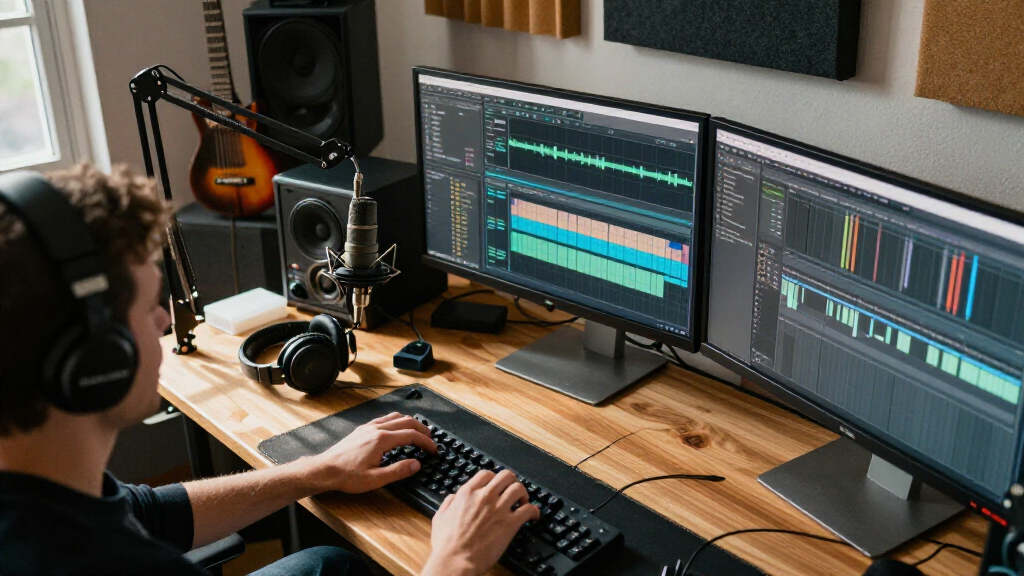
These monitors were selected based on key factors that matter most to content creators: display quality, color accuracy, connectivity options, screen size and resolution, and overall value. We prioritized models that offer professional-grade performance, with a focus on color calibration, resolution, and build quality. Cost was a consideration, but premium models were ranked higher if they delivered significant benefits for creators. The lineup balances different use cases—ranging from detailed editing to portable on-the-go work—ensuring a broad appeal for various creator needs.| monitors for content creator | Connectivity | HDR |
|---|---|---|
| ASUS ProArt PA279CV 27-Inch 4K | USB-C with 65W Power Delivery, HDMI, DisplayPort, USB 3.1 | — |
| Samsung 32" ViewFinity S7 | — | HDR10 |
| NEEWER F700 7-inch Camera Fiel | — | — |
| ASUS ProArt PA278QV 27-Inch 14 | DisplayPort, HDMI, DVI-D, Mini DP, USB hub | — |
| Samsung 27" ViewFinity S7 | HDMI, DisplayPort | HDR10 |
| Dell 27 Monitor S2725QS | — | HDR Ready |
Factors to Consider When Choosing Monitors For Content Creators
Choosing the right monitor for content creation involves more than just size and resolution. To get the best results, consider factors like color accuracy, connectivity, and ergonomics. Being aware of typical pitfalls—such as sacrificing calibration for a lower price or overlooking port compatibility—can save you time and money. This guide breaks down essential aspects to help you make an informed decision that aligns with your workflow and professional standards.Color Accuracy and Calibration
For professional editing, accurate colors are non-negotiable. Look for monitors with factory calibration and support for wide color gamuts like AdobeRGB or DCI-P3. Skipping calibration can lead to mismatched colors across devices, affecting your final output. Investing in a monitor with hardware calibration options ensures your colors stay consistent over time, reducing rework and increasing confidence in your edits.
Resolution and Screen Size
Higher resolutions like 4K provide more workspace and finer detail, which is essential for detailed tasks such as photo editing or video grading. Larger screens improve productivity by allowing multiple windows and tools to be open simultaneously. However, they also demand more powerful hardware and can be more expensive. Balance your workspace needs with your budget to choose a size and resolution that enhances your workflow without unnecessary excess.
Connectivity and Compatibility
Many content creators rely on USB-C and HDMI ports for quick data transfer and cable management. Monitors with multiple ports offer flexibility to connect cameras, external drives, and other peripherals. Pay attention to compatibility with your existing hardware, especially if you use laptops that might only support certain connections. Choosing a monitor with the right ports can prevent frustrating setup issues and streamline your creative process.
Color Gamut and HDR Support
For vibrant, true-to-life visuals, look for monitors with wide color gamuts and HDR support. HDR10 enhances dynamic range, making videos and images pop with richness. However, not all HDR implementations are equal—some models only support basic HDR, which may not significantly improve your work. Evaluate your needs based on the type of content you produce and whether HDR playback or editing is part of your workflow.
Budget and Long-term Value
While it might be tempting to opt for the cheapest monitor, investing in higher-quality displays pays off through better color fidelity, durability, and features. Consider your long-term needs: a budget model might suffice for casual projects but could hinder professional-quality output. Prioritize features that deliver tangible benefits to your workflow, such as calibration support or higher resolution, to ensure your investment supports your growth as a creator.
Frequently Asked Questions
Is a 4K monitor necessary for content creation?
While a 4K monitor isn’t strictly necessary for all content creators, it offers significant advantages for editing detailed visuals and multitasking. Higher resolution allows for more precise editing and better workspace management, especially on larger screens. If your work involves color grading, detailed graphic work, or high-resolution video editing, a 4K display can improve your workflow and output quality. For casual creators, 1440p or even Full HD may suffice, but stepping up to 4K provides a noticeable boost in clarity and productivity.
What is the most important feature in a monitor for color-sensitive work?
Color accuracy is the most critical feature for content creators focused on color-sensitive tasks. Look for a monitor with a wide color gamut, such as DCI-P3 or AdobeRGB, and hardware calibration support. Factory calibration ensures the display starts with accurate colors, but for professional consistency, calibration tools may be necessary over time. A monitor with excellent uniformity and stability in color reproduction helps prevent surprises and ensures your work looks the same across different devices and platforms.
Should I prioritize a larger monitor or higher resolution?
Choosing between size and resolution depends on your workflow. A larger monitor enhances visibility and makes multitasking easier, especially for complex editing tasks. Higher resolution, like 4K, provides more detail and workspace on the same screen size, which is ideal for pixel-perfect editing. If you often need multiple windows open simultaneously, a larger screen with a good resolution offers the best of both worlds. Consider your desk space and hardware capabilities before making this decision.
Are curved monitors better for content creation?
Curved monitors can provide a more immersive viewing experience and reduce distortion across the edges, which is beneficial for tasks like video editing and color grading. They help maintain consistent viewing angles and reduce eye strain during long sessions. However, they might not be suitable for precise tasks like pixel-level editing or multi-monitor setups. For most content creators, a well-calibrated flat monitor with accurate colors often delivers more reliable results, but curved screens can be a good choice for immersive workflows.
How much should I expect to spend on a professional-quality monitor?
Professional-grade monitors with high color accuracy, 4K resolution, and extensive calibration features typically start around $500 and can go beyond $2000 for premium models. Budget options under $300 often lack the color fidelity and calibration support required for serious work. Investing in a higher-end monitor ensures better reliability, consistent color performance, and future-proofing for demanding projects. Consider this as an investment in your creative output and workflow efficiency.
Conclusion
For serious professionals who prioritize precision and color fidelity, the ASUS ProArt PA279CV remains the best overall choice, offering a balance of features and value. Creators on a budget or those who need portability might lean toward the NEWER F700 for its brightness and mobility. For those seeking a premium experience, a larger 4K monitor with HDR support provides exceptional visuals, making the Samsung ViewFinity S7 an excellent option. Beginners or casual users should consider models with sufficient resolution and simple setup, like the Dell S2725QS, to build confidence without overspending. Your ideal monitor depends on your specific workflow and budget, but these picks cover a broad spectrum of creator needs.
Fall Picks
fall essentials
As an affiliate, we earn on qualifying purchases.