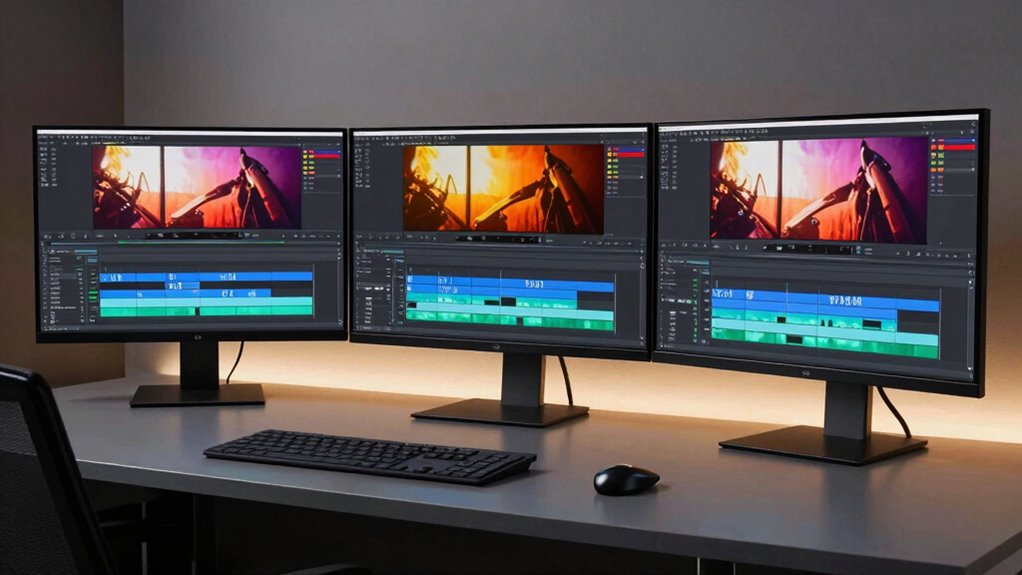

Choosing the right monitor for film editing in 2026 means balancing color accuracy, resolution, connectivity, and budget. The ASUS ProArt PA278CV stands out for its factory-calibrated color accuracy and versatile connectivity, making it a top pick for those prioritizing precision and flexibility. The BenQ PV3200U offers a larger 32-inch 4K display with wide color coverage, ideal for detailed color grading but at a premium price. Meanwhile, the ViewSonic VP2766-2K combines high refresh rates with accurate color calibration, suited for editors who need smooth motion alongside precise color. Each of these options presents tradeoffs—whether in resolution, price, or feature set—that influence who they’re best suited for.

Get audio and creator gear delivered free with Prime
- Fast, free delivery on millions of items
- Prime Video, Amazon Music and more included
- Member-only deals all year
Complete the kit



Key Takeaways
- Color accuracy and factory calibration are essential for professional film editing.
- Larger screens with 4K resolution provide more workspace but come at higher costs.
- Connectivity options like USB-C with Power Delivery streamline workflows.
- Higher refresh rates benefit editors working with motion, but are less critical than color fidelity.
- Price points vary significantly, making some monitors better suited for high-end studios and others for budget-conscious creators.
| ASUS ProArt PA278CV 27-Inch 1440p QHD USB-C Professional Monitor |  | Best Overall for Precision and Versatility | Display Size: 27 inches | Resolution: 2560 x 1440 (QHD) | Panel Type: IPS | VIEW ON AMAZON | See Our Full Breakdown |
| BenQ PV3200U 32” 4K UHD Monitor for Video Editing, 95% DCI-P3, 100% Rec.709/sRGB, 2.1ch Speakers, 65W USB-C, Mac Compatible, Factory-Calibrated, Software Calibration, Ergonomic Stand |  | Best for Large 4K Editing with Wide Color Gamut | Display Size: 32 inches | Resolution: 4K UHD | Color Gamut: 100% Rec.709, sRGB, 95% DCI-P3 | VIEW ON AMAZON | See Our Full Breakdown |
| ASUS ProArt PA278QV 27-Inch 1440p QHD Professional Monitor |  | Best for Budget and Versatile Professional Use | Display Size: 27 inches | Resolution: 2560 x 1440 (QHD) | Color Gamut: 100% sRGB, Rec. 709 | VIEW ON AMAZON | See Our Full Breakdown |
| ASUS ProArt PA279CRV 27-Inch 4K UHD HDR Professional Monitor for Mac |  | Best for 4K HDR and Mac Compatibility | Display Size: 27 inches | Resolution: 3840 x 2160 (4K UHD) | Color Gamut: 99% DCI-P3, Adobe RGB | VIEW ON AMAZON | See Our Full Breakdown |
| ViewSonic VP2766-2K 27 Inch ColorPro QHD IPS Monitor with USB-C and 120Hz |  | Best for Smooth Motion and Accurate Color | Display Size: 27 inches | Resolution: 2560 x 1440 (QHD) | Refresh Rate: 120Hz | VIEW ON AMAZON | See Our Full Breakdown |
| monitors for film editing | Display Size | Resolution | Color Gamut | Connectivity |
|---|---|---|---|---|
| ASUS ProArt PA278CV 27-Inch 14 | 27 inches | 2560 x 1440 (QHD) | 100% sRGB, 100% Rec. 709 | USB-C, HDMI, DisplayPort |
| BenQ PV3200U 32” 4K UHD Monito | 32 inches | 4K UHD | 100% Rec.709, sRGB, 95% DCI-P3 | USB-C, HDMI, DisplayPort |
| ASUS ProArt PA278QV 27-Inch 14 | 27 inches | 2560 x 1440 (QHD) | 100% sRGB, Rec. 709 | DisplayPort, HDMI, DVI-D, USB hub |
| ASUS ProArt PA279CRV 27-Inch 4 | 27 inches | 3840 x 2160 (4K UHD) | 99% DCI-P3, Adobe RGB | USB-C, DisplayPort, HDMI |
| ViewSonic VP2766-2K 27 Inch Co | 27 inches | 2560 x 1440 (QHD) | — | — |
More Details on Our Top Picks
ASUS ProArt PA278CV 27-Inch 1440p QHD USB-C Professional Monitor
The ASUS ProArt PA278CV excels in delivering professional-grade color accuracy with factory calibration and Delta E < 2, making it ideal for detailed editing tasks. Its 27-inch IPS panel offers a crisp 1440p resolution, which is sufficient for most editing workflows while keeping costs manageable compared to 4K options. The monitor's extensive connectivity, including USB-C with 65W Power Delivery, supports seamless integration with modern hardware. The ergonomic stand allows for tailored positioning, reducing strain during long editing sessions. Compared with the larger, higher-resolution options, this model provides a more affordable yet precise solution, though it’s limited to 1440p, which might be a drawback for those needing ultra-high resolution.
Pros:- High color accuracy with factory calibration
- Versatile connectivity including USB-C with Power Delivery
- Ergonomic stand with multiple adjustments
- Supports daisy-chaining for multi-display setups
Cons:- Premium price for a 1440p display
- Limited to 1440p resolution, not 4K
- Requires compatible hardware for full USB-C features
Best for: Budget-conscious professionals who need accurate color and flexible connectivity
Not ideal for: Those requiring 4K resolution or larger screens for detailed grading
- Display Size:27 inches
- Resolution:2560 x 1440 (QHD)
- Panel Type:IPS
- Color Gamut:100% sRGB, 100% Rec. 709
- Color Accuracy:Delta E < 2
- Connectivity:USB-C, HDMI, DisplayPort
Our verdict“A well-rounded choice for professionals prioritizing color fidelity and connectivity without the need for 4K resolution.”
BenQ PV3200U 32” 4K UHD Monitor for Video Editing, 95% DCI-P3, 100% Rec.709/sRGB, 2.1ch Speakers, 65W USB-C, Mac Compatible, Factory-Calibrated, Software Calibration, Ergonomic Stand
The BenQ PV3200U offers a spacious 32-inch 4K UHD display that provides plenty of room for detailed editing workflows. Its factory calibration and wide support for color spaces like Rec.709, sRGB, and DCI-P3 ensure highly accurate previews, critical for color grading. USB-C connectivity with 65W Power Delivery simplifies cable management, while the ergonomic stand allows adjustments for comfortable long-term use. Compared to smaller or lower-resolution monitors, this model’s size and color coverage make it a favorite for color-sensitive tasks, although it comes at a higher price point. The limited info on HDR support might be a concern for editors working with HDR content.
Pros:- Excellent color accuracy with wide color space coverage
- Factory calibration ensures out-of-the-box precision
- Large 32-inch screen provides ample workspace
- Single USB-C cable for video and power
Cons:- Premium price may be prohibitive
- Limited details on HDR capabilities
- Speakers may not satisfy audiophiles
Best for: Editors needing a large, 4K display with wide color coverage
Not ideal for: Budget buyers or those needing high refresh rates for motion-heavy editing
- Display Size:32 inches
- Resolution:4K UHD
- Color Gamut:100% Rec.709, sRGB, 95% DCI-P3
- Calibration:Factory calibrated with Delta E ≤ 2
- Connectivity:USB-C, HDMI, DisplayPort
Our verdict“A superb choice for detailed color work on a large 4K screen, ideal for professional color grading and editing workflows.”
ASUS ProArt PA278QV 27-Inch 1440p QHD Professional Monitor
The ASUS ProArt PA278QV strikes a balance between affordability and professional features. With factory-calibrated color accuracy (Delta E < 2) and a 100% sRGB and Rec.709 coverage, it meets the needs of editors who require dependable color reproduction. Its 27-inch IPS panel offers a sharp 1440p resolution, which is a practical step down from 4K but still provides a clear workspace. The monitor’s extensive connectivity, including a USB hub and multiple ports, supports flexible setups, while its ergonomic stand ensures comfortable use over extended periods. Compared to higher-resolution models, this monitor may lack the pixel density desired for ultra-fine detail work, but it remains a reliable, cost-effective choice.
Pros:- Calibrated for color accuracy with Delta E < 2
- Multiple connectivity options including USB hub
- Ergonomic stand with tilt, pivot, swivel, height adjustments
- Good value for professional-grade features
Cons:- Limited to 1440p resolution
- Requires sufficient desk space for adjustments
- Higher-end features may be unnecessary for hobbyists
Best for: Budget-conscious professionals needing accurate color and versatile connectivity
Not ideal for: High-end color grading requiring 4K or larger displays
- Display Size:27 inches
- Resolution:2560 x 1440 (QHD)
- Color Gamut:100% sRGB, Rec. 709
- Color Accuracy:Delta E < 2
- Connectivity:DisplayPort, HDMI, DVI-D, USB hub
Our verdict“A dependable, affordable professional monitor that balances color fidelity with versatile features for everyday editing tasks.”
ASUS ProArt PA279CRV 27-Inch 4K UHD HDR Professional Monitor for Mac
The ASUS ProArt PA279CRV offers a 27-inch 4K HDR display with 99% DCI-P3 and Adobe RGB coverage, making it highly suitable for HDR workflows and color-critical editing. Its factory calibration with Delta E < 2 guarantees precise color reproduction straight out of the box. The monitor supports USB-C with 96W Power Delivery, simplifying connections to Mac and other devices. The ergonomic stand and daisy-chain support add to its professional appeal, especially for those working within Apple ecosystems. While the high price might be a barrier for some, this model’s combination of 4K resolution, wide color gamut, and HDR makes it a compelling option for high-end professionals.
Pros:- High-resolution 4K display with wide color coverage
- Factory calibration with Delta E < 2
- USB-C with 96W Power Delivery
- HDR support for high-dynamic-range workflows
Cons:- Relatively high price
- Limited refresh rate for fast-paced editing
- Requires powerful hardware for full HDR experience
Best for: Creative professionals working with HDR content and Mac users
Not ideal for: Budget editors or those who don’t need HDR or 4K
- Display Size:27 inches
- Resolution:3840 x 2160 (4K UHD)
- Color Gamut:99% DCI-P3, Adobe RGB
- HDR:Yes
- Connectivity:USB-C, DisplayPort, HDMI
Our verdict“A premium monitor delivering exceptional 4K HDR color accuracy suited for demanding professional workflows.”
ViewSonic VP2766-2K 27 Inch ColorPro QHD IPS Monitor with USB-C and 120Hz
The ViewSonic VP2766-2K combines a 27-inch QHD IPS panel with a 120Hz refresh rate, making it suitable for editors who also work with motion or need smoother timelines. Its factory calibration and Pantone validation ensure accurate color reproduction, critical in professional editing. USB-C with 90W Power Delivery simplifies connections, while multiple ergonomic adjustments allow for comfortable long sessions. Compared to standard 60Hz monitors, this model offers a notable advantage in motion clarity, though it doesn’t deliver the ultra-high resolution of 4K models. It’s a solid middle ground for those needing both color accuracy and smoother workflows.
Pros:- Accurate color calibration with Pantone validation
- 120Hz refresh rate for smoother motion
- Versatile connectivity with USB-C and HDMI
- Ergonomic stand with multiple adjustments
Cons:- Price may be high for casual editors
- Limited resolution compared to 4K options
- Response time of 5ms may not suit fast gaming
Best for: Editors who need accurate color and higher refresh rates for motion workflows
Not ideal for: High-end color grading requiring 4K or larger screens
- Display Size:27 inches
- Resolution:2560 x 1440 (QHD)
- Refresh Rate:120Hz
- Color Coverage:100% sRGB
- Calibration:Pantone Validated
Our verdict“A balanced monitor for professionals needing accurate colors plus smoother motion handling in editing workflows.”
How We Picked
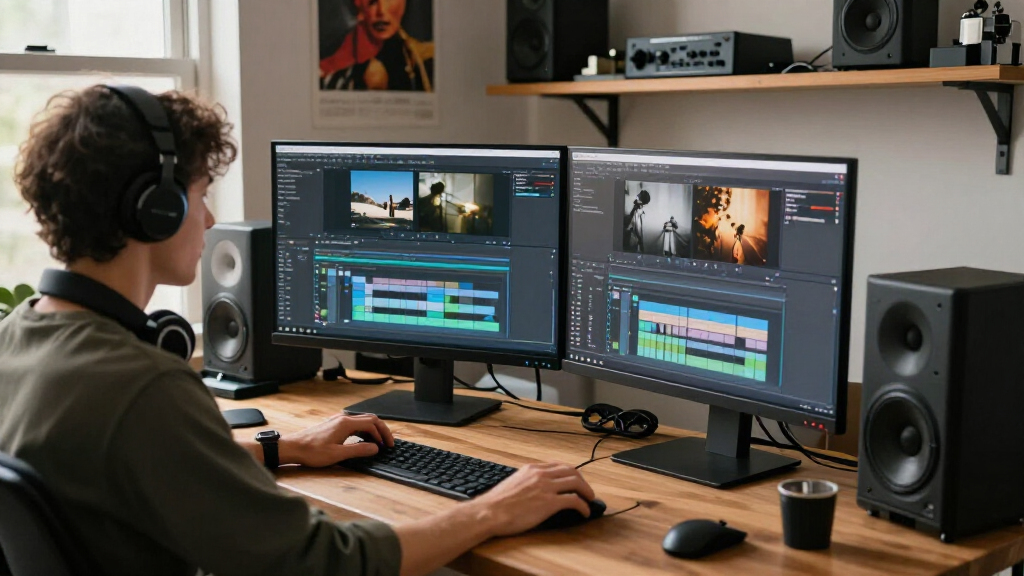
Our selection process focused on monitors that meet the core needs of film editors: exceptional color accuracy, resolution options (primarily 4K and QHD), connectivity flexibility, and ergonomic design. We considered factory calibration status, color space coverage (like DCI-P3 and Adobe RGB), and user reviews from professional creators. Price range and additional features such as built-in speakers or eye care technology also played roles, ensuring a balanced lineup for different budgets and workflows.
| monitors for film editing | Connectivity |
|---|---|
| ASUS ProArt PA278CV 27-Inch 14 | USB-C, HDMI, DisplayPort |
| BenQ PV3200U 32” 4K UHD Monito | USB-C, HDMI, DisplayPort |
| ASUS ProArt PA278QV 27-Inch 14 | DisplayPort, HDMI, DVI-D, USB hub |
| ASUS ProArt PA279CRV 27-Inch 4 | USB-C, DisplayPort, HDMI |
| ViewSonic VP2766-2K 27 Inch Co | — |
Factors to Consider When Choosing Monitors For Film Editing
Selecting the ideal monitor for film editing involves understanding your workflow priorities, budget, and workspace. A monitor with accurate color reproduction and wide color gamuts like DCI-P3 or Adobe RGB is essential for color grading. Resolution matters—4K offers more detail but comes at a higher cost, while 1440p or QHD models still serve many editing needs effectively. Connectivity options such as USB-C with Power Delivery can streamline your setup, especially if you work with laptops. Ergonomic features like adjustable stands help reduce fatigue, making long editing sessions more comfortable. This guide aims to clarify these tradeoffs to help you find the best fit for your creative needs.
Color Accuracy and Calibration
For film editing, color fidelity is non-negotiable. Monitors with factory calibration and coverage of wide color spaces such as DCI-P3 or Adobe RGB ensure your edits look consistent across devices and mediums. Look for options with Delta E scores below 2, which indicate high precision. Keep in mind that higher color accuracy often comes with a higher price, but it’s a worthy investment for professional work.
Resolution and Screen Size
Resolution directly impacts the detail you see. 4K UHD monitors deliver crisp images and more workspace, which is ideal for detailed grading and multi-clip timelines. However, they tend to be more costly. QHD or 1440p monitors, like the ASUS ProArt PA278CV, provide a good balance of clarity and affordability, especially on 27-inch screens. Larger displays enhance workflow but require more desk space and higher budgets.
Connectivity and Ergonomics
Modern creators benefit from single-cable solutions like USB-C with Power Delivery, reducing clutter and simplifying setup. Ergonomic stands with tilt, swivel, pivot, and height adjustments improve comfort during long editing sessions. Ensure your chosen monitor supports these features if you plan to work intensively over extended periods.
Additional Features
Features like built-in speakers, HDR support, and flicker-free backlights can enhance your workflow. However, prioritize core features like color accuracy, resolution, and connectivity first. Consider these extras as bonuses that may improve your overall experience but are less critical in the decision-making process.
Frequently Asked Questions
Why is color accuracy so important for film editing?
Color accuracy ensures that the colors you see on your monitor closely match those in the final product. This consistency is vital for making precise color corrections and grading, so your edits look the same across different devices and viewing environments. A monitor with high color fidelity reduces the risk of unintended color shifts and helps maintain professional standards.
Should I prioritize 4K resolution over QHD or 1440p?
While 4K resolution offers more detail and workspace, it also comes at a higher cost and requires more powerful hardware. QHD or 1440p monitors like the ASUS ProArt PA278CV provide a solid balance of clarity and affordability, especially for editing at standard HD resolutions or for those with limited budgets. The choice depends on your specific workflow and hardware capabilities.
How important are connectivity options like USB-C for film editing monitors?
Connectivity options such as USB-C with Power Delivery can greatly simplify your setup by reducing cable clutter and enabling a single connection for video, data, and charging. This is especially beneficial if you work on a laptop or prefer a cleaner workspace. Make sure your hardware supports these features to maximize their benefits.
Is a larger monitor always better for film editing?
Not necessarily. A larger screen provides more workspace, which can improve efficiency and detail visibility, but it also requires more desk space and can be more costly. A 27-inch monitor with 4K or QHD resolution often strikes a good balance for most editing tasks, offering ample detail without overwhelming your workspace.
What is the benefit of a monitor with a high refresh rate for film editing?
Higher refresh rates, such as 120Hz, provide smoother motion display, which is beneficial when editing fast-moving footage or working with timelines that involve quick transitions. While less critical than color accuracy, a high refresh rate can enhance your editing experience by reducing motion blur and making timeline scrubbing more fluid.
Conclusion
If you primarily focus on color grading and detailed editing, investing in a 4K monitor like the ASUS ProArt PA279CRV or BenQ PV3200U makes the most sense. For those on a tighter budget but still needing accurate colors, the ASUS ProArt PA278QV offers excellent value. Creators working with HDR content or Mac users should consider the ASUS ProArt PA279CRV for its high resolution and wide color gamut. Editors who also work with motion or require a smoother workflow might prefer the ViewSonic VP2766-2K. Ultimately, your choice should align with your workflow priorities, workspace, and budget, ensuring you get the best results for your film projects.