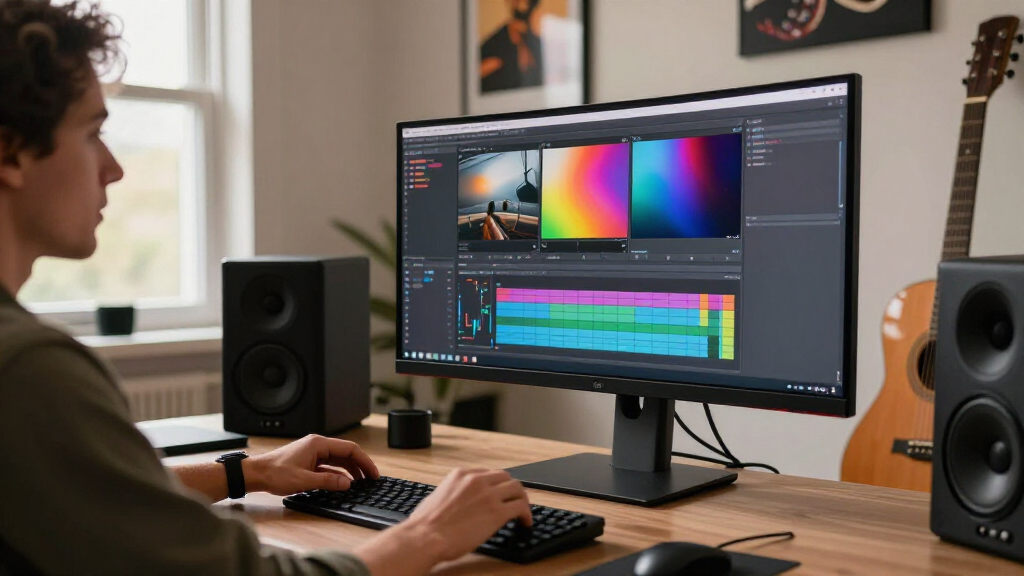
Choosing the right monitor for video editing involves balancing color accuracy, resolution, size, and budget. The Dell 32 Monitor S3225QS stands out as the best overall due to its 4K UHD resolution, eye comfort features, and affordable pricing. For those prioritizing color accuracy, the ASUS ProArt PA279CV offers factory-calibrated precision, while the Samsung ViewFinity S50GC provides a larger ultra-wide display ideal for multitasking. The challenge lies in finding a monitor that balances these features without excessive cost or compromises. Continue reading for a detailed breakdown of each model and how they compare across key video editing criteria.

Get audio and creator gear delivered free with Prime
- Fast, free delivery on millions of items
- Prime Video, Amazon Music and more included
- Member-only deals all year
Complete the kit


Key Takeaways
- Top-tier color accuracy is best achieved with professional-grade monitors like the ASUS ProArt series.
- Resolution and screen size significantly impact editing precision and workflow efficiency.
- HDR support varies and can enhance visual fidelity, but not all monitors handle HDR equally well.
- Size and aspect ratio preferences depend on workspace and project type, with ultra-wide options offering more timeline space.
- Price ranges reflect differences in calibration, build quality, and feature sets; higher cost often means better color fidelity.
| Dell 32 Monitor S3225QS 4K UHD VA, 120Hz, FreeSync Premium, Eye Comfort |  | Best Overall for Versatile Video Editing | Display Size: 32 inches | Resolution: 4K UHD | Panel Type: VA | VIEW ON AMAZON | See Our Full Breakdown |
| LG 27US500-W Ultrafine 27-Inch 4K UHD HDR10 IPS Monitor |  | Best Value for Creative Detail and Flexibility | Display Size: 27 inches | Resolution: 3840×2160 (4K UHD) | Color Gamut: 90% DCI-P3 | VIEW ON AMAZON | See Our Full Breakdown |
| Samsung 34″ ViewFinity S50GC Series Ultra-WQHD Monitor, 100Hz, HDR10, AMD FreeSync, Black |  | Best for Multitasking and High-Resolution Entertainment | Size: 34 inches | Resolution: Ultra-WQHD | Refresh Rate: 100Hz | VIEW ON AMAZON | See Our Full Breakdown |
| ASUS ProArt PA278QV 27-Inch 1440p QHD Professional Monitor |  | Best for Color Accuracy and Professional Editing | Display Size: 27 inches | Resolution: 2560 x 1440 (QHD) | Color Gamut: 100% sRGB & Rec. 709 | VIEW ON AMAZON | See Our Full Breakdown |
| LG 27UP850K-W 27-inch UltraFine 4K UHD IPS Monitor |  | Best for Vivid 4K and Versatile Connectivity | Display Size: 27 inches | Resolution: 3840 x 2160 (4K UHD) | HDR: DisplayHDR 400 | VIEW ON AMAZON | See Our Full Breakdown |
| BenQ PV3200U 32” 4K UHD Monitor for Video Editing |  | Best Overall for Color Accuracy and Professional Calibration | Size: 32 inches | Resolution: 4K UHD | Color Coverage: 95% DCI-P3, 100% Rec. 709, 100% sRGB | VIEW ON AMAZON | See Our Full Breakdown |
| ASUS ProArt PA279CV 27-Inch 4K UHD USB-C Professional Monitor |  | Best Versatile 4K for Creatives with Excellent Connectivity | Display Size: 27 inches | Resolution: 3840 x 2160 (4K UHD) | Color Gamut: 100% sRGB, 100% Rec. 709 | VIEW ON AMAZON | See Our Full Breakdown |
| ASUS ProArt PA278CV 27-Inch 1440p QHD USB-C Professional Monitor |  | Best Budget-Friendly 1440p for Creatives on a Budget | Display Size: 27 inches | Resolution: 2560 x 1440 (QHD) | Color Coverage: 100% sRGB, 100% Rec. 709 | VIEW ON AMAZON | See Our Full Breakdown |
| ASUS ProArt PA279CRV 27-Inch 4K UHD HDR Professional Monitor for Mac |  | Best HDR and Wide Gamut for Creative Professionals | Display Size: 27 inches | Resolution: 3840 x 2160 (4K UHD) | Color Coverage: 99% DCI-P3, 99% Adobe RGB | VIEW ON AMAZON | See Our Full Breakdown |
| monitors for video editing | Resolution | Display Size | Connectivity |
|---|---|---|---|
| Dell 32 Monitor S3225QS 4K UHD | 4K UHD | 32 inches | — |
| LG 27US500-W Ultrafine 27-Inch | 3840×2160 (4K UHD) | 27 inches | — |
| Samsung 34" ViewFinity S50GC S | Ultra-WQHD | — | — |
| ASUS ProArt PA278QV 27-Inch 14 | 2560 x 1440 (QHD) | 27 inches | DisplayPort, HDMI, DVI-D, USB hub |
| LG 27UP850K-W 27-inch UltraFin | 3840 x 2160 (4K UHD) | 27 inches | USB-C, HDMI, DisplayPort |
| BenQ PV3200U 32” 4K UHD Monito | 4K UHD | — | USB-C (65W), DisplayPort, HDMI |
| ASUS ProArt PA279CV 27-Inch 4K | 3840 x 2160 (4K UHD) | 27 inches | HDMI, USB-C (65W), DisplayPort |
| ASUS ProArt PA278CV 27-Inch 14 | 2560 x 1440 (QHD) | 27 inches | USB-C, HDMI, DisplayPort |
| ASUS ProArt PA279CRV 27-Inch 4 | 3840 x 2160 (4K UHD) | 27 inches | DisplayPort, USB-C (96W), HDMI |
More Details on Our Top Picks
Dell 32 Monitor S3225QS 4K UHD VA, 120Hz, FreeSync Premium, Eye Comfort
This Dell model stands out for its combination of stunning 4K visuals and a high 120Hz refresh rate, making it suitable for both detailed editing and smooth playback. The VA panel provides deep contrast and rich colors, although it doesn’t quite match the color accuracy of professional-grade IPS screens like the ASUS ProArt PA278QV. Its 99% sRGB and 95% DCI-P3 coverage deliver vibrant, true-to-life images, yet the audio quality is limited, lacking built-in speakers. The eye comfort features, including low blue light emissions, support long editing sessions without strain. Compared with the LG 27UP850K, this monitor offers a better balance between refresh rate and color fidelity for general editing tasks. The tradeoff is a higher price point, reflecting its premium features and design.
Pros:- Vivid 4K visuals with excellent color coverage
- Smooth 120Hz refresh rate with FreeSync Premium
- Eye comfort features support extended use
Cons:- Limited sound quality due to lack of built-in speakers
- Higher price for premium features
Best for: Creative professionals who need a versatile display for editing, gaming, and entertainment without sacrificing quality.
Not ideal for: Color-critical professional workflows requiring near-perfect color accuracy, like high-end color grading.
- Display Size:32 inches
- Resolution:4K UHD
- Panel Type:VA
- Refresh Rate:120Hz
- Response Time:0.03ms
- Color Coverage:99% sRGB, 95% DCI-P3
Our verdict“This monitor offers a compelling mix of visual quality and smooth performance, ideal for creative users who also enjoy multimedia.”
LG 27US500-W Ultrafine 27-Inch 4K UHD HDR10 IPS Monitor
This LG monitor delivers excellent color accuracy and wide viewing angles thanks to its IPS panel, making it a solid choice for detailed editing work. The HDR10 support enhances visual depth, and the ergonomic stand allows for customized positioning, which can improve comfort during long sessions. Compared to the ASUS ProArt PA278QV, it provides a more modern borderless design and HDR support, although it lacks the same level of factory calibration and professional-grade color accuracy. Its connectivity options are somewhat limited, and the absence of built-in speakers might require external audio solutions. Overall, this model makes the most sense for hobbyist editors or those starting to upgrade their workflow, but serious color graders may find it less precise than higher-end options.
Pros:- Vivid 4K UHD resolution with wide viewing angles
- Supports HDR10 for enhanced visual experience
- Ergonomic stand for comfortable adjustment
Cons:- Limited connectivity options
- No mention of built-in speakers
Best for: Hobbyist or semi-professional video editors seeking a color-accurate 4K display with flexible ergonomics.
Not ideal for: High-end professional editors needing strict color calibration and extensive connectivity options.
- Display Size:27 inches
- Resolution:3840×2160 (4K UHD)
- Color Gamut:90% DCI-P3
- HDR:HDR10
- Panel Type:IPS
- Features:Borderless Design, Flicker Safe
Our verdict“An excellent choice for budget-conscious creators who want reliable color and flexibility in a 4K monitor.”
Samsung 34″ ViewFinity S50GC Series Ultra-WQHD Monitor, 100Hz, HDR10, AMD FreeSync, Black
This Samsung 34″ monitor excels with its ultra-wide 21:9 aspect ratio, perfect for multitasking and expansive editing workflows. Its Ultra WQHD resolution provides detailed images, while HDR10 support adds vibrant color depth akin to the LG 27UP850K. The contrast ratio of 3000:1 and over a billion colors make it stand out for creative work. However, the 100Hz refresh rate is somewhat limiting compared to gaming monitors or high-end editing displays that push higher. The multiple input options, including HDMI 2.2 and DisplayPort, provide versatile connectivity, but the absence of built-in speakers could be a drawback for those seeking an all-in-one solution. This monitor suits professionals who value screen real estate and vibrant visuals for both work and entertainment, with some compromises on refresh rate for a broader feature set.
Pros:- Wide 21:9 aspect ratio for multitasking
- HDR10 support with over a billion colors
- Multiple connectivity options including PIP/PBP modes
Cons:- Limited to 100Hz refresh rate
- No built-in speakers
Best for: Creative professionals needing a wide, vibrant display for multitasking and color-rich video editing.
Not ideal for: High-speed video editing or gaming where higher refresh rates are critical for smooth motion.
- Size:34 inches
- Resolution:Ultra-WQHD
- Refresh Rate:100Hz
- HDR:HDR10
- Contrast Ratio:3000:1
- Inputs:2 x HDMI 2.2, 1 x DisplayPort
Our verdict“A versatile ultra-wide monitor that balances color vibrancy and multitasking, ideal for creative workflows over high refresh rate needs.”
ASUS ProArt PA278QV 27-Inch 1440p QHD Professional Monitor
This ProArt model is tailored for precise editing, with factory calibration and Delta E <2 ensuring consistent, accurate colors. Its 27-inch size and 1440p resolution provide ample workspace while maintaining sharp detail. Compared to the LG 27US500-W, it offers more extensive calibration options and a wider array of professional connectivity, including DVI-D and USB-C. The ergonomic stand with tilt, pivot, swivel, and height adjustments supports long editing sessions comfortably. However, its 2560x1440 resolution doesn’t match 4K clarity, which might be limiting for high-resolution workflows. Its high price reflects its professional-grade features, making it less suitable for casual hobbyists but essential for demanding editors who need precise color reproduction and reliable calibration.
Pros:- Factory calibrated with Delta E <2
- Extensive connectivity including USB-C and HDMI
- Ergonomic stand for comfortable use
Cons:- Lower resolution than 4K monitors
- Premium price may be prohibitive for hobbyists
Best for: Professional video editors and photographers requiring accurate color reproduction and extensive adjustment options.
Not ideal for: Casual creators or those prioritizing 4K resolution over color precision and calibration features.
- Display Size:27 inches
- Resolution:2560 x 1440 (QHD)
- Color Gamut:100% sRGB & Rec. 709
- Color Accuracy:Delta E < 2
- Connectivity:DisplayPort, HDMI, DVI-D, USB hub
- Stand Adjustments:Tilt, pivot, swivel, height
Our verdict“A high-precision monitor best suited for professionals demanding accurate colors and extensive customization options.”
LG 27UP850K-W 27-inch UltraFine 4K UHD IPS Monitor
The LG 27UP850K-W offers a bright, detailed 4K UHD IPS display with HDR 400 support, making it well-suited for both editing and multimedia. Its support for 95% DCI-P3 ensures vibrant colors, and the inclusion of USB-C with power delivery simplifies connectivity for modern devices. The ergonomic stand with height, tilt, and pivot adjustments enhances comfort during long editing sessions. Compared to the ASUS ProArt PA279CV, it provides a more affordable option with similar color vibrancy and built-in speakers for added convenience. The 60Hz refresh rate, however, makes it less appealing for fast-paced editing workflows or gaming. The built-in speakers, while convenient, are often limited in audio quality, so audiophile users might prefer external solutions. Overall, this monitor balances color performance and connectivity for a broad range of creative tasks.
Pros:- Vivid 4K UHD display with HDR 400
- USB-C with power delivery up to 90W
- Built-in stereo speakers for multimedia
Cons:- Limited to 60Hz refresh rate
- Response time less suitable for gaming
Best for: Creative professionals seeking a high-quality 4K display with flexible connectivity and built-in audio.
Not ideal for: High-speed video editing or gaming where higher refresh rates are necessary.
- Display Size:27 inches
- Resolution:3840 x 2160 (4K UHD)
- HDR:DisplayHDR 400
- Color Gamut:95% DCI-P3
- Refresh Rate:60Hz
- Connectivity:USB-C, HDMI, DisplayPort
Our verdict“A well-rounded 4K monitor that combines vibrant visuals and connectivity, best for multimedia creators and general editing.”
BenQ PV3200U 32” 4K UHD Monitor for Video Editing
The BenQ PV3200U stands out as the best choice for those prioritizing true color fidelity, thanks to its 100% Rec.709, 100% sRGB, and 95% DCI-P3 coverage. Its factory calibration with Delta E ≤ 2 ensures minimal post-production adjustments, making it ideal for color grading. Compared to the ASUS ProArt PA279CV’s smaller size and lower color coverage, this monitor’s larger 32-inch display provides a more immersive editing experience. The inclusion of a single USB-C port simplifies cable management, and the ergonomic stand supports long editing sessions. However, its premium price and lack of detailed HDR support might deter casual users or those seeking HDR workflows. This monitor makes the most sense for professional colorists and video editors who need precision out of the box.
- High color accuracy with professional-grade color spaces
- Factory calibration for immediate use
- Single-cable USB-C connection for simplicity
- Ergonomic stand for comfort
Premium cost and limited HDR features are the main tradeoffs.
Pros:- High color accuracy with professional-grade color spaces
- Factory calibration ensures ready-to-use accuracy
- USB-C with 65W power delivery simplifies setup
Cons:- Premium price point may be high for casual users
- Limited information on HDR support
Best for: Professional video editors and colorists needing precise color reproduction straight out of the box.
Not ideal for: Casual content creators or budget-conscious users who may find the price prohibitive and do not require high-end color accuracy.
- Size:32 inches
- Resolution:4K UHD
- Color Coverage:95% DCI-P3, 100% Rec. 709, 100% sRGB
- Connectivity:USB-C (65W), DisplayPort, HDMI
- Speakers:2.1 channel with dedicated woofer
- Calibration:Factory calibrated, Delta E ≤ 2
Our verdict“This monitor is best suited for professionals demanding top-tier color fidelity and calibration, despite its higher cost.”
ASUS ProArt PA279CV 27-Inch 4K UHD USB-C Professional Monitor
The ASUS ProArt PA279CV offers a compelling 27-inch 4K UHD display tailored for creative workflows, with 100% sRGB and Rec. 709 coverage, plus factory calibration that guarantees accuracy. Its high contrast ratio and wide viewing angles surpass many competitors like the LG 27UP850K-W, making it ideal for detailed editing and color grading tasks. The monitor’s versatile connectivity, including USB-C with 65W power delivery and support for daisy-chaining, makes it suitable for multi-monitor setups. However, it’s limited to 1440p resolution compared to larger 4K options, which might be a drawback for users who prefer ultra-high-resolution screens. It’s best for professional creators who want precise color and flexible connectivity in a compact size.
- Accurate color reproduction with factory calibration
- Versatile connectivity including USB-C and daisy-chaining
- High contrast ratio and wide viewing angles
Its lower resolution might be a limitation for those needing the sharpest detail at 4K.
Pros:- Highly accurate color reproduction with calibration
- Flexible connectivity options including USB-C with power delivery
- Daisy-chaining support for multi-monitor setups
Cons:- Limited to 1440p resolution, not 4K
- Relatively high cost for its size and features
Best for: Creative professionals who need reliable color accuracy and flexible connectivity in a smaller workspace.
Not ideal for: Users seeking a 4K display with maximum resolution or those with budget constraints, due to its premium price.
- Display Size:27 inches
- Resolution:3840 x 2160 (4K UHD)
- Color Gamut:100% sRGB, 100% Rec. 709
- Contrast Ratio:100,000,000:1
- Viewing Angle:178 degrees
- Connectivity:HDMI, USB-C (65W), DisplayPort
Our verdict“Ideal for professionals who prioritize color precision and versatile connectivity over maximum resolution size.”
ASUS ProArt PA278CV 27-Inch 1440p QHD USB-C Professional Monitor
The ASUS ProArt PA278CV provides a 27-inch 1440p display with excellent color accuracy, making it a strong choice for creative workflows at a lower cost compared to 4K models. Its 100% sRGB and Rec. 709 coverage, combined with Calman verification, ensure consistent color performance, especially suited for those who don’t require ultra-high resolution. While it doesn’t match the sharpness of 4K displays like the BenQ PV3200U, it compensates with affordability and good ergonomics, including tilt, swivel, and height adjustments. Its limited resolution may be a drawback for detailed video editing, but it’s a smart pick for those starting or working within tighter budgets. The support for daisy-chaining also adds to its versatility for multi-monitor setups.
- Accurate color reproduction for professional tasks
- Affordable price point
- Supports daisy-chaining multiple monitors
Its 1440p resolution makes it less ideal for high-detail 4K editing but excellent for general creative work.
Pros:- Excellent color accuracy with calibration and Calman verification
- Affordable and cost-effective for creative work
- Daisy-chaining support for multi-monitor setups
Cons:- Limited to 1440p resolution, not 4K
- Lower pixel density may reduce detail for some video editing tasks
Best for: Budget-conscious creative professionals needing reliable color accuracy and ergonomic comfort.
Not ideal for: Users who require the highest resolution for detailed 4K editing or HDR workflows.
- Display Size:27 inches
- Resolution:2560 x 1440 (QHD)
- Color Coverage:100% sRGB, 100% Rec. 709
- Calibration:Delta E < 2, Calman Verified
- Connectivity:USB-C, HDMI, DisplayPort
- Stand Adjustments:Tilt, swivel, pivot, height
Our verdict“A practical choice for those needing accurate color and ergonomic features without the higher cost of 4K displays.”
ASUS ProArt PA279CRV 27-Inch 4K UHD HDR Professional Monitor for Mac
The ASUS ProArt PA279CRV offers a 27-inch 4K UHD display with HDR, covering 99% DCI-P3 and Adobe RGB, making it especially suitable for professionals working with HDR content and wide color gamuts. Its factory calibration with Delta E < 2 guarantees color precision, matching or surpassing other high-end monitors like the BenQ PV3200U in color accuracy. The USB-C port with 96W power delivery simplifies setup, and the ergonomic stand supports extended editing sessions. Its 4K resolution and HDR capability make it ideal for color grading and HDR workflows, but the higher price and focus on professional use mean casual users or those focused solely on non-HDR content might prefer less specialized options. This monitor is a strong pick for creative workflows requiring extensive color management.
- High-resolution 4K display with HDR support
- Excellent color coverage and accuracy
- USB-C with high power delivery (96W)
Its premium features come with a higher price tag, best suited for demanding creative workflows.
Pros:- High-resolution 4K display with HDR support
- Wide color gamut coverage with factory calibration
- USB-C with 96W Power Delivery and ergonomic stand
Cons:- Premium price may be prohibitive for some users
- Limited to professional workflows, not ideal for general use
Best for: Creative professionals working with HDR content, wide color gamuts, and Mac workflows.
Not ideal for: Budget users or those not needing HDR or extensive color gamut coverage, due to its premium cost.
- Display Size:27 inches
- Resolution:3840 x 2160 (4K UHD)
- Color Coverage:99% DCI-P3, 99% Adobe RGB
- HDR:Yes
- Connectivity:DisplayPort, USB-C (96W), HDMI
- Warranty:5 years
Our verdict“Designed for professionals needing HDR, wide color gamut, and high resolution, despite a higher investment.”
How We Picked
We evaluated monitors based on performance features critical for video editing, including color accuracy, resolution, screen size, refresh rate, and connectivity options. Build quality and ergonomic adjustability also played a role, along with value for money. We prioritized models that are widely used by professionals and enthusiasts, ensuring each offers reliable calibration out of the box or easy calibration options. Our rankings reflect a combination of these factors, favoring models that deliver consistent, high-quality visuals suitable for detailed editing work without unnecessary extras that inflate cost.| monitors for video editing | Connectivity |
|---|---|
| Dell 32 Monitor S3225QS 4K UHD | — |
| LG 27US500-W Ultrafine 27-Inch | — |
| Samsung 34" ViewFinity S50GC S | — |
| ASUS ProArt PA278QV 27-Inch 14 | DisplayPort, HDMI, DVI-D, USB hub |
| LG 27UP850K-W 27-inch UltraFin | USB-C, HDMI, DisplayPort |
| BenQ PV3200U 32” 4K UHD Monito | USB-C (65W), DisplayPort, HDMI |
| ASUS ProArt PA279CV 27-Inch 4K | HDMI, USB-C (65W), DisplayPort |
| ASUS ProArt PA278CV 27-Inch 14 | USB-C, HDMI, DisplayPort |
| ASUS ProArt PA279CRV 27-Inch 4 | DisplayPort, USB-C (96W), HDMI |
Factors to Consider When Choosing Monitors For Video Editing
When selecting a monitor for video editing, understanding key factors beyond specs can prevent costly mistakes. The right balance of resolution, color fidelity, and size depends on your workflow, workspace, and budget. This guide covers the main considerations to help you make an informed choice and avoid common pitfalls like underestimating calibration needs or overpaying for features you won’t use.Color Accuracy and Calibration
For professional-quality video editing, color accuracy is paramount. Monitors with factory calibration and wide color gamuts like AdobeRGB or DCI-P3 ensure your edits look consistent across devices. Avoid monitors with limited color spaces or poor calibration options, as they can lead to color shifts and require costly calibration hardware. It’s worthwhile to consider models with built-in calibration tools or support for calibration software, especially if color precision is critical to your work.
Resolution and Screen Size
Higher resolution monitors, such as 4K or Ultra HD, enable more detailed editing and allow for accurate pixel-level work. Screen size impacts comfort and workflow—larger displays (27 inches and above) reduce eye strain and give more room for timelines and palettes. Ultra-wide monitors can further improve multitasking, but they often come at a higher price and may require more desk space. Striking a balance between resolution, size, and workspace is key.
HDR Support
High Dynamic Range (HDR) can enhance color and contrast in your videos, but not all monitors handle HDR equally well. For editing HDR content, look for monitors with high peak brightness, good local dimming, and extensive HDR standards support. Poor HDR implementation can lead to inaccurate previews, so understanding each monitor’s HDR capabilities is crucial if you plan to work with HDR footage.
Connectivity and Ergonomics
Multiple input options, such as USB-C, HDMI, and DisplayPort, facilitate seamless connection to various editing rigs and laptops. Ergonomic adjustments—height, tilt, swivel—are also important for comfortable prolonged editing sessions. Some monitors include built-in speakers or USB hubs, which can reduce cable clutter. Prioritize models that offer flexible connectivity and adjustability to match your workspace and workflow.
Price vs. Features
Higher prices generally correlate with better color calibration, larger screens, and advanced features like HDR and high refresh rates. However, premium features aren’t always necessary for every user. Beginners or casual editors can find excellent value in mid-range monitors that provide good color accuracy and resolution without the extras. Conversely, professionals should consider investing more for monitors that meet stringent color standards and calibration support.
Frequently Asked Questions
What resolution should I prioritize for professional video editing?
A minimum of 4K resolution is highly recommended for professional editing because it provides the detail and precision needed for high-quality work. 4K monitors allow you to see your footage at its native resolution without scaling artifacts, especially critical when working on detailed color grading or visual effects. While 1080p can suffice for casual editing, it may limit your ability to accurately judge fine details and color accuracy in high-resolution footage.
Is HDR necessary for video editing, or is it just for viewing?
HDR support in a monitor is valuable if you’re working with HDR footage, as it enables accurate preview and grading of high-contrast content. However, not all HDR-capable monitors deliver true HDR quality; some merely support HDR standards without proper peak brightness or local dimming. For most editing workflows, having a monitor with good SDR calibration is sufficient unless HDR content is a core part of your projects.
How important is color gamut coverage in a video editing monitor?
Color gamut coverage, such as AdobeRGB or DCI-P3, directly influences the range of colors your monitor can display. For professional editing, wider gamuts mean more vibrant and accurate colors, crucial for color grading and visual effects. Monitors with limited color gamuts can result in oversaturated or dull colors in your final output. Investing in a monitor with high color gamut coverage ensures your edits translate well across different viewing devices.
Should I choose a curved monitor for video editing?
Curved monitors can provide a more immersive viewing experience and reduce glare, but their effectiveness for editing depends on size and personal preference. Larger, ultra-wide curved screens can offer better context for timelines and palettes, but they may distort straight lines and require more desk space. If you have a small workspace or prefer a traditional viewing angle, flat screens often suffice and are more versatile.
Is calibration hardware necessary for maintaining color accuracy?
Calibration hardware, like a colorimeter, ensures your monitor maintains accurate colors over time, which is vital for professional work. Many monitors come pre-calibrated or include built-in calibration tools, but regular calibration with dedicated hardware offers higher precision. For serious video editing, investing in calibration tools can prevent color drift, saving you time and ensuring consistent results across projects.
Conclusion
For those starting out or with casual editing needs, a mid-range monitor like the LG 27UP850K-W offers a good balance of resolution, color, and affordability. Professionals seeking the highest accuracy should consider the ASUS ProArt PA279CV for its factory calibration and wide color gamut. Creative teams working on HDR or large projects might find the Samsung ViewFinity S50GC ideal for its larger, ultra-wide display. Budget-conscious editors can prioritize models with reliable color performance without paying for premium features, while dedicated professionals should invest in high-end calibration and HDR support for the best results.
As an affiliate, we earn on qualifying purchases.Halloween Picks
halloween