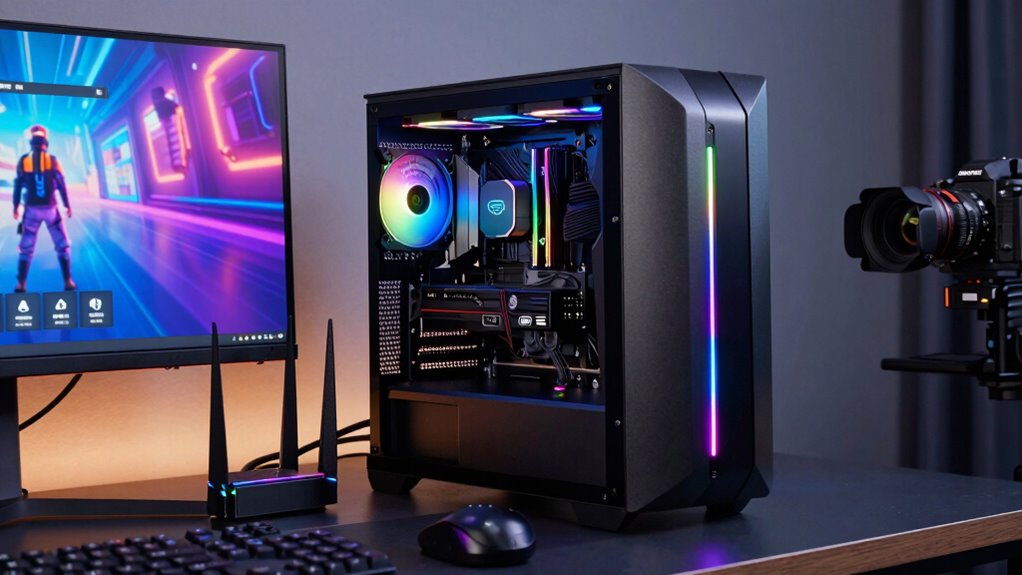
For a network adapter for a VR streaming PC, my best overall pick is the TP-Link AX3000 PCIe Wi-Fi 6 card, which pairs a desktop-focused design with dual-band Wi-Fi 6. The TP-Link Wi-Fi 7 BE9300 PCIe card is a stronger upgrade choice for newer routers, while the TP-Link TX201 2.5GbE card suits PCs that can connect to a compatible wired network. The main tradeoff is between a direct Ethernet link, a capable internal Wi-Fi card, and the convenience of a USB adapter. Router support, PC placement, and whether your headset uses a separate access point can matter as much as the adapter’s headline speed. Read on for the full comparison and guidance on matching an adapter to your VR setup.

Get audio and creator gear delivered free with Prime
- Fast, free delivery on millions of items
- Prime Video, Amazon Music and more included
- Member-only deals all year
Complete the kit


Key Takeaways
- The TP-Link AX3000 PCIe Wi-Fi 6 card is my balanced desktop pick: it avoids relying on a USB dongle while offering dual-band Wi-Fi 6, but it needs an open PCIe slot and a suitable router.
- The Wi-Fi 7 BE9300 PCIe card is a forward-looking upgrade, not a universal fix: its newer tri-band capability is most useful with a compatible router and a PC that can take advantage of it.
- Ethernet is the clearest path to a stable PC connection when cabling is practical: the TX201 adds 2.5GbE, while the USB-to-Gigabit adapters offer a simpler wired connection but top out at Gigabit Ethernet.
- USB Wi-Fi adapters trade installation ease for placement and capability limits: the AX1800 and AX3000 models offer more room for a strong wireless setup than the AC600 and nano options.
- Headline throughput does not predict VR streaming quality by itself: router placement, wireless congestion, band choice, and the PC-to-router path all shape latency and consistency.
| TP-Link USB WiFi 6 Adapter – AX1800 Dual Band Wireless USB Dongle |  | Best Overall USB Wi-Fi 6 Pick | Model: Archer TX30U Plus | Wireless standard: Wi-Fi 6 (AX1800) | Frequency bands: 2.4 GHz and 5 GHz | VIEW ON AMAZON | See Our Full Breakdown |
| TP-Link AX3000 USB Wi-Fi 6 Adapter for Desktop PC, Dual Band Wi-Fi Dongle |  | Best Compact USB Wi-Fi 6 Pick | Wireless standard: Wi-Fi 6 (802.11ax) | 5 GHz speed: Up to 2402 Mbps | 2.4 GHz speed: Up to 574 Mbps | VIEW ON AMAZON | See Our Full Breakdown |
| TP-Link AC1300 USB WiFi Adapter for Desktop PC and Laptop |  | Best for Older PCs and Broad OS Support | Wireless standard: AC1300 | Frequency bands: 2.4 GHz and 5 GHz | Maximum stated data rate: 1300 Mbps | VIEW ON AMAZON | See Our Full Breakdown |
| NETGEAR Nighthawk WiFi 6E USB 3.0 Adapter (A8000) – AXE3000 Tri-Band Wireless Gigabit Speed up to 3Gbps |  | Best for Wi-Fi 6E Access | Model: A8000-100PAS | Wireless standards: Wi-Fi 6E and Wi-Fi 6 | Bands: 2.4 GHz, 5 GHz, and 6 GHz | VIEW ON AMAZON | See Our Full Breakdown |
| TP-Link WiFi 7 BE9300 PCIe WiFi Card for Desktop PC, Tri-Band, Bluetooth 5.4 |  | Best Premium Desktop Upgrade | Wireless standard: Wi-Fi 7 | Bands: Tri-band: 6 GHz, 5 GHz, and 2.4 GHz | Maximum stated speeds: 5760 Mbps (6 GHz), 2880 Mbps (5 GHz), 688 Mbps (2.4 GHz) | VIEW ON AMAZON | See Our Full Breakdown |
| TP-Link AC600 USB WiFi Adapter for Desktop PC |  | Best for Legacy Windows PCs | Model: Archer T2U Plus | Wi-Fi standard: 802.11ac | Frequency bands: 2.4 GHz and 5 GHz | VIEW ON AMAZON | See Our Full Breakdown |
| TP-Link USB to Ethernet Adapter Support Nintendo Switch 1Gbps Plug and Play |  | Best Simple Gigabit Ethernet Upgrade | Model: UE306 | Interface: USB 3.0 to RJ45 Ethernet | Maximum speed: 1 Gbps | VIEW ON AMAZON | See Our Full Breakdown |
| TP-Link WiFi 6 PCIe WiFi Card for Desktop PC – AX3000 Dual Band Network Adapter | 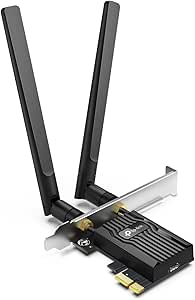 | Best Internal Wi-Fi 6 Upgrade | Model: Archer TX55E | Interface: PCIe | Wireless standard: Wi-Fi 6 (802.11ax) | VIEW ON AMAZON | See Our Full Breakdown |
| TP-Link 2.5GB PCIe Network Card (TX201) – PCIe to 2.5 Gigabit Ethernet Adapter |  | Best for a High-Speed Wired Desktop | Model: TX201 | Interface: PCIe | Maximum speed: 2.5 Gbps | VIEW ON AMAZON | See Our Full Breakdown |
| TP-Link USB WiFi 6 Adapter for Desktop PC, AX1800 Dual Band WiFi Antenna | 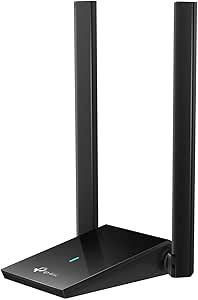 | Best Flexible USB Wi-Fi 6 Pick | Model: Archer TX20U Plus | Interface: USB 3.0 | Wireless standard: Wi-Fi 6 (802.11ax) | VIEW ON AMAZON | See Our Full Breakdown |
| Cyberguys USB 3.0 to Ethernet Adapter, 1Gbps RJ45 Network Dongle |  | Best Simple Wired Add-On | Hardware interface: USB 3.0 Type-A | Network connection: Ethernet, RJ45 | Data transfer rate: 1000 Mbps | VIEW ON AMAZON | See Our Full Breakdown |
| UGREEN USB to Ethernet Adapter, Plug and Play 1Gbps Aluminium Adapter |  | Best Value Wired Option | Interface: USB and Ethernet | Data transfer rate: 1Gbps | Compatible devices: Desktop and laptop | VIEW ON AMAZON | See Our Full Breakdown |
| Cudy AC650 Dual-Band Nano USB Wi-Fi Adapter for PC, WU650 |  | Best Compact Wi-Fi Pick | Model: WU650 | Wireless speed: Up to 650Mbps | Frequency bands: 2.4GHz and 5GHz | VIEW ON AMAZON | See Our Full Breakdown |
| ASUS AX1800 Dual-Band WiFi 6 Nano USB Adapter (USB-AX57 Nano) |  | Best Wi-Fi 6 Nano Adapter | Model: USB-AX57 Nano | Wireless standard: Wi-Fi 6 (802.11ax) | Frequency bands: 2.4GHz and 5GHz | VIEW ON AMAZON | See Our Full Breakdown |
| Nineplus Wireless USB WiFi Adapter for PC – 1300Mbps Dual 5Dbi Antennas, 5G/2.4G WiFi for Desktop and Laptop |  | Best for Antenna Placement | Wireless speed: Up to 1300Mbps | Antenna: Two 5dBi high-gain antennas | Frequency bands: 5GHz and 2.4GHz | VIEW ON AMAZON | See Our Full Breakdown |
| network adapter for a vr streaming pc | Interface | Model | Frequency bands | Compatibility |
|---|---|---|---|---|
| TP-Link USB WiFi 6 Adapter | USB 3.0 | Archer TX30U Plus | 2.4 GHz and 5 GHz | Windows 10 and 11 |
| TP-Link AX3000 USB Wi-Fi 6 Ada | USB 3.0 | — | — | — |
| TP-Link AC1300 USB WiFi Adapte | USB 3.0 | — | 2.4 GHz and 5 GHz | Windows 11, 10, 8.1, 8, 7, XP; Mac OS X 10.9–10.14 |
| NETGEAR Nighthawk WiFi 6E USB | USB 3.0 | A8000-100PAS | — | Windows 10 or later |
| TP-Link WiFi 7 BE9300 PCIe WiF | PCIe | — | — | AMD/Intel systems; not compatible with Windows 10 or Linux |
| TP-Link AC600 USB WiFi Adapter | — | Archer T2U Plus | 2.4 GHz and 5 GHz | — |
| TP-Link USB to Ethernet Adapte | USB 3.0 to RJ45 Ethernet | UE306 | — | Nintendo Switch, Windows, Linux, and macOS |
| TP-Link WiFi 6 PCIe WiFi Card | PCIe | Archer TX55E | 2.4 GHz and 5 GHz | — |
| TP-Link 2.5GB PCIe Network Car | PCIe | TX201 | — | — |
| TP-Link USB WiFi 6 Adapter for | USB 3.0 | Archer TX20U Plus | 2.4 GHz and 5 GHz | Windows 10 and 11, 32-bit and 64-bit |
| Cyberguys USB 3.0 to Ethernet | — | — | — | — |
| UGREEN USB to Ethernet Adapter | USB and Ethernet | — | — | — |
| Cudy AC650 Dual-Band Nano USB | USB 2.0 | WU650 | 2.4GHz and 5GHz | — |
| ASUS AX1800 Dual-Band WiFi 6 N | USB 2.0 | USB-AX57 Nano | 2.4GHz and 5GHz | Windows 10 and 11 |
| Nineplus Wireless USB WiFi Ada | — | — | 5GHz and 2.4GHz | Windows 11/10/8.1/8/7/XP |
More Details on Our Top Picks
TP-Link USB WiFi 6 Adapter – AX1800 Dual Band Wireless USB Dongle
I’d put the TP-Link Archer TX30U Plus near the top for a VR streaming PC that needs a straightforward wireless upgrade without opening the case. Its Wi-Fi 6 dual-band connection, USB 3.0 interface, and two high-gain antennas give it a more purposeful setup for a desktop than a tiny dongle, with beamforming intended to help maintain signal coverage. Compared with the compact TP-Link AX3000 USB adapter, this model lists a lower maximum aggregate speed but makes its external antennas a defining feature. That can suit a PC tucked beside a desk, though antenna design cannot replace a strong router signal or a wired link between PC and router. The key limitation is Windows 10 and 11 compatibility; buyers on macOS or Linux should choose another adapter.
Pros:- Wi-Fi 6 dual-band connectivity with a stated maximum rate of 1800 Mbps
- Two high-gain antennas and beamforming support for more flexible signal placement
- USB 3.0 connection avoids opening the PC case
- WPA3 security support
Cons:- Compatibility is limited to Windows 10 and 11
- Actual throughput and stability depend on router, distance, and obstacles
- A USB wireless link may be less consistent for PC-to-headset streaming than wired Ethernet
Best for: Windows 10 or 11 desktop owners who want Wi-Fi 6 and external antennas without installing a PCIe card.
Not ideal for: Mac or Linux users, and VR streamers who can connect the PC to the router over Ethernet and want to avoid wireless variability.
- Model:Archer TX30U Plus
- Wireless standard:Wi-Fi 6 (AX1800)
- Frequency bands:2.4 GHz and 5 GHz
- Interface:USB 3.0
- Antennas:2 high-gain antennas
- Maximum stated speed:Up to 1800 Mbps
- Security:WPA3
- Compatibility:Windows 10 and 11
Our verdict“Choose this Windows-focused USB adapter if you want Wi-Fi 6 with external antennas, but favor wired Ethernet when VR stream stability is the priority.”
TP-Link AX3000 USB Wi-Fi 6 Adapter for Desktop PC, Dual Band Wi-Fi Dongle
The TP-Link AX3000 USB adapter is the speed-focused compact choice in this group: its listed 5 GHz rate reaches 2402 Mbps, above the Archer TX30U Plus’s stated 1800 Mbps maximum. That headline does not guarantee faster VR streaming, since the router, signal conditions, and headset link also shape performance, but it gives this model more listed 5 GHz headroom when paired with compatible equipment. Its small USB 3.0 form is convenient for a laptop or a crowded desktop, while OFDMA and MU-MIMO support are intended to manage network traffic more efficiently. Unlike the NETGEAR A8000, it has no stated 6 GHz band, so it cannot tap Wi-Fi 6E spectrum. I’d pick it for a compact Wi-Fi 6 upgrade, not as a substitute for wired Ethernet to a VR streaming PC.
Pros:- Listed 5 GHz maximum of 2402 Mbps
- Compact dimensions suit travel and crowded setups
- USB 3.0 installation does not require opening a desktop
- OFDMA, MU-MIMO, and WPA3 support
Cons:- Requires a USB 3.0 port for the intended interface
- No 6 GHz band, unlike the NETGEAR Nighthawk A8000
- Compact size offers no listed external antenna for repositioning reception
Best for: Desktop and laptop owners who need a small USB Wi-Fi 6 adapter and have a USB 3.0 port and a capable router.
Not ideal for: VR streamers seeking a 6 GHz connection, external antennas, or the steadier PC network path of wired Ethernet.
- Wireless standard:Wi-Fi 6 (802.11ax)
- 5 GHz speed:Up to 2402 Mbps
- 2.4 GHz speed:Up to 574 Mbps
- Interface:USB 3.0
- Features:OFDMA and MU-MIMO
- Security:WPA3
- Dimensions:0.7 × 0.3 × 1.7 inches
Our verdict“Pick this compact adapter for a high-spec Wi-Fi 6 USB upgrade, but choose the A8000 for 6 GHz or Ethernet for a more dependable VR PC connection.”
TP-Link AC1300 USB WiFi Adapter for Desktop PC and Laptop
For a VR streaming PC, I rank the TP-Link AC1300 below the Wi-Fi 6 options because it uses the older AC1300 wireless standard. Its dual-band connection and USB 3.0 interface can still serve a computer that lacks built-in Wi-Fi, and its listed compatibility spans several Windows releases plus Mac OS X 10.9–10.14. That broader stated OS range gives it an edge over the Windows-only Archer TX30U Plus for supported legacy systems. The tradeoff is that it has no stated Wi-Fi 6 or 6E support, making it a less forward-looking choice for a low-latency streaming setup. I’d treat it as a practical basic adapter for an older PC, not the first choice when building a new VR streaming network; a wired Ethernet option is worth comparing if the PC sits near the router.
Pros:- Dual-band 2.4 GHz and 5 GHz connectivity
- USB 3.0 interface for compatible computers
- Listed support for multiple Windows versions and Mac OS X 10.9–10.14
- Compact body weighs 9.07 g
Cons:- AC1300 standard is older than the Wi-Fi 6 adapters in this roundup
- Some systems require driver installation
- No Ethernet port or listed newer-band support
Best for: Owners of older Windows PCs or supported legacy Mac systems who need basic dual-band Wi-Fi through USB.
Not ideal for: Buyers building a modern VR streaming PC who want Wi-Fi 6 or newer, or anyone prioritizing the consistency of wired Ethernet.
- Wireless standard:AC1300
- Frequency bands:2.4 GHz and 5 GHz
- Maximum stated data rate:1300 Mbps
- Interface:USB 3.0
- Compatibility:Windows 11, 10, 8.1, 8, 7, XP; Mac OS X 10.9–10.14
- Dimensions:0.78 × 0.41 × 1.59 inches
- Weight:9.07 g
Our verdict“Choose the AC1300 for a supported older computer or legacy OS, but use a Wi-Fi 6 adapter or wired Ethernet for a newer VR streaming PC.”
NETGEAR Nighthawk WiFi 6E USB 3.0 Adapter (A8000) – AXE3000 Tri-Band Wireless Gigabit Speed up to 3Gbps
The NETGEAR Nighthawk A8000 is the wireless pick here for a buyer whose router already supports Wi-Fi 6E and its 6 GHz band. That extra band can offer a less crowded route than 2.4 or 5 GHz in a suitable setup, which is relevant when a VR streaming PC competes with other home traffic. Its flippable antenna gives more placement flexibility than the compact TP-Link AX3000 USB adapter, while its stated maximum of 3 Gbps tops the USB models’ listed rates. Those advantages depend on compatible router support and favorable signal conditions; a speed figure alone does not promise smoother streaming. I’d skip it if the network has no 6E access point, since the headline band then goes unused. It is also limited to Windows 10 or later and remains a wireless rather than wired solution.
Pros:- Wi-Fi 6E support adds access to the 6 GHz band with a compatible router
- Tri-band support includes 2.4, 5, and 6 GHz
- Flippable antenna allows flexible adapter positioning
- USB 3.0 connection and portable 28 g design
Cons:- A Wi-Fi 6E router is needed to use the 6 GHz band
- Listed operating system support is Windows 10 or later
- USB wireless connectivity can still vary with placement and obstacles
Best for: Windows 10-or-later users with a Wi-Fi 6E router who want to try a 6 GHz USB connection for a VR PC.
Not ideal for: People using a Wi-Fi 5 or Wi-Fi 6-only router, Mac users, or desktop owners who can use wired Ethernet instead.
- Model:A8000-100PAS
- Wireless standards:Wi-Fi 6E and Wi-Fi 6
- Bands:2.4 GHz, 5 GHz, and 6 GHz
- Maximum stated speed:Up to 3 Gbps
- Interface:USB 3.0
- Compatibility:Windows 10 or later
- Dimensions:3.66 × 1.24 × 0.57 inches
- Weight:28 g
Our verdict“Choose the A8000 if your router already supports 6 GHz and you want a flexible Wi-Fi 6E USB adapter; otherwise, its main advantage may go unused.”
TP-Link WiFi 7 BE9300 PCIe WiFi Card for Desktop PC, Tri-Band, Bluetooth 5.4
Among these five, the TP-Link BE9300 PCIe card is the most ambitious internal wireless upgrade: it adds Wi-Fi 7, three bands including 6 GHz, adjustable antennas, and Bluetooth 5.4. Its listed 6 GHz rate reaches 5760 Mbps, well beyond the USB adapters’ stated maximums, but that number needs compatible Wi-Fi 7 networking and does not guarantee lower VR latency on its own. The card’s PCIe installation can make sense in a desktop that has an available slot and a supported Windows 11 setup; it is a poor fit for laptops. Compared with the NETGEAR A8000, this moves to Wi-Fi 7 and adds Bluetooth, but it demands more from the PC and operating system. I’d choose it for a capable Windows 11 desktop, while users who value a simple add-on should look at USB or Ethernet alternatives.
Pros:- Wi-Fi 7 tri-band support, including 6 GHz
- Adjustable high-performance antennas for positioning
- Bluetooth 5.4 included
- Supports WPA3, OFDMA, MU-MIMO, beamforming, and MLO
Cons:- Requires an available PCIe slot and desktop installation
- Not compatible with Windows 10 or Linux
- Wi-Fi 7 and 6 GHz benefits depend on compatible network equipment
Best for: Windows 11 desktop builders with an available PCIe slot, a compatible Wi-Fi 7 router, and a need for Bluetooth 5.4.
Not ideal for: Laptop owners, Windows 10 or Linux users, and buyers who want a quick USB installation or a wired Ethernet connection.
- Wireless standard:Wi-Fi 7
- Bands:Tri-band: 6 GHz, 5 GHz, and 2.4 GHz
- Maximum stated speeds:5760 Mbps (6 GHz), 2880 Mbps (5 GHz), 688 Mbps (2.4 GHz)
- Interface:PCIe
- Bluetooth:Bluetooth 5.4
- Antennas:2 adjustable high-performance antennas
- Security:WPA3
- Compatibility:AMD/Intel systems; not compatible with Windows 10 or Linux
- Listed features:OFDMA, MU-MIMO, Multi-RU, beamforming, 4K-QAM, MLO
Our verdict“Pick the BE9300 for a supported Windows 11 desktop built around Wi-Fi 7, but skip it if you need a simple USB adapter or a wired VR network path.”
TP-Link AC600 USB WiFi Adapter for Desktop PC
I’d choose the Archer T2U Plus when an older Windows desktop needs Wi-Fi without opening the case or replacing its network card. Its 5 dBi adjustable high-gain antenna and dual-band support give it a more flexible signal setup than a wired adapter such as the TP-Link UE306, but its 433 Mbps maximum on 5 GHz is modest for a busy VR streaming setup. That makes it better suited to basic connectivity or a fallback link than to carrying a demanding headset stream. Compared with the newer Archer TX20U Plus, it lacks Wi-Fi 6 and has a lower stated peak speed, yet it supports a wider range of older Windows versions. I’d skip it for a current VR PC if a stronger Wi-Fi 6 option or Ethernet connection is available.
Pros:- High-gain dual-band antenna offers more placement and signal flexibility than a tiny wireless dongle.
- Supports a broad range of Windows versions, including older releases.
- USB installation avoids opening the desktop case or using a PCIe slot.
Cons:- The stated 433 Mbps maximum on 5 GHz is modest beside the Wi-Fi 6 adapters in this roundup.
- Windows-only compatibility excludes macOS and Linux users.
- Some Windows versions may require a driver download, and real-world signal quality depends on the environment.
Best for: Owners of older Windows desktops who need an inexpensive-to-install wireless upgrade for general use or light streaming.
Not ideal for: VR PC builders seeking the strongest wireless link for headset streaming, or anyone using macOS or Linux.
- Model:Archer T2U Plus
- Wi-Fi standard:802.11ac
- Frequency bands:2.4 GHz and 5 GHz
- Maximum stated speed:Up to 200 Mbps on 2.4 GHz; up to 433 Mbps on 5 GHz
- Antenna:5 dBi high-gain dual-band antenna
- Operating systems:Windows 11, 10, 8.1, 8, 7, and XP
Our verdict“Choose this for basic Wi-Fi on an older Windows PC, but pick the Archer TX20U Plus or a wired adapter for a more capable VR streaming connection.”
TP-Link USB to Ethernet Adapter Support Nintendo Switch 1Gbps Plug and Play
For a VR streaming PC, I favor a wired link when the router or access point is reachable: the UE306 Gigabit Ethernet adapter trades wireless convenience for a direct, stable connection. That distinction matters more than its headline speed for many headset setups, since a cable can avoid competing Wi-Fi traffic. It connects over USB 3.0 and supports up to 1 Gbps Ethernet, while the TP-Link TX201 reaches 2.5 Gbps but needs an internal PCIe slot and a desktop installation. The UE306 is the easier pick for a laptop or a PC without a free slot, and its compact design suits travel. Its limits are clear: it adds no Wi-Fi, and the router still needs to be connected by Ethernet. I’d choose another option if cabling the PC is impractical.
Pros:- Wired Gigabit connection avoids relying on Wi-Fi signal quality for the PC’s network link.
- USB 3.0 connection works without installing a PCIe card.
- Compact, foldable design is practical for portable PCs and travel.
- Listed compatibility includes Windows, Linux, macOS, and Nintendo Switch.
Cons:- Ethernet-only design cannot connect the PC to Wi-Fi.
- A cable must reach the router or access point, which may constrain PC placement.
- The 1 Gbps ceiling is below the TX201’s 2.5 Gbps capability, and optimal performance calls for USB 3.0.
Best for: VR PC owners who can run Ethernet to their router or access point and want a simple USB-based wired connection.
Not ideal for: Users who need wireless networking, lack a USB 3.0 port, or want more than Gigabit Ethernet throughput.
- Model:UE306
- Interface:USB 3.0 to RJ45 Ethernet
- Maximum speed:1 Gbps
- Compatibility:Nintendo Switch, Windows, Linux, and macOS
- Dimensions:2.8 x 1.0 x 0.6 inches
- Warranty:2 years
Our verdict“Pick the UE306 if a direct Gigabit cable is practical and you want an easy USB connection rather than an internal card.”
TP-Link WiFi 6 PCIe WiFi Card for Desktop PC – AX3000 Dual Band Network Adapter
The Archer TX55E is my pick for a desktop builder who wants Wi-Fi 6 without using a USB port. Its stated 2.4 Gbps maximum speed, two high-gain antennas, and dual-band operation make it a more capable wireless option on paper than the AC600 Archer T2U Plus. For VR streaming, though, peak speed is not a guarantee of smooth play: router capability, placement, interference, and the PC’s connection to the network still matter. Compared with the external Archer TX20U Plus, this card needs a free PCIe slot and a more involved installation, but it also adds Bluetooth 5.2. Bluetooth requires connecting the included internal USB cable, a small setup step that can be easy to miss. I’d favor Ethernet if available, but this is a strong fit when the desktop must connect wirelessly.
Pros:- Wi-Fi 6 support and a stated maximum speed of 2.4 Gbps exceed the older AC600 adapter’s listed wireless capability.
- Two high-gain antennas support a more flexible wireless setup than a small USB dongle.
- Adds Bluetooth 5.2 for compatible peripherals.
- Supports WPA3 security.
Cons:- Requires a compatible desktop with an available PCIe slot.
- Bluetooth functionality requires connecting a separate USB cable inside the PC.
- Windows 10 and 11 compatibility is narrower than the Ethernet adapters’ listed operating-system support.
Best for: Desktop PC owners with a free PCIe slot who want Wi-Fi 6 and Bluetooth in one internal upgrade.
Not ideal for: Laptop users, people without an available PCIe slot, or anyone seeking a plug-in USB adapter with less installation work.
- Model:Archer TX55E
- Interface:PCIe
- Wireless standard:Wi-Fi 6 (802.11ax)
- Maximum stated speed:2.4 Gbps
- Frequency bands:2.4 GHz and 5 GHz
- Antennas:Two high-gain antennas
- Bluetooth:Version 5.2
- Compatibility and security:Windows 10 and 11; WPA3
Our verdict“Choose the TX55E for a Windows desktop needing a fast internal wireless upgrade with Bluetooth, but use Ethernet when a wired route is practical.”
TP-Link 2.5GB PCIe Network Card (TX201) – PCIe to 2.5 Gigabit Ethernet Adapter
If the goal is a wired PC connection with room beyond standard Gigabit Ethernet, I’d choose the TP-Link TX201. Its 2.5 Gbps Ethernet capability gives it a higher ceiling than the USB-based UE306, provided the router, switch, and network service can also use that speed. For VR streaming, the main practical advantage is not a promise of better headset performance; it is a direct wired link that avoids the PC’s Wi-Fi signal and can serve other high-throughput network tasks too. The tradeoff is installation: unlike the UE306, this card occupies a PCIe slot and requires a cable to the network. Standard and low-profile brackets widen case compatibility, while Windows, Linux, and Windows Server support make it more flexible than the Windows-only wireless choices. I’d skip it if the PC must connect over Wi-Fi.
Pros:- Supports up to 2.5 Gbps Ethernet, above the UE306’s 1 Gbps maximum.
- Backward compatibility with lower data rates supports use on slower networks.
- Standard and low-profile brackets accommodate different desktop cases.
- Listed support spans Windows, Linux, and Windows Server versions.
Cons:- Requires a free PCIe slot and an internal installation.
- Ethernet-only connection offers no wireless option.
- The higher speed depends on compatible network equipment and conditions; it does not guarantee better VR streaming by itself.
Best for: Desktop owners with a free PCIe slot and a 2.5 Gbps-capable router or switch who prefer a wired network connection.
Not ideal for: Laptop users, wireless-only setups, or PCs connected to Gigabit-only network equipment that cannot use the card’s higher speed.
- Model:TX201
- Interface:PCIe
- Maximum speed:2.5 Gbps
- Connection type:Ethernet
- Supported systems:Windows 11/10/8.1/8/7, Windows Server 2022/2019/2016, and Linux
- Included brackets:Standard and low-profile
- Warranty:2 years
Our verdict“Pick the TX201 for a desktop that can use a 2.5 Gbps wired network; choose the UE306 for a simpler USB Gigabit connection.”
TP-Link USB WiFi 6 Adapter for Desktop PC, AX1800 Dual Band WiFi Antenna
The Archer TX20U Plus suits a desktop that needs Wi-Fi 6 but should stay easy to upgrade: it connects over USB 3.0 and includes a 1-meter cable for placing its dual antennas away from the back of the PC. That flexibility can help with reception when the case is tucked under a desk, though it cannot remove interference or substitute for a good access point. Its stated 1.8 Gbps maximum is below the TX55E PCIe card’s 2.4 Gbps figure, but installation is simpler and does not require opening the computer. Compared with the wired UE306, it preserves placement freedom without a network cable, at the cost of depending on Wi-Fi conditions. It supports WPA3 and Wi-Fi 6 features, but compatibility is limited to Windows 10 and 11, and a Wi-Fi 6 router is needed to make use of that standard.
Pros:- Wi-Fi 6 and a stated maximum speed of 1.8 Gbps provide a newer wireless standard than the Archer T2U Plus.
- The included 1-meter USB cable allows more flexible antenna placement around a desktop.
- Dual 5 dBi high-gain antennas support a more adjustable setup.
- Supports WPA3, MU-MIMO, and OFDMA.
Cons:- Compatibility is limited to Windows 10 and 11, unlike the UE306’s listed macOS and Linux support.
- Optimal performance calls for USB 3.0 and a Wi-Fi 6 router.
- Wireless performance remains dependent on signal conditions and may be less consistent than a wired Ethernet link.
Best for: Windows 10 or 11 desktop owners who want Wi-Fi 6, adjustable antenna placement, and a USB installation instead of a PCIe card.
Not ideal for: Mac or Linux users, owners without a USB 3.0 port, or VR PC users who can run Ethernet and want to avoid wireless variability.
- Model:Archer TX20U Plus
- Interface:USB 3.0
- Wireless standard:Wi-Fi 6 (802.11ax)
- Maximum stated speed:Up to 1.8 Gbps
- Frequency bands:2.4 GHz and 5 GHz
- Antennas and cable:Dual 5 dBi high-gain antennas; 1-meter cable
- Security and features:WPA3, MU-MIMO, and OFDMA
- Compatibility:Windows 10 and 11, 32-bit and 64-bit
Our verdict“Choose the TX20U Plus for a flexible, no-case-opening Wi-Fi 6 upgrade, but favor wired Ethernet when a stable cable route is available.”
Cyberguys USB 3.0 to Ethernet Adapter, 1Gbps RJ45 Network Dongle
For a VR streaming PC with an available USB-A port, the Cyberguys gives you a gigabit wired link without adding an internal card or changing the PC’s wireless setup. That can be useful when the PC needs a dependable connection to the router, though the adapter itself does not create a dedicated wireless link for a headset. Compared with the UGREEN USB to Ethernet Adapter, its appeal is straightforward portability and listed support for desktop, laptop, game console, and TV box; UGREEN specifies an aluminum shell, while Cyberguys is lighter at 30 g. The tradeoff is that this remains a 1Gbps Ethernet-only adapter, and full performance depends on a USB 3.0 port and the rest of the wired network. Choose it for a basic wired connection, not extra networking features.
Pros:- Provides a 1Gbps wired Ethernet connection
- USB 3.0 Type-A interface suits PCs with an available matching port
- Listed compatibility includes desktops, laptops, game consoles, and TV boxes
- Compact 30 g design is easy to carry between devices
Cons:- Does not provide Wi-Fi or a dedicated wireless link for a VR headset
- Requires USB 3.0 for optimal performance
- Offers no stated network-management features or higher-than-gigabit Ethernet
Best for: VR PC owners who want an uncomplicated USB-A gigabit Ethernet connection to their router and do not need a wireless adapter.
Not ideal for: Buyers who need Wi-Fi for a headset connection, have no USB 3.0 Type-A port, or need speeds beyond gigabit Ethernet.
- Hardware interface:USB 3.0 Type-A
- Network connection:Ethernet, RJ45
- Data transfer rate:1000 Mbps
- Compatible devices:Desktop, game console, laptop, TV box
- Minimum listed operating systems:Windows 11; macOS 12 Monterey
- Weight:0.03 kg
- Color:USB
Our verdict“Pick Cyberguys if you need a small, basic gigabit wired connection for your PC, but skip it if your VR setup calls for Wi-Fi or a faster wired interface.”
UGREEN USB to Ethernet Adapter, Plug and Play 1Gbps Aluminium Adapter
The UGREEN is a practical pick when your VR PC needs Ethernet through USB and you want a more substantial housing than the lightweight Cyberguys dongle. Its 1Gbps connection is suited to a standard gigabit wired network, while the aluminum shell is specified for durability and heat dissipation. That build distinction gives it a clearer case over Cyberguys, but not a speed advantage: both are limited to gigabit Ethernet. For VR streaming, it can wire the PC to the router; it does not supply the headset’s Wi-Fi connection. Compatibility spans Windows, macOS, ChromeOS, Android, and Nintendo Switch, although older Windows and Linux systems may need drivers. The listed weight is 60 g, twice Cyberguys’ stated 30 g, so this is less of a featherweight travel option. Pick it for broad device support and a sturdier shell, not faster-than-gigabit networking.
Pros:- Gigabit Ethernet supports wired networking up to 1Gbps
- Aluminum shell is specified for durability and heat dissipation
- Compatibility includes Windows, macOS, ChromeOS, Android, and Nintendo Switch
- Plug-and-play operation is available on most supported systems
Cons:- Older Windows and Linux systems may require driver installation
- Does not provide Wi-Fi for a wireless VR headset connection
- Limited to 1Gbps and listed at 60 g, making it less compelling for speed upgrades or ultralight travel
Best for: VR PC owners who want a USB Ethernet adapter with a metal shell and broad compatibility across newer Windows, macOS, ChromeOS, or Android devices.
Not ideal for: Buyers seeking a Wi-Fi adapter for their headset, speeds above 1Gbps, or a driver-free setup on older Windows or Linux systems.
- Interface:USB and Ethernet
- Data transfer rate:1Gbps
- Compatible devices:Desktop and laptop
- Minimum listed operating systems:Android 4.0; ChromeOS 134; macOS 10.15 Catalina; Windows 10
- Dimensions:2.4 × 0.9 × 0.6 in
- Weight:60 g
- Color:Space Grey
Our verdict“Choose UGREEN over the lighter Cyberguys if the aluminum housing and wide device support matter more than minimizing weight.”
Cudy AC650 Dual-Band Nano USB Wi-Fi Adapter for PC, WU650
The Cudy WU650 is the smallest wireless option in this group, making it a fit when a VR PC has no usable Wi-Fi and you want a dongle that barely projects from the USB port. It supports 2.4GHz and 5GHz bands, with up to 433Mbps on 5GHz; that may suit basic connectivity, but it offers less stated throughput than the ASUS AX1800 Nano or Nineplus 1300Mbps adapter. For VR streaming, headline speed alone does not guarantee a stable headset link, and this model’s USB 2.0 interface and compact form do not make it the strongest choice for a demanding setup. Its wide listed Windows, macOS, and Linux support is an advantage over Nineplus, but some systems need manual drivers. Choose it for minimal size and broad OS coverage, not maximum wireless capacity.
Pros:- Nano-sized 2 g design minimizes obstruction of nearby USB ports
- Supports both 2.4GHz and 5GHz bands
- Listed OS support includes Windows, macOS, and Linux
- MU-MIMO and WPA/WPA2 are specified
Cons:- USB 2.0 interface and 650Mbps maximum are below the stated capacity of the ASUS AX1800 and Nineplus adapters
- Manual driver installation may be needed on some operating systems
- Older listed macOS range may not suit newer Mac systems
Best for: PC builders who need a low-profile Wi-Fi adapter for everyday wireless access and value the listed Linux support.
Not ideal for: VR streamers seeking the highest stated wireless throughput, a dedicated access point, or an adapter with consistently driver-free setup.
- Model:WU650
- Wireless speed:Up to 650Mbps
- Frequency bands:2.4GHz and 5GHz
- Interface:USB 2.0
- Supported operating systems:Windows XP/7/8/8.1/10/11; macOS 10.5–10.13; Linux Kernel 4.19–5.x
- Dimensions:0.82 × 0.59 × 0.28 in
- Weight:2 g
- Security:WPA/WPA2
- Warranty:2 years
Our verdict“Choose the Cudy if compact size and broad listed OS support matter more than the higher throughput offered by ASUS or Nineplus.”
ASUS AX1800 Dual-Band WiFi 6 Nano USB Adapter (USB-AX57 Nano)
Among the wireless choices here, the ASUS USB-AX57 Nano pairs a tiny body with Wi-Fi 6 and WPA3, giving it a more current feature set than the Cudy AC650. Its listed 1800Mbps rate is higher than Cudy’s 650Mbps, but both use USB 2.0, so the headline figure should not be read as a guarantee of VR-streaming performance. A stable headset connection still depends on the router, placement, interference, and network setup. Compared with the Nineplus, ASUS trades external high-gain antennas for a low-profile design that is less awkward on a compact PC. The limitation is narrow operating-system support: it is listed for Windows 10 and 11, unlike the Cudy’s broader OS range. Pick ASUS for a Windows VR PC where small size and Wi-Fi 6 security features matter; look elsewhere if you need Mac, Linux, or a more adjustable antenna setup.
Pros:- Wi-Fi 6 support and dual-band operation
- WPA3 security is specified
- Nano dimensions suit compact builds and portable PCs
- Listed 1800Mbps rate exceeds the Cudy AC650’s stated 650Mbps
Cons:- USB 2.0 interface may constrain practical throughput relative to faster interfaces
- Compatibility is limited to Windows 10 and 11
- Small body is easy to misplace and offers no external antennas
Best for: Windows 10 or 11 VR PC owners who want a compact Wi-Fi 6 adapter with WPA3 and do not want external antennas.
Not ideal for: Mac, Linux, or older Windows users, and VR streamers who prioritize external antennas or a USB 3.0 interface.
- Model:USB-AX57 Nano
- Wireless standard:Wi-Fi 6 (802.11ax)
- Frequency bands:2.4GHz and 5GHz
- Data transfer rate:1800Mbps
- Interface:USB 2.0
- Security:WPA3
- Compatibility:Windows 10 and 11
- Dimensions and weight:0.6 × 0.4 × 1 in; 4.54 g
- Warranty:3 years
Our verdict“Choose ASUS for a compact Windows Wi-Fi 6 setup, but favor a different model if your PC needs broader OS support or external antennas.”
Nineplus Wireless USB WiFi Adapter for PC – 1300Mbps Dual 5Dbi Antennas, 5G/2.4G WiFi for Desktop and Laptop
The Nineplus stands apart from the nano adapters by using two high-gain antennas and a USB 3.0 connection. On a desktop that sits under a desk or away from the router, the external antennas give you more flexibility in reception than the low-profile ASUS USB-AX57 Nano or Cudy WU650. Its listed 1300Mbps dual-band rate is also higher than Cudy’s, though the data does not establish a particular VR-streaming result; router conditions and the headset’s wireless path still matter. The main compromise is Windows-only compatibility, which makes it a poor fit for mixed-OS households or Linux-based PCs. Driver installation may also be needed on some Windows versions. Pick this model when antenna placement is the priority, not when portability or wide OS support matters more.
Pros:- Two 5dBi antennas provide an external antenna design
- Dual-band 2.4GHz and 5GHz support
- USB 3.0 interface and listed speed up to 1300Mbps
- Windows compatibility spans Windows XP through Windows 11
Cons:- Not compatible with macOS, Chromebook, or Linux
- Driver installation may be required on some Windows versions
- External antennas are bulkier than the Cudy and ASUS nano designs
Best for: Windows desktop VR PC owners whose computer placement makes external antennas useful for improving wireless reception.
Not ideal for: Mac, Chromebook, and Linux users, or buyers who need a tiny adapter that will not protrude from the PC.
- Wireless speed:Up to 1300Mbps
- Antenna:Two 5dBi high-gain antennas
- Frequency bands:5GHz and 2.4GHz
- USB version:USB 3.0
- Compatibility:Windows 11/10/8.1/8/7/XP
- Warranty:2 years
Our verdict“Choose Nineplus for a Windows desktop where external antenna placement matters more than compactness or broader operating-system support.”

How We Picked
I ranked these adapters for a specific job: keeping the PC’s network link responsive and steady during wireless VR streaming. I gave priority to connection type and practical setup: wired Ethernet leads when the PC can be cabled, while internal Wi-Fi cards rank ahead of most USB options for a permanent desktop installation. Among Wi-Fi products, I weighed generation, band support, antenna design, and whether a newer standard offers a real advantage with compatible network equipment.
I also considered installation demands, portability, and likely fit with different PC setups. A PCIe card can make more sense for a fixed gaming tower, while USB is easier for a laptop or a desktop without a free slot; a wired USB adapter can help when the PC lacks Ethernet. The ranking separates capable general-purpose picks from adapters with narrower roles, such as compact low-profile dongles or Gigabit-only Ethernet adapters. Product names and advertised link rates do not guarantee a particular VR result, so I treat router compatibility and the whole network path as part of the buying decision.
| network adapter for a vr streaming pc | Interface |
|---|---|
| TP-Link USB WiFi 6 Adapter | USB 3.0 |
| TP-Link AX3000 USB Wi-Fi 6 Ada | USB 3.0 |
| TP-Link AC1300 USB WiFi Adapte | USB 3.0 |
| NETGEAR Nighthawk WiFi 6E USB | USB 3.0 |
| TP-Link WiFi 7 BE9300 PCIe WiF | PCIe |
| TP-Link AC600 USB WiFi Adapter | — |
| TP-Link USB to Ethernet Adapte | USB 3.0 to RJ45 Ethernet |
| TP-Link WiFi 6 PCIe WiFi Card | PCIe |
| TP-Link 2.5GB PCIe Network Car | PCIe |
| TP-Link USB WiFi 6 Adapter for | USB 3.0 |
| Cyberguys USB 3.0 to Ethernet | — |
| UGREEN USB to Ethernet Adapter | USB and Ethernet |
| Cudy AC650 Dual-Band Nano USB | USB 2.0 |
| ASUS AX1800 Dual-Band WiFi 6 N | USB 2.0 |
| Nineplus Wireless USB WiFi Ada | — |
Factors to Consider When Choosing Network Adapter For A Vr Streaming Pc
Choosing a VR streaming adapter starts with the connection you can actually build, not the biggest number on the box. I would first map the route between the PC, router or access point, and headset, then match the adapter to that layout. These factors help separate a meaningful upgrade from a spec change that will not address the source of stutter.
Start With the PC-to-Router Path
VR streaming relies on a chain of links, and the PC’s adapter is only one part of it. If the router is far away or separated by walls, replacing an adapter may not solve packet delay or inconsistent throughput. A wired run from PC to router or a nearby access point can remove one wireless hop from the PC side, though the headset still needs its own wireless connection. If running cable is impractical, focus on placing the router or dedicated access point in the same room as the headset. Avoid assuming that a faster adapter compensates for poor placement or a congested airspace.
Choose Ethernet, PCIe, or USB for Your Setup
Ethernet is usually the simplest way to give a desktop a consistent link when a cable can reach the network. An internal PCIe Wi-Fi card suits a fixed tower and can provide a more permanent installation, but it requires an available slot and room to fit the card and antennas. USB adapters are easier to add or move between computers, yet their location matters: a dongle tucked behind a metal case may have a worse signal than one placed in the open. Check the PC’s ports and case layout before ordering, especially if other devices already occupy the available USB or PCIe connections. Choose the connection type that fits your room and hardware, not just the most advanced standard.
Match Wi-Fi Generation and Bands to the Router
A Wi-Fi 6 or Wi-Fi 7 adapter cannot deliver its full capabilities through an older or lower-capability router. Check both ends of the link, including supported bands and the router’s available channels, before paying for a newer generation. The 6 GHz band can offer more room away from crowded networks, but it requires compatible equipment and its range can be more limited through walls. A dual-band adapter may be the more practical match for a common home network, while tri-band support has value only when the router and local conditions support it. Avoid treating generation labels as a substitute for checking compatibility.
Prioritize Stability Over Advertised Link Rates
Boxed throughput figures describe link capabilities under particular conditions; they do not promise the speed or latency a VR session will experience. Streaming can feel worse when the connection fluctuates, even if a speed test shows a high peak. For a desktop, antenna placement and distance from interference sources may matter more than moving up one tier of advertised speed. Keep the router away from enclosed cabinets and, where practical, reduce competing wireless traffic during play. If the network is shared, a separate access point or a wired PC connection may be a more useful upgrade than an adapter with a higher headline rate.
Check Whether a 2.5GbE Upgrade Can Be Used
A 2.5GbE card can only operate beyond Gigabit Ethernet when the connected router, switch, and cabling support the higher link speed. For VR streaming, the benefit may be limited if the PC’s connection to the access point is already reliable at Gigabit speeds or the rest of the network is slower. A Gigabit USB-to-Ethernet adapter can still be a sensible way to add a wired connection without opening the PC. Before buying a faster wired card, check every device along the path rather than focusing only on the PC port. Spend on the higher link rate when it addresses an actual network bottleneck or supports other demanding local-network tasks.
Plan for Installation, Drivers, and Antenna Placement
Internal cards and USB adapters differ in more than form factor: they can require different setup steps, drivers, and available ports. PCIe installation may involve opening the case and connecting external antennas, while USB models are easier to move but can occupy a port permanently. Confirm operating-system support and driver availability for the adapter before relying on it for a gaming PC. For antennas, leave enough space to orient them away from the PC chassis rather than burying them behind the tower. A compact nano adapter is convenient for portability, but a small body is not automatically the best fit for a fixed desktop that needs flexible placement.
Frequently Asked Questions
Should I connect my VR streaming PC to the router with Ethernet?
If a cable can reach the router or a nearby access point, Ethernet is a strong way to reduce wireless variability on the PC side. It does not replace the headset’s Wi-Fi connection, but it can prevent the PC’s own wireless link from competing with other devices. A Gigabit USB Ethernet adapter may be enough for a straightforward wired connection, while a 2.5GbE card requires matching network hardware to use its higher link speed. If cabling is not practical, prioritize a well-placed Wi-Fi access point over buying a faster adapter alone. The best choice depends on the full route between PC, network equipment, and headset.
Will a Wi-Fi 7 adapter improve VR streaming if my router is Wi-Fi 6?
A Wi-Fi 7 adapter can connect to a Wi-Fi 6 router, but it cannot add Wi-Fi 7 features that the router does not support. In that setup, the connection is limited by the capabilities of both devices and by the conditions in the room. The TP-Link BE9300 makes more sense as a planned upgrade when the network is also moving to compatible Wi-Fi 7 equipment. If the current problem is distance, interference, or poor access-point placement, addressing that may help more than changing the adapter generation. Check band support and router compatibility before paying for a newer standard.
Is a USB Wi-Fi adapter good enough for a desktop used for VR?
It can be, particularly when a PCIe slot is unavailable or you need an adapter that is easy to add and reposition. For a permanent desktop, an internal card may offer a cleaner setup, while a USB model’s performance can depend heavily on where the dongle sits relative to the case and router. The roundup’s AX1800 and AX3000 USB options offer more capable Wi-Fi specifications than its AC600 and compact nano alternatives. A USB adapter still cannot fix a weak router connection or crowded wireless conditions. If you choose USB, check port availability and place the adapter where it has a clear signal path.
Do I need a 2.5GbE network card for VR streaming?
Not necessarily. A 2.5GbE card such as the TP-Link TX201 is useful when the rest of your wired network supports 2.5GbE or when you also move large files across a local network. If the router, switch, or access point has only Gigabit ports, the PC will not get a 2.5GbE link through that path. A stable Gigabit Ethernet connection can already be a practical choice for connecting a streaming PC to the network. Check the speeds of all connected network devices before choosing a faster card for VR alone.
Should I buy an adapter with 6 GHz support for wireless VR?
Six-gigahertz Wi-Fi can offer access to less congested spectrum, which may help in a busy wireless environment, but both the adapter and router must support it. The band’s shorter reach through walls can make room layout especially important, so it may work best when the PC and access point are nearby. A tri-band adapter is not automatically a better choice if the router lacks 6 GHz support or the signal has to cross several obstacles. Compare your router’s bands and placement options before deciding. If your current network is crowded, a compatible 6 GHz setup can be a targeted upgrade rather than a guaranteed fix.
Conclusion
For most fixed desktop setups, my best overall choice is the TP-Link AX3000 PCIe Wi-Fi 6 card, balancing a desktop-oriented form with capable dual-band wireless. The best value depends on the connection you can use: the TP-Link AC1300 USB adapter is a simpler Wi-Fi option, while a Gigabit USB-to-Ethernet adapter makes more sense when you can run a cable. For the best premium upgrade, choose the TP-Link Wi-Fi 7 BE9300 PCIe card only if your router and PC setup can use its newer capabilities. Beginners may find a USB adapter easier to install, while the TP-Link AX1800 USB models offer a more capable starting point than the smallest or AC600 options. For a wired desktop with matching network hardware, the TP-Link TX201 is the specific pick; for a compact or portable setup, consider a nano USB adapter and check its placement carefully. Match the adapter to your router, room, and cabling options before choosing by speed label alone.
Black Friday Picks

Kindle Paperwhite Signature Edition (2024), 32 GB, Metallic Black
As an affiliate, we earn on qualifying purchases.