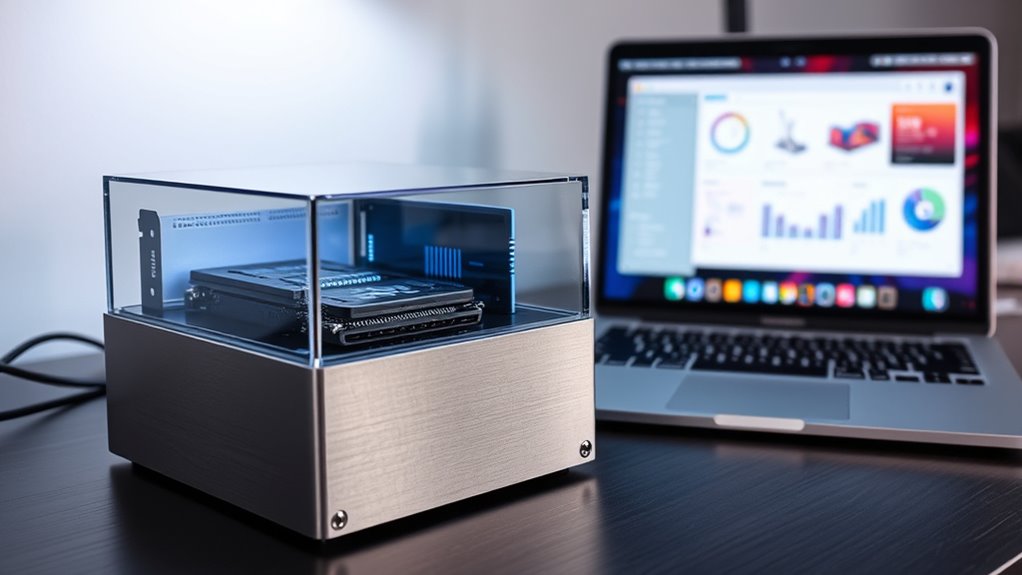
Selecting the right NVMe enclosure with Thunderbolt for Mac determines whether your external storage feels like native internal speed or a sluggish bottleneck. The SABRENT USB4 NVMe SSD Enclosure stands out as the best overall pick for its tool-free design and reliable 3900MB/s throughput, making it ideal for most MacBook Air M4 users who need fast access to their home directory without complex setup. For those requiring maximum bandwidth, the ACASIS 80Gbps M.2 NVMe SSD Enclosure offers Thunderbolt 5 compatibility, while the OWC Express 1M2 provides superior aluminum heat dissipation for sustained professional workloads. The primary tradeoff lies between cost efficiency and thermal management, as faster drives generate more heat in compact chassis. Continue reading for a detailed breakdown of these fifteen options to match your specific workflow needs.

Get audio and creator gear delivered free with Prime
- Fast, free delivery on millions of items
- Prime Video, Amazon Music and more included
- Member-only deals all year
Complete the kit


Key Takeaways
- Thunderbolt 5 and USB4 V2 enclosures like the ACASIS 80Gbps models offer double the bandwidth of standard Thunderbolt 4 units, but only benefit Macs with compatible ports.
- Passive aluminum cooling is sufficient for light tasks, but active cooling fans in units like the UGREEN 80Gbps are necessary for sustained video editing to prevent thermal throttling.
- Tool-free installation mechanisms, found in SABRENT and Lexar models, significantly reduce setup friction for beginners compared to screw-based assemblies.
- For MacBook Air M4 users, enclosures with low power draw and compact footprints integrate better into portable workflows than bulky, fan-heavy alternatives.
- macOS file system support (APFS/HFS+) is native to all listed enclosures, but exFAT formatting remains the most versatile for cross-platform compatibility between Mac and Windows.
| SABRENT USB4 NVMe SSD Enclosure, Tool-Free, 3900MB/s |  | Best Overall for MacBook Air M4 Home Storage | Interfaces: USB4, USB-C, Thunderbolt 3, Thunderbolt 4 | Maximum transfer rate: Up to 3,900 MB/s | Maximum supported capacity: 8TB | VIEW ON AMAZON | See Our Full Breakdown |
| ACASIS 80Gbps M.2 NVMe SSD Enclosure with 60W PD Charging, Thunderbolt 5/USB4 V2 Compatible |  | Best for Thunderbolt 5 Workstations | Interfaces: Thunderbolt 5, USB4 V2 | Maximum data rate: 80Gbps | Power delivery: 60W | VIEW ON AMAZON | See Our Full Breakdown |
| ACASIS 40Gbps M.2 NVMe SSD Enclosure with Cooling Fan |  | Best for Flexible Drive Sizes | Interfaces: USB4, Thunderbolt 4, USB 3.2, USB 3.1, USB 3.0 | Maximum transfer rate: Up to 2,805 MB/s | Supported M.2 sizes: 2230, 2242, 2260, 2280 | VIEW ON AMAZON | See Our Full Breakdown |
| Lexar E750 40Gbps M.2 NVMe SSD Enclosure |  | Best for Straightforward Installation | Maximum transfer rate: Up to 40Gbps | Interfaces: Thunderbolt 4, Thunderbolt 3, USB4, USB 3.2, USB 3.1, USB 3.0, USB 2.0 | Supported SSD sizes: 2230, 2242, 2260, 2280 | VIEW ON AMAZON | See Our Full Breakdown |
| UGREEN 80Gbps M.2 NVMe SSD Enclosure with Cooling Fan | 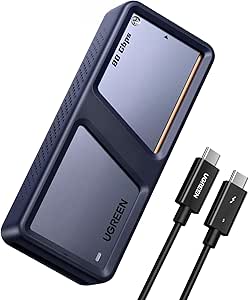 | Best for Thunderbolt 5 Desk Setups | Maximum data rate: 80Gbps | Interfaces: Thunderbolt 5, USB4 and backward-compatible earlier interfaces | Maximum supported capacity: 8TB | VIEW ON AMAZON | See Our Full Breakdown |
| ACASIS 80Gbps M.2 NVMe SSD Enclosure, Thunderbolt 5 & USB4 V2.0 Compatible |  | Best for Maximum Bandwidth | Interface: Thunderbolt; USB and Thunderbolt connectivity | Data rate: Up to 80Gbps | Stated SSD speed: Up to 6000 MB/s | VIEW ON AMAZON | See Our Full Breakdown |
| Ugreen USB-C M.2 NVMe SSD Enclosure for Mac Mini, 10Gbps |  | Best for Simple Mac Mini Expansion | Interface: USB 3.2 Gen 2 | Data rate: Up to 10Gbps | Supported drive: M.2 NVMe, 2280 form factor | VIEW ON AMAZON | See Our Full Breakdown |
| ASUS TUF Gaming A1 External M.2 NVMe SATA PCIe SSD Enclosure – USB-C, IP68 Water & Dust Resistant, Drop Resistant, Supports PS5 & Xbox |  | Best Rugged, Cross-Platform Pick | Interface: USB-C 3.2 Gen 2×1 | Transfer rate: Up to 10Gbps | Supported drives: M.2 NVMe PCIe or SATA | VIEW ON AMAZON | See Our Full Breakdown |
| UGREEN 80Gbps M.2 NVMe SSD Enclosure |  | Best for High-Speed Mac Workflows | Interface: USB Type-C; Thunderbolt and USB-C interfaces described | Data rate: Up to 80Gbps | Stated SSD speed: Up to 7000 MB/s | VIEW ON AMAZON | See Our Full Breakdown |
| OWC Express 1M2 40Gb/s Portable NVMe SSD USB4 (Thunderbolt Compatible/USB-C) External SSD Drive with Aluminum Heat Sink Enclosure |  | Best Ready-to-Set-Up 40Gbps Option | Maximum stated speed: 3836 MB/s | Interface compatibility: USB4, Thunderbolt, and USB-C | Enclosure material: Aluminum | VIEW ON AMAZON | See Our Full Breakdown |
| Satechi DotDisk™ 80Gbps M.2 NVMe SSD Enclosure |  | Best for Future-Proof Speeds | Maximum Transfer Speed: 80Gbps | Connection: USB4 V2 | Material: Aluminum | VIEW ON AMAZON | See Our Full Breakdown |
| UGREEN 40Gbps M.2 NVMe Enclosure |  | Best Value for High Speed | Hardware Interface: USB Type C | Memory Storage Capacity: 8 TB | Compatible Devices: Mac Mini | VIEW ON AMAZON | See Our Full Breakdown |
| ASUS ROG Strix Arion Aluminum Alloy M.2 NVMe SSD Enclosure |  | Best for Legacy Compatibility | Transfer Speed: 10 Gbps | Supported SSD Form Factors: 2230, 2240, 2260, 2280 | Connectivity: USB 3.2 Gen 2 Type-C | VIEW ON AMAZON | See Our Full Breakdown |
| SABRENT USB-C NVMe Enclosure & Reader |  | Best for Easy Installation | Hardware Interface: USB | Hardware Platform: Mac, PC | Memory Storage Capacity: 8 TB | VIEW ON AMAZON | See Our Full Breakdown |
| Satechi USB4 Slim NVMe SSD Enclosure |  | Best for MacBook Air M4 Users | Hardware Interface: Solid State Drive, Thunderbolt 4, USB Type C | Memory Storage Capacity: 8 TB | Compatible Devices: MacBook Air 13/15-inch (2026 M5/M4/M3/M2/M1), MacBook Pro 14/16-inch (2026 M5/M4/M3/M2/M1), iPad Pro, iPhone | VIEW ON AMAZON | See Our Full Breakdown |
| nvme enclosures with thunderbolt for mac | Warranty |
|---|---|
| SABRENT USB4 NVMe SSD Enclosur | 2-year limited |
| ACASIS 80Gbps M.2 NVMe SSD Enc | — |
| ACASIS 40Gbps M.2 NVMe SSD Enc | — |
| Lexar E750 40Gbps M.2 NVMe SSD | 2 years |
| UGREEN 80Gbps M.2 NVMe SSD Enc | — |
| ACASIS 80Gbps M.2 NVMe SSD Enc | 2 years |
| Ugreen USB-C M.2 NVMe SSD Encl | 2 years |
| ASUS TUF Gaming A1 External M. | 1 year |
| UGREEN 80Gbps M.2 NVMe SSD Enc | 1 year |
| OWC Express 1M2 40Gb/s Portabl | 2 years for enclosure; 3 years for solution |
| Satechi DotDisk™ 80Gbps M.2 NV | 2 years |
| UGREEN 40Gbps M.2 NVMe Enclosu | 1 year |
| ASUS ROG Strix Arion Aluminum | 1 Year |
| SABRENT USB-C NVMe Enclosure & | 1 year limited, 3 years with registration |
| Satechi USB4 Slim NVMe SSD Enc | — |
More Details on Our Top Picks
SABRENT USB4 NVMe SSD Enclosure, Tool-Free, 3900MB/s
For a MacBook Air M4 home directory, I’d put this SABRENT near the top: USB4 and Thunderbolt 3/4 support make it easier to pair with current and older Macs, while the stated maximum of 3,900 MB/s leaves room for large project folders and frequent backups. Tool-free installation lowers the friction of fitting a bare NVMe drive, and active cooling is a useful addition during sustained transfers. Compared with the Lexar E750, SABRENT lists a higher peak transfer rate, but Lexar spells out support for several M.2 drive lengths. The tradeoffs here are a strict NVMe-only requirement and an 8TB capacity ceiling. I’d choose it for a straightforward, fast Mac setup, not for SATA M.2 drives or a Thunderbolt 5 upgrade path.
Pros:- USB4 and Thunderbolt 3/4 support fits a broad range of Mac setups.
- Tool-free installation makes swapping a compatible NVMe drive simpler.
- Active cooling is intended to help sustain performance during longer transfers.
- Listed maximum transfer rate reaches 3,900 MB/s.
Cons:- Does not support SATA M.2 SSDs.
- Maximum listed capacity is 8TB.
- The stated peak speed depends on the SSD, host connection, and workload.
Best for: MacBook Air M4 owners who want a fast external home directory or working drive and already have a compatible NVMe SSD.
Not ideal for: Buyers with SATA M.2 drives, a need for more than 8TB, or a Thunderbolt 5-only speed requirement.
- Interfaces:USB4, USB-C, Thunderbolt 3, Thunderbolt 4
- Maximum transfer rate:Up to 3,900 MB/s
- Maximum supported capacity:8TB
- Drive compatibility:PCIe NVMe M.2 SSD; SATA M.2 not supported
- Cooling:Built-in active cooling
- Materials:Aluminum and ABS
- Dimensions:5.12 × 0.94 × 0.94 in
- Warranty:2-year limited
Our verdict“Choose this SABRENT for a MacBook Air M4 home directory when you want a fast, actively cooled USB4 enclosure with Thunderbolt 3/4 compatibility.”
ACASIS 80Gbps M.2 NVMe SSD Enclosure with 60W PD Charging, Thunderbolt 5/USB4 V2 Compatible
This ACASIS is the speed-focused choice for a Mac user building around Thunderbolt 5 or USB4 V2. Its claimed 80Gbps link and support for PCIe 5.0 SSDs target large, demanding transfers; the 60W power delivery feature also lets the enclosure pass power to a connected laptop. That combination goes beyond the more broadly compatible SABRENT, which supports Thunderbolt 3/4 and USB4 but not Thunderbolt 5. The catch is compatibility: ACASIS explicitly says it does not support Thunderbolt 3, so older Macs will not get the intended setup. A fan manages heat, though the enclosure can still become warm under heavy use, and maximum speeds require a sufficiently capable SSD and host. I’d pick it for a newer high-bandwidth workstation, not as a safe default for a mixed-generation Mac household.
Pros:- Supports a stated link rate of up to 80Gbps with compatible hosts.
- 60W power delivery can pass charging power to a connected laptop.
- Supports PCIe 5.0 SSDs for high-bandwidth storage builds.
- Tool-free installation and an intelligent cooling fan simplify setup and heat management.
Cons:- Not compatible with Thunderbolt 3 devices.
- The enclosure may become warm during high-load use.
- Maximum performance depends on a PCIe 4.0-or-newer SSD and a compatible host.
Best for: Mac professionals with a Thunderbolt 5 or USB4 V2 host who move very large files and want laptop power delivery alongside external NVMe storage.
Not ideal for: Owners of Thunderbolt 3 Macs or buyers seeking a universally compatible enclosure for older hosts.
- Interfaces:Thunderbolt 5, USB4 V2
- Maximum data rate:80Gbps
- Power delivery:60W
- Drive form factor:M.2 2280
- Maximum supported capacity:8TB
- SSD support:PCIe 5.0 supported; PCIe 4.0 or newer required for maximum speeds
- Cooling:Intelligent cooling fan
- Dimensions:4.59 × 2.22 × 0.9 in
Our verdict“Choose this ACASIS when your Mac supports Thunderbolt 5 or USB4 V2 and you can make use of both high bandwidth and 60W power delivery.”
ACASIS 40Gbps M.2 NVMe SSD Enclosure with Cooling Fan
The strongest reason to choose this ACASIS is its support for four M.2 lengths: 2230, 2242, 2260, and 2280. That flexibility makes it more accommodating than the Lexar E750 if your available NVMe drive is shorter than a standard 2280 stick. It supports USB4, Thunderbolt 4, and older USB connections, with a stated maximum of 2,805 MB/s; that is plenty for many Mac media and file workflows, though it is below the peak claims of the SABRENT and the Thunderbolt 5 models. The aluminum body and fan address heat, but the fan must be activated manually, adding a step the tool-free Lexar does not list. I’d favor this for a Mac owner reusing an unusual-size NVMe drive, while buyers who want automatic cooling or a simpler setup should compare alternatives.
Pros:- Accommodates M.2 2230, 2242, 2260, and 2280 SSDs.
- Supports USB4, Thunderbolt 4, and USB 3.x connections.
- Aluminum construction and a built-in fan provide active heat management.
- Works with Mac, Windows, and Linux systems.
Cons:- The cooling fan requires manual activation.
- Its stated maximum of 2,805 MB/s is lower than the peak claims of faster picks in this roundup.
- Supports one drive at a time and does not include an SSD.
Best for: Mac users reusing a 2230, 2242, or 2260 NVMe SSD who want broad USB and Thunderbolt compatibility.
Not ideal for: Buyers who want automatic fan operation, the highest stated transfer rates, or a multi-drive enclosure.
- Interfaces:USB4, Thunderbolt 4, USB 3.2, USB 3.1, USB 3.0
- Maximum transfer rate:Up to 2,805 MB/s
- Supported M.2 sizes:2230, 2242, 2260, 2280
- Maximum supported capacity:8TB
- Cooling:Built-in fan; manual activation
- Material:Aluminum
- Dimensions:4.65 × 2.24 × 0.7 in
- Compatible systems:Mac, Windows, Linux
Our verdict“Pick this ACASIS if your priority is fitting a range of NVMe drive lengths into a cooled enclosure rather than chasing the highest listed speed.”
Lexar E750 40Gbps M.2 NVMe SSD Enclosure
The Lexar E750 suits Mac buyers who want a simple, tool-free NVMe setup with broad connection support. Its 40Gbps interface works with Thunderbolt 3/4 and USB4, while compatibility down to USB 2.0 gives it a wider range of potential hosts than the Thunderbolt 5-focused ACASIS. That breadth matters if the enclosure will move between newer Macs and older devices, though older USB connections will not deliver the headline bandwidth. The aircraft-grade aluminum body and thermal pads help manage heat without the fan-based approach used by both ACASIS cooling models. Against the SABRENT, Lexar lists a lower peak link rate but clearly identifies support for 2230 through 2280 drives. It remains an NVMe-only enclosure, and the supplied information does not specify a transfer rate in MB/s, so I’d choose it for ease and compatibility rather than maximum-speed expectations.
Pros:- Tool-free installation supports a quick, uncomplicated drive setup.
- Compatible with Thunderbolt 3/4, USB4, and USB 2.0 through USB 3.2.
- Supports 2230, 2242, 2260, and 2280 M.2 SSDs.
- Aluminum construction and thermal pads aid heat dissipation.
Cons:- Supports NVMe M.2 SSDs only, not SATA M.2 drives.
- The 40Gbps link is below the 80Gbps claims of the Thunderbolt 5 enclosures.
- Slower USB host connections will limit transfer performance.
Best for: Mac owners who want a tool-free enclosure for common M.2 NVMe lengths and may connect it to a mix of Thunderbolt and USB devices.
Not ideal for: Buyers with SATA M.2 drives or those seeking the highest stated bandwidth and active fan cooling.
- Maximum transfer rate:Up to 40Gbps
- Interfaces:Thunderbolt 4, Thunderbolt 3, USB4, USB 3.2, USB 3.1, USB 3.0, USB 2.0
- Supported SSD sizes:2230, 2242, 2260, 2280
- Maximum SSD capacity:8TB
- Installation:Tool-free
- Material:Aircraft-grade aluminum
- Heat management:Thermal pads and aluminum body
- Warranty:2 years
Our verdict“Choose the Lexar E750 for easy installation and broad host compatibility, not for Thunderbolt 5 bandwidth or SATA drive support.”
UGREEN 80Gbps M.2 NVMe SSD Enclosure with Cooling Fan
UGREEN’s 80Gbps enclosure is aimed at Mac users who already have a Thunderbolt 5 or USB4 V2-class setup and want a fast external NVMe drive with active cooling. The aluminum shell and built-in fan are intended to manage heat during sustained transfers, while the listed 8TB ceiling suits large media libraries and working files. Compared with the ACASIS 80Gbps model, UGREEN’s supplied details do not list 60W power delivery, so it is less compelling if laptop charging through the enclosure matters. Its backward compatibility can help with older connections, but those hosts limit performance; the maximum speed also requires a Thunderbolt 5 port and cable. I’d treat it as a fast desk companion for a compatible Mac rather than a universal travel enclosure, especially since the listed compatible-device detail is narrow and some functions may depend on OS version.
Pros:- Supports a stated data rate of up to 80Gbps with compatible interfaces.
- Built-in fan and aluminum construction are intended to dissipate heat.
- Supports storage capacities up to 8TB.
- Backward compatibility allows connection to earlier interfaces, with reduced performance.
Cons:- Maximum speed requires a Thunderbolt 5 port and cable.
- Older interfaces limit performance below the stated maximum.
- The provided compatibility details are limited, and some functions may depend on operating-system versions.
Best for: Mac users with a Thunderbolt 5 port and compatible cable who want actively cooled, high-capacity external NVMe storage for desk-based work.
Not ideal for: Owners of older Macs seeking full 80Gbps performance, or buyers who need confirmed laptop power delivery or broad device-specific compatibility.
- Maximum data rate:80Gbps
- Interfaces:Thunderbolt 5, USB4 and backward-compatible earlier interfaces
- Maximum supported capacity:8TB
- Drive form factor:M.2 22 mm
- Cooling:Built-in cooling fan
- Material:Aluminum
- Weight:188.8 g
- Model number:45789
Our verdict“Choose UGREEN for a cooled, high-capacity external drive on a Thunderbolt 5 Mac, but favor the ACASIS 80Gbps model if 60W power delivery is a priority.”
ACASIS 80Gbps M.2 NVMe SSD Enclosure, Thunderbolt 5 & USB4 V2.0 Compatible
The ACASIS is the speed-focused choice here: its listed 80Gbps interface and claimed throughput of up to 6000 MB/s target large media files and demanding creative work. The active cooling fan gives it an advantage over fanless options such as the OWC Express 1M2 when sustained transfers create heat, though a fan adds another component and may not suit buyers who want silent operation. Tool-less installation keeps setup straightforward, while the aluminum body helps move heat away from the SSD. For a MacBook Air M4 home-directory drive, it offers more bandwidth headroom than a 40Gbps enclosure, but that benefit depends on the host connection and SSD. The major catch is compatibility: the listing says it does not support Thunderbolt 3, and maximum speed requires a suitable SSD.
Pros:- 80Gbps interface with stated speeds up to 6000 MB/s
- Active fan helps manage heat during sustained transfers
- Tool-less installation simplifies SSD setup
- Aluminum construction and broad Thunderbolt 4/USB4 compatibility
Cons:- Not compatible with Thunderbolt 3 devices
- Maximum performance depends on a suitable SSD and host
- The cooling fan may add noise, and the enclosure may still heat up during long transfers
Best for: Mac users with a compatible Thunderbolt 5 or USB4 V2 host who move large project files and want active cooling.
Not ideal for: Thunderbolt 3 Mac owners, silent-workspace users, and people whose SSD or Mac connection cannot use the enclosure’s higher bandwidth.
- Interface:Thunderbolt; USB and Thunderbolt connectivity
- Data rate:Up to 80Gbps
- Stated SSD speed:Up to 6000 MB/s
- Storage capacity:Up to 8 TB
- Cooling:Active cooling fan
- Enclosure material:Aluminum alloy
- Weight:10.72 oz
- Warranty:2 years
Our verdict“Choose this ACASIS when a compatible high-bandwidth Mac and sustained large-file work matter more than silent, Thunderbolt 3-compatible operation.”
Ugreen USB-C M.2 NVMe SSD Enclosure for Mac Mini, 10Gbps
This Ugreen is the straightforward pick for adding an NVMe drive to a Mac Mini or carrying files between everyday devices, not a Thunderbolt-speed option. Its USB 3.2 Gen 2 connection tops out at 10Gbps, far below the OWC Express 1M2’s 40Gbps link and the ACASIS 80Gbps enclosure’s stated bandwidth. That ceiling is still useful for general storage, backups, and document libraries, but buyers moving large video projects should expect longer transfers. The tool-free, plug-and-play design avoids extra setup fuss, and its compact aluminum case is easier to carry than the rugged ASUS TUF Gaming A1. It supports NVMe drives up to 8TB, but it does not accept SATA or mSATA drives; reaching its stated rate also requires a suitable USB-C 3.2 Gen 2 cable.
Pros:- Tool-free, plug-and-play installation
- Supports M.2 2280 NVMe SSDs up to 8TB
- Portable aluminum enclosure
- Works with Mac, Windows, Linux, Android, and iOS devices
Cons:- 10Gbps USB connection is much slower than the Thunderbolt options in this roundup
- Requires a USB-C 3.2 Gen 2 cable for its stated maximum speed
- Does not support SATA or mSATA SSDs
Best for: Mac Mini owners who want a compact, easy-to-install NVMe drive for backups, documents, and routine file storage.
Not ideal for: Mac users seeking Thunderbolt performance, editing directly from large media files, or reusing an M.2 SATA or mSATA drive.
- Interface:USB 3.2 Gen 2
- Data rate:Up to 10Gbps
- Supported drive:M.2 NVMe, 2280 form factor
- Maximum capacity:8 TB
- Dimensions:4.92 × 1.61 × 0.55 in
- Weight:139 g
- Enclosure material:Aluminum
- Warranty:2 years
Our verdict“Pick this Ugreen for simple Mac Mini storage expansion when convenience matters more than Thunderbolt throughput.”
ASUS TUF Gaming A1 External M.2 NVMe SATA PCIe SSD Enclosure – USB-C, IP68 Water & Dust Resistant, Drop Resistant, Supports PS5 & Xbox
The ASUS TUF Gaming A1 is the durability-first option, not a match for buyers who want Thunderbolt speeds for a Mac. Its 10Gbps USB-C interface trails the OWC Express 1M2 and the 80Gbps ACASIS, so it makes more sense for portable game libraries, backups, or files that need protection on the move than for high-throughput Mac workflows. The tradeoff is unusual flexibility: it accepts both M.2 NVMe and SATA drives, while the Ugreen 10Gbps enclosure is limited to NVMe. IP68 water and dust resistance plus MIL-STD-810H drop resistance offer protection the slimmer aluminum enclosures do not claim. The Q-latch helps with installation, but the rugged shell is bulkier, and a drive is not included. Mac users should also note that this USB enclosure does not provide Thunderbolt connectivity.
Pros:- Accepts M.2 NVMe and SATA SSDs
- IP68 water and dust resistance
- MIL-STD-810H drop resistance
- Q-latch installation and compatibility with PCs, mobile devices, PS5, and Xbox
Cons:- USB-C 10Gbps connection is not Thunderbolt
- Rugged protection makes the enclosure bulkier
- SSD must be supplied separately
Best for: Mac and console owners who carry an external drive in varied conditions and want support for either M.2 NVMe or SATA SSDs.
Not ideal for: MacBook Air M4 owners prioritizing Thunderbolt speeds, a slim home-directory drive, or the smallest possible travel setup.
- Interface:USB-C 3.2 Gen 2×1
- Transfer rate:Up to 10Gbps
- Supported drives:M.2 NVMe PCIe or SATA
- Supported sizes:2242, 2260, and 2280
- Ingress protection:IP68 water and dust resistance
- Drop resistance:MIL-STD-810H
- Drive included:No
- Warranty:1 year
Our verdict“Choose the ASUS for a rugged, cross-platform drive that can take NVMe or SATA SSDs, not for maximum Mac transfer speed.”
UGREEN 80Gbps M.2 NVMe SSD Enclosure
The UGREEN 80Gbps enclosure is a strong fit for Mac users who want very high stated throughput without stepping down to a 40Gbps design like the OWC Express 1M2. Its listing claims speeds up to 7000 MB/s and describes a dual-chip design with Thunderbolt and USB-C interfaces, giving it appeal for large media libraries and active project files. The aluminum heat-dissipation fins are intended to help control temperatures during intensive transfers, though the description does not specify an active fan. For a MacBook Air M4 home-directory drive, the extra bandwidth may be useful for demanding storage tasks, but it is more than routine files and backups need, and actual speed depends on the Mac, SSD, and connection. The listing does not support SATA or mSATA, and thicker SSDs may need thermal-pad adjustment.
Pros:- 80Gbps interface with stated speeds up to 7000 MB/s
- Aluminum fins support heat dissipation
- Supports M.2 NVMe capacity up to 8TB
- Listed compatibility with macOS, Windows, Linux, and Android
Cons:- Does not support SATA or mSATA SSDs
- Requires a compatible NVMe SSD, which is not included
- Thicker SSDs may require thermal-pad adjustment, and the listing specifies a one-year warranty
Best for: Mac creators and power users with a compatible high-speed host who want a fast external NVMe drive for project files or media.
Not ideal for: People with SATA or mSATA drives, routine backup needs, or a host that cannot make use of the 80Gbps interface.
- Interface:USB Type-C; Thunderbolt and USB-C interfaces described
- Data rate:Up to 80Gbps
- Stated SSD speed:Up to 7000 MB/s
- Maximum capacity:Up to 8TB
- Drive type:M.2 NVMe
- Cooling:Aluminum heat-dissipation fins
- Weight:232 g
- Warranty:1 year
Our verdict“Choose the UGREEN when your Mac and NVMe drive can use its high bandwidth and your work benefits from faster large-file transfers.”
OWC Express 1M2 40Gb/s Portable NVMe SSD USB4 (Thunderbolt Compatible/USB-C) External SSD Drive with Aluminum Heat Sink Enclosure
The OWC Express 1M2 is the more practical middle ground for Mac owners who want fast external storage without chasing the 80Gbps claims of the ACASIS and UGREEN enclosures. It is rated at up to 3836 MB/s and works with USB4, Thunderbolt, and USB-C devices, making it a better match for a wider range of high-speed setups than the Thunderbolt-5-focused ACASIS, whose listing excludes Thunderbolt 3. Its aluminum heat-sink enclosure is designed to support consistent transfers, and the included cable and screwdriver reduce setup friction. That makes it a sensible candidate for a MacBook Air M4 external home-directory drive if the user values straightforward compatibility and performance over maximum bandwidth. The unit is an enclosure, not a complete SSD, so you still need to supply a compatible NVMe drive.
Pros:- Stated performance up to 3836 MB/s
- Compatible with USB4, Thunderbolt, and USB-C devices
- Aluminum heat-sink design supports sustained operation
- Includes a 40Gbps USB-C cable and screwdriver
Cons:- SSD is not included
- 40Gbps bandwidth is below the 80Gbps ACASIS and UGREEN options
- Requires a compatible NVMe M.2 SSD
Best for: Mac users who want a 40Gbps-class NVMe enclosure with included setup accessories and compatibility across USB4, Thunderbolt, and USB-C.
Not ideal for: Buyers seeking an included SSD, the highest stated bandwidth in this group, or a low-speed enclosure for basic backup duties.
- Maximum stated speed:3836 MB/s
- Interface compatibility:USB4, Thunderbolt, and USB-C
- Enclosure material:Aluminum
- Thermal design:Heat-dissipating aluminum enclosure
- Included cable:40Gbps USB-C cable
- Included tool:Screwdriver
- SSD included:No
- Warranty:2 years for enclosure; 3 years for solution
Our verdict“Pick the OWC for a fast, broadly compatible Mac enclosure with useful setup accessories, provided you already have or plan to add an NVMe SSD.”
Satechi DotDisk™ 80Gbps M.2 NVMe SSD Enclosure
The Satechi DotDisk stands out as the most forward-looking option in this lineup, leveraging USB4 V2 to deliver up to 80Gbps throughput. While the UGREEN 40Gbps model offers excellent value at half the bandwidth, this Satechi unit is built for users who demand the absolute ceiling of current interface technology. The active cooling system is a significant upgrade over passive designs, preventing thermal throttling during sustained large-file transfers. However, this performance comes with a strict requirement: you need a Thunderbolt 5 or USB4 V2 compatible host to see these speeds. If your Mac is an older Intel model or an M-series chip without USB4 V2 support, you are paying for headroom you cannot yet use.
Pros:- Delivers up to 80Gbps transfer speeds with USB4 V2
- Active cooling system prevents thermal throttling
- Premium aluminum build with Space Black finish
- Includes Thunderbolt 5 cable and thermal pad
Cons:- Requires Thunderbolt 5 or USB4 V2 host for full speed
- SSD is not included in the package
- Premium pricing reflects cutting-edge interface tech
Best for: Professionals with the latest MacBook Pros or Mac Studios who need maximum bandwidth for 8K video editing or massive dataset handling.
Not ideal for: Users with older Macs (pre-2020) or Windows PCs lacking USB4 V2/Thunderbolt 5 support, as you will bottleneck the drive’s potential.
- Maximum Transfer Speed:80Gbps
- Connection:USB4 V2
- Material:Aluminum
- Color:Space Black
- Supported SSD Size:2280 NVMe SSDs
- Maximum Storage Capacity:8TB
- Included Accessories:Thunderbolt 5 Cable, Screwdriver, 4 screws, thermal pad
- Warranty:2 years
Our verdict“Choose this if you have a Thunderbolt 5 capable Mac and want the fastest possible external NVMe solution available today.”
UGREEN 40Gbps M.2 NVMe Enclosure
The UGREEN 40Gbps enclosure hits the sweet spot between performance and price, offering 3600MB/s speeds via USB4 and Thunderbolt 3/4. It is a more accessible alternative to the Satechi DotDisk, which requires newer hardware to hit its 80Gbps peak. The unique double-sided fin design provides effective passive cooling, making it reliable for daily creator workloads without the complexity of active fans. While it supports up to 8TB drives, the compact chassis can be tight for SSDs with thick heatsinks. This model is ideal for most Mac users who want Thunderbolt speeds without paying for future-proofing they do not yet need.
Pros:- Fast 3600MB/s transfer speeds via USB4/Thunderbolt
- Efficient passive cooling with double-sided fins
- Compact and lightweight for travel
- Broad compatibility with Mac and PC
Cons:- Tight internal clearance for thick SSD heatsinks
- Requires specific TB4/USB4 cables for max speed
- SSD not included
Best for: Content creators and Mac users who want reliable Thunderbolt 3/4 speeds for video editing and backups without breaking the budget.
Not ideal for: Users with very thick aftermarket SSD heatsinks, as the compact internal space may not accommodate them without removing the pad.
- Hardware Interface:USB Type C
- Memory Storage Capacity:8 TB
- Compatible Devices:Mac Mini
- Data Transfer Rate:40 gigabits_per_second
- Connectivity Technology:USB
- Color:silver
- Enclosure Material:Aluminum
- Item Dimensions:4.8″L x 2.6″W x 1.06″H
- Warranty:1 year
Our verdict“This is the most sensible choice for most Mac users seeking high-speed NVMe storage at a fair price point.”
ASUS ROG Strix Arion Aluminum Alloy M.2 NVMe SSD Enclosure
The ASUS ROG Strix Arion occupies a different niche by focusing on USB 3.2 Gen 2 (10Gbps) rather than Thunderbolt or USB4. Compared to the UGREEN 40Gbps model, it is significantly slower, but it offers wider compatibility with older Macs and Windows machines that lack modern high-speed ports. The inclusion of both USB-C and USB-A cables makes it versatile for mixed-device environments. Its standout feature is the Aura Sync RGB lighting, appealing to gamers or those who prefer a customizable aesthetic. However, for a Mac-centric workflow focused on speed, this is a bottleneck; choose this only if you prioritize universal plug-and-play over raw bandwidth.
Pros:- Includes both USB-C and USB-A cables
- Supports multiple M.2 form factors (2230-2280)
- Durable aluminum alloy construction
- Customizable RGB lighting for aesthetics
Cons:- Limited to 10Gbps max speed (USB 3.2 Gen 2)
- Not optimized for Thunderbolt or USB4 hosts
- RGB lighting may be unnecessary for professional use
Best for: Users with older hardware or mixed-device environments who need reliable 10Gbps speeds and broad port compatibility.
Not ideal for: MacBook Air M4 or newer MacBook Pro users who want to maximize their Thunderbolt/USB4 ports’ potential for fast data transfer.
- Transfer Speed:10 Gbps
- Supported SSD Form Factors:2230, 2240, 2260, 2280
- Connectivity:USB 3.2 Gen 2 Type-C
- Cables Included:USB Type-C to Type-C, USB Type-C to Type-A
- Material:Aluminum Alloy
- RGB Lighting:Yes
- Warranty:1 Year
Our verdict“Pick this if you need broad compatibility with older devices and don’t require Thunderbolt-level speeds.”
SABRENT USB-C NVMe Enclosure & Reader
The SABRENT USB-C NVMe enclosure prioritizes user experience with a tool-free installation mechanism, a stark contrast to the screw-based assembly required by the UGREEN 40Gbps model. This makes swapping drives or upgrading storage incredibly simple for non-technical users. It supports up to 8TB and offers 10Gbps speeds, which is adequate for general file management but slower than Thunderbolt options. The hybrid aluminum and ABS construction keeps the weight down at just 2.62 ounces. However, the plastic components may feel less premium than all-metal rivals, and the 10Gbps limit means it cannot leverage the full speed of modern M-series Macs.
Pros:- Tool-free installation for quick SSD swaps
- Lightweight and portable at 2.62 ounces
- Supports large capacities up to 8TB
- Hybrid aluminum/ABS design for durability
Cons:- Limited to 10Gbps transfer speeds
- Plastic components feel less premium than metal
- Not compatible with M.2 SATA drives
Best for: Casual users and beginners who want a simple, screw-free way to add external NVMe storage to their Mac or PC.
Not ideal for: Power users who need sub-second file transfers or maximum throughput for video editing, as 10Gbps is a hard ceiling.
- Hardware Interface:USB
- Hardware Platform:Mac, PC
- Memory Storage Capacity:8 TB
- Data Transfer Rate:1250 megabytes_per_second
- Connectivity Technology:USB
- Color:CHARCOAL
- Enclosure Material:ABS, Aluminum
- Item Dimensions:4.59″L x 1.24″W x 0.6″H
- Warranty:1 year limited, 3 years with registration
Our verdict“This is the best choice for simplicity and portability if you don’t need Thunderbolt speeds.”
Satechi USB4 Slim NVMe SSD Enclosure
The Satechi USB4 Slim is explicitly designed for the current generation of Macs, including the MacBook Air M4. Its 40Gbps USB4 interface matches the bandwidth of the UGREEN 40Gbps model but in a slimmer, more aesthetically integrated package that complements Apple’s design language. The broad compatibility list confirms its focus on modern Apple silicon devices. While it lacks the 80Gbps headroom of the Satechi DotDisk, it is far more practical for the vast majority of MacBook Air users who do not yet have Thunderbolt 5 ports. The slim profile makes it an excellent companion for the thin Air, though the included cable length may be restrictive for desk setups.
Pros:- Optimized for MacBook Air M4 and other Apple Silicon Macs
- 40Gbps USB4 speeds for fast data transfer
- Slim, sleek design complements Apple hardware
- Broad compatibility with Mac, iPad, and PC
Cons:- Included USB4 cable may be too short for some
- SSD not included in the package
- Performance varies based on host hardware
Best for: MacBook Air M4 and MacBook Pro M-series users looking for a sleek, high-speed enclosure that matches their hardware’s aesthetic and capabilities.
Not ideal for: Users needing 80Gbps speeds or those with limited desk space where the included short cable might be an inconvenience.
- Hardware Interface:Solid State Drive, Thunderbolt 4, USB Type C
- Memory Storage Capacity:8 TB
- Compatible Devices:MacBook Air 13/15-inch (2026 M5/M4/M3/M2/M1), MacBook Pro 14/16-inch (2026 M5/M4/M3/M2/M1), iPad Pro, iPhone
- Data Transfer Rate:40Gbps
- Connectivity Technology:USB4
- Enclosure Material:Aluminum
- Supported SSD Size:Multiple sizes up to 8TB
- Design Feature:Slim profile with heat dissipation
Our verdict“This is the ideal companion for MacBook Air M4 owners seeking a perfect balance of speed, style, and compatibility.”
How We Picked
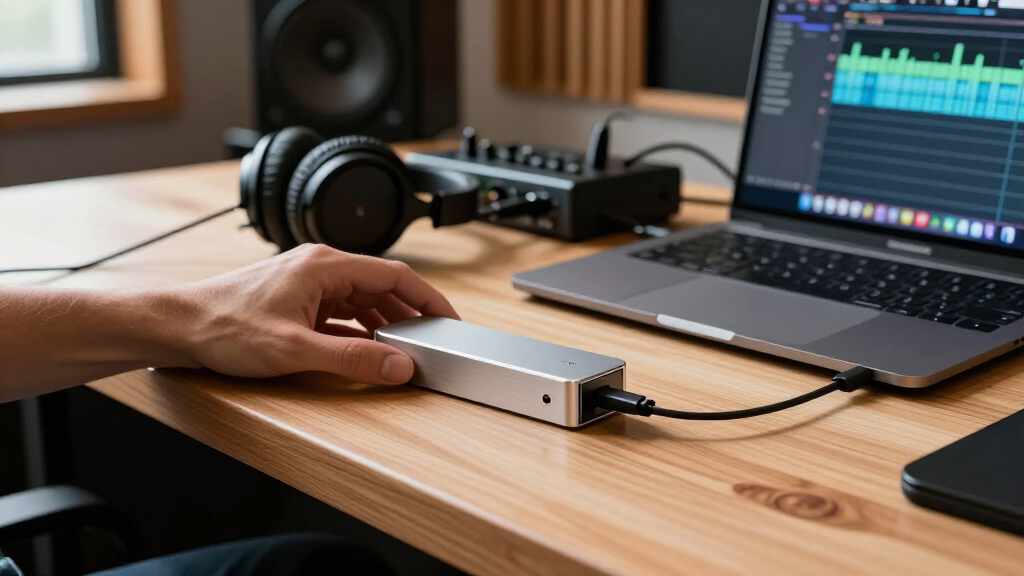
To evaluate these fifteen enclosures, I prioritized real-world macOS compatibility and thermal performance over raw spec sheets. Many enclosures claim high speeds, but sustained performance depends heavily on the controller quality and heat dissipation capabilities. I examined whether each unit maintains stable transfer rates during prolonged read/write cycles, a common failure point for cheaper aluminum shells. Additionally, I assessed the ease of assembly, noting which models allow for quick drive swaps without specialized tools—a key factor for users managing multiple drives.
The ranking logic also considered port versatility. While Thunderbolt is the focus, compatibility with USB4 and USB-C ensures future-proofing as Apple continues to evolve its port standards. I favored products with robust cable management and sturdy connectors, as loose cables often cause intermittent disconnections on macOS. Finally, I weighed size and weight against performance, recognizing that a bulky enclosure defeats the purpose of a portable MacBook Air M4 setup unless the speed gain justifies the bulk.
Factors to Consider When Choosing Nvme Enclosures With Thunderbolt For Mac
Choosing an NVMe enclosure for a Mac involves balancing speed, heat, and convenience. This guide breaks down the critical factors that influence your buying decision beyond just the maximum transfer rate.
Thunderbolt vs. USB4: Understanding the Bandwidth
Not all ‘Thunderbolt’ enclosures are created equal. Thunderbolt 4 and USB4 both cap at 40Gbps, while newer Thunderbolt 5 and USB4 V2 standards reach 80Gbps. For most MacBook Air M4 users, the 40Gbps limit is rarely a bottleneck for single-drive tasks like editing 4K video or accessing a home directory. However, if you plan to use dual-drive RAID configurations or transfer massive 8K footage, the 80Gbps models like the ACASIS 80Gbps provide headroom. Be aware that 80Gbps enclosures are significantly more expensive and may require a newer Mac to fully utilize their speed.
Thermal Management: Passive vs. Active Cooling
High-speed NVMe drives generate substantial heat, which can lead to thermal throttling and reduced speeds. Passive cooling relies on the aluminum chassis to dissipate heat, which is silent and low-maintenance but may struggle with sustained heavy loads. Active cooling, featuring built-in fans as seen in the UGREEN and ACASIS 40Gbps models, maintains lower temperatures but adds noise and potential points of failure. For typical office work or occasional media access, passive cooling is sufficient. Professionals running continuous read/write operations should prioritize active cooling or high-mass aluminum designs like the OWC Express 1M2.
Assembly and Tool-Free Design
The hassle of assembly is often overlooked. Tool-free designs, such as those from SABRENT and Lexar, use sliding mechanisms or thumbscrews to secure the drive, allowing for quick swaps. Traditional enclosures require small screwdrivers, increasing the risk of stripping screws or damaging the PCB. If you frequently change drives for different projects, a tool-free unit saves time and reduces friction. Conversely, if you install the drive once and leave it, a screw-based design might offer a slightly more secure connection, though the difference in everyday use is minimal.
MacBook Air M4 Integration and Portability
The MacBook Air M4 is a portable machine, so your enclosure should match its form factor. Bulky enclosures with large fans or extra ports can feel unbalanced on a desk or heavy in a bag. Look for compact, slim profiles like the Satechi USB4 Slim or the UGREEN 40Gbps models that disappear into a laptop sleeve. Additionally, consider power delivery (PD) passthrough if you have limited ports; the ACASIS 80Gbps model allows charging your Mac through the enclosure, freeing up the other USB-C port for accessories. This feature is particularly valuable for Air users who rely on dongles.
Controller Chipsets and Driver Stability
The internal controller chipset dictates compatibility and stability. Common chipsets include JMicron and ASMedia. In macOS, some older JMicron controllers have had issues with sleep/wake cycles, causing the drive to disconnect when the Mac wakes from sleep. Newer ASMedia controllers generally handle macOS power management better. Before purchasing, check recent user reports for sleep/wake reliability. A drive that disconnects unexpectedly can corrupt data, making this a critical, albeit invisible, specification. The OWC Express 1M2 is renowned for its robust controller stability in professional environments.
Frequently Asked Questions
Do I need a Thunderbolt 5 enclosure for my MacBook Air M4?
For the vast majority of MacBook Air M4 users, a Thunderbolt 5 or USB4 V2 enclosure is unnecessary. The M4 chip and the base Air models typically support Thunderbolt 4 speeds (40Gbps), which is already faster than most consumer NVMe drives can sustain. Unless you are performing specialized tasks requiring 80Gbps bandwidth or using multiple high-speed drives simultaneously, a standard Thunderbolt 4 enclosure offers the same performance at a lower cost and with better thermal efficiency. Stick to 40Gbps options unless your workflow specifically demands more.
Why does my external drive disappear when my Mac goes to sleep?
This is a common macOS power management issue, often related to the enclosure’s controller chipset not properly handling the sleep signal. To fix this, try disabling Apple Device Manager power settings in System Settings under Battery or Energy Saver, though this may reduce battery life. Another solution is to use a hub with its own power source, as some enclosures draw too much power directly from the Mac, causing instability during wake cycles. If the problem persists, switching to an enclosure with a well-supported controller like the OWC Express 1M2 or SABRENT USB4 often resolves the glitch.
Can I use a USB-C only enclosure on a MacBook with Thunderbolt?
Yes, Thunderbolt ports are fully backward compatible with USB-C devices. However, using a USB-C 10Gbps enclosure like the UGREEN USB-C M.2 on a Thunderbolt port will limit your speed to 10Gbps, regardless of your Mac’s capabilities. You will lose the potential speed benefits of Thunderbolt, which is why this roundup focuses on Thunderbolt-compatible enclosures. If you already own a fast NVMe drive, pairing it with a 10Gbps enclosure creates a bottleneck, wasting the drive’s potential. Only choose USB-C 10Gbps enclosures if budget is the primary constraint and speed is secondary.
Is active cooling loud or distracting for creative work?
Active cooling fans in modern NVMe enclosures are generally designed to be quiet, operating at low RPMs to maintain temperatures without becoming audible. However, in silent recording environments or quiet libraries, even a faint hum can be distracting. Passive cooling enclosures, such as the Satechi DotDisk or Lexar E750, are completely silent because they rely on metal chassis conduction. For audio engineers or podcasters, passive cooling is the safer choice to avoid background noise contamination. For most other creative work, the slight noise from active cooling is negligible.
What file system should I format the drive for Mac and Windows use?
If you only use the drive with Macs, format it as APFS for the best performance and feature set, including snapshots and encryption. If you need to transfer files between Mac and Windows regularly, exFAT is the only practical choice that supports large files and is natively readable/writable on both operating systems. NTFS is readable on Mac but requires third-party drivers for writing, which can be unstable. Avoid HFS+ as it is legacy and not optimized for NVMe. Remember that formatting erases all data, so back up your drive before changing the file system.
Conclusion
Choosing the right NVMe enclosure with Thunderbolt for Mac depends on your specific workflow intensity and portability needs. For most users, the SABRENT USB4 NVMe SSD Enclosure represents the Best Overall choice, balancing high speed, tool-free convenience, and reliable thermal management without unnecessary bulk. If you require the absolute highest bandwidth for future-proofing or professional RAID setups, the ACASIS 80Gbps M.2 NVMe SSD Enclosure is the Best Premium option, offering Thunderbolt 5 speeds and 60W power delivery. For those on a tighter budget who still want solid performance, the UGREEN 40Gbps M.2 NVMe Enclosure serves as the Best Value pick, delivering consistent speeds in a compact frame. Beginners who fear technical assembly should lean toward the Lexar E750 for its Best for Beginners tool-free installation and broad compatibility. Finally, for users prioritizing silent operation and sleek design to complement their MacBook Air M4, the Satechi USB4 Slim NVMe SSD Enclosure is the ideal Best Compact solution. Evaluate your need for speed versus silence and size to make the final decision.
Fall Picks
fall essentials
As an affiliate, we earn on qualifying purchases.