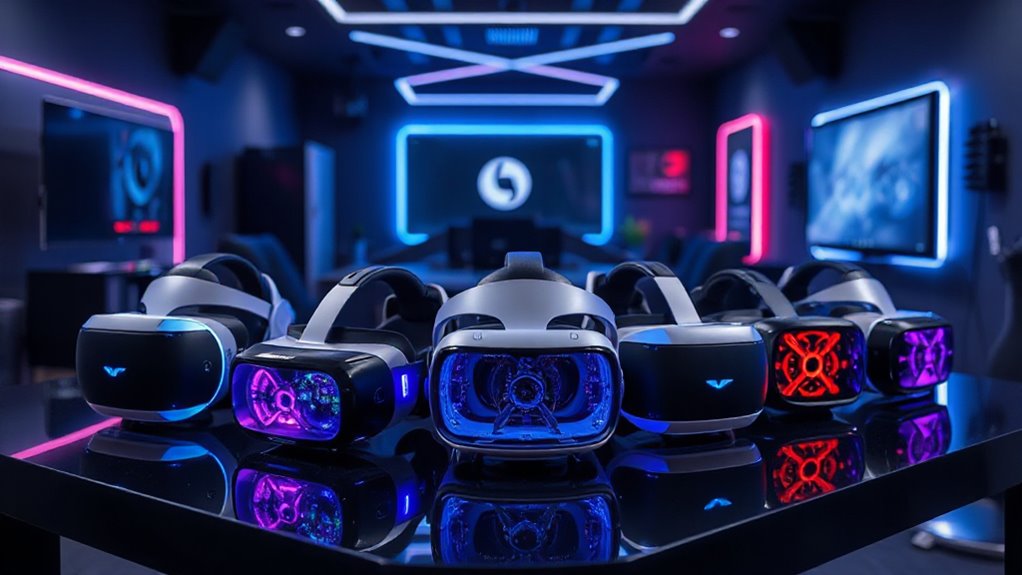

Finding the right PC VR headset in 2026 means balancing performance, comfort, and price. The Pimax Crystal stands out as the best overall with its ultra-high resolution and wide field of view, making it ideal for immersive experiences. The Meta Quest 3 offers a versatile standalone option with impressive tracking, while the HTC Vive Focus Vision caters to those seeking mixed reality features. Each headset presents tradeoffs: higher-end models deliver better visuals but cost more and require more setup, whereas more affordable options often compromise on clarity or comfort. Continue reading for a detailed breakdown of these choices and what makes each suitable for different types of users.

Get audio and creator gear delivered free with Prime
- Fast, free delivery on millions of items
- Prime Video, Amazon Music and more included
- Member-only deals all year
Complete the kit

Key Takeaways
- The Pimax Crystal offers the widest FOV and highest resolution, ideal for enthusiasts seeking maximum immersion.
- Meta Quest 3 models excel in versatility, balancing standalone and PC VR capabilities at a competitive price.
- Wired headsets like HTC Vive Focus Vision provide more consistent performance but sacrifice portability.
- Tradeoffs between resolution, ease of setup, and comfort are central in choosing the right headset.
- Premium options tend to include advanced features like eye-tracking and mixed reality, appealing to power users.
| Pimax Crystal Super VR Headset, 3840×3840 per Eye, Ultrawide, 140° FOV, Eye-Tracking, PC Compatible |  | Best Overall for Visual Fidelity and Immersive Experience | Resolution: 3840×3840 per eye | Field Of View: 140 degrees | Display Technology: QLED with Mini-LED and OLED-level blacks | VIEW ON AMAZON | See Our Full Breakdown |
| Meta Quest 3S 128GB Virtual Reality Headset with Gorilla Tag Bundle |  | Best for Wireless Freedom and Casual Gaming | Storage: 128GB | Memory: 8GB RAM | Processor: Snapdragon XR2 Gen 2 | VIEW ON AMAZON | See Our Full Breakdown |
| Meta Quest 3 512GB Virtual Reality Headset with Gorilla Tag Bundle |  | Best High-Resolution Wireless VR for Premium Users | Storage: 512GB | Resolution: 4K+ Infinite Display | Memory: 8GB RAM | VIEW ON AMAZON | See Our Full Breakdown |
| Meta Quest Pro Headset with Virtual Reality Field Trips and 1-Month Subscription |  | Best for Educational and Mixed Reality Experiences | Storage: 256 GB | RAM: 12 GB | Sensors: 10 VR/MR sensors | VIEW ON AMAZON | See Our Full Breakdown |
| HTC Vive Focus Vision Wired Bundle — XR Headset with DisplayPort PC VR Streaming Kit |  | Best for Versatile PC and Standalone XR Experiences | Display Resolution: 2448 x 2448 pixels per eye | Field of View: up to 120° | Refresh Rate: 90 Hz | VIEW ON AMAZON | See Our Full Breakdown |
| Meta Quest 3S 128GB Virtual Reality VR Headset (Renewed Premium) |  | Best Wireless VR Experience for Casual and Social Users | Storage: 128GB | Battery Life: 2+ hours | RAM: 8GB | VIEW ON AMAZON | See Our Full Breakdown |
| DPVR E4 PC VR Headset, Virtual Reality Headset for PC, SteamVR, 120Hz |  | Best High-Resolution PC VR for Serious Gamers and Professionals | Resolution: 3664 x 1920 | Display Type: LCD | Field of View: 116° | VIEW ON AMAZON | See Our Full Breakdown |
| HTC Vive Focus Vision — Mixed Reality and PC VR Headset with Controllers |  | Best All-in-One Mixed Reality and Full-Body PC VR Experience | Display Resolution: 2448 x 2448 pixels per eye | Field of View: up to 120° | Refresh Rate: 90 Hz | VIEW ON AMAZON | See Our Full Breakdown |
| pc vr headset | Storage | Field Of View | Refresh Rate |
|---|---|---|---|
| Pimax Crystal Super VR Headset | — | 140 degrees | 90Hz |
| Meta Quest 3S 128GB Virtual Re | 128GB | — | — |
| Meta Quest 3 512GB Virtual Rea | 512GB | — | — |
| Meta Quest Pro Headset with Vi | 256 GB | — | — |
| HTC Vive Focus Vision Wired Bu | — | up to 120° | 90 Hz |
| Meta Quest 3S 128GB Virtual Re | 128GB | — | — |
| DPVR E4 PC VR Headset | — | 116° | 72Hz, 90Hz, 120Hz |
| HTC Vive Focus Vision | Up to 2 TB with MicroSD | up to 120° | 90 Hz |
More Details on Our Top Picks
Pimax Crystal Super VR Headset, 3840×3840 per Eye, Ultrawide, 140° FOV, Eye-Tracking, PC Compatible
The Pimax Crystal stands out for its astonishing 3840×3840 resolution per eye, delivering pin-sharp visuals that surpass most competitors like the Meta Quest 3, which offers a lower resolution but more portability. Its expansive 140° field of view enhances immersion, making it ideal for flight sim enthusiasts or racing fans who crave a panoramic view. The inclusion of eye-tracking and inside-out tracking ensures precise motion capture, though the headset’s size and weight could be uncomfortable over long sessions, and setup complexity might challenge beginners. Compared to the Quest 3S, this model sacrifices wireless freedom for unmatched visual fidelity. It’s best suited for dedicated VR users who prioritize image clarity over convenience, despite the higher cost and setup demands.
Pros:- Exceptional visual clarity with 3840×3840 per eye resolution
- Wide 140° field of view greatly enhances immersion
- Advanced eye-tracking and inside-out tracking for precise motion capture
- Comfortable ergonomic design for long sessions
Cons:- High price point may be prohibitive for casual users
- Complex setup process could be challenging for beginners
- Weight and size details are not specified, which could impact comfort
Best for: High-end VR enthusiasts seeking the absolute best visual quality and immersive field of view for simulation or detailed gaming
Not ideal for: Casual users or those seeking a lightweight, wireless headset with simple setup, like the Quest 3S
- Resolution:3840×3840 per eye
- Field Of View:140 degrees
- Display Technology:QLED with Mini-LED and OLED-level blacks
- Refresh Rate:90Hz
- Connectivity:DisplayPort, USB
- Tracking:Inside-out tracking
- Eye Tracking:Yes
- Adjustable IPD:Yes
- Platform:Windows 10
Our verdict“This headset is perfect for serious VR users who prioritize image quality and immersive visuals over portability.”
Meta Quest 3S 128GB Virtual Reality Headset with Gorilla Tag Bundle
The Meta Quest 3S offers a compelling wireless VR experience with improved graphics and convenience, making it a clear choice over the wired HTC Vive Focus Vision for those who want untethered freedom. Its 128GB storage and 8GB RAM support a large library of games and quick load times, while the inclusion of the Gorilla Tag bundle makes it especially appealing for casual players. The headset’s full-color Passthrough adds augmented reality capabilities, though its battery life of just over 2 hours can limit extended play sessions. Setup is straightforward, and it’s perfect for users seeking ease of use but less demanding on resolution or mixed reality features. For dedicated sim racers or high-fidelity VR users, the Quest 3S may lack the graphical polish of higher-end options like the Pimax Crystal.
Pros:- Wireless, untethered experience for maximum freedom of movement
- Enhanced graphics and faster load times with Snapdragon XR2 Gen 2
- Includes exclusive Gorilla Tag bundle and access to many games
- Simple setup and lightweight design
Cons:- Limited battery life for long gaming sessions
- Resolution and visual fidelity are lower compared to high-end headsets
- Price may be high for casual users considering its specs
Best for: Casual gamers and VR newcomers wanting a wireless, easy-to-use headset with a broad game library
Not ideal for: Power users or enthusiasts who require ultra-high resolution or advanced mixed reality features
- Storage:128GB
- Memory:8GB RAM
- Processor:Snapdragon XR2 Gen 2
- Battery Life:2+ hours
- Cameras:Dual RGB color cameras
Our verdict“Ideal for casual VR players prioritizing mobility and ease over cutting-edge resolution or mixed reality features.”
Meta Quest 3 512GB Virtual Reality Headset with Gorilla Tag Bundle
The Meta Quest 3 with 512GB storage delivers a stunning 4K+ resolution experience that rivals PC tethered headsets, making it a top choice for users seeking portability without sacrificing image quality. Its wireless design, combined with dual RGB cameras and advanced graphics, makes it suitable for immersive gaming and mixed reality applications. The inclusion of the Gorilla Tag bundle and a 3-month game trial adds value, but the battery life of just over 2 hours can be a drawback during extended sessions. Compared to the Pimax Crystal, this headset trades some visual fidelity for untethered convenience and a more straightforward setup, although at a premium price point. It’s perfect for high-end casual users or those who want a portable, high-res VR experience.
Pros:- High-resolution 4K+ display provides vivid, detailed visuals
- Wireless design offers freedom of movement
- Includes exclusive bundle items and a free game trial
- Longer storage capacity for extensive game libraries
Cons:- Limited to about 2+ hours of battery life per charge
- Premium price may be a barrier for some users
- Less customizable than wired PC VR setups
Best for: High-end VR users wanting portable, high-resolution visuals with a rich game library
Not ideal for: Users seeking longer battery life or ultra-high-end PC VR fidelity for detailed simulation
- Storage:512GB
- Resolution:4K+ Infinite Display
- Memory:8GB RAM
- Battery Life:2+ hours
- Processor:Snapdragon XR2 Gen 2
- Cameras:Dual RGB color cameras
Our verdict“Great for users seeking premium wireless VR with excellent resolution and portability, despite shorter battery life.”
Meta Quest Pro Headset with Virtual Reality Field Trips and 1-Month Subscription
The Meta Quest Pro offers a sophisticated blend of high-resolution mixed reality and educational content, making it ideal for institutions or individuals focused on learning. Its 256GB storage and 12GB RAM support complex virtual environments and multitasking, with sensors and controllers that facilitate natural interaction. The headset’s face and body tracking and mixed reality passthrough push beyond traditional VR, making it a versatile choice for immersive field trips or interactive lessons. Compared to consumer-focused devices like the Quest 3, the Quest Pro emphasizes productivity and education, though its cost and limited subscription period might deter casual users. It’s best suited for educational environments or professionals seeking advanced mixed reality capabilities.
Pros:- Immersive educational VR with diverse environments
- Advanced sensors and controllers for natural interaction
- High-resolution mixed reality with face and body tracking
- Includes a 1-month educational subscription
Cons:- Limited to a 1-month subscription for field trips
- High cost may be prohibitive for casual users
- Requires dedicated space and setup for optimal use
Best for: Educational institutions or professionals seeking immersive VR learning and mixed reality applications
Not ideal for: Casual gamers or those primarily interested in gaming without educational features
- Storage:256 GB
- RAM:12 GB
- Sensors:10 VR/MR sensors
- Controllers:Meta Quest Touch Pro
- Display Technology:Pancake lenses, quantum dot
- Features:Mixed reality passthrough, avatar expressions
Our verdict“Perfect for educational or professional users seeking advanced mixed reality experiences, despite higher costs.”
HTC Vive Focus Vision Wired Bundle — XR Headset with DisplayPort PC VR Streaming Kit
The HTC Vive Focus Vision combines standalone convenience with PC VR capabilities, offering a flexible solution for users who want both options. Its 5K display and submillimeter tracking enable detailed interactions, rivaling wired headsets like the Pimax Crystal but with easier mobility. The headset’s hot-swappable batteries support extended gaming, yet the setup with multiple connections and network requirements can be daunting. It’s more complex than the Quest models, but provides a seamless experience for users with existing PC VR setups who need high fidelity and versatile tracking. This headset makes the most sense for enthusiasts who want a balanced mix of portability and performance, despite the more involved setup process.
Pros:- High-resolution 5K display with immersive visuals
- Supports both standalone and PC VR experiences
- Advanced eye and hand tracking for realistic interactions
- Hot-swappable batteries for uninterrupted sessions
Cons:- Complex setup with multiple connectivity options
- Potentially high cost for advanced features
- Requires compatible PC and network configuration for PC streaming
Best for: VR enthusiasts who want a versatile headset for both standalone and PC streaming with high-resolution visuals
Not ideal for: Casual users or those seeking a simple, plug-and-play experience without extensive setup
- Display Resolution:2448 x 2448 pixels per eye
- Field of View:up to 120°
- Refresh Rate:90 Hz
- Tracking:submillimeter accuracy with 4 cameras
- Battery:hot-swappable with reserve front battery
- Audio:dual-driver speakers, noise-cancelling microphones
Our verdict“Best suited for enthusiasts seeking a high-fidelity, dual-mode VR headset with versatile tracking, despite a complex setup.”
Meta Quest 3S 128GB Virtual Reality VR Headset (Renewed Premium)
This renewed model stands out for offering a truly untethered experience, making it ideal for those who want freedom of movement without sacrificing graphics quality. Compared to the HTC Vive Focus Vision, the Quest 3S is more portable and easier to set up, but its battery life of just over two hours limits long sessions. The inclusion of a 3-month trial and access to over 40 games adds value for casual users who prioritize convenience and content. However, being a renewed product, it might show signs of wear, and the battery life can be a constraint for extended VR marathons. Overall, this headset suits users who want a versatile, wireless experience without the need for a high-powered PC, but it’s less ideal for those seeking longer sessions or pristine cosmetics.
Pros:- Wireless and untethered VR experience for freedom of movement
- Enhanced graphics with next-gen Snapdragon XR2 Gen 2 processor
- Includes access to 40+ games plus a 3-month trial subscription
Cons:- Battery life of just over two hours can interrupt longer sessions
- Renewed condition may involve cosmetic imperfections or wear
Best for: Casual gamers and social VR users who prioritize portability and ease of use
Not ideal for: Extended VR sessions or gamers requiring the absolute highest graphics fidelity, due to limited battery life and potential wear from renewal
- Storage:128GB
- Battery Life:2+ hours
- RAM:8GB
- Processor:Snapdragon XR2 Gen 2
- Cameras:Dual RGB color cameras
Our verdict“This headset is perfect for users who want a portable, wireless VR setup with good graphics for casual or social use, accepting some limitations in battery life and condition.”
DPVR E4 PC VR Headset, Virtual Reality Headset for PC, SteamVR, 120Hz
The DPVR E4 is designed for those who want a high-resolution display and adjustable refresh rates for a smooth, immersive experience. Compared with the HTC Vive Focus Vision, the E4 offers a more flexible connection via DisplayPort and USB 3.0, but it demands a powerful PC to match its capabilities—limiting accessibility for casual users. The flip-up design facilitates quick transitions between virtual and real worlds, perfect for multitasking or professional workflows. While its weight of 285g is manageable, extended use might cause fatigue. This headset makes the most sense for PC gamers and professionals who prioritize visual fidelity and precise tracking, but it’s less suitable for users seeking a lightweight, standalone experience or those with less capable hardware.
Pros:- High-resolution 3664 x 1920 LCD display with vivid visuals
- Adjustable refresh rates up to 120Hz for smooth gameplay
- Flip-up design for easy transition between virtual and real environments
- Responsive 6DoF tracking for natural movement
Cons:- Requires a powerful, compatible PC, raising entry cost
- Potentially heavy for prolonged wear
Best for: Dedicated PC gamers and VR professionals needing high resolution and precise tracking
Not ideal for: Casual users or those with a modest PC setup, as it requires specific hardware to perform optimally
- Resolution:3664 x 1920
- Display Type:LCD
- Field of View:116°
- Refresh Rate:72Hz, 90Hz, 120Hz
- Weight:285g
- Tracking:6DoF
Our verdict“This headset caters best to PC enthusiasts and professionals seeking high-resolution visuals and flexible refresh options, with the tradeoff of requiring capable hardware and accepting some weight.”
HTC Vive Focus Vision — Mixed Reality and PC VR Headset with Controllers
The HTC Vive Focus Vision excels at delivering a comprehensive mixed reality experience with high-fidelity visuals, eye and hand tracking, and full-body support. Compared with the Meta Quest 3S, it offers more advanced tracking and the ability to support full-body motion, making it suitable for professional applications or immersive VR with realistic interactions. Its 5K per-eye resolution creates crisp visuals, but the device’s weight and complex setup can be drawbacks for casual or extended use. The high cost and need for space and proper setup mean it’s better suited for dedicated VR enthusiasts or developers rather than casual users. If you want a versatile headset that supports both standalone and PC VR, this device provides unmatched tracking and visual fidelity, at the expense of comfort and affordability.
Pros:- High-resolution 5K display with stunning visuals
- Supports eye, hand, and full-body tracking for immersive interactions
- Expandable storage up to 2TB and hot-swappable batteries
- Versatile connectivity options for PC and standalone use
Cons:- High cost makes it less accessible for casual users
- Heavyweight design may cause discomfort over long periods
- Requires extensive space and setup for full tracking
Best for: VR developers, professionals, or enthusiasts needing full-body tracking and mixed reality features
Not ideal for: Casual gamers or users seeking a lightweight, standalone device for simple entertainment due to its weight and setup complexity
- Display Resolution:2448 x 2448 pixels per eye
- Field of View:up to 120°
- Refresh Rate:90 Hz
- Memory:12 GB RAM
- Storage:Up to 2 TB with MicroSD
- Weight:Lightweight magnesium alloy frame
Our verdict“This headset is tailored for VR users who require full-body tracking, high-fidelity visuals, and mixed reality capabilities, but it demands a significant investment and setup effort.”

How We Picked
To determine the best PC VR headsets, I evaluated each model on key factors like display quality, tracking accuracy, ease of use, build quality, and overall value. I prioritized headsets that support the latest PC VR standards and offered a balance between performance and price. Comfort and setup complexity also played a role, as a headset should be comfortable for extended sessions and straightforward to install. The rankings reflect a combination of these criteria, highlighting which options deliver the most compelling experience for different budgets and needs.Factors to Consider When Choosing Pc Vr Headsets
Choosing the right PC VR headset requires considering several important factors beyond just specs. Understanding how resolution impacts visual clarity can prevent disappointment, while knowing the differences between wired and wireless setups influences mobility and convenience. Comfort is often overlooked but crucial for long gaming sessions. Compatibility with your PC and existing hardware, as well as the ecosystem of available content, also matter. Finally, staying within your budget while balancing desired features helps avoid buyer’s remorse. Below are key aspects to weigh before making your decision.Display Resolution and Field of View
Higher resolution headsets improve visual clarity, reducing screen door effects and making virtual environments more realistic. However, they often demand more from your PC’s graphics card, which can impact performance and require an investment in powerful hardware. The field of view (FOV) determines how much of the environment surrounds you; wider FOVs create more immersive experiences but can also increase the size and weight of the headset. Striking a balance based on your hardware capability and comfort preference is essential for the best experience.
Wired vs. Wireless Setup
Wired headsets generally provide more stable and consistent tracking with less latency, making them suitable for competitive gaming or detailed simulations. Wireless options offer greater freedom of movement, reducing cable clutter and discomfort. However, wireless headsets often rely on additional accessories or can experience interference that affects performance. Consider how much mobility you need versus the convenience of a wired connection, and evaluate your PC’s USB and video output ports accordingly.
Comfort and Fit
Comfort is often underestimated but crucial for long VR sessions. Look for adjustable straps, balanced weight distribution, and breathable materials. A bulky or poorly fitting headset can cause fatigue, headaches, or discomfort over time. Some models include foam padding or custom-fit options, which can significantly enhance usability. Remember that what feels comfortable for one person may not suit another, so reading user reviews about fit and trying the headset if possible can save you from buyer’s remorse.
Compatibility and Ecosystem
Ensure the headset you choose is compatible with your PC’s hardware, including graphics cards and ports. Some headsets are optimized for specific platforms or ecosystems, which affects available content and software updates. A more open ecosystem, like SteamVR, offers a broader library of experiences, while proprietary platforms may limit your options but provide better integration. Verify that your PC meets the minimum requirements for high-end models to avoid performance issues.
Price and Future-Proofing
High-end headsets with advanced features come with a higher price tag but tend to offer longer relevance as technology advances. Cheaper options might be tempting, but they can fall behind in resolution, tracking, or comfort over time. Consider your current needs and whether investing in a slightly more expensive model now could save you from upgrading too soon. Additionally, think about future hardware compatibility and whether the headset supports upcoming VR standards.
Frequently Asked Questions
Can I use a PC VR headset without a powerful graphics card?
While some entry-level headsets may run on modest hardware, most high-resolution models demand a capable graphics card to deliver smooth performance. Investing in a good GPU ensures that you can enjoy high-quality visuals without lag or stuttering. If your PC is mid-range or lower, prioritize headsets with lower resolution or consider upgrading your GPU for a better experience, especially with demanding titles or features like eye-tracking and high refresh rates.
Are wireless VR headsets as reliable as wired ones?
Wireless headsets have made significant progress, offering impressive freedom of movement and convenience. However, they can sometimes suffer from interference, latency, or connection dropouts depending on your environment and hardware quality. Wired headsets generally provide more stable tracking and consistent visuals, making them preferable for competitive gaming or precise simulations. Weigh your need for mobility against performance stability when choosing between the two.
How important is field of view in choosing a VR headset?
Field of view is a key factor in immersion; wider FOVs make virtual environments feel more encompassing and natural. Many premium headsets offer FOVs between 110° and 140°, providing a more immersive experience. However, larger FOVs can also increase the size and weight of the headset, potentially affecting comfort. Balance your desire for immersion with comfort preferences and your tolerance for bulky hardware.
Should I prioritize resolution or comfort when choosing a headset?
Both matter significantly, but the right choice depends on your usage. Higher resolution enhances visual clarity, especially in detailed or long sessions. But if a headset is uncomfortable, it can ruin your experience over time. For extended use, comfort might be more important, so look for adjustable straps, padding, and lightweight designs. Ultimately, find a balance where visual quality and comfort meet your specific needs.
Is it worth paying extra for features like eye-tracking or mixed reality?
Features like eye-tracking and mixed reality can enhance immersion and open new application possibilities, including social interactions or professional use. However, they also increase the cost and complexity of the headset. If you primarily want gaming and straightforward VR experiences, these features may not justify the price. Consider your intended use and whether these advanced features align with your VR goals before investing.
Conclusion
For most users seeking a balanced experience, the Pimax Crystal offers unmatched visual fidelity and immersion, making it ideal for enthusiasts willing to invest in high-end hardware. The Meta Quest 3 stands out as the best all-around choice, especially for those who want flexibility and ease of use without sacrificing performance. Budget-conscious buyers should consider the DPVR E4 for solid performance at a lower price point. HTC Vive Focus Vision is perfect for users interested in mixed reality capabilities, while newcomers will appreciate the simplicity of standalone models. Choose based on your priorities—whether it’s high resolution, portability, or advanced features—this list helps you find the right fit.
Halloween Picks
halloween
As an affiliate, we earn on qualifying purchases.