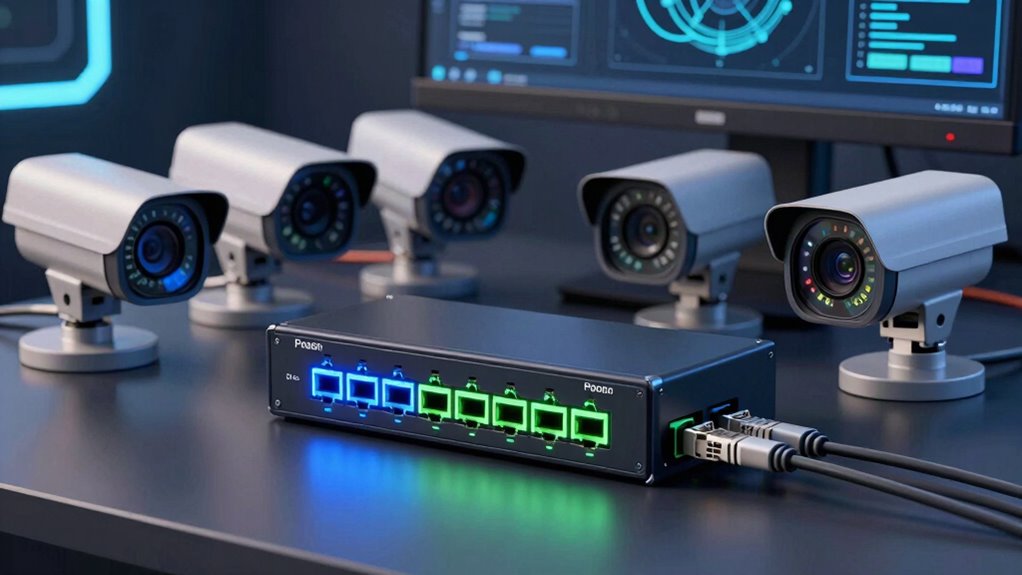

If you’re setting up a security camera network, a PoE switch is essential for reliable, simplified power and data delivery. The best models balance power output, port count, and manageability, but tradeoffs often include cost or complexity. The REOLINK PoE Switch with 8 PoE ports stands out as the overall top pick for its combination of features and affordability. Meanwhile, the TP-Link LS108GP offers a compact, budget-friendly solution, and the NETGEAR GS305P provides a straightforward, no-fuss option. Continue reading for a detailed breakdown of each product to find the right fit for your security needs.

Get audio and creator gear delivered free with Prime
- Fast, free delivery on millions of items
- Prime Video, Amazon Music and more included
- Member-only deals all year
Complete the kit


Key Takeaways
- High port count models like the UGREEN 10-Port PoE Switch support larger camera setups, but may be more expensive and complex to manage.
- Managed switches tend to offer better control and future-proofing, yet they come at a higher price compared to unmanaged options.
- Power budget is critical; switches with higher wattage support more cameras or higher-power devices without performance drops.
- Size and placement matter; compact switches like TP-Link TL-SG1005P are suitable for small setups, while larger models suit extensive networks.
- Build quality and brand reputation influence long-term reliability; reputable brands often provide better firmware support and warranty.
| REOLINK PoE Switch with 8 PoE and 2 Gigabit Uplink Ports RLA-PS1 |  | Best Overall for Security Camera Setups | Number of Ports: 10 | Compatible Devices: Desktop | Maximum Power: 120 watts | VIEW ON AMAZON | See Our Full Breakdown |
| TP-Link LS108GP 8-Port PoE Gigabit Ethernet Switch |  | Best for Small to Medium Networks Needing Minimal Management | Number of Ports: 8 | PoE Standard: 802.3at/af | PoE Power Budget: 65W | VIEW ON AMAZON | See Our Full Breakdown |
| 8-Port PoE+ Switch with 2 Uplink Ports, 120W, Unmanaged, 802.3af/at |  | Best for Outdoor and Remote Surveillance Installations | Number of Ports: 8 PoE+ plus 2 uplink | Total Power Budget: 120W | Max Power per Port: 30W | VIEW ON AMAZON | See Our Full Breakdown |
| TP-Link TL-SG1005P 5-Port Gigabit PoE Switch |  | Best Compact Choice for Small-Scale Security Networks | Number of Ports: 5 | PoE Ports: 4 PoE+ | PoE Power Budget: 65W | VIEW ON AMAZON | See Our Full Breakdown |
| REOLINK PoE Switch with 4+1 Ports and High-Speed Data Transfer |  | Best for Compact, High-Speed Surveillance Setups | Ports: 4 downlink, 1 uplink | Transmission Speeds: 10/100/1000 Mbps | PoE Standards: IEEE 802.3af/at | VIEW ON AMAZON | See Our Full Breakdown |
| TP-Link TL-SG116P, 16 Port Gigabit PoE Switch |  | Best for High-Capacity Surveillance Networks | Number of Ports: 16 | PoE Power Budget: 120W | PoE Standard: 802.3at/af | VIEW ON AMAZON | See Our Full Breakdown |
| NETGEAR 5-Port PoE Gigabit Ethernet Unmanaged Switch (GS305P) |  | Best for Small, No-Fuss Security Setups | Number of Ports: 5 | PoE Ports: 4 | Total Power Budget: 63W | VIEW ON AMAZON | See Our Full Breakdown |
| UGREEN 10-Port PoE Ethernet Switch with 8 PoE+ Ports and 2 Gigabit Uplink Ports |  | Best for Versatile, Long-Distance Security Camera Deployments | Number of Ports: 10 | PoE Ports: 8 PoE+ (802.3at/af) | Uplink Ports: 2 Gigabit | VIEW ON AMAZON | See Our Full Breakdown |
| poe switch for security camera | Number of Ports |
|---|---|
| REOLINK PoE Switch with 8 PoE | 10 |
| TP-Link LS108GP 8-Port PoE Gig | 8 |
| 8-Port PoE+ Switch with 2 Upli | 8 PoE+ plus 2 uplink |
| TP-Link TL-SG1005P 5-Port Giga | 5 |
| REOLINK PoE Switch with 4+1 Po | — |
| TP-Link TL-SG116P | 16 |
| NETGEAR 5-Port PoE Gigabit Eth | 5 |
| UGREEN 10-Port PoE Ethernet Sw | 10 |
More Details on Our Top Picks
REOLINK PoE Switch with 8 PoE and 2 Gigabit Uplink Ports RLA-PS1
This switch stands out for its dedicated focus on security camera deployments, offering 8 PoE ports with high power output up to 30W per port. Its automatic device detection helps prevent damage, making it reliable for surveillance systems. Compared to the TP-Link LS108GP, its higher PoE power per port makes it better suited for power-hungry cameras, but its total 120W power budget limits scalability for larger setups. Its plug-and-play design simplifies installation, though it’s less versatile outside security contexts. This model excels in camera-focused environments, providing robust power and easy setup.
Pros:- Supports 8 PoE ports with up to 30W per port for high-power devices
- Automatic detection prevents damage to non-PoE devices
- Easy plug-and-play setup with wall or desktop mounting
Cons:- Limited to a total power budget of 120W, restricting many high-power devices
- Designed primarily for security cameras, less adaptable for general networking
Best for: Small to medium security camera networks requiring reliable power and straightforward installation
Not ideal for: Large enterprise networks or setups needing advanced management features
- Number of Ports:10
- Compatible Devices:Desktop
- Maximum Power:120 watts
- Interface:PoE
- Data Transfer Rate:1000 megabits_per_second
- Switch Type:PoE Switch
Our verdict“This switch is ideal for small-scale security camera systems where ease of use and power are priorities.”
TP-Link LS108GP 8-Port PoE Gigabit Ethernet Switch
This switch offers a straightforward plug-and-play experience with 8 ports supporting PoE+ and a 65W power budget, making it suitable for small setups. Its silent, fanless design and durable metal case allow placement in quiet or busy environments without noise concerns. Compared to the REOLINK RLA-PS1, it’s less focused on high power per port but is more versatile for mixed device types and general networking. Its lack of management features limits scalability, but for basic security camera deployments, it provides excellent reliability. This pick is perfect for users who want simple deployment without a complicated setup.
Pros:- Plug-and-play setup with no configuration needed
- Supports PoE+ for powering cameras and access points
- Silent operation due to fanless design
Cons:- Limited to 8 ports, not suitable for expanding networks
- No advanced management or control features
Best for: Home or small business users installing a few cameras and access points without advanced control needs
Not ideal for: Larger surveillance networks or those requiring detailed network management
- Number of Ports:8
- PoE Standard:802.3at/af
- PoE Power Budget:65W
- Max Transmission Distance:820 ft
- Switching Capacity:16 Gbps
- Case Material:Metal
Our verdict“This switch is best suited for simple, small-scale security camera setups where quiet operation matters most.”
8-Port PoE+ Switch with 2 Uplink Ports, 120W, Unmanaged, 802.3af/at
This unmanaged switch provides high power support with 8 ports delivering up to 30W each and a total of 120W, ideal for remote or outdoor security cameras needing significant power. Its long-distance transmission of 250 meters (820 feet) makes it stand out for outdoor deployments; the fanless, durable metal housing ensures quiet, reliable operation. Compared with the REOLINK RLA-PS1, it offers longer transmission range, but its unmanaged nature limits network control options. It’s a solid choice for setups where power, durability, and extended reach are critical, though it lacks management features for larger or more complex networks. This model is optimal for outdoor surveillance with long-distance requirements.
Pros:- Supports high power output up to 30W per port
- Long transmission range of 250 meters for outdoor use
- Fanless, weather-resistant metal housing
Cons:- Unmanaged switch limits network control and scalability
- No information on included power supply
Best for: Outdoor surveillance projects needing long-distance PoE and rugged durability
Not ideal for: Indoor networks or environments requiring detailed network management
- Number of Ports:8 PoE+ plus 2 uplink
- Total Power Budget:120W
- Max Power per Port:30W
- Transmission Distance:250 meters
- Standard:802.3af/at
- Housing:Fanless metal
Our verdict“This switch is ideal for outdoor or remote surveillance setups where long-distance PoE transmission and durability are priorities.”
TP-Link TL-SG1005P 5-Port Gigabit PoE Switch
This compact 5-port switch offers 4 PoE+ ports with a total power budget of 65W, making it suitable for small, high-speed surveillance setups. Its plug-and-play design, durable metal case, and fanless operation ensure quiet, reliable deployment in tight spaces. Compared with larger switches like the UGREEN 10-port model, its limited number of ports makes it less scalable but perfect for simple installations. The absence of management features means it’s best for straightforward camera setups without complex network requirements. This switch is ideal for small offices or homes where space and simplicity matter most.
Pros:- Easy plug-and-play setup with no software needed
- Supports PoE+ with up to 30W per port
- Fanless, durable metal case for quiet operation
Cons:- Limited to 5 ports, not suitable for larger setups
- No network management capabilities for advanced control
Best for: Small security camera systems in homes or small offices needing a compact, reliable switch
Not ideal for: Larger or expanding surveillance networks requiring more ports or management features
- Number of Ports:5
- PoE Ports:4 PoE+
- PoE Power Budget:65W
- Port Speed:10/100/1000 Mbps
- Voltage:48 volts
- Switch Type:Unmanaged
Our verdict“This switch works best for small, straightforward security camera setups in limited spaces.”
REOLINK PoE Switch with 4+1 Ports and High-Speed Data Transfer
This compact switch provides 4 downlink ports plus 1 uplink port supporting gigabit speeds, making it suitable for small, high-speed security camera systems. Its smart power management and extend mode enable long-distance PoE transmission up to 820 feet, ideal for diverse installation environments. Compared to the larger REOLINK RLA-PS1, its fewer ports suit smaller setups but with the added benefit of long-distance transmission. The fanless design ensures quiet operation, though it’s limited to 5 ports, making it less ideal for larger networks. This model is best for users needing reliable, high-speed PoE with long-distance capabilities in compact setups.
Pros:- Supports gigabit speeds for fast data transfer
- Extend mode allows long-distance PoE transmission
- Fanless, durable metal housing for quiet operation
Cons:- Limited to 5 ports, not suitable for expanding networks
- Requires high-quality cables for extended mode performance
Best for: Small-scale security systems requiring gigabit speeds and extended PoE transmission
Not ideal for: Large networks or setups needing many ports or advanced network management
- Ports:4 downlink, 1 uplink
- Transmission Speeds:10/100/1000 Mbps
- PoE Standards:IEEE 802.3af/at
- Max Power:65W
- Extend Mode Distance:up to 820 ft
- Housing:Fanless metal
Our verdict“This switch suits small, high-speed, long-distance surveillance installations where space and quiet operation are priorities.”
TP-Link TL-SG116P, 16 Port Gigabit PoE Switch
The TP-Link TL-SG116P stands out for its high port count and robust PoE power budget, making it ideal for large security camera setups. Compared with the NETGEAR GS305P, which offers fewer ports and less power, this switch is better suited for extensive surveillance systems but requires some initial configuration for PoE recovery. Its extended range in Extend Mode ensures cameras in distant locations stay powered and connected. However, the speed downgrade to 10 Mbps in extend mode can slow down live feeds, and it lacks managed switch features, limiting network control. This model makes the most sense for users managing multiple cameras across large premises who need high power and range, even if they can handle a bit more setup complexity.
Pros:- Supports high power PoE with up to 30W per port
- Extended data and power transmission range up to 250m
- Includes priority and isolation modes for network management
- Automatic PoE device recovery
Cons:- Speeds drop to 10 Mbps in Extend Mode, affecting live video quality
- Requires manual configuration for PoE recovery
- No managed switch features for advanced control
Best for: Large surveillance networks requiring many PoE ports and extended transmission range
Not ideal for: Small setups or users seeking plug-and-play simplicity without configuration
- Number of Ports:16
- PoE Power Budget:120W
- PoE Standard:802.3at/af
- Data Transmission Range:up to 250m in Extend Mode
- Warranty:3 years
Our verdict“This switch is best for large-scale security systems where high power, range, and capacity outweigh the need for managed features.”
NETGEAR 5-Port PoE Gigabit Ethernet Unmanaged Switch (GS305P)
The NETGEAR GS305P offers a straightforward, compact solution for small security camera deployments. Its 5 Gigabit ports and plug-and-play design make it accessible for users who prefer quick setup without configuration. While the 63W power budget is suitable for a handful of cameras, it can’t support high-power devices simultaneously like larger switches. Compared to the TP-Link TL-SG116P, which provides more ports and higher PoE capacity, this switch is limited but excels in silent, energy-efficient operation. It’s ideal for small businesses or home users who want a reliable, unmanaged switch without the need for extensive network control but might find it limiting for larger or more demanding setups.
Pros:- Easy plug-and-play setup with no configuration required
- Energy-efficient and silent operation
- Supports high-speed Gigabit Ethernet connections
- Compact, desktop or wall-mount design
Cons:- Limited to unmanaged switch functionality, lacking advanced features
- PoE power budget may be insufficient for high-power cameras
- Only 5 ports, restricting scalability
Best for: Small-scale security systems with up to 4 PoE cameras
Not ideal for: Expanding or high-power camera setups needing more ports or power
- Number of Ports:5
- PoE Ports:4
- Total Power Budget:63W
- Ethernet Speed:1.0Gbps
- Design:Fanless, metal
- Mounting Options:Desktop or wall-mount
Our verdict“This switch suits small security setups where simplicity and quiet operation are priorities over advanced features or high capacity.”
UGREEN 10-Port PoE Ethernet Switch with 8 PoE+ Ports and 2 Gigabit Uplink Ports
The UGREEN 10-Port PoE Switch offers a flexible setup with 8 PoE+ ports and long-range capabilities, making it stand out in distributed security camera networks. Its 60W total power budget, supporting up to 30W per port, is somewhat limited compared to the TP-Link TL-SG116P‘s 120W but is still effective for multiple cameras with moderate power needs. The inclusion of 2 Gigabit uplink ports and multiple operation modes enhances deployment options. The auto-recovery feature adds reliability, especially over long cable runs, such as the extend mode reaching up to 820 ft. However, the unmanaged nature limits control, and the power budget may restrict high-power camera use in larger setups. This pick is ideal for users needing long-distance PoE and flexible configuration, even if they don’t require extensive managed features.
Pros:- Supports 8 PoE+ ports with up to 30W per port
- Auto power management prevents overloads
- Supports multiple operation modes for flexibility
- Long-distance PoE extension up to 820 ft
Cons:- Limited total power budget of 60W may restrict high-power devices
- Unmanaged switch lacks advanced network control features
- Requires careful planning for larger power demands
Best for: Medium-sized security systems needing long-distance PoE and flexible setup options
Not ideal for: High-power camera networks or users needing managed network control
- Number of Ports:10
- PoE Ports:8 PoE+ (802.3at/af)
- Uplink Ports:2 Gigabit
- Total Power Budget:60W
- PoE Power per Port:Up to 30W
- Extend Mode Range:up to 820 ft
Our verdict“This switch is best suited for security setups that need long-range PoE capabilities and flexible deployment options without complex management needs.”

How We Picked
These switches were selected based on a combination of performance, build quality, port and power capacity, and user reviews. Priority was given to models that support the common needs of security camera setups—reliable PoE power delivery, ease of installation, and scalability. Managed versus unmanaged functionality was also considered, depending on how much control a user might want. The ranking reflects a balance between affordability and feature set, ensuring options for different levels of expertise and network sizes.Factors to Consider When Choosing Poe Switch For Security Cameras
Choosing the right PoE switch for security cameras involves weighing several factors beyond just port count. Understanding your current and future camera count, power requirements, and network complexity will help you avoid overspending or ending up with a device that can’t support your setup. Reliability and build quality are equally important, especially for outdoor or critical installations. Price should align with your needs—more features often mean higher costs, but not always necessary for small setups. Let’s explore key considerations in detail.Port Count and Power Budget
Assess how many cameras you plan to connect now and in the future. More ports provide expansion flexibility, but they also increase costs. The power budget, measured in watts, determines how many high-power devices your switch can support simultaneously. Failing to match your power needs can result in cameras not functioning correctly or losing power. For small setups, 4-8 ports are often sufficient, while larger networks benefit from 16 or more ports with robust power budgets.
Managed vs. Unmanaged Switches
Managed switches offer advanced features like VLAN support, traffic prioritization, and network monitoring, making them suitable for professional or large-scale deployments. Unmanaged switches are plug-and-play, ideal for simple, small setups where ease of use is a priority. Choosing between them depends on your technical comfort level and need for control. Keep in mind that managed switches typically cost more and require more setup time, which might not be justified for basic security camera networks.
Build Quality and Reliability
Since security cameras often operate continuously, your switch needs to withstand constant use and possibly harsh environments. Look for switches with sturdy construction, reputable brands, and good customer support. Features like fanless operation can reduce noise in indoor settings, while outdoor installations demand rugged, weatherproof models. Investing in quality can save money long-term by reducing outages and maintenance needs.
Size and Power Efficiency
Consider where you’ll place your switch—compact models are easier to fit into tight spaces, but they may have fewer ports or lower power capacity. Power-efficient switches help reduce electricity costs, especially when supporting many cameras. Look for switches with energy-saving features or certifications. If space is limited, a smaller switch with sufficient wattage can streamline your setup without sacrificing performance.
Future Scalability and Software Features
Think about your future needs—will you add more cameras or upgrade existing ones? A switch with extra ports or higher power capacity can accommodate growth. Managed switches also offer firmware updates, security features, and network control options that protect your investment over time. Avoid overspending on features you won’t use immediately, but also be cautious not to underbuy and end up needing a costly upgrade soon.
Frequently Asked Questions
Can I power my security cameras with an unmanaged PoE switch?
Yes, unmanaged PoE switches provide power and data connectivity without requiring configuration, making them suitable for small or straightforward security camera setups. However, they lack advanced management features like traffic prioritization or VLAN segmentation. If your setup remains simple and future expansion isn’t anticipated, an unmanaged switch can be an effective, budget-friendly choice. For larger or more complex networks, managed switches offer better control and scalability.
What is the difference between PoE and PoE+ switches?
PoE switches deliver up to 15.4W of power per port, sufficient for many standard cameras. PoE+ switches support up to 30W per port, enabling the connection of more power-hungry devices like pan-tilt-zoom cameras or multiple cameras on a single port. Choosing between them depends on your camera models’ power requirements; using a PoE switch with insufficient wattage can cause cameras to malfunction or lose power. Always check your cameras’ specs before selecting a switch.
Should I choose a switch with a higher wattage capacity than my current cameras need?
Yes, selecting a switch with a higher wattage capacity provides headroom for future expansion and ensures stable operation. Overloading a switch’s power budget can lead to cameras not receiving enough power, which may cause performance issues. Planning for future growth by opting for a higher wattage capacity can save time and money down the line, especially if you expect to add more cameras or upgrade existing ones.
Is a managed switch worth the extra cost for a home security system?
For most home security setups, unmanaged switches are sufficient, offering plug-and-play simplicity. Managed switches are better suited when you want features like network segmentation, remote monitoring, or prioritization of security camera traffic. They are also more future-proof, allowing for better control as your system expands. If you have basic needs and limited technical knowledge, sticking with unmanaged is usually more cost-effective and straightforward.
What should I consider if I want a PoE switch for outdoor security cameras?
Outdoor cameras require switches with weatherproof enclosures or placement in protected locations. Look for switches with ruggedized, weather-resistant designs, and ensure they have sufficient wattage and port count for your outdoor setup. A switch with fanless operation reduces noise and prevents dust ingress, which is beneficial for outdoor environments. Additionally, consider the proximity to your cameras—longer Ethernet runs may require switches supporting higher power budgets or powered extenders.
Conclusion
The best overall choice for most users is the REOLINK PoE Switch with 8 PoE ports, offering a balanced mix of power, size, and affordability. For those on a tight budget or with small setups, the TP-Link LS108GP provides reliable performance without complexity. If you require a high port count or future scalability, the Ugreen 10-Port PoE Switch or TP-Link TL-SG116P are solid options. For beginners or simpler needs, unmanaged switches are enough, while professionals with larger networks should consider managed models for better control. Tailor your choice based on your current and anticipated security camera setup to ensure reliable, scalable performance.
As an affiliate, we earn on qualifying purchases.Halloween Picks
halloween