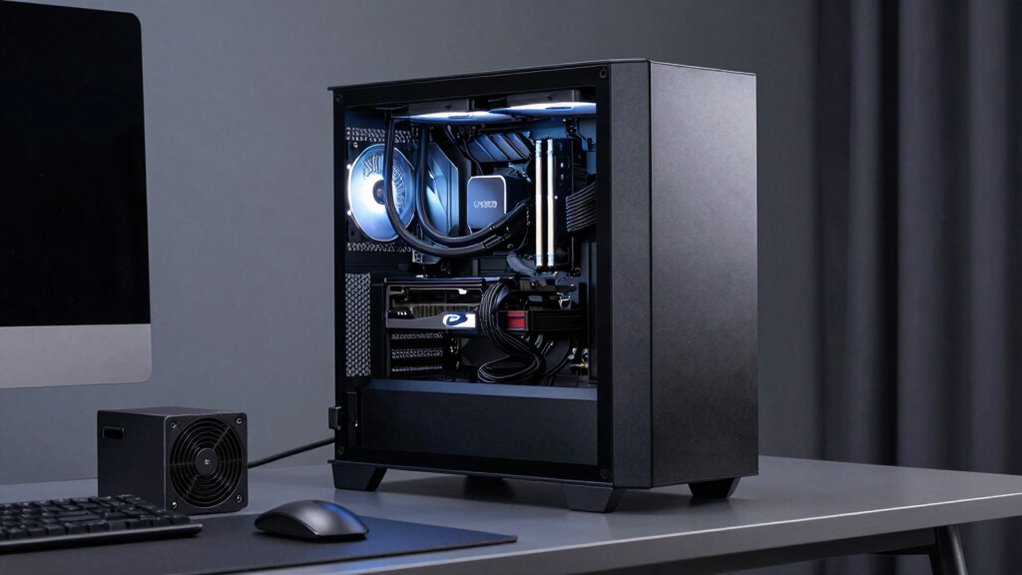

For a power supply for a VR gaming PC, my best overall pick is the MSI MAG A850GL PCIE5, which pairs 850W capacity with a modern GPU power connection and fully modular cabling. The Corsair RM1000e (2025) is a stronger fit for high-draw builds and future upgrades, while the Corsair RM750e suits systems whose GPU and CPU needs fit within 750W. The main tradeoff is choosing enough capacity and current GPU compatibility without paying for wattage your system will not use. A quieter, tidier build may also favor a fully modular unit, but case size and cable routing still matter. Read on for how these six options differ and which one fits your VR rig.

Get audio and creator gear delivered free with Prime
- Fast, free delivery on millions of items
- Prime Video, Amazon Music and more included
- Member-only deals all year
Complete the kit


Key Takeaways
- The MSI MAG A850GL PCIE5 leads the 850W group for pairing substantial capacity with a modern GPU power connection and fully modular cables.
- The Corsair RM1000e (2025) is the headroom pick for higher-power components or a planned GPU upgrade, but many builds will not need its extra capacity.
- Both 750W models favor a more modest build plan; the Corsair RM750e adds ATX 3.1 positioning, while the ASRock PRO 750G is the straightforward Gold-rated alternative.
- The Redragon RGPS-850W and Rosewill VMG 850W share a capacity tier, so buyers should compare exact GPU cabling, case fit, and warranty details rather than treating wattage as the only distinction.
- VR does not call for a special PSU by itself; the right choice follows the CPU, GPU, transient power needs, and upgrade plan of the whole PC.
| Redragon RGPS-850W 850W 80 Plus Gold Fully Modular Power Supply |  | Best for Compact Builds | Wattage: 850W | Form factor: ATX | Modularity: Fully modular | VIEW ON AMAZON | See Our Full Breakdown |
| ASRock PRO 750G 750W 80 Plus Gold ATX Power Supply |  | Best Entry-Level ATX 3.1 Pick | Output wattage: 750W | Efficiency certification: 80 PLUS Gold | Standards: ATX 3.1, PCIe 5.1 | VIEW ON AMAZON | See Our Full Breakdown |
| MSI MAG A850GL PCIE5 850W Fully Modular ATX Power Supply |  | Best Long-Warranty Choice | Wattage: 850W | Efficiency certification: 80 PLUS Gold | Form factor: ATX | VIEW ON AMAZON | See Our Full Breakdown |
| Rosewill VMG 850W 80 PLUS Gold Fully Modular ATX Power Supply |  | Best Compact 850W Upgrade | Output wattage: 850W | Efficiency certification: 80 PLUS Gold | Form factor: ATX | VIEW ON AMAZON | See Our Full Breakdown |
| Corsair RM1000e (2025) 1000W Fully Modular ATX 3.1 Power Supply |  | Best for High-Power VR Builds | Output wattage: 1000W | Form factor: ATX | Standards: ATX 3.1, PCIe 5.1 | VIEW ON AMAZON | See Our Full Breakdown |
| Corsair RM750e 750W Fully Modular ATX 3.1 Power Supply |  | Best Compact 750W Pick | Output wattage: 750 watts | Form factor: ATX | ATX standard: ATX 3.1 | VIEW ON AMAZON | See Our Full Breakdown |
| power supply for vr gaming pc | Warranty | Form factor | Modularity | Cooling |
|---|---|---|---|---|
| Redragon RGPS-850W 850W 80 Plu | 5 years | ATX | Fully modular | Single fan with zero-RPM mode and switchable RGB lighting |
| ASRock PRO 750G 750W 80 Plus G | 3 years | — | Non-modular | 120 mm fan |
| MSI MAG A850GL PCIE5 850W Full | 10-year limited | ATX | Fully modular | Air; two 12 cm fans |
| Rosewill VMG 850W 80 PLUS Gold | 5 years | ATX | Fully modular | — |
| Corsair RM1000e | 7 years | ATX | Fully modular | 120mm rifle-bearing fan |
| Corsair RM750e 750W Fully Modu | 7 years | ATX | — | — |
More Details on Our Top Picks
Redragon RGPS-850W 850W 80 Plus Gold Fully Modular Power Supply
The Redragon RGPS-850W pairs 850W output with a 160 mm depth, making it a practical match for VR gaming builds where case space and a modern GPU connection both matter. Its native 12V-2×6 cable avoids relying on an adapter, while fully modular cabling lets builders leave unused leads out of the airflow path. Compared with the Rosewill VMG 850W, Redragon is longer and does not list a connector power limit, while Rosewill specifies support up to 600W and has a shorter chassis. Redragon’s zero-RPM mode can reduce fan noise at light loads, but its switchable RGB may clash with a restrained build. I would also weigh the five-year warranty against MSI’s much longer coverage, since the listing provides no detailed independent noise or performance measurements.
Pros:- 850W capacity suits many high-performance VR gaming configurations.
- Native 12V-2×6 cable supports a direct connection to compatible modern GPUs.
- Fully modular design helps reduce unused cables in a crowded case.
- Zero-RPM mode can limit fan noise at light loads.
Cons:- The five-year warranty is shorter than the MSI MAG A850GL’s 10-year limited warranty.
- RGB fan lighting may not fit every build aesthetic.
- The supplied product details include no independent performance or noise measurements.
Best for: VR PC builders who need 850W, a native 12V-2×6 lead, and a shorter-than-standard PSU depth for a space-conscious ATX case.
Not ideal for: Builders prioritizing documented noise or performance data, a longer warranty, or a non-RGB appearance without lighting options.
- Wattage:850W
- Form factor:ATX
- Modularity:Fully modular
- GPU cable:Native 12V-2×6
- Depth:160 mm
- Cooling:Single fan with zero-RPM mode and switchable RGB lighting
- Input voltage:100–240V
- Warranty:5 years
Our verdict“Choose the Redragon if you want an 850W modular unit with a native modern GPU cable in a space-conscious case and can accept limited performance documentation.”
ASRock PRO 750G 750W 80 Plus Gold ATX Power Supply
The ASRock PRO 750G is the lower-capacity choice here, but it still brings ATX 3.1 and PCIe 5.1 support plus a native 12V-2×6 connector rated for up to 450W. That makes it a straightforward option for a VR gaming PC built around a GPU and CPU whose demands fit within a 750W supply. Compared with the Corsair RM1000e (2025), it gives up 250W of headroom and fully modular cabling, so it is less flexible for a future high-draw GPU upgrade and leaves unused leads to manage. Its non-modular design is the clearest compromise, especially in a case with limited cable-routing space. The three-year warranty is also shorter than the five-year coverage listed for the Redragon RGPS-850W. I would choose it for a simpler, compatible build rather than a system planned around substantial upgrades.
Pros:- ATX 3.1 and PCIe 5.1 support align it with current GPU power standards.
- Native 12V-2×6 connector is rated for up to 450W.
- 80 PLUS Gold certification is specified.
- 750W output can suit VR builds with compatible, moderate power requirements.
Cons:- Non-modular cables can make routing and cable management harder.
- The 750W capacity provides less upgrade headroom than the 850W and 1000W options.
- Three-year warranty is shorter than those listed for the other reviewed units.
Best for: First-time VR gaming PC builders using a 750W-suitable graphics card who want a native 12V-2×6 connection and do not mind managing attached cables.
Not ideal for: Builders planning a high-power GPU upgrade, needing modular cable routing, or wanting a longer warranty.
- Output wattage:750W
- Efficiency certification:80 PLUS Gold
- Standards:ATX 3.1, PCIe 5.1
- Modularity:Non-modular
- GPU connector:Native 12V-2×6, rated up to 450W
- Cooling:120 mm fan
- Input voltage:100–120V AC
- Warranty:3 years
Our verdict“Pick the PRO 750G for a 750W-matched VR build where current GPU support matters more than modular cabling or future power headroom.”
MSI MAG A850GL PCIE5 850W Fully Modular ATX Power Supply
For a VR gaming PC that needs room for a capable graphics card without moving to 1000W, the MSI MAG A850GL combines 850W output with ATX 3.1 and PCIe 5.1 support. Its fully modular layout keeps the build easier to route than the fixed-cable ASRock PRO 750G, and the native dual-color 12V-2×6 cable offers a clear connection for compatible GPUs. The standout differentiator is its 10-year limited warranty, substantially longer than the five years listed for the Redragon RGPS-850W and Rosewill VMG. That makes MSI the stronger fit for buyers who value extended stated coverage over the Redragon’s zero-RPM fan mode or Rosewill’s more compact listed dimensions. The tradeoff is that the provided specs do not give a chassis depth or detailed noise measurements, so case-fit and acoustic comparisons are less clear from this data.
Pros:- 850W output offers more capacity than the ASRock PRO 750G.
- Fully modular cables simplify routing compared with the non-modular ASRock.
- ATX 3.1 and PCIe 5.1 support include a native dual-color 12V-2×6 cable.
- 10-year limited warranty is the longest listed among these reviewed products.
Cons:- The product details do not specify a chassis depth, making case-fit checks less direct.
- No detailed independent noise or performance measurements are provided.
- It has less output capacity than the Corsair RM1000e (2025).
Best for: VR builders seeking an 850W, fully modular ATX 3.1 supply with a long stated warranty for a system they plan to keep for years.
Not ideal for: Buyers who need a clearly specified compact chassis, documented fan-noise figures, or 1000W capacity for a higher-draw upgrade path.
- Wattage:850W
- Efficiency certification:80 PLUS Gold
- Form factor:ATX
- Modularity:Fully modular
- Standards:ATX 3.1, PCIe 5.1
- GPU cable:Native dual-color 12V-2×6
- Cooling:Air; two 12 cm fans
- Warranty:10-year limited
Our verdict“Choose the MSI for an 850W VR gaming build where modular cabling and the longest listed warranty matter more than 1000W capacity or detailed acoustic data.”
Rosewill VMG 850W 80 PLUS Gold Fully Modular ATX Power Supply
The Rosewill VMG is the compact 850W pick for VR builders who want modern GPU support without a longer PSU chassis. Its 140 × 150 × 86 mm body is shorter than the Redragon RGPS-850W’s listed 160 mm depth, which can leave more room for cable bends and other components in a tight case. It also specifies an ATX 3.0/3.1-compatible design and a PCIe 5.1 12V-2×6 cable rated for up to 600W, giving more explicit connector headroom than the ASRock PRO 750G’s 450W rating. The fully modular layout helps keep a compact build manageable. The tradeoffs are one 120mm fan and a five-year warranty; MSI offers a much longer warranty, while the product details say warranty information may need to be requested from customer service. I’d favor Rosewill for fit and connector capacity, not long-term coverage clarity.
Pros:- Compact 140 × 150 × 86 mm chassis can help in space-constrained cases.
- Fully modular cabling supports cleaner routing.
- PCIe 5.1 12V-2×6 cable is specified for up to 600W delivery.
- Six protection features are listed.
Cons:- Single 120mm fan may not appeal to buyers seeking a different cooling arrangement.
- Warranty details may require contacting customer service.
- Five-year warranty is shorter than the MSI MAG A850GL’s 10-year limited warranty.
Best for: VR PC builders fitting an 850W supply into a compact ATX case who want a fully modular layout and a 12V-2×6 cable rated up to 600W.
Not ideal for: Buyers prioritizing a clearly documented warranty process, a multi-fan cooling setup, or the longest available stated coverage.
- Output wattage:850W
- Efficiency certification:80 PLUS Gold
- Form factor:ATX
- Modularity:Fully modular
- GPU connector:PCIe 5.1 12V-2×6, up to 600W
- Dimensions:140 × 150 × 86 mm
- Fan:One 120mm fluid dynamic bearing fan
- Protections:OCP, OPP, OTP, OVP, SCP, UCP
- Warranty:5 years
Our verdict“Choose the Rosewill if compact dimensions and a specified 600W 12V-2×6 connection outweigh warranty clarity and longer coverage.”
Corsair RM1000e (2025) 1000W Fully Modular ATX 3.1 Power Supply
The Corsair RM1000e (2025) is the capacity-first choice for a VR gaming PC built around a demanding GPU, a power-hungry CPU, or planned upgrades. Its 1000W output, ATX 3.1 and PCIe 5.1 support, and native 600W 12V-2×6 cable give it more stated headroom than the 850W MSI MAG A850GL and Rosewill VMG. Fully modular cabling also helps manage a busy high-end build. Corsair lists a 120mm rifle-bearing fan designed for quiet operation, 105°C-rated capacitors, and a seven-year warranty; MSI still leads this group on warranty length, while Rosewill is the smaller listed chassis. The tradeoff is that 1000W may be unnecessary for a VR system whose components fit comfortably within 850W. I’d also check case clearance and cable routing before installation, as the product details flag compatibility checks.
Pros:- 1000W output provides more headroom than the 750W and 850W options.
- Native 600W 12V-2×6 cable supports compatible modern GPUs.
- Fully modular design helps manage cabling in a high-end build.
- 105°C-rated capacitors and a seven-year warranty are specified.
Cons:- Its 1000W capacity may be unnecessary for lower-draw VR configurations.
- The listed warranty is shorter than the MSI MAG A850GL’s 10-year limited warranty.
- Case and cable compatibility should be checked before installation.
Best for: VR enthusiasts pairing a high-draw graphics card with a powerful CPU, or planning upgrades that make 850W supplies less appealing.
Not ideal for: Builders whose component power needs fit a 750W or 850W unit and who would rather avoid unused capacity or need the longest stated warranty.
- Output wattage:1000W
- Form factor:ATX
- Standards:ATX 3.1, PCIe 5.1
- Modularity:Fully modular
- GPU connector:Native 600W 12V-2×6
- Efficiency:Cybenetics Gold
- Cooling:120mm rifle-bearing fan
- Capacitors:105°C-rated
- Warranty:7 years
Our verdict“Choose the RM1000e if your VR PC needs more than 850W of headroom; otherwise, a lower-capacity option may fit your build better.”
Corsair RM750e 750W Fully Modular ATX 3.1 Power Supply
The Corsair RM750e suits a VR gaming PC built around a single graphics card where tidy installation and current GPU power support matter more than extra wattage. Its native 600W 12V-2×6 cable supports compatible PCIe 5.1 cards without relying on an adapter, while the 140mm casing can ease fit in tighter builds. Fully modular cables also let builders connect only what their system needs. Compared with the MSI MAG A850GL PCIE5, this Corsair offers 100W less headroom, so it is a less flexible choice for power-hungry GPUs or future upgrades. Its 750W output, Gold efficiency rating, and quiet-operation design make more sense for a balanced VR rig than for a high-draw workstation. The tradeoff is the listed single 8-pin PCIe cable, which may limit connection options for some graphics cards.
Pros:- Native 600W 12V-2×6 cable supports compatible PCIe 5.1 graphics cards
- Fully modular cabling simplifies routing and reduces unused cables in a VR PC
- Compact 140mm casing can suit builds with limited PSU clearance
- Cybenetics Gold efficiency and a fan designed for quiet operation
Cons:- 750W provides less headroom than the 850W and 1000W options in this roundup
- Only one 8-pin PCIe cable is listed, limiting connection options for some GPUs
- The native 12V-2×6 cable is useful only with compatible graphics cards
Best for: VR builders using a compatible single-GPU system who want a compact, fully modular 750W supply with a native 12V-2×6 cable.
Not ideal for: Owners of high-draw graphics cards, multi-GPU systems, or planned upgrades that may benefit from the MSI MAG A850GL PCIE5’s 850W capacity or the Corsair RM1000e’s 1000W output.
- Output wattage:750 watts
- Form factor:ATX
- ATX standard:ATX 3.1
- PCIe standard:PCIe 5.1
- Efficiency:Cybenetics Gold
- Cabling:Fully modular
- Included GPU cable:600W 12V-2×6
- Dimensions:5.91 x 5.51 x 3.35 inches
- Warranty:7 years
Our verdict“Choose the RM750e for a compact, single-GPU VR gaming PC that benefits from native 12V-2×6 support, but pick a higher-wattage model for demanding upgrades.”

How We Picked
I ranked these supplies around the demands of a VR gaming PC: stable capacity for the full system, useful GPU power connections, fit with modern components, and practical cable management. I gave more weight to models that combine a sensible wattage tier with current platform support, since a strong VR build can place sustained demand on both the graphics card and processor. Fully modular cabling also matters in a VR tower, where airflow and clean routing help keep a build easier to assemble and maintain.
The order reflects fit across likely buyer needs, not wattage alone. The MSI A850GL takes the lead as a balanced 850W option with PCIE5 positioning; Corsair’s 1000W model ranks high for demanding builds, while its 750W model is a more focused match for lower-draw systems. The Redragon and Rosewill 850W units remain viable capacity choices, but the available product details provide less basis for placing them ahead of options with clearer modern-connector or platform positioning. I also considered that exact GPU requirements, case clearance, warranty terms, and included cable configuration should be checked against the specific listing and PC parts before purchase.
| power supply for vr gaming pc | Modularity | GPU connector |
|---|---|---|
| Redragon RGPS-850W 850W 80 Plu | Fully modular | — |
| ASRock PRO 750G 750W 80 Plus G | Non-modular | Native 12V-2×6, rated up to 450W |
| MSI MAG A850GL PCIE5 850W Full | Fully modular | — |
| Rosewill VMG 850W 80 PLUS Gold | Fully modular | PCIe 5.1 12V-2×6, up to 600W |
| Corsair RM1000e | Fully modular | Native 600W 12V-2×6 |
| Corsair RM750e 750W Fully Modu | — | — |
Factors to Consider When Choosing Power Supply For Vr Gaming Pc
Choosing a PSU for VR starts with the PC that drives the headset, not the headset itself. I would use these checks to match capacity, connectors, and physical fit to your build while avoiding common overspending and compatibility mistakes.
Match Wattage to the Whole System, Not Just the GPU
Start with the graphics card and processor, then account for the rest of the system, including storage, cooling, and any planned expansion cards. A higher-wattage unit can provide more room for upgrades, but it does not make a PC faster or guarantee better VR performance. Check the GPU maker’s recommended PSU rating and compare it with the power needs of your exact CPU and graphics card combination. Leave reasonable headroom for short power spikes instead of sizing the supply right at a theoretical average load. The 750W models here suit builds that fit their component requirements, while 850W and 1000W options serve progressively more demanding plans. If your parts list is unsettled, decide on the GPU first; that choice usually has the greatest effect on the PSU decision.
Check GPU Connectors and Power Standards
Wattage alone cannot confirm that a PSU will connect cleanly to a graphics card. Compare the card’s required power sockets with the PSU’s native cable options and the manufacturer’s guidance for any adapter use. Modern GPU standards and connectors can make a newer supply easier to pair with a current card, but the product name is not a substitute for checking the included cables. Avoid relying on an improvised cable or an adapter arrangement the GPU or PSU maker does not support. This is especially relevant when moving an existing PSU into a new VR build, since older units may have enough rated wattage but lack the preferred connection. Verify the exact revision and cable bundle for the model you plan to buy.
Treat VR Workloads as Part of the PC’s Sustained Use
A headset does not draw power from the PSU in the same way as the graphics card, but VR gaming can keep the PC’s CPU and GPU working hard for extended sessions. That makes system stability, adequate cooling, and appropriate capacity more useful priorities than buying a specialty label. Do not use a brief desktop idle reading to decide whether a supply can handle a demanding game session. Consider the heaviest game or creative workload you expect to run, especially if you also stream or record. A supply with more headroom may make sense for a high-end GPU, but a modest VR system does not automatically need a 1000W unit. Match the choice to real parts and workload rather than the word “VR.”
Account for Case Fit and Cable Routing
Before ordering, check the PSU’s physical dimensions against the case, including clearance behind drive cages and room for cables to bend. Fully modular models let you leave unused cables out of the chassis, which can simplify routing and reduce clutter. That benefit depends on the case layout: a compact case may still be difficult to build in if the PSU or cable bends crowd nearby components. Do not assume all supplies with the same wattage share the same dimensions or cable lengths. Plan routing to avoid blocking intake paths and to keep power leads from pressing hard against a side panel. Reading the case and PSU specifications together can prevent a frustrating fit problem.
Pay for Upgrade Headroom Only When Your Plan Needs It
Moving from 750W to 850W or 1000W is most useful when your chosen GPU, CPU, or near-term upgrade calls for the extra capacity. If your build is already set and falls within a 750W unit’s supported range, extra wattage may add little practical value. On the other hand, replacing a PSU during a major GPU upgrade can cost more effort than choosing a suitable capacity now. Factor in the intended service life of the build, but do not buy capacity solely to make a future upgrade possible if that upgrade is uncertain. A restrained build plan may favor the RM750e or ASRock PRO 750G; higher-draw or upgrade-focused systems have a clearer case for the 850W or 1000W options.
Compare Warranty, Noise, and Exact Model Details
Efficiency certification is only one part of choosing a power supply, and the same badge does not tell you how a unit will behave in your particular case. Look up the manufacturer’s warranty, fan behavior, protection features, and support terms for the exact model and revision. Noise depends on load, fan profile, case airflow, and distance from the system, so do not infer quiet operation from wattage or modularity alone. Confirm that the supplied cables are intended for that PSU; modular cables are not universally interchangeable, even when plugs appear similar. These checks can separate two supplies with similar wattage and efficiency labels. They also help reveal whether a small specification advantage is worth more than a stronger support policy for your build.
Frequently Asked Questions
Is 750W enough for a VR gaming PC?
It can be, if the specific graphics card and processor fit within the PSU maker’s guidance and the system has sensible headroom. VR does not create a separate PSU requirement; the PC’s components determine the load. The Corsair RM750e and ASRock PRO 750G are the 750W choices in this group, but neither should be selected by wattage alone. Check the GPU’s recommended supply rating, its connector needs, and your CPU’s power demands. If you plan to move to a higher-draw graphics card soon, an 850W option may be a better fit.
Should I choose 850W or 1000W for a high-end VR build?
Choose based on the exact GPU and CPU combination, not on the VR label or a general idea of what counts as high-end. The 850W models provide a middle ground for demanding systems, while the Corsair RM1000e (2025) offers more capacity for components with higher requirements or a planned upgrade. More wattage is not automatically better if your build does not need it. Check manufacturer recommendations and account for transient power demands as well as sustained use. If your parts sit close to the 850W range, consult the component makers’ guidance before settling on that tier.
Does a VR headset need a separate power supply?
Most PC VR headsets do not require a separate desktop PSU; the headset’s own connection and power arrangement depends on its model. The PSU choice is driven by the gaming PC, especially its GPU and CPU. A headset can add USB or other connection demands, but those are different from the main system’s graphics-card power requirement. Check the headset maker’s PC requirements and the motherboard’s available ports when planning the full setup. Do not increase PSU wattage just because a headset is part of the system.
Is an ATX 3.1 or PCIE5 supply necessary for a new graphics card?
It is not a universal requirement, but a supply with modern GPU power support can make compatibility and cabling simpler for some current cards. The MSI MAG A850GL PCIE5 and both Corsair models listed with ATX 3.1 provide clear modern-platform positioning. The right answer still depends on the exact graphics card, its connector, and the cables included with the PSU. Check the GPU and PSU documentation before using adapters, and do not assume every card uses the same socket. If you are keeping an older GPU, a newer standard may offer less immediate benefit.
Can I reuse modular cables from my old power supply?
Do not reuse them unless the PSU manufacturer explicitly confirms compatibility with both exact models. Modular cables can have different wiring at the PSU end even when their plugs fit, and a mismatch can damage components. Use the cables supplied with the new unit or cables listed by its manufacturer for that model. This applies when changing between brands as well as between different product lines from one brand. Check the model-specific cable chart before building, particularly if you have custom sleeved cables.
Conclusion
For most builders choosing from this group, I would start with the MSI MAG A850GL PCIE5 as the best overall balance of 850W capacity, modern GPU positioning, and modular cabling. The ASRock PRO 750G is the best value-oriented fit when your parts genuinely suit 750W, while the Corsair RM1000e (2025) is my premium pick for a higher-draw system or a planned GPU upgrade. For beginners, the Corsair RM750e is a straightforward choice when its capacity and connectors match the parts list; confirm those details before buying. For specific needs, consider the Redragon RGPS-850W or Rosewill VMG 850W when their exact cable set, case fit, warranty, and support terms suit your build. I would choose the PSU only after confirming the GPU’s power requirements, case clearance, and the included connector configuration.
Fall Picks

DJI Osmo Action 4 Essential Combo Waterproof 4K Action Camera
As an affiliate, we earn on qualifying purchases.