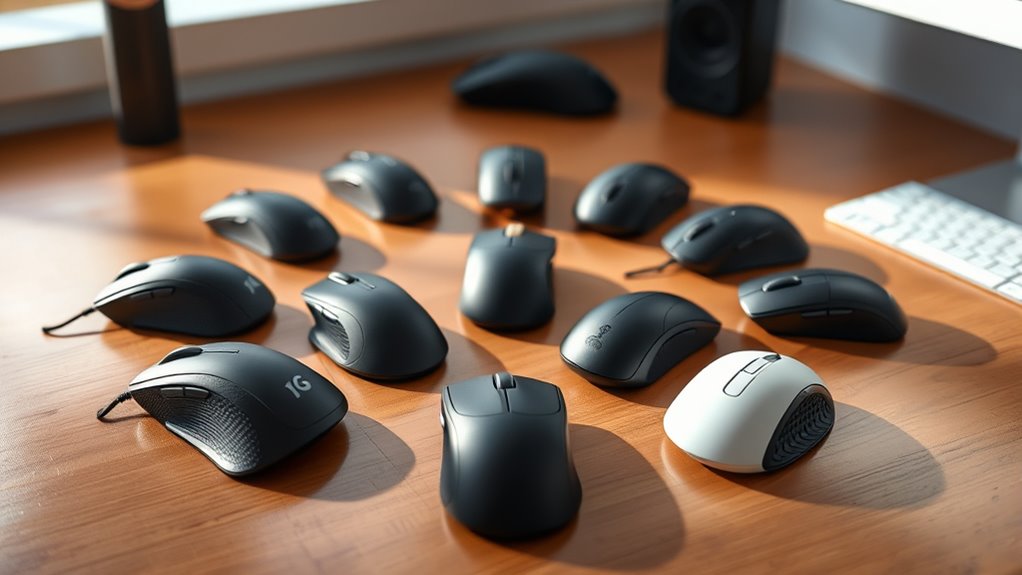

Choosing a premium ergonomic mouse for precision work involves balancing comfort, accuracy, and customization. The Logitech MX Master 3S stands out as the best overall due to its exceptional precision and ergonomic design, ideal for extended use. The Logitech MX Vertical is another top pick, offering a vertical form that reduces wrist strain, making it perfect for long hours. However, premium mice often come with tradeoffs like higher cost or larger size, which may not suit every user. Continue reading for a detailed breakdown of the best options and how they compare across key factors.

Get audio and creator gear delivered free with Prime
- Fast, free delivery on millions of items
- Prime Video, Amazon Music and more included
- Member-only deals all year
Complete the kit


Key Takeaways
- The top picks balance precision, comfort, and customization, with Logitech leading the field overall.
- Vertical and trackball designs offer significant wrist relief but may sacrifice some versatility for specific tasks.
- Connectivity options vary; Bluetooth-only mice are more portable, while those with multiple options offer greater flexibility.
- Higher DPI settings and precision features are common, but user comfort and ergonomics remain the primary focus.
- Price ranges reflect differences in build quality, features, and brand reputation, with premium mice generally offering more refined designs.
| TECKNET Ergonomic Vertical Wireless Mouse, 4800 DPI, Bluetooth & 2.4GHz, 3-Device Connectivity |  | Best for Multi-Device Flexibility and Quiet Use | Connectivity: Bluetooth 5.0/3.0 and 2.4GHz USB-A | Max Devices: 3 (2 Bluetooth + 1 USB receiver) | DPI Levels: 800/1200/1600/2400/3200/4800 | VIEW ON AMAZON | See Our Full Breakdown |
| Logitech MX Vertical Wireless Mouse Ergonomic Design – Graphite |  | Best for Reducing Wrist Pressure and Muscle Strain | DPI: 4000 | Angle: 57° | Wireless: Yes | VIEW ON AMAZON | See Our Full Breakdown |
| Logitech MX Master 3S Wireless Performance Mouse – Ergonomic, 8K DPI, Quiet Clicks, MagSpeed Scrolling, Bluetooth, Black |  | Best for Precision and Quiet Productivity | Sensor: 8000 DPI optical, tracks on glass (4mm min thickness) | Connectivity: Bluetooth (up to 3 devices); Logi Bolt USB receiver not included | Battery Life: Up to 70 days; 3-hour quick charge | VIEW ON AMAZON | See Our Full Breakdown |
| Logitech MX Ergo S Advanced Wireless Trackball Mouse – Graphite |  | Best for Advanced Ergonomic Control and Customization | Connectivity: Bluetooth or Logi Bolt USB receiver | Tilt Angle: 20 degrees | Buttons: 6 customizable | VIEW ON AMAZON | See Our Full Breakdown |
| Logitech MX Master 3S Performance Wireless Mouse – Graphite with Bolt Receiver |  | Best for Long-Term Reliability and Precision | Connectivity: Wireless (Logi Bolt receiver included) | Battery Life: 18 months | Sensor: Laser | VIEW ON AMAZON | See Our Full Breakdown |
| Logitech MX Master 3S Bluetooth Wireless Mouse (No Receiver) – Graphite |  | Best Overall for Precision and Versatility | Connectivity: Bluetooth only (no USB receiver/adapter or charging cable included) | Sensor: 8000 DPI with customizable sensitivity | Tracking: Any-surface tracking, including glass | VIEW ON AMAZON | See Our Full Breakdown |
| Logitech MX Master 2S Wireless Mouse with Flow Cross-Computer Control and File Sharing for PC and Mac, Graphite |  | Best for Long Battery Life and Cross-Platform Control | Connectivity: Bluetooth, Wireless (10 m range) | Sensor: Laser, 4000 DPI | Buttons: 7 | VIEW ON AMAZON | See Our Full Breakdown |
| Logitech MX Master 2S Bluetooth Wireless Mouse – Graphite |  | Best for Multi-Surface Precision and Long Use | Connectivity: Bluetooth | Multi-Device Support: Up to 3 computers | DPI: 4,000 | VIEW ON AMAZON | See Our Full Breakdown |
| Logitech MX Master 4 Ergonomic Wireless Mouse with Haptics – Graphite |  | Best for Customizable Feedback and Advanced Features | Connectivity: USB-C dongle and Bluetooth | Scroll Speed: 1,000 lines per second | Haptic Feedback: Yes | VIEW ON AMAZON | See Our Full Breakdown |
| Lenovo Yoga Pro Wireless Mouse – Bluetooth 5.1, USB-C Rechargeable, Ergonomic Right-Handed Design, Tidal Teal |  | Best for Budget-Conscious Ergonomic Control | Connectivity: Bluetooth 5.1 / USB-C | DPI: Up to 4000 | Buttons: 6 | VIEW ON AMAZON | See Our Full Breakdown |
| TECKNET Ergonomic Wireless Vertical Mouse, Bluetooth 5.0/3.0 & 2.4G USB |  | Best for Compact Comfort and Quiet Productivity | Connectivity: Bluetooth 5.0/3.0, 2.4G USB-A receiver | Ergonomic Angle: 52° vertical | Battery: 600mAh rechargeable | VIEW ON AMAZON | See Our Full Breakdown |
| Logitech Lift Vertical Ergonomic Wireless Mouse – Off White |  | Best for Long-Term Comfort and Multi-Device Flexibility | Weight: 125 g | Dimensions: 108 x 70 x 71 mm | Tracking: 4000 DPI (adjustable) | VIEW ON AMAZON | See Our Full Breakdown |
| premium ergonomic mice for precision work | Connectivity | Battery Life |
|---|---|---|
| TECKNET Ergonomic Vertical Wir | Bluetooth 5.0/3.0 and 2.4GHz USB-A | — |
| Logitech MX Vertical Wireless | — | — |
| Logitech MX Master 3S Wireless | Bluetooth (up to 3 devices); Logi Bolt USB receiver not included | Up to 70 days; 3-hour quick charge |
| Logitech MX Ergo S Advanced Wi | Bluetooth or Logi Bolt USB receiver | Up to 120 days |
| Logitech MX Master 3S Performa | Wireless (Logi Bolt receiver included) | 18 months |
| Logitech MX Master 3S Bluetoot | Bluetooth only (no USB receiver/adapter or charging cable included) | — |
| Logitech MX Master 2S Wireless | Bluetooth, Wireless (10 m range) | 70 days average |
| Logitech MX Master 2S Bluetoot | Bluetooth | Up to 70 days |
| Logitech MX Master 4 Ergonomic | USB-C dongle and Bluetooth | — |
| Lenovo Yoga Pro Wireless Mouse | Bluetooth 5.1 / USB-C | 2-3 months |
| TECKNET Ergonomic Wireless Ver | Bluetooth 5.0/3.0, 2.4G USB-A receiver | Up to 2 months per charge |
| Logitech Lift Vertical Ergonom | Bluetooth Low Energy or Logi Bolt USB receiver | 24 months |
More Details on Our Top Picks
TECKNET Ergonomic Vertical Wireless Mouse, 4800 DPI, Bluetooth & 2.4GHz, 3-Device Connectivity
This vertical mouse excels for users who need seamless switching between multiple devices, thanks to its ability to connect to three at once via Bluetooth or USB. Its adjustable DPI up to 4800 offers precise control across different surfaces, while the near-silent clicks make it suitable for quiet environments like shared offices or libraries. Compared to the Logitech MX Master 3S, it offers better multi-device support but sacrifices some advanced features like flow control. The ergonomic vertical design significantly reduces wrist strain during long sessions, yet it’s only right-handed and has side buttons that aren’t compatible with macOS, which could be limiting. Its 36-month warranty adds peace of mind. Overall, this model suits professionals who value versatility and quiet operation over advanced customization.Pros:- Supports connection to three devices with easy switching
- Adjustable DPI up to 4800 for versatile surface tracking
- Near-silent clicks ideal for quiet environments
- Ergonomic design reduces wrist strain
Cons:- Right-handed only, limiting usability for left-handed users
- Side buttons aren’t compatible with macOS
- Requires two AAA batteries not included
Best for: Users who need to switch effortlessly between multiple computers in a shared workspace
Not ideal for: Left-handed users or those seeking advanced customization on macOS, due to design and compatibility limitations
- Connectivity:Bluetooth 5.0/3.0 and 2.4GHz USB-A
- Max Devices:3 (2 Bluetooth + 1 USB receiver)
- DPI Levels:800/1200/1600/2400/3200/4800
- Silent Clicks:Left and right buttons only
- Hand Orientation:Right-handed only
- Battery:2 x AAA (not included)
Our verdict“This mouse is perfect for multi-device users who prioritize quiet operation and ergonomic comfort over extensive customization.”
Logitech MX Vertical Wireless Mouse Ergonomic Design – Graphite
The MX Vertical stands out for its natural handshake position and 57° vertical angle, making it a strong choice for those seeking to minimize wrist discomfort. Its 4000 DPI sensor provides accurate cursor control, suitable for detailed work, and is validated by ergonomists. Compared with the TECKNET vertical mouse, it offers a more refined ergonomic angle but comes at a higher price point. The textured rubber surface enhances grip, though the need for a USB receiver adds a layer of dependency, especially if you prefer Bluetooth-only setups. This mouse is best suited for professionals experiencing wrist fatigue or seeking a scientifically endorsed ergonomic design, but less so for budget-conscious buyers.Pros:- Reduces wrist pressure and muscle strain effectively
- High-precision 4000 DPI sensor for accurate work
- Ergonomist-approved design for comfort
Cons:- Higher price compared to similar vertical mice
- Requires a USB receiver for wireless connection
Best for: Writers, designers, or office workers experiencing wrist tension seeking a scientifically designed ergonomic mouse
Not ideal for: Budget-conscious buyers or those who prefer a wired connection, due to its higher price and wireless dependency
- DPI:4000
- Angle:57°
- Wireless:Yes
- Color:Graphite
- Surface:Textured rubber
- Packaging:FSC-certified paper
Our verdict“Ideal for users prioritizing ergonomic health and scientific validation over budget constraints.”
Logitech MX Master 3S Wireless Performance Mouse – Ergonomic, 8K DPI, Quiet Clicks, MagSpeed Scrolling, Bluetooth, Black
The MX Master 3S offers an 8000 DPI sensor that tracks on almost any surface—including glass—making it ideal for precision tasks across varied environments. Its quiet clicks reduce noise by approximately 90%, a significant improvement over the MX Master 2S, making it suitable for shared or quiet spaces. The MagSpeed scroll wheel allows rapid, smooth scrolling, complementing its ergonomic shape that supports natural wrist posture. Compared to the Logitech MX Ergo, which is more trackball-oriented, the 3S favors high-precision movement with a more familiar mouse shape. While priced higher, it packs advanced features like Flow support for multi-computer workflows and long-lasting battery life, making it a top-tier choice for demanding professionals.Pros:- Tracks on nearly any surface, including glass
- Quiet clicks significantly reduce noise
- Rapid MagSpeed scrolling for productivity
- Supports multiple devices via Bluetooth
Cons:- Logi Bolt USB receiver not included, adding extra cost
- Charging cable not included, requiring additional purchase
- Premium pricing may be prohibitive for some
Best for: Designers, data analysts, and professionals needing high precision and minimal noise in busy workspaces
Not ideal for: Budget-focused buyers or those preferring wired mice, due to its premium price and reliance on wireless features
- Sensor:8000 DPI optical, tracks on glass (4mm min thickness)
- Connectivity:Bluetooth (up to 3 devices); Logi Bolt USB receiver not included
- Battery Life:Up to 70 days; 3-hour quick charge
- Click Noise:90% less than MX Master 3
- Scrolling:MagSpeed electromagnetic, up to 1,000 lines/sec
- Recycled Plastic:27% post-consumer
Our verdict“This mouse is best for professionals demanding high accuracy, quiet operation, and multi-device support in a sleek, wireless package.”
Logitech MX Ergo S Advanced Wireless Trackball Mouse – Graphite
The MX Ergo S combines the benefits of a trackball with advanced ergonomic features, including a 20° tilt that promotes a more natural forearm posture. Its 6 customizable buttons and quiet clicks build a versatile tool for precise control, especially for users with repetitive strain issues. Compared to the vertical MX mouse options, the trackball design demands less wrist movement, which can be a game-changer for prolonged use. The 120-day battery life and quick 1-minute charge improve usability, though it’s primarily designed for medium to large hands, limiting options for smaller users. It’s well-suited for those seeking to reduce muscle strain further through specialized control but less so for users preferring traditional mice or with smaller hands.Pros:- 20° tilt reduces muscle strain by 27%
- Long battery life of 120 days with quick charge
- Dual connectivity via Bluetooth and Logi Bolt receiver
- Quiet clicks and customizable buttons
Cons:- Charging cable not included, requiring additional purchase
- Designed mainly for medium to large hands
Best for: Professionals with repetitive strain or those seeking customizable control with minimal wrist movement
Not ideal for: Small-handed users or those preferring a traditional mouse, due to size and control style
- Connectivity:Bluetooth or Logi Bolt USB receiver
- Tilt Angle:20 degrees
- Buttons:6 customizable
- Battery Life:Up to 120 days
- Fast Charge:Up to 24 hours from 1-minute charge
- Materials:20% post-consumer recycled plastic
Our verdict“This trackball mouse is a strong choice for users seeking ergonomic control and extensive customization, especially for repetitive strain reduction.”
Logitech MX Master 3S Performance Wireless Mouse – Graphite with Bolt Receiver
The MX Master 3S Performance combines high-precision laser tracking with an ergonomic shape designed for extended use, making it a reliable choice for demanding professionals. Its laser sensor ensures accurate control on various surfaces, and with an 18-month battery life, it minimizes charging interruptions. Unlike the other models in this lineup, it’s primarily aimed at right-handed users seeking a traditional, contoured mouse with dependable wireless connectivity via the Logi Bolt receiver. While it doesn’t have the advanced surface tracking of the 3S, its long-lasting battery and ergonomic design make it a practical workhorse for continuous, precise tasks. Its ambidextrous mention is a mischaracterization, but it remains a solid choice for right-handed users who prefer a classic shape.Pros:- Long 18-month battery life reduces charging needs
- Ergonomic, contoured design supports extended use
- High-precision laser sensor for accurate tracking
- Reliable wireless with Logi Bolt receiver
Cons:- Limited to right-handed users due to shape
- Lacks some advanced surface tracking features of newer models
Best for: Professionals needing reliable, long-lasting performance with high precision and ergonomic support
Not ideal for: Left-handed users or those seeking a more advanced or feature-rich model like the MX Master 3S with surface tracking
- Connectivity:Wireless (Logi Bolt receiver included)
- Battery Life:18 months
- Sensor:Laser
- Color:Graphite
Our verdict“This mouse offers steady, precise performance ideal for long-term professional use with minimal maintenance needs.”
Logitech MX Master 3S Bluetooth Wireless Mouse (No Receiver) – Graphite
The Logitech MX Master 3S stands out for its exceptional tracking capabilities, thanks to an 8000 DPI sensor that works flawlessly on surfaces including glass. Unlike the MX Master 2S, it offers quieter clicks without sacrificing tactile feedback, making it ideal for long, focused sessions. Its MagSpeed scrolling is significantly faster and more precise than previous models, especially compared with cheaper alternatives, and the FLOW cross-computer control simplifies multi-device workflows. The Bluetooth-only connection streamlines desk clutter but requires a separate purchase of a Logitech Bolt USB receiver if Bluetooth isn’t stable enough. This mouse is best suited for users who need high accuracy, multi-surface tracking, and multi-device control in a sleek design, making it the top choice for demanding precision work.
Pros:- Tracks on almost any surface, including glass, with an 8000 DPI sensor
- Quiet clicks reduce noise by 90% without losing tactile feel
- MagSpeed scrolling is 90% faster and more precise, improving workflow efficiency
- Supports up to 3 devices with FLOW cross-computer control
Cons:- Bluetooth-only connection, no included USB receiver or charging cable
- Requires purchasing a Logitech Bolt USB receiver separately if Bluetooth pairing is unreliable
Best for: Professionals requiring high-precision tracking across varied surfaces, including glass, and seamless multi-device workflow.
Not ideal for: Users who prefer wired mice or need a device with a built-in receiver, as this model is Bluetooth-only and lacks a charging cable in the box.
- Connectivity:Bluetooth only (no USB receiver/adapter or charging cable included)
- Sensor:8000 DPI with customizable sensitivity
- Tracking:Any-surface tracking, including glass
- Click Noise:90% less click noise (Quiet Clicks)
- Scrolling:MagSpeed – 90% faster, 87% more precise
- Connected Devices:Up to 3 devices
- Compatible OS:Windows, macOS, Chrome OS, Linux
- Software:Logi Options+ app with app-specific profiles
Our verdict“This mouse is ideal for professionals seeking the highest precision and multi-device flexibility in a wireless ergonomic design.”
Logitech MX Master 2S Wireless Mouse with Flow Cross-Computer Control and File Sharing for PC and Mac, Graphite
The MX Master 2S offers a reliable, tested design with a 4000 DPI laser sensor that balances precision and smoothness, ideal for users who don’t need the ultra-high DPI of the 3S. Its Flow feature makes switching between multiple computers effortless, closely matching the multi-device capabilities of the newer MX Master 3S, but with a slightly lower sensor resolution. The 70-day battery life and quick recharge are strong points for busy workflows. However, its right-handed-only design and higher price point may make it less appealing for left-handed users or those seeking a more budget-friendly option. Compared to the MX Master 4, it lacks the haptic feedback and customizable controls, but remains a solid choice for users prioritizing cross-platform flow and long-lasting battery performance.
Pros:- Flow cross-computer control simplifies multi-device workflows
- Long 70-day battery life reduces charging interruptions
- High-precision laser sensor with 4000 DPI
- Works via Bluetooth or included wireless receiver
Cons:- Right-handed design limits left-handed users
- Premium price compared to basic wireless mice
Best for: Users who need seamless file sharing and control across multiple computers on a budget, and prefer a proven ergonomic design.
Not ideal for: Left-handed users or those seeking the latest high-DPI features, as this model is right-handed and has a lower DPI ceiling.
- Connectivity:Bluetooth, Wireless (10 m range)
- Sensor:Laser, 4000 DPI
- Buttons:7
- Hand Orientation:Right-handed
- Battery Life:70 days average
- Power Source:Rechargeable battery
Our verdict“This mouse is best suited for professionals who value long battery life and multi-platform file sharing over the latest sensor resolution.”
Logitech MX Master 2S Bluetooth Wireless Mouse – Graphite
The MX Master 2S continues to be a favorite for its multi-surface Darkfield tracking, which surpasses many competitors lacking such technology. Compared to the MX Master 3S, it offers a slightly lower DPI of 4000 but maintains smooth, precise control across different surfaces, making it suitable for varied work environments. Its quick charging feature and up to 70 days of battery life reduce downtime, aligning with the needs of busy professionals. While it doesn’t have the latest scroll wheel tech or customizable haptic feedback, it provides dependable performance at a more accessible price point. This model excels for those who prioritize multi-surface versatility and long-lasting battery life over the newest sensor specs or noise reduction features.
Pros:- High-precision Darkfield tracking on multiple surfaces
- Long battery life with quick 3-minute charging for a full day
- Supports control of up to 3 computers with Flow
- Ergonomic design for comfortable extended use
Cons:- Limited to 4000 DPI, less than newer models
- Requires Bluetooth or included receiver, no wired option
Best for: Users who need reliable multi-surface tracking and long battery life at a more affordable price point.
Not ideal for: Those seeking the latest sensor technology or advanced haptic feedback, or who prefer a left-handed ergonomic design.
- Connectivity:Bluetooth
- Multi-Device Support:Up to 3 computers
- DPI:4,000
- Battery Life:Up to 70 days
- Charging Time:3 minutes for a full day of use
- Color:Graphite
Our verdict“This mouse offers reliable multi-surface tracking and long-lasting power, ideal for users who need consistency over cutting-edge features.”
Logitech MX Master 4 Ergonomic Wireless Mouse with Haptics – Graphite
The MX Master 4 pushes ergonomic design into a new realm with customizable haptic feedback, which can enhance focus and precision during demanding tasks. Its MagSpeed scroll wheel remains a highlight, combining speed and accuracy, but the addition of the Actions Ring for quick tool switching adds a layer of efficiency not found in earlier models like the MX Master 2S. The natural tilt and intuitive button placement support prolonged use with less hand fatigue. However, the complexity of features like haptic customization might require a learning curve, and the premium price could deter casual users. This model targets those who want advanced tactile feedback integrated into a proven ergonomic shape, making it a smart choice for precision work requiring nuanced control.
Pros:- Customizable haptic feedback enhances precision and focus
- MagSpeed scroll wheel offers fast, accurate scrolling
- Includes innovative Actions Ring for quick tool access
- Ergonomic design reduces hand fatigue
Cons:- Premium price may be prohibitive for some users
- Features like haptic feedback may require time to master
- Battery life details are not explicitly specified
Best for: Tech-savvy professionals who appreciate customizable haptic feedback and advanced productivity tools in a high-end ergonomic mouse.
Not ideal for: Users seeking straightforward, plug-and-play mice without a learning curve or those on a tighter budget.
- Connectivity:USB-C dongle and Bluetooth
- Scroll Speed:1,000 lines per second
- Haptic Feedback:Yes
- Buttons:Customizable, includes thumb scroll wheel
- Noise Level:90% less click noise
- Material:54% recycled plastic (Graphite)
Our verdict“This mouse is tailored for professionals who want a cutting-edge ergonomic device with personalized tactile feedback and advanced controls.”
Lenovo Yoga Pro Wireless Mouse – Bluetooth 5.1, USB-C Rechargeable, Ergonomic Right-Handed Design, Tidal Teal
The Lenovo Yoga Pro offers a full-sized, ergonomically designed mouse with a soft side grip and thumb rest, suitable for prolonged use. It features a blue optical sensor with multi-surface tracking and on-the-fly DPI adjustment up to 4000, comparable to many premium models but with a more approachable price. Its dual Bluetooth 5.1 pairing simplifies switching between two devices, similar to the functionality of the MX Master 2S, but with a more straightforward layout. The quick USB-C charging in under 2 hours and a battery life of 2-3 months make it a practical choice for daily workflows. Its right-handed design limits flexibility, but it delivers reliable, ergonomic control for those seeking a well-rounded, affordable premium experience.
Pros:- Ergonomic right-handed design with soft grips and thumb rest
- Long battery life of 2-3 months with fast USB-C charging
- Dual-device Bluetooth 5.1 pairing for seamless switching
- Adjustable DPI up to 4000 with on-the-fly control
Cons:- Right-handed only, not suitable for left-handed users
- Limited to Bluetooth connection, no wired option or included receiver
Best for: Budget-conscious professionals who need a comfortable, reliable ergonomic mouse for daily multi-device use.
Not ideal for: Left-handed users or those wanting advanced customizable buttons and haptic features, as these are limited in this model.
- Connectivity:Bluetooth 5.1 / USB-C
- DPI:Up to 4000
- Buttons:6
- Scroll Wheel:2-way, configurable
- Battery Life:2-3 months
- Color:Tidal Teal
Our verdict“This mouse offers solid ergonomic control and multi-device support at a more affordable price, ideal for everyday professional use.”
TECKNET Ergonomic Wireless Vertical Mouse, Bluetooth 5.0/3.0 & 2.4G USB
The TECKNET Ergonomic Vertical Mouse stands out for its 52° angled design that promotes a natural handshake grip, making it especially effective for reducing wrist strain during extended work sessions. Compared with the Logitech Lift, it offers a slightly more aggressive tilt, which benefits users preferring a more pronounced ergonomic stance. Its support for three device connections via Bluetooth and 2.4G USB allows seamless multi-tasking across devices, ideal for those managing multiple screens or systems. The rechargeable 600mAh battery lasts up to two months on a 1.5-hour charge, minimizing downtime, though it does not support quick-swapping batteries like some competitors. Silent clicks make it suitable for shared offices or quiet work environments, but the absence of forward/back buttons on Mac limits its functionality for macOS users. Overall, this mouse balances ergonomic design with productivity features, though it’s best suited for small to medium hands.
Pros:- Ergonomic 52° vertical design reduces wrist strain and fatigue
- Long-lasting rechargeable battery (up to 2 months per charge)
- Silent clicks minimize noise, suitable for quiet workspaces
- Supports connection to 3 devices via Bluetooth and 2.4G USB
Cons:- Forward/back buttons are not available on Mac OS, limiting functionality
- Best suited for small/medium hands, may be uncomfortable for larger hands
Best for: Small to medium right-handed users seeking a quiet, ergonomic mouse for daily productivity
Not ideal for: Left-handed users or those with larger hands who might find the 52° angle uncomfortable or limited in size
- Connectivity:Bluetooth 5.0/3.0, 2.4G USB-A receiver
- Ergonomic Angle:52° vertical
- Battery:600mAh rechargeable
- Battery Life:Up to 2 months per charge
- DPI:800-4800 (6 levels)
- Buttons:6
Our verdict“This mouse is an excellent choice for users prioritizing ergonomic comfort and quiet operation in a multi-device setup, especially for smaller hands.”
Logitech Lift Vertical Ergonomic Wireless Mouse – Off White
The Logitech Lift offers a 57-degree tilt that aligns with a natural wrist position, making it ideal for users seeking all-day comfort. Compared with the TECKNET Vertical Mouse, it emphasizes seamless multi-device switching, supported by Logitech’s Easy-Switch technology, which streamlines workflows across computers and tablets. Its minimalist design and whisper-quiet clicks foster a distraction-free environment, while the 4000 DPI tracking provides precision suitable for detailed work. The mouse weighs just 125 grams, making it easy to use for extended periods without fatigue, and its two-year battery life reduces the need for frequent charges or replacements. However, it requires Logitech’s free Options+ software for full customization, which could be a hurdle for users preferring plug-and-play devices. The design is geared toward right-handed users, and some advanced features are limited on non-Windows platforms. Overall, it delivers ergonomic comfort combined with multi-device versatility for long-term use.
Pros:- Ergonomic vertical design reduces wrist strain over long periods
- Supports multi-device connection with Easy-Switch technology
- Long battery life of up to two years minimizes maintenance
- Quiet clicks and seamless scrolling improve user experience
Cons:- Requires Logitech Options+ software for full customization, which may be inconvenient
- Design may not suit left-handed users
- Some features limited on Linux or Android platforms
Best for: Professionals who need a comfortable, reliable mouse for prolonged work sessions across multiple devices
Not ideal for: Left-handed users or those seeking a mouse with extensive on-device customization without software dependencies
- Weight:125 g
- Dimensions:108 x 70 x 71 mm
- Tracking:4000 DPI (adjustable)
- Battery Type:1x AA
- Battery Life:24 months
- Connectivity:Bluetooth Low Energy or Logi Bolt USB receiver
Our verdict“This mouse excels for users prioritizing ergonomic comfort and multi-device switching, especially with a preference for long battery life and quiet operation.”

How We Picked
These mice were selected based on their ergonomic design, precision capabilities, build quality, and user comfort. Priority was given to models offering high DPI and customizable buttons, which are essential for precision work. We also considered connectivity options, battery life, and overall value, ensuring each product delivers a combination of comfort and performance. The ranking reflects how well each mouse balances these factors, with a focus on suitability for long, detailed work sessions. Mice that excelled in ergonomics and precision, while maintaining ease of use, were ranked higher, but tradeoffs such as cost and size were also taken into account.Factors to Consider When Choosing Premium Ergonomic Mice For Precision Work
When selecting a premium ergonomic mouse for precision work, understanding key factors can help you avoid common pitfalls and find a model that suits your workflow. Beyond basic features, it’s important to consider how the mouse’s design impacts your comfort during extended use, as well as how its technical specs support your specific tasks. The right choice depends on your hand size, work environment, and whether you prioritize customization or portability.Ergonomic Design and Comfort
Ergonomics is the foundation of a premium mouse. Look for a shape that fits your hand naturally and reduces strain, especially if you spend hours working. Vertical mice and trackballs can alleviate wrist discomfort but may have a learning curve. Test the size and grip style—palm, claw, or fingertip—to find what feels most natural for your hand. Remember, comfort can significantly enhance productivity and reduce repetitive strain injuries over time.
Precision and DPI Settings
High DPI settings and precision modes are critical for detailed work, such as graphic design or CAD tasks. Many premium mice offer adjustable DPI, allowing you to switch between fast movement and fine control. Consistent accuracy depends not only on DPI but also on sensor quality. Be wary of mice that claim high DPI without supporting the sensor technology—look for models with optical or laser sensors proven for stability and precision at high speeds.
Connectivity and Compatibility
Most premium mice feature Bluetooth, USB-C, or dual connectivity options. Bluetooth offers portability, but a dedicated receiver can sometimes provide more reliable and faster connections, especially in busy environments. Consider whether you need multi-device control or seamless switching between computers, which some models support through software. Compatibility with your OS and ease of switching connectivity modes are worth checking before purchase.
Build Quality and Durability
Investing in a premium mouse means expecting durability. Look for sturdy materials, quality switches, and a design that withstands daily use. Weight and balance also matter; a well-balanced mouse reduces fatigue. Some models include premium finishes that resist fingerprints and wear, maintaining a professional look over time. Keep in mind that heavier mice can provide more stability but may require more effort to move quickly.
Additional Features and Customization
Premium mice often include programmable buttons, adjustable weights, and software for customization. These features enhance workflow efficiency by enabling shortcuts and personalized controls. However, more complex software can sometimes be cumbersome, so consider your comfort with configuration. Also, check for features like haptic feedback or silent clicks if those are important for your environment. Prioritize features that directly improve your accuracy and comfort during detailed tasks.
Frequently Asked Questions
Is a vertical ergonomic mouse better for long-term wrist health?
Vertical ergonomic mice are designed to reduce wrist rotation and strain, which can be beneficial over long periods of use. They promote a more natural hand position, decreasing the risk of repetitive strain injuries like carpal tunnel syndrome. However, adapting to a vertical mouse may take some time, and it might not suit everyone’s grip style. For users experiencing wrist discomfort, a vertical design often provides noticeable relief, especially when combined with proper ergonomic practices.
Do high DPI settings significantly improve precision for detailed work?
Higher DPI settings can enhance precision, especially for large displays or fine detail tasks. However, beyond a certain point, very high DPI becomes less relevant if the sensor isn’t stable or if the software doesn’t support fine adjustments. A good premium mouse balances high DPI with sensor quality and customizable sensitivity profiles. For most detailed work, a DPI range of 1600-4000 is sufficient, with the ability to switch modes for different tasks.
Should I prioritize wireless or wired connectivity in a premium ergonomic mouse?
Wireless connectivity offers greater freedom of movement and less desk clutter, making it appealing for many users. Modern wireless mice provide reliable connections with low latency, comparable to wired options. However, wired mice eliminate concerns about battery life and potential interference. If you work in a high-precision environment where every millisecond counts, a wired or dual-mode mouse might be preferable. For most users, wireless models with long battery life and quick charging are sufficient.
How important is software customization in a premium ergonomic mouse?
Software customization allows you to assign functions to buttons, create profiles, and adjust sensitivity settings, which can significantly boost productivity. High-quality software ensures that these features are intuitive and responsive. However, overly complex or poorly supported software can become a frustration, so consider user reviews and ease of use when choosing a mouse. If you rely heavily on shortcuts and personalized controls, investing in a model with robust customization options makes sense.
Are trackball mice suitable for precision work over extended periods?
Trackball mice can be highly precise and comfortable for users with wrist issues, as they require minimal hand movement. They often excel in tasks that demand fine control, like graphic editing or CAD. However, they have a learning curve, and some users find their motion slightly slower than traditional mice. For those willing to adapt, a quality trackball can provide excellent accuracy and reduce strain, especially when used with ergonomic considerations.