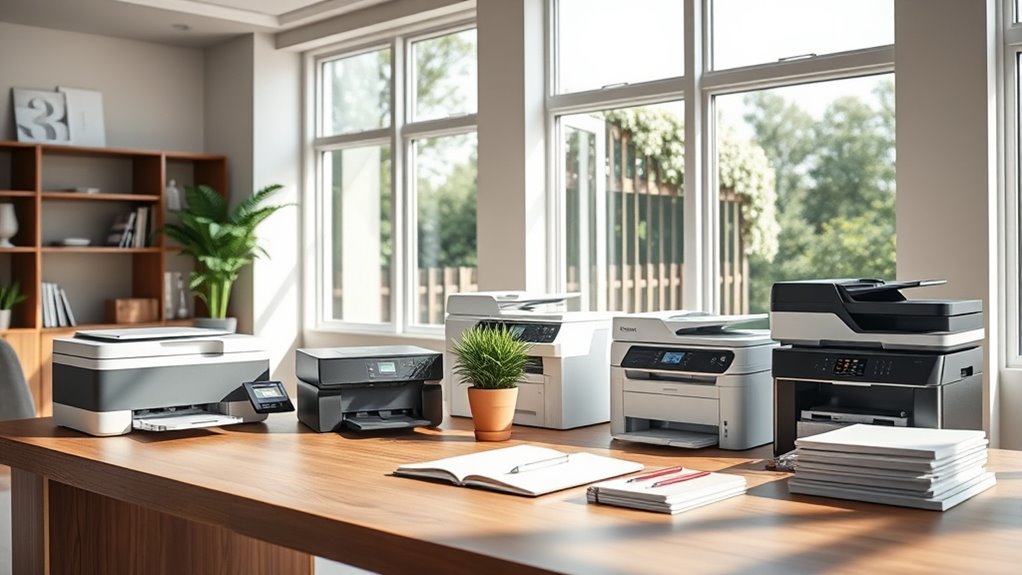

For most home offices, I’d start with the HP OfficeJet Pro 9125, which pairs office-focused features with the flexibility of an all-in-one inkjet. If low ink costs matter more than speed, the HP Smart Tank 5003 and Canon PIXMA MegaTank G3270 stand out for their refillable ink tanks. The right choice depends on how often you print, whether you need automatic two-sided printing or fax, and how much desk space you can spare. Compact cartridge models can suit occasional use, while frequent printing often makes a tank printer a better fit. Read on for how all 13 options compare and which type of home office each one suits.

Get audio and creator gear delivered free with Prime
- Fast, free delivery on millions of items
- Prime Video, Amazon Music and more included
- Member-only deals all year
Complete the kit


Key Takeaways
- The HP OfficeJet Pro 9125 is the strongest fit for a busy home office that needs a more office-oriented feature set than compact entry-level models.
- The HP Smart Tank 5003, Canon PIXMA MegaTank G3270, and Epson EcoTank ET-2800 make refillable ink a central part of the ownership decision; compare their workflow features as well as their tank designs.
- The HP DeskJet 2923 and Canon PIXMA TS4320 suit lighter print routines better than offices that regularly handle multi-page paperwork.
- The Canon PIXMA TR4720 and TR8620a add fax capability, which can matter for paperwork workflows that simpler home printers do not address.
- The HP OfficeJet Pro 8125, Brother Work Smart 1360, and Canon PIXMA TR7120 offer alternatives for buyers balancing office tasks, everyday convenience, and document handling.
| HP DeskJet 2923 Wireless All-in-One Color Inkjet Printer |  | Best for Basic Home Office Tasks | Printer type: HP Thermal Inkjet | Functions: Print, scan, copy | Connectivity: Wireless; phone and tablet printing | VIEW ON AMAZON | See Our Full Breakdown |
| Canon PIXMA TS6520 Wireless Color Inkjet All-in-One Printer |  | Best for Automatic Two-Sided Printing | Printer type: Color inkjet all-in-one | Functions: Print, scan, copy | Connectivity: Dual-band Wi-Fi, USB | VIEW ON AMAZON | See Our Full Breakdown |
| HP Smart Tank 5003 Wireless All-in-One Ink Tank Printer |  | Best for High-Volume Printing | Printer type: Thermal inkjet | Functions: Print, copy, scan | Connectivity: Wireless; mobile printing | VIEW ON AMAZON | See Our Full Breakdown |
| Canon PIXMA TR7120 Wireless Color Inkjet All-in-One Printer |  | Best for Scanning Multi-Page Documents | Printer type: Inkjet | Functions: Print, scan, copy | Connectivity: USB, dual-band Wi-Fi (2.4 GHz or 5 GHz) | VIEW ON AMAZON | See Our Full Breakdown |
| HP Envy 6155 Wireless All-in-One Color Inkjet Printer |  | Best for Easy Everyday Operation | Printer type: Inkjet | Functions: Print, scan, copy | Connectivity: Dual-band Wi-Fi; mobile app | VIEW ON AMAZON | See Our Full Breakdown |
| Canon PIXMA TR4720 Wireless All-in-One Inkjet Printer with Fax | 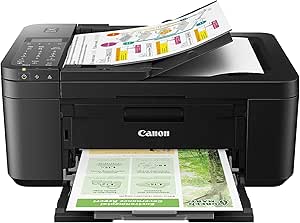 | Best for Faxing on a Small Desk | Printer type: Inkjet | Functions: Print, copy, scan, fax | Connectivity: Wireless | VIEW ON AMAZON | See Our Full Breakdown |
| Canon PIXMA MegaTank G3270 Wireless All-in-One Color Inkjet Printer |  | Best for Lower Ink Refill Frequency | Printer type: Inkjet | Functions: Print, copy, scan | Connectivity: Wi-Fi, USB | VIEW ON AMAZON | See Our Full Breakdown |
| Brother Work Smart 1360 Wireless Color Inkjet All-in-One Printer |  | Best Value for Everyday Office Documents | Printer type: Inkjet all-in-one | Functions: Print, copy, scan | Connectivity: Wireless, Wi-Fi Direct, USB | VIEW ON AMAZON | See Our Full Breakdown |
| HP OfficeJet Pro 9125 Wireless All-in-One Color Inkjet Printer |  | Best for Busy Home Offices | Printer type: Thermal inkjet | Functions: Print, scan, copy, fax | Print speed: Up to 22 ppm black; 18 ppm color | VIEW ON AMAZON | See Our Full Breakdown |
| Canon PIXMA TR8620a Wireless All-in-One Inkjet Printer |  | Best for Mixed Office and Photo Printing | Printer type: Inkjet | Functions: Print, copy, scan, fax | Print speed: 15 ipm black; 10 ipm color | VIEW ON AMAZON | See Our Full Breakdown |
| Canon PIXMA TS4320 Wireless Color Inkjet All-in-One Printer |  | Best Compact Pick | Printer type: Inkjet | Functions: Print, copy, scan | Connectivity: Dual-band Wi-Fi (2.4 GHz and 5 GHz) | VIEW ON AMAZON | See Our Full Breakdown |
| HP OfficeJet Pro 8125 Wireless All-in-One Color Inkjet Printer | 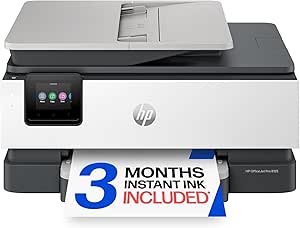 | Best for Paperwork | Printer type: Thermal inkjet | Functions: Print, scan, copy | Print speed: Up to 20 ppm black, 10 ppm color | VIEW ON AMAZON | See Our Full Breakdown |
| Epson EcoTank ET-2800 Wireless All-in-One Color Printer |  | Best for High-Volume Ink Savings | Printer type: Inkjet | Functions: Print, scan, copy | Print speed: Up to 10 ISO pages per minute | VIEW ON AMAZON | See Our Full Breakdown |
| printers for home office | Printer type | Functions | Connectivity | Print speed |
|---|---|---|---|---|
| HP DeskJet 2923 Wireless All-i | HP Thermal Inkjet | Print, scan, copy | Wireless; phone and tablet printing | — |
| Canon PIXMA TS6520 Wireless Co | Color inkjet all-in-one | Print, scan, copy | Dual-band Wi-Fi, USB | — |
| HP Smart Tank 5003 Wireless Al | Thermal inkjet | Print, copy, scan | Wireless; mobile printing | — |
| Canon PIXMA TR7120 Wireless Co | Inkjet | Print, scan, copy | USB, dual-band Wi-Fi (2.4 GHz or 5 GHz) | — |
| HP Envy 6155 Wireless All-in-O | Inkjet | Print, scan, copy | Dual-band Wi-Fi; mobile app | Up to 10 ppm black; 7 ppm color |
| Canon PIXMA TR4720 Wireless Al | Inkjet | Print, copy, scan, fax | Wireless | Black: 8.8 ipm; color: 4.4 ipm |
| Canon PIXMA MegaTank G3270 Wir | Inkjet | Print, copy, scan | Wi-Fi, USB | 11 pages per minute black-and-white; 6 pages per minute color |
| Brother Work Smart 1360 Wirele | Inkjet all-in-one | Print, copy, scan | Wireless, Wi-Fi Direct, USB | Up to 16 ppm black; 9 ppm color |
| HP OfficeJet Pro 9125 Wireless | Thermal inkjet | Print, scan, copy, fax | Dual-band Wi-Fi | Up to 22 ppm black; 18 ppm color |
| Canon PIXMA TR8620a Wireless A | Inkjet | Print, copy, scan, fax | Wireless, USB | 15 ipm black; 10 ipm color |
| Canon PIXMA TS4320 Wireless Co | Inkjet | Print, copy, scan | Dual-band Wi-Fi (2.4 GHz and 5 GHz) | — |
| HP OfficeJet Pro 8125 Wireless | Thermal inkjet | Print, scan, copy | Dual-band Wi-Fi | Up to 20 ppm black, 10 ppm color |
| Epson EcoTank ET-2800 Wireless | Inkjet | Print, scan, copy | — | Up to 10 ISO pages per minute |
More Details on Our Top Picks
HP DeskJet 2923 Wireless All-in-One Color Inkjet Printer
The HP DeskJet 2923 covers the everyday basics in a light, simple package: color printing, flatbed scanning, copying, and wireless printing from a phone or computer. It makes more sense for occasional paperwork than the Canon PIXMA TS6520, which adds automatic two-sided printing for people who print longer documents. The DeskJet’s 60-sheet tray also means more frequent refills than the 100-sheet HP Smart Tank 5003 or Canon PIXMA TR7120. Its manual duplexing is a real inconvenience if you regularly print on both sides, but the compact footprint and included setup cartridges suit a lightly used desk. Choose it for forms, school documents, and occasional color pages; skip it if your office prints steadily or handles multi-page scanning.
Pros:- Prints, scans, and copies in color
- Wireless printing works with phones, tablets, and computers
- Lightweight at 7.6 pounds
- Setup black and tri-color cartridges are included
Cons:- Two-sided printing requires manually turning pages
- The 60-sheet capacity requires frequent reloading with regular use
Best for: People with a small home office who print occasional forms and need basic color scanning and copying.
Not ideal for: Remote workers printing long reports or frequent two-sided documents, since duplexing is manual and the tray holds 60 sheets.
- Printer type:HP Thermal Inkjet
- Functions:Print, scan, copy
- Connectivity:Wireless; phone and tablet printing
- Scanner:Flatbed
- Duplex printing:Manual
- Maximum sheet capacity:60 sheets
- Weight:7.6 pounds
- Warranty:One-year limited warranty
Our verdict“Pick the DeskJet 2923 for occasional home office printing and scanning when a lightweight, basic all-in-one matters more than speed or automatic duplexing.”
Canon PIXMA TS6520 Wireless Color Inkjet All-in-One Printer
For a home office that prints frequent multipage documents, the Canon PIXMA TS6520 earns its place with automatic duplexing in a compact print, scan, and copy unit. That convenience sets it apart from the HP DeskJet 2923 and HP Smart Tank 5003, both of which require manual page turning. Its dual-band Wi-Fi and 1.42-inch OLED display add straightforward ways to connect and check tasks. The tradeoff is document handling: its flatbed scanner has no automatic document feeder, so scanning a stack means placing pages one at a time. The Canon PIXMA TR7120 is a better fit when that task is routine, thanks to its ADF. The TS6520 suits home workers who value easy two-sided output more than batch scanning or larger media support.
Pros:- Automatic duplex printing reduces manual page handling
- Dual-band Wi-Fi and USB connectivity
- Prints, scans, and copies
- Compact design with a small OLED display
Cons:- No automatic document feeder for multipage scanning or copying
- Maximum media size is letter
Best for: Home workers who regularly print double-sided letters and reports but scan documents one page at a time.
Not ideal for: People who digitize or copy stacks of paperwork, since it lacks an automatic document feeder.
- Printer type:Color inkjet all-in-one
- Functions:Print, scan, copy
- Connectivity:Dual-band Wi-Fi, USB
- Duplex printing:Automatic
- Scanner:Flatbed
- Display:1.42-inch monochrome OLED
- Maximum media size:Letter (8.5 × 11 inches)
- Weight:15.4 pounds
Our verdict“Choose the PIXMA TS6520 if automatic two-sided printing matters more than scanning multipage stacks.”
HP Smart Tank 5003 Wireless All-in-One Ink Tank Printer
The HP Smart Tank 5003 is the volume-minded pick here: its refillable tanks arrive with ink for up to 6,000 black or color pages, and the printer holds 100 sheets. That setup suits a busy household office better than the cartridge-based HP Envy 6155 or Canon PIXMA TS6520 when printing is frequent. It also supports legal-size media and can make up to 99 copies in one run. The compromise is day-to-day convenience: duplexing is manual, and its flatbed scanner lacks the automatic document feeder found on the Canon PIXMA TR7120. Tank refills reduce cartridge replacement interruptions, but this model is less suited to workers who routinely scan stacks or expect automatic two-sided output. Choose it for sustained printing, not streamlined document handling.
Pros:- Refillable ink tanks include up to 6,000 black or color pages
- 100-sheet capacity supports longer print runs
- Handles media up to legal size
- Can make up to 99 copies per run
Cons:- Duplex printing is manual
- Flatbed scanner has no automatic document feeder
Best for: Households with a shared home office that prints many pages and wants refillable ink tanks with a large included supply.
Not ideal for: People who often print double-sided reports or scan multipage contracts and want those tasks handled automatically.
- Printer type:Thermal inkjet
- Functions:Print, copy, scan
- Connectivity:Wireless; mobile printing
- Included ink:Up to 3 years; up to 6,000 color or black pages
- Scanner:Flatbed
- Maximum media size:Legal (8.5 × 14 inches)
- Maximum sheet capacity:100 sheets
- Duplex printing:Manual
- Warranty:One year or 30,000 pages, whichever comes first
Our verdict“The Smart Tank 5003 is a strong fit for frequent home office printing when tank capacity matters more than automatic duplexing or batch scanning.”
Canon PIXMA TR7120 Wireless Color Inkjet All-in-One Printer
The Canon PIXMA TR7120 is the practical choice for a home office that scans or copies paperwork in batches. Its automatic document feeder can take on multipage jobs, while automatic duplex printing handles two-sided output without the page-by-page routine required by the HP DeskJet 2923 and HP Smart Tank 5003. It also supports legal-size media, giving it more document flexibility than the letter-only Canon PIXMA TS6520. The 100-sheet tray is adequate for a small office, though it will need refilling more often than a higher-capacity setup. Its monochrome OLED is functional rather than expansive, and this printer uses standard four-color ink. Pick it for document workflow convenience; choose the Smart Tank 5003 instead if high print volume and included tank ink matter more than an ADF.
Pros:- Automatic document feeder supports multipage scanning and copying
- Automatic duplex printing
- Supports media up to legal size
- Dual-band Wi-Fi and USB connectivity
Cons:- 100-sheet capacity can require frequent refills in a busy office
- Monochrome OLED display offers a small, basic control surface
Best for: Home-based consultants and administrators who frequently scan or copy multipage paperwork and print legal-size documents.
Not ideal for: High-volume printers prioritizing extended ink supply, since this model has a 100-sheet tray and no tank system listed.
- Printer type:Inkjet
- Functions:Print, scan, copy
- Connectivity:USB, dual-band Wi-Fi (2.4 GHz or 5 GHz)
- Document feeder:Automatic Document Feeder
- Duplex printing:Automatic
- Maximum media size:Legal (8.5 × 14 inches)
- Maximum sheet capacity:100 sheets
- Display:1.42-inch monochrome OLED
- Dimensions:14.8 × 14 × 8.2 inches (D × W × H)
Our verdict“Choose the PIXMA TR7120 when batch scanning and automatic two-sided printing are more useful than a high-capacity ink tank.”
HP Envy 6155 Wireless All-in-One Color Inkjet Printer
The HP Envy 6155 puts a more approachable control panel and automatic duplexing on a compact all-in-one. Its 2.4-inch color touchscreen makes local setup and job selection clearer than the small monochrome OLED on the Canon PIXMA TR7120, while a 100-sheet tray offers more breathing room than the HP DeskJet 2923’s 60-sheet capacity. It prints up to 10 pages per minute in black and 7 in color, a useful pace for routine home office documents. The tradeoffs are its cartridge dependence and the requirement for cartridges with original HP chips or circuitry. The included Instant Ink trial also shifts to a paid subscription unless canceled. Unlike the Smart Tank 5003, it is not designed around a large refillable ink supply. Pick it for convenient controls and regular mixed-color tasks, provided its cartridge system fits your preferences.
Pros:- 2.4-inch color touchscreen simplifies printer controls
- Automatic two-sided printing
- 100-sheet input tray
- Prints up to 10 ppm black and 7 ppm color
Cons:- Requires cartridges with original HP chips or circuitry
- Instant Ink trial becomes a paid subscription unless canceled
Best for: Home workers who want a clear touchscreen, automatic duplexing, and a straightforward printer for routine color and black-and-white jobs.
Not ideal for: Frequent high-volume printers or buyers who want to use third-party cartridges, given its cartridge restrictions and subscription trial terms.
- Printer type:Inkjet
- Functions:Print, scan, copy
- Connectivity:Dual-band Wi-Fi; mobile app
- Print speed:Up to 10 ppm black; 7 ppm color
- Duplex printing:Automatic two-sided printing
- Input tray capacity:100 sheets
- Display:2.4-inch color touchscreen
- Weight:11.2 pounds
- Warranty:One-year limited hardware warranty
Our verdict“The Envy 6155 suits everyday home office users who value an easy touchscreen interface and automatic duplexing over a refillable tank system.”
Canon PIXMA TR4720 Wireless All-in-One Inkjet Printer with Fax
The PIXMA TR4720 packs print, copy, scan, and fax functions into a 12.7-pound printer, making it a practical fit for a home office that still handles occasional faxed forms. Its automatic document feeder and two-sided printing reduce hands-on work with routine paperwork, while the 100-sheet tray suits a lighter print load. Compared with the Canon PIXMA TR8620a, it gives up speed and paper capacity, but takes up less room and still covers the same core office tasks. The tradeoff is most apparent with color documents: its stated 4.4 ipm pace can make longer jobs drag. This model makes sense when fax support and a compact footprint matter more than fast output or frequent printing.
Pros:- Prints, copies, scans, and faxes in one device
- Automatic document feeder helps with multi-page originals
- Automatic two-sided printing cuts manual page flipping
- Compact 12.7-pound build for a multifunction printer
Cons:- Color document speed is a stated 4.4 ipm
- 100-sheet tray needs frequent refills in busier offices
- Uses specific Canon PG-275 and CL-276 cartridges
Best for: Home-based consultants or small offices that fax forms occasionally and print modest volumes
Not ideal for: People who regularly print long color documents or want a larger paper tray
- Printer type:Inkjet
- Functions:Print, copy, scan, fax
- Connectivity:Wireless
- Print speed:Black: 8.8 ipm; color: 4.4 ipm
- Paper capacity:100 sheets
- Automatic document feeder:Yes
- Automatic two-sided printing:Yes
- Dimensions:11.7 x 17.2 x 7.5 inches
Our verdict“Choose the TR4720 if faxing and a smaller footprint matter more than speed or high-volume paper handling.”
Canon PIXMA MegaTank G3270 Wireless All-in-One Color Inkjet Printer
The MegaTank G3270 suits a home office that prints often and wants to refill ink less frequently. Canon’s stated yield of up to 6,000 black-and-white or 7,700 color pages per ink set can mean fewer interruptions for replacement supplies, and a bottle set is included. That tank system sets it apart from cartridge printers such as the Brother Work Smart 1360, which adds automatic duplexing and a larger 150-sheet tray but uses cartridges. The G3270’s 100-sheet capacity is more limiting, and it prints on one side only, so frequent multipage reports bring extra paper handling. Choose it for ongoing print volume and scanning basics; skip it if faxing, automatic double-sided output, or quick handling of office paperwork is a priority.
Pros:- Refillable ink tanks with a bottle set included
- Stated yield of up to 6,000 black-and-white or 7,700 color pages per ink set
- Prints, copies, and scans over Wi-Fi or USB
- Supports borderless printing and media up to 8.5 x 14 inches
Cons:- Single-sided printing requires manual page flipping for two-sided jobs
- 100-sheet capacity is smaller than the Brother Work Smart 1360’s 150-sheet tray
- Does not include faxing
Best for: Home offices that print regularly and prefer refillable tanks to frequent cartridge changes
Not ideal for: Users who need faxing, automatic duplex printing, or a larger paper tray
- Printer type:Inkjet
- Functions:Print, copy, scan
- Connectivity:Wi-Fi, USB
- Print speed:11 pages per minute black-and-white; 6 pages per minute color
- Maximum print resolution:4800 x 1200 dpi
- Paper capacity:100 sheets
- Maximum media size:8.5 x 14 inches
- Display:1.35-inch LCD
Our verdict“Pick the G3270 for frequent printing with refillable tanks, provided you can live without duplexing and fax.”
Brother Work Smart 1360 Wireless Color Inkjet All-in-One Printer
The Brother Work Smart 1360 balances useful office features with a relatively compact body: automatic duplex printing, a 20-sheet feeder, and a 150-sheet paper tray help keep everyday paperwork moving. Its stated black speed of up to 16 ppm is faster than the Canon PIXMA TR4720’s 8.8 ipm, while the Brother also holds more paper. For a small home office that prints forms and reports, that difference means fewer waits and refills. It does not fax, and its document feeder scans one side at a time, so it is less suited to workflows built around faxed paperwork or double-sided originals than the HP OfficeJet Pro 9125. Color output is slower than black, and the device relies on Brother LC501 cartridges. It is a sensible middle ground for routine print, copy, and scan tasks.
Pros:- Automatic duplex printing
- 150-sheet paper tray
- Up to 16 ppm black printing
- Wireless, Wi-Fi Direct, USB, cloud, and mobile printing support
Cons:- 20-sheet document feeder is single-sided
- Color printing is slower than black printing
- Uses Brother Genuine LC501 cartridges
Best for: Remote workers who print everyday forms and reports and want duplex printing with a useful tray capacity
Not ideal for: Offices that need faxing or automatic two-sided scanning of frequent multipage originals
- Printer type:Inkjet all-in-one
- Functions:Print, copy, scan
- Connectivity:Wireless, Wi-Fi Direct, USB
- Print speed:Up to 16 ppm black; 9 ppm color
- Paper tray capacity:150 sheets
- Automatic document feeder:20 sheets, single-sided
- Duplex printing:Automatic
- Dimensions:13.5 x 15.4 x 7.2 inches
Our verdict“Choose the Work Smart 1360 for routine home-office printing when duplex output and tray capacity matter more than faxing.”
HP OfficeJet Pro 9125 Wireless All-in-One Color Inkjet Printer
For a home office with a steady stream of paperwork, the OfficeJet Pro 9125 offers the strongest stated work pace in this group: up to 22 ppm black and 18 ppm color. Its 250-sheet input tray is also substantially larger than the 150-sheet tray on the Brother Work Smart 1360, reducing refill interruptions. Automatic duplex printing and scanning, faxing, and a 2.7-inch touchscreen make it suited to handling documents from start to finish. Those advantages bring a larger 20.5-pound footprint and a cartridge requirement: the printer requires original HP cartridges with HP chips or circuitry. The HP app and dual-band Wi-Fi support connected workflows, while its recycled plastic content may appeal to buyers weighing materials. I’d choose it for a busier desk, but not for occasional printing in a tight space.
Pros:- Fast stated speeds of up to 22 ppm black and 18 ppm color
- 250-sheet input tray
- Automatic duplex printing and duplex scanning
- Prints, scans, copies, and faxes
Cons:- Requires original HP cartridges with HP chips or circuitry
- Heavier and larger than lighter-duty options such as the Canon PIXMA TR4720
- 60-sheet output capacity is smaller than its input tray
Best for: Home businesses and remote teams that process frequent multipage documents and need faxing
Not ideal for: Occasional printers with limited desk space or buyers who want flexibility in cartridge choice
- Printer type:Thermal inkjet
- Functions:Print, scan, copy, fax
- Print speed:Up to 22 ppm black; 18 ppm color
- Paper input capacity:250 sheets
- Duplex scanning:Yes
- Connectivity:Dual-band Wi-Fi
- Touchscreen:2.7-inch color
- Weight:20.5 pounds
Our verdict“Choose the OfficeJet Pro 9125 when a busy home office needs speed, paper capacity, duplex scanning, and faxing.”
Canon PIXMA TR8620a Wireless All-in-One Inkjet Printer
The PIXMA TR8620a is a flexible choice for a home office that also prints occasional borderless photos. It combines faxing and a 20-sheet automatic document feeder with two paper feeds totaling 200 sheets, letting users keep different paper types ready without swapping a stack each time. Its stated speeds of 15 ipm black and 10 ipm color are quicker than the TR4720’s 8.8 and 4.4 ipm, though the HP OfficeJet Pro 9125 is faster still and offers a 250-sheet tray plus automatic duplex scanning. The Canon’s touchscreen and Alexa and mobile printing support add convenient control, but its 20-sheet output capacity can bottleneck larger jobs. It also lacks the HP’s larger input tray, making this the better fit for varied, moderate workloads than sustained office volume.
Pros:- Prints, copies, scans, and faxes
- Two paper feeds provide 200-sheet total capacity
- 20-sheet automatic document feeder and automatic duplex printing
- Supports wireless, USB, mobile, and Alexa printing
Cons:- 20-sheet output capacity can require frequent clearing during larger jobs
- Slower stated print speeds than the HP OfficeJet Pro 9125
- Does not offer the HP model’s automatic duplex scanning
Best for: Home workers who alternate between business documents and occasional borderless photo prints
Not ideal for: High-volume offices that need a large output stack or faster duplex document workflows
- Printer type:Inkjet
- Functions:Print, copy, scan, fax
- Print speed:15 ipm black; 10 ipm color
- Paper capacity:200 sheets: 100-sheet cassette and 100-sheet rear feed
- Automatic document feeder:20 sheets
- Automatic duplex printing:Yes
- Connectivity:Wireless, USB
- Display:LCD touchscreen
Our verdict“Pick the TR8620a for a mixed document and photo workload that benefits from flexible paper feeds and faxing.”
Canon PIXMA TS4320 Wireless Color Inkjet All-in-One Printer
The Canon PIXMA TS4320 makes the most sense for a home office that prints occasional forms, schoolwork, and photos but has little room for equipment. At 14 inches wide, it is more compact than the HP OfficeJet Pro 8125, though its 100-sheet tray needs refilling sooner than that model’s 225-sheet capacity. Automatic two-sided printing saves paper on routine documents, and dual-band Wi-Fi plus mobile printing make it easy to send jobs from a laptop or phone. The flatbed handles one page at a time, so the lack of an automatic document feeder becomes a real slowdown for multi-page scanning. I’d choose it for light, mixed-use printing; frequent paperwork or larger batches suit the OfficeJet Pro better.
Pros:- Compact footprint for a printer with print, copy, and scan functions
- Automatic two-sided printing reduces paper use
- Dual-band Wi-Fi and support for Canon PRINT, Apple AirPrint, and Mopria
- Prints borderless photos up to letter size
Cons:- No automatic document feeder for multi-page scanning or copying
- 100-sheet capacity calls for more frequent reloading than the HP OfficeJet Pro 8125
- Designed for light home use rather than high-volume office work
Best for: Home-office users with limited desk space who print documents and occasional letter-size photos
Not ideal for: People who regularly scan multi-page paperwork or print large batches, since it has no automatic document feeder and a 100-sheet tray
- Printer type:Inkjet
- Functions:Print, copy, scan
- Connectivity:Dual-band Wi-Fi (2.4 GHz and 5 GHz)
- Maximum sheet capacity:100 sheets
- Maximum media size:Letter (8.5 × 11 inches)
- Scanner:Flatbed
- Dimensions:14.8 × 14 × 6.7 inches (D × W × H)
- Ink colors:Black, cyan, magenta, yellow
Our verdict“Choose the TS4320 for a small home office with light printing needs, but pick the HP OfficeJet Pro 8125 for frequent multi-page document handling.”
HP OfficeJet Pro 8125 Wireless All-in-One Color Inkjet Printer
For a home office that regularly processes forms, invoices, or other multi-page documents, the HP OfficeJet Pro 8125 offers the most useful workflow features among these three. Its automatic document feeder can handle stacks for scanning and copying, while the 225-sheet input tray means fewer interruptions than the 100-sheet trays on the Canon PIXMA TS4320 and Epson EcoTank ET-2800. Automatic duplex printing and a touchscreen also make routine jobs easier to manage. The tradeoff is an ongoing cartridge commitment: it uses original HP 923 cartridges and blocks cartridges with non-HP chips or circuitry. The included Instant Ink trial becomes a paid subscription unless canceled. I’d favor it for document-heavy work, but lighter printers may fit better when ongoing cartridge flexibility matters more.
Pros:- Automatic document feeder simplifies multi-page scanning and copying
- 225-sheet input capacity reduces reloads
- Automatic duplex printing and a 2.7-inch color touchscreen
- Made with more than 45% recycled plastic
Cons:- Requires original HP cartridges and blocks cartridges using non-HP chips or circuitry
- Instant Ink becomes a paid subscription after the trial unless canceled
- Larger than compact home printers such as the Canon PIXMA TS4320
Best for: Remote workers and home-based businesses that scan multi-page documents and print paperwork throughout the week
Not ideal for: Buyers seeking refillable ink tanks or freedom to use cartridges with non-HP chips, due to its cartridge restrictions and subscription trial terms
- Printer type:Thermal inkjet
- Functions:Print, scan, copy
- Print speed:Up to 20 ppm black, 10 ppm color
- Input capacity:225 sheets
- Automatic document feeder:Yes
- Duplex printing:Automatic
- Display:2.7-inch color touchscreen
- Connectivity:Dual-band Wi-Fi
- Compatible cartridges:HP 923 original ink cartridges
Our verdict“Pick the OfficeJet Pro 8125 when an ADF and larger paper tray will save time on frequent paperwork, and accept its HP cartridge restrictions.”
Epson EcoTank ET-2800 Wireless All-in-One Color Printer
The Epson EcoTank ET-2800 suits a home office that prints often and wants to avoid the frequent cartridge changes associated with conventional inkjets. Its refillable tanks come with ink rated for up to 4,500 black or 7,500 color pages, giving it a different appeal from the cartridge-based Canon PIXMA TS4320. That large included yield can make regular printing more convenient, while the 100-sheet tray and speed of up to 10 ISO pages per minute keep it oriented toward home workloads rather than a busy office queue. It also lacks an automatic document feeder, so the HP OfficeJet Pro 8125 is the better fit for batches of paperwork. Choose the Epson for steady printing; skip it if you need fast output or frequent multi-page scanning.
Pros:- Refillable ink tanks instead of conventional cartridges
- Included ink yield rated for up to 4,500 black or 7,500 color pages
- Print, scan, and copy functions with wireless and voice-activated printing
- Supports media up to 8.5 × 14 inches
Cons:- No automatic document feeder for multi-page scanning
- Up to 10 ISO pages per minute is modest for document-heavy work
- Manufacturer recommends genuine Epson ink
Best for: Home-office users who print regularly in color and prefer refillable tanks over cartridge replacement
Not ideal for: People who need fast document throughput or routinely scan multi-page stacks, since its listed speed is up to 10 ppm and it has a flatbed scanner
- Printer type:Inkjet
- Functions:Print, scan, copy
- Print speed:Up to 10 ISO pages per minute
- Ink system:Refillable ink tanks
- Included ink yield:Up to 4,500 black pages or 7,500 color pages
- Maximum media size:8.5 × 14 inches
- Maximum sheet capacity:100 sheets
- Scanner:Flatbed
- Display:LCD color display
Our verdict“Choose the ET-2800 for frequent home color printing with tank-based ink, but choose the HP OfficeJet Pro 8125 for faster paperwork handling and an ADF.”

How We Picked
I compared these printers as tools for a home office, weighing how well their feature sets match common work routines: printing documents, scanning paperwork, making copies, and handling occasional color jobs. I looked at the differences between cartridge and refillable tank designs, all-in-one functions, wireless connectivity, and office-oriented features such as fax. Those factors affect both everyday convenience and the effort involved in keeping a printer ready for work.
The ranking favors models with a useful balance of home-office capability and usability, while giving narrower roles to printers that make more sense for lighter use, lower ink consumption, compact setups, or specific document workflows. A tank printer can be a better match for frequent printing, but refillable ink alone does not make it the right choice for every desk. I also considered who is likely to outgrow each model: occasional users may not need advanced office features, while a busy office may find a basic compact printer limiting.
| printers for home office | Printer type | Functions | Duplex printing |
|---|---|---|---|
| HP DeskJet 2923 Wireless All-i | HP Thermal Inkjet | Print, scan, copy | Manual |
| Canon PIXMA TS6520 Wireless Co | Color inkjet all-in-one | Print, scan, copy | Automatic |
| HP Smart Tank 5003 Wireless Al | Thermal inkjet | Print, copy, scan | Manual |
| Canon PIXMA TR7120 Wireless Co | Inkjet | Print, scan, copy | Automatic |
| HP Envy 6155 Wireless All-in-O | Inkjet | Print, scan, copy | Automatic two-sided printing |
| Canon PIXMA TR4720 Wireless Al | Inkjet | Print, copy, scan, fax | — |
| Canon PIXMA MegaTank G3270 Wir | Inkjet | Print, copy, scan | — |
| Brother Work Smart 1360 Wirele | Inkjet all-in-one | Print, copy, scan | Automatic |
| HP OfficeJet Pro 9125 Wireless | Thermal inkjet | Print, scan, copy, fax | — |
| Canon PIXMA TR8620a Wireless A | Inkjet | Print, copy, scan, fax | — |
| Canon PIXMA TS4320 Wireless Co | Inkjet | Print, copy, scan | — |
| HP OfficeJet Pro 8125 Wireless | Thermal inkjet | Print, scan, copy | Automatic |
| Epson EcoTank ET-2800 Wireless | Inkjet | Print, scan, copy | — |
Factors to Consider When Choosing Printers For Home Offices
I’d choose a home office printer by working backward from the jobs it needs to handle. The most useful features depend on print volume, document flow, and available space, while ink design shapes the ongoing ownership routine. These factors can help narrow the field before comparing individual models.
Match the printer to your monthly routine
Think about a typical month, not the occasional rush when a deadline lands. A few forms and pages of notes place different demands on a printer than weekly reports, school assignments, and client documents. Buyers often focus on a printer’s advertised speed and overlook how frequently they will print or scan. If most work is digital, a basic all-in-one may cover the odd form without taking over the desk. If paper jobs are frequent, prioritize a model built around office tasks and convenient document handling. Leave room for changes in your workload, but avoid paying for capacity you are unlikely to use.
Compare ink systems using your real print mix
Cartridge printers and refillable tank models suit different ownership patterns. Tanks can make sense when you print regularly and want to reduce the need for frequent cartridge replacement, while cartridge models can be simpler for light, occasional jobs. A common mistake is treating the ink system as the only cost: color use, print frequency, and replacement habits also shape the experience. Consider whether you print mostly black text or regularly need color graphics and photos. If printing is sporadic, ask how you will keep the machine ready for use between jobs. Choose the system that fits your routine, rather than assuming one design always costs less for every buyer.
Check the paper workflow before buying
Scanning and copying can save time when you regularly handle forms, receipts, or signed paperwork. A flatbed scanner works for a single page, but multi-page jobs can become tedious if you must feed each sheet by hand. Automatic document handling matters most when those jobs happen often, not just because it appears on a feature list. Two-sided printing can also reduce paper use and make longer documents easier to manage. Fax is a specialized feature: it may be necessary for certain organizations, but many home offices never use it. List your recurring paper tasks and look for the features that remove steps from those jobs.
Plan for the space around the printer
A printer’s footprint is only part of its space requirement. You also need access to trays, lids, and scanner surfaces, plus room to load paper and replace supplies. Buyers can underestimate this and end up with a device that technically fits but is awkward to use. Before choosing a compact model, check whether its paper capacity and document features match your work. For a shared desk, measure the usable area and think about where printed pages will land. A slightly larger printer can be the more practical choice if it reduces frequent interruptions.
Pay for features that remove recurring friction
Higher-end features are most valuable when they improve a task you repeat every week. Automatic two-sided printing, fax, document handling, and straightforward wireless setup may save more time than a feature that sounds impressive but rarely gets used. Think about who will operate the printer and whether it needs to work from multiple computers or phones. A beginner may value a simple setup more than a long list of controls, while a multi-person office may need broader workflow support. Avoid choosing solely by the largest feature count. Pay extra when a feature solves a regular problem, and keep the setup simple when your needs are light.
Frequently Asked Questions
Should I choose a refillable tank printer if I only print occasionally?
Not automatically. Refillable tanks are most compelling when you print often enough for ink use to be a regular part of ownership. For occasional paperwork, a cartridge model may be a simpler fit, especially if you prefer a compact device and do not need office-heavy features. Think about both how many pages you print and how long the printer may sit idle between jobs. Match the ink system to that pattern instead of choosing by tank capacity alone.
Do I need fax on a printer for my home office?
Fax is useful when an employer, client, or institution still requires documents through that channel. If your work uses email, secure portals, or digital signatures instead, fax may add complexity without improving your routine. The Canon PIXMA TR4720 and TR8620a are options in this lineup that include fax, so they merit a closer look when it is a firm requirement. Check whether your organization accepts digital alternatives before prioritizing the feature. That can keep your printer choice aligned with the paperwork you actually handle.
Is a compact printer a good choice for a shared home office?
It can be, if the office prints lightly and has limited desk space. Shared use often brings more varied jobs, though, such as several people printing documents, scanning forms, and copying pages. A compact model may feel restrictive if it lacks the workflow features those tasks need. Estimate the combined household or team workload rather than choosing around one person’s use. If several people rely on the printer, convenience and document handling may matter more than the smallest footprint.
What matters more for office documents: print speed or automatic two-sided printing?
It depends on how your work reaches the printer. Speed matters when you regularly send large batches and wait for them to finish. Automatic two-sided printing helps when you produce longer documents and want to reduce manual page handling and paper use. For short, occasional jobs, neither feature may be a deciding factor. Look at the bottleneck in your routine: long waits point toward speed, while repeated page flipping points toward duplex printing. One well-chosen convenience can matter more than a higher specification you rarely use.
How can I avoid buying a printer that is hard to use from my devices?
Check that the printer supports the computers and phones you plan to use, and review how it connects to your home network. A wireless label alone does not answer every setup question, especially in homes with multiple devices or a shared network. Consider who will troubleshoot a connection if a laptop or phone stops finding the printer. If several people print from different devices, a straightforward setup can be more useful than specialized features. Match connectivity to your actual devices and check the manufacturer’s compatibility information before choosing.
Conclusion
For the best overall home-office fit, I’d choose the HP OfficeJet Pro 9125 for its office-focused all-in-one approach. If ongoing ink replenishment is your main concern, the HP Smart Tank 5003 is my best value-oriented pick, while the Canon PIXMA MegaTank G3270 and Epson EcoTank ET-2800 are worth comparing as other tank options. Beginners with occasional print jobs should look first at the HP DeskJet 2923 or Canon PIXMA TS4320 for a simpler, lighter-duty fit. For fax-dependent paperwork, consider the Canon PIXMA TR4720 or TR8620a; for a premium, busier workflow, compare the HP OfficeJet Pro 9125 and OfficeJet Pro 8125 against the tasks your office repeats most. Choose based on the work you do every week, and the right printer becomes much easier to identify.
Halloween Picks
halloween
As an affiliate, we earn on qualifying purchases.