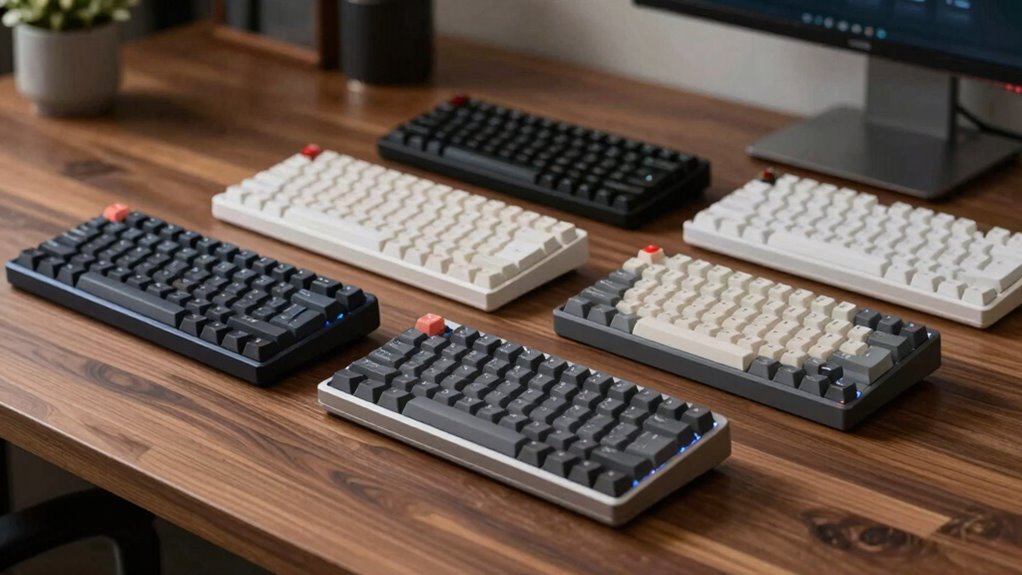

When searching for a quiet mechanical keyboard, the main challenge is balancing noise reduction with typing feel and performance. The Cherry KC 200 MX stands out as the top overall pick thanks to its reliable silent red switches that minimize noise while maintaining smooth keystrokes. For those seeking wireless convenience, the SOLAKAKA KI99 Pro offers hot-swappable switches and customizable RGB backlighting, though it comes with a slightly higher price. Meanwhile, the Logitech MX Mechanical provides a premium typing experience with excellent build quality but at a higher cost. Keep in mind that quieter switches often trade off some tactile feedback or clickiness, which can matter depending on your typing preferences. Continue reading for the full breakdown of these options and what to consider before buying.

Get audio and creator gear delivered free with Prime
- Fast, free delivery on millions of items
- Prime Video, Amazon Music and more included
- Member-only deals all year
Complete the kit


Key Takeaways
- Silent switches are effective at reducing noise but can slightly diminish tactile feedback for some users.
- Wireless models like the SOLAKAKA KI99 Pro add convenience but may introduce latency or battery concerns.
- Build quality and typing feel vary significantly, with premium options offering more durability and comfort.
- RGB backlighting and customization are mostly found in higher-end models, often at a premium price.
- Choosing a quiet keyboard involves balancing sound level, typing experience, and additional features like programmability or wireless connectivity.
| Cherry KC 200 MX Wired Mechanical Office Keyboard with Silent Red Switches |  | Best Overall for Quiet Office Use | Switch Type: Cherry MX2A Silent Red | Connectivity: Wired | Key Features: Full N-key rollover, anti-ghosting, molded keycaps | VIEW ON AMAZON | See Our Full Breakdown |
| SOLAKAKA KI99 Pro Wireless Mechanical Keyboard with RGB Backlit and Hot Swappable Switches |  | Best for Customization and Versatility | Connection Modes: Bluetooth 5.0, 2.4G, Type-C | Battery Capacity: 10,000mAh | Layout: 96% | VIEW ON AMAZON | See Our Full Breakdown |
| Logitech MX Mechanical Wireless Illuminated Keyboard Tactile – Graphite |  | Best for Multi-Device, Ergonomic Use | Switch Type: Tactile Quiet Mechanical | Backlit: Smart illumination with automatic adjustment | Connectivity: Bluetooth and Logi Bolt receiver | VIEW ON AMAZON | See Our Full Breakdown |
| Redragon K768 PRO Wireless 100-Key Gasket Gaming Keyboard with Knob and 8000mAh Battery |  | Best for Extended Wireless Use and Customization | Compatible Devices: PC, Laptop, Tablet | Connectivity Technology: 2.4Ghz, BT, USB-C | Additional Features: 100 Keys Gasket Design, 8000 mAh Battery | VIEW ON AMAZON | See Our Full Breakdown |
| SteelSeries Apex 3 RGB Gaming Keyboard |  | Best for Spill-Resistant Quiet Gaming | Water Resistance: IP32 | RGB Illumination: 10-zone | Switch Type: Whisper quiet gaming switches | VIEW ON AMAZON | See Our Full Breakdown |
| Logitech G413 SE Full-Size Mechanical Gaming Keyboard – Black |  | Best for Durable, Reliable Gaming Performance | Keycaps: PBT | Switch Type: Mechanical | Backlighting: White LED | VIEW ON AMAZON | See Our Full Breakdown |
| quiet mechanical keyboard | Switch Type |
|---|---|
| Cherry KC 200 MX Wired Mechani | Cherry MX2A Silent Red |
| SOLAKAKA KI99 Pro Wireless Mec | Silent, hot-swappable |
| Logitech MX Mechanical Wireles | Tactile Quiet Mechanical |
| Redragon K768 PRO Wireless 100 | — |
| SteelSeries Apex 3 RGB Gaming | Whisper quiet gaming switches |
| Logitech G413 SE Full-Size Mec | Mechanical |
More Details on Our Top Picks
Cherry KC 200 MX Wired Mechanical Office Keyboard with Silent Red Switches
This wired Cherry KC 200 stands out for its exceptionally smooth and silent typing experience, thanks to Cherry MX2A Silent Red switches. Its durability is evident in the abrasion-resistant keycaps and dedicated function keys, making it ideal for busy office environments. Compared to the Logitech MX Mechanical, it prioritizes pure silence over multi-device versatility, which might be a downside for multi-taskers. The lack of wireless options means less flexibility, but for those who prefer a wired setup, this provides reliable, low-noise performance. The simple, focused design makes it perfect for users who want a straightforward, quiet typing tool without extra features.
Pros:- Quiet and smooth typing with Cherry MX2A Silent Red switches
- Durable, abrasion-resistant keycaps for long-term use
- Includes dedicated keys for volume control and quick access
Cons:- Limited switch options restrict customization
- No wireless connectivity reduces flexibility
Best for: Office workers and professionals needing a reliable, silent keyboard for daily typing
Not ideal for: Gamers or multi-device users who prefer wireless or feature-rich keyboards
- Switch Type:Cherry MX2A Silent Red
- Connectivity:Wired
- Key Features:Full N-key rollover, anti-ghosting, molded keycaps
- Additional Keys:Calculator, volume control
- LED Indicators:Caps Lock, Scroll Lock, Num Lock
Our verdict“This keyboard is best suited for those seeking a focused, quiet wired typing experience in an office setting.”
SOLAKAKA KI99 Pro Wireless Mechanical Keyboard with RGB Backlit and Hot Swappable Switches
The SOLAKAKA KI99 Pro offers a compact 96% layout with a host of features that appeal to enthusiasts who want flexibility. Its hot-swappable switches allow easy customization, and the full RGB lighting adds aesthetic flair. Unlike the Logitech MX Mechanical, which focuses on multi-device use, this model emphasizes personalization and gaming compatibility. The long-lasting 10,000mAh battery supports extended use, but the need for software for full customization might be daunting for some users. Its tri-mode connectivity (Bluetooth, 2.4G, Type-C) makes it one of the most versatile options here, suitable for those who want a portable, customizable quiet keyboard.
Pros:- Supports multiple connection modes including Bluetooth and 2.4G
- Hot-swappable switches for personal customization
- Long-lasting 10,000mAh battery with quick charging
Cons:- Requires software for full customization, which may be complex
- Premium features come at a higher price
Best for: Gamers, tech enthusiasts, or multitaskers who want a customizable wireless keyboard
Not ideal for: Users who prefer plug-and-play simplicity or minimal setup, due to the need for software customization
- Connection Modes:Bluetooth 5.0, 2.4G, Type-C
- Battery Capacity:10,000mAh
- Layout:96%
- Switch Type:Silent, hot-swappable
- Keycaps:PBT, wear-resistant
- Lighting:Full RGB with side light bars
Our verdict“This pick is ideal for users who value flexibility, customization, and wireless convenience in a quiet mechanical keyboard.”
Logitech MX Mechanical Wireless Illuminated Keyboard Tactile – Graphite
The Logitech MX Mechanical combines quiet, tactile switches with ergonomic low-profile keys, making it a strong choice for multi-device workflows. Its smart backlit illumination adapts automatically, helping productivity in varying lighting conditions. Unlike the Redragon K768 PRO, which targets gamers with macro features, this keyboard emphasizes long-lasting battery life and seamless multi-platform switching. Its reliance on Bluetooth or Logi Bolt receiver may limit compatibility for some setups, but it offers near-quiet operation with precise tactile feedback. This model is well-suited for professionals who switch between devices and need a reliable, quiet typing experience with a sleek design.
Pros:- Quiet tactile switches provide precise feedback with less noise
- Smart backlit keys adjust automatically to lighting conditions
- Supports multi-device pairing across platforms
Cons:- Premium price may limit accessibility for some users
- Requires Bluetooth or receiver, which might be inconvenient for some setups
Best for: Professionals working across multiple devices who want a quiet, ergonomic keyboard
Not ideal for: Gaming enthusiasts or users seeking extensive RGB customization in their keyboard
- Switch Type:Tactile Quiet Mechanical
- Backlit:Smart illumination with automatic adjustment
- Connectivity:Bluetooth and Logi Bolt receiver
- Battery Life:Up to 15 days with backlighting, 10 months without
- Material:Includes 45% recycled plastic
Our verdict“This keyboard is perfect for multi-device users prioritizing quiet, ergonomic, and long-lasting wireless performance.”
Redragon K768 PRO Wireless 100-Key Gasket Gaming Keyboard with Knob and 8000mAh Battery
The Redragon K768 PRO combines a large 8000mAh battery with tri-mode connectivity, making it suitable for users who need a reliable, long-lasting wireless setup. Its gasket-mounted keys provide a softer, quieter typing feel, and the custom linear switches are designed for smooth operation. Compared to the SteelSeries Apex 3, its focus on battery life and macro customization makes it appealing for serious gamers or power users. However, its size and bulk can be a drawback for those with limited desk space, and setup for multiple connectivity modes requires some effort. The inclusion of macros and RGB effects adds to its versatility but at a cost of increased complexity.
Pros:- Large 8000mAh battery supports extended wireless use
- Tri-mode connectivity for flexible device pairing
- Customizable RGB lighting and macro support via software
Cons:- Bulky design may be unsuitable for small desks
- Requires setup for multiple connectivity modes
Best for: Gamers or power users needing a durable, long-lasting wireless keyboard with customization options
Not ideal for: Users seeking a lightweight, minimalist design or simple plug-and-play experience
- Compatible Devices:PC, Laptop, Tablet
- Connectivity Technology:2.4Ghz, BT, USB-C
- Additional Features:100 Keys Gasket Design, 8000 mAh Battery
- Custom Switch:Redragon Custom Linear
- Number of Keys:100
- Enclosure Material:ABS, PBT
Our verdict“This keyboard is tailored for users who prioritize battery longevity and customization in a wireless gaming-focused device.”
SteelSeries Apex 3 RGB Gaming Keyboard
The SteelSeries Apex 3 stands out for its IP32 water resistance, protecting against accidental spills, and whisper-quiet gaming switches that minimize noise during intense sessions. Its 10-zone RGB lighting offers reactive effects, although some may find it limiting compared to full RGB customization found in higher-end models like the SOLAKAKA KI99 Pro. The magnetic wrist rest enhances comfort during long gaming or work sessions, and dedicated multimedia controls add convenience. Compared to the Redragon K768 PRO, it emphasizes spill resistance and quiet operation over battery capacity, making it a solid choice for gamers or streamers in need of a durable, silent keyboard that withstands accidents.
Pros:- Water-resistant design protects against spills
- Quiet switches for minimal noise during gaming
- Reactive RGB lighting adds visual flair
- Magnetic wrist rest for added comfort
Cons:- Limited to 10-zone RGB lighting, less customizable than full RGB models
- Wired connection may reduce flexibility for some users
Best for: Gamers or streamers seeking a quiet, spill-resistant keyboard with comprehensive lighting effects
Not ideal for: Users who want full RGB customization or wireless connectivity, as it’s primarily wired and limited to 10-zone lighting
- Water Resistance:IP32
- RGB Illumination:10-zone
- Switch Type:Whisper quiet gaming switches
- Wrist Rest:Magnetic
- Compatibility:Windows, Mac OS X, Xbox Series S/X, PS4, PS5
Our verdict“This keyboard offers a durable, quiet gaming experience with spill protection and reactive lighting for gamers who prefer a wired setup.”
Logitech G413 SE Full-Size Mechanical Gaming Keyboard – Black
The Logitech G413 SE stands out for its robust construction, featuring a brushed aluminum-magnesium alloy top case that elevates durability and visual appeal compared to the plastic-bodied Cherry KC 200. Its PBT keycaps resist wear and heat better than typical ABS caps, ensuring longevity even with intense gaming sessions. The tactile switches deliver satisfying feedback, though they may not satisfy those preferring ultra-silenced typing; the absence of wireless connectivity and macro keys is a clear tradeoff. Compared to the SOLAKAKA KI99 Pro’s hot-swappable switches, the G413 SE offers a more solid, premium feel but less versatility for switch customization. Its reliable anti-ghosting and customizable backlighting make it ideal for gamers who value longevity and dependable performance over wireless convenience or macro programmability.
Pros:- Durable PBT keycaps resist wear and heat over time
- Reliable anti-ghosting performance ensures accurate input during gaming
- Sleek brushed aluminum top case enhances durability and aesthetics
- Customizable white LED backlit keys for visibility and style
Cons:- No wireless connectivity limits flexibility and workspace tidiness
- Lacks dedicated macro keys for advanced gaming customization
- Tactile switches may be too loud or firm for some users
Best for: Dedicated gamers seeking a durable, wired mechanical keyboard with an emphasis on longevity and reliable performance.
Not ideal for: Casual users or office workers who prefer wireless keyboards or need macro keys for productivity tasks.
- Keycaps:PBT
- Switch Type:Mechanical
- Backlighting:White LED
- Layout:Full-size
- Material:Brushed aluminum-magnesium alloy
- Features:6-Key rollover, anti-ghosting, media controls
Our verdict“This keyboard suits gamers who prioritize durability and performance, accepting wired-only operation and limited customization options.”

How We Picked
In selecting these keyboards, I focused on models that prioritize noise reduction without sacrificing essential performance and build quality. I evaluated factors such as switch type (favoring silent or red switches), typing feel, durability, and usability features like wireless connectivity and backlighting. Price was also considered to ensure options represent different budgets, while user reviews and expert insights helped gauge reliability and real-world performance. The ranking reflects overall value, quietness effectiveness, and suitability for different types of users—from office workers to gamers. Models that excelled in multiple areas without significant tradeoffs earned higher positions, ensuring a well-rounded selection for various needs.| quiet mechanical keyboard | Switch Type |
|---|---|
| Cherry KC 200 MX Wired Mechani | Cherry MX2A Silent Red |
| SOLAKAKA KI99 Pro Wireless Mec | Silent, hot-swappable |
| Logitech MX Mechanical Wireles | Tactile Quiet Mechanical |
| Redragon K768 PRO Wireless 100 | — |
| SteelSeries Apex 3 RGB Gaming | Whisper quiet gaming switches |
| Logitech G413 SE Full-Size Mec | Mechanical |
Factors to Consider When Choosing Quiet Mechanical Keyboard
Choosing a quiet mechanical keyboard involves more than just picking silent switches. It’s important to consider how the keyboard’s build, features, and typing feel align with your daily use. Understanding these factors helps avoid common pitfalls, like sacrificing typing comfort for noise reduction or overspending on features you don’t need. The right balance depends on your environment, preferences, and budget, so weigh these considerations carefully before making a decision.Switch Types and Noise Levels
Silent or red switches are the most common choices for quiet keyboards. They reduce noise by dampening the stem’s movement, making them ideal for shared spaces or office environments. However, these switches often offer a softer tactile response, which might not suit everyone. Mechanical switches with dampening materials or special design features can further minimize sound but sometimes at the expense of typing feedback. Consider your comfort with softer keystrokes versus the need for silence when choosing switches.
Build Quality and Durability
Investing in a well-made keyboard ensures it remains quiet and feels good over time. Look for sturdy materials like aluminum or high-quality plastics, along with solid keycap construction. Cheaper models might use softer plastics that can vibrate or rattle, increasing noise even with silent switches. Durability also affects how well the keyboard maintains its quietness after extended use, so prioritize models with good reviews on longevity and stability.
Wireless vs. Wired
Wireless keyboards like the SOLAKAKA KI99 Pro offer freedom from cables, reducing clutter and making setups cleaner. However, they may introduce small latency or require regular charging or battery swaps, which can interrupt workflow. Wired options tend to be more reliable with zero lag and are often more affordable, but they limit mobility. Think about how you use your keyboard daily—if quietness and convenience are priorities, a wireless model might be worth the tradeoff.
Additional Features and Customization
Features like RGB lighting, programmable keys, or hot-swappable switches are common in gaming-focused models and can enhance usability or aesthetics. For quiet keyboards, these extras often come at a premium and may add to noise levels if not carefully implemented. Decide whether these features matter to you—if not, sticking to simpler, minimalist designs can save money and reduce potential noise sources.
Price and Value Balance
Higher prices often mean better noise reduction, build quality, and features, but it’s not always necessary to overspend. Budget models can still deliver quiet typing if they use good silent switches, but they might lack durability or comfort. Conversely, premium models tend to be more refined, but only if those features align with your needs. Aim for the best balance between cost and performance based on your environment and usage patterns.
Frequently Asked Questions
Do silent switches really make a big difference in noise level?
Yes, silent switches are designed specifically to dampen sound during keystrokes, significantly reducing the noise compared to traditional clicky switches. This makes them an excellent choice for shared workspaces or quiet environments. However, the degree of noise reduction can vary depending on the switch design and keyboard construction. Keep in mind that even silent switches produce some sound, especially if the keyboard’s case or keycaps vibrate, so additional soundproofing can sometimes help.
Can I get a quiet mechanical keyboard with tactile feedback?
Yes, some silent switches, like tactile or clicky variants, are engineered to provide feedback while minimizing noise. For example, certain silent tactile switches combine a gentle bump with sound-dampening features to give you the feel of tactile feedback without the loud click. This makes them a good option if you want to avoid noise but still desire some physical confirmation of keystrokes. Always check the switch specifications to confirm the level of noise and tactile response.
Are wireless quiet keyboards as reliable as wired ones?
Wireless quiet keyboards are generally reliable for everyday use, especially with modern Bluetooth or proprietary wireless technology. They tend to have minimal latency suitable for most tasks, though gamers or fast typists might notice slight delays. Battery life can also be a concern, so choosing models with large batteries or quick charging features is wise. For typical office or casual use, wireless models offer excellent convenience without sacrificing performance or quietness.
What features should I prioritize if I want a quiet keyboard for office work?
For office use, focus on models with high-quality silent switches, sturdy build, and simple design. Features like quiet membrane or dampened mechanical switches help maintain a peaceful environment. Wireless connectivity can reduce cable clutter, but ensure it has a reliable connection. Additional features like adjustable tilt, wrist rests, and quiet keycaps can enhance comfort without adding noise. Avoid overly complicated features or bright RGB lighting if you prefer a minimalist, distraction-free workspace.
Is it worth investing in a premium quiet keyboard?
Investing in a premium quiet keyboard often means better sound dampening, more durable materials, and enhanced typing comfort. These models tend to have higher-quality switches, better keycap materials, and additional features like customizable keys or lighting. If you spend many hours typing or need a truly quiet environment, the extra investment can be justified by increased comfort and longevity. However, if your needs are basic, a mid-range model with good silent switches can deliver most of the benefits at a lower cost.
Conclusion
For general office workers or those prioritizing a quiet environment, the Cherry KC 200 MX offers a reliable, balanced experience. If you value wireless convenience and customization, the SOLAKAKA KI99 Pro makes a compelling choice, despite a higher price. Gamers or users seeking premium features should consider the Logitech MX Mechanical for its build quality and typing feel, while budget-conscious buyers can find good options among more affordable models that still feature effective silence. Ultimately, your choice depends on your environment, typing preferences, and desired features—select the model that best aligns with your specific needs.
Halloween Picks
halloween
As an affiliate, we earn on qualifying purchases.