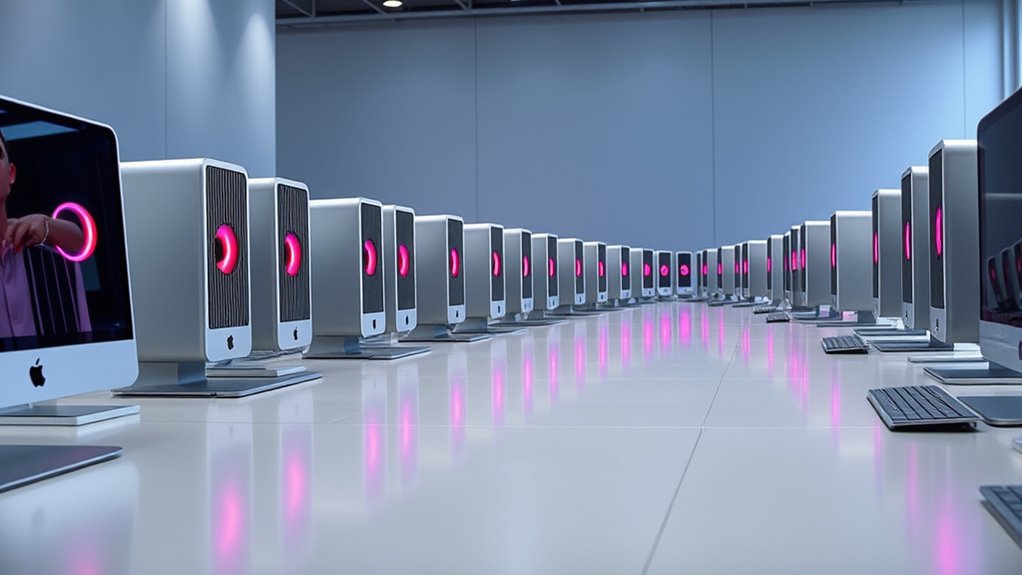

Shopping for renewed Mac Pro desktops means weighing legacy workstation capability against older graphics, aging software, and limited upgrade paths. I rank the 64GB quad-core model first for memory-heavy projects, the 12-core model for software that can use many CPU cores, and the 16GB quad-core model as the simpler fit for lighter work. All three share the compact 2013 cylinder design and dual FirePro D300 graphics, so the real choice is how much memory or parallel CPU capacity your workflow needs—and whether Thunderbolt 2 and an older macOS release suit your setup.

Get audio and creator gear delivered free with Prime
- Fast, free delivery on millions of items
- Prime Video, Amazon Music and more included
- Member-only deals all year
Complete the kit


Key Takeaways
- Best overall: The 64GB quad-core Mac Pro has the most memory, helping keep demanding multitasking and larger projects in memory without choosing the less storage-equipped 12-core configuration.
- Best for parallel workloads: The 12-core model has the most CPU cores, but its 256GB SSD is the smallest here and its 2.7GHz processor is slower per core than the quad-core options.
- Best for lighter legacy work: The 16GB quad-core model pairs a 3.7GHz Xeon with a 512GB SSD, but its memory is the least generous and the listing says OS X Yosemite is installed.
- Shared limitation: Every pick uses dual AMD FirePro D300 graphics and Thunderbolt 2, making these a better fit for older Mac workflows than current GPU-intensive or high-bandwidth setups.
- Before choosing: Confirm the renewed unit’s warranty, exact condition, included accessories, and whether its installed macOS can support the applications you plan to use.
| Apple Mac Pro (Late 2013) Quad Core 3.7GHz Xeon, 64GB RAM, 512GB SSD (Renewed) |  | Best Overall — most balanced memory and storage configuration | Processor: 3.7GHz Intel Xeon E5-1620v2 quad-core | Memory: 64GB DDR3 ECC SDRAM | Storage: 512GB SSD | VIEW ON AMAZON | See Our Full Breakdown |
| Apple Mac Pro Desktop Computer – Intel Xeon E5 2.7GHz 12-Core, 32GB RAM, 256GB SSD (Renewed) |  | Best for CPU-parallel work — 12 cores in a compact cylinder | Processor: 2.7GHz Intel Xeon E5, 12-core | Memory: 32GB DDR3 | Storage: 256GB PCIe SSD | VIEW ON AMAZON | See Our Full Breakdown |
| Apple Mac Pro Desktop Computer – Intel Xeon E5-3.7GHz Quad-Core, 16GB RAM, 512GB SSD (Renewed) |  | Best for lighter legacy use — 3.7GHz quad-core and 512GB SSD | Processor: 3.7GHz Intel Xeon E5, quad-core | Memory: 16GB DDR3 ECC | Storage: 512GB PCIe SSD | VIEW ON AMAZON | See Our Full Breakdown |
| renewed mac pro desktop | Processor | Memory | Storage | Graphics |
|---|---|---|---|---|
| Apple Mac Pro | 3.7GHz Intel Xeon E5-1620v2 quad-core | 64GB DDR3 ECC SDRAM | 512GB SSD | Dual AMD FirePro D300, 2GB GDDR5 each |
| Apple Mac Pro Desktop Computer | 2.7GHz Intel Xeon E5, 12-core | 32GB DDR3 | 256GB PCIe SSD | Dual AMD FirePro D300, 2GB GDDR5 each |
| Apple Mac Pro Desktop Computer | 3.7GHz Intel Xeon E5, quad-core | 16GB DDR3 ECC | 512GB PCIe SSD | Dual AMD FirePro D300, 2GB GDDR5 each |
More Details on Our Top Picks
Apple Mac Pro (Late 2013) Quad Core 3.7GHz Xeon, 64GB RAM, 512GB SSD (Renewed)
I rank this configuration first because it combines the lineup’s largest memory capacity with a 3.7GHz quad-core Xeon and a 512GB SSD. That balance makes more sense for broad workstation use than choosing a single extreme: 64GB gives memory-hungry applications and multiple open projects more room, while the familiar quad-core processor avoids the lower clock speed of the 12-core alternative. Compared with the 16GB version, the main gain is not a different processor or graphics system; it is room to work across a larger set of tasks without hitting the memory ceiling as quickly.
The listed port selection is useful for a desk built around older professional equipment: six Thunderbolt 2 ports, four USB 3.0 ports, HDMI 1.4, and two Gigabit Ethernet connections. The listing also says it supports multiple 4K or 5K displays, which may matter when connecting compatible displays, but I would check the exact display and adapter requirements before buying. A compact enclosure is easy to place, but it does not give the owner the straightforward internal expansion of a tower. That matters when a workflow depends on adding modern graphics hardware or more internal drives.
Its drawbacks are substantial for a 2027 purchase. The dual FirePro D300 graphics are an older workstation design, and the listed macOS Sierra installation is not a guarantee that current software will run. The listing’s 12 x 12 x 12-inch dimensions also conflict with the cylinder dimensions supplied for the other two entries, so I would confirm the actual model and measurements with the seller. This remains my best-balanced pick only for buyers who specifically need an older Mac workstation and verify renewal coverage and software fit first.
Pros:- 64GB DDR3 ECC memory is the most generous configuration in this comparison.
- 3.7GHz quad-core Xeon and 512GB SSD provide a balanced CPU and storage combination.
- Six Thunderbolt 2 ports, four USB 3.0 ports, HDMI, and dual Ethernet offer varied legacy connectivity.
- The listing identifies support for multiple 4K or 5K displays, subject to compatible displays and connections.
Cons:- Dual FirePro D300 graphics and Thunderbolt 2 reflect an older workstation platform.
- macOS Sierra may not support the buyer’s current applications or security needs.
- The listing’s dimensions differ from the cylinder measurements given for the other two models; warranty coverage also needs checking.
Best for: Buyers running legacy Mac applications or memory-heavy multitasking who want 64GB RAM, a 512GB SSD, and the 3.7GHz quad-core configuration.
Not ideal for: Buyers who need current macOS support, modern GPU performance, easy internal expansion, or a compact and clearly verified cylinder chassis.
- Processor:3.7GHz Intel Xeon E5-1620v2 quad-core
- Memory:64GB DDR3 ECC SDRAM
- Storage:512GB SSD
- Graphics:Dual AMD FirePro D300, 2GB GDDR5 each
- Ports:6 Thunderbolt 2, HDMI 1.4, 4 USB 3.0, 2 Gigabit Ethernet
- Operating system listed:macOS Sierra
- Weight:11 pounds
- Dimensions listed:12 x 12 x 12 inches; verify with seller
Our verdict“I recommend this 64GB configuration first for buyers committed to a compatible legacy Mac workflow who value memory capacity over newer graphics and expansion.”
Apple Mac Pro Desktop Computer – Intel Xeon E5 2.7GHz 12-Core, 32GB RAM, 256GB SSD (Renewed)
This is the lineup’s specialist option: a 12-core Xeon E5 can suit older rendering, encoding, or other professional applications that distribute work across many CPU cores. Its appeal is different from the top-ranked 64GB model. The 64GB Mac Pro offers more memory and twice the listed SSD capacity, while this one gives up storage and a higher clock speed in exchange for eight additional cores. If your software mainly depends on strong single-core response, the 3.7GHz quad-core models may be the more sensible choice; core count alone does not settle the decision.
With 32GB of DDR3 RAM, this configuration sits between the 16GB and 64GB options. That can be enough for a moderate professional workload, though buyers with large datasets or many memory-intensive applications have a clearer case for the 64GB model. The 256GB PCIe SSD is the tightest storage allowance in this group. It can hold a modest operating system and application set, but project files and media may call for external storage. Six Thunderbolt 2 ports, four USB 3.0 ports, and HDMI provide useful connections for an older studio desk, while Wi-Fi 802.11ac and Bluetooth 4.0 are listed for wireless use.
The familiar cylinder measures 9.9 inches tall and 6.6 inches in diameter, but its compact shape comes with limited internal upgradeability. The dual FirePro D300 graphics, Yosemite installation, and age of the platform call for a close software and security check. Compared with the 16GB model, it is the stronger candidate for software that scales across cores, not necessarily for everyday responsiveness. I would choose it when a verified application benefits from 12 cores; I would skip it if the smaller SSD, aging graphics, or older OS would create more friction than the CPU count solves.
Pros:- 12-core Xeon offers the highest core count in this lineup for well-threaded workloads.
- 32GB RAM provides more capacity than the 16GB quad-core configuration.
- Six Thunderbolt 2 ports, four USB 3.0 ports, and HDMI support a range of older peripherals.
- Compact 9.9-inch-tall cylinder fits more easily on a desk than a traditional tower.
Cons:- The 2.7GHz clock is lower than the 3.7GHz quad-core options, so more cores will not help every application.
- 256GB SSD is the smallest included drive here and may require external project storage.
- Yosemite, FirePro D300 graphics, and limited internal upgrades make it a poor match for many current workflows.
Best for: Buyers with legacy professional software that can use many CPU cores and who can manage project storage externally.
Not ideal for: Buyers focused on modern GPU workloads, large internal storage, current macOS compatibility, or easy hardware upgrades.
- Processor:2.7GHz Intel Xeon E5, 12-core
- Memory:32GB DDR3
- Storage:256GB PCIe SSD
- Graphics:Dual AMD FirePro D300, 2GB GDDR5 each
- Ports:6 Thunderbolt 2, 4 USB 3.0, HDMI
- Operating system listed:Mac OS X Yosemite
- Wireless:Wi-Fi 802.11ac, Bluetooth 4.0
- Dimensions:9.9 inches tall, 6.6 inches diameter
Our verdict“I would choose this Mac Pro only when a known legacy application benefits from 12 CPU cores and the 256GB drive is workable.”
Apple Mac Pro Desktop Computer – Intel Xeon E5-3.7GHz Quad-Core, 16GB RAM, 512GB SSD (Renewed)
This is the straightforward entry in the group: a 3.7GHz quad-core Xeon, 16GB of DDR3 ECC RAM, and a 512GB PCIe SSD. The processor and storage match the core combination in the 64GB model, but the memory capacity is much lower. That makes this configuration better suited to lighter workloads, a dedicated older Mac application, or a workstation that does not keep many large projects open at once. It is not the natural choice for extensive multitasking when the 64GB alternative offers four times the listed memory.
The 512GB SSD is a practical advantage over the 12-core model’s 256GB drive: it gives applications and working files more room before external storage becomes necessary. The compact silver cylinder—listed as 9.9 inches tall and 6.6 inches in diameter—takes little desk space, and Thunderbolt 2 plus USB 3.0 can connect legacy displays and peripherals. Those ports are useful only if they match the gear you already own; newer accessories may need adapters, and the system does not provide the flexibility of a larger tower for adding internal components.
The biggest caution is its listed OS X Yosemite installation, an especially old software starting point for anyone expecting a ready-to-use modern Mac. The dual FirePro D300 graphics also limit its appeal for current graphics-heavy applications. Compared with the 12-core model, this one prioritizes a faster listed clock and larger SSD rather than more CPU cores. Compared with the 64GB option, it saves neither a stated feature nor a meaningful upgrade path—the clear sacrifice is RAM. I would only shortlist it after confirming the actual macOS version, renewal condition, included accessories, and warranty terms with the seller.
Pros:- 3.7GHz quad-core Xeon matches the clock speed of the 64GB configuration.
- 512GB PCIe SSD offers more listed capacity than the 12-core model.
- Compact cylinder design takes little desk space.
- Thunderbolt 2, USB 3.0, Wi-Fi, and Bluetooth support a range of older connections.
Cons:- 16GB RAM is the least capacity in this comparison and may constrain multitasking.
- OS X Yosemite is an old listed installation that needs compatibility and security checks.
- Dual FirePro D300 graphics and limited internal upgrades restrict its usefulness for newer workloads.
Best for: Buyers who need a compact older Mac for modest legacy tasks and value a 512GB SSD and 3.7GHz quad-core processor.
Not ideal for: Buyers running large professional projects, heavy multitasking, current GPU-demanding applications, or software that needs a recent macOS release.
- Processor:3.7GHz Intel Xeon E5, quad-core
- Memory:16GB DDR3 ECC
- Storage:512GB PCIe SSD
- Graphics:Dual AMD FirePro D300, 2GB GDDR5 each
- Operating system listed:OS X Yosemite
- Connectivity:Thunderbolt 2, USB 3.0, Wi-Fi 802.11ac, Bluetooth 4.0
- Dimensions:9.9 inches tall, 6.6 inches diameter
- Color:Silver
Our verdict“I see this as a modest legacy-use Mac, not a substitute for a current workstation or for the 64GB model’s heavier multitasking capacity.”

How We Picked
I ranked these machines around the questions that matter when buying a renewed 2013 Mac Pro: what the processor can do, how much memory the configuration provides, how much internal storage comes with it, and whether its ports and operating system fit a current desk setup. Since all three listings specify dual FirePro D300 graphics, the ranking is not based on a supposed graphics advantage. Instead, I give the lead to the 64GB configuration because its memory is the most useful differentiator for professional multitasking, while retaining the quad-core 3.7GHz processor and 512GB SSD shared with the first option.
I place the 12-core version second for buyers whose older software can spread work across many CPU cores. It offers a distinctive processing advantage, but it trades down to a 256GB SSD and a 2.7GHz clock, so it is not automatically the fastest choice for every task. The 16GB quad-core version comes third: it still has the 3.7GHz processor and 512GB SSD, yet its smaller memory pool makes it less flexible for heavy projects than the 64GB alternative. I also treat listed operating systems and renewal terms as items buyers should verify, not as proof of present-day software compatibility or warranty protection.
| renewed mac pro desktop | Operating system listed |
|---|---|
| Apple Mac Pro | macOS Sierra |
| Apple Mac Pro Desktop Computer | Mac OS X Yosemite |
| Apple Mac Pro Desktop Computer | OS X Yosemite |
Factors to Consider When Choosing Renewed Mac Pro Desktops
I would treat these renewed Mac Pros as legacy workstations, not as interchangeable alternatives to current desktop Macs. Match the machine to your application, then check the renewal details and connections before deciding.Choose cores for the software you actually run
The 12-core Mac Pro is appealing when a specific application can divide work among many CPU cores. Rendering, encoding, and some professional processing tasks can benefit, but software behavior varies. The 3.7GHz quad-core models have a higher listed clock speed and may be a better fit for programs that rely more on per-core performance. I would check the recommended processor and macOS requirements for your exact software instead of treating core count as a universal speed ranking.
Memory separates the two quad-core options
The 64GB model offers the most headroom for large projects and multitasking, while the 16GB model keeps the same listed processor speed and SSD capacity with much less memory. The 12-core configuration’s 32GB falls between them. More RAM is most useful when your applications and active files need it; it does not make unsupported software compatible or compensate for the older graphics architecture. Ask the seller to confirm the installed configuration rather than assuming a listing reflects the delivered unit.
Plan for storage beyond the included SSD
The two 512GB configurations have twice the listed SSD capacity of the 12-core model’s 256GB drive, but none should be treated as an unlimited project archive. Video, photography, and large working files can consume space quickly. Thunderbolt 2 and USB 3.0 allow external storage connections, though connection speeds and adapter needs depend on the drive and setup. I would check how your existing storage connects and leave room for the operating system and applications before assigning the remaining space to active work.
Verify macOS and application compatibility
The listings identify Yosemite on two machines and Sierra on the 64GB model. Those are old macOS releases, not evidence that a particular renewed unit supports a current system or your current applications. Confirm the exact model identifier, the software version it can run, and whether the intended applications still receive updates. Buyers handling sensitive work should also check current security support and plan around any software that will not run on the machine.
Check ports, displays, and renewal terms
Thunderbolt 2, USB 3.0, HDMI, and Ethernet can make these machines useful with compatible older peripherals, but modern displays and accessories may need adapters. Confirm supported resolution and refresh rate for your exact display setup. Before purchase, I would also review what the renewed condition means, whether a warranty or return period applies, what accessories are included, and whether the seller confirms the listed memory, SSD, and graphics. The 64GB listing’s unusual dimensions are another reason to confirm the precise chassis and model.
Frequently Asked Questions
Which renewed Mac Pro is best for most buyers in this comparison?
I rank the 64GB quad-core model first because it combines the largest memory capacity with the 3.7GHz Xeon and a 512GB SSD. That balance suits more legacy multitasking and project work than the 16GB model, while avoiding the 12-core option’s smaller 256GB drive and lower listed clock speed. It is still an older workstation, so I would only choose it after verifying application compatibility, condition, and renewal coverage.
Is the 12-core Mac Pro faster than both quad-core models?
Not for every task. Its 12 CPU cores may help applications that scale across many threads, but the listed 2.7GHz clock is below the quad-core models’ 3.7GHz, and some software may favor fewer faster cores. It also has the smallest SSD in this group. I would select it only when the software you rely on can make practical use of its additional cores.
Are these renewed Mac Pro desktops suitable for current professional software?
Compatibility depends on the exact application, operating system, and hardware requirements. The supplied listings identify Yosemite or Sierra, both old macOS releases, and all three configurations use dual FirePro D300 graphics. I would check current developer requirements and security support before relying on any of these machines for professional work; a renewed label does not establish that current software will run.
Can I upgrade these Mac Pros later?
The cylinder design is compact but offers limited internal expansion compared with a conventional tower. The listings describe different memory configurations, but buyers should not assume that parts can be upgraded easily or economically. Confirm the exact model and service options with the seller, and plan for external storage or adapters if your setup needs more capacity or newer connections.
What should I check before buying a renewed unit?
Confirm the delivered processor, RAM, SSD, graphics, exact model identifier, and installed macOS version. Ask what the renewed condition covers, whether a warranty or return period applies, and which cables or accessories are included. I would also verify that your monitor and peripherals can connect through the listed ports and adapters, and investigate the 64GB listing’s dimensions because they differ from the other cylinder measurements.
Conclusion
For buyers who need a balanced legacy workstation with room for multitasking, I would start with the 64GB quad-core Mac Pro, provided the seller confirms its model details and your software works with it. Choose the 12-core configuration instead when an established application benefits from many CPU cores and the 256GB SSD is enough alongside external storage. The 16GB quad-core model makes the most sense for lighter older Mac tasks where a 3.7GHz processor and 512GB SSD matter more than memory headroom. If your work depends on modern macOS support, current GPU performance, or easy internal upgrades, I would skip all three and look at a newer desktop platform.