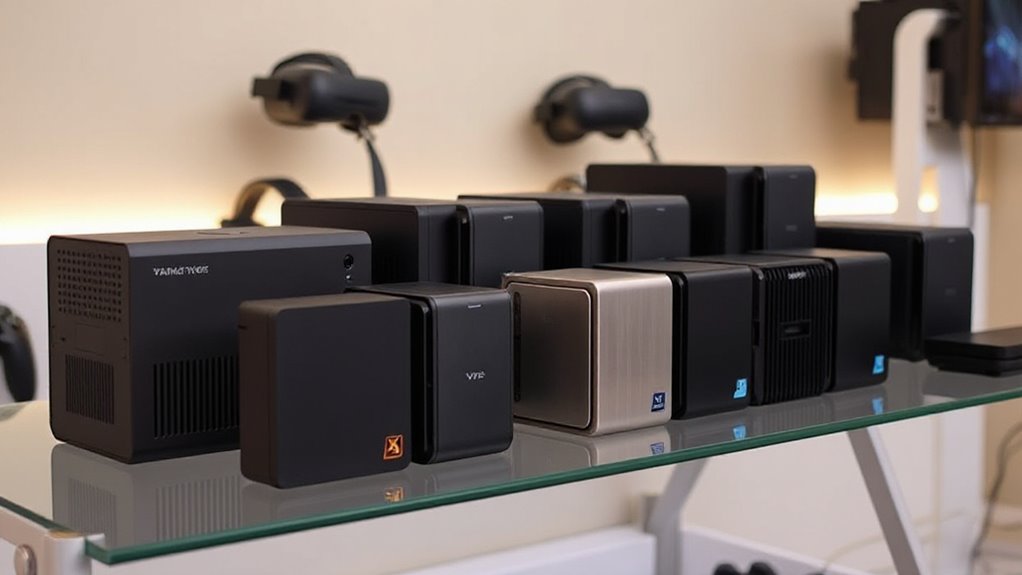

Choosing a small form factor VR gaming PC means balancing graphics capability against the size and compromises of a compact machine. My strongest pick for VR is the MINISFORUM G1 Pro, because its dedicated GeForce RTX 5060 is the clearest fit for demanding 3D games. The GMKtec EVO-X3 is the more ambitious workstation-style alternative, pairing Radeon 8060S integrated graphics with unusually large memory and an OCuLink route to an external GPU. For a simpler, lighter-duty desktop, the GMKtec M6 Ultra includes useful memory and storage but relies on Radeon 760M integrated graphics.

Get audio and creator gear delivered free with Prime
- Fast, free delivery on millions of items
- Prime Video, Amazon Music and more included
- Member-only deals all year
Those differences matter more than the word “mini” on the box. VR puts sustained demands on graphics performance, and a compact chassis can limit cooling and upgrade options. I rank these systems by how plausibly their listed hardware supports VR gaming, then weigh expansion, connectivity, and the tradeoffs that come with each design. The M6 Ultra is a capable compact general-use PC, but it is not a like-for-like graphics competitor to the two higher-end options.
Complete the kit


Key Takeaways
- Best VR-focused choice: The MINISFORUM G1 Pro is the only listed model with a dedicated GeForce RTX 5060, making it my first pick for VR game rendering.
- Best for flexible workloads: The GMKtec EVO-X3 combines Radeon 8060S graphics, 128GB of onboard memory, and OCuLink for a possible external GPU setup.
- Best for lighter gaming: The GMKtec M6 Ultra provides 32GB RAM and a 1TB SSD, but its integrated Radeon 760M is described for moderate gaming rather than demanding VR.
- Check the upgrade limits: The G1 Pro is listed with memory expandable to 64GB and storage up to 2TB; the EVO-X3’s LPDDR5X memory is onboard.
- Compact does not mean plug-and-play for every headset: Compare headset connection requirements and the PC’s outputs before choosing, especially if you plan to use multiple displays or an external GPU.
| MINISFORUM G1 Pro Mini PC with AMD Ryzen 9 8945HX and GeForce RTX 5060 |  | Best Overall for VR Gaming | Processor: AMD Ryzen 9 8945HX, 16 cores and 32 threads, up to 5.4GHz | Graphics: GeForce RTX 5060 with 8GB | Memory: 32GB DDR5-5200; expandable to 64GB | VIEW ON AMAZON | See Our Full Breakdown |
| GMKtec EVO-X3 AI Mini PC, AMD Ryzen AI Max+ 395, 128GB LPDDR5X, 2TB PCIe 4.0 SSD |  | Best Premium Workstation and Expansion Option | Processor: AMD Ryzen AI Max+ 395, 16 cores and 32 threads, up to 5.1GHz | Graphics: AMD Radeon 8060S, 40 compute units, up to 2900MHz | Memory: 128GB LPDDR5X at 8000MT/s; onboard | VIEW ON AMAZON | See Our Full Breakdown |
| GMKtec M6 Ultra Mini PC, Ryzen 5 7640HS, 32GB DDR5 RAM, 1TB SSD |  | Best for Entry-Level Compact Gaming and Everyday Use | Processor: AMD Ryzen 5 7640HS, six cores and 12 threads, up to 5.0GHz | Graphics: AMD Radeon 760M integrated graphics | Installed memory: 32GB DDR5 at 4800MT/s | VIEW ON AMAZON | See Our Full Breakdown |
| small form factor vr gaming pc | Processor | Graphics | Storage | Memory |
|---|---|---|---|---|
| MINISFORUM G1 Pro Mini PC with | AMD Ryzen 9 8945HX, 16 cores and 32 threads, up to 5.4GHz | GeForce RTX 5060 with 8GB | 1TB M.2 2280 PCIe 4.0 SSD; stated maximum 2TB | 32GB DDR5-5200; expandable to 64GB |
| GMKtec EVO-X3 AI Mini PC | AMD Ryzen AI Max+ 395, 16 cores and 32 threads, up to 5.1GHz | AMD Radeon 8060S, 40 compute units, up to 2900MHz | 2TB PCIe 4.0 SSD | 128GB LPDDR5X at 8000MT/s; onboard |
| GMKtec M6 Ultra Mini PC | AMD Ryzen 5 7640HS, six cores and 12 threads, up to 5.0GHz | AMD Radeon 760M integrated graphics | 1TB M.2 2280 PCIe SSD; dual-slot expansion stated | — |
More Details on Our Top Picks
MINISFORUM G1 Pro Mini PC with AMD Ryzen 9 8945HX and GeForce RTX 5060
The MINISFORUM G1 Pro takes the top spot because it is the only PC in this group with a dedicated GeForce RTX 5060. That distinction is more relevant to VR than a high core count or a large memory figure: the graphics card is the part most directly tasked with rendering the scenes a headset displays. Its 8GB of graphics memory, ray tracing support, and DLSS support give it the most gaming-focused specification set here. Those features make this the clearest option for someone building a compact VR setup, though they do not guarantee performance with every headset or game.
The Ryzen 9 8945HX, 32GB of DDR5-5200, and 1TB PCIe 4.0 SSD also give this machine room for multitasking and a library of games. Compared with the EVO-X3, it has the more straightforward built-in graphics story for VR: buyers do not have to judge integrated graphics or budget for an external GPU enclosure. The EVO-X3 counters with 128GB of memory and OCuLink expansion, which may suit creative and workstation tasks better, but its GPU remains integrated. The G1 Pro’s own limits are more modest: memory tops out at 64GB and its stated maximum storage is 2TB.
Connectivity is a strong point for a compact desktop. Wi-Fi 7, Bluetooth 5.4, 5G Ethernet, and outputs for up to four displays give it versatility beyond a single headset-and-monitor arrangement. One gap in the listing is the operating system, which is not specified, so I would verify that before purchase and confirm the headset’s required ports against the system’s listed outputs. I would choose this ahead of the EVO-X3 when built-in gaming graphics lead the decision; I would choose the EVO-X3 for much larger onboard memory or a planned OCuLink GPU path.
Pros:- Dedicated GeForce RTX 5060 graphics with 8GB of memory
- Ryzen 9 8945HX with 16 cores and 32 threads
- 32GB DDR5 memory and a 1TB PCIe 4.0 SSD
- Wi-Fi 7, 5G Ethernet, and support for up to four displays
Cons:- Memory expansion is capped at 64GB
- The listing states a maximum SSD capacity of 2TB
- Operating system is not specified in the supplied product details
Best for: VR buyers who want a compact PC with dedicated graphics, plus enough memory and storage for gaming and everyday demanding work.
Not ideal for: Buyers who need more than 64GB of system memory, more than the stated 2TB storage limit, or clear operating-system details before ordering.
- Processor:AMD Ryzen 9 8945HX, 16 cores and 32 threads, up to 5.4GHz
- Graphics:GeForce RTX 5060 with 8GB
- Memory:32GB DDR5-5200; expandable to 64GB
- Storage:1TB M.2 2280 PCIe 4.0 SSD; stated maximum 2TB
- Display outputs:Two HDMI and three DisplayPort; supports up to four displays
- Networking:5G Ethernet, Wi-Fi 7, Bluetooth 5.4
- Operating system:Not specified
Our verdict“I rank the G1 Pro first because its dedicated RTX 5060 makes it the most directly equipped compact PC here for VR gaming.”
GMKtec EVO-X3 AI Mini PC, AMD Ryzen AI Max+ 395, 128GB LPDDR5X, 2TB PCIe 4.0 SSD
The GMKtec EVO-X3 is the most ambitious machine in this lineup for buyers who need a compact PC to handle gaming alongside creative work or local AI tasks. Its Ryzen AI Max+ 395 processor combines 16 cores and 32 threads with Radeon 8060S integrated graphics, while 128GB of LPDDR5X memory and a 2TB PCIe 4.0 SSD give it substantial capacity out of the box. Unlike the M6 Ultra, this is not positioned as a modest general-use mini PC; it has a higher-powered graphics solution and a triple-fan cooling design specified for peak power up to 140W.
For VR, I place it behind the G1 Pro. The EVO-X3’s Radeon 8060S is a notable integrated option, but the G1 Pro has a dedicated RTX 5060, which is the more direct gaming configuration on paper. The EVO-X3’s distinguishing advantage is OCuLink external GPU expansion. A buyer can connect a compatible external GPU for a different graphics setup, but the product details say the connection is not hot-pluggable: the computer must be powered off before connecting or disconnecting the device. That means it is an expansion route for a planned setup, not a convenient live swap.
There are real fit questions for this system. The 128GB LPDDR5X memory is onboard, so it is not a routine upgrade later, and the listed display arrangement supports dual displays rather than the G1 Pro’s up-to-four-display claim. HDMI 2.1, USB4, Wi-Fi 7, and 2.5G LAN suit a modern desk, but buyers should confirm the headset’s connection needs before deciding. I would choose this over the G1 Pro for its memory capacity, workstation breadth, and OCuLink flexibility; I would not choose it solely because of its AI specifications if VR gaming is the main goal.
Pros:- Radeon 8060S integrated graphics with 40 compute units
- 128GB of fast LPDDR5X memory and a 2TB PCIe 4.0 SSD
- OCuLink provides a route to an external GPU
- Wi-Fi 7, Bluetooth 5.4, USB4, and 2.5G Ethernet
Cons:- Memory is installed onboard and cannot be treated as a standard upgrade
- OCuLink devices must be connected or disconnected with the PC powered off
- Supports dual-display output, fewer displays than the G1 Pro listing
Best for: Buyers combining VR gaming with memory-heavy creative or local AI workloads, especially those who may build an OCuLink external GPU setup.
Not ideal for: Buyers who want a dedicated GPU built into the PC, upgradeable system memory, hot-pluggable GPU expansion, or a simple gaming-first choice.
- Processor:AMD Ryzen AI Max+ 395, 16 cores and 32 threads, up to 5.1GHz
- Graphics:AMD Radeon 8060S, 40 compute units, up to 2900MHz
- Memory:128GB LPDDR5X at 8000MT/s; onboard
- Storage:2TB PCIe 4.0 SSD
- External GPU interface:OCuLink PCIe Gen4 x4; not hot-pluggable
- Display output:HDMI 2.1 and USB4; dual displays and up to 8K output
- Connectivity:Wi-Fi 7, Bluetooth 5.4, 2.5G LAN
- Cooling and power:Three-fan system with three copper heat pipes; peak power up to 140W
Our verdict“I recommend the EVO-X3 for a compact mixed-workload workstation with VR ambitions, but the G1 Pro is the safer gaming-first pick.”
GMKtec M6 Ultra Mini PC, Ryzen 5 7640HS, 32GB DDR5 RAM, 1TB SSD
The GMKtec M6 Ultra is the approachable general-purpose choice in this group, not my recommendation for demanding VR. Its Ryzen 5 7640HS has six cores and 12 threads, and the included 32GB DDR5 memory and 1TB SSD make it a well-equipped starting point for everyday computing, work, and lighter gaming. Radeon 760M graphics are integrated into the processor; the listing describes them as suited to moderate gaming. That distinction places it well below the two other PCs for a VR-first purchase.
Compared with the G1 Pro, the M6 Ultra gives up a dedicated graphics card and the G1 Pro’s more direct gaming hardware. Compared with the EVO-X3, it also has a less ambitious integrated graphics solution and much less memory. Its case for a buyer is different: it offers a compact Windows 11 Pro system with three-display support, USB4, Wi-Fi 6, Bluetooth 5.2, and dual 2.5GbE LAN. Those features make it more than a basic office box, but they do not erase the graphics gap when a headset and demanding games are the priority.
Upgrade information needs care. The description claims memory support up to 128GB, while the product information also gives a 32GB maximum. It also describes dual-slot storage expansion, with capacity claims up to 8TB, but optional upgrade components are not included. I would verify the memory limit directly before planning an upgrade. The included 32GB and 1TB are useful as supplied, yet the Radeon 760M is the limiting factor for VR, not its display count or networking. Choose this model for a small everyday PC that may handle lighter games; skip it if VR performance is the reason for buying.
Pros:- Ryzen 5 7640HS processor with six cores and 12 threads
- Includes 32GB DDR5 memory and a 1TB PCIe SSD
- USB4 and support for up to three displays
- Wi-Fi 6, Bluetooth 5.2, and dual 2.5GbE LAN
Cons:- Radeon 760M is integrated graphics described for moderate gaming
- Memory expansion information conflicts within the listing
- Optional memory and storage upgrades are not included
Best for: Buyers who want a compact everyday Windows PC with moderate gaming capability and are treating VR as a secondary possibility rather than the main workload.
Not ideal for: VR-first buyers, people targeting demanding headset games, or anyone relying on a specific memory ceiling without confirming the conflicting listing details.
- Processor:AMD Ryzen 5 7640HS, six cores and 12 threads, up to 5.0GHz
- Graphics:AMD Radeon 760M integrated graphics
- Installed memory:32GB DDR5 at 4800MT/s
- Memory expansion:Listing conflicts: description states up to 128GB; product information lists 32GB maximum
- Storage:1TB M.2 2280 PCIe SSD; dual-slot expansion stated
- Operating system:Windows 11 Pro
- Networking:Wi-Fi 6, Bluetooth 5.2, dual 2.5GbE LAN
- Display support:Up to three displays; USB4 up to 8K at 60Hz, HDMI 2.0 and DisplayPort up to 4K at 60Hz
Our verdict“I would pick the M6 Ultra for compact everyday computing and lighter games, but not as my main recommendation for VR gaming.”
How We Picked
I ranked these three systems for the specific job implied by small form factor VR gaming PC, not as general mini-PC recommendations. Graphics capability comes first: VR needs a graphics solution able to render demanding 3D scenes, so a dedicated GPU is a meaningful advantage over integrated graphics. On that measure, the RTX 5060-equipped G1 Pro earns the lead. The EVO-X3 follows because its Radeon 8060S is a more ambitious integrated graphics option and its OCuLink connection allows a future external GPU setup, though that requires separate hardware and careful connection practices. The M6 Ultra ranks third because its Radeon 760M is described as suited to moderate gaming.
I also compared memory and storage, since they shape how well each PC can serve beyond gaming and whether a buyer has room to expand. Connectivity and display outputs matter for a compact desk, headset setup, and other peripherals, while cooling and stated power help frame expectations for a small chassis. I did not infer VR frame rates, headset compatibility, or game performance benchmarks that were not provided. The product listings also contain limitations worth calling out: the M6 Ultra has conflicting memory expansion information, the G1 Pro has a stated 64GB memory ceiling and 2TB storage maximum, and the EVO-X3’s memory is installed onboard. My order reflects the strongest listed VR graphics case first, followed by flexibility and then general value for lighter gaming.
| small form factor vr gaming pc | Processor | Graphics | Operating system |
|---|---|---|---|
| MINISFORUM G1 Pro Mini PC with | AMD Ryzen 9 8945HX, 16 cores and 32 threads, up to 5.4GHz | GeForce RTX 5060 with 8GB | Not specified |
| GMKtec EVO-X3 AI Mini PC | AMD Ryzen AI Max+ 395, 16 cores and 32 threads, up to 5.1GHz | AMD Radeon 8060S, 40 compute units, up to 2900MHz | — |
| GMKtec M6 Ultra Mini PC | AMD Ryzen 5 7640HS, six cores and 12 threads, up to 5.0GHz | AMD Radeon 760M integrated graphics | Windows 11 Pro |
Factors to Consider When Choosing Small Form Factor Vr Gaming Pc
I would choose a small VR PC by matching its graphics hardware to the headset and games first, then checking the physical setup, ports, and upgrade path. These three mini PCs illustrate different compromises: a dedicated GPU, higher-end integrated graphics with external expansion, and a more modest integrated graphics option.
Start with the graphics, not the case size
For VR, graphics capability should lead the comparison. The G1 Pro’s dedicated RTX 5060 gives it the clearest gaming-first configuration in this group. The EVO-X3 uses Radeon 8060S integrated graphics, which is a more ambitious solution than the M6 Ultra’s Radeon 760M, but it is not the same setup as a dedicated graphics card. The M6 Ultra’s product details describe its graphics for moderate gaming, so I would not select it for demanding VR titles just because it includes a capable processor and plenty of RAM.
Neither a GPU name nor a product listing alone confirms that a particular headset and game will run as you expect. Check the headset manufacturer’s requirements and the game requirements, then compare those against the exact PC configuration. I would also look for independent performance testing for the titles you play rather than assuming that a compact system can maintain a given frame rate.
Match outputs and connections to your headset
A compact PC still needs to connect cleanly to the headset, monitor, and accessories. The G1 Pro lists two HDMI and three DisplayPort outputs and supports up to four displays; the EVO-X3 lists HDMI 2.1 and USB4 with dual-display output; the M6 Ultra offers HDMI 2.0, DisplayPort, and USB4 with support for up to three displays. These details help compare desk flexibility, but more display outputs do not automatically mean headset compatibility. Check the headset’s specified video and USB connections against the PC’s ports and any required adapters.
Networking can also shape a compact setup. Wi-Fi 7 appears on the G1 Pro and EVO-X3, while the M6 Ultra lists Wi-Fi 6 and dual 2.5GbE LAN. For a wired desktop, Ethernet may be useful for stable network access; it does not replace the headset’s graphics connection. Bluetooth versions and extra USB ports matter for accessories, but buyers should verify the complete port layout for their intended peripherals.
Think through memory and storage upgrades
All three arrive with storage suitable for a starting setup, but their expansion stories differ. The G1 Pro includes a 1TB SSD and lists expansion to 2TB, while its memory ceiling is 64GB. The EVO-X3 starts with a 2TB SSD and 128GB LPDDR5X, but that memory is onboard rather than a standard replaceable kit. The M6 Ultra includes a 1TB SSD and describes dual-slot storage expansion, yet its memory limits conflict across the listing. Treat that uncertainty as a reason to confirm details before purchase, not as a guaranteed upgrade opportunity.
For a large game library, consider where games will live and whether you are comfortable adding storage later. On a mini PC, a stated slot or maximum capacity does not mean extra components are included. Confirm the supported drive type and capacity before buying an upgrade, especially if you plan to use the machine for both VR games and large creative projects.
Account for cooling and the compact enclosure
Small cases save desk space, but powerful components still produce heat. The EVO-X3 lists a triple-fan cooling system, copper heat pipes, and peak power up to 140W, signaling a design intended to manage substantial workloads in a compact enclosure. The supplied details do not provide comparable cooling or noise measurements for the other two systems, so I would not infer how loud any model runs during a long gaming session.
Leave room for airflow around the PC rather than burying it behind other equipment. If quiet operation, sustained performance, or a specific placement is important, look for measurements from a reliable source and check the manufacturer’s guidance. A small footprint is useful only if the PC can sit where its vents remain clear.
Decide whether external GPU expansion is practical
The EVO-X3’s OCuLink PCIe Gen4 x4 connection is the distinct expansion feature here. It can support an external GPU arrangement, but that requires compatible external hardware and is not a plug-in-anytime feature: the PC must be powered off before the device is connected or disconnected. I would treat this as a planned upgrade path, not a substitute for buying the right graphics configuration from the start.
If you want a compact VR setup with fewer extra components, the G1 Pro’s built-in RTX 5060 is simpler. If you already expect to add an external GPU and also need large memory for non-gaming work, the EVO-X3 can make more sense. The M6 Ultra is not the choice for this expansion strategy based on the information supplied.
Frequently Asked Questions
Which of these PCs is the strongest choice for VR gaming?
I would start with the MINISFORUM G1 Pro because it is the only model here with a dedicated GeForce RTX 5060. That makes it the most directly equipped for gaming graphics compared with the Radeon 8060S integrated graphics in the EVO-X3 and Radeon 760M in the M6 Ultra. Buyers should still check the headset and game requirements for their exact setup.
Can the GMKtec M6 Ultra run VR games?
The M6 Ultra may suit lighter gaming, but its Radeon 760M is integrated graphics and the listing describes it as suitable for moderate gaming. I would not buy it as a VR-first PC for demanding titles. If VR is a main use, the G1 Pro’s dedicated graphics make it a more suitable starting point among these three.
Is the EVO-X3’s OCuLink connection a built-in graphics upgrade?
No. OCuLink provides a connection for a compatible external GPU, but the external GPU hardware is a separate part of that setup. The product details also specify that OCuLink devices must be connected or disconnected while the computer is powered off. Buyers who want a simple built-in gaming configuration may prefer the G1 Pro.
Which model offers the most memory, and can I upgrade it?
The EVO-X3 has the largest listed memory capacity at 128GB of LPDDR5X, but that memory is installed onboard rather than offered as a standard upgrade. The G1 Pro has 32GB and a stated expansion limit of 64GB. The M6 Ultra’s listing is inconsistent: its description claims support up to 128GB, while its product information lists a 32GB maximum, so I would confirm the actual limit before relying on it.
What should I check before connecting a VR headset to a mini PC?
Check the headset maker’s required video and USB connections, then compare them with the PC’s listed outputs and available ports. Also verify requirements for the specific VR games you plan to play and look for reliable performance testing where possible. Display count, Wi-Fi generation, or a processor’s core count alone does not confirm that a PC will support a particular headset-and-game combination.
Conclusion
For buyers whose main goal is a compact PC for VR gaming, I recommend the MINISFORUM G1 Pro first because its dedicated RTX 5060 gives it the strongest gaming-focused configuration in this comparison. Choose the GMKtec EVO-X3 if your PC also needs to serve as a memory-heavy creative or local AI workstation, and you value its 128GB of onboard memory and possible OCuLink external GPU setup more than a built-in dedicated graphics card. Pick the GMKtec M6 Ultra for everyday computing and moderate gaming in a small system, not for a demanding VR build. Before ordering any of them, verify headset connections and game requirements against the exact configuration.