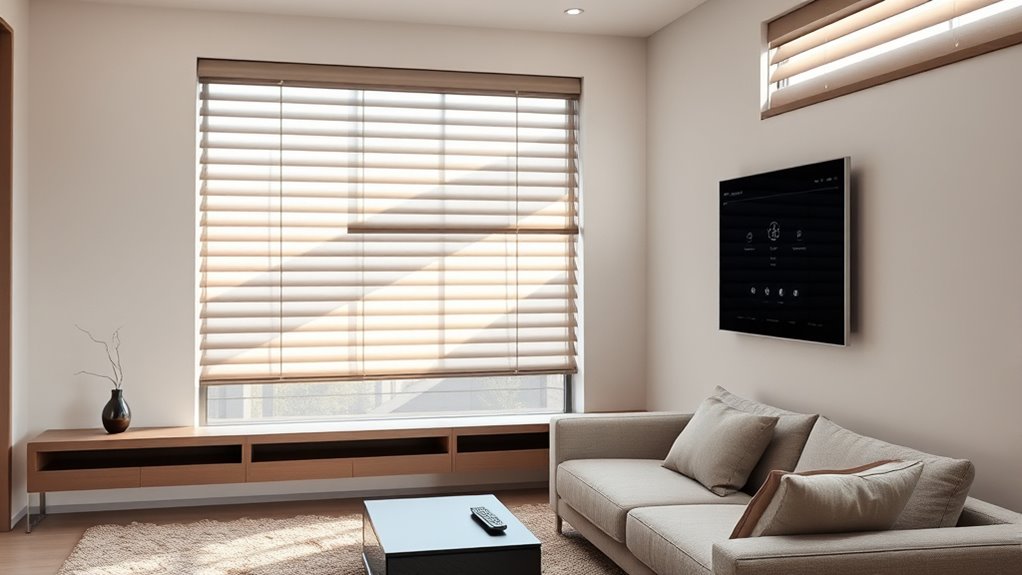

Smart blinds controllers can add app, voice, or scheduled control to existing window coverings, but the right choice depends on the blind type and how you want to automate it. My best overall pick is the SwitchBot Blind Tilt 3-Pack with Hub 2, which combines multi-window coverage with a hub and broad smart-home features. For roller blinds, Eve MotionBlinds is a more focused upgrade-kit option, while the SwitchBot solar-powered blinds kit suits buyers who want a motor-and-power package. The main tradeoffs are compatibility, installation effort, hub requirements, and whether you need tilt control or full blind movement. Read on for the full breakdown of all eight options and how I’d match them to different homes.

Get audio and creator gear delivered free with Prime
- Fast, free delivery on millions of items
- Prime Video, Amazon Music and more included
- Member-only deals all year
Complete the kit


Key Takeaways
- Blind type is the first filter: Eve MotionBlinds targets roller blinds, while SwitchBot Blind Tilt options are built around tilting compatible blinds; these approaches are not interchangeable.
- The SwitchBot Blind Tilt 3-Pack with Hub 2 is the most bundled route: it combines three tilt devices with a hub, but buyers should confirm their blind mechanism and hub needs before choosing it.
- Solar power appears across several SwitchBot motor kits: it can reduce routine battery handling, but sunlight exposure and the fit of the solar panel matter to the setup.
- Bridge hubs solve a different problem from blind motors: the Smart Bridge Hub and Go Smart Bridge focus on connecting compatible motorized blinds to smart-home controls, rather than converting every manual blind.
- RYSE SmartShade + BatteryPack and multi-unit SwitchBot kits target different priorities: RYSE bundles shade control with battery power, while SwitchBot’s three-pack emphasizes coordinated coverage across several windows.
| Hapadif Smart Bridge Hub compatible with Alexa, Google Home, Tuya App, Home Automation Controller for Motorized Blinds Shades |  | Best for Tuya-Based Setups | Manufacturer: Hapadif | Model: Hpd-sbh-001 | Dimensions: 4 x 3.5 x 1.5 inches | VIEW ON AMAZON | See Our Full Breakdown |
| Eve MotionBlinds (Matter) Upgrade Kit for Roller Blinds |  | Best for Privacy-Focused Roller Blind Retrofits | Product type: Roller blind motor upgrade kit | Operation mode: Automatic | Connectivity: Thread; Matter-compatible smart-home integration | VIEW ON AMAZON | See Our Full Breakdown |
| SwitchBot Blind Tilt Automatic Blind Opener 3-Pack & Hub 2 |  | Best Multi-Window Tilt-Blind Bundle | Bundle: Three Blind Tilt units and SwitchBot Hub 2 | Control: App, voice, Bluetooth, and IR remote features | Smart-home support: Alexa, Google Home, Apple Home; Matter support via Hub 2 | VIEW ON AMAZON | See Our Full Breakdown |
| SwitchBot Smart Electric Motorized Blinds Kit with Hub Mini Matter |  | Best Solar-Powered Retrofit Kit | Included system: Motorized blind tilt units and Hub Mini Matter | Operation mode: Automatic | Control: App and voice control; group control | VIEW ON AMAZON | See Our Full Breakdown |
| Go Smart Bridge Home Automation Hub for Motorized Blinds |  | Best for Broad Smart-Home Integrations | Model: SMA | Operation mode: Automatic | Compatible platforms: Alexa, Google Home, Siri Shortcuts, IFTTT, Control4 | VIEW ON AMAZON | See Our Full Breakdown |
| SwitchBot Blind Tilt Motorized Blinds – Smart Electric Blinds, Solar Powered, Light Sensing Control, Compatible with Alexa & Google Home |  | Best for Solar-Powered Tilt Control | Operation mode: Automatic | Control: Remote control and smart home integration | Compatible blinds: Horizontal blinds with 6.2–12 mm tilt rods | VIEW ON AMAZON | See Our Full Breakdown |
| SwitchBot Smart Electric Motorized Blinds Kit – 3 Pack with Remote Control, Solar Powered, Compatible with Alexa, Google Home, and Siri |  | Best Multi-Window Retrofit Kit | Included items: Three Blind Tilt units and Hub Mini | Model name: Blind Tilt + Hub Mini | Battery capacity: 2000 mAh | VIEW ON AMAZON | See Our Full Breakdown |
| RYSE SmartShade + BatteryPack, Smart Home Smart Shades |  | Best for Beaded-Chain Shades | Operation mode: Automatic | Mounting type: Outside mount | Control: Motorized and wireless | VIEW ON AMAZON | See Our Full Breakdown |
| smart blinds controller | Dimensions | Operation mode | Material | Control |
|---|---|---|---|---|
| Hapadif Smart Bridge Hub compa | 4 x 3.5 x 1.5 inches | — | — | — |
| Eve MotionBlinds | 25 inches long x 1.97 inches wide | Automatic | Plastic | — |
| SwitchBot Blind Tilt Automatic | — | — | ABS plastic | App, voice, Bluetooth, and IR remote features |
| SwitchBot Smart Electric Motor | 10.08 x 9.06 inches | Automatic | — | App and voice control; group control |
| Go Smart Bridge Home Automatio | 2.95 x 2.56 inches | Automatic | — | — |
| SwitchBot Blind Tilt Motorized | 8.3 in L × 1.9 in W | Automatic | — | Remote control and smart home integration |
| SwitchBot Smart Electric Motor | — | — | ABS and PC with UV-resistant coating | — |
| RYSE SmartShade + BatteryPack | — | Automatic | Polyester | Motorized and wireless |
More Details on Our Top Picks
Hapadif Smart Bridge Hub compatible with Alexa, Google Home, Tuya App, Home Automation Controller for Motorized Blinds Shades
The Hapadif Smart Bridge Hub is a connectivity add-on, not a motor that moves blinds on its own. It makes the most sense if you already have compatible motorized shades and want Tuya app, Alexa, or Google Home control, including remote access and schedules. Compared with the Go Smart Bridge, Hapadif centers its stated compatibility on Tuya and the two major voice assistants, while Go Smart lists a wider set of integrations, including IFTTT and Control4. That simpler platform list may suit a Tuya household, but buyers with other motor brands should verify compatibility before purchasing. The hub also depends on batteries, and its description limits use to compatible shades and devices. Choose it to add scheduling and voice control to an existing setup; skip it if you need a complete blind motor or broad, clearly specified ecosystem support.
Pros:- Adds app and voice control to compatible motorized shades
- Supports remote management and scheduled operation
- Works with Tuya, Alexa, and Google Home
- Compact, lightweight hub form
Cons:- Does not include a blind motor and works only with compatible devices
- Requires an AA battery, adding a power-maintenance step
- The provided information does not specify its wireless range or a detailed compatibility list
Best for: People who already own compatible motorized shades and use Tuya, Alexa, or Google Home for remote control and scheduling.
Not ideal for: Buyers starting from manual blinds, or anyone whose motor brand is not confirmed as compatible; this hub does not itself motorize a blind.
- Manufacturer:Hapadif
- Model:Hpd-sbh-001
- Dimensions:4 x 3.5 x 1.5 inches
- Weight:2.08 ounces
- Color:White
- Compatible platforms:Alexa, Google Home, Tuya App
- Power:One included AA alkaline battery
- Included components:Smart Bridge Hub, user manual
Our verdict“Choose Hapadif if you have compatible shades and want a straightforward Tuya-centered bridge, but verify motor compatibility before buying.”
Eve MotionBlinds (Matter) Upgrade Kit for Roller Blinds
The Eve MotionBlinds Upgrade Kit takes a different route from bridge-only options such as the Hapadif Smart Bridge Hub: it adds a motor to an existing roller blind rather than just connecting an existing motor to a smart home. Its Thread and Matter-oriented setup is aimed at buyers who value local control and already have the required compatible hub and Thread border router. Sliding the motor into a compatible blind tube can avoid replacing the whole window covering, but compatibility is the deciding factor: this kit is for roller blinds with a suitable tube, not tilt-style horizontal blinds. Compared with the SwitchBot Blind Tilt kits, Eve is the more focused fit for roller shades, while SwitchBot targets tilting blinds and includes additional light-sensing features in its described bundle. The product information does not specify the power source, so check that detail before planning installation.
Pros:- Retrofits a compatible existing roller blind instead of requiring a full blind replacement
- Thread connectivity supports a more responsive smart-home connection
- Local-control focus appeals to buyers prioritizing privacy
- Supports app, voice, and automation control
Cons:- Requires a compatible hub and Thread border router
- Limited to roller blinds with a compatible tube size
- The supplied product details do not identify the power source
Best for: Smart-home users with compatible roller blinds, a Thread border router, and a preference for local, privacy-focused control.
Not ideal for: People with horizontal tilt blinds, incompatible roller tubes, or no compatible hub and Thread border router.
- Product type:Roller blind motor upgrade kit
- Operation mode:Automatic
- Connectivity:Thread; Matter-compatible smart-home integration
- Dimensions:25 inches long x 1.97 inches wide
- Weight:620 grams
- Material:Plastic
- Panels:1
- Mounting type:Wall mount
Our verdict“Pick Eve for a compatible roller blind and an existing Thread setup; choose a SwitchBot Blind Tilt product instead for tilt-style blinds.”
SwitchBot Blind Tilt Automatic Blind Opener 3-Pack & Hub 2
This three-unit Blind Tilt bundle with Hub 2 is the strongest fit here for someone automating several existing tilt blinds at once. Rather than replacing the blind or retrofitting a roller tube like the Eve MotionBlinds Upgrade Kit, each SwitchBot unit adjusts the angle of compatible louvers. The included hub adds remote access, group control, and access to the described smart-home integrations, while the solar charging and light sensor can reduce battery upkeep and support automatic adjustments. Its fine angle adjustments are useful when the goal is to manage daylight without fully opening the blinds. The tradeoff is a more involved, ecosystem-dependent setup: Matter support is described through Hub 2, and the light sensor, hub features, and integrations may be unnecessary if you just want basic tilt control on one window. Check blind compatibility before committing.
Pros:- Bundle includes three Blind Tilt units and Hub 2
- Solar panel supports ongoing charging and reduces routine battery attention
- Light sensor and fine-angle adjustment enable more tailored daylight control
- Hub supports grouped control, remote access, and described Matter integration
Cons:- Designed for tilt blinds rather than roller shades
- Matter and broader smart-home features rely on the included hub and setup
- Multiple sensors and automation options add complexity for basic control needs
Best for: Households retrofitting several compatible tilt blinds that want solar-assisted operation, grouped control, and light-based automation.
Not ideal for: People with roller shades, buyers automating only one window, or anyone seeking a simple controller without hub-dependent features.
- Bundle:Three Blind Tilt units and SwitchBot Hub 2
- Control:App, voice, Bluetooth, and IR remote features
- Smart-home support:Alexa, Google Home, Apple Home; Matter support via Hub 2
- Power feature:Solar panel charging
- Sensors:Light sensor; Hub 2 temperature and humidity sensing
- Adjustment:Blind angle adjustment in increments as fine as 2 degrees
- Material:ABS plastic
- Water resistance:Not water resistant
Our verdict“Choose this bundle to automate several compatible tilt blinds with sensor-led control; skip it if your window coverings are roller shades.”
SwitchBot Smart Electric Motorized Blinds Kit with Hub Mini Matter
The SwitchBot Smart Electric Motorized Blinds Kit with Hub Mini Matter combines tilt motors, a hub, and solar charging in one retrofit-oriented package. That makes it a more self-contained path than buying a bridge such as the Go Smart Bridge, which connects compatible existing motors but does not supply tilt units. The built-in light sensing and group control are useful for buyers managing multiple blinds or wanting adjustments to respond to changing daylight, while voice and app control add everyday convenience. Its solar-powered design can reduce charging interruptions, though the product still requires installation and smart-home setup. The described kit is an indoor solution, and the listing does not provide blind-compatibility dimensions, so check fit before buying. Compared with the three-unit SwitchBot Blind Tilt bundle, this listing specifies Hub Mini Matter and a one-year warranty, but gives less detail about the number of motor units.
Pros:- Includes tilt motor units and Hub Mini Matter in one kit
- Solar charging can reduce manual charging needs
- Light sensing supports automatic daylight-based adjustment
- App, voice-assistant, and group control options
Cons:- Requires installation and initial smart-home configuration
- Limited to indoor use according to the product description
- Provided specifications do not state the number of motor units or blind-fit dimensions
Best for: People retrofitting indoor tilt blinds who want solar-assisted power, a hub included, and app, voice, or grouped control.
Not ideal for: Buyers with roller shades, outdoor installations, or anyone who needs confirmed blind-fit dimensions or a clearly specified motor-unit count before purchase.
- Included system:Motorized blind tilt units and Hub Mini Matter
- Operation mode:Automatic
- Control:App and voice control; group control
- Smart-home compatibility:Alexa, Google Home, Siri
- Power feature:Solar powered
- Sensors:Light sensor
- Dimensions:10.08 x 9.06 inches
- Weight:2.9 pounds
- Warranty:1 year
Our verdict“This kit suits indoor tilt-blind owners who want solar-assisted automation and an included hub, provided they confirm fit first.”
Go Smart Bridge Home Automation Hub for Motorized Blinds
The Go Smart Bridge is a bridge for compatible motorized blinds, shades, and curtains—not a retrofit motor—so it is best suited to a window-covering system that is already motorized. Its wider stated platform list separates it from the Hapadif Smart Bridge Hub: Go Smart names Alexa, Google Home, Siri Shortcuts, IFTTT, and Control4, making it the more versatile candidate for a mixed or automation-heavy home. App, voice, scheduling, and group control can bring separate coverings into a shared routine. There are limits, though: it does not work with wand motors, has a stated range of about 150 feet, and is not compatible with Apple HomeKit. Siri Shortcuts support should not be mistaken for HomeKit support. Buyers should confirm their motor type and placement before choosing it over a simpler bridge.
Pros:- Lists integrations with Alexa, Google Home, Siri Shortcuts, IFTTT, and Control4
- Supports app, voice, remote, scheduling, and group control
- Small plug-in hub with power adapter included
- Controls compatible blinds, shades, and curtains
Cons:- Does not support wand motors
- Stated operating range is approximately 150 feet
- Not compatible with Apple HomeKit
Best for: Owners of compatible motorized blinds or curtains who use Alexa, Google Home, Siri Shortcuts, IFTTT, or Control4 and want grouped routines.
Not ideal for: People with wand motors, users who require Apple HomeKit, or homes where the hub must communicate beyond its stated approximate 150-foot range.
- Model:SMA
- Operation mode:Automatic
- Compatible platforms:Alexa, Google Home, Siri Shortcuts, IFTTT, Control4
- Mounting type:Plug-in
- Dimensions:2.95 x 2.56 inches
- Materials:Plastic
- Included components:GoSmart Controller Hub, USB charging cable, power adapter, setup manual
- Water resistance:Not water resistant
- Warranty:Product warranty available
Our verdict“Choose Go Smart when your existing motor is compatible and you need its wider platform list, but skip it for wand motors or HomeKit-dependent homes.”
SwitchBot Blind Tilt Motorized Blinds – Smart Electric Blinds, Solar Powered, Light Sensing Control, Compatible with Alexa & Google Home
SwitchBot Blind Tilt is a focused retrofit for people who want to adjust existing horizontal blinds without replacing them. Its solar power and light-sensing adjustment can reduce routine manual tweaks, while app and timer controls add straightforward scheduling. Compared with the three-unit SwitchBot Smart Electric Motorized Blinds Kit, this is the simpler choice for one window rather than a multi-window setup; the kit also includes a Hub Mini. This model’s main tradeoff is its narrow fit: it works with horizontal blinds whose tilt rods measure 6.2–12 mm, not vertical blinds or roller shades. Smart-assistant control requires a Hub Mini, so buyers seeking voice control should account for that extra hub. I’d choose it for a compatible single blind where solar-assisted tilt automation matters more than broad shade compatibility.
Pros:- Retrofits compatible horizontal blinds without replacing them
- Solar power supports long-lasting operation
- Light sensing can adjust blind tilt automatically
- Works with Alexa, Google Home, and Siri when paired with a Hub Mini
Cons:- Does not work with vertical blinds or roller shades
- Smart-assistant control requires a separate Hub Mini
- Limited to tilt rods measuring 6.2–12 mm
Best for: People with one horizontal blind and a compatible 6.2–12 mm tilt rod who want solar-assisted tilt automation.
Not ideal for: Buyers with vertical blinds, roller shades, or multiple windows to automate; this unit fits only certain horizontal blinds, and smart-assistant control requires a Hub Mini.
- Operation mode:Automatic
- Control:Remote control and smart home integration
- Compatible blinds:Horizontal blinds with 6.2–12 mm tilt rods
- Power:Solar powered
- Dimensions:8.3 in L × 1.9 in W
- Additional features:Light sensing and tool-free installation
- Warranty:1 year
Our verdict“Choose this for a compatible single horizontal blind if solar-powered tilt control matters more than controlling several windows from a bundled kit.”
SwitchBot Smart Electric Motorized Blinds Kit – 3 Pack with Remote Control, Solar Powered, Compatible with Alexa, Google Home, and Siri
For buyers automating several rooms, this three-unit Blind Tilt kit with Hub Mini is a more cohesive starting point than the single-unit SwitchBot Blind Tilt. It is designed for the same narrow category—horizontal blinds with 6.2–12 mm tilt poles—but bundles the hub needed for control beyond Bluetooth range, alongside solar-assisted units and light sensing. That combination makes group scheduling and remote access more practical across multiple windows. The tradeoff is that the kit does not broaden blind compatibility: vertical blinds and roller shades remain out, and each window still needs a suitable tilt pole. Compared with the RYSE SmartShade + BatteryPack, this SwitchBot kit adjusts blind angle rather than operating a beaded chain to move a shade. I’d favor it when the goal is coordinated tilt control across compatible existing blinds.
Pros:- Includes three tilt units and a Hub Mini for a multi-window setup
- Solar panels and rechargeable batteries support ongoing operation
- Light sensing enables automatic adjustments
- Supports Alexa, Google Home, and Siri
Cons:- Only fits horizontal blinds with 6.2–12 mm poles
- Not suitable for vertical blinds or roller shades
- Remote control beyond Bluetooth range depends on the included Hub Mini
Best for: Households with several horizontal blinds that have 6.2–12 mm tilt poles and want hub-enabled group control.
Not ideal for: Buyers with roller shades, vertical blinds, or chain-operated shades; the kit is limited to compatible horizontal blind tilt poles.
- Included items:Three Blind Tilt units and Hub Mini
- Model name:Blind Tilt + Hub Mini
- Battery capacity:2000 mAh
- Compatibility:Horizontal blinds with 6.2–12 mm poles
- Control range:Unlimited groups with Hub Mini
- Power:Rechargeable battery with solar panel
- Material:ABS and PC with UV-resistant coating
- Color:White
Our verdict“Pick this kit to automate several compatible horizontal blinds together, but skip it if your windows use chains or a different blind style.”
RYSE SmartShade + BatteryPack, Smart Home Smart Shades
The RYSE SmartShade + BatteryPack suits a different window setup from the two SwitchBot picks: it automates existing shades operated by beaded chains, rather than tilting horizontal slats. Its stated fit covers most shades up to 9 × 9 ft., making it the more relevant option for chain-driven shades that fall outside SwitchBot Blind Tilt’s pole-based compatibility. Installation is described as a quick DIY process, and app control can schedule shade movement to help manage incoming light. The limitation is smart-home connectivity: Google Home, Alexa, and Apple HomeKit integration requires a separate SmartBridge. It also cannot serve shades without beaded chains, whereas the SwitchBot kit is the better match for compatible horizontal blinds. I’d choose RYSE when chain operation and shade coverage are the deciding factors.
Pros:- Works with many existing shades up to 9 × 9 ft.
- Designed for DIY installation
- Motorizes beaded-chain shades rather than only tilting horizontal slats
- App-based automation can schedule shade movement
Cons:- Only works with shades that have beaded chains
- Smart-home integration requires an additional SmartBridge
- Does not provide the horizontal blind tilt control offered by the SwitchBot options
Best for: Owners of beaded-chain shades up to 9 × 9 ft. who want app-based motorization without replacing the shade.
Not ideal for: People with horizontal tilt-rod blinds, shades without beaded chains, or buyers who want smart-home integration without adding a SmartBridge.
- Operation mode:Automatic
- Mounting type:Outside mount
- Control:Motorized and wireless
- Shade size compatibility:Up to 9 × 9 ft.
- Listed item dimensions:108 in L × 108 in W
- Number of items:2
- Material:Polyester
- Smart-home integration:Requires RYSE SmartBridge for Google Home, Alexa, and Apple HomeKit
Our verdict“Choose RYSE for a compatible beaded-chain shade, especially when chain-driven operation matters more than the SwitchBot models’ tilt-rod control.”

How We Picked
I ranked these smart blinds controllers by how clearly each option fits a real window setup, not by the length of its compatibility list. The main criteria were blind and shade compatibility, what is included in the kit, smart-home connection options, power approach, and the likely effort involved in installation and everyday control. I also separated devices that add a motor to an existing blind from bridge hubs that connect compatible motorized coverings; those products solve different buyer problems.
The ranking favors options with a clear use case and a practical balance of coverage, control, and setup demands. The SwitchBot Blind Tilt bundle places first for buyers automating several compatible tilting blinds with a hub included. Eve MotionBlinds ranks as a specialized roller-blind upgrade, while solar-powered SwitchBot kits suit buyers prioritizing power convenience. Bridge hubs, single-device kits, and RYSE remain useful for narrower needs, but they require closer checks on existing hardware, window type, or bundle contents.
| smart blinds controller | Material | Control |
|---|---|---|
| Hapadif Smart Bridge Hub compa | — | — |
| Eve MotionBlinds | Plastic | — |
| SwitchBot Blind Tilt Automatic | ABS plastic | App, voice, Bluetooth, and IR remote features |
| SwitchBot Smart Electric Motor | — | App and voice control; group control |
| Go Smart Bridge Home Automatio | — | — |
| SwitchBot Blind Tilt Motorized | — | Remote control and smart home integration |
| SwitchBot Smart Electric Motor | ABS and PC with UV-resistant coating | — |
| RYSE SmartShade + BatteryPack | Polyester | Motorized and wireless |
Factors to Consider When Choosing Smart Blinds Controllers
Before choosing a controller, I’d start with the hardware already on the window. A smart label does not mean a device can operate every roller shade, horizontal blind, or motorized track. These checks can prevent a mismatched purchase and help clarify when a hub, battery pack, or multi-window bundle is useful.
Match the Controller to the Blind Mechanism
Identify whether the window covering rolls, tilts, or already has a motor before comparing apps and voice assistants. Tilt controllers move the slats, while roller-blind kits are designed around raising or lowering a fabric shade; a bridge hub usually connects an existing compatible motor rather than replacing it. Check the product’s compatibility details against the blind’s mechanism, dimensions, and any required chain or control style. A common mistake is choosing by appearance or brand name without checking the exact blind format. If several windows have different coverings, you may need more than one type of controller. That can cost more effort to manage, but it is often a better fit than forcing one device across incompatible windows.
Separate a Retrofit Motor From a Bridge Hub
A retrofit motor physically operates a blind, while a bridge translates commands between compatible motorized hardware and a home network or control platform. This distinction matters because a hub-only purchase will not automatically motorize a manual blind. Before buying a bridge, confirm the blind motor is supported and check whether the hub is included or sold separately. Also map out where the bridge can sit and whether its connection reaches the relevant devices. Buyers with existing motorized coverings may prefer a bridge to preserve their current hardware; buyers starting with manual blinds should focus on a motor kit. Paying for both categories can make sense only when the setup calls for both jobs.
Check Smart-Home Compatibility at the Feature Level
Compatibility names can hide meaningful differences between voice control, app control, automations, and platform integration. Decide which actions matter: opening by voice, scheduling at a particular time, coordinating multiple blinds, or triggering a scene through another device. Then confirm that the specific controller and any required hub support that action on your chosen platform. A product may work with a voice assistant while offering fewer automation options than a buyer expects. Matter support can simplify cross-platform use, but it does not replace checking the device’s exact requirements. If your household uses more than one ecosystem, favor a setup whose supported controls are clear before installation.
Think Through Power and Window Exposure
Solar-assisted kits can reduce battery maintenance, but their usefulness depends on where the panel can receive light and how the window is positioned. A shaded window or a panel that cannot be mounted well may make solar power less practical than the listing suggests. Battery-powered options avoid a cable run but still require a plan for recharging or replacement. Consider whether the window is easy to reach before choosing a power arrangement, especially for high or obstructed installations. A bundled battery pack can simplify setup, though it adds another component to place and maintain. Match the power source to the window’s actual light and access rather than assuming one approach suits every room.
Choose Bundle Size Around Your Windows
A multi-device pack can be a convenient way to automate several similar blinds, but it is only good value when those windows share compatible hardware and control needs. Count the coverings you want to automate now, then check whether each unit requires its own accessory, hub connection, or setup step. A three-pack may leave you with unused devices if only one window is compatible; a single-unit kit may mean repeat purchases for a whole room. Group control can make coordinated routines simpler, but it is not a substitute for checking that each blind moves reliably with its own controller. For mixed rooms, starting with one representative window can expose fit issues before you outfit the rest.
Budget for Setup, Not Just the Device
Installation can involve alignment, mounting space, network pairing, and configuring routines, so the least complicated-looking kit is not always the easiest match. Read what comes in the box and note any separate hub, remote, adapter, or power accessory you may need. If you rent or want to avoid permanent changes, check how the device attaches and whether removal could affect the blind. Buyers who prefer simple manual control should give included remotes and straightforward app operation more weight than an extensive automation feature list. Those building a larger smart home may accept more setup steps for broader integrations. This practical check helps avoid selecting a controller whose advertised capabilities require extra hardware or work the buyer did not plan for.
Frequently Asked Questions
Can one smart blinds controller work with both roller shades and tilting blinds?
Usually, a controller is designed around a particular movement and mechanism, so a tilt motor and a roller-shade kit should not be treated as interchangeable. The products in this roundup illustrate that split: Eve MotionBlinds is a roller-blind upgrade, while SwitchBot Blind Tilt models target compatible tilting blinds. A bridge hub may connect existing motorized blinds, but only when the motor and protocol are supported. Check the exact blind type and required hardware before buying. If your home has mixed coverings, plan for separate controller types where needed.
Do I need a hub if I already have a smart speaker?
Not always, but a smart speaker and a blinds hub do different jobs. Some controllers can communicate through a hub or another supported connection to expose blind controls to a voice assistant or smart-home platform. The SwitchBot Blind Tilt bundle includes Hub 2, while the bridge products are specifically intended to connect compatible motorized coverings. Check whether the controller needs a hub for remote access, automations, or your chosen platform rather than assuming a speaker replaces it. If you only need local control, your requirements may be simpler than those of a multi-room automation setup.
Is a solar-powered blind controller a good choice for a shaded window?
It may be less convenient if the solar panel cannot receive enough light in its intended position. Solar power can reduce routine battery handling, but the window’s exposure, nearby obstructions, and panel placement affect whether that benefit is practical. A shaded window may call for a battery-focused setup or a different power plan. Before choosing a solar kit, check how the panel mounts and whether it can be placed where it will receive usable light. Treat solar as a fit-dependent convenience, not a guarantee of maintenance-free operation.
Should I buy a multi-pack before checking whether every blind is compatible?
I would check each blind first, especially if the windows use different mechanisms or hardware. A multi-pack is most useful when several coverings share the same compatible design and you want coordinated control. If only one window is a clear match, a smaller kit can limit the risk of unused devices. You can also test one representative blind before expanding, provided the seller’s package and return terms suit that approach. Count hubs and accessories as well as motors, since a bundle’s device count does not always describe the full setup you need.
When should I choose a bridge instead of a retrofit motor kit?
Choose a bridge when you already have motorized blinds that the bridge supports and want to connect them to app, voice, or automation controls. Choose a retrofit motor kit when the blind is manual and the kit is designed to operate its mechanism. The Smart Bridge Hub and Go Smart Bridge are aimed at connecting compatible motorized coverings, while the SwitchBot and Eve kits add or upgrade blind operation in specific formats. Verify the existing motor’s compatibility before selecting a bridge. If you are unsure whether the blind is already motorized, inspect its controls and model information before ordering.
Conclusion
For most buyers with compatible tilting blinds across several windows, I’d start with the SwitchBot Blind Tilt 3-Pack with Hub 2 as the best overall choice because it combines multi-window coverage and a hub in one package. For a value-focused setup, the SwitchBot Blind Tilt single-device option makes more sense when you only need to automate one compatible blind; compare bundle contents before deciding. Buyers seeking a more premium, integrated route can look at the RYSE SmartShade + BatteryPack, while beginners should favor the option that matches their existing blind and includes the control hardware they need, rather than the longest feature list. For roller blinds, Eve MotionBlinds is the specific-fit pick; for existing compatible motors, choose a bridge such as the Go Smart Bridge or Smart Bridge Hub. The right choice comes down to blind mechanism first, then power, hub needs, and how many windows you plan to automate.
Halloween Picks

Panefright Halloween Window Projector – Scary Projector for Spooky Decor

JOYIN 5-Foot Halloween Animatronic Drinking Skeleton

Spirit Halloween Scary Sitting Scarecrow Animatronic, 4 ft 6 in
As an affiliate, we earn on qualifying purchases.