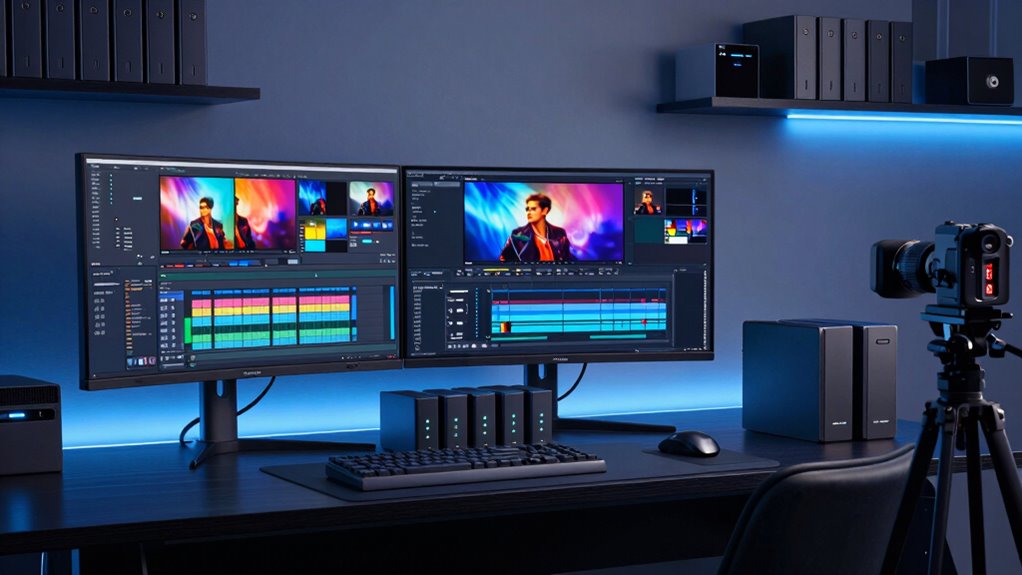

Choosing the right storage solutions for video editing can significantly impact your workflow and project safety. The best options balance speed, capacity, and durability, with the Glyph StudioRAID standing out as a top overall pick for its versatility and reliability. For those prioritizing high capacity, the Seagate LaCie 2big Dock offers extensive storage with fast Thunderbolt connectivity. Portable SSDs like the SanDisk Extreme Portable excel for on-the-go editing, while dedicated NAS options provide centralized access for teams. As you evaluate these options, consider tradeoffs like cost versus speed, portability versus capacity, and ease of use versus expandability. Keep reading for a detailed breakdown of the best storage solutions for your video editing setup.

Get audio and creator gear delivered free with Prime
- Fast, free delivery on millions of items
- Prime Video, Amazon Music and more included
- Member-only deals all year
Complete the kit


Key Takeaways
- High-capacity RAID drives like Glyph StudioRAID and LaCie 2big Dock excel for large, ongoing projects but come at a higher price point.
- Portable SSDs such as SanDisk Extreme and Samsung T7 offer quick data transfer and durability, ideal for mobile workflows.
- NAS solutions like Synology DS1525+ provide centralized storage, perfect for collaborative environments but require more setup and investment.
- Speed is a major factor; Thunderbolt and USB4 compatible drives deliver faster data transfer, reducing wait times during editing.
- Build quality and warranty vary significantly; investing in reputable brands can save costs associated with failures and data loss.
| Glyph StudioRAID 2-Bay RAID Desktop External Hard Drive with USB 3.0 (16 TB) |  | Best Overall for Professional Video Workflows | RAID Options: RAID 0, RAID 1, JBOD, SPAN | Connectivity: USB 3.0, FireWire 800, eSATA | Transfer Speed: up to 360 MB/s | VIEW ON AMAZON | See Our Full Breakdown |
| Seagate LaCie 2big Dock 20TB External HDD – Thunderbolt and USB4 Compatibility |  | Best for High-Capacity, Versatile Workflow Needs | Storage Capacity: 20TB | Connection Types: Thunderbolt 3, USB4, USB 3.2 Type A, CFexpress, CFast, SD slots, DisplayPort | Speed: Up to 550MB/s | VIEW ON AMAZON | See Our Full Breakdown |
| SanDisk 2TB Extreme Portable SSD |  | Best for Fast, Secure On-the-Go Editing | Capacity: 2TB | Read Speed: 1050MB/s | Write Speed: 1000MB/s | VIEW ON AMAZON | See Our Full Breakdown |
| Samsung T7 Portable SSD 2TB Titan Gray, USB 3.2 Gen 2, Up to 1,050MB/s |  | Best for Fast, Reliable Desktop and Mobile Storage | Capacity: 2TB | Max Speed: 1,050MB/s | Shock Resistance: Up to 6 feet | VIEW ON AMAZON | See Our Full Breakdown |
| LaCie d2 Professional 10TB External Hard Drive |  | Best for Large-Scale Desktop Storage | Capacity: 10TB | Speed: Up to 240MB/s | Interface: USB-C, Thunderbolt 3 | VIEW ON AMAZON | See Our Full Breakdown |
| LaCie Rugged USB-C 4TB Portable External Hard Drive |  | Best Rugged Portable Storage for On-the-Go Video Editing | Capacity: 4TB | Connectivity: USB-C | Protection: Drop, Shock, Dust, Rain Resistant | VIEW ON AMAZON | See Our Full Breakdown |
| LaCie 2big Dock RAID 16TB External HDD – Thunderbolt and USB4 Compatibility | | Best High-Performance Desktop Storage for Professional Workflows | Capacity: 16TB | Connection Ports: Dual Thunderbolt 3, USB4, SD, DisplayPort | Speed: Up to 550MB/s | VIEW ON AMAZON | See Our Full Breakdown |
| Seagate 2TB Portable Hard Drive USB 3.0 |  | Best Budget Portable Storage for Basic Video Backup | Storage Capacity: 2TB | Connection: USB 3.0 | Compatibility: Windows and Mac | VIEW ON AMAZON | See Our Full Breakdown |
| Crucial X10 Pro 1TB Portable SSD |  | Best Fast, Durable SSD for High-Resolution Video on the Go | Capacity: 1TB | Read Speed: 2100MB/s | Write Speed: 2000MB/s | VIEW ON AMAZON | See Our Full Breakdown |
| Synology DS1525+ 5-Bay Diskless NAS Server for Video Editing and Production |  | Best Networked Storage for Collaborative Video Work | Storage Capacity: Starting at 100TB, expandable to 300TB | Number of Bays: 5 | Network Speed: 10GbE | VIEW ON AMAZON | See Our Full Breakdown |
| WD 6TB My Passport Portable External Hard Drive |  | Best Portable Storage for On-the-Go Video Editing | VIEW ON AMAZON | See Our Full Breakdown | |||
| SanDisk Professional 16TB PRO-Blade SSD Mag Bundle |  | Best High-Capacity Fast Storage for Demanding Workflows | VIEW ON AMAZON | See Our Full Breakdown | |||
| Glyph BlackBox Pro 40TB RAID Desktop Drive Thunderbolt 3 |  | Best Large-Scale Desktop Storage with Redundancy | VIEW ON AMAZON | See Our Full Breakdown | |||
| WD 6TB Elements Portable External Hard Drive for Windows and Mac |  | Best Cross-Platform Portable Storage for Video Files | VIEW ON AMAZON | See Our Full Breakdown | |||
| Glyph Blackbox PRO RAID Thunderbolt 3 Desktop 24 TB |  | Best High-Performance Desktop RAID Storage | VIEW ON AMAZON | See Our Full Breakdown |
More Details on Our Top Picks
Glyph StudioRAID 2-Bay RAID Desktop External Hard Drive with USB 3.0 (16 TB)
The Glyph StudioRAID stands out for its robust performance and flexible RAID options, making it ideal for demanding editing projects. Compared with the LaCie d2 Professional, it offers faster transfer speeds up to 360 MB/s and multiple RAID configurations, which can be crucial for safeguarding data or optimizing performance. However, its capacity is limited to 16 TB in this model, and the high price reflects its professional-grade features. The aluminum enclosure provides effective cooling and durability, essential for intensive workflows. Its broad connectivity, including USB 3.0, FireWire 800, and eSATA, ensures compatibility with a variety of systems—though reformatting may be needed for Windows or Linux users. For editors needing reliable, fast storage with flexible RAID options, this model offers significant value despite its cost and capacity constraints.
Pros:- High transfer speeds up to 360 MB/s support demanding workflows
- Multiple RAID configurations (RAID 0, RAID 1, JBOD, SPAN) for flexibility
- Durable aluminum enclosure with effective cooling
Cons:- Limited to 16 TB in this model, which may be insufficient for large projects
- Requires reformatting for Windows or Linux systems
- Relatively high cost for a dual-bay external drive
Best for: Professional editors working on high-resolution projects who need fast, reliable RAID storage in a durable enclosure.
Not ideal for: Budget-conscious hobbyists or those needing more than 16 TB of storage, as capacity is limited and costs are high.
- RAID Options:RAID 0, RAID 1, JBOD, SPAN
- Connectivity:USB 3.0, FireWire 800, eSATA
- Transfer Speed:up to 360 MB/s
- Drive Bays:2
- Capacity:16 TB
- HDD Speed:7,200 RPM
- Enclosure Material:Aluminum
- Warranty:3-year hardware, 2-year data recovery, 1-year replacement
Our verdict“This pick is best suited for professionals who prioritize performance and durability over capacity and budget constraints.”
Seagate LaCie 2big Dock 20TB External HDD – Thunderbolt and USB4 Compatibility
The Seagate LaCie 2big Dock offers a substantial 20TB capacity combined with impressive transfer speeds up to 550MB/s, making it a clear choice for large-scale editing projects. Its versatility shines with Thunderbolt 3 and USB4 compatibility, along with multiple card slots, which sets it apart from the Glyph StudioRAID that focuses more on RAID flexibility and speed. The hot-swappable drives facilitate long-term maintenance, but the premium price and bulkier desktop form factor might be overkill for users seeking portability or lower budgets. Its enterprise-class IronWolf Pro drives enhance reliability, essential for ongoing professional use. This model makes the most sense for editors handling extensive media libraries who need fast, expandable storage and multiple connectivity options, though it demands compatible ports and a larger workspace.
Pros:- Massive 20TB capacity for extensive media libraries
- Fast transfer speeds up to 550MB/s support large file workflows
- Multiple connection options including Thunderbolt 3 and USB4
Cons:- Premium price point limits accessibility for budget users
- Bulkier desktop design reduces portability
- Requires compatible high-speed ports for maximum performance
Best for: Video professionals working with large files who need extensive storage and fast data access via Thunderbolt or USB4.
Not ideal for: Casual users or mobile editors with limited port options or tighter budgets, since the device is bulky and expensive.
- Storage Capacity:20TB
- Connection Types:Thunderbolt 3, USB4, USB 3.2 Type A, CFexpress, CFast, SD slots, DisplayPort
- Speed:Up to 550MB/s
- Drive Type:IronWolf Pro enterprise-class
- Warranty:Limited with Rescue Data Recovery
Our verdict“Ideal for professionals with demanding storage needs who require large capacity and fast, versatile connectivity options.”
SanDisk 2TB Extreme Portable SSD
The SanDisk 2TB Extreme Portable SSD is a compact and rugged option that delivers NVMe speeds up to 1050MB/s, making it excellent for mobile editors needing quick access to media. Its durability, with drop resistance up to 3 meters and IP65 water and dust resistance, outperforms many portable drives, including the Samsung T7, which offers similar speed but slightly less ruggedness. Security features like 256-bit AES hardware encryption add peace of mind. However, performance can vary depending on host device compatibility, and the absence of an included carrying case is a minor inconvenience. This drive fits well for field work, with enough speed and durability to handle rough conditions while securely storing footage.
Pros:- NVMe speeds up to 1050MB/s for rapid data transfer
- Rugged design with drop, water, and dust resistance
- Secure hardware encryption for sensitive footage
Cons:- Performance may fluctuate across different host devices
- No included case, requiring additional accessories for protection
- Price can be high relative to capacity
Best for: Mobile editors and videographers needing fast, rugged storage for field shoots and quick transfers.
Not ideal for: Users seeking high-capacity storage solutions or desktop setups, as the capacity is limited and it’s designed for portability.
- Capacity:2TB
- Read Speed:1050MB/s
- Write Speed:1000MB/s
- Drop Resistance:Up to 3 meters
- Water/Dust Resistance:IP65
- Encryption:256-bit AES hardware
Our verdict“Best suited for field-based editors who prioritize speed, durability, and security in portable storage.”
Samsung T7 Portable SSD 2TB Titan Gray, USB 3.2 Gen 2, Up to 1,050MB/s
The Samsung T7 offers impressive speeds of up to 1,050MB/s, making it a top choice for editors who need quick backups or to transfer large files rapidly. Its durable, shock-resistant aluminum unibody construction enhances portability, surpassing older models like the SanDisk Extreme in design robustness. While performance is excellent for on-the-go editing and high-resolution footage, the description focuses on capacity up to 2TB, with higher capacities available in other models. Its compact size and resistance to shocks make it suitable for mobile workflows, but the price may be a barrier for budget-conscious users. This drive is ideal for those who prioritize speed and durability in portable, everyday editing tasks.
Pros:- Fast transfer speeds up to 1,050MB/s support quick workflows
- Shock-resistant, durable aluminum unibody design
- Compact size ideal for mobile editing and field work
Cons:- Price may be higher relative to storage capacity
- Limited capacity options in the description (up to 4TB available elsewhere)
- No included carrying case or accessories
Best for: Editors needing a fast, portable SSD to handle high-resolution video transfers and on-the-move editing with reliable durability.
Not ideal for: Users requiring large-capacity storage or desktop-only solutions, as it balances speed with relatively modest capacity options.
- Capacity:2TB
- Max Speed:1,050MB/s
- Shock Resistance:Up to 6 feet
- Compatibility:PC and mobile devices
Our verdict“This drive is perfect for editors who need speed and portability without sacrificing durability, but watch the capacity limits for larger projects.”
LaCie d2 Professional 10TB External Hard Drive
The LaCie d2 Professional provides a spacious 10TB of storage with steady transfer speeds up to 240MB/s, making it suited for desktop editing setups where capacity outweighs raw speed. Its enterprise-class 7200 RPM HDD and aluminum casing help reduce noise and vibration, which benefits prolonged use. Compared to the Glyph StudioRAID, it offers less speed but a larger, more straightforward capacity. Its compatibility with USB-C and Thunderbolt 3 covers most professional systems. However, its speed may be limiting for real-time editing of high-bitrate footage, and it could be noisy during operation. This drive fits best for editors with large, static media libraries who prioritize capacity and long-term reliability over ultra-fast transfer speeds.
Pros:- Large 10TB capacity suitable for extensive projects
- Reliable enterprise-class HDD with 7200 RPM
- Compatibility with USB-C and Thunderbolt 3
Cons:- Relatively slow transfer speed limits real-time editing
- Potentially noisy operation despite aluminum casing
- Not ideal for mobile workflows
Best for: Video editors with extensive storage needs working primarily on desktop who need large capacity and reliable performance.
Not ideal for: On-the-go editors or those working with high-bitrate footage requiring faster transfer speeds.
- Capacity:10TB
- Speed:Up to 240MB/s
- Interface:USB-C, Thunderbolt 3
- Drive Type:HDD
- RPM:7200
- Warranty:5 years
Our verdict“Best for desktop-based editors needing substantial storage and reliable performance at a reasonable price point.”
LaCie Rugged USB-C 4TB Portable External Hard Drive
This rugged drive stands out for its durability, making it ideal for field editors or videographers working in tough environments. Compared with the Seagate 2TB Portable Hard Drive, the LaCie offers significantly more capacity and rugged protection, though it comes at a higher price. Its shock, dust, and water resistance ensure data safety during outdoor shoots. The compact design favors portability over high-speed transfer, which is adequate for backing up footage but less ideal for intensive editing directly from the drive. While it lacks included cables or accessories, its universal compatibility with Mac and PC makes it versatile for various workflows. The main tradeoff is its higher cost and limited transfer speeds, which may be less suitable for large, time-sensitive projects.
Pros:- Durable, shock- and weather-resistant design for tough environments
- Large 4TB capacity suitable for video files
- Universal compatibility with Mac and Windows
Cons:- No included cables or accessories, which could increase total cost
- Relatively higher price for rugged features and capacity
Best for: Videographers and field editors needing durable, portable storage that withstands harsh conditions.
Not ideal for: Studio-based editors who prioritize high transfer speeds over ruggedness or portability, as they may prefer faster, desktop drives.
- Capacity:4TB
- Connectivity:USB-C
- Protection:Drop, Shock, Dust, Rain Resistant
- Compatibility:Mac & PC
Our verdict“This drive works best for on-location video editors who need reliable, portable storage in challenging environments.”
LaCie 2big Dock RAID 16TB External HDD – Thunderbolt and USB4 Compatibility
This 16TB RAID solution excels in speed and versatility, making it well-suited for professional editing studios or power users. Compared with the Synology DS1525+, which offers more scalable, network-based storage, the LaCie 2big Dock is designed for direct-attached high-speed workflows. It supports data transfer rates up to 550MB/s, and its multiple ports—including Thunderbolt 3, USB4, SD, and DisplayPort—allow seamless integration into complex editing setups. The hot-swappable enterprise drives boost reliability, but the large, desktop-oriented design limits portability. It’s a costly investment, especially if RAID configurations aren’t needed, and its size makes it unsuitable for mobile editing. The tradeoff is between maximum performance and portability, favoring stationary, high-demand environments.
Pros:- Extremely fast transfer speeds up to 550MB/s
- Multiple versatile ports for professional workflows
- Hot-swappable enterprise-class drives for enhanced reliability
Cons:- Large, desktop-oriented size limits portability
- High price point may be prohibitive for casual users
Best for: Professional editors or studios needing fast, reliable, multi-connection storage for large 4K or 8K projects.
Not ideal for: Mobile editors or those with limited desk space, as its size and cost overshadow portability and casual use.
- Capacity:16TB
- Connection Ports:Dual Thunderbolt 3, USB4, SD, DisplayPort
- Speed:Up to 550MB/s
- Drive Type:IronWolf Pro enterprise drives
- RAID Support:RAID 0/1
- Form Factor:Desktop
Our verdict“This RAID storage is ideal for high-end editing environments demanding speed, reliability, and extensive connectivity.”
Seagate 2TB Portable Hard Drive USB 3.0
This 2TB drive offers a straightforward, cost-effective solution for quick backups or light file transfers. Compared to the LaCie Rugged, it provides less capacity and ruggedness but remains an affordable choice for casual users. Its USB 3.0 interface delivers decent transfer speeds for everyday tasks, and its plug-and-play setup simplifies use across Windows and Mac systems. The fixed 18-inch cable is convenient for mobile use but can be limiting in tight spaces or stationary setups. Its limited capacity and lack of advanced features mean it’s best suited for smaller projects or occasional backups rather than active editing workflows. The primary tradeoff is that it offers less space and durability than pricier options, making it less suitable for demanding editing tasks.
Pros:- Affordable and straightforward for basic storage needs
- Plug-and-play with no software required
- Compatible with both Windows and Mac
Cons:- Limited to 2TB capacity, not ideal for large files
- No rugged features or advanced data protection
Best for: Beginner videographers or casual users needing portable storage for occasional backups or small projects.
Not ideal for: Professional editors working with large files who require faster speeds, higher capacities, or rugged protection.
- Storage Capacity:2TB
- Connection:USB 3.0
- Compatibility:Windows and Mac
- Cable Length:18 inches
Our verdict“This drive suits entry-level users or those with modest storage needs who prioritize affordability and portability.”
Crucial X10 Pro 1TB Portable SSD
The Crucial X10 Pro delivers exceptional speeds up to 2100MB/s, making it perfect for editing high-resolution footage in the field or during rapid workflows. Compared to the LaCie Rugged USB-C, the X10 Pro prioritizes speed and durability with IP55 water and dust resistance, and protection against drops up to 7.5 feet. Its broad device compatibility, including gaming consoles and mobile devices, makes it versatile beyond traditional editing setups. However, the 1TB capacity might be limiting for large projects, especially when compared to larger HDD options like the LaCie 2big Dock. The high price reflects its professional-grade performance, which may be overkill for casual users. The main tradeoff involves capacity versus speed and durability, favoring demanding professionals needing quick access to high-res files.
Pros:- Exceptional transfer speeds ideal for editing workflows
- Water, dust, and drop resistance for outdoor use
- Broad device compatibility including mobile and gaming platforms
Cons:- Limited to 1TB capacity, which may be insufficient for large projects
- Premium price point may not suit casual users
Best for: Professional videographers or editors needing ultra-fast, rugged storage for high-res footage in demanding environments.
Not ideal for: Casual users or those with large capacity needs who might prefer more storage at a lower cost, as this model is capacity-constrained and premium-priced.
- Capacity:1TB
- Read Speed:2100MB/s
- Write Speed:2000MB/s
- Water Resistance:IP55
- Drop Resistance:7.5 ft
- Connectivity:USB-C, USB-A
Our verdict“This SSD is perfect for professionals who need speed, durability, and portability in demanding editing scenarios.”
Synology DS1525+ 5-Bay Diskless NAS Server for Video Editing and Production
The Synology DS1525+ offers scalable, high-speed network storage tailored for collaborative editing and media management. Unlike the LaCie 2big Dock, which is a direct-attached solution, this NAS supports multiple users accessing 4K and 8K footage simultaneously over the network, making it ideal for teams. Its 10GbE networking ensures fast data transfer, while the ability to expand storage up to 300TB with DX525 units provides a future-proof setup. The complex setup and higher cost may deter casual or solo editors, but for media teams, this offers unmatched scalability and performance. The main consideration is the need for technical expertise during initial setup and the extra investment in expansion units, which makes it more suited to enterprise or studio environments.
Pros:- Supports large-scale, multi-user editing over the network
- Expandable storage up to 300TB with additional units
- High-speed 10GbE networking for fast data transfer
Cons:- Requires additional DX525 units for maximum capacity
- High cost and complex setup not suited for casual users
Best for: Video production teams or professional studios requiring scalable, high-capacity network storage for collaborative workflows.
Not ideal for: Solo editors or those with limited technical knowledge, as initial setup and expansion can be complex and costly.
- Storage Capacity:Starting at 100TB, expandable to 300TB
- Number of Bays:5
- Network Speed:10GbE
- Form Factor:Diskless NAS
Our verdict“This NAS is designed for collaborative environments needing scalable, high-capacity, high-speed network storage.”
WD 6TB My Passport Portable External Hard Drive
This drive stands out for its combination of large 6TB capacity and robust security features, making it a great choice for editors who need mobile storage with data protection. Compared to the WD Elements Portable, it offers more security via hardware encryption, but at a slightly higher price point. Its slim design favors portability over expandability, and it’s limited to a 2.5-inch form factor, which means less upgrade potential. The inclusion of ransomware protection and password security makes it suitable for handling sensitive footage in the field, yet it lacks an external encryption key, which might concern some users. While ideal for remote editors or videographers who need quick access to large files, it might not satisfy those requiring higher transfer speeds or network-based sharing.
Pros:- Large 6TB capacity for extensive project storage
- Built-in ransomware protection enhances data security
- Password and hardware encryption safeguard sensitive files
- Compatible with both USB 3.1 and 3.0 for broad connectivity
Cons:- Limited to a 2.5-inch form factor, restricting upgrade options
- No included hardware encryption key for added security
- Potentially higher cost for the capacity offered
Best for: Video editors who need a portable, secure drive for mobile workflows and on-site editing.
Not ideal for: Studio-based professionals who prefer desktop solutions with higher transfer rates and expandability since this drive is limited to USB 3.1/3.0 and lacks advanced RAID options.
Our verdict“This drive suits mobile professionals needing secure, sizable storage without complex setup, but may be less appealing for those who want ultra-fast data transfer or desktop expansion.”
SanDisk Professional 16TB PRO-Blade SSD Mag Bundle
This bundle excels in offering high-capacity, fast SSD storage with Thunderbolt 3, making it ideal for professionals handling large media files. Its 16TB capacity and 480 MB/s transfer speeds outperform traditional HDDs like the Glyph BlackBox Pro 40TB in speed, though the latter offers more raw storage for archiving. The pre-configured RAID 0 setup delivers maximum performance, but limits flexibility and introduces risk—if one drive fails, data could be lost. Designed primarily for professional workflows, its expense and reliance on Thunderbolt 3 ports may exclude casual users or those on older hardware. For editors working on complex projects requiring rapid access, this is a smart, albeit costly, investment.
Pros:- Massive 16TB capacity for large media libraries
- Fast transfer speeds with Thunderbolt 3 interface
- RAID 0 configuration for maximum performance
- Compatible with iPads via USB-C for versatile workflows
Cons:- Designed mainly for professional use, with a high price point
- Limited to RAID 0 out of the box, risking data loss if a drive fails
- Requires Thunderbolt 3 port to achieve full speed
Best for: High-end video professionals needing speedy access to large files with portable, versatile connectivity.
Not ideal for: Casual editors or hobbyists on a budget who do not require ultra-fast throughput or RAID configurations, since this is a premium, professional-grade solution.
Our verdict“This high-capacity SSD bundle is perfect for professionals demanding rapid data access, though its cost and RAID limitations make it less suited for casual use.”
Glyph BlackBox Pro 40TB RAID Desktop Drive Thunderbolt 3
The Glyph BlackBox Pro offers a substantial 40TB of storage and fast Thunderbolt 3 transfer speeds, making it an excellent choice for large-scale media projects. Compared to the SanDisk PRO-Blade SSD, it prioritizes raw capacity and data redundancy, thanks to RAID support, but the desktop-only form factor limits portability. Its RAID support allows for configurations that balance performance with security, ideal for ongoing projects needing reliable backups. The high cost and need for RAID setup might deter casual users or those unfamiliar with advanced storage configurations. This pick makes the most sense for studio environments or high-volume editing workflows that require dependable, high-capacity storage with fast throughput.
Pros:- Massive 40TB capacity for extensive project storage
- Fast Thunderbolt 3 data transfer speeds
- Supports RAID for data redundancy and performance tuning
- Robust desktop design with cooling for continuous use
Cons:- Desktop-only form factor reduces portability
- High price point may be prohibitive for casual users
- Requires RAID configuration knowledge for optimal use
Best for: Professional video editors needing extensive, reliable storage with RAID flexibility in a desktop setup.
Not ideal for: On-the-move editors or those with limited desk space, since this is a large, desktop-bound solution requiring setup and power connection.
Our verdict“This drive is ideal for studios and professionals needing large, reliable storage with flexible RAID options, but not suited for mobile workflows.”
WD 6TB Elements Portable External Hard Drive for Windows and Mac
This drive offers a straightforward, plug-and-play solution with 6TB of storage, making it a reliable choice for editors working across Windows and Mac environments. Its USB 3.2 Gen 1 interface provides decent transfer speeds, but it lags behind faster interfaces like Thunderbolt or USB-C Gen 2 options available in other models like the Glyph BlackBox Pro. Its portability and compatibility make it a versatile option for those who need quick access to files while traveling or working in different locations. However, its reliance on USB connection without wireless options limits flexibility in certain workflows. It’s suited for users who prioritize ease of use and cross-platform compatibility over maximum speed or advanced features.
Pros:- Large 6TB capacity for storing extensive video files
- Plug-and-play setup simplifies use
- Compatible with both Windows and Mac systems
- Fast data transfer with USB 3.2 Gen 1
Cons:- Requires wired USB connection, no wireless options
- Limited to 2.5-inch form factor, restricting upgrade potential
- Not optimized for high-speed workflows compared to Thunderbolt options
Best for: Editors needing portable, compatible storage for working seamlessly between Windows and Mac systems.
Not ideal for: Professionals requiring ultra-fast transfer speeds or network-based storage, as this drive is limited to USB connections and basic portability.
Our verdict“This drive suits editors who need simple, portable storage compatible across platforms, but it may fall short for those seeking maximum data transfer speeds.”
Glyph Blackbox PRO RAID Thunderbolt 3 Desktop 24 TB
The Glyph Blackbox PRO RAID provides 24TB of storage with dual 12TB drives and Thunderbolt 3 support, making it a strong choice for demanding post-production workflows. Its flexible RAID modes, including RAID 0 and RAID 1, offer options for performance or redundancy, unlike simpler drives like the WD My Passport. The aluminum fan-assisted case ensures efficient cooling, supporting extended editing sessions without overheating. While its high cost and RAID setup complexity might deter casual users, professionals will appreciate its speed and reliability. This model makes the most sense for those who need a high-capacity, fast, and configurable desktop solution capable of handling intensive editing tasks with peace of mind.
Pros:- Robust 24TB capacity suitable for large projects
- Fast data transfer via Thunderbolt 3 and USB-C 3.2 Gen 2
- Flexible RAID modes for performance or redundancy
- Effective cooling solution for sustained use
Cons:- Higher price and complexity compared to basic external drives
- Requires understanding of RAID configurations for optimal setup
- Desktop-only form factor limits mobility
Best for: Professional editors and post-production teams requiring high-capacity, high-speed RAID storage with reliable cooling.
Not ideal for: Casual or mobile editors who need lightweight, portable drives or simple plug-and-play solutions, as this is a desktop-bound and more complex setup.
Our verdict“This high-performance RAID is tailored for professional environments demanding large, reliable storage with configurable redundancy and speed.”

How We Picked
The products in this roundup were selected based on their performance, capacity, compatibility, and overall value for video editing workflows. Priority was given to drives that balance speed with ease of use, ensuring they can handle large video files efficiently. We also considered build quality, reliability, and compatibility with common editing software and hardware setups. Drives offering expandability or network connectivity were included to cover professional and collaborative needs. The ranking reflects a combination of these factors, emphasizing real-world usability and durability in demanding editing environments.Factors to Consider When Choosing Storage Solutions For Video Editing
Selecting the right storage solution for video editing involves understanding your specific needs and weighing the tradeoffs. Speed, capacity, portability, and connectivity options are the key factors that influence performance and workflow. A higher price often correlates with faster transfer speeds and better build quality, but budget-friendly options can still offer excellent value for smaller projects or mobile editing. Consider your typical file sizes and project scope—large 4K or 8K footage demands more robust storage. Compatibility with your existing hardware and software is equally important, preventing bottlenecks or setup issues. Lastly, think about future expansion and data safety, choosing drives that can grow with your needs or include redundancy options.Speed and Connectivity
Fast data transfer speeds directly reduce waiting times during editing and rendering. Look for drives with Thunderbolt 3/4, USB 3.2 Gen 2, or USB4 interfaces for the best performance. While SSDs offer superior speed, HDDs tend to be more affordable at larger capacities, making them suitable for archival storage. Compatibility with your computer’s ports is essential; selecting drives that match your setup avoids costly adapters or bottlenecks. Remember, faster interfaces often come with a higher price, so balance speed needs with your budget and workflow demands.
Capacity and Scalability
Editing high-resolution videos requires substantial storage, often 10TB or more for ongoing projects. RAID configurations and NAS systems provide scalable solutions that can expand as your library grows. External HDDs like LaCie d2 or Glyph StudioRAID deliver high capacities suitable for professional workflows, but they come with increased costs. On the other hand, portable SSDs are limited in size but excel for mobile editing. Always consider your current needs and future growth, choosing a solution that can scale without frequent replacements or complex migrations.
Portability and Durability
If mobility is a priority, rugged drives like LaCie Rugged or SanDisk Professional PRO-Blade offer durability against drops and environmental hazards. Portable SSDs are lightweight and compact, ideal for on-location editing or quick transfers. For studio setups, desktop drives or NAS systems provide robust, stationary storage with higher capacities. Weigh the importance of portability against capacity and durability—sometimes a rugged portable drive can serve both functions effectively, but it may cost more than standard external HDDs.
Ease of Use and Compatibility
Choosing a drive that integrates smoothly with your existing hardware and software minimizes setup and operational hurdles. Plug-and-play drives with simple software management are best for less tech-savvy users, while professional-grade solutions might require more configuration. Compatibility with Mac, Windows, or Linux should be verified, especially if you switch operating systems. Ensure the drive supports hot-swapping and has reliable power management features to prevent data corruption during use.
Redundancy and Data Safety
Data safety is paramount in video editing, where lost footage can mean costly delays. RAID configurations, especially RAID 5 or 10, provide redundancy to protect against drive failure. NAS devices often include built-in backup options and remote access, adding layers of security. For portable drives, consider models with hardware encryption or automatic backup software. Remember, no storage device is foolproof—regular backups to multiple locations remain essential to safeguard your projects against unforeseen failures.
Frequently Asked Questions
Should I prioritize speed or capacity for my video editing storage?
Ideally, both matter, but the decision depends on your workflow and project size. If you handle large 4K or higher-resolution footage frequently, prioritizing speed with SSDs or Thunderbolt-connected drives reduces lag and rendering times. However, for storing extensive archives or completed projects, larger capacity HDDs or NAS systems are more cost-effective. Many professionals use a combination—fast SSDs for active projects and large HDDs or NAS for backups and archives. Balancing these needs ensures a smooth, efficient editing process without breaking the bank.
Is a NAS necessary for small-scale or solo video editors?
For solo editors working on small projects, a NAS might be overkill unless they require centralized access or collaboration features. External SSDs or HDDs often suffice, offering fast, straightforward storage solutions. NAS systems excel in multi-user environments or when frequent access from multiple devices is needed, providing centralized management and data redundancy. When choosing, consider your current project scope and future needs—if growth or collaboration is expected, investing in NAS can pay off later. Otherwise, a reliable external drive might be enough for your workflow.
How important is durability for portable storage devices?
Durability becomes critical if you frequently transport your drives or work in challenging environments. Ruggedized models like LaCie Rugged or SanDisk Extreme Portable SSD are designed to withstand drops, water, and dust, reducing the risk of data loss in transit. If your workflow involves traveling or outdoor shoots, investing in a durable drive can prevent costly downtime. For stationary setups, durability matters less, but reliability and build quality still help avoid failures. Always pair portable drives with good backup habits to mitigate unforeseen damage or failures.
Can I use consumer-grade drives for professional video editing?
While many consumer-grade drives are capable of handling video files, professional editing often demands higher reliability, faster transfer speeds, and better build quality. Consumer drives may lack features like hardware encryption, advanced error correction, or durable casings, increasing the risk of data corruption or failure under heavy use. For critical projects, investing in enterprise or professional-grade drives, such as those from Glyph or LaCie, ensures better performance and longevity. Ultimately, the decision depends on your project size, budget, and risk tolerance—professional drives tend to be more dependable for intensive workflows.
What is the ideal storage setup for a freelance video editor?
A freelance editor benefits from a flexible yet reliable setup, typically combining fast portable SSDs for on-location work with larger internal or external drives for ongoing projects. A RAID array or NAS can serve as a central hub for backups and collaboration if needed. Prioritizing speed for editing and capacity for storage is key, with redundancy measures in place to prevent data loss. For mobility, lightweight, rugged drives are preferable, while a dedicated desktop RAID or NAS provides peace of mind for data safety and future expansion. Tailoring the setup to workload and budget ensures efficiency and security.
Conclusion
For those seeking the best overall balance of speed, capacity, and reliability, the Glyph StudioRAID emerges as a top choice, especially for professional workflows. Budget-conscious editors should consider portable HDDs like the WD Elements for decent performance at a lower price point. Content creators prioritizing mobility will find the SanDisk Extreme Portable SSD ideal, offering durability and speed in a compact form. Heavy users or teams needing centralized storage benefit from NAS options like the Synology DS1525+. Ultimately, your choice hinges on your specific project scale, mobility needs, and budget—matching the right storage to your editing style ensures smoother workflows and data security.
As an affiliate, we earn on qualifying purchases.Halloween Picks
halloween