
For most older adults, I’d start with the Samsung Galaxy Tab A11+: its larger screen and generous storage make it a capable everyday choice, while the Amazon Fire HD 10 is a straightforward option for reading and streaming within Amazon’s ecosystem. The Lenovo Idea Tab 11 stands out for buyers who want a pen and folio case, while compact models such as the Samsung Galaxy Tab A11 are easier to carry. Choosing among tablets for seniors means balancing screen size, simple setup, portability, app access, and how much support the user may need. I’ve ranked these picks by how well their features serve those practical needs, not by a single specification. Read on for the full comparison and guidance on matching a tablet to its owner.

Get audio and creator gear delivered free with Prime
- Fast, free delivery on millions of items
- Prime Video, Amazon Music and more included
- Member-only deals all year
Complete the kit


Key Takeaways
- The amazon.com/dp/B0FXBPWCQY?tag=strongmocha04-20&ascsubtag=dc-160801″ target=”_blank” rel=”nofollow sponsored noopener”>Samsung Galaxy Tab A11+ leads as an everyday pick because its 11-inch class screen and 128GB storage provide more room for reading, video calls, and apps than the compact models.
- Screen size is a real tradeoff: the 13.4-inch Teclast T65 gives content more room, but its large body is less convenient to hold than the 8.7-inch Samsung Galaxy Tab A11 or Lenovo Tab One.
- Amazon’s Fire HD models suit a narrower use case. They can be appealing for Kindle, Prime Video, and familiar Amazon services, but buyers should check app availability before choosing one over a standard Android tablet.
- Several budget Android listings advertise large RAM figures alongside entry-level screen and processor details. I’d prioritize a clearly stated display, storage, and software experience over headline memory claims alone.
- Bundles and special features change the fit more than the ranking alone suggests: the Lenovo Idea Tab includes a pen and folio, while The Care’s offline games focus on entertainment without an internet connection.
| The Care – Over 100 Offline Games for Senior Citizens on a 10-Inch Tablet |  | Best for Offline Games and Simple Activities | Display: 10-inch capacitive touchscreen | Memory: 2GB RAM | Storage: 32GB, expandable to 64GB | VIEW ON AMAZON | See Our Full Breakdown |
| Lenovo Idea Tab 11″ 2.5K IPS Touchscreen Tablet with Pen and Folio Case | 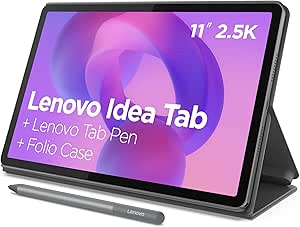 | Best Premium Screen and Accessories | Display: 11-inch 2.5K IPS touchscreen | Refresh rate: 90Hz | Processor: MediaTek Dimensity 6300, up to 2.4GHz | VIEW ON AMAZON | See Our Full Breakdown |
| COLORROOM 2026 Android 16 Tablet 11-inch, Face Unlock, 18W Fast Charge, Blue |  | Best for Expandable Storage | Display: 11 inches with blue-light protection | Operating system: Android 16 | Processor: Unisoc T606 octa-core, up to 1.8GHz | VIEW ON AMAZON | See Our Full Breakdown |
| Samsung Galaxy Tab A11 WiFi Model 8.7-inch, 64GB + 4GB, Gray |  | Best Compact Everyday Tablet | Display: 8.7-inch WXGA+ TFT, 1340 × 800 | Refresh rate: 90Hz | Operating system: Android 15 with One UI 7 | VIEW ON AMAZON | See Our Full Breakdown |
| ECOPAD 10.1 Inch Android Tablet, 12GB RAM, 64GB Storage, 1TB Expandable, HD Touchscreen, 6000mAh Battery, Bluetooth 5.0, Dual Cameras, Black |  | Best Value for a Large Basic Screen | Display: 10.1-inch IPS, 1280 × 800 | Operating system: Android 15 | Processor: Quad-core ARM, up to 1.2GHz | VIEW ON AMAZON | See Our Full Breakdown |
| Teclast T65 13.4″ Android 16 4G Tablet, 20GB RAM + 128GB Storage, 120Hz, Widevine L1 |  | Best for a Large, Easy-to-Read Screen | Display: 13.4-inch IPS, 1920×1200 | Refresh rate: 120Hz | Operating system: Android 16 | VIEW ON AMAZON | See Our Full Breakdown |
| Coopers 10-inch Android 15 Tablet, 32GB, 8GB RAM, Quad-Core, 6000mAh Battery, IPS Touch Screen, Dual HD Cameras, Bluetooth & WiFi |  | Best for Basic Video Calls | Display: 10-inch IPS, 1280×800 | Operating system: Android 15 | Processor: Quad-core | VIEW ON AMAZON | See Our Full Breakdown |
| Amazon Fire HD 8 Tablet (Newest Model), 8” HD Display, 4GB RAM, 64GB Storage, Black | 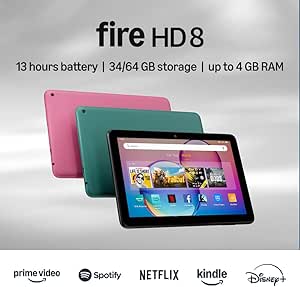 | Best Compact Pick | Display: 8-inch HD touchscreen, 1280×800 | Processor: Hexa-core, 2.0GHz | RAM: 4GB | VIEW ON AMAZON | See Our Full Breakdown |
| Samsung Galaxy Tab A11+ 6GB RAM, 128GB Storage, Expandable Storage, Gray |  | Best for Shared Family Use | Display: 11 inches | RAM: 6GB | Storage: 128GB, expandable | VIEW ON AMAZON | See Our Full Breakdown |
| Aiprotablet 10-inch Android Tablet, 12GB RAM, 64GB ROM, Expandable to 1TB, Quad-Core, 1280×800 Touch Screen, WiFi 5, Dual Camera, Bluetooth 5.0, 6000mAh Battery (Blue) |  | Best for Expandable Storage on a Basic Tablet | Display: 10.1-inch LCD, 1280×800 | Operating system: Android 15 | Processor: Quad-core, 2.0GHz | VIEW ON AMAZON | See Our Full Breakdown |
| TCL TAB 10 Gen 4 Android Tablet |  | Best Overall for a Clear, Easy-to-Read Screen | Display: 10.1-inch IPS FHD, 1920 × 1200 | Processor: Octa-core MediaTek | Memory: 4GB RAM, plus 8GB expandable memory | VIEW ON AMAZON | See Our Full Breakdown |
| Lenovo Tab One | 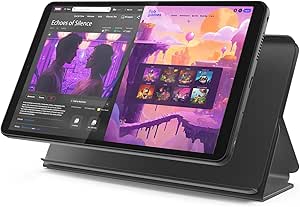 | Best Compact Pick with a Stand Included | Display: 8.7-inch HD | Processor: MediaTek Helio G85 | Memory: 4GB RAM | VIEW ON AMAZON | See Our Full Breakdown |
| Android 10.1 Inch Tablet with Case and Stylus |  | Best for Handwritten Notes and Simple Tasks | Display: 10.1-inch IPS touchscreen, 1280 × 800 | Processor: Quad-core, 2.0GHz | Memory: 8GB RAM | VIEW ON AMAZON | See Our Full Breakdown |
| Fire HD 10 Tablet | 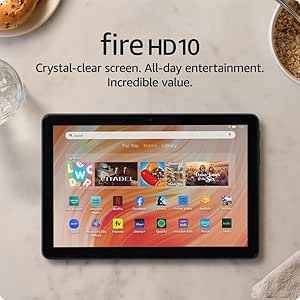 | Best for Long Streaming Sessions | Display: 10.1-inch Full HD, 1080p | Processor: Octa-core | Memory: 4GB RAM | VIEW ON AMAZON | See Our Full Breakdown |
| Aiprotablet 10-inch Android Tablet |  | Best for Expandable Storage on a Simple Setup | Display: 10.1-inch, 1280 × 800 | Processor: 2.0GHz quad-core | Memory: 12GB RAM | VIEW ON AMAZON | See Our Full Breakdown |
| tablets for senior | Display | Storage | Processor | Connectivity |
|---|---|---|---|---|
| The Care | 10-inch capacitive touchscreen | 32GB, expandable to 64GB | — | Bluetooth 4.0, USB 3.1 Type-C |
| Lenovo Idea Tab 11" 2.5K IPS T | 11-inch 2.5K IPS touchscreen | 256GB | MediaTek Dimensity 6300, up to 2.4GHz | USB-C 2.0 |
| COLORROOM 2026 Android 16 Tabl | 11 inches with blue-light protection | 128GB, expandable to 1TB with microSD | Unisoc T606 octa-core, up to 1.8GHz | Wi-Fi 6 |
| Samsung Galaxy Tab A11 WiFi Mo | 8.7-inch WXGA+ TFT, 1340 × 800 | 64GB, microSD expansion up to 2TB | MediaTek Helio G99 octa-core, up to 2.2GHz | Wi-Fi, Bluetooth 5.3, USB-C 2.0 |
| ECOPAD 10.1 Inch Android Table | 10.1-inch IPS, 1280 × 800 | 64GB, expandable to 1TB with SD card | Quad-core ARM, up to 1.2GHz | Bluetooth 5.0, dual-band Wi-Fi |
| Teclast T65 13.4" Android 16 4 | 13.4-inch IPS, 1920×1200 | 128GB, expandable to 1TB | Octa-core Unisoc T7280, up to 2.2GHz | 4G LTE, dual-band Wi-Fi, GPS |
| Coopers 10-inch Android 15 Tab | 10-inch IPS, 1280×800 | 32GB, expandable to 1TB | Quad-core | Wi-Fi 802.11n, Bluetooth 4.2, USB Type-C, GPS |
| Amazon Fire HD 8 Tablet | 8-inch HD touchscreen, 1280×800 | 64GB, expandable to 1TB via microSD | Hexa-core, 2.0GHz | Wi-Fi 6, Bluetooth 5.2, USB-C |
| Samsung Galaxy Tab A11+ 6GB RA | 11 inches | 128GB, expandable | — | — |
| Aiprotablet 10-inch Android Ta | 10.1-inch LCD, 1280×800 | 64GB, expandable to 1TB via microSD | Quad-core, 2.0GHz | Wi-Fi 5, Bluetooth 5.0 |
| TCL TAB 10 Gen 4 Android Table | 10.1-inch IPS FHD, 1920 × 1200 | 128GB internal; microSD expansion up to 1TB | Octa-core MediaTek | Wi-Fi 5, Bluetooth 5.1, USB-C, 3.5mm headphone jack |
| Lenovo Tab One | 8.7-inch HD | 64GB | MediaTek Helio G85 | — |
| Android 10.1 Inch Tablet with | 10.1-inch IPS touchscreen, 1280 × 800 | 32GB ROM; expandable up to 1TB | Quad-core, 2.0GHz | Wi-Fi 6, Bluetooth 5.0, USB-C |
| Fire HD 10 Tablet | 10.1-inch Full HD, 1080p | 32GB internal; microSD expansion up to 1TB | Octa-core | — |
| Aiprotablet 10-inch Android Ta | 10.1-inch, 1280 × 800 | 64GB ROM; expandable up to 1TB | 2.0GHz quad-core | Wi-Fi 5, Bluetooth 5.0, USB-C |
More Details on Our Top Picks
The Care – Over 100 Offline Games for Senior Citizens on a 10-Inch Tablet
The Care is the most purpose-built option here for someone who wants simple activities without having to find and install apps. Its 100-plus preloaded games and books work offline, which can suit a senior who prefers a limited, ready-to-open set of activities or has no reliable Wi-Fi. The 10-inch screen offers more room to read and tap than the Samsung Galaxy Tab A11, though that Samsung is the more flexible choice for browsing, streaming, and everyday apps. A dual-mode setup, stylus, stand, and sleeve add practical help for getting started and keeping the tablet propped or protected. The tradeoff is substantial: this is a narrow-use device, not a general internet tablet, and its 2GB of RAM and five-hour stated battery life limit multitasking and longer sessions. Choose it for offline engagement, not broad tablet capability.
Pros:- Includes more than 100 games and books that work offline
- 10-inch touchscreen gives reading and tapping more room than compact models
- Dual-mode setup and included stylus, stand, and protective sleeve support easier use
- MicroSD slot allows storage expansion up to 64GB
Cons:- No internet browsing capability, sharply limiting general tablet use
- 2GB RAM is modest for multitasking and newer apps
- Stated battery life is five hours, shorter than several alternatives
Best for: Seniors who want ready-to-use offline games and books, especially where internet access is limited or unnecessary.
Not ideal for: Buyers who need web browsing, video calls, streaming apps, or a tablet that can handle several tasks at once.
- Display:10-inch capacitive touchscreen
- Memory:2GB RAM
- Storage:32GB, expandable to 64GB
- Battery life:Up to 5 hours
- Cameras:Front and rear
- Ports:USB-C, microSD card slot, headphone jack
- Connectivity:Bluetooth 4.0, USB 3.1 Type-C
- Included accessories:Stylus, stand, protective sleeve
Our verdict“Pick The Care for a senior who mainly wants offline games and books in a ready-to-use package, not a general-purpose connected tablet.”
Lenovo Idea Tab 11″ 2.5K IPS Touchscreen Tablet with Pen and Folio Case
For a senior who reads, watches video, or joins family calls on a tablet, the Lenovo Idea Tab’s 11-inch 2.5K display is a step up from the HD screens on the ECOPAD 10.1 and The Care tablet. Text and images have more detail, while the 90Hz refresh rate makes scrolling feel smoother. Its 12-hour stated battery life, quad Dolby Atmos-tuned speakers, 8GB RAM, and included pen and folio case make it the strongest all-around entertainment and reading pick in this group. That polish comes with a less senior-specific setup: there’s no stated simplified interface, and a sharp display does not replace accessibility adjustments for larger text or easier controls. It also lacks a listed microSD slot, unlike the Samsung Galaxy Tab A11, so storage flexibility is weaker. I’d choose it for comfort and media quality, but not for someone seeking the simplest possible interface.
Pros:- 11-inch 2.5K display provides detailed text and images
- Up to 12 hours of stated battery life supports longer sessions
- 8GB RAM and Dimensity 6300 processor offer more multitasking headroom than basic models
- Tab Pen and folio case are included
Cons:- No expandable storage is listed, unlike the Samsung Galaxy Tab A11
- No simplified senior interface is specified
- USB-C connection is listed as USB 2.0
Best for: Seniors who regularly read, stream, or video-call and want a sharp, spacious screen with a folio and pen included.
Not ideal for: Buyers who prioritize a dedicated senior-friendly interface, expandable storage, or a smaller, easier-to-hold device.
- Display:11-inch 2.5K IPS touchscreen
- Refresh rate:90Hz
- Processor:MediaTek Dimensity 6300, up to 2.4GHz
- Memory:8GB RAM
- Storage:256GB
- Battery life:Up to 12 hours
- Speakers:Quad Dolby Atmos-tuned speakers
- Included accessories:Tab Pen and folio case
- Connectivity:USB-C 2.0
Our verdict“Choose the Lenovo Idea Tab if screen clarity, long sessions, and included accessories matter more than a simplified interface or microSD expansion.”
COLORROOM 2026 Android 16 Tablet 11-inch, Face Unlock, 18W Fast Charge, Blue
The COLORROOM is a fit for seniors who keep a large library of photos, downloaded shows, or other files on one device. Its 128GB storage and microSD expansion up to 1TB give it more room to grow than the Lenovo Idea Tab, which lists 256GB but no expansion slot. The 11-inch screen, blue-light protection feature, dual speakers, and stated 8–10-hour battery life suit reading and media sessions, while Wi-Fi 6 supports compatible wireless networks. On paper, the 32GB RAM claim looks unusually high beside the Unisoc T606 processor; I would not treat that figure alone as proof of strong performance. The Samsung Galaxy Tab A11 offers a more established everyday setup and microSD support, while COLORROOM provides the larger stated expansion ceiling. Buyers should also check that their preferred apps work with its Android version and confirm the meaning of the listed memory specification.
Pros:- 128GB internal storage plus microSD expansion up to 1TB
- 11-inch display and blue-light protection feature support extended viewing
- 8000mAh battery is rated for 8–10 hours, with 18W fast charging
- Wi-Fi 6 and dual stereo speakers are specified
Cons:- The 32GB RAM claim is paired with a modestly specified processor and merits verification
- No microSD card is included for the advertised expansion
- App compatibility and software support are not detailed
Best for: Seniors who store many photos, downloads, or documents locally and want an 11-inch screen with substantial microSD expansion.
Not ideal for: Buyers who prefer a well-established model with clearly specified performance, or who want a compact tablet for one-handed holding.
- Display:11 inches with blue-light protection
- Operating system:Android 16
- Processor:Unisoc T606 octa-core, up to 1.8GHz
- Memory:32GB RAM, as listed
- Storage:128GB, expandable to 1TB with microSD
- Battery:8000mAh; stated 8–10 hours
- Charging:18W fast charging
- Cameras:8MP rear, 5MP front
- Connectivity:Wi-Fi 6
Our verdict“Choose COLORROOM if expandable local storage is your priority, but verify the memory and app details before relying on it as a main tablet.”
Samsung Galaxy Tab A11 WiFi Model 8.7-inch, 64GB + 4GB, Gray
The Samsung Galaxy Tab A11 is the most practical pick here for a senior who wants a smaller tablet for browsing, reading, and casual video without carrying a full-size 10- or 11-inch device. Its 8.7-inch screen is easier to hold than the Lenovo Idea Tab’s 11-inch panel, and Android 15 with One UI 7 gives it a familiar general-purpose software setup rather than The Care’s offline-only approach. A 90Hz refresh rate, headphone jack, Bluetooth 5.3, and microSD support up to 2TB add useful everyday flexibility. The compromise is viewing space: text and controls take up more of the compact screen, so users who need larger on-screen targets may prefer the ECOPAD or Lenovo. It is Wi-Fi only, and the listed international version has no domestic warranty; the charger is also not included.
Pros:- Compact 8.7-inch size is easier to hold than the 10- and 11-inch alternatives
- Android 15 with One UI 7 supports general-purpose apps and browsing
- MicroSD slot supports expansion up to 2TB
- Includes a 3.5mm headphone jack and Bluetooth 5.3
Cons:- Small screen offers less room for large text and touch targets
- Wi-Fi only, with no cellular connectivity listed
- International version is listed without domestic warranty, and charger is not included
Best for: Seniors who want a compact Wi-Fi tablet for reading, browsing, and casual entertainment and are comfortable adjusting Android accessibility settings.
Not ideal for: People who need a larger screen for easier reading, cellular access away from Wi-Fi, or domestic warranty coverage.
- Display:8.7-inch WXGA+ TFT, 1340 × 800
- Refresh rate:90Hz
- Operating system:Android 15 with One UI 7
- Processor:MediaTek Helio G99 octa-core, up to 2.2GHz
- Memory:4GB RAM
- Storage:64GB, microSD expansion up to 2TB
- Battery:5100mAh
- Audio:Dolby dual speakers and 3.5mm headphone jack
- Connectivity:Wi-Fi, Bluetooth 5.3, USB-C 2.0
Our verdict“Pick the Galaxy Tab A11 for a more portable everyday tablet, but choose a larger model if easy-to-read screen space matters most.”
ECOPAD 10.1 Inch Android Tablet, 12GB RAM, 64GB Storage, 1TB Expandable, HD Touchscreen, 6000mAh Battery, Bluetooth 5.0, Dual Cameras, Black
For seniors who want a roomy screen for basic browsing, video, or family photos without stepping up to a sharper premium display, the ECOPAD’s 10.1-inch IPS panel is a straightforward fit. Its 1280 × 800 resolution is less detailed than the Lenovo Idea Tab’s 2.5K screen, but the larger viewing area is still more comfortable than the Galaxy Tab A11’s 8.7 inches for reading and tapping. The listed 6000mAh battery, dual-band Wi-Fi, Bluetooth 5.0, and microSD expansion up to 1TB cover common household use. The main caution is performance: a quad-core processor rated up to 1.2GHz is modest, so the listed 12GB RAM should not be read as a guarantee of smooth heavy multitasking. Software update details are limited, and no expansion card is included. I’d favor it for simple use, not demanding apps or long-term software certainty.
Pros:- 10.1-inch IPS screen provides more viewing area than the Galaxy Tab A11
- MicroSD expansion is supported up to 1TB
- 6000mAh battery and dual-band Wi-Fi suit everyday home use
- Bluetooth 5.0 supports wireless headphones and accessories
Cons:- 1280 × 800 resolution is less detailed than the Lenovo Idea Tab’s 2.5K display
- Quad-core processor rated up to 1.2GHz may limit demanding multitasking
- Software update details are limited, and no microSD card is included
Best for: Seniors who want a full-size screen for basic browsing and media, plus the option to add storage for photos and downloads.
Not ideal for: Buyers who expect demanding multitasking, sharper text and images, or clear information about long-term software updates.
- Display:10.1-inch IPS, 1280 × 800
- Operating system:Android 15
- Processor:Quad-core ARM, up to 1.2GHz
- Memory:12GB RAM, as listed
- Storage:64GB, expandable to 1TB with SD card
- Battery:6000mAh lithium polymer
- Cameras:2MP front, 8MP rear
- Connectivity:Bluetooth 5.0, dual-band Wi-Fi
- Warranty:1 year
Our verdict“Choose the ECOPAD for a larger basic screen and expandable storage, but look to the Lenovo Idea Tab for clearer visuals and stronger stated performance.”
Teclast T65 13.4″ Android 16 4G Tablet, 20GB RAM + 128GB Storage, 120Hz, Widevine L1
The 13.4-inch display gives this Teclast an advantage for seniors who want larger text, video calls, and films to take up more of their view. Its 1920×1200 resolution is sharper than the Coopers 10-inch tablet’s 1280×800 panel, while the 120Hz refresh rate makes scrolling look smooth. The 4G LTE connection can also help when Wi-Fi is unavailable. With an 8000mAh battery and expandable storage, it suits long viewing sessions and a large offline media library.
The tradeoff is physical: at 720g, this is less comfortable to hold for long stretches than the 337g Fire HD 8. Its size may be welcome on a table but awkward in bed or one-handed, and no stylus is included. I’d choose it for visibility and screen space, not portability.
Pros:- Large 13.4-inch display provides more room for enlarged text and video.
- 1920×1200 resolution is sharper than the Coopers 10-inch 1280×800 display.
- 4G LTE supports connectivity beyond Wi-Fi.
- 8000mAh battery and storage expansion up to 1TB suit extended use and stored media.
Cons:- At 720g, it is much heavier than compact options such as the Fire HD 8.
- The large body may be awkward to hold in bed or with one hand.
- A stylus is not included.
Best for: Seniors who prefer a large, higher-resolution screen for reading, video calls, and watching shows, especially where 4G may be useful.
Not ideal for: Anyone who wants a lightweight tablet to hold for long periods or use comfortably with one hand.
- Display:13.4-inch IPS, 1920×1200
- Refresh rate:120Hz
- Operating system:Android 16
- Processor:Octa-core Unisoc T7280, up to 2.2GHz
- RAM:20GB
- Storage:128GB, expandable to 1TB
- Connectivity:4G LTE, dual-band Wi-Fi, GPS
- Battery:8000mAh
- Weight:720g
Our verdict“Choose the Teclast T65 if screen size and 4G matter more than a light, easy-to-hold design.”
Coopers 10-inch Android 15 Tablet, 32GB, 8GB RAM, Quad-Core, 6000mAh Battery, IPS Touch Screen, Dual HD Cameras, Bluetooth & WiFi
The Coopers is a straightforward pick for seniors who mainly read, browse, and make occasional video calls. Its 10-inch IPS screen is roomier than the Fire HD 8’s compact display, and the 8MP rear and 2MP front cameras cover basic photo and call needs. A headphone jack gives listeners another option beyond its dual speakers, while the 6000mAh battery is listed for up to 10 hours of use.
Compared with the Samsung Galaxy Tab A11+, this model offers less stated storage—32GB before expansion—and its 1280×800 resolution is more modest. The product information also leaves weight and build details unspecified, so I can’t recommend it as confidently for someone who needs a clearly documented, sturdy device. Its expandable storage is useful, but the listed RAM includes virtual expansion, not just physical memory.
Pros:- 10-inch IPS display offers more viewing area than the Fire HD 8.
- Front and rear cameras support video calls and casual photos.
- Headphone jack and dual speakers give flexible audio options.
- Storage can be expanded by up to 1TB with a microSD card.
Cons:- The 1280×800 display is less sharp than the Samsung Galaxy Tab A11+ screen.
- 32GB of internal storage may fill quickly with apps and downloaded media.
- Weight and build details are not specified, making fit and handling harder to judge.
Best for: Seniors looking for a 10-inch tablet for everyday browsing, reading, and occasional video calls, with a headphone jack for private listening.
Not ideal for: Buyers who want a well-documented build, sharper screen, or ample built-in storage without adding a microSD card.
- Display:10-inch IPS, 1280×800
- Operating system:Android 15
- Processor:Quad-core
- RAM:8GB listed, including 3GB + 5GB expandable memory
- Storage:32GB, expandable to 1TB
- Battery:6000mAh; listed for up to 10 hours
- Cameras:8MP rear, 2MP front
- Connectivity:Wi-Fi 802.11n, Bluetooth 4.2, USB Type-C, GPS
- Audio:Dual speakers and 3.5mm headphone jack
Our verdict“Pick the Coopers for basic calls and media on a 10-inch screen, but look elsewhere if display clarity or documented build details matter most.”
Amazon Fire HD 8 Tablet (Newest Model), 8” HD Display, 4GB RAM, 64GB Storage, Black
At 337g, the Fire HD 8 is the easiest option here to hold for a book, a recipe, or a quick video call. The 8-inch size is a practical fit for smaller hands and travel, and its battery is listed for up to 13 hours. Compared with the much larger Teclast T65, it gives up screen space but is far less cumbersome to carry or rest in one hand. Built-in Alexa can also help seniors use voice commands for supported tasks.
The main compromise is Amazon’s app ecosystem: Google Play Store is not supported, which can rule out apps a senior already uses on an Android phone. Its 1280×800 resolution also means less detail than the Samsung Galaxy Tab A11+’s larger display. I’d favor it for reading and simple entertainment, not for buyers who need a particular Google app or a larger screen for accessibility.
Pros:- Light 337g design is easier to hold than the Teclast T65.
- Up to 13 hours of listed battery life supports extended reading and viewing.
- 64GB internal storage can be expanded to 1TB with a microSD card.
- Alexa voice control offers hands-free access to supported functions.
Cons:- Google Play Store is not supported, limiting access to some familiar apps.
- The 8-inch screen is smaller than the Coopers and Samsung Galaxy Tab A11+ displays.
- Some apps require installation in internal storage, limiting how much space can be offloaded to a card.
Best for: Seniors who want a light tablet for reading, travel, and simple streaming, and are comfortable using Amazon’s app store.
Not ideal for: People who rely on Google Play apps or prefer a larger screen for enlarged text and video calls.
- Display:8-inch HD touchscreen, 1280×800
- Processor:Hexa-core, 2.0GHz
- RAM:4GB
- Storage:64GB, expandable to 1TB via microSD
- Battery life:Up to 13 hours
- Weight:337g
- Connectivity:Wi-Fi 6, Bluetooth 5.2, USB-C
- Cameras:2MP front, 5MP rear with 1080p video
- Audio:Speakers and 3.5mm headphone jack
Our verdict“Choose the Fire HD 8 for lightweight reading and Amazon-based entertainment, but skip it if Google Play access is a must.”
Samsung Galaxy Tab A11+ 6GB RAM, 128GB Storage, Expandable Storage, Gray
The Galaxy Tab A11+ is the most balanced larger-screen choice in this group for a senior who also shares a tablet with family. Its 11-inch display gives text and video room without reaching the Teclast T65’s harder-to-hold 13.4-inch size, and the 128GB built-in storage is more generous than the Coopers’ 32GB. Dolby Atmos quad speakers suit films and calls, while expandable storage leaves room for photos and downloads.
There are practical limits: the microSD card is sold separately, and the charger is not included, so getting started may mean buying accessories. Its listed 1.85GHz processor speed also does not position it for demanding workloads. The Fire HD 8 is lighter and more portable, but its smaller screen and Amazon-only app ecosystem make this Samsung the more flexible shared household option.
Pros:- 11-inch screen balances readable space with easier handling than the Teclast T65.
- 128GB internal storage is more generous than the Coopers’ 32GB.
- Dolby Atmos quad speakers support clearer, fuller-sounding entertainment.
- Expandable storage and a listed two-year warranty add flexibility and coverage.
Cons:- MicroSD card is sold separately.
- Charger is not included; a 25W wall charger is needed for fast charging.
- Listed processor speed may not suit demanding applications.
Best for: Seniors and family members sharing one tablet for video calls, entertainment, browsing, and stored photos.
Not ideal for: Buyers who need a compact device, expect intensive gaming or creative work, or want a charger and microSD card included.
- Display:11 inches
- RAM:6GB
- Storage:128GB, expandable
- Battery:26.34Wh
- Processor speed:1.85GHz
- Speakers:Dolby Atmos quad speakers
- Included components:Data cable, ejection pin, quick start guide
- Warranty:2 years
Our verdict“Choose the Galaxy Tab A11+ for a flexible shared tablet with a spacious screen and stronger built-in storage than the Coopers.”
Aiprotablet 10-inch Android Tablet, 12GB RAM, 64GB ROM, Expandable to 1TB, Quad-Core, 1280×800 Touch Screen, WiFi 5, Dual Camera, Bluetooth 5.0, 6000mAh Battery (Blue)
The Aiprotablet offers a practical middle ground for seniors who want a standard-size screen and room to keep photos, books, or videos on a card. It includes 64GB of internal storage—twice the Coopers’ listed 32GB—and supports microSD expansion up to 1TB. Its 10.1-inch display is a familiar size for browsing and video calls, while Wi-Fi 5 and Bluetooth 5.0 cover everyday wireless connections.
The limitation is screen detail: the 1280×800 resolution is modest for a 10.1-inch panel, so fine text may look less crisp than on the Teclast T65’s 1920×1200 display. The listed 12GB RAM figure is not further explained, and a card is not included. I’d treat it as a basic home tablet, rather than assume the memory figure makes it suitable for demanding tasks.
Pros:- 64GB built-in storage is more than the Coopers’ 32GB.
- MicroSD expansion supports cards up to 1TB.
- 10.1-inch screen gives more viewing area than the Fire HD 8.
- Bluetooth 5.0 and Wi-Fi 5 support common wireless accessories and home networks.
Cons:- 1280×800 resolution is modest for a 10.1-inch display.
- The microSD card needed for expansion is not included.
- The 12GB RAM listing is not explained in enough detail to judge its practical performance.
Best for: Seniors who want a 10.1-inch Android tablet for everyday browsing and media, with substantial room to add a microSD card later.
Not ideal for: Readers who prioritize crisp text, or buyers who want a microSD card included and clearly specified memory performance.
- Display:10.1-inch LCD, 1280×800
- Operating system:Android 15
- Processor:Quad-core, 2.0GHz
- RAM:12GB
- Storage:64GB, expandable to 1TB via microSD
- Battery:6000mAh
- Connectivity:Wi-Fi 5, Bluetooth 5.0
- Cameras:2MP front, 5MP rear
Our verdict“Pick the Aiprotablet if expandable storage and a 10.1-inch screen matter more than sharper text or clearly documented performance.”
TCL TAB 10 Gen 4 Android Tablet
I’d put the TCL TAB 10 Gen 4 first for seniors who want a full-size screen without giving up storage or portability. Its 10.1-inch Full HD display gives text and video more detail than the Lenovo Tab One’s smaller HD screen, while the 0.87-pound weight keeps it manageable to hold. The 128GB built-in storage also means less need to set up a memory card than with the Fire HD 10’s 32GB base capacity. NXTVISION enhancement, dual speakers, and a headphone jack add useful viewing and listening options.
The tradeoff is that 4GB of RAM suits everyday browsing and video better than demanding multitasking, and the fast-charge adapter is not included. I’d choose a Fire HD 10 instead if Fire OS fits the buyer’s preferred apps and services; the TCL is the more flexible pick for someone who wants Android and generous built-in storage.
Pros:- 10.1-inch Full HD screen provides detailed text and video
- 128GB internal storage with microSD expansion up to 1TB
- Light 0.87-pound metal design is easier to carry than many full-size tablets
- Headphone jack and dual speakers offer flexible listening
Cons:- Fast charging requires a separately supplied compatible charger
- 4GB RAM is better suited to everyday use than intensive multitasking
- Sound Booster is unavailable when using headphones
Best for: Seniors who want a lightweight, full-size Android tablet for video calls, reading, browsing, and streaming without relying on a microSD card.
Not ideal for: Buyers who need demanding multitasking, cellular service, or a fast-charge adapter included in the box.
- Display:10.1-inch IPS FHD, 1920 × 1200
- Processor:Octa-core MediaTek
- Memory:4GB RAM, plus 8GB expandable memory
- Storage:128GB internal; microSD expansion up to 1TB
- Battery:6000mAh; 18W fast charging
- Cameras:5MP front, 8MP rear
- Connectivity:Wi-Fi 5, Bluetooth 5.1, USB-C, 3.5mm headphone jack
- Weight and thickness:0.87 lbs; 0.30 inches thick
- Operating system:Android 15
Our verdict“Choose the TCL TAB 10 Gen 4 for a light, full-size Android tablet with a sharp display and ample built-in storage.”
Lenovo Tab One
The Lenovo Tab One is the most convenient choice here for a senior who wants a tablet that fits in a small bag or can be held comfortably for shorter reading sessions. Its 8.7-inch screen is easier to carry than the TCL TAB 10 Gen 4’s 10.1-inch display, and the included folio case adds protection and a built-in stand for hands-free video calls or shows. Lenovo also lists up to 12.5 hours of YouTube streaming, which suits long trips or relaxed viewing without frequent charging.
The smaller HD screen gives up sharpness and reading space compared with the TCL, and 64GB storage leaves less room for downloaded media than the Fire HD 10’s expandable storage options. I’d pick this for portability, not as a desktop-like device. Its listed specs do not include cellular connectivity, so it depends on Wi-Fi for online use.
Pros:- Compact 8.7-inch size is convenient to carry
- Folio case is included and provides a built-in stand
- Listed streaming battery life reaches up to 12.5 hours
- Dual Dolby Atmos speakers support media listening
Cons:- HD resolution offers less detail and screen space than the TCL TAB 10 Gen 4
- 64GB storage may call for microSD expansion for offline media
- No cellular connectivity is specified
Best for: Seniors who travel, want a compact device for reading and streaming, and value an included protective stand case.
Not ideal for: Buyers who prefer large, high-resolution text, need substantial built-in storage, or want cellular access away from Wi-Fi.
- Display:8.7-inch HD
- Processor:MediaTek Helio G85
- Memory:4GB RAM
- Storage:64GB
- Battery life:Up to 12.5 hours of YouTube streaming
- Brightness:480 nits
- Audio:Dual Dolby Atmos speakers
- Operating system:Android 14
- Included accessory:Folio case with built-in stand
Our verdict“Choose the Lenovo Tab One if portability and an included stand case matter more than a larger, sharper display.”
Android 10.1 Inch Tablet with Case and Stylus
This 10.1-inch Android tablet earns a place for seniors who want a case and stylus included for occasional handwritten notes, tapping, or marking up documents. Compared with the Aiprotablet 10-inch model, it offers the same general screen size and expandable storage approach, but specifies Android 15 and lists Wi-Fi 6. Its 6000mAh battery and support for a microSD card up to 1TB also suit basic reading, browsing, and downloaded entertainment.
Its display resolution is 1280 × 800, so text and images will look less crisp than on the TCL TAB 10 Gen 4’s Full HD panel. The quad-core processor is also an entry-level fit, not a strong choice for demanding apps or heavy multitasking. I’d treat the included accessories as the main draw, while remembering that listed build-quality variability makes this a less reassuring pick than the better-specified TCL.
Pros:- Case and stylus are included
- 10.1-inch IPS screen provides a large viewing area
- Storage can be expanded with a microSD card up to 1TB
- Wi-Fi 6 and USB-C are listed
Cons:- 1280 × 800 resolution is less detailed than the TCL TAB 10 Gen 4’s Full HD screen
- Quad-core processor is aimed at basic tasks rather than demanding apps
- Battery life varies with use, and build quality may be inconsistent
Best for: Seniors who want an affordable-style accessory bundle for light browsing, basic reading, and occasional stylus notes.
Not ideal for: Buyers who prioritize a sharp screen, heavy multitasking, or a tablet with clearly established build consistency.
- Display:10.1-inch IPS touchscreen, 1280 × 800
- Processor:Quad-core, 2.0GHz
- Memory:8GB RAM
- Storage:32GB ROM; expandable up to 1TB
- Battery:6000mAh; listed use is 6–8 hours
- Cameras:2MP front, 8MP rear
- Connectivity:Wi-Fi 6, Bluetooth 5.0, USB-C
- Operating system:Android 15
- Included items:Case, stylus, Type-C cable
Our verdict“Choose this tablet for its included case and stylus if your needs are basic and screen sharpness is not a priority.”
Fire HD 10 Tablet
The Fire HD 10 makes the most sense for a senior who mainly watches shows, reads, and browses on a large screen. Its 10.1-inch 1080p display and listed 13-hour battery life make it better suited to extended viewing than the compact Lenovo Tab One. Reinforced aluminosilicate glass adds a practical durability advantage, while microSD expansion up to 1TB can accommodate downloaded video without relying on internal storage alone.
The key choice is software: this runs Fire OS, not standard Android, so app availability and navigation may differ from the TCL TAB 10 Gen 4. The base configuration also has only 32GB storage, and both a microSD card and compatible stylus are separate purchases. I’d favor the TCL for more built-in space and Android flexibility; the Fire is the entertainment-led alternative for someone already comfortable with Amazon’s ecosystem.
Pros:- 10.1-inch 1080p display provides a clear viewing area
- Listed battery life reaches up to 13 hours
- Aluminosilicate glass is designed for added durability
- Storage can be expanded by microSD up to 1TB
Cons:- 32GB base storage is limited for downloaded apps and media
- Fire OS differs from standard Android and may not suit every app preference
- MicroSD card and compatible stylus are sold separately
Best for: Seniors who prioritize a large screen and long battery life for streaming, reading, and other entertainment.
Not ideal for: Buyers who want standard Android, generous built-in storage, or a stylus and microSD card included.
- Display:10.1-inch Full HD, 1080p
- Processor:Octa-core
- Memory:4GB RAM
- Storage:32GB internal; microSD expansion up to 1TB
- Battery life:Up to 13 hours
- Front camera:5MP
- Operating system:Fire OS
- Durability:Aluminosilicate glass
- Stylus support:Made for Amazon Stylus Pen, sold separately
Our verdict“Pick the Fire HD 10 for long entertainment sessions if Fire OS suits your apps and you can work around its limited base storage.”
Aiprotablet 10-inch Android Tablet
The Aiprotablet 10-inch is aimed at seniors who want a roomy screen, a familiar Android-style setup, and the option to add substantial storage later. Its 64GB built-in storage is double the Fire HD 10’s base capacity, and both support microSD expansion up to 1TB. The 6000mAh battery and 10.1-inch screen fit everyday browsing and video, while the listed 12GB RAM may help keep basic apps available between tasks.
That memory figure does not change the main limitation: the 2.0GHz quad-core processor and 1280 × 800 display place it below the TCL TAB 10 Gen 4 for performance and image detail. Its cameras are also modest, so I would not choose it for frequent video calls or photography. Compared with the similarly positioned Android tablet with case and stylus, this model has more built-in storage, but no included stylus or case is listed.
Pros:- 64GB built-in storage exceeds the Fire HD 10’s 32GB base capacity
- MicroSD expansion supports cards up to 1TB
- 10.1-inch screen provides ample space for video and reading
- 6000mAh battery is suited to everyday portable use
Cons:- 1280 × 800 resolution is less sharp than the TCL TAB 10 Gen 4’s display
- Quad-core processor is a limited fit for demanding apps and multitasking
- 2MP front and 5MP rear cameras are basic
Best for: Seniors who want a 10-inch Android tablet for basic media and browsing, with room to add a microSD card later.
Not ideal for: Buyers who need crisp Full HD text, strong performance for demanding apps, or a listed case and stylus in the box.
- Display:10.1-inch, 1280 × 800
- Processor:2.0GHz quad-core
- Memory:12GB RAM
- Storage:64GB ROM; expandable up to 1TB
- Battery:6000mAh
- Connectivity:Wi-Fi 5, Bluetooth 5.0, USB-C
- Cameras:2MP front, 5MP rear
- Model year:2025
Our verdict“Choose the Aiprotablet for basic Android use and expandable storage, but favor the TCL if screen clarity and stronger everyday performance matter more.”
How We Picked
I ranked these tablets around the tasks older adults commonly need: reading text, browsing, video calls, watching shows, using familiar apps, and getting started without unnecessary friction. I compared screen size and stated resolution, storage, processor or memory details where supplied, portability, included accessories, and connectivity. I also looked at how clearly each listing describes its capabilities; a high advertised RAM figure is less useful to a buyer if the listing leaves other practical details unclear.
The Samsung Galaxy Tab A11+ ranks first as the most balanced general-purpose choice in this group, while the Fire HD 10, Lenovo Idea Tab, and compact Samsung and Lenovo models earn distinct roles for specific preferences. I gave less weight to broad promotional claims and more to concrete details that affect daily use. A few listings share very similar specifications, so I treat them as close alternatives rather than implying that a small model-name difference proves a meaningful performance gap. Every option has a drawback: size can reduce portability, ecosystem limits can restrict app choice, and entry-level hardware may feel less responsive with demanding use.
| tablets for senior | Operating system |
|---|---|
| The Care | — |
| Lenovo Idea Tab 11" 2.5K IPS T | — |
| COLORROOM 2026 Android 16 Tabl | Android 16 |
| Samsung Galaxy Tab A11 WiFi Mo | Android 15 with One UI 7 |
| ECOPAD 10.1 Inch Android Table | Android 15 |
| Teclast T65 13.4" Android 16 4 | Android 16 |
| Coopers 10-inch Android 15 Tab | Android 15 |
| Amazon Fire HD 8 Tablet | — |
| Samsung Galaxy Tab A11+ 6GB RA | — |
| Aiprotablet 10-inch Android Ta | Android 15 |
| TCL TAB 10 Gen 4 Android Table | Android 15 |
| Lenovo Tab One | Android 14 |
| Android 10.1 Inch Tablet with | Android 15 |
| Fire HD 10 Tablet | Fire OS |
| Aiprotablet 10-inch Android Ta | — |
Factors to Consider When Choosing Tablets For Seniors
I’d choose a tablet by starting with the person’s routines, not the longest specification list. These broader checks can prevent a common mismatch: buying a device that looks capable on paper but is awkward to hold, confusing to set up, or limited for the apps the owner wants.
Choose screen size for how the tablet will be held
A larger display can make text and controls easier to see, but it also adds bulk when someone holds the tablet for a long time. Think about whether it will mostly rest on a table, sit in a stand, or travel around the home. For low vision, a mid-size or large screen paired with adjustable text and display scaling may be more useful than simply buying the biggest model. A compact tablet can be easier to carry, yet small touch targets may be harder to select. Before buying, check whether the operating system allows text, icons, and contrast to be adjusted independently. A case with a stable stand can help bridge the gap between a portable tablet and a more comfortable viewing setup.
Check the apps and services the owner already uses
App compatibility can matter more than a modest difference in processor or storage. Make a short list of required services, such as a video-call app, a library app, email, or a bank’s mobile app, then confirm that each is available on the tablet’s app store. Fire tablets are closely tied to Amazon services and may not offer the same app selection or installation path as standard Android tablets. That can be a benefit for someone who mainly reads Kindle books and watches Amazon content, but a drawback for someone who relies on a particular Android app. Also check whether the owner’s contacts and subscriptions can be transferred or used on the new device. A tablet that fits existing habits often takes less support to keep in regular use.
Plan for setup, accessibility, and ongoing help
A tablet’s first-day setup can shape whether it gets used, so consider who will handle accounts, Wi-Fi, updates, and app installation. Accessibility settings may include larger text, magnification, captions, voice control, and screen readers, but menus and available features vary by device and software version. If a family member will provide help remotely, favor a model and platform they know well. Write down account recovery details and set up a dependable unlock method with the owner’s consent. Avoid creating too many shortcuts or notifications at once; a simpler home screen is often easier to learn. Ask the retailer or manufacturer what support is available before choosing a lesser-known brand.
Match storage to photos, downloads, and app use
Storage needs depend on whether the tablet will mostly stream content or keep books, photos, and videos offline. Streaming can reduce the need for local space, while downloaded shows and large photo libraries fill it faster. Expandable storage can help with media files, but it does not always let every app or system file move to a memory card. Check the usable space after the operating system is installed, rather than treating the advertised capacity as entirely free. Cloud photo backups can make files available across devices, though they require an account, an internet connection, and some comfort with cloud services. For a user who wants minimal file management, more built-in storage may be simpler than relying on add-ons.
Decide whether Wi-Fi is enough
Wi-Fi-only tablets work well when the owner mainly uses the device at home or can connect through a trusted hotspot. Cellular connectivity can help someone who travels or needs internet access away from home, but it may require a separate service plan and extra setup. Don’t confuse a tablet’s Wi-Fi standard with cellular data: they are different ways to connect. For video calls, a reliable home network and a comfortable stand may matter more than a tablet’s headline connection specification. Check the home router’s coverage in the rooms where the tablet will be used. If the owner is uncomfortable joining public networks, plan for private, familiar connections rather than assuming mobile access will be used safely.
Spend for comfort and support, not just bigger numbers
Paying more can make sense when it brings a better display, more dependable performance, longer software support, or accessories the owner will actually use. A pen is helpful for handwriting or precise selection, but it adds little value if the owner will only browse and video call. A folio or stand may improve comfort more than an extra memory claim, especially for someone with limited grip strength. Check the manufacturer’s update and warranty information, since support can affect how long the tablet remains secure and useful. Be cautious when a listing emphasizes unusually large RAM figures without clearly identifying the processor, screen quality, or update policy. Choose the device that reduces daily friction, rather than paying for specifications that will not change the owner’s routine.
Frequently Asked Questions
Is an Amazon Fire tablet a good choice if the owner already uses Android phones?
It can work well if the owner mainly reads Kindle books, watches Amazon content, or uses a small set of supported apps. Fire tablets use Amazon’s software environment, which differs from the standard Android experience and may not include every app available through Google Play. Before choosing one, check the exact apps the owner needs, especially for video calls, health services, or banking. If family members will provide help using Android devices, a standard Android tablet may be more familiar to them. The Fire HD 10 is a larger-screen option, while the Fire HD 8 is easier to carry.
Should I choose an 8.7-inch tablet or a 10-inch-or-larger model?
Choose based on where and how the owner will use it, rather than assuming larger is always better. An 8.7-inch model is easier to carry and can be more manageable for one-handed use, but its smaller display leaves less room for large text and on-screen controls. A 10-inch-or-larger tablet is generally more comfortable for reading, video calls, and watching content when resting on a table or stand. Larger devices can be tiring to hold, particularly for long sessions. If possible, have the owner handle a similar-size tablet before deciding.
Do I need a tablet with cellular service for an older adult?
Not if the tablet will usually be used at home on a reliable Wi-Fi network. Cellular service can be helpful for travel, appointments, or use in places without trusted Wi-Fi, but it can add a recurring plan and another account to manage. Confirm that the specific tablet supports cellular connectivity; a Wi-Fi specification alone does not mean it can use mobile data. If staying connected away from home is important, compare the service options and setup process before purchase. For home use, improving Wi-Fi coverage may be a simpler answer.
Are the large RAM claims on budget tablets a reason to choose one?
Not on their own. RAM is only one part of performance, and a large advertised number does not tell you how responsive the processor is or how well the software is maintained. Some listings also combine physical memory with software-managed expansion, so check how the manufacturer defines the figure. Look for concrete information about the processor, display, storage, operating system, and update support. For everyday tasks such as browsing and video calls, a well-balanced device is a safer choice than one selected mainly for a headline memory claim.
What should I set up before giving a tablet as a gift?
Ask the owner which email address and apps they want to use, and get permission before creating accounts or changing privacy settings. Charge the device, connect it to trusted Wi-Fi, install available updates, and set text size and accessibility options to suit the owner. Add only the apps they recognize and want, then arrange the home screen so the most-used ones are easy to find. Show them how to charge the tablet, adjust volume, connect to Wi-Fi, and get help if they forget a password. Keep account recovery information somewhere safe, and avoid retaining private credentials without the owner’s agreement.
Conclusion
Best overall: I’d choose the Samsung Galaxy Tab A11+ for a larger everyday screen and 128GB of storage. Best value: the TCL TAB 10 Gen 4 is a sensible pick for buyers who want a 10.1-inch FHD display and 128GB storage without needing a pen or premium extras. Best premium-style feature set: the Lenovo Idea Tab 11 is the one I’d shortlist for its 2.5K display, pen, and folio case. Best for beginners: the Amazon Fire HD 10 suits someone who wants a larger screen for familiar Amazon services, provided their needed apps are available. For specific needs, I’d pick the Samsung Galaxy Tab A11 or Lenovo Tab One for portability, the Teclast T65 for a very large display and listed 4G connectivity, and The Care tablet for offline games. My recommendation is to match the choice to the owner’s apps, vision, grip, and willingness to manage setup; those factors matter more than a spec sheet alone.
Halloween Picks
halloween
As an affiliate, we earn on qualifying purchases.