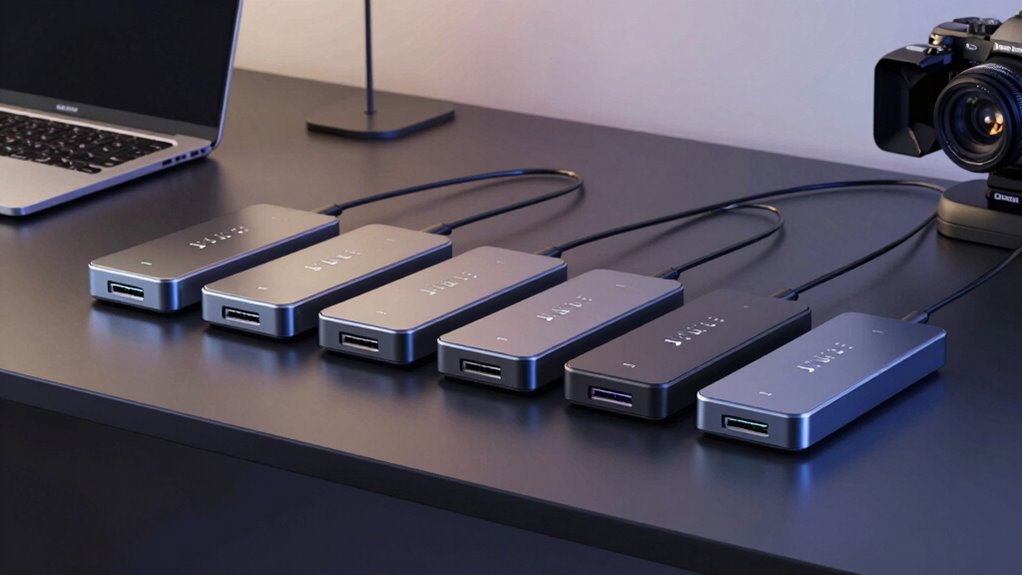

For anyone seeking a reliable Thunderbolt 3 dock, finding the right model can be challenging. The best options deliver high-speed data transfer, multiple display support, and fast charging, but they vary in build quality, port selection, and price. The Lenovo ThinkPad Thunderbolt 3 Dock Gen 2 stands out for its robust performance and compatibility with ThinkPad laptops, while the Belkin Thunderbolt 3 Dock Core offers a compact, budget-friendly solution for Mac and Windows users. Tradeoffs often involve balancing port variety, power delivery, and size. Keep reading for a detailed breakdown to help you choose the perfect Thunderbolt 3 dock for your needs.

Get audio and creator gear delivered free with Prime
- Fast, free delivery on millions of items
- Prime Video, Amazon Music and more included
- Member-only deals all year
Complete the kit


Key Takeaways
- The top-performing docks excel in dual 4K display support and high wattage charging, making them ideal for power users.
- Build quality and compatibility significantly differentiate premium options from more budget-friendly models.
- Port selection varies; some docks prioritize connectivity with multiple USB-A, Ethernet, and SD card slots, while others focus on a minimal footprint.
- Price ranges reflect features—more expensive docks generally offer higher wattage, more ports, and better build quality.
- User needs—such as portability, number of displays, or specific device compatibility—should guide the final choice.
| Lenovo ThinkPad Thunderbolt 3 Dock Gen 2 135W |  | Best for ThinkPad Users Needing Dual 4K Support | Ports: 2x HDMI, 2x DisplayPort, 1x USB-C, 4x USB 3.1 Gen 2, 1x RJ-45 Ethernet, 1x Audio Connector, Security-lock slot | Power: 135W | Supported OS: Windows 7, Windows 10 | VIEW ON AMAZON | See Our Full Breakdown |
| OWC 14-Port Thunderbolt Dock |  | Best for Power Users Requiring Extensive Connectivity | Power Delivery: Up to 85W | Display Support: One 5K @ 60Hz or two 4K @ 60Hz | Thunderbolt Ports: 2 (including host port) | VIEW ON AMAZON | See Our Full Breakdown |
| Belkin Thunderbolt 3 Docking Station + TB Cable 0.8M |  | Best for Versatile High-Resolution Setup and Charging | Ports: 12 | Thunderbolt Version: 3 | Power Supply: 170W | VIEW ON AMAZON | See Our Full Breakdown |
| Thunderbolt 3 Gen 2 Docking Station 135W Bundle Dual 4K for ThinkPad |  | Best for Professional ThinkPad Users Needing a Complete Setup | Power Output: 135W | Display Support: Dual 4K | Ports: USB 3.1 Gen 2, HDMI, DisplayPort, Ethernet, 3.5mm audio | VIEW ON AMAZON | See Our Full Breakdown |
| Dell Pro Smart Dock SD25 Bundle – USB-C Docking Station with 130W Charging |  | Best for Multi-Display Versatility with Enterprise Features | VIEW ON AMAZON | See Our Full Breakdown | |||
| Belkin Thunderbolt 3 Dock Core with Thunderbolt 3 Cable – 7-in-1 USB-C Hub and Docking Station for Mac & Windows |  | Best Compact Power Delivery and Dual 4K Support | Ports: DisplayPort, HDMI, Gigabit Ethernet, Thunderbolt, USB-A, USB-C, Audio | Upstream Charging: Yes | Monitor Support: Dual 4K | VIEW ON AMAZON | See Our Full Breakdown |
| thunderbolt 3 dock | Ports | Display Support |
|---|---|---|
| Lenovo ThinkPad Thunderbolt 3 | 2x HDMI, 2x DisplayPort, 1x USB-C, 4x USB 3.1 Gen 2, 1x RJ-45 Ethernet, 1x Audio Connector, Security-lock slot | — |
| OWC 14-Port Thunderbolt Dock | — | One 5K @ 60Hz or two 4K @ 60Hz |
| Belkin Thunderbolt 3 Docking S | 12 | Dual 4K |
| Thunderbolt 3 Gen 2 Docking St | USB 3.1 Gen 2, HDMI, DisplayPort, Ethernet, 3.5mm audio | Dual 4K |
| Dell Pro Smart Dock SD25 Bundl | — | — |
| Belkin Thunderbolt 3 Dock Core | DisplayPort, HDMI, Gigabit Ethernet, Thunderbolt, USB-A, USB-C, Audio | — |
More Details on Our Top Picks
Lenovo ThinkPad Thunderbolt 3 Dock Gen 2 135W
This dock stands out for its seamless integration with ThinkPad models and support for dual 4K UHD displays, making it ideal for users who prioritize compatibility and high-resolution productivity. Compared with the OWC dock, it offers a more streamlined setup tailored for ThinkPads, but it is limited to Windows 7 and 10, and requires compatible ThinkPad hardware for full functionality. The inclusion of a 135W power supply ensures fast charging, yet lacks some advanced ports like SD card readers. Who should buy this? ThinkPad users seeking a reliable, tailored docking experience. Who should skip? Windows users with non-ThinkPad laptops or those requiring broader port options. Pros: Supports dual 4K UHD displays; Multiple video outputs including HDMI and DisplayPort; Includes a 135W power adapter for quick charging; Designed specifically for ThinkPads. Cons: Limited OS compatibility; Security lock slot sold separately; Optimized mainly for certain ThinkPad models.
Verdict: This dock is best for dedicated ThinkPad owners needing high-res dual display support and seamless Windows integration.Pros:- Supports dual 4K UHD display output
- Multiple connectivity options including HDMI, DisplayPort, and USB-C
- Includes a 135W power adapter for quick charging
- Optimized for ThinkPad models
Cons:- Requires compatible ThinkPad for full functionality
- Limited to Windows 7 and 10
- Security lock slot is sold separately
Best for: ThinkPad owners who need reliable dual 4K display support and fast charging in a compact, model-specific dock.
Not ideal for: Non-ThinkPad users or those with laptops outside Windows 7/10 ecosystems seeking broader compatibility.
- Ports:2x HDMI, 2x DisplayPort, 1x USB-C, 4x USB 3.1 Gen 2, 1x RJ-45 Ethernet, 1x Audio Connector, Security-lock slot
- Power:135W
- Supported OS:Windows 7, Windows 10
- Compatible Devices:ThinkPad E490S, L480, P51S, P52S, T470, T480, T480S, T570, T580, X1 Yoga 2nd and 3rd Gen, X280
Our verdict“Ideal for ThinkPad users needing a dependable dock with dual 4K support and fast charging capabilities.”
OWC 14-Port Thunderbolt Dock
The OWC 14-Port Thunderbolt Dock makes a compelling case for users who need a broad array of ports, from Thunderbolt and USB to SD card readers and Ethernet, all in a relatively compact form. It supports high-resolution displays—up to 5K at 60Hz—and offers up to 85W power delivery, making it suitable for demanding professional setups. Compared with the Belkin dock, this model provides more ports but at a higher price and larger size, which could be a drawback for tight desks. Its extensive port selection favors power users with complex peripheral needs, though the size demands ample desk space. Who should buy this? Creative professionals or engineers working with multiple peripherals and high-res displays. Who should skip? Users with limited desk space or those seeking a more budget-friendly option. Pros: Extensive port options including Thunderbolt, USB, SD card readers, and Ethernet; Supports high-res 5K or dual 4K displays; Up to 85W power delivery; Compact and lightweight for a 14-port dock. Cons: Large size may clutter smaller desks; Premium pricing; Requires Thunderbolt 3 compatibility.
Verdict: This dock is best for professionals who need maximum connectivity and high-resolution support in a relatively portable form factor.Pros:- Extensive port selection including Thunderbolt, USB, SD card readers, and Ethernet
- Supports high-resolution displays up to 5K @ 60Hz
- Power delivery up to 85W for charging notebooks
- Lightweight and compact for a 14-port dock
Cons:- Large size may require significant desk space
- High price point may deter budget-conscious buyers
- Requires Thunderbolt 3 compatibility
Best for: Creative or technical professionals with multiple peripherals and high-res display needs who prioritize connectivity over portability.
Not ideal for: Casual users or those with limited desk space seeking a simple, budget-friendly docking solution.
- Power Delivery:Up to 85W
- Display Support:One 5K @ 60Hz or two 4K @ 60Hz
- Thunderbolt Ports:2 (including host port)
- USB Ports:7 (5 USB 3.2 Gen 1, 1 USB 3.2 Gen 2 Type-C)
- SD Card Readers:microSD and SD UHS-II
- Dimensions:3.5″ L x 9.1″ W x 1″ H
Our verdict“Best suited for power users needing extensive connectivity and high-res display support in a portable, feature-rich dock.”
Belkin Thunderbolt 3 Docking Station + TB Cable 0.8M
The Belkin Thunderbolt 3 Docking Station combines multiple ports with a powerful 170W power supply, supporting dual 4K monitors and charging laptops simultaneously. This makes it stand out against more basic docks, such as the Dell SD25, by offering a broader port range and a longer Thunderbolt cable for flexible placement. Compared with the Lenovo dock, it supports a wider array of operating systems and non-ThinkPad laptops, but its bulkier design and higher cost might be drawbacks for some. The included cable length adds convenience, though it may be less suitable for very compact setups. Who should buy this? Professionals who need high power, multiple display support, and flexible cable options. Who should skip? Budget-conscious buyers or those with very limited desk space. Pros: Supports dual 4K displays; Includes a 170W power supply for charging; Multiple ports including Ethernet, SD, and Audio; Comes with a 0.8m Thunderbolt cable for flexible setup. Cons: Higher cost relative to simpler docks; Bulkier design; Compatible only with Thunderbolt 3/USB-C laptops.
Verdict: This dock is suitable for users seeking high power, multiple high-res displays, and flexible cable placement in a professional environment.Pros:- Supports dual 4K displays
- Includes a 170W power supply for charging
- Multiple ports including Ethernet, SD card readers, and audio
- Long Thunderbolt cable for flexible placement
Cons:- Relatively high price
- Bulkier design may take up desk space
- Requires Thunderbolt 3 or USB-C compatibility
Best for: Professionals requiring high power delivery, dual 4K support, and flexible cable options for complex workstations.
Not ideal for: Casual users or those with limited space seeking a simple, affordable docking solution.
- Ports:12
- Thunderbolt Version:3
- Power Supply:170W
- Display Support:Dual 4K
- Cable Length:0.8m / 2.6ft
Our verdict“Best for power users who want high-resolution display support, strong charging, and flexible cable options in a robust dock.”
Thunderbolt 3 Gen 2 Docking Station 135W Bundle Dual 4K for ThinkPad
This bundle offers a straightforward solution for ThinkPad owners aiming for dual 4K display support with a single-cable connection, simplifying workspace setup. It includes all necessary cables and a 135W power adapter, making it ready out of the box for professional environments. Compared with the Belkin dock, it emphasizes compatibility with ThinkPads and Windows, but it’s bulkier and may be less versatile for non-ThinkPad laptops. Its bundle approach ensures users get everything needed, but the size might be a concern for those with limited space. Who should buy this? ThinkPad users who want a plug-and-play, dual 4K workstation setup. Who should skip? Non-ThinkPad users or those seeking ultra-compact docks. Pros: Supports dual 4K displays; Includes all necessary cables and a 135W power adapter; Easy to set up with minimal clutter; Designed specifically for ThinkPads. Cons: Large and bulkier compared to simpler docks; Compatibility limited primarily to ThinkPad and similar USB-C laptops; Renewed product might have limited warranty.
Verdict: Ideal for ThinkPad professionals seeking a complete, hassle-free dual 4K docking station with all essentials included.Pros:- Supports dual 4K displays
- Includes all necessary cables and a 135W power adapter
- Single-cable connection simplifies setup
- Designed specifically for ThinkPad compatibility
Cons:- Bulkier size may be unsuitable for small desks
- Limited to ThinkPad and compatible USB-C laptops
- Renewed product may have limited warranty coverage
Best for: ThinkPad owners looking for a reliable, all-in-one dual 4K dock with easy setup.
Not ideal for: Users with non-ThinkPad laptops or those wanting a more compact, minimalist dock.
- Power Output:135W
- Display Support:Dual 4K
- Ports:USB 3.1 Gen 2, HDMI, DisplayPort, Ethernet, 3.5mm audio
- Cable Included:Thunderbolt 3, HDMI, DisplayPort
Our verdict“Best for ThinkPad users needing an all-in-one, dual 4K docking solution with straightforward setup and included accessories.”
Dell Pro Smart Dock SD25 Bundle – USB-C Docking Station with 130W Charging
The Dell Pro Smart Dock SD25 bundle offers impressive multi-display support, accommodating up to four screens, including 6K or dual WQHD setups, making it versatile for various professional environments. Its 130W charging capability ensures laptops stay powered during extended work sessions. Compared with the Belkin dock, it emphasizes multi-display flexibility, but setup complexity and specific display configurations could challenge less technical users. The included cables and accessories add value, yet the lack of wireless connectivity options limits its versatility. Who should buy this? Enterprise users with multi-monitor needs and ample desk space. Who should skip? Users with limited space or those needing a simple, fewer-port dock. Pros: Supports up to four displays, including 6K; 130W charging for laptops; Includes all necessary cables and accessories; Supports multiple connectivity standards. Cons: Setup may be complex for some; Fixed display configurations limit flexibility; No wireless features.
Verdict: Suitable for users who require multiple high-resolution displays and robust charging in a comprehensive, enterprise-ready bundle.Pros:- Supports up to four displays, including 6K or dual WQHD
- Includes all necessary cables and accessories
- Power delivery of 130W for laptops
- Versatile connectivity options
Cons:- Setup can be complex for non-technical users
- Limited flexibility for custom display configurations
- No wireless features included
Best for: Enterprise and professional users needing multi-display setups with high power delivery and included accessories.
Not ideal for: Casual users or those with limited space seeking a straightforward, simple dock.
Our verdict“Best suited for enterprise environments demanding multi-monitor support, strong charging, and comprehensive connectivity in a single bundle.”
Belkin Thunderbolt 3 Dock Core with Thunderbolt 3 Cable – 7-in-1 USB-C Hub and Docking Station for Mac & Windows
The Belkin Thunderbolt 3 Dock Core stands out for its sleek, compact design that offers a powerful 7-in-1 setup, making it ideal for users who prioritize space-saving solutions. Compared with the Lenovo ThinkPad Thunderbolt 3 Dock Gen 2, this Belkin model provides upstream charging and supports dual 4K monitors, but its shorter cable may limit placement flexibility. While it’s perfect for users with Thunderbolt 3-compatible devices seeking high-resolution display support, it’s less suited for setups that require additional USB ports or longer cable runs. The included Thunderbolt 3 cable simplifies setup, but the limited port variety and cable length can be drawbacks for more complex or expanded configurations.
Pros:- Supports dual 4K monitor setups for high-resolution workflows
- Includes a Thunderbolt 3 cable, reducing additional accessories needed
- Provides upstream charging for laptop and peripherals
- Slim, lightweight design ideal for small desks or travel
Cons:- Limited to Thunderbolt 3 compatible devices, restricting compatibility
- Short 7.87-inch cable may require extension for some setups
- No extra USB-A or USB-C ports beyond the core 7-in-1 configuration
Best for: Creative professionals or remote workers who need a compact dock supporting dual 4K displays and fast charging for Mac or Windows laptops.
Not ideal for: Power users who require multiple USB-A ports or longer cable options for extensive peripheral connectivity, or those with non-Thunderbolt 3 systems.
- Ports:DisplayPort, HDMI, Gigabit Ethernet, Thunderbolt, USB-A, USB-C, Audio
- Upstream Charging:Yes
- Monitor Support:Dual 4K
- Cable Included:Thunderbolt 3 cable (7.87 inches)
- Device Compatibility:Thunderbolt 3 compatible devices only
- Dimensions:Compact, lightweight
- Power Delivery:Up to 85W
- Additional USB Ports:Limited to 7 ports total
Our verdict“This dock is best suited for users who need a sleek, high-performance solution for dual 4K displays and fast charging within a compact form factor.”

How We Picked
These products were evaluated based on their performance, build quality, port versatility, charging capacity, and overall value. Priority was given to docks that support dual 4K displays at 60Hz, deliver at least 85W of power, and maintain reliable connectivity. Compatibility with both Mac and Windows was a key criterion, along with user-friendly design and durability. The ranking reflects a balance between premium features and affordability, aiming to guide different types of buyers from power users to budget-conscious consumers.| thunderbolt 3 dock | Display Support |
|---|---|
| Lenovo ThinkPad Thunderbolt 3 | — |
| OWC 14-Port Thunderbolt Dock | One 5K @ 60Hz or two 4K @ 60Hz |
| Belkin Thunderbolt 3 Docking S | Dual 4K |
| Thunderbolt 3 Gen 2 Docking St | Dual 4K |
| Dell Pro Smart Dock SD25 Bundl | — |
| Belkin Thunderbolt 3 Dock Core | — |
Factors to Consider When Choosing Thunderbolt 3 Dock
Choosing the right Thunderbolt 3 dock involves understanding key factors that impact your daily use. Beyond port count and power delivery, consider how the dock fits into your workflow, whether portability matters, and if compatibility with your devices is seamless. Making the right choice can save you money and frustration, especially if you understand the tradeoffs involved.Port Selection and Versatility
Assess how many and what types of ports you need—USB-A, USB-C, Ethernet, SD card slots, or audio jacks. A versatile dock offers a good mix, but more ports often mean larger size and higher cost. Consider whether specific ports are essential for your workflow or if a minimal setup suffices. Compatibility with your devices also matters; some docks are optimized for Mac, others for Windows, and some excel at both.
Power Delivery and Charging Capacity
Look for docks that support at least 85W of charging to power your laptop effectively, especially if you work on a high-performance machine. Cheaper models may deliver less power, requiring separate chargers, which adds clutter. A dock with robust charging capabilities ensures your device stays powered without needing additional adapters, streamlining your workspace.
Display Support and Video Output
If multiple displays are vital, verify that the dock supports dual 4K outputs at 60Hz. Some models might limit you to 30Hz or single 4K output, which could hinder productivity. Compatibility with your preferred monitor setup and ensuring the dock can handle your resolution needs are key considerations, especially for creative or professional tasks.
Build Quality and Size
Durability and design impact long-term satisfaction. Premium docks tend to use higher-quality materials and have better heat management. Size and portability are also important: a compact dock works well with a laptop on the go, while a larger, more robust model might be suited for a dedicated workspace. Weigh these factors based on where you’ll use the dock most frequently.
Price and Overall Value
Higher-priced docks often include features like higher wattage, more ports, and better build quality, but they may not be necessary for all users. Conversely, budget models might sacrifice some performance or durability. Balance your needs with your budget, and consider long-term value—sometimes paying more upfront results in a more reliable, future-proof investment.
Frequently Asked Questions
Will a Thunderbolt 3 dock work with my non-Thunderbolt USB-C laptop?
While many Thunderbolt 3 docks are compatible with USB-C laptops, not all features will be available, and performance might be limited. Thunderbolt 3 offers higher data transfer rates and supports dual 4K displays more reliably than standard USB-C. It’s important to verify compatibility, especially for high-bandwidth tasks like video editing or multiple monitor setups, to ensure you get the expected performance.
Can I connect multiple monitors with a Thunderbolt 3 dock?
Most Thunderbolt 3 docks support at least two 4K displays at 60Hz, making them suitable for multi-monitor setups. However, the actual output depends on the dock’s internal hardware and the capabilities of your laptop. Always check the specifications to confirm that the dock can handle your desired display configuration, especially if you need more than two screens.
Is it worth paying extra for a premium Thunderbolt 3 dock?
Investing in a premium dock often means better build quality, more reliable performance, and higher wattage charging. If you rely heavily on multiple peripherals, high-resolution displays, or require durability for frequent travel, a premium model provides peace of mind and long-term value. For casual users or basic needs, a mid-range dock might suffice, saving costs without sacrificing essential features.
How important is the size and portability of a Thunderbolt 3 dock?
The importance depends on your workflow. If you work mostly from a fixed desk, a larger, feature-rich dock can be a good fit. For those who travel frequently or switch workspaces often, a compact, lightweight model becomes more practical. Consider your typical environment and how easily the dock can be transported without risking damage or losing ports.
What common mistakes should I avoid when choosing a Thunderbolt 3 dock?
One common mistake is overlooking compatibility; not all docks work seamlessly with every device. Another is focusing solely on port count without considering power delivery and display support, which are critical for a smooth experience. Additionally, choosing a very cheap dock might save money upfront but lead to reliability issues or the need for upgrades sooner. Carefully match your needs with the dock’s specifications to avoid these pitfalls.
Conclusion
For those seeking the best overall experience, the Lenovo ThinkPad Thunderbolt 3 Dock Gen 2 offers robust performance and seamless compatibility. Budget-conscious buyers should consider the Belkin Thunderbolt 3 Dock Core, providing essential features at a lower price point. Professionals requiring top-tier features and durability will find the Dell Pro Smart Dock worth the investment. Beginners or casual users will benefit from simplified, easy-to-use options, while power users should prioritize docks with dual 4K support and high wattage charging. Clarify your primary needs, then select a model that best aligns with your workflow and budget.
Halloween Picks
halloween
As an affiliate, we earn on qualifying purchases.



![Iron Maiden Legend Nicko McBrain Turned Down Trump Golf Invite: “[He] Should Be Put In Jail”](https://strongmocha.com/wp-content/uploads/2026/10/iron-maiden-legend-nicko-mcbrain-turned-down-trump-golf-invite-he-should-be-put-featured-260x140.jpg "Iron Maiden Legend Nicko McBrain Turned Down Trump Golf Invite: “[He] Should Be Put In Jail” 25")