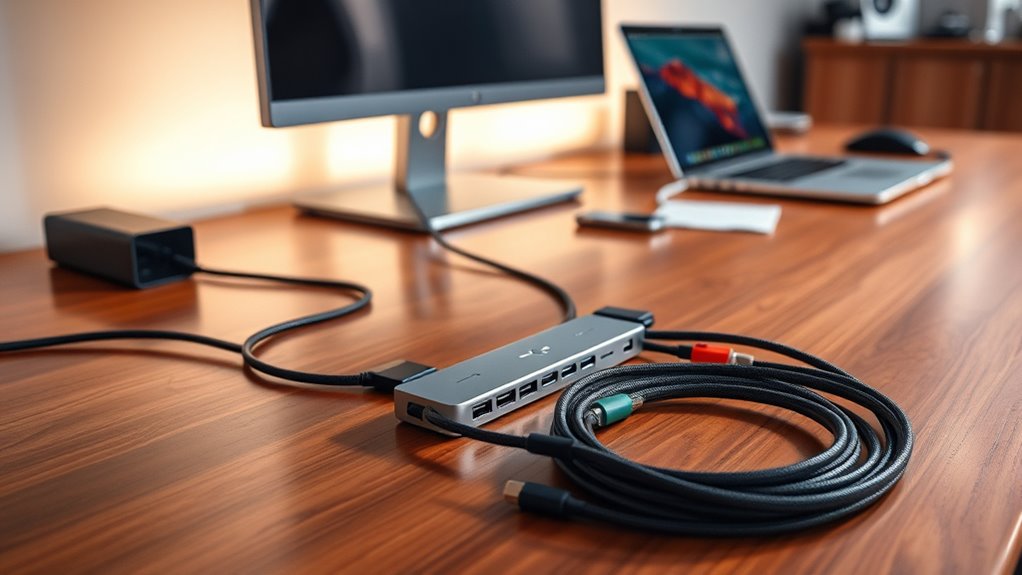

Searching for the best Thunderbolt 4 hubs and certified cables? The top picks include the Plugable Thunderbolt 4 Dock for overall versatility, while the Cable Matters Thunderbolt 4 Cable offers reliable performance at a competitive price. These accessories can significantly expand your device’s connectivity but often involve tradeoffs between speed, compatibility, and cost. Higher-end options deliver more ports and power, but come with a premium price tag, while budget choices may sacrifice some features or build quality. Keep reading for a detailed breakdown of the best Thunderbolt 4 solutions and how they compare to meet different needs.

Get audio and creator gear delivered free with Prime
- Fast, free delivery on millions of items
- Prime Video, Amazon Music and more included
- Member-only deals all year
Complete the kit


Key Takeaways
- The best overall Thunderbolt 4 hub combines extensive port options with reliable power delivery, exemplified by the CalDigit TS4.
- Certified cables vary mainly by length and build quality; shorter cables tend to be more durable and perform better at higher speeds.
- Active cables provide better signal stability over longer distances but usually come at a higher cost.
- Port-rich docks are ideal for power users needing multiple connections but may be more expensive and bulky.
- Compatibility and certification ensure performance and safety, making certified cables and docks a worthwhile investment.
| Plugable Thunderbolt 4 Dock with 100W Charging and Dual 4K Support |  | Best Overall Thunderbolt 4 Hub for Versatile Connectivity | Power Delivery: 100W | Display Support: Dual 4K 60Hz or single 8K | Ports: 13 total (including HDMI, Thunderbolt 4, USB, SD, Ethernet) | VIEW ON AMAZON | See Our Full Breakdown |
| Cable Matters Thunderbolt 4 Cable, 2.6ft / 0.8m, Certified 40Gbps USB4 and Thunderbolt 4 Cable | 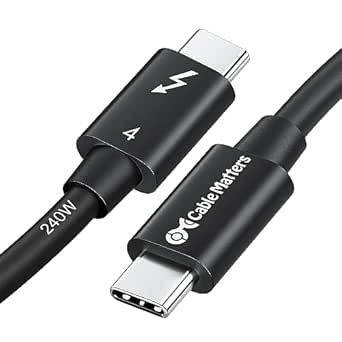 | Best for High-Speed Data and Power Delivery Over Longer Distance | Length: 2.6ft / 0.8m | Data Transfer Speed: 40Gbps | Power Delivery: 240W | VIEW ON AMAZON | See Our Full Breakdown |
| Cable Matters Thunderbolt 4 Cable, 1ft / 0.3m, Certified USB4/Thunderbolt 4 |  | Best for Compact, High-Performance Connections in Tight Spaces | Length: 1ft / 0.3m | Data Transfer Speed: 40Gbps | Power Delivery: up to 240W | VIEW ON AMAZON | See Our Full Breakdown |
| Silkland 40Gbps USB 4 for Thunderbolt 4 Cable 4FT, 240W PD3.1, 8K/Dual 4K | 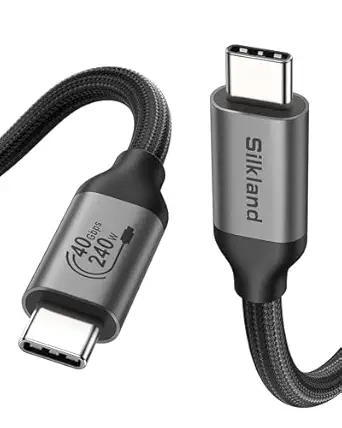 | Best for Durable, High-Performance Everyday Use | Data Transfer Speed: 40Gbps | Length: 4FT | Power Delivery: 240W | VIEW ON AMAZON | See Our Full Breakdown |
| Cable Matters Intel Certified 80Gbps Thunderbolt 5 Cable, 3.3ft / 1m |  | Best for Future-Proofing and High-Resolution Multi-Display Setups | Data Transfer Rate: 80 Gbps | Video Bandwidth: 120 Gbps | Length: 3.3ft / 1m | VIEW ON AMAZON | See Our Full Breakdown |
| Cable Matters Thunderbolt 4 Active Cable, 6.6ft, 40Gbps, 100W Charging |  | Best for High-Performance Extended Setups | Length: 6.6ft | Data Transfer Rate: 40Gbps | Power Delivery: 100W | VIEW ON AMAZON | See Our Full Breakdown |
| Belkin Connect Thunderbolt 4 Docking Station, 5-in-1 USB-C Multiport Hub with 96W Power Delivery |  | Best for Desktop Expansion and High-Res Displays | Ports: 3x Thunderbolt 4 USB-C, 1x downstream | Power Delivery: 96W | Display Support: Dual 4K at 60Hz or 8K at 30Hz | VIEW ON AMAZON | See Our Full Breakdown |
| Cable Matters Active Thunderbolt 4 Cable, 6.6ft |  | Best for Long-Distance High-Speed Connections | Length: 6.6ft | Data Transfer Rate: 40Gbps | Power Delivery: 100W | VIEW ON AMAZON | See Our Full Breakdown |
| ProGrade Digital PG20 Pro Thunderbolt 4 Hub |  | Best for Content Creation and Professional Workflows | Upstream port: 85W Thunderbolt 4/USB 4.0 | Downstream ports: 3 x 15W Thunderbolt 4/USB 4.0 | USB port: 1 x USB 3.2 Gen 2 Type-A | VIEW ON AMAZON | See Our Full Breakdown |
| Cable Matters Thunderbolt 4 Cable, 3.3ft / 1m, Certified 40Gbps USB4 & Thunderbolt 4 | | Best for Compact High-Performance Connections | Length: 3.3ft / 1m | Data Transfer Rate: 40Gbps | Power Delivery: up to 240W | VIEW ON AMAZON | See Our Full Breakdown |
| OWC Thunderbolt Hub 5-Port Connectivity Solution |  | Best Compact Multi-Port Thunderbolt Hub | Ports: 4 Thunderbolt 4, 1 USB-A | VIEW ON AMAZON | See Our Full Breakdown | ||
| Plugable Thunderbolt 4 Dock for M4/M5 MacBook Air & Pro, 100W Charging |  | Best MacBook-Optimized Thunderbolt Dock with High Power | Display Support: Dual 4K HDMI at 60Hz | Charging Power: 100W | Ports: 13 | VIEW ON AMAZON | See Our Full Breakdown |
| CalDigit TS4 18-Port Thunderbolt 4 Dock with 98W Charging, Space Gray, 0.8m Certified Cable |  | Best High-Performance Dock for Power and Extensive Connectivity | Ports: 18 | Thunderbolt Ports: 3 | Display Support: 8K@30Hz or dual 6K@60Hz | VIEW ON AMAZON | See Our Full Breakdown |
| OWC 11-Port Thunderbolt Dock for Mac and PC with 96W Power Delivery |  | Best Versatile Dock for Mixed Ecosystems | Power Delivery: 96W | Display Support: Up to 8K @ 60Hz or 4K @ 120Hz | Thunderbolt Ports: 4 | VIEW ON AMAZON | See Our Full Breakdown |
| thunderbolt 4 hubs and certified cable | Power Delivery | Length |
|---|---|---|
| Plugable Thunderbolt 4 Dock wi | 100W | — |
| Cable Matters Thunderbolt 4 Ca | 240W | 2.6ft / 0.8m |
| Cable Matters Thunderbolt 4 Ca | up to 240W | 1ft / 0.3m |
| Silkland 40Gbps USB 4 for Thun | 240W | 4FT |
| Cable Matters Intel Certified | up to 240W | 3.3ft / 1m |
| Cable Matters Thunderbolt 4 Ac | 100W | 6.6ft |
| Belkin Connect Thunderbolt 4 D | 96W | — |
| Cable Matters Active Thunderbo | 100W | 6.6ft |
| ProGrade Digital PG20 Pro Thun | — | — |
| Cable Matters Thunderbolt 4 Ca | up to 240W | 3.3ft / 1m |
| OWC Thunderbolt Hub 5-Port Con | — | — |
| Plugable Thunderbolt 4 Dock fo | — | — |
| CalDigit TS4 18-Port Thunderbo | 98W | — |
| OWC 11-Port Thunderbolt Dock f | 96W | — |
More Details on Our Top Picks
Plugable Thunderbolt 4 Dock with 100W Charging and Dual 4K Support
This dock stands out for its comprehensive port selection and high-speed performance, offering 13 ports including HDMI, Ethernet, SD, and multiple USB options, making it a versatile choice for professional workstations. Compared with the Cable Matters 2.6ft Thunderbolt 4 cable, this dock provides more connectivity options but requires a compatible system to realize its full dual 4K or 8K display support. Its 100W power delivery ensures portable laptops stay charged during intensive tasks, though display support can vary depending on the host system, especially on some Mac models. The dock’s performance hinges on system compatibility, which means some users might not see the full benefits. If you need a robust, multi-purpose hub that balances performance and connectivity, this makes sense. However, those with less demanding setups or limited space might find it overkill.
Pros:- Supports dual 4K 60Hz displays or 8K output for high-resolution workflows
- Thirteen ports provide broad connectivity options including HDMI, Ethernet, and SD card slots
- High-speed 40Gbps Thunderbolt 4 performance ensures fast data transfer
Cons:- Display support varies depending on system and mode, which may limit usability
- Some features have limited compatibility on certain Mac models
- Requires a compatible Thunderbolt 4 or USB4 system to unlock full potential
Best for: Professionals needing a high-capacity, all-in-one docking solution for dual 4K displays and extensive peripheral support
Not ideal for: Casual users or those with limited desk space who do not require extensive ports or dual 4K support
- Power Delivery:100W
- Display Support:Dual 4K 60Hz or single 8K
- Ports:13 total (including HDMI, Thunderbolt 4, USB, SD, Ethernet)
- Thunderbolt 4 Speed:40Gbps
- Charging:15W via downstream Thunderbolt 4 port
Our verdict“This dock is ideal for professionals who need extensive connectivity and high-resolution display support in a single high-performance unit.”
Cable Matters Thunderbolt 4 Cable, 2.6ft / 0.8m, Certified 40Gbps USB4 and Thunderbolt 4 Cable
This cable excels in supporting high-bandwidth data transfer and 8K video output, making it suitable for connecting high-performance peripherals and displays. Unlike the shorter 1ft Cable Matters Thunderbolt 4 cable, this 2.6ft version offers more flexibility for complex setups but may introduce slight latency or performance issues if the cable length exceeds what some host devices can reliably handle. Its 240W charging capacity surpasses many competitors, such as the Silkland 4FT cable, which, while longer, may compromise some stability or speed. The cable’s compatibility across Thunderbolt 3, Thunderbolt 4, and USB4 devices makes it a strong choice for users with diverse hardware. This is best suited for users requiring reliable, high-capacity connections over a slightly longer distance, but the premium price might deter casual users or those with simpler needs.
Pros:- Supports 40Gbps data transfer for rapid file movement
- Delivers up to 240W fast charging to compatible devices
- Supports 8K video and dual 4K displays for high-resolution workflows
- Compatible with a wide range of standards including Thunderbolt 3, 4, and USB4
Cons:- Limited to 2.6ft length, which may not suit all setups
- Premium price may be high for casual or infrequent use
- Longer cables may slightly reduce performance depending on device support
Best for: Power users who need reliable, high-speed connections with flexible cable length for professional setups
Not ideal for: Casual users or those on a tight budget, as the premium price may not be justified for basic needs
- Length:2.6ft / 0.8m
- Data Transfer Speed:40Gbps
- Power Delivery:240W
- Video Support:8K and dual 4K displays
- Compatibility:Thunderbolt 4, Thunderbolt 3, USB4
Our verdict“This cable is best suited for professionals who need versatile, high-capacity connections over a moderate length without sacrificing speed or power.”
Cable Matters Thunderbolt 4 Cable, 1ft / 0.3m, Certified USB4/Thunderbolt 4
This ultra-short cable offers the same high-speed capabilities as longer variants, supporting 40Gbps data transfer and 8K video output, but its 1ft length is ideal for minimal or cluttered setups. Compared to the Silkland 4FT cable, this shorter option sacrifices some flexibility but provides greater stability and less risk of performance drops. Its compatibility with Thunderbolt 4, Thunderbolt 3, and USB4 ensures broad device support, though the premium price reflects its certification and high performance. This cable’s compact size makes it perfect for connecting high-end peripherals in tight spaces, but it may be impractical for users needing flexibility in cable routing or longer runs.
Pros:- Supports 40Gbps data transfer for rapid device connectivity
- Supports 8K video output and 240W charging for high-performance peripherals
- Compact 1ft length ideal for tight or cluttered spaces
- Certified for high reliability and compatibility
Cons:- Limited length reduces flexibility for larger setups
- Premium price for such a short cable may be hard to justify
- Performance may be limited if the device does not fully support USB4 or Thunderbolt 4
Best for: Power users and professionals with limited space who require a reliable, high-speed connection over a short distance
Not ideal for: Users needing longer cables for flexible setups or those on a tight budget, as the price can be steep for such a short cable
- Length:1ft / 0.3m
- Data Transfer Speed:40Gbps
- Power Delivery:up to 240W
- Video Support:8K / 2x 4K
- Compatibility:Thunderbolt 4, Thunderbolt 3, USB4
Our verdict“This cable is perfect for users needing a high-speed, stable connection in tight spaces, where length is not a priority.”
Silkland 40Gbps USB 4 for Thunderbolt 4 Cable 4FT, 240W PD3.1, 8K/Dual 4K
The Silkland 4FT cable combines durability with high-end performance, supporting 40Gbps data transfer, 8K video, and 240W charging capacity. Compared with the Cable Matters 2.6ft cable, it offers a longer reach, making it suitable for more flexible setups, but its performance may depend on device support for USB4 and Thunderbolt 4. Its braided nylon and aluminum shell construction provide durability for daily use, while its certified status ensures reliability. However, for users who prioritize ultra-short, minimal cables, this longer option might introduce clutter. This cable is a solid choice for those who need a durable, high-capacity connection in a standard length for everyday professional or personal use.
Pros:- Supports 40Gbps transfer speeds for fast file and video transfer
- Supports 8K and dual 4K display output for high-resolution needs
- Durable braided nylon and aluminum shell design for longevity
- Supports up to 240W fast charging
Cons:- Recommended length of under 5FT for optimal performance, so 4FT might be borderline for some setups
- Premium feature set may be unnecessary for basic users
- Performance varies with device support for USB4 and Thunderbolt 4
Best for: Users seeking a durable, high-performance cable for daily professional or home use with moderate length needs
Not ideal for: Minimalist setups or users who prefer ultra-short cables for maximum stability or space-saving
- Data Transfer Speed:40Gbps
- Length:4FT
- Power Delivery:240W
- Supported Resolutions:8K@60Hz, dual 4K@60Hz
- Compatibility:Thunderbolt 4, Thunderbolt 3, USB 3.2, USB2.0
Our verdict“This cable is ideal for users who need a robust, high-capacity connection that balances durability and performance for everyday use.”
Cable Matters Intel Certified 80Gbps Thunderbolt 5 Cable, 3.3ft / 1m
This Thunderbolt 5 cable pushes the boundaries with 80Gbps data transfer and support for dual 6K, dual 8K, or triple 4K displays, making it a clear choice for users needing the highest possible performance. Compared to the Thunderbolt 4 options, this cable offers twice the data bandwidth, making it more future-proof for demanding workflows. Its 3.3ft length balances flexibility with high performance, but the premium cost and reliance on compatible host hardware may be a barrier for some. The 120Gbps video bandwidth ensures smooth, high-resolution visuals, ideal for professional editing or data-intensive tasks. This makes it suited for the most advanced setups, though overkill for casual users or those with less demanding needs.
Pros:- Supports 80Gbps data transfer for maximum performance
- Supports dual 6K, dual 8K, or triple 4K displays for advanced visual setups
- Delivers up to 240W charging for high-power devices
- Certified for high reliability and future compatibility
Cons:- Higher price point may be prohibitive for general users
- Performance depends heavily on host device capabilities
- Limited to 3.3ft length, reducing flexibility in some setups
Best for: High-end professionals and tech enthusiasts planning for future-proof, multi-4K/8K workflows
Not ideal for: Casual users or those with budget constraints, as the higher cost and advanced requirements may be unnecessary
- Data Transfer Rate:80 Gbps
- Video Bandwidth:120 Gbps
- Length:3.3ft / 1m
- Power Delivery:up to 240W
- Compatibility:Thunderbolt 3, Thunderbolt 4, USB4, USB-C
Our verdict“This cable is best suited for users who require top-tier, future-ready performance for demanding multi-display and high-speed data applications.”
Cable Matters Thunderbolt 4 Active Cable, 6.6ft, 40Gbps, 100W Charging
This active Thunderbolt 4 cable stands out for its impressive 40Gbps data transfer speed and 100W power delivery, making it ideal for professional environments where maximum throughput is essential. Compared with the shorter Cable Matters Thunderbolt 4 Cable, 3.3ft (B08YS59V4K), this 6.6ft version offers more flexibility in setup but may reduce mobility in tight spaces due to its length. The premium price reflects its high-performance capabilities, but it’s necessary for users who need reliable, extended connections without sacrificing speed or video quality. While it supports dual 4K or single 8K video output and broad compatibility with Thunderbolt 3, 4, and USB4 devices, its longer length can introduce slight signal degradation if not paired with compatible hardware.
Pros:- Supports ultra-fast 40Gbps data transfer
- Long 6.6ft length offers flexibility for extended setups
- Enables dual 4K or 8K video output with high resolution
Cons:- Longer cable may reduce flexibility and increase clutter
- Premium price could be a barrier for casual users
Best for: Professionals requiring extended high-speed data and video connections in a workstation or studio environment
Not ideal for: Casual users or those with limited space who prefer shorter, more flexible cables to avoid clutter
- Length:6.6ft
- Data Transfer Rate:40Gbps
- Power Delivery:100W
- Video Output:Dual 4K or Single 8K
- Standards:Thunderbolt 4, USB4
- Backward Compatibility:Thunderbolt 3, USB-C
Our verdict“This cable is best suited for users who prioritize maximum performance and length over cost and portability.”
Belkin Connect Thunderbolt 4 Docking Station, 5-in-1 USB-C Multiport Hub with 96W Power Delivery
This compact docking station offers a versatile 5-in-1 solution, supporting dual 4K monitors or an 8K display, and features rapid data transfer up to 40G. Compared with the ProGrade PG20 Pro Thunderbolt 4 Hub, it emphasizes broad compatibility and a sleek design, making it accessible for both Mac and Windows users. Its 96W charging supports most laptops, but the limited port options—mainly Thunderbolt 4 and USB-C—might not suit users needing broader connectivity. While it excels at high-resolution display support and fast data transfer, its price may be steep for casual or light users who don’t need multiple high-res monitors or high power delivery.
Pros:- Supports dual 4K monitors or 8K display at 30Hz
- Fast data transfer speeds up to 40G
- Powerful 96W charging capacity
Cons:- Limited port variety for peripheral-heavy setups
- Cost may be high for occasional users
Best for: Content creators and professionals who need reliable, high-resolution multi-display setups with fast data transfer
Not ideal for: Casual users or those requiring extensive port options beyond USB-C and Thunderbolt 4
- Ports:3x Thunderbolt 4 USB-C, 1x downstream
- Power Delivery:96W
- Display Support:Dual 4K at 60Hz or 8K at 30Hz
- Compatibility:Mac, Windows, USB-C
- Included:Thunderbolt 4 cable, power supply
Our verdict“This hub is a strong choice for users seeking a compact, high-performance dock for professional multi-monitor workflows.”
Cable Matters Active Thunderbolt 4 Cable, 6.6ft
This 6.6ft active Thunderbolt 4 cable matches the performance of shorter cables like the 2.6ft version but excels in extended setups where distance matters. Its support for 40Gbps data transfer and 100W charging ensures fast, reliable connections, and its universal compatibility makes it suitable for a wide range of Thunderbolt 4, USB4, and older Thunderbolt 3 devices. Compared to the shorter Cable Matters cable, it offers greater flexibility for complex setups, yet the longer length could introduce small signal loss if used with incompatible hardware. Its premium price may be a concern for budget-conscious buyers who don’t need the extra length.
Pros:- Supports 40Gbps data transfer for high-performance workflows
- Long 6.6ft length ideal for extended setups
- Compatible with Thunderbolt 3, 4, and USB4 devices
Cons:- Premium price may be prohibitive for casual users
- Requires compatible hardware to maximize features
Best for: Professional environments requiring reliable, long-distance high-speed data and video transfer
Not ideal for: Users with tight spaces or minimal setup needs where shorter cables suffice
- Length:6.6ft
- Data Transfer Rate:40Gbps
- Power Delivery:100W
- Video Output:Dual 4K or Single 8K
- Standards:Thunderbolt 4, USB4
- Backward Compatibility:Thunderbolt 3, USB-C
Our verdict“This cable is best suited for professionals who need dependable, extended high-speed connections across devices and setups.”
ProGrade Digital PG20 Pro Thunderbolt 4 Hub
The PG20 Pro Thunderbolt 4 Hub offers high-speed connectivity tailored for content creators, with multiple Thunderbolt 4 ports, a USB-A port, and a magnetic base for flexible positioning. It excels in handling large file transfers and multiple peripherals simultaneously, making it better suited than general-purpose hubs like the Belkin Dock for demanding workflows. The magnetic mounting feature adds convenience, but it also means additional accessories are needed for certain setups, and the limited port count may not satisfy users with extensive peripheral needs. Its high-speed performance and robust build make it an excellent choice for professional content production environments, though it’s not ideal for casual or minimalist users.
Pros:- High-speed transfer suitable for large media files
- Magnetic base provides flexible mounting options
- Includes power adapter and Thunderbolt 4 cable
Cons:- Limited number of ports for extensive peripherals
- Requires additional purchase of accessories for full setup
Best for: Photographers, videographers, and content creators needing reliable, high-speed data and versatile mounting options
Not ideal for: Users seeking a multi-port hub with extensive port variety or budget-conscious buyers
- Upstream port:85W Thunderbolt 4/USB 4.0
- Downstream ports:3 x 15W Thunderbolt 4/USB 4.0
- USB port:1 x USB 3.2 Gen 2 Type-A
- Magnetic base:Yes
- Included cables:Power adapter and Thunderbolt 4 cable
Our verdict“This hub is ideal for professionals who prioritize high-speed, reliable connectivity with flexible mounting options for creative workflows.”
Cable Matters Thunderbolt 4 Cable, 3.3ft / 1m, Certified 40Gbps USB4 & Thunderbolt 4
This 3.3ft Thunderbolt 4 cable offers a highly portable solution for high-speed data transfer, supporting 40Gbps speeds and 8K video output. Its shorter length makes it more suitable for desktop or device-to-device connections, unlike the longer Cable Matters active cable, which is better for extended setups. It delivers impressive 240W power delivery, surpassing many cables in wattage capacity, which is especially useful for charging high-performance laptops. However, the high price and limited length mean it’s best for users who need a compact, high-capacity cable and have compatible devices to utilize its full potential.
Pros:- Supports 40Gbps data transfer and 8K output
- Exceptional 240W charging capacity
- Compact 3.3ft length ideal for desktop use
Cons:- Limited length restricts flexibility in some setups
- Premium cost for high-end users only
Best for: Professionals or enthusiasts needing a compact, high-capacity cable for portable or desktop use
Not ideal for: Users requiring long cables for extended setups or those on a tight budget
- Length:3.3ft / 1m
- Data Transfer Rate:40Gbps
- Power Delivery:up to 240W
- Video Support:8K / 2x4K displays
- Standards:Thunderbolt 4, USB4
- Backward Compatibility:Thunderbolt 3
Our verdict“This cable is perfect for users who need high performance in a small, portable form factor with maximum charging power.”
OWC Thunderbolt Hub 5-Port Connectivity Solution
This hub stands out for its straightforward design and focus on expanding Thunderbolt connectivity with minimal fuss. It offers four Thunderbolt 4 ports and a USB-A port, making it suitable for users who need multiple high-speed Thunderbolt connections and legacy device support without extra features that might complicate setup. Compared to the CalDigit TS4, it lacks extensive ports and high-end display support, but it excels in simplicity and portability. A notable tradeoff is its limited support for power delivery, so users relying on charging through the hub should consider other options. This pick makes the most sense for professionals who need a reliable, space-saving Thunderbolt hub for basic device expansion.
Pros:- Multiple Thunderbolt 4 ports for high-speed data transfer
- Includes a USB-A port for legacy device compatibility
- Compact and easy to connect
Cons:- Limited to Thunderbolt 4 and USB-A devices, restricting future-proofing
- No support for power delivery, limiting charging options
Best for: Creative professionals or engineers requiring multiple Thunderbolt 4 connections in a compact form.
Not ideal for: Power users needing extensive ports or high charging wattage, as it lacks power delivery support.
- Ports:4 Thunderbolt 4, 1 USB-A
Our verdict“This hub is ideal for users who prioritize multiple Thunderbolt connections in a small, simple package without high power demands.”
Plugable Thunderbolt 4 Dock for M4/M5 MacBook Air & Pro, 100W Charging
The Plugable Thunderbolt 4 Dock is designed for MacBook users who need dual 4K displays and robust connectivity. It supports dual 4K HDMI displays at 60Hz—something the OWC Thunderbolt Hub can’t do—making it suitable for creative professionals and multitaskers. It offers 13 ports, including USB-A, SD card slots, Ethernet, and 100W charging, providing a comprehensive setup. However, for some M1 and M2 MacBooks, dual display support is limited to one external monitor, which could disappoint high-end users. Compared with the CalDigit TS4, it’s more tailored for Mac users but offers less total port count and display flexibility. It’s best for MacBook owners who want plug-and-play convenience with high-performance charging and dual display support.
Pros:- Supports dual 4K HDMI displays at 60Hz without drivers
- High-speed 13-in-1 connectivity options
- 100W charging to keep MacBook powered during intensive tasks
Cons:- Limited dual display support on some M3 MacBooks in clamshell mode
- Mac-specific dual display support may not work on all configurations
Best for: MacBook owners needing dual 4K displays and professional-grade connectivity with fast charging.
Not ideal for: Windows users or those with older Macs supporting only single external displays, as dual support may be limited.
- Display Support:Dual 4K HDMI at 60Hz
- Charging Power:100W
- Ports:13
- Thunderbolt 4:1x downstream
- USB-C:1x
- USB-A:4x
Our verdict“This dock is best suited for MacBook users who need dual 4K display support and reliable charging in a compact form.”
CalDigit TS4 18-Port Thunderbolt 4 Dock with 98W Charging, Space Gray, 0.8m Certified Cable
The CalDigit TS4 is a powerhouse for demanding workflows, offering 18 ports including multiple Thunderbolt 4, USB-A, USB-C, and dual 8K or dual 6K display support. It excels in scenarios that require both high resolution and broad connectivity, making it suitable for content creators and professionals with complex device needs. Compared to the OWC Thunderbolt Hub, it provides far more ports and higher display resolution support but comes with a higher price tag and larger footprint. Its 98W charging capacity is adequate for most laptops but may fall short for very high-demand peripherals. Overall, this dock is best for users who need maximum port variety and display flexibility in a single station, willing to invest in a premium solution.
Pros:- Extensive connectivity with 18 ports including Thunderbolt 4, USB-A, and Ethernet
- Supports 8K or dual 6K displays at high refresh rates
- Powerful 98W charging for laptops and peripherals
Cons:- Requires certified Thunderbolt or USB4 cable for optimal performance
- High cost and larger physical size may be overkill for simple setups
Best for: Creative teams or professionals managing multiple peripherals and high-resolution displays in a fixed workstation.
Not ideal for: Travelers or those with limited desk space, given its size and higher cost.
- Ports:18
- Thunderbolt Ports:3
- Display Support:8K@30Hz or dual 6K@60Hz
- Ethernet:2.5GbE
- Power Delivery:98W
- Cable Length:0.8m
Our verdict“This dock is perfect for power users needing maximum ports and resolution support in a professional workstation.”
OWC 11-Port Thunderbolt Dock for Mac and PC with 96W Power Delivery
The OWC 11-Port Thunderbolt Dock offers a balanced mix of ports suitable for both Mac and Windows environments, including four Thunderbolt 4 ports and multiple USB options. Its support for dual 8K or 4K high-refresh displays makes it appealing for video editors and digital creators. Compared with the CalDigit TS4, it provides fewer ports but maintains a comparable level of high-resolution display support and charging. However, its 96W power delivery may be limiting for high-power peripherals under sustained use. It requires a certified Thunderbolt 4 cable to operate at peak performance, which could be an extra consideration for some users. This dock is well-suited for professionals needing flexible connectivity across different device ecosystems with high-resolution display needs.
Pros:- Supports high-resolution dual display setups at up to 8K or 4K at high refresh rates
- Multiple versatile ports including Thunderbolt, USB, Ethernet, and audio
- Provides up to 96W power delivery for laptops
Cons:- Power delivery might not support very high-demand peripherals under heavy load
- Requires a certified Thunderbolt 4 cable for full performance
Best for: Content creators or professionals working across multiple operating systems requiring high-resolution dual displays and versatile ports.
Not ideal for: Users needing maximum port density or higher power delivery for demanding peripherals, as it offers a moderate 96W charging capacity.
- Power Delivery:96W
- Display Support:Up to 8K @ 60Hz or 4K @ 120Hz
- Thunderbolt Ports:4
- USB Ports:4
- Ethernet:1 Gigabit
Our verdict“This dock is a strong choice for multi-OS professionals needing flexible, high-res display support with reliable connectivity.”

How We Picked
Products were evaluated based on performance, build quality, port variety, power delivery capabilities, and certification standards. Priority was given to devices that reliably support Thunderbolt 4 specifications, ensuring fast data transfer and charging. We also considered user convenience factors such as size, ease of use, and versatility. The ranking reflects a balance between value and premium features, highlighting options suitable for different budgets and use cases. Devices with proven durability and positive compatibility reports were favored to help buyers avoid common pitfalls like subpar build quality or non-standard performance.Factors to Consider When Choosing Thunderbolt 4 Hubs And Certified Cables
Choosing the right Thunderbolt 4 hub or certified cable involves weighing several key factors. While performance specs are critical, compatibility, build quality, and intended use often influence the best choice. Understanding these aspects helps prevent mismatched devices or subpar performance, especially since Thunderbolt 4 supports high data rates and power delivery that must be maintained across accessories. This guide explores the most important considerations, from port selection to certification, to help you make an informed decision that aligns with your workflow and budget.Performance and Certification Standards
Ensuring your device is Thunderbolt 4 certified guarantees compliance with strict standards for speed, power, and safety. Certified cables support 40Gbps data transfer and 100W power delivery, but non-certified alternatives may fall short, risking slower speeds or unreliable connections. When selecting a hub, verify that it meets Thunderbolt 4 specifications to avoid compatibility issues, especially with newer laptops or peripherals demanding high bandwidth and charging capabilities.
Port Selection and Expansion Needs
Consider how many and what types of ports you require. More ports offer greater flexibility, useful for professional setups with multiple displays, drives, or peripherals. However, larger docks tend to be bulkier and more expensive. If portability matters, a compact hub with essential ports might suffice, but ensure it still provides enough power and data throughput for your devices. Prioritize hubs that balance port variety with size and power capacity based on your typical workflow.
Build Quality and Durability
High-quality materials and robust construction extend the lifespan of your accessories, especially if you move them between locations. Cheaper cables are often prone to fraying or signal degradation, particularly over longer lengths. Active cables and those with reinforced connectors offer better signal stability and durability, but usually come at a higher cost. Investing in well-built options prevents frequent replacements and ensures consistent performance over time.
Power Delivery and Charging
Power delivery is a core benefit of Thunderbolt 4, enabling your devices to charge while connected. Check the wattage supported by your hub or cable—higher wattage means faster charging for laptops and peripherals. Some docks include dedicated charging ports, while others rely on the main Thunderbolt connection. Overestimating your power needs can lead to underperformance, so match your device’s charging requirements with the hub’s capabilities to avoid slow charging or insufficient power.
Cost and Value Balance
While premium docks and cables deliver advanced features and durability, they come at a higher price. Budget options may suit casual users or those with simpler needs, but risk lower build quality and fewer ports. Investing more often results in better longevity, faster data transfer, and more reliable power delivery. Consider your specific use case—if you need a professional-grade setup, spending on a certified, high-end hub or cable can be a worthwhile investment, whereas casual users might prefer more affordable, tested solutions.
Frequently Asked Questions
Can I use any Thunderbolt 4 cable with my device?
To ensure optimal performance and safety, it’s best to use only Thunderbolt 4 certified cables with your device. Certified cables meet strict standards for speed, power, and durability, reducing the risk of signal degradation or damage. Non-certified cables might be cheaper but often lack the necessary shielding and quality control, which can lead to slower transfer rates or connectivity issues. For high-demand tasks like 4K/8K video or fast data backups, certified cables provide peace of mind and consistent performance.
Are longer Thunderbolt 4 cables worth the extra cost?
Longer Thunderbolt 4 cables often come with active components to maintain signal integrity over extended lengths, which increases their cost. While they are useful for connecting devices across larger distances, they can be more fragile and expensive than shorter cables. If you only need a short cable for desktop setups, stick to shorter, passive options to save money and reduce potential points of failure. For longer runs, investing in quality active cables ensures stable, high-speed connections without signal loss.
What’s more important: a hub with many ports or a compact design?
This depends on your typical workspace and device requirements. If you frequently connect multiple peripherals or external displays, a port-rich hub will offer much-needed flexibility. However, if portability or desk space is limited, a compact hub with essential ports might be more practical. Keep in mind that larger docks tend to be more feature-rich but less portable, while smaller hubs may sacrifice some expansion capabilities for convenience. Balance your needs with the physical space and performance expectations.
Should I prioritize a dock over a simple cable?
Choosing a dock makes sense if you need multiple ports, power delivery, and a centralized connection point for your devices. Docks typically provide a range of USB, Ethernet, audio, and video outputs, simplifying your setup. However, they are bulkier and often more expensive. If your only goal is to connect a single device or extend a cable to a specific port, a certified cable might be enough. Evaluate whether you need expansion and charging in one device or just a reliable connection extension.
Is it worth paying extra for a Thunderbolt 4 dock with more ports?
Paying more for a dock with additional ports can be justified if your workflow demands multiple connections—such as external drives, monitors, and network accessories. Higher-end docks also often support higher power delivery and better build quality, which can enhance longevity and performance. However, if your needs are minimal, a simpler, less expensive dock or a single certified cable might suffice. Always match the dock’s capabilities with your actual device and peripheral requirements to avoid overspending on unused features.
Fall Picks
fall essentials
As an affiliate, we earn on qualifying purchases.