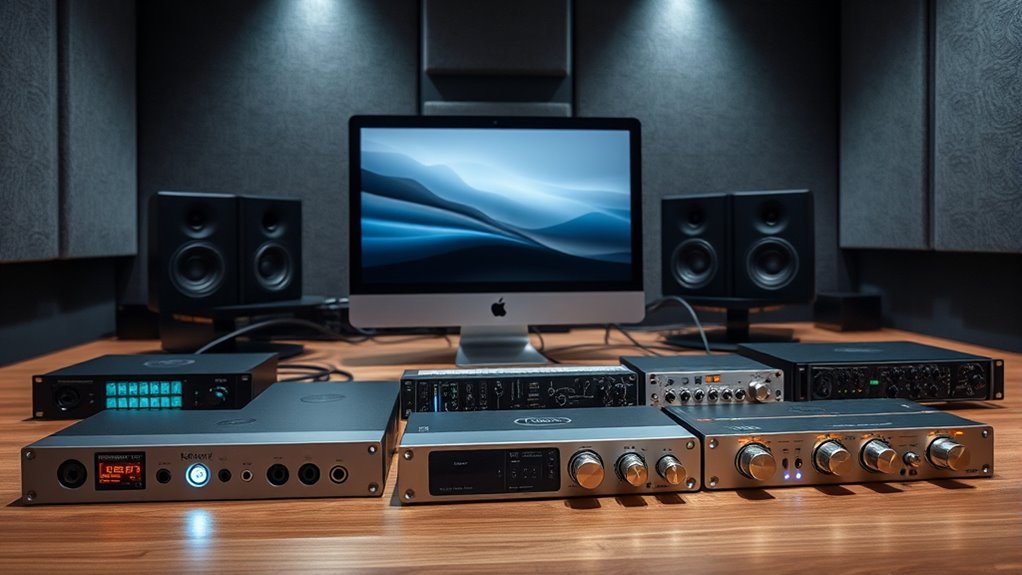

For Mac users seeking high-performance audio interfaces, Thunderbolt connectivity offers ultra-low latency and robust data transfer. The Universal Audio Apollo Twin X DUO Gen 2 stands out as the best overall choice thanks to its exceptional preamps and UAD processing. The RME Fireface UFX+ is a versatile option for those needing extensive I/O, while the Zoom TAC-2R appeals to budget-conscious users who still want reliable Thunderbolt connectivity. The main tradeoffs in this category often revolve around price versus feature set, with premium models offering more I/O and processing power, but at a higher cost. Keep reading for a detailed breakdown to help you find the perfect match for your Mac setup.

Get audio and creator gear delivered free with Prime
- Fast, free delivery on millions of items
- Prime Video, Amazon Music and more included
- Member-only deals all year
Complete the kit



Key Takeaways
- Universal Audio’s Apollo series offers premium sound quality and onboard DSP for professional workflows.
- RME provides extensive I/O options suitable for complex studio setups, but often at a higher price point.
- Budget options like Zoom TAC-2R deliver reliable Thunderbolt performance without breaking the bank.
- Many top models feature compatibility with both Mac and Windows, though some prioritize Mac-specific optimizations.
- The highest-end interfaces tend to include advanced preamps and processing, but may be overkill for casual or beginner users.
| RME Fireface UFX+ USB 3.0/Thunderbolt Audio Interface |  | Best Overall for Professional-Grade Flexibility | Bit Depth: 24-bit | Sample Rate: 192kHz | Connectivity: USB 3.0, Thunderbolt | VIEW ON AMAZON | See Our Full Breakdown |
| Universal Audio Apollo Twin X DUO Gen 2 with UAD Analog Classics Pro Thunderbolt 3 Audio Interface |  | Best for UAD Emulation and Real-Time Processing | Supported Devices: Personal Computer | Supported Software: Pro Tools, Logic Pro, Cubase, Live, Studio One | Connectivity Technology: Thunderbolt 3 | VIEW ON AMAZON | See Our Full Breakdown |
| Universal Audio Apollo Twin X QUAD Gen 2 Thunderbolt 3 Audio Interface |  | Best for High-Performance DSP and Compatibility | Supported Devices: Personal Computer | Supported Software: Pro Tools, Logic Pro, Ableton Live, Cubase | Connectivity Technology: Thunderbolt 3 | VIEW ON AMAZON | See Our Full Breakdown |
| MOTU 848 28×32 Thunderbolt 4/USB4 Audio Interface for Mac, Windows, and iOS |  | Best for Versatile Connectivity and Large I/O | Inputs: 28 | Outputs: 32 | Sample Rate Support: up to 192 kHz | VIEW ON AMAZON | See Our Full Breakdown |
| Universal Audio Apollo x16 Gen 2 with UAD Complete Thunderbolt 3 Audio Interface |  | Best for Large-Scale Studio and Extensive Plugin Use | Supported Devices: Personal Computer | Supported Software: LUNA, Logic Pro, Pro Tools, Cubase, Ableton Live | Connectivity Technology: Thunderbolt 3 | VIEW ON AMAZON | See Our Full Breakdown |
| Zoom TAC-2R Two-Channel Thunderbolt Audio Interface |  | Best Compact and Portable Thunderbolt Interface | Channels: 2-in/2-out | Connectivity: Thunderbolt | Sample Rate: 24-bit/192 kHz | VIEW ON AMAZON | See Our Full Breakdown |
| Universal Audio Apollo Solo Heritage Edition |  | Best for Professional Recording with UAD Integration | Channels: 2 mic/line inputs | Sample Rate: Up to 192 kHz | Connectivity: Thunderbolt 3 | VIEW ON AMAZON | See Our Full Breakdown |
| MOTU 10pre 26×28 Thunderbolt 4/USB4 Audio Interface for Mac, Windows, and iOS |  | Best for Large-Scale Recording and Live Applications | Channels: 54 (26 in / 28 out) | Sample Rate: Up to 192 kHz | Connectivity: Thunderbolt 4 / USB4 | VIEW ON AMAZON | See Our Full Breakdown |
| MOTU 16A 32×34 Thunderbolt 4/USB4 Audio Interface for Mac, Windows, and iOS |  | Best for Extensive Studio and Routing Needs | Inputs: 32 | Outputs: 34 | Sample Rate: Up to 192 kHz | VIEW ON AMAZON | See Our Full Breakdown |
| Universal Audio Apollo Twin X DUO G2 Audio Interface with Bundle |  | Best for High-Quality Recording with UAD Processing | Inputs: 2 mic/line plus Hi-Z and line I/O | Sample Rate: Up to 192 kHz | Connectivity: Thunderbolt 3 | VIEW ON AMAZON | See Our Full Breakdown |
| thunderbolt audio interfaces for mac | Connectivity | Sample Rate |
|---|---|---|
| RME Fireface UFX+ USB 3.0/Thun | USB 3.0, Thunderbolt | 192kHz |
| Universal Audio Apollo Twin X | — | — |
| Universal Audio Apollo Twin X | — | — |
| MOTU 848 28×32 Thunderbolt 4/U | Thunderbolt 4 / USB4 | — |
| Universal Audio Apollo x16 Gen | — | — |
| Zoom TAC-2R Two-Channel Thunde | Thunderbolt | 24-bit/192 kHz |
| Universal Audio Apollo Solo He | Thunderbolt 3 | Up to 192 kHz |
| MOTU 10pre 26×28 Thunderbolt 4 | Thunderbolt 4 / USB4 | Up to 192 kHz |
| MOTU 16A 32×34 Thunderbolt 4/U | Thunderbolt 4 / USB4 | Up to 192 kHz |
| Universal Audio Apollo Twin X | Thunderbolt 3 | Up to 192 kHz |
More Details on Our Top Picks
RME Fireface UFX+ USB 3.0/Thunderbolt Audio Interface
The RME Fireface UFX+ stands out for its combination of high-resolution audio support and extensive connectivity options, making it a top choice for professional studios. Compared with the Universal Audio Apollo Twin X DUO Gen 2, it offers more input/output channels and a more comprehensive set of features, but at a significantly higher price and complexity. This model’s multiple connectivity options, including both USB 3.0 and Thunderbolt, make it versatile for various setups—though this also means a more complex initial configuration. Its professional-grade preamps and 94-in/94-out channels deliver unmatched flexibility for large-scale recording environments. The main tradeoff is that it’s less suited for casual or home studio users who prioritize simplicity and affordability.
Pros:- Exceptional high-resolution audio at 24-bit/192kHz
- Supports multiple connectivity options including Thunderbolt and USB 3.0
- Professional-grade preamps with high headroom
- Massive channel count for expansive recording setups
Cons:- High cost may be prohibitive for casual users
- Setup can be complicated for newcomers
Best for: Producers and engineers needing maximum I/O flexibility and high-end audio quality in complex setups
Not ideal for: Home musicians or hobbyists seeking an easy-to-setup interface with basic features
- Bit Depth:24-bit
- Sample Rate:192kHz
- Connectivity:USB 3.0, Thunderbolt
- Preamp Channels:4
- MIDI I/O:Yes
- Recording Channels:94-in/94-out
Our verdict“This is a strong choice for professionals who need extensive I/O and top-tier audio fidelity, despite its price and complexity.”
Universal Audio Apollo Twin X DUO Gen 2 with UAD Analog Classics Pro Thunderbolt 3 Audio Interface
The Universal Audio Apollo Twin X DUO Gen 2 excels at delivering studio-quality sound with authentic analog emulations and real-time UAD plug-in processing, making it ideal for mixing engineers. Compared to the Universal Audio Apollo Twin X QUAD Gen 2, it offers fewer DSP cores, limiting the number of UAD plug-ins that can run simultaneously, but it remains perfect for users who prioritize high-quality preamps and plug-ins. Its Unison preamps provide warmth and character reminiscent of classic analog gear, while the complex setup may overwhelm beginners. This interface’s premium price reflects its professional features and UAD integration, which may be too costly for casual or entry-level users.
Pros:- Excellent UAD plug-in emulations and analog warmth
- Real-time processing with dedicated DSP cores
- High-quality preamps with Unison technology
- Robust build and professional monitoring features
Cons:- Higher price point limits accessibility for some users
- Limited DSP cores compared to the QUAD model
- Setup complexity can be daunting for newcomers
Best for: Mixing engineers and producers seeking authentic analog tones with real-time UAD processing
Not ideal for: Beginners or hobbyists who need a straightforward interface without extensive plugin use
- Supported Devices:Personal Computer
- Supported Software:Pro Tools, Logic Pro, Cubase, Live, Studio One
- Connectivity Technology:Thunderbolt 3
- Number of Channels:32
- Maximum Sample Rate:192 KHz
Our verdict“Ideal for professionals focused on high-quality emulations and real-time mixing, despite the premium cost and setup complexity.”
Universal Audio Apollo Twin X QUAD Gen 2 Thunderbolt 3 Audio Interface
The Universal Audio Apollo Twin X QUAD Gen 2 offers powerful QUAD Core DSP processing, making it an excellent choice for heavy plugin usage and detailed mixing. Compared to the Apollo Twin X DUO, it provides twice the DSP power, allowing more UAD plugins to run simultaneously without taxing the system. Its compatibility across major DAWs and high-resolution analog emulations make it suitable for professional studio environments. However, at over 4 pounds, portability is limited, and the high price might be a barrier for hobbyists. The setup remains fairly complex, especially for those unfamiliar with Thunderbolt systems.
Pros:- Quad Core DSP for multiple real-time plugins
- Authentic analog emulation via Unison preamps
- Highly compatible with major DAWs and macOS/Windows
- Excellent sound clarity at high sample rates
Cons:- Heavy and less portable
- Premium price may deter hobbyists
- Setup complexity for less experienced users
Best for: Mixing professionals and large studio setups needing extensive DSP power and high-quality sound
Not ideal for: Travelers or solo musicians seeking a lightweight, simple interface
- Supported Devices:Personal Computer
- Supported Software:Pro Tools, Logic Pro, Ableton Live, Cubase
- Connectivity Technology:Thunderbolt 3
- Number of Channels:32
- Maximum Sample Rate:192 KHz
Our verdict“Best suited for professional studios requiring maximum DSP capacity and top-tier audio quality, despite its weight and cost.”
MOTU 848 28×32 Thunderbolt 4/USB4 Audio Interface for Mac, Windows, and iOS
The MOTU 848 shines with its 28 inputs and 32 outputs, making it ideal for multi-instrument recording and mixing sessions. Its high-resolution TFT display provides clear metering and control, which is a step above many interfaces like the Universal Audio Apollo Twin X. Its analog quality, powered by ESS Sabre32 DAC technology, ensures warm and detailed sound. The extensive I/O options, including AVB networking, make it highly adaptable for complex studio setups. However, the complex array of features can be overwhelming for beginners, and the premium price might be beyond what casual users need. Compatibility hinges on using Thunderbolt 4 or USB4, limiting some older Macs.
Pros:- Massive I/O with 28 inputs and 32 outputs
- High-resolution TFT display for detailed control
- Excellent analog audio quality with ESS Sabre DAC
- Supports AVB networking for studio integration
Cons:- Setup can be complex for beginners
- Premium price may be a barrier
- Large physical size reduces portability
Best for: Large studios or advanced users needing extensive I/O and flexible networking
Not ideal for: Simple home setups or solo musicians requiring minimal gear
- Inputs:28
- Outputs:32
- Sample Rate Support:up to 192 kHz
- Latency:as low as 1.8 ms at 96kHz
- Connectivity:Thunderbolt 4 / USB4
- Display:3.9-inch TFT RGB LCD
Our verdict“Perfect for advanced recording environments with large I/O needs and flexible networking, though it’s less suitable for casual use.”
Universal Audio Apollo x16 Gen 2 with UAD Complete Thunderbolt 3 Audio Interface
The Universal Audio Apollo x16 Gen 2 offers a substantial 16 channels of high-resolution conversion combined with HEXA Core DSP processing power, making it ideal for large studio sessions. Its extensive access to over 200 UAD plug-ins and authentic analog emulations provides a warm, professional sound. Compared to the smaller Apollo Twin X models, it delivers more channels and DSP capacity, but at a weight of 17 pounds, portability is almost non-existent. Its premium price makes it suitable only for high-end studios or dedicated professionals who need maximum processing power and extensive I/O.
Pros:- 16 high-quality channels with low distortion
- Hexa Core DSP for extensive real-time plugin use
- Access to over 200 UAD plug-ins and authentic emulations
- Robust construction suitable for professional environments
Cons:- Heavy and difficult to move
- Very high price point limits accessibility
- Complex setup for less experienced users
Best for: Large studios and mixing engineers requiring extensive channels and plugin processing
Not ideal for: Mobile musicians or small project studios seeking portability and affordability
- Supported Devices:Personal Computer
- Supported Software:LUNA, Logic Pro, Pro Tools, Cubase, Ableton Live
- Connectivity Technology:Thunderbolt 3
- Number of Channels:16
- Maximum Sample Rate:192 KHz
Our verdict“This interface is designed for large-scale professional use where extensive processing and I/O are essential, despite its weight and cost.”
Zoom TAC-2R Two-Channel Thunderbolt Audio Interface
The Zoom TAC-2R stands out for users who prioritize portability without sacrificing audio quality. Its support for 24-bit/192 kHz recording ensures professional-grade sound, while ultra-low latency makes real-time monitoring smooth. Compared to larger interfaces like the MOTU 10pre, it offers a much smaller footprint, but with only two channels, it limits multi-instrument setups. The bus-powered design adds convenience for mobile recording, yet its reliance on Thunderbolt and lack of external power may pose compatibility issues on some systems. This pick makes sense for solo producers or mobile musicians who need high fidelity and portability, but not for those needing multiple inputs or advanced digital routing.
Pros:- High-quality 24-bit/192 kHz audio support
- Ultra-low latency performance
- Bus-powered for portability
Cons:- Limited to two channels
- Requires Thunderbolt port and no external power supply
- No included external power option for desktop setup
Best for: Musicians and producers who need a compact, high-quality interface for mobile or home studio use.
Not ideal for: Projects requiring more than two channels or complex routing, as its limited I/O restricts expandability.
- Channels:2-in/2-out
- Connectivity:Thunderbolt
- Sample Rate:24-bit/192 kHz
- Power:Bus powered
- Latency:Ultra-low
- Size:Compact and portable
Our verdict“This is a strong choice for portable recording with high fidelity, suitable for solo artists on the go.”
Universal Audio Apollo Solo Heritage Edition
The Universal Audio Apollo Solo Heritage Edition makes a compelling case for solo engineers or small studios seeking premium sound and real-time UAD processing. Its Unison preamps and analog circuitry deliver warmth that outshines most entry-level interfaces, and the included UAD plug-ins add value for mixing. Compared to the Universal Audio Apollo Twin X DUO G2, it offers fewer inputs and no bundled bundle of accessories, but its compact size makes it ideal for desktop setups. However, its compatibility is limited to Mac and Windows, and it requires Thunderbolt 3, which could limit some users. It’s perfect for professionals needing top-tier sound quality and UAD’s processing power, but less suited for those seeking extensive I/O or portability.
Pros:- High-quality Unison preamps and analog circuitry
- Includes $1,300+ worth of premium UAD plug-ins
- Compact, desktop-friendly design with bus power
Cons:- Limited to Windows and Mac (no Linux support)
- No additional inputs beyond XLR
- Requires Thunderbolt 3, limiting compatibility
Best for: Small studio owners and professional musicians who want high-quality sound with UAD effects integrated into their workflow.
Not ideal for: Beginners or users on Windows systems without Thunderbolt 3, as it lacks broader OS support and expandability.
- Channels:2 mic/line inputs
- Sample Rate:Up to 192 kHz
- Connectivity:Thunderbolt 3
- Included Plugins:Over $1,300 worth
- Size:Compact desktop
- Power:Bus powered
Our verdict“This interface is best suited for professionals seeking top-tier UAD processing in a compact form factor.”
MOTU 10pre 26×28 Thunderbolt 4/USB4 Audio Interface for Mac, Windows, and iOS
The MOTU 10pre excels in environments requiring extensive I/O, with 54 channels and advanced digital features. Its support for Thunderbolt 4 and USB4 makes it highly flexible, ideal for multi-instrument recording or live sound setups. The 10 ultra-quiet mic inputs with high-gain preamps provide clean, professional audio, and onboard effects like reverb and EQ enable quick processing without extra gear. Compared with the MOTU 16A, it’s more streamlined but offers fewer outputs and less extensive routing options. Its setup complexity and premium cost make it less suitable for hobbyists or casual users. For large studios or complex live rigs, this interface is a powerhouse, but it may be overkill for smaller projects.
Pros:- High channel count with versatile I/O
- Supports low-latency operation and onboard effects
- Flexible connectivity with Thunderbolt 4 and USB4
Cons:- Complex setup requiring technical knowledge
- Premium price point
- Some features need additional accessories
Best for: Professional studios or live sound engineers who need a high channel count and advanced digital features.
Not ideal for: Casual home recordists or users with limited space, as its size and complexity may be overwhelming.
- Channels:54 (26 in / 28 out)
- Sample Rate:Up to 192 kHz
- Connectivity:Thunderbolt 4 / USB4
- Digital I/O:Two 8-channel optical banks
- Effects:Reverb, EQ, compressor
- Size:Large
Our verdict“This interface offers extensive connectivity and features for large-scale, professional recording, but demands technical skill and investment.”
MOTU 16A 32×34 Thunderbolt 4/USB4 Audio Interface for Mac, Windows, and iOS
The MOTU 16A sets a new standard for multi-channel, high-end audio interfaces, supporting 32 inputs and 34 outputs with ultra-low latency. Its high-resolution TFT displays and ESS Sabre32 DACs deliver exceptional audio fidelity, surpassing many competitors including the Universal Audio Apollo Twin X DUO in routing flexibility. With extensive digital I/O, networking, and onboard effects, it is suited for complex studio environments or live multi-instrument setups. The tradeoff is the complex setup process and a high price tag, making it less appealing for casual users. For those who need maximum I/O and digital routing, this model offers unmatched performance—but it’s not for simple or budget-conscious setups.
Pros:- High-quality analog audio with ESS Sabre DACs
- Supports extensive routing, effects, and digital networking
- Ultra-low latency performance
Cons:- Complex setup requiring technical expertise
- High price for casual or small-scale users
- Requires compatible hardware and software for full use
Best for: Large professional studios or live sound setups needing extensive I/O and advanced digital features.
Not ideal for: Small-scale projects or beginners due to its complexity and cost.
- Inputs:32
- Outputs:34
- Sample Rate:Up to 192 kHz
- Connectivity:Thunderbolt 4 / USB4
- Display:High-res TFT
- Digital I/O:Two banks of 8-channel
Our verdict“Ideal for large, professional environments demanding maximum I/O, routing, and audio fidelity, but overkill for smaller projects.”
Universal Audio Apollo Twin X DUO G2 Audio Interface with Bundle
The Universal Audio Apollo Twin X DUO G2 is designed for professionals who need near-zero latency processing and top-tier sound quality. Its elite-class A/D and D/A conversion outperforms many interfaces in clarity and detail. The inclusion of UAD real-time processing allows for professional effects and mixing without latency issues, which makes it a favorite among high-end users. Compared to the Universal Audio Apollo Solo Heritage Edition, it offers more I/O options and expandability, but at a significantly higher cost. The requirement for Thunderbolt 3 limits compatibility with older Macs and some Windows setups. This model makes the most sense for demanding studios or engineers who value extensive DSP processing and premium sound, but it’s less accessible for casual or entry-level users.
Pros:- Elite-class A/D and D/A conversion
- Real-time UAD processing with near-zero latency
- Versatile I/O and expandability
Cons:- Requires Thunderbolt 3, limiting compatibility
- High price may be prohibitive for beginners
- More complex setup compared to basic interfaces
Best for: High-end professional studios and engineers requiring near-zero latency effects and elite sound quality.
Not ideal for: Beginners or budget-conscious users, due to its high cost and complexity.
- Inputs:2 mic/line plus Hi-Z and line I/O
- Sample Rate:Up to 192 kHz
- Connectivity:Thunderbolt 3
- Processing:UAD real-time plugins
- Size:Compact desktop
- Included:Plugins, accessories
Our verdict“This is a top-tier interface for professional-grade recording and mixing, best suited for users who need maximum processing power and superior sound quality.”

How We Picked
These products were evaluated based on performance, build quality, compatibility, and feature set tailored for Mac users. Priority was given to interfaces that leverage Thunderbolt’s low latency and high data transfer speeds, essential for professional audio work. We also considered ease of use, software bundling, and expandability, as well as value for different budgets. The ranking reflects a balance between top-tier features and practical usability, ensuring options suit a range of user needs from beginners to seasoned professionals.| thunderbolt audio interfaces for mac | Connectivity |
|---|---|
| RME Fireface UFX+ USB 3.0/Thun | USB 3.0, Thunderbolt |
| Universal Audio Apollo Twin X | — |
| Universal Audio Apollo Twin X | — |
| MOTU 848 28×32 Thunderbolt 4/U | Thunderbolt 4 / USB4 |
| Universal Audio Apollo x16 Gen | — |
| Zoom TAC-2R Two-Channel Thunde | Thunderbolt |
| Universal Audio Apollo Solo He | Thunderbolt 3 |
| MOTU 10pre 26×28 Thunderbolt 4 | Thunderbolt 4 / USB4 |
| MOTU 16A 32×34 Thunderbolt 4/U | Thunderbolt 4 / USB4 |
| Universal Audio Apollo Twin X | Thunderbolt 3 |
Factors to Consider When Choosing Thunderbolt Audio Interfaces For Mac
Choosing the right Thunderbolt audio interface for Mac involves several key considerations. Beyond basic connectivity, factors such as I/O capacity, onboard processing, and build quality can significantly impact your workflow. Understanding these aspects helps avoid common pitfalls like overpaying for unnecessary features or settling for underpowered units that limit your creative process. This guide highlights the main criteria to weigh when selecting an interface that aligns with your specific needs and budget.Performance and Latency
Low latency is essential for real-time recording and monitoring. Thunderbolt interfaces excel here, but the actual performance depends on internal processing and driver efficiency. Look for models with optimized drivers and onboard DSP if you need real-time effects processing. Higher-end units typically provide more stable and consistent performance, especially under heavy workloads, which is vital for professional studio environments.
Number and Type of Inputs/Outputs
The I/O count and configuration should match your recording setup. Larger setups demand more inputs and outputs, but many users can get by with fewer channels. Consider whether you need XLR, TRS, ADAT, or digital I/O, and ensure the interface can grow with your studio. Overlooking this can lead to purchasing additional hardware later, increasing overall cost and complexity.
Build Quality and Durability
A sturdy build ensures longevity, especially if you transport your interface frequently. Metal chassis and high-quality connectors reduce the risk of damage and connection issues. Budget models may compromise on durability, so balancing build quality with features is key for long-term reliability, particularly for mobile or live work.
Software and Compatibility
Compatibility with macOS and your chosen DAW is non-negotiable. Some interfaces come with bundled software that can enhance your workflow, but check for driver updates and ongoing support. Compatibility issues can cause frustrating delays, so verify that the interface integrates smoothly with your existing setup and software ecosystem before purchase.
Value and Price
High-end interfaces offer advanced features and superior build quality, but may exceed your actual needs. Conversely, budget options might lack essential features or performance stability. Prioritize features that directly impact your work, and consider future-proofing your investment by choosing a model with room to expand or upgrade, rather than opting for the cheapest option available.
Frequently Asked Questions
Is Thunderbolt better than USB for audio interfaces on Mac?
Thunderbolt generally provides lower latency and higher data transfer speeds compared to USB, making it better suited for professional audio recording and real-time processing. Many high-end interfaces leverage Thunderbolt to maximize performance, especially when working with multiple channels or complex plugins. However, for simpler setups or budget-conscious users, USB interfaces may suffice, though they might introduce slightly more latency or bandwidth limitations.
Can I use a Thunderbolt audio interface with a MacBook Air?
Yes, as long as your MacBook Air has a Thunderbolt port and the interface is compatible with macOS. Many Thunderbolt audio interfaces are designed to work seamlessly with MacBooks, providing a portable solution for recording on the go. Always check the specific system requirements and ensure you have the correct cables or adapters if needed, especially with newer Thunderbolt standards.
Do I need onboard DSP in my Thunderbolt interface?
Onboard DSP allows real-time effects and processing without taxing your computer’s CPU, which can be a significant advantage in professional setups. If you frequently record with effects or need low-latency monitoring, selecting an interface with DSP is beneficial. However, for basic recording or mixing tasks, a model without DSP may be sufficient and more budget-friendly.
How many inputs and outputs do I need for a home studio?
For most home studio setups, 2 to 8 inputs and outputs are sufficient, especially if you record solo or with a small ensemble. Larger I/O options are more relevant for multi-mic recordings or complex projects. Consider your current needs but also think about future expansion to avoid needing a new interface later, which can be more costly in the long run.
Is it worth investing in a premium Thunderbolt interface?
Premium interfaces typically offer higher build quality, more features, and better preamps, which benefit professional workflows. If your work demands pristine audio quality, extensive I/O, or onboard processing, investing in a high-end model can improve your overall experience. For casual or beginner users, a mid-range interface often provides excellent value without the high price tag.
Conclusion
The best overall pick for most users remains the Universal Audio Apollo Twin X DUO Gen 2 thanks to its balanced combination of performance, build quality, and software integration. Budget-conscious buyers will find the Zoom TAC-2R delivers reliable Thunderbolt performance at a lower price, while professionals needing maximum I/O and processing power should consider the RME Fireface UFX+ or Universal Audio Apollo x16 Gen 2. Beginners or those upgrading from USB interfaces should prioritize models with straightforward workflows and good support. Ultimately, your choice should align with your specific recording needs, budget, and workflow preferences.