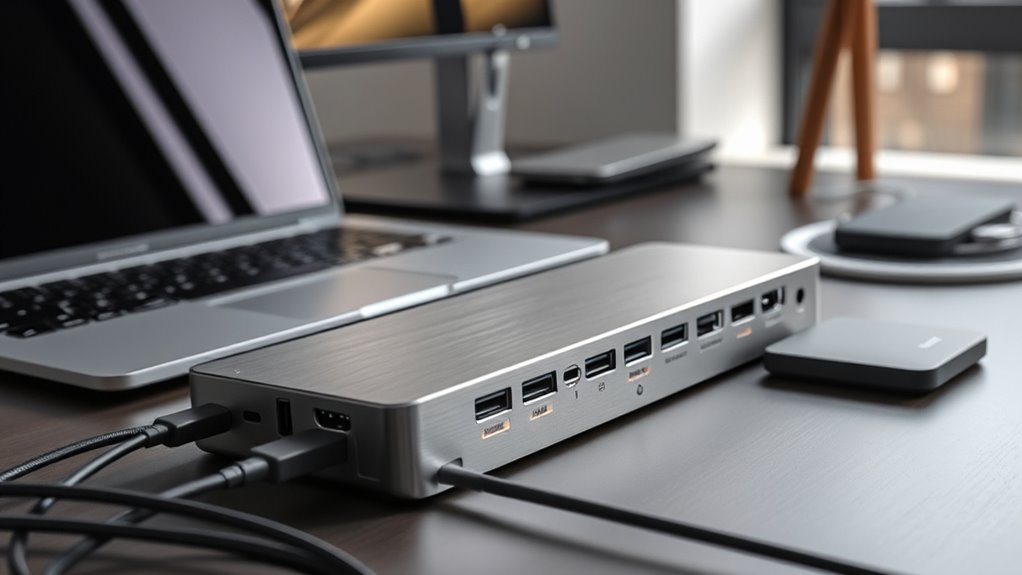

For anyone seeking seamless connectivity, thunderbolt docking stations offer a powerful way to expand laptop ports and enhance productivity. The best models, like the Dell WD19TB, combine high wattage power delivery with multiple display support. Meanwhile, options like the Anker Prime TB5 introduce newer Thunderbolt 5 technology for future-proofing. The main tradeoffs often involve balancing price, port variety, and compatibility with your devices. Keep reading for a detailed breakdown to find the perfect fit for your needs.

Get audio and creator gear delivered free with Prime
- Fast, free delivery on millions of items
- Prime Video, Amazon Music and more included
- Member-only deals all year
Complete the kit



Key Takeaways
- Top picks balance high power delivery with extensive port options for diverse setups.
- Newer Thunderbolt versions like Thunderbolt 4 and 5 offer increased bandwidth and future-proofing but often come at a premium.
- Compatibility with different laptop brands and Thunderbolt versions significantly impacts usability and cost.
- Some docks excel in supporting multiple 4K or 8K displays, but may require higher-end graphics hardware.
- Build quality and design matter; premium docks tend to last longer but cost more upfront.
| Dell WD19TB Thunderbolt Docking Station with 180W Power Adapter |  | Best Overall for Versatile Professional Setups | Ports: USB-C 3.1 (Gen 2), USB-A 3.1 (Gen 1 with power Share), combo audio, DisplayPort 1.4, HDMI 2.0B, Ethernet, Thunderbolt 3 | Power Adapter: 180W | Dimensions: 8.1 x 3.5 x 1.1 inches | VIEW ON AMAZON | See Our Full Breakdown |
| Microsoft Surface Thunderbolt 4 Docking Station – Black |  | Best for Microsoft Surface Users Seeking High-Speed Connectivity | Hardware Interface: USB Thunderbolt 4 | Total USB Ports: 6 | Dimensions: 11″L x 4.4″W x 3.2″H | VIEW ON AMAZON | See Our Full Breakdown |
| Dell WD19TBS Thunderbolt Dock with 130W Power Delivery |  | Best for Flexible Multi-Display Support at a Mid-Range Price | Power Delivery: 130W | Display Support: Up to three displays including 5K and dual 4K | Connectivity: Thunderbolt, USB, audio, video | VIEW ON AMAZON | See Our Full Breakdown |
| Lenovo ThinkPad Thunderbolt 3 Dock Gen 2 135W (40AN0135US) |  | Best for ThinkPad Owners Needing Extensive Connectivity | Ports: 2x HDMI, 2x DisplayPort, USB-C, 4x USB 3.1 Gen 2, RJ-45 Ethernet, Audio | Power: 135W | Supported OS: Windows 7, Windows 10 | VIEW ON AMAZON | See Our Full Breakdown |
| Lenovo ThinkPad Universal Thunderbolt 4 Dock | Supports 8K & 4K Displays, 100W Charging |  | Best for Versatile, Single-Cable High-Res Expansion | Interface: Thunderbolt 3, Thunderbolt 4, USB Type C | Total USB Ports: 5 | HDMI Ports: 1 | VIEW ON AMAZON | See Our Full Breakdown |
| Dell WD19TBS Thunderbolt Dock Bundle – 4K Display, 180W Power, Dual Monitor Support |  | Best for Professional Multi-Display Setups | Hardware Interface: DisplayPort, Ethernet, HDMI, Thunderbolt, USB, USB 3.1 Type A, USB 3.1 Type C | Compatible Devices: Dell Latitude 7370, HP, laptops, notebooks, tablet PCs | Total USB Ports: 6 | VIEW ON AMAZON | See Our Full Breakdown |
| Anker Prime Docking Station, 14-in-1 Dual Monitor Laptop Docking Station |  | Best for Versatile, All-in-One Connectivity | Connectivity: 14-in-1 including USB-C, HDMI, DisplayPort | Total USB Ports: 10 | Power Output: 160W | VIEW ON AMAZON | See Our Full Breakdown |
| Anker Prime TB5 Docking Station, 14-in-1 Thunderbolt 5 Dock for Laptops |  | Best for Cutting-Edge High-Resolution Work | Ports: Thunderbolt 5 upstream/downstream, USB-C, USB-A, SD/TF card readers, Ethernet, audio, HDMI 2.1, DisplayPort 2.1 | Max Display Resolution: 8K@60Hz | Power Delivery: 140W | VIEW ON AMAZON | See Our Full Breakdown |
| Dell Pro Thunderbolt 4 Smart Dock SD25TB4 – USB-C Station 130W, 4 Displays 4K, 2X DP 1.4, HDMI 2.1, 2X Thunderbolt 4, 2.5GbE, Wi-Fi, Sustainable Design |  | Best for Sustainable, High-Performance Multi-Display Workstations | Power Output: 130W | Display Support: Up to 4x 4K monitors | Video Ports: 2x DisplayPort 1.4, HDMI 2.1, 2x Thunderbolt 4 | VIEW ON AMAZON | See Our Full Breakdown |
| Dell WD19TB Thunderbolt Dock – 180W Power Adapter, Dual Monitor Support, HDMI, DisplayPort, Thunderbolt Cable, Renewed |  | Best for Reliable Dual Monitor Power and Connectivity | Power Adapter: 180W | Connectivity Ports: 2x DisplayPort 1.4, HDMI, Thunderbolt 3 | Voltage: Universal (120/230V) | VIEW ON AMAZON | See Our Full Breakdown |
| Plugable Thunderbolt 4 Dock for M4/M5 MacBook Air & Pro, 100W Charging |  | Best Overall for MacBook Users Needing Versatile Connectivity | Ports: 13 | Display Support: Dual 4K 60Hz HDMI | Charging Power: 100W | VIEW ON AMAZON | See Our Full Breakdown |
| Plugable Thunderbolt 4 Dock with 100W Charging and Dual 4K HDMI Support |  | Best for High-Speed Performance and Versatile Dual 4K Display Support | Power Delivery: 100W | Display Support: Dual 4K 60Hz or single 8K | Ports: 13 including HDMI, Thunderbolt 4, USB, SD, Ethernet, audio | VIEW ON AMAZON | See Our Full Breakdown |
| Anker 13-in-1 USB-C Docking Station with Triple Display |  | Best for Multi-Display Productivity and Wide Compatibility | Ports: 2× HDMI, DisplayPort, 3× USB-C (85W, 18W PD, 10Gbps), 3× USB-A, Ethernet, SD, audio | Power Delivery: 135W | Display Support: Up to 3 monitors at 1080p or 1 at 4K | VIEW ON AMAZON | See Our Full Breakdown |
More Details on Our Top Picks
Dell WD19TB Thunderbolt Docking Station with 180W Power Adapter
The Dell WD19TB stands out for its extensive port selection, supporting high-resolution displays and fast data transfer, making it ideal for demanding professional environments. Compared to the Lenovo ThinkPad Thunderbolt 4 Dock, it offers more comprehensive display options but is limited to Dell models, which could restrict compatibility. Its compact design suits office desks well, yet complex setup procedures and compatibility restrictions might pose challenges for some users. The 180W power adapter ensures ample charging for high-performance laptops, but this comes with a larger footprint and higher power requirements, limiting portability. Overall, this dock excels in providing a powerful, multi-display solution for Dell users who prioritize performance and connectivity.
Pros:- Supports multiple high-resolution displays including 4K and DisplayPort options
- High-speed data transfer with Thunderbolt 3 and Ethernet connectivity
- Compact design suitable for professional desktop setups
Cons:- Limited compatibility to specific Dell models, reducing versatility
- Requires a 180W power supply, which may be bulky and less portable
- Setup can be complex due to various compatibility considerations
Best for: IT professionals and power users with Dell laptops seeking a high-performance, multi-display setup
Not ideal for: Owners of non-Dell systems or those needing a simple, portable docking solution
- Ports:USB-C 3.1 (Gen 2), USB-A 3.1 (Gen 1 with power Share), combo audio, DisplayPort 1.4, HDMI 2.0B, Ethernet, Thunderbolt 3
- Power Adapter:180W
- Dimensions:8.1 x 3.5 x 1.1 inches
- Weight:20.63 ounces
Our verdict“This dock is best suited for Dell users needing a robust, multi-display workstation upgrade.”
Microsoft Surface Thunderbolt 4 Docking Station – Black
The Microsoft Surface Thunderbolt 4 Dock excels in delivering ultra-fast data transfer and supports dual 4K displays, making it ideal for Surface owners who need seamless performance. Unlike the Dell WD19TBS, which offers more display options and security features, this dock is tailored to Microsoft devices, limiting its versatility with other brands. Its lightweight, eco-friendly design made from recycled ocean-bound plastic appeals to environmentally conscious users, but its limited compatibility might frustrate those with non-Surface hardware. Its high-speed Thunderbolt 4 ports support charging and data transfer simultaneously, yet the absence of features like SD card slots or audio inputs could be a drawback for creative workflows. Overall, this dock is a perfect fit for Surface owners prioritizing speed and sleek design.
Pros:- Thunderbolt 4 ports for rapid data transfer and charging
- Supports connecting up to two 4K monitors for enhanced visuals
- Eco-friendly build with recycled materials
Cons:- Primarily designed for Surface devices, limiting cross-brand compatibility
- Lacks additional features like SD card slots or audio inputs
- No pricing info, which could be a concern for budget-conscious buyers
Best for: Microsoft Surface owners who want fast, reliable connections with minimal clutter
Not ideal for: Users with non-Surface laptops needing broader compatibility or additional ports like SD cards
- Hardware Interface:USB Thunderbolt 4
- Total USB Ports:6
- Dimensions:11″L x 4.4″W x 3.2″H
- Weight:14.4 ounces
Our verdict“Ideal for Microsoft Surface owners seeking high-speed, dual 4K display support in a lightweight, eco-friendly package.”
Dell WD19TBS Thunderbolt Dock with 130W Power Delivery
The Dell WD19TBS offers up to three display outputs, including 5K and dual 4K options, making it a versatile choice for users who need high-resolution productivity. Compared to the Lenovo ThinkPad Thunderbolt 3 Dock, it provides more flexible display support, but it requires Thunderbolt support on the host device, which could limit compatibility with older laptops. Its secure mounting options and firmware update features suit office environments, yet the setup might be intimidating for those unfamiliar with Thunderbolt systems. The 130W power delivery strikes a balance between performance and efficiency, but the need for specific Thunderbolt compatibility means it’s less suited for casual users or Windows systems without Thunderbolt ports. It’s a strong choice for Dell or similar systems that need multi-display capability without the premium price of some high-end docks.
Pros:- Supports multiple high-resolution displays including 5K and dual 4K
- Secure mounting and firmware management for enterprise use
- Flexible display support for professional workflows
Cons:- Requires Thunderbolt support, limiting compatibility
- Setup can be complex for non-technical users
- Less suitable for casual or non-technical users
Best for: Dell users and professionals needing reliable multi-monitor setups with flexible display options
Not ideal for: Non-Thunderbolt-compatible devices or users seeking ultra-lightweight, portable docks
- Power Delivery:130W
- Display Support:Up to three displays including 5K and dual 4K
- Connectivity:Thunderbolt, USB, audio, video
- Compatibility:Dell, HP, Lenovo, other Thunderbolt-enabled laptops
Our verdict“Best for Dell and compatible users needing a secure, high-resolution multi-display docking station with flexible options.”
Lenovo ThinkPad Thunderbolt 3 Dock Gen 2 135W (40AN0135US)
The Lenovo ThinkPad Thunderbolt 3 Dock Gen 2 provides a comprehensive array of ports, including HDMI, DisplayPort, and multiple USB 3.1 connections, supporting dual 4K displays with ease. Compared to the Microsoft Surface Dock, it offers more ports and wider compatibility with various ThinkPad models, making it suitable for multi-device setups. Its 135W power delivery supports high-performance laptops, but its size and external power brick can make it less portable for mobile users. The inclusion of a security-lock slot and wide OS compatibility adds to its enterprise appeal, yet the need for a dedicated Thunderbolt 3 port may restrict use on older or budget systems. This dock makes sense for users with ThinkPads or similar Windows laptops seeking extensive ports and dual 4K support, but not for those prioritizing portability.
Pros:- Supports dual 4K displays with multiple video output options
- Extensive USB and audio ports for device connectivity
- Compatible with a wide range of ThinkPad models and Windows OS
Cons:- Requires external power supply and Thunderbolt 3 port
- Bulkier design limits portability
- Setup may be complex for less technical users
Best for: ThinkPad owners and Windows users needing extensive, high-resolution connectivity
Not ideal for: Mac users or those seeking a lightweight, portable dock with minimal ports
- Ports:2x HDMI, 2x DisplayPort, USB-C, 4x USB 3.1 Gen 2, RJ-45 Ethernet, Audio
- Power:135W
- Supported OS:Windows 7, Windows 10
- Compatible Devices:Multiple ThinkPad models
Our verdict“Ideal for ThinkPad and Windows users needing comprehensive, high-res connectivity in a sturdy, enterprise-ready dock.”
Lenovo ThinkPad Universal Thunderbolt 4 Dock | Supports 8K & 4K Displays, 100W Charging
The Lenovo ThinkPad Universal Thunderbolt 4 Dock simplifies workstation expansion with support for up to four 4K displays or an 8K monitor, combined with 100W charging. Unlike the more specialized docks, this model emphasizes universal compatibility with Thunderbolt 3 and 4 systems, making it a flexible choice for mixed device environments. Its compact size and wide port array, including HDMI, DisplayPort, USB, and Ethernet, support high-performance workflows without clutter. However, full functionality depends on the host device supporting Thunderbolt 3 or 4, which could restrict use with older or less capable systems. The absence of included cables adds a minor extra cost. This dock is well-suited for users who want a universal, high-resolution, multi-monitor setup with simplified cabling.
Pros:- Supports up to four 4K or one 8K display for high-res productivity
- Fast data transfer speeds up to 40 Gbps
- Provides 100W power delivery for charging laptops
Cons:- Limited to Thunderbolt 3 and 4 compatible systems, restricting versatility
- No included USB-C cable, adding to setup cost
- Full performance requires specific port support
Best for: Users with Thunderbolt 3 or 4 laptops seeking multi-display support with minimal cable clutter
Not ideal for: Non-Thunderbolt systems or budget-conscious buyers who prefer included accessories
- Interface:Thunderbolt 3, Thunderbolt 4, USB Type C
- Total USB Ports:5
- HDMI Ports:1
- Wattage:100W
- Dimensions:6″L x 3″W x 1″H
- Weight:1.2 pounds
Our verdict“Best for Thunderbolt 3/4 users needing a compact, multi-display dock with high data and charging speeds.”
Dell WD19TBS Thunderbolt Dock Bundle – 4K Display, 180W Power, Dual Monitor Support
The Dell WD19TBS Thunderbolt Dock Bundle stands out for its ability to support up to three displays, including dual 4K monitors or a single 5K, making it ideal for professionals needing extensive screen real estate. Compared with the Dell WD19TB, which offers similar ports but lacks the bundled accessories and slightly less flexible display support, the WD19TBS provides a more complete workspace solution—though its setup can be complex for non-technical users. Its 180W power supply ensures that even power-hungry laptops remain charged during intensive tasks, a key advantage over less powerful docks. However, it’s primarily compatible with Dell, HP, and Lenovo devices, limiting universal compatibility. The inclusion of cables and a mountable design makes it a comprehensive choice for organized workspaces, at the expense of being less portable. This dock makes the most sense for users with high-end, Thunderbolt-compatible laptops who want maximum display flexibility and a tidy setup.
Pros:- Supports up to three displays, including dual 4K or 5K monitors
- Includes a comprehensive bundle with cables and a 180W power adapter
- Mountable design for organized and clutter-free workspace
- Universal compatibility with Dell, HP, and Lenovo laptops
Cons:- Requires Thunderbolt-compatible laptops for full functionality
- Setup complexity may challenge non-technical users
- Limited compatibility with devices outside specified brands
Best for: Professionals requiring multi-monitor setups and high power delivery for compatible Dell, HP, or Lenovo laptops
Not ideal for: Users with non-Thunderbolt laptops or those seeking a simple, plug-and-play solution with broader device compatibility
- Hardware Interface:DisplayPort, Ethernet, HDMI, Thunderbolt, USB, USB 3.1 Type A, USB 3.1 Type C
- Compatible Devices:Dell Latitude 7370, HP, laptops, notebooks, tablet PCs
- Total USB Ports:6
- Number of Ports:11
- Total HDMI Ports:1
- Wattage:180 watts
Our verdict“This dock is best suited for professionals with Thunderbolt-enabled Dell, HP, or Lenovo laptops seeking maximum display flexibility and a neat workspace.”
Anker Prime Docking Station, 14-in-1 Dual Monitor Laptop Docking Station
The Anker Prime Docking Station offers a wide array of 14-in-1 ports, supporting dual 4K displays at 60Hz, perfect for users who want to connect multiple peripherals without fuss. Compared to the Anker TB5, which supports even higher resolutions via Thunderbolt 5 but at a premium price, this model balances features and affordability for most users. It delivers up to 160W power, enabling simultaneous charging of multiple devices, which benefits users with several peripherals or a need for continuous power. Its compatibility with Windows, ChromeOS, and macOS broadens its appeal, though it doesn’t support monitors with resolutions beyond 1080p on some platforms. The plastic build, while lightweight, may feel less premium than metal alternatives. This pick makes the most sense for multi-device users who prioritize versatility and ease of setup, but it might fall short for those needing ultra-high-resolution monitors or Linux support.
Pros:- Supports dual 4K@60Hz displays for crisp visuals
- High 160W power output for charging multiple devices
- Versatile connectivity including USB-C, HDMI, and DisplayPort
- Compatible across Windows, ChromeOS, and macOS
Cons:- Displays on macOS are limited to identical resolutions
- Does not support monitors with resolutions above 1080p on some platforms
- Plastic construction may feel less durable
Best for: Users who need broad compatibility and multiple device connections, especially with dual 4K displays
Not ideal for: Power users requiring high-resolution monitors beyond 1080p or Linux users, due to resolution and OS limitations
- Connectivity:14-in-1 including USB-C, HDMI, DisplayPort
- Total USB Ports:10
- Power Output:160W
- Display Support:Dual 4K@60Hz or 1080p@60Hz
- Compatibility:Windows 10/11, ChromeOS, macOS
- Material:Plastic
Our verdict“This dock offers excellent value for users needing multiple connections and dual 4K support across different operating systems, with some resolution limitations.”
Anker Prime TB5 Docking Station, 14-in-1 Thunderbolt 5 Dock for Laptops
The Anker Prime TB5 Docking Station pushes beyond typical docks with Thunderbolt 5 support, enabling dual 8K@60Hz displays and rapid data transfer. This makes it ideal for multimedia professionals or power users working with high-resolution content. Compared with the Dell WD19TBS, which supports up to 5K, the TB5’s 8K capability offers a significant advantage for ultra-high-definition workflows—though it demands a Thunderbolt 5 compatible laptop, limiting immediate compatibility. The 140W power delivery and active cooling system support intensive tasks without overheating, a notable benefit over less advanced docks. Its premium price reflects the cutting-edge technology, making it less suitable for casual users. This dock is best for those with high-end hardware who need maximum resolution and transfer speeds, and are willing to invest in future-proofing.
Pros:- Supports dual 8K@60Hz displays for ultra-high-definition workflows
- Fast data transfer via Thunderbolt 5 port
- Powerful 140W charging capability for multiple devices
- Active cooling system prevents overheating during intensive tasks
Cons:- Requires Thunderbolt 5 compatible laptops, limiting immediate use
- High price point may be prohibitive for some users
- Complex setup and advanced features may overwhelm casual users
Best for: Content creators and professionals with Thunderbolt 5 laptops needing dual 8K display support and fast data transfer
Not ideal for: Casual users or those with Thunderbolt 4 or lower systems, due to compatibility and price considerations
- Ports:Thunderbolt 5 upstream/downstream, USB-C, USB-A, SD/TF card readers, Ethernet, audio, HDMI 2.1, DisplayPort 2.1
- Max Display Resolution:8K@60Hz
- Power Delivery:140W
- Cable Included:Thunderbolt 5 cable, AC power cable
- Warranty:24 months
Our verdict“This dock is ideal for professionals with Thunderbolt 5 hardware seeking maximum resolution and transfer speeds, accepting its premium cost and compatibility demands.”
Dell Pro Thunderbolt 4 Smart Dock SD25TB4 – USB-C Station 130W, 4 Displays 4K, 2X DP 1.4, HDMI 2.1, 2X Thunderbolt 4, 2.5GbE, Wi-Fi, Sustainable Design
The Dell Pro Thunderbolt 4 Smart Dock SD25TB4 offers robust multi-monitor support, capable of powering and displaying up to four 4K screens, making it suitable for heavy multitasking environments. Compared with the Anker Prime TB5, which supports even higher resolutions, this dock emphasizes sustainability and security features, including recycled materials and WPA3 encryption. Its 130W power output ensures fast charging for compatible devices, while the inclusion of Wi-Fi and remote management adds convenience for enterprise environments. The setup can be complex for those unfamiliar with enterprise-grade docks, and its premium price might be out of reach for casual users. This dock is best for professionals needing high performance, security, and eco-conscious design, but less so for budget-conscious or casual users.
Pros:- Supports up to four 4K monitors for extensive workspace
- Fast 130W charging for compatible devices
- Eco-friendly design with recycled plastics
- Includes Wi-Fi and remote management features
Cons:- Setup complexity may challenge less technical users
- Premium price could be prohibitive for some
- Limited to enterprise applications and advanced security features
Best for: Enterprise professionals needing secure, multi-monitor setups with eco-friendly design and remote management
Not ideal for: Casual or home users seeking a simple, budget-friendly dock or support for more than four monitors
- Power Output:130W
- Display Support:Up to 4x 4K monitors
- Video Ports:2x DisplayPort 1.4, HDMI 2.1, 2x Thunderbolt 4
- Connectivity:Wi-Fi, USB-C, Ethernet
- Design:Sustainable, 65% recycled plastic
- Security:WPA3, PXE boot, MAC filtering, DMA protection
Our verdict“This dock is best suited for enterprise environments demanding multi-monitor support, security, and sustainability, with some complexity and higher cost involved.”
Dell WD19TB Thunderbolt Dock – 180W Power Adapter, Dual Monitor Support, HDMI, DisplayPort, Thunderbolt Cable, Renewed
The Dell WD19TB Thunderbolt Dock offers dependable dual monitor support with HDMI and DisplayPort, coupled with a substantial 180W power adapter that ensures reliable charging for high-performance laptops. Compared to the Dell WD19TBS, the WD19TB provides similar connectivity but is often available at a more accessible price point, especially in renewed condition. Its plug-and-play design makes setup straightforward, ideal for users who prefer simplicity over complex configurations. The dock’s compatibility with Dell systems ensures seamless integration, though it might lack some advanced features found in newer models like Thunderbolt 4 or Thunderbolt 5 docks. It’s a solid choice for users needing a dependable, high-power dock for dual monitors without the latest bells and whistles.
Pros:- Supports dual monitor setup for increased productivity
- High 180W power adapter ensures reliable charging
- Plug & Play setup with minimal configuration
- Renewed option offers cost savings
Cons:- Requires compatible Dell systems for optimal features
- Renewed product may have warranty or condition concerns
- Limited to older Thunderbolt 3 interface
Best for: Dell laptop users seeking reliable dual monitor support and high-power charging in a straightforward package
Not ideal for: Non-Dell systems or users seeking Thunderbolt 4 or 5 features, given its compatibility limitations and slightly older interface
- Power Adapter:180W
- Connectivity Ports:2x DisplayPort 1.4, HDMI, Thunderbolt 3
- Voltage:Universal (120/230V)
- Frequencies:50/60Hz
- Form Factor:Renewed
Our verdict“This dock provides solid dual monitor support and reliable power for Dell systems, especially suitable for those preferring a straightforward setup at a good value.”
Plugable Thunderbolt 4 Dock for M4/M5 MacBook Air & Pro, 100W Charging
This model stands out for delivering a robust 13-in-1 port setup with dual 4K display support, making it a top choice for MacBook users who require both high performance and flexibility. Compared with the Plugable Thunderbolt 4 Dock with 100W Charging and Dual 4K HDMI Support (B0CNTTVVN6), it offers similar port variety but emphasizes full compatibility with a broader range of MacBook models, including M4/M5 series. The main tradeoff is that, unlike the other Plugable dock, this one doesn’t specify support for 8K displays or Thunderbolt 5, and it does not include accessories, which could add to setup costs. It’s ideal for professionals who want a reliable, plug-and-play experience with extensive port options, but those needing 8K support or a more complete accessory package should look elsewhere.
Pros:- Supports dual 4K displays without requiring drivers
- High-speed 13-in-1 port configuration for versatile connectivity
- Powerful 100W charging capability for MacBooks
Cons:- Limited to Thunderbolt 4 and USB4 systems, reducing compatibility with older laptops
- No included cables or accessories, potentially increasing initial setup costs
Best for: MacBook users who need multiple high-resolution displays and comprehensive port options without extra fuss
Not ideal for: Windows users seeking 8K display support or Thunderbolt 5 compatibility, or users wanting included accessories
- Ports:13
- Display Support:Dual 4K 60Hz HDMI
- Charging Power:100W
- Connectivity:Thunderbolt 4, USB-C, USB-A, SD/microSD, Ethernet, audio
- Compatibility:M4/M5 MacBook Air & Pro, M1/M2/M3 MacBooks, Windows systems
Our verdict“This dock makes the most sense for MacBook owners who want a reliable, broad-range port hub with excellent display support.”
Plugable Thunderbolt 4 Dock with 100W Charging and Dual 4K HDMI Support
Compared with the Plugable Thunderbolt 4 Dock for MacBooks, this model emphasizes high-speed data transfer with 40Gbps Thunderbolt 4 performance and supports dual 4K 60Hz displays or an 8K single display, making it ideal for demanding creative workflows. Its 13-port array includes HDMI, USB, Ethernet, and SD card slots, providing comprehensive connectivity for both home and professional setups. The tradeoff is that some systems, especially certain Macs, might support only a single external display, and the full feature set requires a compatible Thunderbolt or USB4 system. It suits users who prioritize raw data throughput and flexible display options, but those on older or less compatible systems may face limitations.
Pros:- High-speed 40Gbps data transfer for demanding workflows
- Supports dual 4K 60Hz displays or a single 8K monitor
- Comprehensive port selection for versatile connectivity
Cons:- Display support varies based on system capabilities, especially on Macs
- Full feature set depends on having compatible Thunderbolt 4 or USB4 hardware
Best for: Creative professionals and power users who need fast data transfer and flexible dual display options
Not ideal for: Users with older laptops lacking Thunderbolt 4 or USB4, or those who require a complete accessory bundle out of the box
- Power Delivery:100W
- Display Support:Dual 4K 60Hz or single 8K
- Ports:13 including HDMI, Thunderbolt 4, USB, SD, Ethernet, audio
- Compatibility:Thunderbolt 4, Thunderbolt 5, USB4, Windows 10+, macOS
Our verdict“This dock is best suited for professional creators who need top-tier data throughput and flexible high-resolution display support.”
Anker 13-in-1 USB-C Docking Station with Triple Display
This pick stands out for enabling up to three external monitors—ideal for users who need extensive multitasking capacity—thanks to its support for up to three 1080p displays or a single 4K at 60Hz. Compared with the Plugable options, which focus on Thunderbolt performance, the Anker station emphasizes broad compatibility across Windows, ChromeOS, and Mac, making it flexible for mixed device environments. Its power delivery of 135W is a strong advantage, supporting both laptop charging and device power needs simultaneously. The main tradeoff is that, for Mac users, multiple display options are limited to mirror mode, and setup can be complex depending on the system’s USB-C Alt Mode support. It’s best for users who prioritize multi-monitor workflows over raw Thunderbolt speed.
Pros:- Supports up to three monitors for enhanced multitasking
- Includes a 135W power adapter for charging laptop and devices
- Wide compatibility across Windows, ChromeOS, and Mac
Cons:- Mac users are limited to mirror mode for multiple displays
- Requires checking USB-C Alt Mode and compatibility for optimal setup
Best for: Professionals seeking multiple external displays and broad device compatibility in a compact form
Not ideal for: Mac users needing extended mode for multiple monitors or those with systems lacking USB-C DisplayPort Alt Mode support
- Ports:2× HDMI, DisplayPort, 3× USB-C (85W, 18W PD, 10Gbps), 3× USB-A, Ethernet, SD, audio
- Power Delivery:135W
- Display Support:Up to 3 monitors at 1080p or 1 at 4K
- Compatibility:Windows 10/11, ChromeOS, macOS (mirroring mode)
Our verdict“This dock makes the most sense for multi-monitor users on Windows or ChromeOS who want a broad port selection and high power delivery.”

How We Picked
The products in this roundup were evaluated based on performance, build quality, port versatility, compatibility, and value. We prioritized docks that support the latest Thunderbolt standards, especially Thunderbolt 4 and 5, ensuring future-proofing and high bandwidth. Ease of use, power delivery capacity, and the ability to handle multiple high-resolution displays also influenced rankings. Cost was a factor but balanced against features and durability, with a focus on providing options for different user needs and budgets.Factors to Consider When Choosing Thunderbolt Docking Stations
Choosing the right thunderbolt docking station involves considering several key factors that affect compatibility, performance, and overall value. Beyond just port count, understanding how different docks support your specific devices and workflows can prevent costly mismatches. The following factors will help you navigate the decision-making process and spot potential pitfalls.Compatibility and Thunderbolt Version
Ensure the dock supports your laptop’s Thunderbolt version—Thunderbolt 3, 4, or 5—since each offers different bandwidth and feature sets. Using a dock with a newer version like Thunderbolt 4 or 5 can future-proof your setup but may come with a higher price tag. Compatibility also extends to operating systems and device ports, so double-check that your laptop and peripherals will work seamlessly with the dock you choose.
Power Delivery (PD) and Charging Capacity
Not all docks provide the same wattage for charging your laptop, which can impact performance during intensive tasks. Docks with higher PD, such as 130W or 180W, support charging larger laptops like the MacBook Pro or high-end Windows machines without needing a separate charger. Be aware that choosing a dock with insufficient power delivery can lead to slower charging or reduced performance, especially if you connect multiple peripherals.
Port Selection and Display Support
The variety and type of ports determine how many devices and displays you can connect. Look for docks with a mix of Thunderbolt, USB-C, USB-A, HDMI, and DisplayPort outputs. If you plan to run multiple 4K or 8K displays, verify that the dock supports this resolution and refresh rate without bandwidth issues. Overloading a dock beyond its specifications can cause display flickering or connection drops.
Build Quality and Design
Durability and aesthetics matter, especially if your dock sits on your desk constantly. Metal enclosures tend to be more robust and dissipate heat better, extending the product’s lifespan. Smaller, more compact docks are portable but may sacrifice some port options or heat management. Consider your workspace setup and whether a sleek, minimal design or rugged construction aligns better with your needs.
Price and Value
High-end docks with advanced features cost more, but they often deliver better performance and longevity. Conversely, budget models might lack necessary ports or have lower build quality, leading to potential frustrations. Finding the right balance between cost and features depends on your usage; if you rely heavily on multiple high-resolution displays and fast data transfer, investing in a premium model often pays off.
Frequently Asked Questions
Can I use a Thunderbolt dock with a USB-C port?
While some Thunderbolt docks are compatible with USB-C ports, full functionality, including high-speed data transfer and power delivery, typically requires a Thunderbolt port. Using a Thunderbolt dock on a non-Thunderbolt USB-C port may limit features or cause compatibility issues. Always check the dock’s specifications to confirm compatibility with your laptop’s ports before purchasing.
Is it worth paying extra for Thunderbolt 5 docks?
Thunderbolt 5 offers increased bandwidth and more future-proofing, which can be beneficial if you plan to connect multiple 8K displays or transfer large files frequently. However, Thunderbolt 5 docks are currently more expensive and less common. For most users, Thunderbolt 4 provides ample bandwidth and compatibility, making it a more cost-effective choice unless cutting-edge performance is a priority.
Will a Thunderbolt dock slow down my laptop’s performance?
No, a well-designed Thunderbolt dock shouldn’t slow down your laptop’s performance. The dock’s role is to expand connectivity, and if it supports sufficient bandwidth and power delivery, your system’s performance remains unaffected. Problems can arise if the dock is incompatible or overloaded, so matching its specifications with your laptop’s needs is key.
How many displays can I connect with a Thunderbolt dock?
The number of supported displays varies by model and bandwidth. Many docks support two to three 4K displays or a single 8K display, but pushing beyond this can cause issues unless the dock explicitly states support for higher resolutions or multiple monitors. Always verify the maximum display configurations supported before committing to a dock for multi-monitor setups.
Should I prioritize ports or design when choosing a dock?
Prioritizing ports is vital if you need specific connections like multiple HDMI outputs, Ethernet, or high-speed USB. Design matters if portability or aesthetics are important for your workspace. Ideally, find a dock that balances both, ensuring it has the ports you need within a form factor that suits your environment.
Conclusion
For users seeking the best all-around performance, the Dell WD19TB stands out as a reliable choice. If you want to maximize value without sacrificing essential features, options like the Plugable Thunderbolt 4 Docks offer solid performance at a lower price point. Creative professionals or those with high-end display needs should consider premium models like the Lenovo ThinkPad Thunderbolt 4 Dock. Beginners or casual users will benefit from simpler, more affordable docks like the Anker Prime Docking Station. Ultimately, your choice should reflect your specific workflow, device compatibility, and budget constraints.
Halloween Picks

Fun Costumes Creepy Twin Boys Halloween Animatronic

Govee Outdoor Halloween Projector Light with 3D Effects

Panefright Halloween Window Projector – Scary Projector for Spooky Decor
As an affiliate, we earn on qualifying purchases.