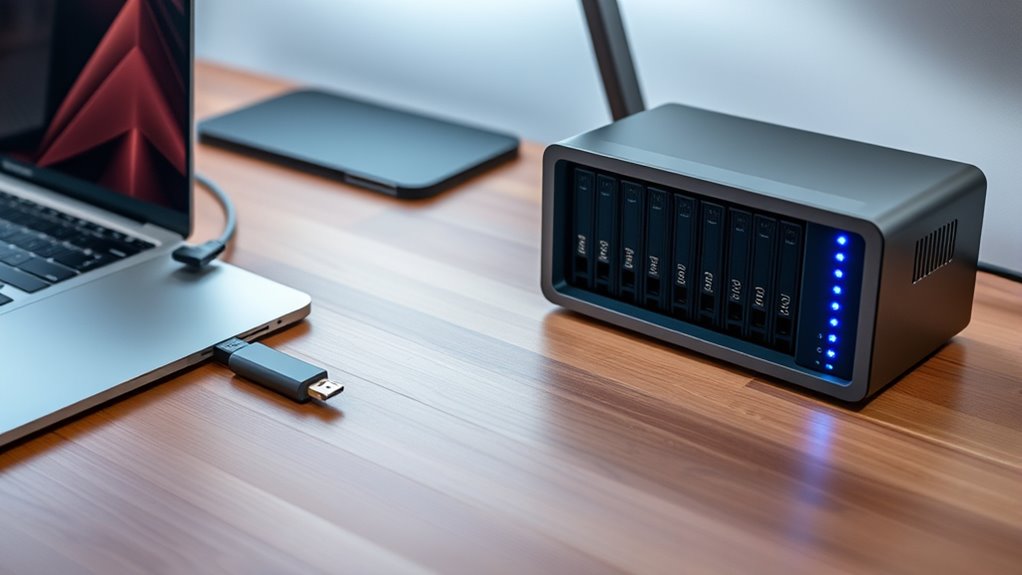

For Mac users seeking ultra-fast storage solutions, Thunderbolt NVMe RAID 0 enclosures offer a compelling way to maximize speed and capacity. The best overall pick, the OWC Accelsior 8M2, delivers impressive PCIe 4.0 performance ideal for demanding workflows. Standout options like the JEYI 4-Bay NVMe RAID Enclosure provide versatile RAID configurations, while the ACASIS 80Gbps M.2 Enclosure offers cutting-edge Thunderbolt 5 support for future-proof setups. However, tradeoffs exist: higher performance often comes at a higher cost, and complex configurations may challenge less experienced users. Continue reading for a detailed breakdown of these options to find your perfect match.

Get audio and creator gear delivered free with Prime
- Fast, free delivery on millions of items
- Prime Video, Amazon Music and more included
- Member-only deals all year
Complete the kit



Key Takeaways
- Top picks balance raw NVMe speeds with Thunderbolt interface capabilities, emphasizing throughput and compatibility.
- Enclosure build quality and cooling solutions are critical for sustained performance in RAID 0 configurations.
- Versatile RAID options and expandability are common differentiators among the best enclosures.
- Price varies widely; premium models offer future-proof features but may be overkill for casual workflows.
- Ease of setup and management significantly impact usability, especially for users new to RAID configurations.
| OWC Accelsior 8M2 8-Slot NVMe M.2 to PCIe 4.0 Expansion Card with SoftRAID |  | Best Overall for High-Performance Mac Workflows | Maximum Speed: 26,000MB/s on PCIe Gen 4 | Number of SSD Slots: 8 | Supported RAID Levels: Multiple RAID levels | VIEW ON AMAZON | See Our Full Breakdown |
| Dual Bay RAID SSD Enclosure with Clone Mode, RAID 0/1, JBOD, and 20Gbps Transfer |  | Best for Flexible RAID Configurations and Data Backup | Supported RAID Modes: RAID 0, RAID 1, JBOD, Clone | Transfer Speed: 20Gbps | Drive Compatibility: Supports PCIe NVMe SSDs up to 16TB | VIEW ON AMAZON | See Our Full Breakdown |
| OWC StudioStack 4TB NVMe Thunderbolt 5 Storage and Hub | 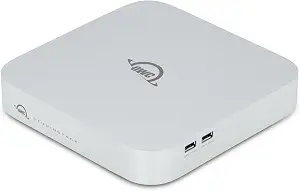 | Best for High-Speed Connectivity and Large Storage Capacity | Internal Speed: Up to 6302MB/s | Storage Capacity: Up to 8TB NVMe SSD and 24TB HDD | Connectivity: Three Thunderbolt 5 (USB-C), three USB-A 10Gb/s ports | VIEW ON AMAZON | See Our Full Breakdown |
| JEYI 4-Bay NVMe RAID Enclosure with Turbo Fan, Supports USB4/Thunderbolt 3/4, Max 32TB |  | Best for Large Capacity and Fast RAID Performance | Hardware Interface: Thunderbolt 4, USB4 Type C | Supported Devices Quantity: 4 | Data Transfer Rate: 40Gbps | VIEW ON AMAZON | See Our Full Breakdown |
| ORICO MiniRaid Mac mini M4 Dock with Dual-Bay M.2 NVMe/SATA SSD Enclosure and 10Gbps USB-C Hub |  | Best Compact Multi-Function Dock for Mac Mini | SSD Support: Dual M.2 NVMe/SATA SSDs up to 8TB each | Connectivity: 2x USB-A 10Gbps, 1x USB-C 10Gbps, HDMI 4K@60Hz, Ethernet 1Gbps | Power: PD 60W charging, DC power interface | VIEW ON AMAZON | See Our Full Breakdown |
| ACASIS 40Gbps M.2 NVMe SSD Enclosure with Cooling Fan and Dual Monitor Support |  | Best for Creative Professionals Needing Dual Displays and Fast Storage | Transfer Speed: 40Gbps | Supported SSD Size: up to 8TB | Supported SSD Types: M.2 NVMe 2230/2242/2260/2280 | VIEW ON AMAZON | See Our Full Breakdown |
| ACASIS 80Gbps M.2 NVMe SSD Enclosure, Thunderbolt 5 & USB4 V2.0 Compatible |  | Best for Cutting-Edge Speed and Large Data Handling | Max Speed: 80Gbps (6000 MB/s) | Supported Protocols: Thunderbolt 5, USB4 V2.0, USB 3.2/3.1/3.0 | Cooling: Built-in fan with auto/manual modes | VIEW ON AMAZON | See Our Full Breakdown |
| StarTech 4-Bay Thunderbolt 3 M.2 NVMe SSD Enclosure, 40Gbps |  | Best for Expanding Multi-Drive NVMe Storage with Video Output | Number of Bays: 4 | Connection: Thunderbolt 3 | Supported Drives: PCIe NVMe SSDs | VIEW ON AMAZON | See Our Full Breakdown |
| WAVLINK M.2 SSD Enclosure, 20Gbps Dual NVMe Enclosure for M-Key/B+M-Key SSDs, Tool-Free, Supports RAID 0, Up to 8TB per Drive, Includes Active Cooling Fan |  | Best Budget Dual NVMe RAID for Mac with Cooling | Compatibility: PCIe NVMe SSDs | Maximum Capacity: 8TB per drive | Transfer Speed: 20Gbps | VIEW ON AMAZON | See Our Full Breakdown |
| ACASIS 40Gbps 4-Bay Hard Drive Enclosure with RAID, USB4, Thunderbolt 3/4/5 Compatibility |  | Best for Versatile Multi-Drive Storage and RAID with Video Output | Max HDD Capacity: 30TB per bay | Max NVMe SSD Capacity: 8TB per bay | Data Transfer Speed: Up to 40Gbps | VIEW ON AMAZON | See Our Full Breakdown |
| thunderbolt nvme raid 0 for mac workflow | Cooling |
|---|---|
| OWC Accelsior 8M2 8-Slot NVMe | — |
| Dual Bay RAID SSD Enclosure wi | — |
| OWC StudioStack 4TB NVMe Thund | — |
| JEYI 4-Bay NVMe RAID Enclosure | — |
| ORICO MiniRaid Mac mini M4 Doc | Intelligent temperature-controlled fan |
| ACASIS 40Gbps M.2 NVMe SSD Enc | Built-in fans |
| ACASIS 80Gbps M.2 NVMe SSD Enc | Built-in fan with auto/manual modes |
| StarTech 4-Bay Thunderbolt 3 M | — |
| WAVLINK M.2 SSD Enclosure | Active cooling fan |
| ACASIS 40Gbps 4-Bay Hard Drive | Active fan |
More Details on Our Top Picks
OWC Accelsior 8M2 8-Slot NVMe M.2 to PCIe 4.0 Expansion Card with SoftRAID
The OWC Accelsior 8M2 stands out for its ability to support up to eight NVMe SSDs, making it ideal for demanding Mac workflows that require massive throughput and storage. Its support for PCIe Gen 4 offers speeds up to 26,000MB/s on compatible systems, surpassing many single-drive solutions and even beating smaller enclosures like the JEYI 4-Bay NVMe RAID Enclosure in raw capacity. Compared to the StudioStack, this card’s flexibility for internal configuration and larger RAID arrays makes it a more versatile choice for professionals needing high throughput and large storage pools. However, performance drops to PCIe Gen 3 speeds on older systems, and the price can be steep without a clear included warranty beyond three years. This pick makes the most sense for professionals building custom high-speed Mac workstations or expanding existing setups with large NVMe arrays.
Pros:- Supports up to eight NVMe SSDs for large, high-speed storage pools
- Maximum speeds up to 26,000MB/s on PCIe Gen 4 systems
- Plug-and-play setup with SoftRAID software for flexible RAID configurations
- Compatible with Mac Pro, PC towers, and Linux systems
Cons:- Limited performance on PCIe Gen 3 systems, capping at 12,000MB/s
- Higher price point and potential compatibility considerations
Best for: Power users and professionals who need maximum NVMe expansion with flexible RAID management on Mac Pro or custom systems.
Not ideal for: Casual users or those with limited PCIe slots, as installation complexity and cost may outweigh benefits.
- Maximum Speed:26,000MB/s on PCIe Gen 4
- Number of SSD Slots:8
- Supported RAID Levels:Multiple RAID levels
- Compatibility:Mac Pro (2019), MacPro7,1, PC Towers, Linux Systems
- Warranty:3 years
Our verdict“Ideal for professional users who need extensive, high-speed NVMe RAID arrays for demanding Mac workflows.”
Dual Bay RAID SSD Enclosure with Clone Mode, RAID 0/1, JBOD, and 20Gbps Transfer
The Dual Bay RAID SSD Enclosure excels at offering multiple RAID modes, including cloning, making it well-suited for workflows requiring quick data duplication or redundancy. Its support for PCIe NVMe SSDs up to 16TB and transfer speeds up to 20Gbps makes it a practical choice for those managing large files, especially compared to the JEYI 4-Bay, which supports more drives but with more complexity. The tool-free design simplifies drive swapping, but this enclosure’s performance depends heavily on the quality of the installed SSDs and RAID configuration setup, which can be daunting for beginners. Additionally, with only two drive bays, it can’t match the capacity of larger enclosures like the StudioStack. It’s an ideal choice for users needing flexible RAID options for moderate data management tasks in a portable package.
Pros:- Supports multiple RAID modes including cloning for quick duplication
- High transfer speeds up to 20Gbps via USB-C
- Durable aluminum construction for heat dissipation
- Tool-free installation for easy drive swaps
Cons:- Limited to two drives, restricting total capacity compared to larger enclosures
- Performance depends on SSD quality and RAID configuration
Best for: Creative professionals and data managers who need flexible RAID options and quick cloning in a compact, portable enclosure.
Not ideal for: Users requiring large storage arrays or those unfamiliar with RAID configuration, as setup can be complex.
- Supported RAID Modes:RAID 0, RAID 1, JBOD, Clone
- Transfer Speed:20Gbps
- Drive Compatibility:Supports PCIe NVMe SSDs up to 16TB
- Material:Aluminum
- Installation:Tool-free
Our verdict“Best suited for users seeking flexible RAID and cloning features in a portable, easy-to-use enclosure.”
OWC StudioStack 4TB NVMe Thunderbolt 5 Storage and Hub
The OWC StudioStack offers a compelling blend of high-speed storage and expanded connectivity, making it ideal for creative workflows that demand both large storage pools and fast data access. Its Thunderbolt 5 support provides speeds up to 6302MB/s, outperforming many older Thunderbolt 3 devices like the MiniRaid in raw throughput. The ability to accommodate up to 8TB NVMe SSDs and 24TB HDDs offers future-proofed capacity, while its near-silent operation and durable aluminum case appeal to professionals working in noise-sensitive environments. However, the higher price tag and reliance on Thunderbolt 5 or USB4 devices may restrict its usability for some users. This device makes the most sense for professionals who need to expand both storage and connectivity seamlessly in a stylish, future-ready package.
Pros:- High-speed transfer via Thunderbolt 5 (up to 6302MB/s)
- Supports large capacity storage options up to 8TB NVMe SSD
- Quiet operation with adaptive cooling
- Multiple Thunderbolt 5 and USB-A ports for expansion
Cons:- High cost compared to similar storage devices
- Requires Thunderbolt 5 or USB4 compatibility, limiting older system use
Best for: Creative professionals with Thunderbolt 5 or USB4 Macs seeking high-speed, expandable storage and versatile connectivity.
Not ideal for: Casual users or those with older Thunderbolt 3 Macs, due to compatibility and cost considerations.
- Internal Speed:Up to 6302MB/s
- Storage Capacity:Up to 8TB NVMe SSD and 24TB HDD
- Connectivity:Three Thunderbolt 5 (USB-C), three USB-A 10Gb/s ports
- Material:Aircraft grade aluminum
- Warranty:3 years
Our verdict“Perfect for professionals who need fast, expandable storage and high connectivity in a future-ready device.”
JEYI 4-Bay NVMe RAID Enclosure with Turbo Fan, Supports USB4/Thunderbolt 3/4, Max 32TB
The JEYI 4-Bay NVMe RAID Enclosure combines high capacity with impressive transfer speeds up to 40Gbps, making it suitable for handling large video projects or extensive backups. Its support for RAID 0, 1, 5, and JBOD provides versatility, especially compared with dual-drive options like the Dual Bay RAID Enclosure. The robust aluminum build and active turbo fan ensure thermal stability during prolonged workloads. However, compatibility can vary on non-Intel systems or older Macs, and the maximum SSD size per drive is 8TB, limiting total capacity. Its reliance on Thunderbolt 4 or USB4 interfaces for optimal RAID performance means it may not work as seamlessly with standard USB ports. This enclosure makes the most sense for professionals who need large, fast storage arrays with flexible RAID options in a durable package.
Pros:- Supports high-speed data transfer up to 40Gbps
- Flexible RAID support including RAID 0, 1, 5, and JBOD
- Enclosure with active cooling for thermal management
- Supports up to 32TB total capacity with four 8TB SSDs
Cons:- Compatibility issues on some AMD or older systems
- RAID performance depends heavily on interface and SSD configuration
Best for: Media professionals and data-intensive users requiring large, fast, and highly configurable RAID storage.
Not ideal for: Casual users or those with limited Thunderbolt/USB4 interfaces, as setup and compatibility can be complex.
- Hardware Interface:Thunderbolt 4, USB4 Type C
- Supported Devices Quantity:4
- Data Transfer Rate:40Gbps
- Maximum Capacity:32TB
- Enclosure Material:Aluminum
Our verdict“Ideal for users needing large, fast, and versatile RAID storage with high throughput in demanding workflows.”
ORICO MiniRaid Mac mini M4 Dock with Dual-Bay M.2 NVMe/SATA SSD Enclosure and 10Gbps USB-C Hub
The ORICO MiniRaid Mac mini M4 Dock offers a sleek, all-in-one solution for Mac mini, MacBook Pro, or Mac Studio users who need both high-speed storage and expanded connectivity. Supporting dual M.2 SSDs with RAID modes, it provides a good balance of performance and security, especially with offline cloning capabilities. Its connectivity suite, including HDMI 4K and 10Gbps USB-C, makes it versatile for creative workflows requiring multiple data streams and display outputs. Compared with larger enclosures like the StudioStack, this dock’s compact size and integrated hub appeal to users with space constraints. Still, setting up RAID and cloning functions manually can be time-consuming, and some users might find the port array overwhelming for basic tasks. It’s a compelling choice for those prioritizing convenience and multi-functionality in a small form factor.
Pros:- Supports dual M.2 SSDs with RAID for performance and security
- Multiple high-speed ports including HDMI 4K and 10Gbps USB-C
- Sleek aluminum design with intelligent cooling
- Includes offline cloning for data security
Cons:- Manual setup required for RAID and cloning functions
- Some complexity with port options for basic users
Best for: Mac mini or laptop users needing high-speed dual-SSD storage combined with comprehensive connectivity in a compact form.
Not ideal for: Users requiring extremely large storage arrays or advanced RAID setups without manual configuration effort.
- SSD Support:Dual M.2 NVMe/SATA SSDs up to 8TB each
- Connectivity:2x USB-A 10Gbps, 1x USB-C 10Gbps, HDMI 4K@60Hz, Ethernet 1Gbps
- Power:PD 60W charging, DC power interface
- RAID Modes:0, 1, OM
- Cooling:Intelligent temperature-controlled fan
Our verdict“Best suited for Mac users who want a compact, multi-functional dock that combines fast storage with expanded connectivity.”
ACASIS 40Gbps M.2 NVMe SSD Enclosure with Cooling Fan and Dual Monitor Support
This versatile dock excels for users who require simultaneous high-speed storage and multiple display outputs. Its support for dual 8K monitors makes it stand out compared to simpler enclosures like the WAVLINK, which is limited to single drives and lacks display support. The ACASIS TBU405 Pro Max’s ability to handle RAID 0 with up to 2 NVMe SSDs results in blazing-fast read/write speeds of up to 2800 MB/s, ideal for demanding workflows. The built-in fans and aluminum body provide effective heat management, which is essential for sustained performance during intensive tasks. However, this enclosure is incompatible with devices that do not support Thunderbolt 4 or 40Gbps transfer speeds, limiting its use with some older Macs. Its support for multiple SSD sizes and dual monitor output makes it a strong choice for creative pros who want both speed and versatility in one device.
Pros:- Supports high-speed data transfer up to 40Gbps, ideal for demanding workflows
- Enables dual 8K monitor support, perfect for multimedia editing
- Effective heat dissipation with fans and aluminum chassis ensures sustained performance
- Supports multiple SSD sizes and RAID configurations for flexibility
Cons:- Incompatible with non-40Gbps host devices, limiting universality
- Requires specific hardware for full functionality, restricting older Macs
- Limited to SSD sizes 2230-2280, reducing compatibility with larger SSDs
Best for: Mac users who need high-speed RAID 0 storage alongside dual 8K display output for creative workflows.
Not ideal for: Users with older Macs or devices that don’t support Thunderbolt 4 or 40Gbps connections, as they won’t fully benefit from this dock’s capabilities.
- Transfer Speed:40Gbps
- Supported SSD Size:up to 8TB
- Supported SSD Types:M.2 NVMe 2230/2242/2260/2280
- Max Read/Write Speed:1000-1800 MB/s per drive or 1800-2800 MB/s in RAID 0
- Display Support:Up to 2 screens, 8K at 60Hz or dual 4K at 60Hz
- Material:Aluminum alloy
- Cooling:Built-in fans
Our verdict“This enclosure is best suited for high-end Mac users needing fast, concurrent storage and display expansion, but it requires compatible hardware.”
ACASIS 80Gbps M.2 NVMe SSD Enclosure, Thunderbolt 5 & USB4 V2.0 Compatible
This enclosure taps into PCIe 5.0 SSD technology, providing speeds up to 6000 MB/s, far surpassing most options like the StarTech 4-Bay, which maxes out at 40Gbps. Its support for Thunderbolt 5 and USB4 V2.0 allows seamless integration with the latest Macs and other high-performance systems, making it ideal for editing massive files or running demanding workflows. The smart cooling fan and thermal pads help mitigate heat during extended transfers, but the enclosure’s compatibility is limited to PCIe 5.0 SSDs, meaning older drives or Macs won’t reach peak speeds. Notably, it’s not compatible with Thunderbolt 3 devices, which could restrict existing hardware setups. Overall, this enclosure makes the most sense for users who need the fastest possible transfer speeds and are prepared to invest in newer SSDs and hardware.
Pros:- Supports extremely fast data transfer speeds up to 6000 MB/s, ideal for large files
- Smart cooling fan extends SSD lifespan during sustained use
- Compatible with PCIe 5.0 SSDs and latest USB4 V2.0 devices for future-proofing
- Easy plug-and-play setup with included accessories
Cons:- Limited to PCIe 5.0 SSDs, restricting compatibility with older drives
- Not compatible with Thunderbolt 3, reducing utility for some existing Macs
- Enclosure may heat up during intensive large file transfers, requiring cooling considerations
Best for: Mac professionals handling massive data sets or video files who want the latest transfer speeds and are equipped with PCIe 5.0 SSDs.
Not ideal for: Users with older Macs or PCIe 3.0 SSDs, as they won’t experience the full speed benefits, and who prefer plug-and-play simplicity over future-proofing.
- Max Speed:80Gbps (6000 MB/s)
- Supported Protocols:Thunderbolt 5, USB4 V2.0, USB 3.2/3.1/3.0
- Cooling:Built-in fan with auto/manual modes
- Compatibility:PCIe 5.0 SSDs, most laptops
- Package Includes:Enclosure, cable, adapters, thermal pads
- Material:Aluminum
Our verdict“This enclosure is best for users with PCIe 5.0 SSDs seeking maximum transfer speeds on the latest Macs, but it demands specific hardware and upgrades.”
StarTech 4-Bay Thunderbolt 3 M.2 NVMe SSD Enclosure, 40Gbps
The StarTech 4-bay enclosure excels at providing flexible storage expansion for Mac users who need multiple NVMe SSDs, supporting RAID configurations for speed or redundancy. Its Thunderbolt 3 connection offers speeds up to 40Gbps, comparable to the ACASIS dock but with the additional benefit of four drive bays, making it ideal for professionals managing large datasets or multimedia projects. Its thermal vented design helps keep drives cool under load, and the DisplayPort output adds a layer of versatility for video workflows. The major tradeoff is its reliance on Thunderbolt 3 ports, which may limit compatibility with newer Macs that prefer Thunderbolt 4. It also doesn’t support SATA SSDs, which could be a drawback for those with mixed drives. Overall, this makes the most sense for users needing multi-drive RAID flexibility in a portable, high-speed enclosure.
Pros:- Supports four NVMe SSDs with RAID for speed or redundancy
- Supports high data transfer speeds up to 40Gbps
- Includes thermal management for sustained performance
- DisplayPort output adds video versatility
Cons:- Requires Thunderbolt 3 or 4 host device, limiting some Mac compatibility
- No support for SATA SSDs, reducing versatility
- Dual display support is not available on M1 Macs
Best for: Mac users requiring multiple NVMe SSDs with RAID support for large-scale projects, especially those who also need display output.
Not ideal for: Mac users with older Thunderbolt 2 ports or those seeking SATA drive support, as this enclosure is strictly NVMe-focused.
- Number of Bays:4
- Connection:Thunderbolt 3
- Supported Drives:PCIe NVMe SSDs
- Max Data Transfer Speed:40Gbps
- Display Output:DisplayPort up to 4K 60Hz
- Power Supply:72W EPS
Our verdict“This enclosure is ideal for professionals who need multiple NVMe drives and flexible RAID options in a portable Thunderbolt 3 package, but it’s less suited for older or SATA-focused setups.”
WAVLINK M.2 SSD Enclosure, 20Gbps Dual NVMe Enclosure for M-Key/B+M-Key SSDs, Tool-Free, Supports RAID 0, Up to 8TB per Drive, Includes Active Cooling Fan
The WAVLINK enclosure offers a balanced mix of speed, capacity, and affordability for Mac users who need dual NVMe SSDs in RAID 0. While its maximum transfer speed of 20Gbps is substantially lower than the other options, it still provides enough bandwidth for most high-speed workflows, especially when paired with modern SSDs. The tool-free design simplifies installation, and the active cooling fan helps maintain stable performance during prolonged transfers. It supports large capacity drives up to 8TB each, making it suitable for expanding storage without breaking the bank. However, its reliance on USB-C USB 3.2 Gen 2×2 limits peak speeds compared to Thunderbolt-based units, and RAID 0 setup increases risk of data loss if one drive fails. It’s a solid choice for budget-conscious users who prioritize capacity and ease of use over maximum speed.
Pros:- Supports RAID 0 for enhanced speed and capacity
- Active cooling fan prevents overheating during intensive use
- Tool-free design simplifies setup and drive swapping
- Supports large SSD capacities up to 8TB per drive
Cons:- Maximum transfer speed of 20Gbps limits performance compared to Thunderbolt options
- RAID 0 increases data loss risk if a drive fails
- Only supports NVMe SSDs, no SATA compatibility
Best for: Mac users seeking affordable dual NVMe RAID storage with active cooling, suitable for moderate speed needs.
Not ideal for: Power users requiring the fastest possible data transfer speeds or those concerned about RAID 0 data risks.
- Compatibility:PCIe NVMe SSDs
- Maximum Capacity:8TB per drive
- Transfer Speed:20Gbps
- Cooling:Active cooling fan
- RAID Support:RAID 0
- Connectivity:USB-C (USB 3.2 Gen 2×2)
Our verdict“This enclosure is suitable for budget-conscious Mac users needing fast dual NVMe RAID storage with active cooling, but it sacrifices some speed for affordability.”
ACASIS 40Gbps 4-Bay Hard Drive Enclosure with RAID, USB4, Thunderbolt 3/4/5 Compatibility
This 4-bay enclosure combines high-speed RAID options with versatile interface support, including USB4, Thunderbolt 3/4/5, and 8K video output. Its support for both SATA HDDs and NVMe SSDs offers a flexible platform similar to the OWC StudioStack, but with the added benefit of active cooling and a sleek aluminum chassis. The ability to configure RAID arrays enhances performance and redundancy, making it suitable for demanding editing workflows. However, achieving full 40Gbps speeds needs RAID mode and specific port connections, which can complicate setup, especially for less experienced users. Compatibility with newer interfaces like Thunderbolt 4 and 5 makes it more future-proof than some older multi-bay enclosures. Overall, this model provides a robust balance of speed, capacity, and versatility for professional storage solutions.
Pros:- Supports high-speed RAID configurations for performance and redundancy
- Compatible with USB4, Thunderbolt 3/4/5 for wide device support
- Includes active cooling and premium aluminum chassis for stability
- Supports 8K video output for professional editing
Cons:- Full 40Gbps speed depends on RAID setup and port selection
- Setup can be complex for users unfamiliar with RAID configurations
- Performance varies based on drive compatibility and configuration
Best for: Mac professionals needing multi-drive RAID flexibility with video output and support for latest high-speed interfaces.
Not ideal for: Beginners or users with limited technical skills, as setup complexity and specific hardware requirements can be challenging.
- Max HDD Capacity:30TB per bay
- Max NVMe SSD Capacity:8TB per bay
- Data Transfer Speed:Up to 40Gbps
- Video Output:8K@60Hz
- Interface:USB4, Thunderbolt 3/4/5
- Cooling:Active fan
Our verdict“This enclosure is ideal for advanced users needing flexible RAID options with high-speed interfaces and video output, but it demands a more technical setup process.”

How We Picked
The products were evaluated based on performance benchmarks, build quality, cooling solutions, and compatibility with Mac workflows. Emphasis was placed on Thunderbolt interface speeds, NVMe support, and RAID flexibility. We also considered ease of use, including setup and management features, as well as value for price. Products were ranked to highlight those offering the best balance of speed, reliability, and user-friendliness for demanding Mac-based workflows in 2026.| thunderbolt nvme raid 0 for mac workflow | Cooling |
|---|---|
| OWC Accelsior 8M2 8-Slot NVMe | — |
| Dual Bay RAID SSD Enclosure wi | — |
| OWC StudioStack 4TB NVMe Thund | — |
| JEYI 4-Bay NVMe RAID Enclosure | — |
| ORICO MiniRaid Mac mini M4 Doc | Intelligent temperature-controlled fan |
| ACASIS 40Gbps M.2 NVMe SSD Enc | Built-in fans |
| ACASIS 80Gbps M.2 NVMe SSD Enc | Built-in fan with auto/manual modes |
| StarTech 4-Bay Thunderbolt 3 M | — |
| WAVLINK M.2 SSD Enclosure | Active cooling fan |
| ACASIS 40Gbps 4-Bay Hard Drive | Active fan |
Factors to Consider When Choosing Thunderbolt Nvme Raid 0 For Mac Workflows
Choosing the right Thunderbolt NVMe RAID 0 enclosure for Mac workflows requires understanding several key factors. Beyond raw speed, considerations include build quality, cooling, and compatibility with your existing setup. The complexity of RAID configurations can also influence your decision, especially if ease of use is a priority. Investing in higher-end models may provide future-proofing but at a significant cost. This guide explores the main points to weigh before making your purchase, helping you avoid common pitfalls and select an enclosure tailored to your specific needs.Performance and Speed
Performance is paramount in RAID 0 setups, especially for tasks like 4K video editing or large file transfers. Look for enclosures supporting Thunderbolt 3, 4, or 5, as these interfaces determine maximum throughput. NVMe support alone isn’t enough; the enclosure must leverage PCIe 4.0 or newer to maximize speed. Be aware that some enclosures may claim high speeds but underperform due to poor controller design or thermal throttling. Prioritize models with robust cooling to sustain peak performance during intensive workloads.
Build Quality and Cooling
RAID 0 configurations generate significant heat, making effective cooling essential for maintaining consistent speeds and prolonging drive lifespan. High-quality enclosures feature active cooling solutions like turbo fans or heat sinks. Cheaper or poorly ventilated options risk thermal throttling, which can negate the speed benefits of NVMe drives. A solid build also ensures durability and reduces vibration, which can impact drive stability over time. Always consider the enclosure’s materials and cooling design in your decision.
Compatibility and Connectivity
Compatibility with your Mac setup is critical. Confirm that the enclosure supports the latest Thunderbolt standards you use—Thunderbolt 3, 4, or 5—and is compatible with your MacOS version. Some enclosures support multiple protocols, offering greater flexibility. Additionally, check for features like daisy-chaining and additional ports if you need expandability. An enclosure supporting USB4 alongside Thunderbolt can be a good choice for future-proofing, but ensure performance doesn’t suffer in mixed-use scenarios.
RAID Flexibility and Ease of Use
While RAID 0 provides speed benefits, it also increases risk due to lack of redundancy. Choose enclosures that offer easy configuration for RAID 0, with intuitive management software or hardware switches. Some models support multiple RAID levels, allowing future adjustments. Ease of setup and maintenance is crucial; complex setups can lead to errors or data loss. For less technical users, plug-and-play designs with clear instructions make a significant difference.
Price and Future-Proofing
The price of Thunderbolt NVMe RAID enclosures varies greatly. Premium models with Thunderbolt 5, advanced cooling, and extensive RAID options tend to be more expensive but offer longevity and maximum performance. Budget options may suffice for lighter workflows but could fall short under sustained load or future demands. Consider your current and future storage needs carefully, balancing initial investment against potential upgrades or replacements over time.
Frequently Asked Questions
Will a Thunderbolt NVMe RAID 0 enclosure slow down my Mac’s overall performance?
Typically, a Thunderbolt NVMe RAID 0 enclosure should not slow down your Mac’s overall performance, as long as your system supports the interface and the enclosure is well-designed. These enclosures are meant to handle high-speed data transfers independently, so system bottlenecks are unlikely unless your Mac’s Thunderbolt port or internal components are outdated. It’s important to ensure your Mac’s software and drivers are up to date to fully leverage the enclosure’s capabilities.
Is RAID 0 a safe choice for professional workflows on Mac?
RAID 0 offers maximum speed but at the expense of data redundancy. For professional workflows where data safety is critical, it’s advisable to use RAID 0 only with regular backups. In scenarios where data integrity is paramount, consider RAID 1 or other redundancy options. RAID 0 is best suited for temporary, high-speed tasks like editing or rendering, where data can be backed up frequently.
Can I use a Thunderbolt NVMe RAID enclosure with my older Mac without Thunderbolt 4 or 5 ports?
Yes, many Thunderbolt NVMe RAID enclosures are compatible with older Macs that support Thunderbolt 3. The key is to verify the enclosure’s compatibility and whether you need adapters or specific cables. Keep in mind that while older Thunderbolt versions still deliver high speeds, they may not fully match the potential of Thunderbolt 4 or 5. Check the device specifications and your Mac’s ports before purchasing.
What’s the benefit of choosing a Thunderbolt 5 enclosure over Thunderbolt 4 or 3?
Thunderbolt 5 enclosures support higher theoretical bandwidths, enabling faster data transfers and better future-proofing. They can handle even larger NVMe drives and more demanding workloads without bottlenecking. However, the benefits are most noticeable for extremely high-demand tasks like 8K video editing or large-scale data science. For most users, Thunderbolt 4 provides ample speed, with Thunderbolt 5 offering a margin of future-proofing at a premium cost.
How important is cooling in maintaining NVMe RAID performance?
Cooling is vital for maintaining consistent NVMe RAID performance because these drives generate significant heat during sustained use. Without proper cooling, thermal throttling can occur, drastically reducing speed and risking drive health. Enclosures with active cooling solutions like turbo fans or heat sinks help dissipate heat efficiently, ensuring your RAID array performs at peak levels during intensive tasks. Ignoring cooling can lead to unpredictable performance drops and potential hardware failure over time.
Conclusion
For Mac users prioritizing maximum speed and performance, the OWC Accelsior 8M2 remains the best overall choice thanks to its PCIe 4.0 support and robust build. Those seeking a balance of speed and flexibility might find the JEYI 4-Bay NVMe RAID Enclosure ideal, thanks to its versatile RAID options. For users looking for cutting-edge future-proofing, the ACASIS 80Gbps M.2 Enclosure with Thunderbolt 5 offers unparalleled bandwidth. Beginners or less technical users should consider models with simpler setup and management features. Heavy workflows demand premium cooling and build quality, while casual users can prioritize affordability and simplicity.
Halloween Picks
halloween
As an affiliate, we earn on qualifying purchases.