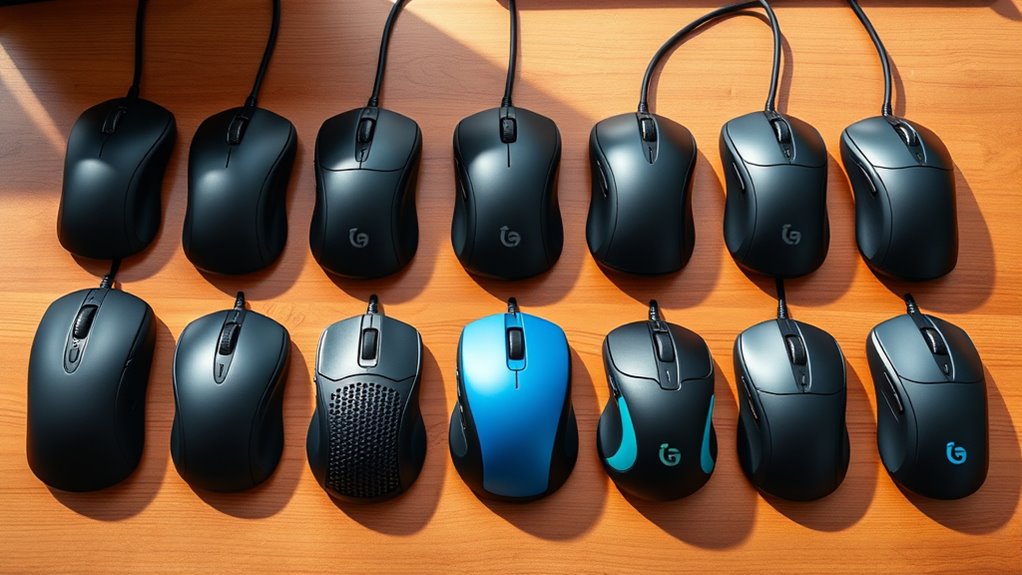

Vertical ergonomic mice are designed to reduce strain and improve comfort during extended computer use. The best options, like the Logitech MX Vertical, excel in offering a natural hand position and smooth performance. However, tradeoffs often include higher price tags or limited customization. Cheaper models may sacrifice durability or advanced features, while premium options tend to focus on finer ergonomics and tech. Continue reading for a detailed comparison that helps you find the perfect fit for your hand and work style.

Get audio and creator gear delivered free with Prime
- Fast, free delivery on millions of items
- Prime Video, Amazon Music and more included
- Member-only deals all year
Complete the kit



Key Takeaways
- Top picks balance comfort, precision, and build quality, with Logitech leading for overall performance.
- Price varies widely; the most expensive models often offer better ergonomics but aren’t always necessary for casual users.
- Connectivity options like Bluetooth and USB are common, but compatibility with multiple devices can influence choice.
- Design differences, such as size and grip style, significantly impact comfort—smaller hands benefit from compact options.
- Additional features like programmable buttons or adjustable DPI are more prevalent in premium models, catering to power users.
| Logitech Lift Vertical Ergonomic Mouse, Wireless, Bluetooth or Logi Bolt USB Receiver, Quiet Clicks, 4 Buttons, Compatible with Windows/macOS/iPadOS, Laptop, PC – Graphite (Renewed) |  | Best Overall for Ergonomic Comfort and Versatility | Connectivity Technology: Bluetooth, USB, Wireless | Additional Features: Wireless, Optical and Laser Movement Detection | Button Quantity: 4 | VIEW ON AMAZON | See Our Full Breakdown |
| AOC Ergonomic Wireless Vertical Mouse, Rechargeable, 2.4GHz Bluetooth |  | Best for Comfort and Extended Use in Professionals | Design: Vertical, 52° angle | DPI: 1000/1600/2400/3200/4800 | Battery: 800mAh rechargeable, up to 200 hours | VIEW ON AMAZON | See Our Full Breakdown |
| Logitech MX Vertical Wireless Ergonomic Mouse |  | Best for Long-Term Daily Use and Cross-Platform Compatibility | Connectivity Technology: Bluetooth, Radio Frequency, USB | Movement Detection: Optical | Button Quantity: 4 | VIEW ON AMAZON | See Our Full Breakdown |
| UGREEN Vertical Wireless Ergonomic Mouse with 5 Buttons, 1000/1600/2000/4000 DPI, Bluetooth & 2.4G, Compatible with PC/Laptop/Tablet |  | Best for Multi-Device Versatility and Budget-Friendly Ergonomics | Connectivity: Bluetooth and 2.4G wireless | DPI: 1000/1600/2000/4000 | Angle: 57° vertical | VIEW ON AMAZON | See Our Full Breakdown |
| Logitech MX Vertical Advanced Ergonomic Mouse, Wireless Bluetooth or USB (Renewed) |  | Best for Long Hours and Cross-Platform Comfort | Connectivity Technology: Bluetooth, USB | Movement Detection: Optical | Button Quantity: 4 | VIEW ON AMAZON | See Our Full Breakdown |
| Lekvey Ergonomic Wireless Vertical Mouse |  | Best Overall for Balanced Comfort and Compatibility | Dimensions: 5.0″ x 3.0″ x 2.5″ | DPI Levels: 800 / 1200 / 1600 | Battery Life: Over 150 hours | VIEW ON AMAZON | See Our Full Breakdown |
| ProtoArc EM11 NL Wireless Ergonomic Vertical Mouse, Rechargeable, Black |  | Best for Small to Medium Hands with Multi-Device Connectivity | Hand Size Compatibility: Small to Medium Hands (under 7.5 inches) | Connectivity: Bluetooth 5.0, 2.4G USB-A | Battery: 500mAh Li-Ion rechargeable | VIEW ON AMAZON | See Our Full Breakdown |
| Uineer Vertical Ergonomic Wireless Bluetooth Mouse, 3-Device |  | Best for Stylish Multi-Device Office Use | Connectivity: Bluetooth 5.0/4.0, 2.4G Wireless | Device Support: Up to 3 devices | DPI Settings: 800/1200/1600/2400 | VIEW ON AMAZON | See Our Full Breakdown |
| Perixx PERIMICE-719 Right-Handed Wireless Mini Vertical Mouse, 3 Level DPI |  | Best for Small Hands and Budget-Friendly Usage | Design: Ergonomic vertical shape | DPI: 800/1200/1600 | Connectivity: Wireless 2.4 GHz | VIEW ON AMAZON | See Our Full Breakdown |
| Anker 2.4G Wireless Ergonomic Vertical Mouse |  | Best Budget Choice for Basic Ergonomics | Connectivity: 2.4 GHz wireless via USB receiver | DPI Resolution: 800/1200/1600 DPI | Dimensions: 120*62.8*74.8 mm | VIEW ON AMAZON | See Our Full Breakdown |
| Logitech MX Vertical Wireless Mouse Ergonomic Design – Graphite |  | Best Overall | Connectivity: Wireless | DPI: 4000 | Angle: 57° | VIEW ON AMAZON | See Our Full Breakdown |
| Logitech Lift Vertical Ergonomic Mouse, Wireless, Bluetooth or Logi Bolt USB Receiver, Quiet Clicks, 4 Buttons, Compatible with Windows/macOS/iPadOS, Laptop, PC – Off White (Renewed) |  | Best for Long Hours of Use | Connectivity Technology: Bluetooth, USB, Wireless | Button Quantity: 4 | Range: 30.0 feet | VIEW ON AMAZON | See Our Full Breakdown |
| TECKNET Ergonomic Wireless Vertical Mouse, 4800 DPI, Bluetooth & 2.4GHz, Silent, 3-Device |  | Best for Multi-Device Users | DPI: 4800/3200/2400/1600/1200/800 | Connectivity: Bluetooth 5.0/3.0, 2.4GHz USB | Battery: 2 AAA batteries (not included) | VIEW ON AMAZON | See Our Full Breakdown |
| Logitech Lift Vertical Ergonomic Wireless Mouse – Graphite | | Best for Small to Medium Hands | Weight: 125 g | Dimensions: 108 x 70 x 71 mm | Tracking: 4000 DPI (adjustable) | VIEW ON AMAZON | See Our Full Breakdown |
| Anker USB Wired Vertical Mouse, Ergonomic Mouse for Computer and Laptops |  | Best Budget Wired Option | DPI: 1000/1600 | Cable Length: 4.9 ft | Dimensions: 120*62.8*74.8 mm | VIEW ON AMAZON | See Our Full Breakdown |
| vertical ergonomic mice | Connectivity |
|---|---|
| Logitech Lift Vertical Ergonom | — |
| AOC Ergonomic Wireless Vertica | Bluetooth 5.4, 2.4GHz wireless, USB wired |
| Logitech MX Vertical Wireless | — |
| UGREEN Vertical Wireless Ergon | Bluetooth and 2.4G wireless |
| Logitech MX Vertical Advanced | — |
| Lekvey Ergonomic Wireless Vert | Wireless (USB receiver) |
| ProtoArc EM11 NL Wireless Ergo | Bluetooth 5.0, 2.4G USB-A |
| Uineer Vertical Ergonomic Wire | Bluetooth 5.0/4.0, 2.4G Wireless |
| Perixx PERIMICE-719 Right-Hand | Wireless 2.4 GHz |
| Anker 2.4G Wireless Ergonomic | 2.4 GHz wireless via USB receiver |
| Logitech MX Vertical Wireless | Wireless |
| Logitech Lift Vertical Ergonom | — |
| TECKNET Ergonomic Wireless Ver | Bluetooth 5.0/3.0, 2.4GHz USB |
| Logitech Lift Vertical Ergonom | — |
| Anker USB Wired Vertical Mouse | — |
More Details on Our Top Picks
Logitech Lift Vertical Ergonomic Mouse, Wireless, Bluetooth or Logi Bolt USB Receiver, Quiet Clicks, 4 Buttons, Compatible with Windows/macOS/iPadOS, Laptop, PC – Graphite (Renewed)
The Logitech Lift stands out for its focus on natural wrist positioning, making it a top pick for all-day ergonomic use. Its vertical design is comparable to the MX Vertical, but the Lift offers a more compact form suited for small to medium hands, with the added benefit of quiet, customizable clicks. While it supports multiple connection options, its compatibility is limited to right-handed users, similar to other models like the MX Vertical. The refurbished status may concern some buyers about longevity, but its long battery life and recycled materials add to its appeal. It excels for users seeking a comfortable, versatile mouse that minimizes wrist strain during prolonged work sessions.
Pros:- Ergonomic vertical design promotes natural wrist posture
- Quiet clicks and customizable buttons improve user experience
- Multiple connection options with long battery life
Cons:- Only suitable for right-handed users
- Limited to small and medium hand sizes
- Refurbished product may have variable longevity
Best for: Small to medium right-handed users looking for an ergonomic, wireless mouse with multi-device support
Not ideal for: Large-handed users or those preferring a wired connection, as the size may be restrictive and it lacks wired options
- Connectivity Technology:Bluetooth, USB, Wireless
- Additional Features:Wireless, Optical and Laser Movement Detection
- Button Quantity:4
- Hand Orientation:Right-handed
Our verdict“This pick is ideal for small to medium right-handed users seeking a comfortable, versatile wireless mouse with eco-friendly features.”
AOC Ergonomic Wireless Vertical Mouse, Rechargeable, 2.4GHz Bluetooth
The AOC Ergonomic Wireless Vertical Mouse offers a 52° vertical angle that reduces wrist strain, making it suitable for those who spend long hours at the computer. Its adjustable DPI up to 4800 allows precise control, surpassing simpler models like the UGREEN in customization. Its rechargeable battery provides up to 200 hours of use, even while charging, which is a significant advantage over non-rechargeable options. Unlike the Logitech Lift, it is designed for a broader range of users, but it may not fit larger hands comfortably. The quiet operation and RGB lighting give it a modern, professional appeal. It’s best suited for users seeking a high-performance ergonomic mouse for work and leisure.
Pros:- Ergonomic 52° vertical design reduces wrist strain
- Adjustable DPI for precise movement
- Rechargeable battery with long-lasting performance
Cons:- Optimized for small to medium hands, less suitable for large hands
- Some buttons may produce normal clicking sounds
- Not ideal for users who prefer wired connectivity
Best for: Professionals who need precise control and long-lasting comfort during extended work sessions
Not ideal for: Large-handed users or those preferring wired mice, as the design may be restrictive and it relies on wireless connections
- Design:Vertical, 52° angle
- DPI:1000/1600/2400/3200/4800
- Battery:800mAh rechargeable, up to 200 hours
- Connectivity:Bluetooth 5.4, 2.4GHz wireless, USB wired
Our verdict“This mouse makes the most sense for professionals seeking a comfortable, rechargeable ergonomic mouse with high precision and modern features.”
Logitech MX Vertical Wireless Ergonomic Mouse
The Logitech MX Vertical is crafted for users who prioritize a well-rounded ergonomic experience with high precision. Its adjustable angle feature helps customize wrist positioning, setting it apart from the fixed-angle models like the AOC. Its 4000 DPI optical sensor delivers smooth, accurate tracking suitable for detailed work. The long battery life of up to 4 months makes it excellent for those who dislike frequent charging, similar to the MX Vertical but with a slightly more modern aesthetic. However, its limited buttons may not satisfy power users, and it’s exclusively for right-handed users. This mouse caters well to professionals seeking comfort without sacrificing performance across platforms.
Pros:- Adjustable vertical angle reduces hand and wrist strain
- Wireless connectivity via Bluetooth or RF for flexibility
- Long battery life of up to 4 months
Cons:- Limited to right-handed users
- Only 4 buttons which may restrict advanced users
- Requires replacement of one battery over time
Best for: Users needing a reliable, multi-platform ergonomic mouse for daily productivity
Not ideal for: Power users requiring numerous customizable buttons or large-handed users who find it too compact
- Connectivity Technology:Bluetooth, Radio Frequency, USB
- Movement Detection:Optical
- Button Quantity:4
- Maximum Sensitivity:4000 DPI
- Range:5.0 meters
Our verdict“This model is perfect for users who want a comfortable, long-lasting ergonomic mouse that adapts to their preferred angle for daily use.”
UGREEN Vertical Wireless Ergonomic Mouse with 5 Buttons, 1000/1600/2000/4000 DPI, Bluetooth & 2.4G, Compatible with PC/Laptop/Tablet
The UGREEN Vertical Wireless Mouse features a 57° vertical angle that effectively reduces wrist strain, making it suitable for users with medium to large hands. Its support for up to three devices and quick switching is a clear advantage over simpler models like the Perixx. The adjustable DPI levels up to 4000 provide precise control, while dual connectivity options offer flexibility across devices, including Windows, Mac, Linux, and Android. However, system mode switching via a bottom button adds an extra step, and lag can occur if the mouse is used beyond the effective range of the receiver. This mouse is an excellent choice for users needing multi-device support at an affordable price, especially those with larger hands.
Pros:- Ergonomic 57° vertical angle reduces wrist strain
- Supports up to 3 devices with quick switching
- Adjustable DPI for precise control
Cons:- Designed primarily for medium to large hands
- Requires system mode switching via bottom button
- Potential lag if used far from receiver
Best for: Medium to large hand users who need a multi-device, budget-friendly ergonomic mouse
Not ideal for: Small-handed users or those preferring wired mice, as it relies on wireless connectivity and has a size that may be bulky for smaller hands
- Connectivity:Bluetooth and 2.4G wireless
- DPI:1000/1600/2000/4000
- Angle:57° vertical
- Device Support:Up to 3 devices
Our verdict“This mouse is ideal for users who want a versatile, ergonomic solution for multiple devices without a high price tag.”
Logitech MX Vertical Advanced Ergonomic Mouse, Wireless Bluetooth or USB (Renewed)
The Logitech MX Vertical Advanced emphasizes comfort for extended hours, with an adjustable angle that helps customize wrist positioning. Its 4500 DPI optical sensor offers high precision, surpassing many competitors like the Logitech Lift in sensitivity. The long battery life of around 4 months minimizes downtime, appealing to heavy users. However, as a renewed product, some buyers might worry about warranty limitations. Its vertical design is optimized for right-handed users, and with only four buttons, it may not suit users who desire extensive customization. This mouse is best for professionals who prioritize ergonomic comfort combined with high performance across multiple platforms.
Pros:- Adjustable angle for personalized wrist positioning
- Wireless connectivity via Bluetooth or USB
- Battery life up to 4 months
Cons:- Renewed product may have limited warranty
- Vertical design may require adaptation for some users
- Limited to right-handed users
Best for: Power users or professionals who spend long hours at their desk seeking a highly customizable ergonomic mouse
Not ideal for: Casual users or those with large hands who find it too compact or require more buttons
- Connectivity Technology:Bluetooth, USB
- Movement Detection:Optical
- Button Quantity:4
- Maximum Sensitivity:4500 DPI
- Range:10 meters
Our verdict“This mouse is designed for those who need a high-performance, ergonomic solution that supports prolonged use and multi-platform compatibility.”
Lekvey Ergonomic Wireless Vertical Mouse
The Lekvey Ergonomic Wireless Vertical Mouse stands out for its straightforward design that effectively reduces wrist strain, making it a practical choice for long hours at the desk. Compared with the Uineer mouse, it offers a more traditional ergonomic shape without flashy features, focusing instead on comfort and ease of use. Its high-capacity battery supports over 150 hours of continuous operation, minimizing downtime, while broad OS compatibility ensures seamless integration into various setups. The plug-and-play USB receiver simplifies setup, but the primary tradeoff is that new users may need a brief adjustment period to get accustomed to its vertical orientation. Limited color options might also be a drawback for those seeking more style variety. This pick makes the most sense for users who want reliable comfort without extra bells and whistles, especially if they value long battery life and broad compatibility.
Pros:- Ergonomic design reduces wrist strain and discomfort
- Long battery life with over 150 hours of use per charge
- Wide compatibility with multiple operating systems
- Easy plug-and-play setup with USB receiver
Cons:- May require an adjustment period for new users
- Limited color options (only black mentioned)
Best for: Office workers who need a dependable, ergonomic mouse for daily extended use across multiple operating systems
Not ideal for: Gamers or users seeking customizable buttons and flashy features, as this model emphasizes simplicity over advanced controls
- Dimensions:5.0″ x 3.0″ x 2.5″
- DPI Levels:800 / 1200 / 1600
- Battery Life:Over 150 hours
- Connectivity:Wireless (USB receiver)
- Compatibility:Windows 2000/XP/Vista/7/8/10, Linux, Mac OS
- Color:Black
Our verdict“This mouse is ideal for users who prioritize comfort and compatibility over style or advanced features.”
ProtoArc EM11 NL Wireless Ergonomic Vertical Mouse, Rechargeable, Black
The ProtoArc EM11 NL makes a strong case as a versatile vertical mouse tailored for small to medium hands, offering a natural grip that reduces wrist strain. Unlike the Lekvey, it supports dual Bluetooth and USB-A connectivity, enabling users to manage up to three devices easily—ideal for multitasking environments. Its rechargeable 500mAh battery and Type-C charging port add convenience, though it may involve a learning curve for those new to vertical mice, especially since the shape differs markedly from traditional mice. While the quiet clicking is a plus for quiet office settings, the lack of programmable buttons and some incompatibility with Mac OS could be limitations for power users. This model suits those who want a sleek, multi-device ergonomic mouse without the need for extensive customization.
Pros:- Ergonomic shape reduces wrist strain and improves comfort
- Supports up to three devices via Bluetooth and USB-A
- Rechargeable battery with Type-C charging
- Quiet clicking minimizes noise during use
Cons:- Learning curve for users unfamiliar with vertical mice
- Buttons are not programmable and some are incompatible with Mac OS
Best for: Small to medium hand users who need a multi-device ergonomic mouse for work and casual use
Not ideal for: Users with larger hands or those looking for highly customizable buttons, as the EM11 NL offers limited programmability and size constraints
- Hand Size Compatibility:Small to Medium Hands (under 7.5 inches)
- Connectivity:Bluetooth 5.0, 2.4G USB-A
- Battery:500mAh Li-Ion rechargeable
- Charging:Type-C cable (included)
- DPI Levels:1000/1600/2400
- Compatibility:Windows 8/10 or higher, Mac OS X 10.12 or higher, Android 4.3+
- Color:Black
Our verdict“This mouse is perfect for small to medium hand users seeking multi-device functionality in a compact, ergonomic design.”
Uineer Vertical Ergonomic Wireless Bluetooth Mouse, 3-Device
The Uineer Vertical Ergonomic Mouse excels in combining style with function, making it suitable for users who want a visually appealing device that reduces wrist strain. Its 7-color ambient light adds a touch of personality, and the ability to switch seamlessly among three devices via Bluetooth or 2.4G wireless makes it highly versatile for busy workstations. Its adjustable DPI (800-2400) allows adaptation to various tasks and surfaces, but side buttons are not functional on Mac OS, which could limit navigation options for Mac users. Designed primarily for small to medium hands, larger-handed users might find its size less comfortable. This model targets those who value aesthetic appeal alongside ergonomic benefits and multi-device connectivity.
Pros:- Reduces wrist strain with ergonomic vertical design
- Supports multiple devices with seamless switching
- Adjustable DPI for various tasks and surfaces
- Stylish 7-color ambient lighting
Cons:- Side buttons are not functional on macOS
- May not fit larger hands comfortably
Best for: Professionals who want a stylish, multi-device mouse suitable for office and casual settings
Not ideal for: Power users or gamers who need customizable or silent buttons, or users with larger hands
- Connectivity:Bluetooth 5.0/4.0, 2.4G Wireless
- Device Support:Up to 3 devices
- DPI Settings:800/1200/1600/2400
- Battery Life:Auto-sleep after 10-30 mins, low-battery LED
- Compatibility:Windows, Mac OS X, Linux, Android, iOS 13+
- Ambient Light:7-color
Our verdict“This mouse suits users seeking an ergonomic, multi-device, visually appealing option for everyday office tasks.”
Perixx PERIMICE-719 Right-Handed Wireless Mini Vertical Mouse, 3 Level DPI
The Perixx PERIMICE-719 targets users with smaller hands seeking an ergonomic vertical mouse at an affordable price. Its compact size and 800-1600 DPI levels make it suitable for web browsing and office tasks, though it lacks the premium features of pricier models like silent buttons or extensive programmability. Its 2.4 GHz wireless connection offers solid range and stability, but the non-silent scroll wheel and back/forward buttons might be distracting in quiet environments. Designed exclusively for Windows and basic macOS support, it may not satisfy power users or those needing advanced customization. This mouse makes sense for budget-conscious users who want a compact, ergonomic option without demanding extra features.
Pros:- Ergonomic vertical shape reduces wrist strain
- Adjustable DPI for control precision
- Wireless connection with good range
- Affordable price point
Cons:- Scroll wheel and back/forward buttons are not silent
- Buttons are not programmable and support is limited on macOS
Best for: Users with small hands or those on a tight budget needing a basic ergonomic mouse for daily tasks
Not ideal for: Power users or larger-handed users seeking silent or highly customizable buttons, as features are limited
- Design:Ergonomic vertical shape
- DPI:800/1200/1600
- Connectivity:Wireless 2.4 GHz
- Range:up to 30 ft
- Batteries:2 AAA (not included)
- Dimensions:4.92 × 2.44 × 3.03 inches
- Compatibility:Windows 7/8/10/11, macOS 10.12+
Our verdict“This mouse is best suited for small hands and budget-conscious users who want basic ergonomic design without extras.”
Anker 2.4G Wireless Ergonomic Vertical Mouse
The Anker Wireless Vertical Ergonomic Mouse offers a simple, no-frills ergonomic shape that helps maintain a neutral wrist position, making it suitable for users new to vertical mice or those on a budget. Unlike the more feature-rich options like the Uineer or ProtoArc, this model emphasizes fundamental comfort with adjustable DPI (800/1200/1600) and web navigation buttons. Its energy-efficient design with low power consumption and an 18-month warranty adds value, but the unavoidable key click sounds and reliance on AAA batteries may be drawbacks for some. It’s best for users who want a straightforward ergonomic mouse without extra bells and whistles, especially if they prefer wired or basic wireless setups.
Pros:- Ergonomic design reduces wrist strain
- Adjustable DPI for control
- Energy-efficient with long-lasting batteries
- Affordable price and simple setup
Cons:- Key click sounds are unavoidable
- Requires AAA batteries (not included)
Best for: Beginner users or those seeking an affordable, simple ergonomic mouse for everyday use
Not ideal for: Power users or those requiring silent buttons or advanced customization, as these features are limited
- Connectivity:2.4 GHz wireless via USB receiver
- DPI Resolution:800/1200/1600 DPI
- Dimensions:120*62.8*74.8 mm
- Weight:3.4 oz
- Batteries:2 AAA (not included)
- Warranty:18 months
Our verdict“This mouse fits users who need a basic, ergonomic mouse at a low price point without advanced features.”
Logitech MX Vertical Wireless Mouse Ergonomic Design – Graphite
The Logitech MX Vertical stands out for its combination of ergonomic design and high-precision tracking, making it ideal for users who need accuracy and comfort over long hours. Its 57° vertical angle and textured surface promote natural wrist posture, surpassing many competitors like the Anker wired mouse, which lacks wireless convenience. The 4000 DPI sensor delivers accurate cursor control, but some may find the high sensitivity requires adjustment. Its wireless connectivity offers mobility, though the need for a USB receiver adds a minor inconvenience. This model is perfect for professionals seeking a reliable, ergonomically tested mouse, with the tradeoff of slightly higher DPI sensitivity and the extra USB storage requirement.
Pros:- Ergonomically designed to reduce wrist strain
- High-precision 4000 DPI sensor for accurate cursor control
- Comfortable textured surface fits various hand sizes
- Approved by ergonomists for improved posture
Cons:- Requires USB receiver which may be stored inside the mouse
- Higher DPI may require adjustment for some users
Best for: Designers or office workers who prioritize precision and ergonomic health without sacrificing wireless convenience.
Not ideal for: Users preferring wired mice for guaranteed connectivity or those on a tight budget due to its premium price point.
- Connectivity:Wireless
- DPI:4000
- Angle:57°
- Color:Graphite
- Surface:Textured rubber
- Packaging:FSC-certified paper
Our verdict“This mouse is ideal for users seeking a high-quality ergonomic wireless option with precise tracking and professional approval.”
Logitech Lift Vertical Ergonomic Mouse, Wireless, Bluetooth or Logi Bolt USB Receiver, Quiet Clicks, 4 Buttons, Compatible with Windows/macOS/iPadOS, Laptop, PC – Off White (Renewed)
The Logitech Lift is tailored for prolonged use with its natural upright posture and quiet, customizable buttons, making it a top choice for those working extended hours. Compared with the MX Vertical, the Lift’s focus on quiet operation and multi-platform compatibility enhances user comfort, especially in shared environments. Its 24-month battery life and lightweight design reduce fatigue, though its right-handed only orientation limits accessibility. The need for software like Logitech Options+ for full customization can be a slight inconvenience, but this model excels for users who prioritize quiet clicks and long-lasting battery life in a sleek, ergonomic form.
Pros:- Ergonomic upright design promotes natural wrist posture
- Quiet clicks reduce noise during extended work sessions
- Long battery life of up to 24 months
- Multi-device connectivity with seamless switching
Cons:- Requires one lithium polymer battery which may need replacement
- Limited to right-handed users
Best for: Professionals working long hours on multiple devices who value quiet operation and customization.
Not ideal for: Left-handed users or those seeking a wired mouse with no need for software customization.
- Connectivity Technology:Bluetooth, USB, Wireless
- Button Quantity:4
- Range:30.0 feet
- Battery Life:24 months
- Color:Off White
- Compatibility:Windows, macOS, iPadOS
Our verdict“This mouse is best suited for users who prioritize quiet operation, long battery life, and multi-device connectivity in a comfortable ergonomic shape.”
TECKNET Ergonomic Wireless Vertical Mouse, 4800 DPI, Bluetooth & 2.4GHz, Silent, 3-Device
The TECKNET Vertical Mouse excels for users who need to switch effortlessly between multiple devices, thanks to its seamless Bluetooth and 2.4GHz connections. Its adjustable DPI up to 4800 allows fine-tuned precision, surpassing lesser models like the Anker wired mouse, which lacks multi-device support and adjustable DPI. The silent clicks and ergonomic design reduce wrist strain, but its right-handed only layout and reliance on AAA batteries can be drawbacks for some. This pick makes the most sense for busy multitaskers who value flexibility and high sensitivity, though it requires batteries and is limited to right-handed users.
Pros:- Seamless multi-device switching
- Adjustable high DPI for precision control
- Quiet, nearly silent clicks
- Ergonomic design reduces wrist strain
Cons:- Designed for right-handed use only
- Requires 2 AAA batteries (not included)
Best for: Professionals managing multiple devices who need high precision and quiet operation.
Not ideal for: Left-handed users or those seeking a wired solution without battery concerns.
- DPI:4800/3200/2400/1600/1200/800
- Connectivity:Bluetooth 5.0/3.0, 2.4GHz USB
- Battery:2 AAA batteries (not included)
- Compatibility:Windows, Mac, Chrome, Linux
- Design:Right-handed ergonomic vertical
Our verdict“Ideal for multitaskers who need a high-sensitivity, quiet, multi-device ergonomic mouse for daily use.”
Logitech Lift Vertical Ergonomic Wireless Mouse – Graphite
The Logitech Lift offers a compact, natural wrist position with a 57° angle, making it well-suited for users with smaller to medium hands. Its multi-device connectivity via Bluetooth or Logi Bolt USB enhances flexibility, with a long battery life of up to two years, outperforming bulkier models like the MX Vertical which may feel oversized for some users. Customizable buttons and quiet clicks boost productivity, but the need for Logitech’s software for full customization can be a hurdle. This mouse makes the most sense for users who need a smaller, ergonomic wireless mouse that is easy to handle, though it isn’t ideal for larger hands or left-handed users.
Pros:- Ergonomic design reduces wrist strain with a natural 57-degree angle
- Long battery life of up to two years
- Multi-device connectivity with Easy-Switch and Logitech Flow
- Customizable buttons and quiet clicks
Cons:- Requires Logi Options+ software for full customization
- Design may not suit users preferring traditional mouse shapes
Best for: Users with smaller or medium-sized hands seeking a compact ergonomic mouse for everyday use.
Not ideal for: People with larger hands or those who prefer a wired or non-software-dependent device.
- Weight:125 g
- Dimensions:108 x 70 x 71 mm
- Tracking:4000 DPI (adjustable)
- Battery Type:1x AA
- Wireless Range:10 m
- Platform Compatibility:Windows 10/11, macOS 10.15+, iPadOS 14+
Our verdict“This mouse suits users with smaller hands seeking a compact, ergonomic wireless option for daily use.”
Anker USB Wired Vertical Mouse, Ergonomic Mouse for Computer and Laptops
The Anker Wired Vertical Mouse offers a straightforward ergonomic solution with a natural handshake wrist position, making it suitable for users who prefer wired reliability. Compared to wireless options like the Logitech MX Vertical, it sacrifices mobility but benefits from simplicity and affordability. Its adjustable DPI up to 1600 provides decent precision for everyday tasks, though it lacks advanced customization or multi-device support. The wired connection limits flexibility, but its lightweight, compact design makes it easy to handle during prolonged use. This pick is best for budget-conscious users who want basic ergonomic features without the need for wireless connectivity or extra software.
Pros:- Ergonomic design reduces wrist strain
- Adjustable DPI for versatile tracking
- Lightweight and compact for comfortable handling
- Affordable price point
Cons:- Wired connection limits mobility
- Lacks advanced features like multi-device support or software customization
Best for: Budget-conscious users or those who prefer wired mice for consistent connection during long work sessions.
Not ideal for: Users needing wireless connectivity or advanced customization features.
- DPI:1000/1600
- Cable Length:4.9 ft
- Dimensions:120*62.8*74.8 mm
- Weight:5.3 oz
- Warranty:18 months
Our verdict“This wired ergonomic mouse is best for users seeking an affordable, reliable, and straightforward solution for daily use.”

How We Picked
This selection process focused on evaluating each mouse’s ergonomic design, build quality, and usability over extended periods. We considered how well each model reduces wrist strain, its compatibility across operating systems, and the overall value for different budgets. Durability, ease of setup, and feature set also played critical roles, ensuring that each mouse offers a reliable, comfortable experience tailored to various user needs. The ranking reflects a balance between performance, comfort, and affordability, helping buyers find the best fit for both casual and professional use.Factors to Consider When Choosing Vertical Ergonomic Mice
Choosing the right vertical ergonomic mouse involves more than just price. To ensure comfort and efficiency, consider key factors like size, grip style, connectivity, and additional features. Understanding these aspects can help you avoid common mistakes, such as selecting a mouse that’s too small or lacking compatibility with your devices. Balancing your specific needs against tradeoffs like price and feature set ensures a more satisfying purchase.Size and Fit
Vertical mice come in various sizes, and selecting one that matches your hand size is essential for comfort. A model that’s too small may cause grip fatigue, while a larger one can feel unwieldy. Measure your hand or try holding a comparable mouse to gauge fit. Remember, a proper fit reduces wrist strain and promotes natural hand positioning, especially during long work sessions.
Grip Style and Shape
Different mice support different grip styles—palm, claw, or fingertip. Choose a shape that aligns with your preferred grip to maximize comfort. For example, some vertical mice are designed with a more rounded shape for palm grip, while others favor a narrower profile for claw grip. The right shape minimizes muscle tension and prevents fatigue over time.
Connectivity and Compatibility
Decide whether you need a wired or wireless mouse, considering your setup. Wireless models with Bluetooth or 2.4GHz support offer greater freedom of movement, but may have slight latency or connection issues in some cases. Confirm that the mouse is compatible with your operating system—Windows, macOS, or iPadOS—and supports multi-device pairing if needed. Compatibility pitfalls can make a good mouse frustrating to use.
Additional Features
Features like programmable buttons, adjustable DPI, or customizable ergonomics can enhance productivity, especially for power users. However, these tend to increase cost and complexity. Assess whether you truly need these extras or if a simpler model suffices. Overloading on features may complicate setup or reduce battery life in wireless models.
Price and Durability
Higher-priced options often deliver better ergonomics, build quality, and longevity, but may not be necessary for casual use. Cheaper models can be sufficient for light tasks, yet they may wear out faster or lack comfort features. Investing in a durable, well-designed mouse can improve long-term satisfaction, especially if you spend many hours daily at your desk.
Frequently Asked Questions
Can a vertical ergonomic mouse really reduce wrist strain?
Yes, a vertical ergonomic mouse encourages a more natural hand position, which minimizes wrist rotation and muscle tension. This alignment can significantly decrease discomfort during prolonged use, especially for those with existing wrist or forearm issues. While it’s not a cure-all, a well-designed vertical mouse often results in noticeable relief compared to traditional horizontal mice.
Are wireless vertical mice reliable for gaming or fast-paced work?
Wireless vertical mice with high DPI and low latency can perform well for gaming and quick tasks, though they may not match wired models in responsiveness. Many premium options include advanced wireless tech to reduce lag and improve stability. For casual or office use, wireless is usually sufficient, but competitive gamers might prefer wired models for absolute minimal delay.
How important is DPI adjustment in a vertical mouse?
DPI adjustment allows you to change cursor sensitivity, which can improve precision for tasks like graphic design or detailed editing. While not critical for all users, having customizable DPI settings makes a vertical mouse more versatile. It’s especially beneficial if you switch between different applications that require varying levels of cursor control.
Should I prioritize a smaller or larger vertical mouse?
Choosing between a smaller or larger model depends on your hand size and grip preference. Smaller mice are easier to maneuver for those with petite hands, while larger ones support a more relaxed grip for bigger hands. Opting for a size that fits comfortably ensures less fatigue and better control during extended use.
Is investing in a premium vertical mouse worth it?
Premium vertical mice typically offer superior ergonomics, advanced features, and longer durability. If you spend many hours at your computer or have pre-existing discomfort, investing in a high-quality model can pay off through increased comfort and productivity. However, for casual use, budget options may provide sufficient support without the higher cost.
Conclusion
For general office users seeking comfort and reliability, the Logitech MX Vertical stands out as the best overall choice, blending performance and ergonomic design. Those on a budget should consider the Ugreen Vertical Wireless Mouse, which offers decent features at a lower price point. If premium features and advanced customization matter, the Logitech MX Vertical Advanced delivers top-tier ergonomics and tech. Beginners or infrequent users will find simpler models sufficient, while professionals with specific ergonomic needs may prefer higher-end options with tailored features. Ultimately, the right mouse depends on your hand size, work habits, and budget—use this guide to make an informed decision.