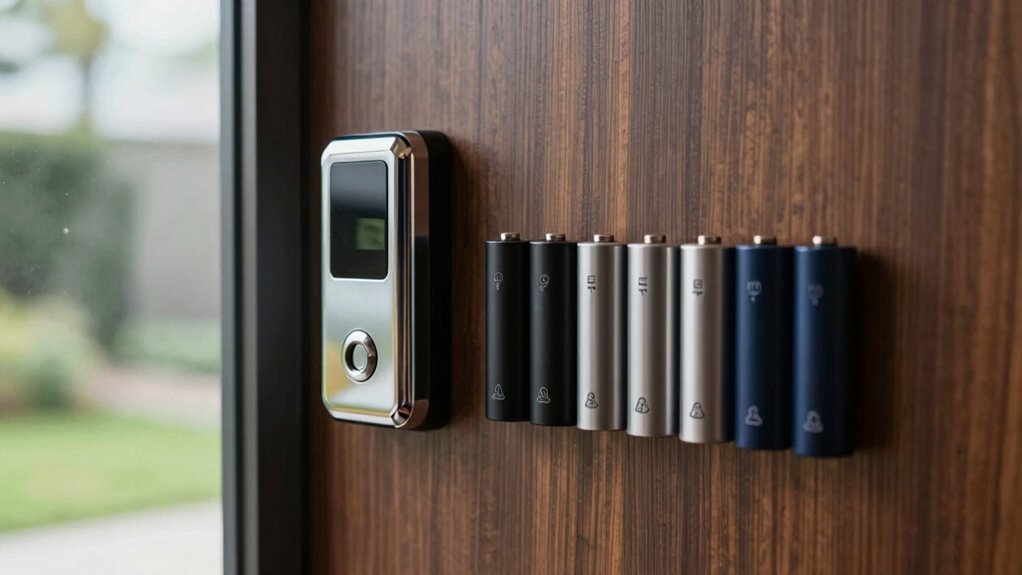
A battery video doorbell is a good fit when you want flexible placement or cannot run doorbell wiring, but battery life, video coverage, storage, and subscription requirements vary. My best overall pick is the Tapo D225, which stands out for offering both wired and battery operation. The Anona 3K Dual Camera is a distinctive option for buyers who want dual-camera coverage and no subscription, while the Google Nest Doorbell may suit households already using Google Home. The main tradeoffs are sharper or wider views versus the time and upkeep of recharging, plus local storage versus cloud-dependent features. Read on for the full comparison and help matching a model to your home.

Get audio and creator gear delivered free with Prime
- Fast, free delivery on millions of items
- Prime Video, Amazon Music and more included
- Member-only deals all year
Complete the kit


Key Takeaways
- The Tapo D225 takes the lead for flexibility: its wired-or-battery design accommodates more installation situations than models focused on one power setup.
- The Anona stands apart on coverage and storage policy: its 3K dual-camera approach and no-subscription positioning appeal to buyers who want to limit ongoing costs, though ecosystem fit and support deserve attention.
- Resolution alone does not define useful footage: the lineup ranges from 1536×1536 HD+ to 3K, but view shape and camera placement determine whether a visitor or package stays in frame.
- Charging is part of the ownership decision: wireless models avoid wiring work but require periodic battery maintenance; wired compatibility can reduce that routine when a suitable connection is available.
- Smart-home fit separates several contenders: the Nest is most relevant to Google Home households, while buyers should verify app, chime, storage, and alert compatibility before choosing another ecosystem.


| video doorbell battery | Night vision | Resolution | Field of view | Connectivity |
|---|---|---|---|---|
| Tapo 2K+ Wired or Battery Powe | Full color with spotlight | 2K QHD | 180° | — |
| Arlo Video Doorbell 2K | Yes | 2K | 180° | 2.4 GHz Wi-Fi |
| Blink Battery Doorbell 2K+ | — | — | 140° horizontal, 140° vertical | 2.4 GHz Wi-Fi 802.11b/g/n |
| Wyze Battery Video Doorbell Wi | Color night vision | 1536 × 1536 HD+ | 150° × 150° | — |
| Tapo 2K Wireless Smart Video D | Full color with spotlight | 2K | 160° diagonal | 2.4 GHz Wi-Fi |
| Google Nest Doorbell | Yes | — | — | — |
| Chamberlain myQ Video Doorbell | Color | 2K | — | Wi-Fi and Bluetooth |
| Anona 3K Dual Camera Video Doo | — | — | — | — |
| Like-New Ring Battery Doorbell | — | — | — | Wi-Fi |
More Details on Our Top Picks
Tapo 2K+ Wired or Battery Powered Smart Video Doorbell with Chime, D225
I’d put the Tapo D225 first for buyers who want a battery doorbell but may later add wiring: it supports either setup, and its 10,000mAh battery is rated for up to eight months. Its 2K QHD image and 180° field of view match the broad coverage offered by the Arlo Video Doorbell 2K, while detection for people, packages, and vehicles adds useful filtering. A spotlight helps produce full-color night vision, and local microSD storage gives you an alternative to cloud recording, though the card is sold separately. The main compromise is network compatibility: this model only connects over 2.4 GHz Wi-Fi. I’d choose it over the narrower-view Tapo D210 when coverage and longer stated battery life matter more than a simpler setup.
Pros:- Can run on battery or 8–24V doorbell wiring
- Up to eight months of stated battery life from a 10,000mAh battery
- 180° view, 2K QHD video, and AI detection for people, packages, and vehicles
- Full-color night vision with spotlight and microSD storage support up to 512GB
Cons:- Supports 2.4 GHz Wi-Fi only
- MicroSD card is not included
- Full functionality depends on a Wi-Fi connection
Best for: Households that want a long-lasting battery option, broad front-door coverage, and the flexibility to switch to wired power.
Not ideal for: Homes that rely on 5 GHz-only Wi-Fi or buyers who want local recording without purchasing a microSD card separately.
- Resolution:2K QHD
- Battery life:Up to 8 months
- Battery capacity:10,000mAh
- Power options:Battery powered or wired (8–24V)
- Field of view:180°
- Night vision:Full color with spotlight
- Storage:MicroSD up to 512GB or cloud storage (subscription required)
- Wi-Fi:2.4 GHz
- Smart home compatibility:Alexa, Google Assistant
Our verdict“Choose the Tapo D225 if you want the lineup’s strongest mix of battery capacity, wide coverage, and wired-power flexibility, and your network supports 2.4 GHz Wi-Fi.”
Arlo Video Doorbell 2K (2nd Generation), Wireless or Wired, 1 Camera
The Arlo Video Doorbell 2K is the better fit for buyers whose doorbell needs to work across a mixed smart-home setup. It supports Alexa, Google Home, and Apple HomeKit, a wider stated platform range than the Tapo D225 or Tapo D210, and can run from a rechargeable battery or wired trickle charging. Its 2K video and 180° view give it the same headline coverage as the D225, while IP65 weather resistance and a built-in siren add practical outdoor protection. The tradeoff is feature access: Arlo’s AI detection, advanced alerts, and 60-day cloud storage require an Arlo Secure subscription after the included trial. Basic live streaming and motion notifications remain available without one, but I’d favor the D225 if local microSD recording is a priority.
Pros:- Works with Alexa, Google Home, Apple HomeKit, and other supported platforms
- 2K video and a 180° field of view
- Rechargeable battery or wired trickle-charging options
- IP65 weather resistance and a built-in siren
Cons:- AI detection, advanced alerts, and 60-day cloud storage require an Arlo Secure subscription after the trial
- Uses 2.4 GHz Wi-Fi only
- No local microSD storage option is listed
Best for: Smart-home households using Apple HomeKit alongside Alexa or Google Home that want flexible battery or wired installation.
Not ideal for: Buyers who want AI alerts and extended cloud recording without an ongoing subscription, or who prefer local microSD storage.
- Resolution:2K
- Field of view:180°
- Power options:Rechargeable battery or wired trickle charging
- Weather resistance:IP65
- Connectivity:2.4 GHz Wi-Fi
- Night vision:Yes
- Two-way audio:Yes
- Built-in siren:Yes
- Cloud storage:60 days with subscription
Our verdict“Pick the Arlo if broad smart-home compatibility matters more than avoiding a subscription for advanced alerts and cloud storage.”
Blink Battery Doorbell 2K+ (Newest Model) — Wireless Video Doorbell with 2K Resolution and Enhanced Audio
The Blink Battery Doorbell 2K+ suits buyers who want a lightweight, straightforward installation and don’t need the widest view in this group. It runs on three AA lithium batteries or can connect to existing doorbell wiring, unlike the rechargeable-battery Tapo D210. Its square 1920 × 1920 video and 140° horizontal and vertical views are designed to show both visitors and the area near the threshold, while two-way audio, motion alerts, and night vision cover the basics. At four ounces, it is also lighter than the other models here based on the supplied data. The tradeoff is that replaceable batteries mean upkeep rather than recharging, and the listed specs give no battery-life estimate. Compared with the D225, it also offers a narrower stated field of view.
Pros:- Battery-powered or compatible with existing doorbell wiring
- 2K square-format video with 140° horizontal and vertical views
- Lightweight at 4 oz
- Weather-resistant design with two-way audio and night vision
Cons:- Uses three AA lithium batteries rather than a built-in rechargeable battery
- The provided specifications do not state a battery-life estimate
- Advanced features require a subscription
Best for: Renters or homeowners who want a lightweight doorbell powered by replaceable batteries and may have existing wiring available.
Not ideal for: Buyers seeking a rechargeable battery, a published battery-life estimate, or the 180° view offered by the Tapo D225 and Arlo 2K.
- Video resolution:2K (1920 × 1920)
- Field of view:140° horizontal, 140° vertical
- Power:3 AA lithium batteries
- Wiring option:Compatible with existing doorbell wiring
- Connectivity:2.4 GHz Wi-Fi 802.11b/g/n
- Dimensions:5.19 × 1.89 × 1.34 in
- Weight:4 oz
- Operating temperature:-5°F to 113°F (-20°C to 45°C)
- Warranty:One-year limited warranty
Our verdict“Choose Blink if replaceable batteries and a light, wire-free installation suit you better than rechargeable power or the wider view of the Tapo D225.”
Wyze Battery Video Doorbell Wireless Camera, 1536×1536 HD+ with Color Night Vision, 2-Way Audio, Head-to-Toe View, Person/Vehicle/Package Monitor, Wireless/Wired Option, Easy Setup
The Wyze Battery Video Doorbell stands out for buyers who want a choice of local or cloud storage without giving up battery installation. It supports a microSD card up to 256GB and can run wire-free or wired, while its 150° × 150° view is wider than Blink’s 140° horizontal and vertical coverage. The 1536 × 1536 HD+ image is below the 2K resolution claimed by the Tapo D225, Arlo, Blink, and Tapo D210, so I’d rank it for storage flexibility rather than maximum detail. Color night vision, two-way audio, and smart notifications round out the everyday feature set. Its stated battery life reaches six months, but actual runtime varies with use; the card is also sold separately.
Pros:- Supports local microSD storage up to 256GB
- Can be installed wire-free or wired
- 150° × 150° field of view with color night vision
- Up to six months of stated battery life
Cons:- 1536 × 1536 resolution is lower than the 2K options in this roundup
- MicroSD card is sold separately
- Battery life varies with usage
Best for: Homeowners who want local microSD recording, flexible wired or battery installation, and a broad view without relying only on cloud storage.
Not ideal for: Buyers who prioritize 2K video or want a microSD card included and a fixed battery-life guarantee.
- Resolution:1536 × 1536 HD+
- Field of view:150° × 150°
- Battery life:Up to 6 months
- Power options:Wireless or wired
- Storage:MicroSD up to 256GB
- Night vision:Color night vision
- Smart home compatibility:Alexa, Google Assistant, IFTTT
- Water resistance:Water resistant
Our verdict“Choose Wyze if local storage and a broad view matter more to you than matching the 2K resolution of the Tapo D225 or Arlo.”
Tapo 2K Wireless Smart Video Doorbell with Chime, 160° Wide View
The Tapo D210 is a sensible pick for buyers who want 2K video, local storage, and an included chime without the larger battery capacity of the D225. Its 6,400mAh rechargeable battery and 160° diagonal view make it a less expansive option than the D225, which has a 10,000mAh battery and 180° view. For many doorways, the D210’s coverage may be enough, and a supplied 15° angled wedge can help aim it toward an offset entrance. Full-color night vision with a spotlight and support for microSD cards up to 512GB add flexibility; cloud storage is also available through Tapo Care. The card is not included, and runtime varies with use. I’d choose it over the Wyze model for 2K resolution, but Wyze has the larger stated view.
Pros:- 2K video with a 160° diagonal field of view
- Rechargeable 6,400mAh battery
- Supports microSD storage up to 512GB and Tapo Care cloud storage
- Includes an indoor chime and a 15° angled wedge
Cons:- MicroSD card is not included
- Battery life varies with usage and environmental conditions
- Indoor-only chime limits where the chime can be placed
Best for: Buyers who want a 2K battery doorbell with an included chime, local microSD recording, and an angled mounting wedge.
Not ideal for: Households that need the longest stated battery life or widest coverage in this set, or buyers who expect a microSD card in the box.
- Resolution:2K
- Field of view:160° diagonal
- Battery:6,400mAh rechargeable
- Storage:MicroSD up to 512GB (not included) or Tapo Care cloud storage
- Night vision:Full color with spotlight
- Connectivity:2.4 GHz Wi-Fi
- Compatibility:Alexa, Google Assistant
- Mounting:Includes 15° angled wedge
- Chime:Indoor use only
Our verdict“Choose the Tapo D210 if you want 2K video and local-storage support in a battery doorbell, but do not need the D225’s larger battery and wider view.”
Google Nest Doorbell (Battery) – Linen
Google Home integration and useful alerts make this a strong fit for buyers who want more context than a basic motion notification. It can distinguish people, packages, animals, and vehicles, with three hours of event history available without a subscription. That free history gives it an advantage over the Like-New Ring Battery Doorbell, whose advanced alerts and cloud storage require a plan. HDR video and night vision support monitoring in changing light, while battery or wired installation adds flexibility at the door.
The tradeoff is that three hours is a short window if you regularly review older events; longer history requires Nest Aware, and continuous 24/7 recording is not available without it. Battery runtime also varies with activity, so frequent motion can mean more recharging. I’d choose the Nest for its alert categories and no-plan event history, not for long-term recording.
Pros:- Identifies people, packages, animals, and vehicles for more informative notifications
- Includes three hours of free event video history
- Can run on battery or connect to existing doorbell wiring
- HD video with HDR and night vision supports day-and-night monitoring
Cons:- Three-hour free event history may be too brief for reviewing older activity
- Continuous 24/7 recording requires a Nest Aware subscription
- Battery life varies with use and requires periodic recharging
Best for: Google Home households that want categorized alerts and a few hours of event history without paying for a subscription
Not ideal for: Buyers who need continuous recording or a long searchable event archive without a subscription
- Power:Battery or wired installation
- Video:HD with HDR
- Night vision:Yes
- Free event history:Up to 3 hours
- Local storage during Wi-Fi outage:Up to 1 hour of footage
- Optional subscription:Nest Aware, with up to 60 days of event history
Our verdict“Choose the Nest if you use Google Home and value categorized alerts plus short-term event history without a plan.”
Chamberlain myQ Video Doorbell 2K Camera, Battery/Wired, Color Night Vision, 150° Wide View, Black
The myQ’s case is built around 2K video, a 150° viewing angle, and color night vision. That broad view can show more of the approach than the Google Nest Doorbell (Battery), whose supplied specs emphasize HDR and event alerts rather than a stated wide-angle measurement. Battery or wired installation also gives owners a choice between a simpler setup and a connection to existing doorbell wiring, while weather resistance suits outdoor placement.
The main caveat is that the headline viewing features do not cover every cost or step: AI alerts require a separate Video Monitoring Plan, and some functions may need extra accessories or plans. Recharging means removing the unit and charging it by USB-C, unlike a wired installation that can reduce reliance on battery charging. I’d favor this model for a wider color view, but the Anona 3K Dual Camera is a better match for shoppers prioritizing subscription-free AI detection and local-storage support.
Pros:- 2K video provides detailed footage
- 150° wide view captures more of the approach
- Color night vision supports viewing after dark
- Battery or wired installation and weather-resistant construction suit different door setups
Cons:- AI alerts require a separate Video Monitoring Plan
- Some features may require additional accessories or plans
- Battery must be removed for USB-C recharging
Best for: Homeowners who want a wide 2K view with color night vision and can accept a separate plan for AI alerts
Not ideal for: Buyers seeking subscription-free AI alerts or a doorbell they can recharge without removing it
- Resolution:2K
- Night vision:Color
- Viewing angle:150°
- Installation:Battery or wired
- Weather resistance:Weatherproof
- Connectivity:Wi-Fi and Bluetooth
- Mount type:Wall mount
- Color:Black
Our verdict“Pick the myQ if wide-angle color night footage matters more to you than plan-free AI alerts or easy battery charging.”
Anona 3K Dual Camera Video Doorbell with No Subscription and Chime
The Anona stands apart by pairing dual 3K, 5MP cameras with AI detection for people, pets, and packages that does not require a subscription. That combination suits buyers who want more than a single-camera view and prefer to manage recordings locally. It supports a microSD card up to 512GB (sold separately), giving it a different ownership model from the Google Nest Doorbell, which provides three hours of free event history but offers longer history through Nest Aware.
Wireless rechargeable-battery and wired installation options add flexibility, and IP65 weather resistance supports outdoor use. The tradeoffs are practical: local recording requires purchasing a card, and full functionality depends on Wi-Fi. Its voice changer may also be irrelevant to buyers seeking a straightforward doorbell. I’d choose the Anona for subscription-free detection and expandable local storage, while the myQ is a simpler fit for someone focused on a stated 150° field of view and color night vision.
Pros:- Dual 3K, 5MP cameras provide two camera views
- AI detection for people, pets, and packages does not require a subscription
- Supports up to a 512GB microSD card for local storage
- Rechargeable-battery or wired installation with IP65 weather resistance
Cons:- MicroSD card for local storage is not included
- Full functionality requires a Wi-Fi connection
- Voice changer features may add little for buyers seeking basic door monitoring
Best for: Privacy-minded households that want subscription-free AI alerts, dual-camera coverage, and the option to save footage locally
Not ideal for: Buyers who want recordings ready out of the box without purchasing a microSD card or relying on Wi-Fi
- Camera resolution:3K, 5MP dual cameras
- Battery capacity:5200mAh
- Power options:Rechargeable battery or wired
- Local storage support:Up to 512GB microSD card; card not included
- Wi-Fi:2.4GHz; Wi-Fi 6 compatible
- Weather resistance:IP65
- Smart-home compatibility:Alexa and Google Assistant
Our verdict“Choose the Anona if you want dual-camera monitoring and subscription-free detection, and are comfortable adding a microSD card for local storage.”
Like-New Ring Battery Doorbell with Head-to-Toe Video, Live View, Two-Way Talk, and Motion Alerts
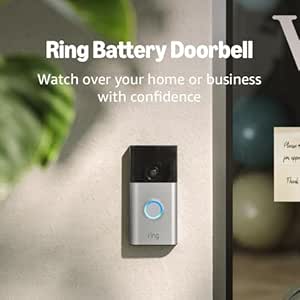
This like-new, refurbished Ring suits Alexa households that want a rechargeable, wire-free doorbell with live view, two-way talk, and motion alerts. Its head-to-toe video is intended to show more of the area close to the door than a conventional view, helping users check activity directly below the camera. Compared with the Google Nest Doorbell, the supplied Ring details emphasize Alexa compatibility and two-way communication, while the Nest offers categorized alerts and three hours of free event history.
The key compromise is the ownership model: advanced alerts and cloud storage require a subscription, so it is less appealing to buyers who want useful history without a plan. The rechargeable battery also needs charging, and refurbished condition may mean generic packaging. I’d select it for a simple Alexa-centered setup, but choose the Anona if subscription-free AI detection and local storage matter more than Alexa integration.
Pros:- Head-to-toe video covers the area close to the door
- Rechargeable battery supports easy installation
- Live view and two-way talk let users check in and respond
- Works with Alexa-enabled devices for hands-free monitoring
Cons:- Advanced alerts and cloud storage require a subscription
- Refurbished unit may arrive in generic packaging
- Built-in battery requires recharging
Best for: Alexa users who want live viewing, two-way talk, and a rechargeable battery in a wire-free installation
Not ideal for: Buyers who want subscription-free advanced alerts and cloud history, or who prefer a brand-new device and packaging
- Model:2nd generation
- Video:Head-to-toe view
- Battery:Built-in rechargeable; USB-C charging
- Connectivity:Wi-Fi
- Smart-home compatibility:Alexa-enabled devices
- Condition:Like-new refurbished
Our verdict“Choose this Ring for Alexa-friendly live view and two-way talk, but skip it if you want advanced alerts and stored footage without a subscription.”

How We Picked
I compared the nine models around the decisions that matter for a battery-powered entrance camera: power flexibility, field of view, resolution, installation demands, storage approach, alerts, and chime setup. A high pixel count can help with detail, but it does not make up for a view that misses the doorstep or for a charging routine that does not suit the household. I also weighed how clearly each product’s stated features address a particular buyer need, such as dual-camera coverage, color night vision, or integration with an existing smart-home setup.
The ranking favors models that balance useful coverage with practical ownership choices, rather than rewarding a single headline specification. That puts the Tapo D225 first for its wired-or-battery flexibility; the Anona earns a distinct place for dual cameras and its no-subscription claim, while the Nest is more compelling for Google Home users than for buyers seeking a platform-neutral pick. The remaining models offer narrower strengths, including 2K video, wide or head-to-toe views, or familiar setup paths, but buyers should check app compatibility, storage terms, included chime, and charging details before purchasing.
| video doorbell battery | Night vision |
|---|---|
| Tapo 2K+ Wired or Battery Powe | Full color with spotlight |
| Arlo Video Doorbell 2K | Yes |
| Blink Battery Doorbell 2K+ | — |
| Wyze Battery Video Doorbell Wi | Color night vision |
| Tapo 2K Wireless Smart Video D | Full color with spotlight |
| Google Nest Doorbell | Yes |
| Chamberlain myQ Video Doorbell | Color |
| Anona 3K Dual Camera Video Doo | — |
| Like-New Ring Battery Doorbell | — |
Factors to Consider When Choosing Video Doorbell Battery
Picking a battery doorbell is not just a resolution comparison. I would start with the physical entrance, then work through power, recording access, and the app features you will actually use; these choices can matter more day to day than the largest number on the box.
Match the View to Your Doorstep
Think about what you need to see: a visitor’s face, a parcel on the ground, or the path approaching the door. A tall head-to-toe image can reveal packages that a conventional wide frame might crop out, while a wider horizontal view can show more of a porch or walkway. Check the stated viewing angle and image shape together, not as interchangeable measures. A high-resolution camera can still miss a low doorstep if it is mounted at the wrong height or angle. Before buying, measure the mounting area and check for walls, trim, or storm doors that could block the lens. If deliveries are the priority, favor framing that captures the floor near the threshold.
Decide Whether Battery-Only Is Really Necessary
Battery power makes installation easier where there is no existing doorbell wiring, but it also adds a recurring task: charging or swapping the battery. Cold weather, frequent motion events, and heavy live-view use can affect how often charging is needed, so advertised battery duration should not be treated as a fixed schedule. A dual-power model can give you a wireless starting point and the option of wiring later, if your home supports it. Before connecting a wired-compatible doorbell, check the manufacturer’s voltage and transformer requirements rather than assuming any old wiring will work. If your entry has dependable compatible wiring, powered operation may reduce maintenance. If not, plan where and when you will recharge the device.
Read the Storage and Subscription Details
Video quality is only useful if you can access the footage when an alert arrives. Doorbells differ in whether recordings are stored locally, in the cloud, or through a paid plan, and live viewing is not the same as saved-event playback. Check how long clips remain available, what features require an account or subscription, and whether local storage needs a separate card or hub. A no-subscription claim can be appealing, but verify which functions are included and how recordings are protected. Buyers who want a record of missed visits should prioritize saved clips over motion notifications alone. Make this check before choosing by resolution, since storage terms can shape the real cost and usefulness of ownership.
Check Chime, Wi-Fi, and Smart-Home Compatibility
A doorbell can send phone alerts without making a sound inside the house, so confirm whether the package includes a plug-in chime or supports your existing chime. Also check Wi-Fi band and signal requirements at the front door; a strong signal indoors may not reach an exterior wall reliably. App compatibility matters if other people in the household need access or if you want the doorbell to work with a voice assistant. Do not assume that a device from a familiar smart-home brand supports every platform or automation. If you already use a particular ecosystem, confirm the exact integrations and available alert controls. A little checking here can prevent a technically capable doorbell from feeling disconnected from the rest of your setup.
Choose Alerts That Fit Your Household
Motion alerts can be helpful, but frequent notifications may become noise if the camera sees a busy sidewalk or passing traffic. Look for controls such as activity zones and person, vehicle, or package detection, and check whether those tools are included or tied to a plan. More detection options do not automatically mean fewer unwanted alerts; placement and settings still matter. Consider who needs to receive notifications and whether they can answer the door through the same app. If you mainly want to know when a visitor presses the button, avoid paying extra for detection features you will not use. For homes with regular deliveries, package alerts and a view of the doorstep may be more useful than advanced motion categories.
Balance Resolution Against Upkeep and Cost
Higher resolution can preserve more detail, but it may also mean larger recordings and greater demands on storage or network capacity. Compare the full set of tradeoffs: framing, night visibility, audio, battery care, and access to saved footage. A model with fewer headline features may be a better fit if its camera angle covers your entrance and its app is easy for your household to use. Paying more makes sense when a specific upgrade solves a real problem, such as needing dual-camera coverage or flexible wired operation. Avoid choosing by pixel count alone, especially if the camera will be mounted far from the visitor. The right balance is the one that produces usable footage without adding maintenance or recurring costs you do not want.
Frequently Asked Questions
Can I use a battery video doorbell without existing doorbell wiring?
Yes, models designed for battery operation can work without existing doorbell wires, but installation and chime behavior depend on the specific device. Check whether the doorbell includes a separate indoor chime or relies on phone alerts, and confirm what Wi-Fi signal it needs at the entrance. A battery-only setup also means removing or charging the unit periodically. If you might add wiring later, a model that supports both power methods gives you more options. Verify the manufacturer’s instructions before connecting any existing wires.
Does a higher-resolution doorbell always show faces and packages more clearly?
No. Resolution can preserve detail, but camera angle, image shape, lighting, and distance all affect what you can identify. A tall view may be more useful for packages near the threshold, while a wider view may show more of the porch. Night performance and compression also affect recorded footage. Compare sample framing or stated field-of-view details, then plan the mounting position before treating a larger resolution number as a guarantee.
Do battery video doorbells need a subscription to save recordings?
That depends on the model and the storage features you want. Some products offer local storage or no-subscription operation, while others may reserve saved clips, longer history, or advanced alerts for a cloud plan. Check the current product terms for recording access, retention duration, and any required storage accessories. A notification alone may tell you someone was there without giving you a replayable clip. If saved video matters, confirm that feature before purchase rather than relying on the word “wireless.”
Will a battery doorbell ring my existing indoor chime?
Not necessarily. Some models include a dedicated plug-in chime, while others may support an existing mechanical or electronic chime only under particular wiring conditions. Check the manufacturer’s compatibility list and whether a chime is included in the package. If no compatible indoor chime is available, you may need to rely on phone alerts or buy an accessory. This is especially worth checking if household members do not keep their phones nearby.
How should I choose between the Tapo D225 and the Anona 3K Dual Camera?
Start with the problem you are trying to solve. The Tapo D225 is the more straightforward choice when flexible wired-or-battery operation matters, while the Anona is aimed at buyers who value dual-camera coverage and a no-subscription approach. Check each model’s storage setup, app support, chime arrangements, and installation requirements before deciding. The Anona’s higher stated resolution does not by itself make it the better fit if its ecosystem or recording workflow does not suit your home. Choose based on power and footage access first, then compare image specifications.
Conclusion
For most households, I would start with the Tapo D225 as the best overall because its wired-or-battery design gives it a practical range of installation options. The Anona 3K Dual Camera is my best pick for specific coverage and subscription needs, provided its storage and app setup match your expectations. For value, compare the Tapo 2K Wireless and Wyze Battery Video Doorbell around the view, chime, and recording features you will actually use rather than choosing on resolution alone. The Google Nest Doorbell is the best fit for many Google Home households, while a first-time buyer who wants a familiar, straightforward setup may prefer the Like-New Ring Battery Doorbell after checking its condition and included components. If sharper 2K footage is your priority, weigh the Arlo, Blink, and Chamberlain against their storage, power, and ecosystem requirements; choose the one that fits your entryway, not just the biggest spec.