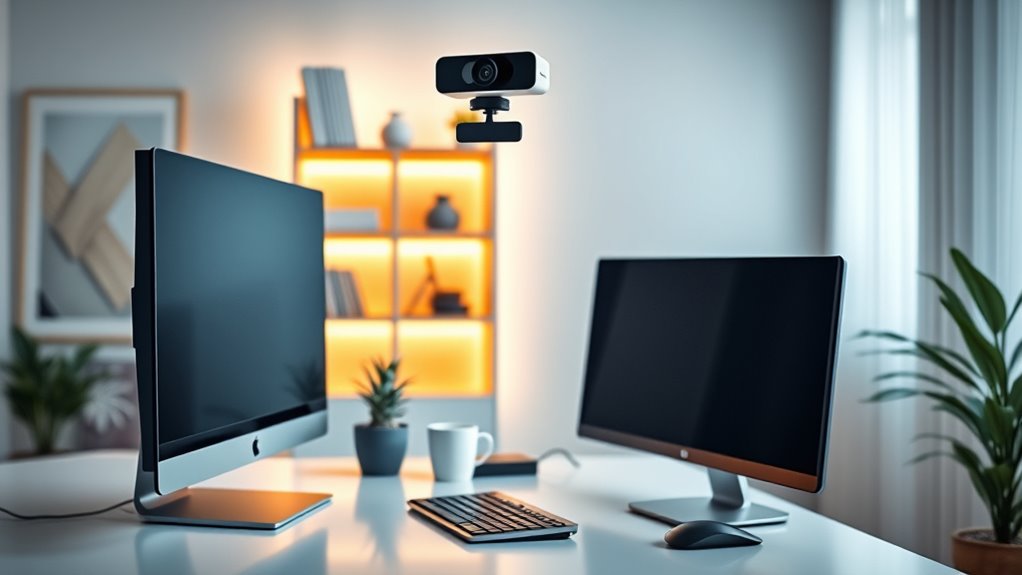

For most home offices, I’d start with the Logitech C920x: its 1080p video and light correction suit everyday calls without making setup complicated. The EMEET NOVA 4K is a standout for buyers who want sharper detail and autofocus, while the Logitech BCC950 fits a desk where speakerphone-style group calls matter more than a compact camera. The main tradeoffs are resolution versus lighting and bandwidth demands, plus whether you need a privacy cover, a wider view, or better room audio. A familiar 1080p webcam may be the more practical choice than 4K if calls are mostly one-to-one. Continue reading for the full breakdown and help matching a camera to your workspace.

Get audio and creator gear delivered free with Prime
- Fast, free delivery on millions of items
- Prime Video, Amazon Music and more included
- Member-only deals all year
Complete the kit


Key Takeaways
- The Logitech C920x is the roundup’s balanced everyday pick: it prioritizes dependable 1080p calls and light correction over 4K detail or specialized room coverage.
- 4K is a targeted upgrade, not an automatic win: the EMEET NOVA and 4K models make the most sense when added detail matters and the computer, connection, and lighting can support it.
- The BCC950 serves a different job: its webcam-and-speakerphone format is suited to shared desk calls, while a standard clip-on webcam is a simpler fit for solo meetings.
- Privacy and conferencing features vary even among similar 1080p cameras: the C920S adds a shutter, while the C920e and C925-e emphasize office conferencing credentials and built-in microphones.
- Several models compete in the basic 1080p category: the NexiGo N60, Acer, EMEET C960 variants, and Logitech Brio 101 call for careful comparison of privacy, microphone setup, viewing angle, and mounting needs rather than resolution alone.


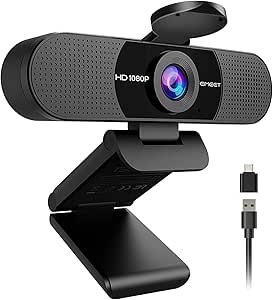


| web cameras for home office | Connectivity | Focus | Microphones |
|---|---|---|---|
| AOC 4K Webcam for PC | USB-C and USB-A | Autofocus | — |
| NexiGo N60 1080P Webcam with M | USB 2.0/3.0 | Fixed focus | — |
| EMEET NOVA 4K Webcam for PC | USB | PDAF autofocus | Dual omnidirectional |
| Logitech C920x HD Pro Webcam F | USB | Autofocus | Dual microphones |
| Logitech BCC950 Desktop Confer | USB plug-and-play | — | — |
| Logitech C925-e Webcam with HD | — | — | Built-in stereo |
| EMEET C960 1080P Webcam with M | USB Type-A and A-to-C adapter | Fixed focus | 2 omnidirectional microphones |
| PHILIPS 4K Webcam for PC with | USB | — | — |
| Logitech C930e 1080P HD Video | Hi-speed USB 2.0; USB 3.0 ready | — | — |
| Acer 1080p Webcam with Noise C | USB | Fixed focus | Dual noise-reduction microphones |
| EMEET 1080P Webcam with Microp | USB | Fixed focus | Dual noise-reduction microphones |
| Logitech C920S HD Pro Webcam w | USB | Autofocus | — |
| Logitech C920e HD 1080p Webcam | USB | Autofocus | Dual omnidirectional |
| Logitech 4k Webcam | — | — | Dual omnidirectional microphones with noise-canceling technology |
| Logitech Brio 101 Full HD 1080 | USB-A | Fixed focus | — |
More Details on Our Top Picks
AOC 4K Webcam for PC, Streaming Computer Camera with Noise-Canceling Mic
4K video makes the AOC a strong fit for home-office calls where fine image detail matters, while its autofocus can keep the picture sharp as you shift position. Compared with the Logitech C920x, it offers higher listed resolution and USB-C alongside USB-A, but the Logitech is a simpler choice if dependable 1080p is enough. The AOC’s 80° field of view suits a solo desk setup without showing as much of the room as the NexiGo N60’s 110° view. Automatic light correction, a built-in microphone, and a privacy cover help round out everyday call needs. The tradeoff is that 4K may be more than routine meetings require, and the supplied details do not specify frame rate. It connects by USB, so wireless setups are out.
Pros:- 4K Ultra HD resolution provides more image detail than the 1080p Logitech C920x.
- Autofocus and automatic light correction help maintain a clear picture during changing desk conditions.
- USB-C and USB-A support gives it more connection flexibility than USB-only setups.
- Privacy cover and adjustable tilt and swivel support practical home-office use.
Cons:- 4K may be unnecessary for routine calls where a 1080p webcam like the NexiGo N60 is sufficient.
- USB-only connectivity does not suit buyers seeking a wireless camera.
- Frame rate is not provided in the listed specifications.
Best for: Remote professionals who want detailed 4K video, autofocus, and both USB-C and USB-A connection options at a desk.
Not ideal for: People who only need straightforward 1080p calls or need a wireless camera; this model is USB-connected and its 4K frame rate is not specified.
- Resolution:4K Ultra HD
- Field of view:80°
- Focus:Autofocus
- Connectivity:USB-C and USB-A
- Microphone:Built-in noise-reducing microphone
- Privacy:Privacy cover
- Dimensions:2.5 × 2.5 × 3.5 inches
- Weight:0.16 kg
Our verdict“Choose the AOC if detailed 4K video and flexible USB connections matter more to your home-office calls than wireless use or a specified frame rate.”
NexiGo N60 1080P Webcam with Microphone, Privacy Cover, USB HD Camera for Video Calls and Streaming
The NexiGo N60 focuses on the basics that matter for regular home-office meetings: 1080p at 30 fps, a built-in noise-canceling microphone, and a privacy cover. Its broad 110° viewing angle can include more than one person or a small shared workspace, though it may show more background than the AOC’s 80° view. Unlike the AOC and EMEET NOVA, the N60 uses fixed focus, so it is best positioned at a stable desk distance rather than moved between close and far subjects. Plug-and-play support across several operating systems makes setup approachable, and low-light correction is included. The tradeoff is less framing flexibility and no autofocus; its stated compatibility also excludes Xbox and PlayStation, which is unlikely to matter for office use but limits its range beyond the desk.
Pros:- 1080p resolution at 30 fps is suited to standard video meetings.
- 110° viewing angle can fit multiple people or a wider desk scene.
- Built-in noise-canceling microphone and privacy cover address common call and privacy needs.
- Plug-and-play compatibility covers Windows, macOS, Linux, Android, and Chrome OS.
Cons:- Fixed focus offers less flexibility than the autofocus on the AOC and EMEET NOVA.
- The wide 110° view can include more of the room than some solo callers want.
- Not compatible with Xbox or PlayStation consoles.
Best for: Home-office users who want an uncomplicated 1080p webcam with a privacy cover and broad computer operating-system support.
Not ideal for: People who frequently move between near and far camera positions or want autofocus; the N60 uses fixed focus.
- Resolution and frame rate:1920 × 1080 at 30 fps
- Lens:3.6 mm glass lens
- Viewing angle:110°
- Focus:Fixed focus
- Connectivity:USB 2.0/3.0
- Microphone:Built-in noise-canceling microphone
- Special features:Privacy cover, adjustable FOV, low-light correction
- Dimensions:2.55 × 3.14 × 2.16 inches
Our verdict“Pick the N60 for straightforward, wide-view 1080p desk calls, but choose an autofocus model if your camera distance changes often.”
EMEET NOVA 4K Webcam for PC, Ultra HD, PDAF Autofocus, Dual Omnidirectional Mics
The EMEET NOVA pairs 4K at 30 fps with PDAF autofocus, making it a more clearly specified high-resolution option than the AOC, whose frame rate is not listed. Its dual omnidirectional microphones are a distinguishing feature for capturing voices around a desk, while the AOC lists a single built-in microphone. A privacy cover and automatic light correction also suit everyday calls. There is a setup wrinkle: video defaults to 1080p, so buyers need software to switch to 4K. The 73° viewing angle is relatively tight for group calls, and there is no facial tracking or adjustable field of view. Compared with the broader-view NexiGo N60, this model favors focused framing and autofocus over a wide room view.
Pros:- 4K video at 30 fps has a specified frame rate, unlike the AOC’s listed 4K resolution.
- PDAF autofocus can adapt more readily than the NexiGo N60’s fixed focus.
- Dual omnidirectional microphones provide a different voice-pickup setup from the single-microphone AOC.
- Privacy cover and automatic light correction support routine home-office use.
Cons:- The camera defaults to 1080p, and software is needed to switch to 4K.
- The 73° viewing angle is less suited to group framing than the NexiGo N60’s 110° view.
- No facial tracking or adjustable field of view is listed.
Best for: Remote workers who want 4K at a stated 30 fps, autofocus, and dual microphones for a focused solo or small-desk setup.
Not ideal for: People who want 4K to work without changing software settings, need a wide view for group calls, or rely on facial tracking.
- Resolution and frame rate:4K at 30 fps
- Focus:PDAF autofocus
- Viewing angle:73°
- Microphones:Dual omnidirectional
- Connectivity:USB
- Special features:Auto light correction and privacy cover
- Dimensions:2.16 × 3.94 × 2.32 inches
- Weight:4.64 ounces
Our verdict“Choose the NOVA if you want specified 4K/30 video and autofocus, and do not mind changing software settings to enable 4K.”
Logitech C920x HD Pro Webcam Full 1080p/30fps with Light Correction and Dual Mics
The Logitech C920x is a sensible pick for buyers who would rather have a familiar 1080p/30 fps setup than pay attention to 4K settings. Autofocus and automatic light correction suit a desk where lighting or posture varies, and its dual microphones provide built-in audio without adding a separate mic. Against the AOC and EMEET NOVA, it gives up 4K resolution but avoids the NOVA’s need for software changes to enable 4K. The narrower 78° viewing angle is suited to a solo caller and keeps the frame more focused than the NexiGo N60’s 110° view. A listed XSplit VCam license adds background effects, but that feature depends on software. There is no privacy shutter, so buyers who want physical lens coverage should favor a model that includes one.
Pros:- 1080p at 30 fps provides a clear, standard format for everyday meetings.
- Autofocus and automatic light correction support changing desk conditions.
- Dual microphones avoid the need for a separate microphone for basic calls.
- XSplit VCam license offers background removal and blurring through software.
Cons:- No privacy shutter is included, unlike the AOC and NexiGo N60.
- Video is limited to 1080p at 30 fps, below the resolution offered by the 4K AOC and EMEET NOVA.
- Some background features depend on additional software.
Best for: Remote workers who want a straightforward autofocus 1080p webcam with light correction and built-in stereo microphones.
Not ideal for: Privacy-conscious users who require a physical shutter, or buyers who need 4K detail or a wide group-call view.
- Resolution and frame rate:1080p at 30 fps
- Focus:Autofocus
- Viewing angle:78°
- Lens:Glass
- Microphones:Dual microphones
- Connectivity:USB
- Weight:5.7 ounces
- Dimensions:1.7 × 3.7 × 2.7 inches
Our verdict“Choose the C920x for familiar, focused 1080p meetings with autofocus, provided you do not need a built-in privacy shutter.”
Logitech BCC950 Desktop Conferencing Solution with Full HD 1080p Webcam and Speakerphone
The Logitech BCC950 takes a different approach from the standalone webcams here: it combines a 1080p camera with a full-duplex speakerphone and noise-canceling microphone. That makes it a better match for a shared home-office desk or small meeting space than the C920x, which supplies camera video and microphones but no speakerphone. Remote pan, tilt, and zoom controls also help adjust framing without reaching for the device. Plug-and-play USB connection keeps the setup direct, though the unit is designed around a computer rather than wireless use. Compared with the compact NexiGo N60, this is a more meeting-oriented system, but that extra conferencing hardware may be unnecessary for someone who takes calls alone with a headset. Compatibility with listed conferencing software is another point to check before choosing it.
Pros:- Built-in full-duplex speakerphone and noise-canceling microphone combine camera and meeting audio.
- Remote pan, tilt, and zoom controls make framing easier to adjust during calls.
- 1080p video at 30 fps supports standard meeting quality.
- USB plug-and-play connection works with Windows and Mac systems.
Cons:- Its speakerphone-oriented design is unnecessary for many solo home-office users, unlike a standalone webcam such as the Logitech C920x.
- USB-only connectivity offers no wireless setup.
- Full functionality depends on compatible conferencing software.
Best for: People who regularly hold small home-office meetings around one desk and want a camera, microphone, and speakerphone in one setup.
Not ideal for: Solo callers using a headset, or anyone who needs a compact wireless webcam; the BCC950 is a USB-connected conferencing system.
- Video resolution:1080p HD
- Frame rate:30 fps
- Lens:Carl Zeiss
- Microphone:Noise-canceling, full duplex
- Speakerphone:Built-in, full duplex
- Connectivity:USB plug-and-play
- Camera controls:Pan, tilt, and zoom
- Compatibility:Windows and Mac; Skype for Business, WebEx, Cisco Jabber
Our verdict“Pick the BCC950 for shared-desk meetings that benefit from an integrated speakerphone, not for a minimal solo-call setup.”
Logitech C925-e Webcam with HD Video and Built-In Stereo Microphones
The C925-e is a sensible choice for a home office where dependable HD video and integrated sound matter more than a long feature list. Its built-in stereo microphones keep a basic call setup simple, while the product description identifies it as a high-definition camera. Compared with the EMEET C960, it has less documented detail: the C960 specifies 1080p resolution, a 90-degree view, automatic light adjustment, and a privacy cover. That makes the EMEET easier to evaluate if you need a wider frame or a physical lens block. The C925-e’s appeal is its straightforward Logitech-branded video-and-audio package, but the supplied information does not confirm resolution, field of view, connection type, or privacy features. I’d choose it for routine one-person calls only if those unknowns are acceptable.
Pros:- High-definition video is identified as a core feature
- Built-in stereo microphones provide an all-in-one call setup
- Logitech branding may appeal to buyers seeking an established webcam maker
Cons:- Resolution, frame rate, and field of view are not specified in the supplied product data
- No additional features such as a privacy cover or automatic light adjustment are documented
Best for: Home-office users who want a basic Logitech webcam with built-in stereo microphones for regular one-person video calls.
Not ideal for: Buyers who need confirmed 1080p specifications, a wide viewing angle, a privacy shutter, or detailed compatibility information.
- Video:High-definition; exact resolution not provided
- Microphones:Built-in stereo
- Brand:Logitech
- Connection:Not specified
- Field of view:Not specified
- Privacy cover:Not specified
Our verdict“Choose the C925-e for uncomplicated calls with integrated audio, but favor the EMEET C960 if you need clearly stated specifications and a privacy cover.”
EMEET C960 1080P Webcam with Microphone, 2 Mics, 90° FOV, Computer Camera
The EMEET C960 suits a home office where the camera needs to show more than a tightly framed head-and-shoulders view. Its 90-degree field of view can include a second person or more of a shared workspace, while 1080p video and automatic light adjustment cover the everyday meeting basics. Two omnidirectional microphones capture sound without requiring a separate desk mic, and the privacy cover gives it a practical advantage over the specification-light Logitech C925-e. The tradeoff is the fixed-focus lens: unlike the Logitech C930e, which offers pan, tilt, and digital zoom, this camera gives less flexibility to reframe a shot. The listed guidance also says good lighting helps it perform at its best. It is a useful plug-and-play pick, not a substitute for careful room lighting or a more adjustable camera.
Pros:- 1080p resolution gives a clear standard for video-call quality
- 90-degree field of view accommodates a broader workspace
- Dual omnidirectional microphones and automatic light adjustment support everyday calls
- Privacy cover and USB-A connection with A-to-C adapter simplify setup and storage
Cons:- Fixed focus offers less flexibility than an adjustable camera such as the Logitech C930e
- Optimal image quality depends on good lighting
- No Windows Hello support or built-in speakers
Best for: Remote workers who share calls with another person or want a wider view of a home-office desk, with a physical privacy cover for between meetings.
Not ideal for: Users who need autofocus, adjustable pan and tilt, Windows Hello, or strong image results in poorly lit rooms.
- Resolution:1920 × 1080p
- Field of view:90°
- Focus:Fixed focus
- Microphones:2 omnidirectional microphones
- Connectivity:USB Type-A and A-to-C adapter
- Operating systems:Windows 10/11, macOS 10.14+, Android TV 7.0+
- Weight:0.16 kg
- Privacy cover:Included
Our verdict“Pick the C960 if a wide frame, built-in microphones, and a privacy cover matter more than autofocus or camera repositioning.”
PHILIPS 4K Webcam for PC with Microphone, Computer Camera for Meetings with Privacy Cover, Plug & Play USB Web cam for Laptop, Desktop, Zoom, Teams, Skype, Video Conferencing, Streaming – Black
The PHILIPS webcam is the resolution-focused option in this group: its listed 3840-pixel UHD video is aimed at users who want a sharper image for presentations or compatible conferencing setups. A physical privacy shutter and plug-and-play USB connection make it practical for a home office, and the built-in microphone avoids adding another device to the desk. Compared with the 1080p EMEET C960, the Philips offers a higher stated video resolution but provides fewer details about framing and audio performance. The product data does not specify its field of view, frame rate, or microphone pickup pattern, and it lists no image stabilization. I’d choose it when resolution is the priority and the computer and meeting platform can make use of it; most routine calls may not benefit as much as the headline specification suggests.
Pros:- Listed 4K UHD resolution offers more detail than the 1080p EMEET C960
- Physical privacy cover blocks the lens when the camera is idle
- Plug-and-play USB setup is designed to avoid driver installation
- Built-in microphone supplies basic audio without a separate accessory
Cons:- Field of view and frame rate are not specified in the supplied data
- No image stabilization is listed
- Microphone characteristics and performance are not detailed
Best for: Remote presenters and educators who want a stated 4K webcam resolution, a built-in microphone, and a physical privacy shutter.
Not ideal for: Buyers who need confirmed frame rate, wide-angle coverage, image stabilization, or detailed microphone specifications before choosing.
- Video resolution:4K UHD, 3840 pixels
- Video capture format:MP4
- Sensor:CMOS
- Connectivity:USB
- Microphone:Built-in; specifications not provided
- Privacy cover:Physical shutter included
- Image stabilization:None listed
- Compatible devices:Laptop and personal computer
Our verdict“Choose the Philips when stated 4K resolution is your main requirement, and choose the EMEET C960 if you value a documented wide field of view more.”
Logitech C930e 1080P HD Video Webcam – 90-Degree Extended View, Microsoft Lync 2013 and Skype Certified – Black
The Logitech C930e stands out for home-office calls that need more control over what the camera shows. It combines 1080p at 30 fps with a 90-degree view, plus pan, tilt, and 4x digital zoom—useful when moving between a close-up and a whiteboard or product demonstration. Its onboard H.264 encoding handles video processing in the camera, helping reduce the processing load on the computer. That flexibility separates it from the fixed-focus EMEET C960, which has a similarly wide 90-degree view but no listed pan, tilt, or zoom. The C930e’s tradeoffs are its older USB 2.0 connection and business-focused package, which does not include retail software. Digital zoom also cannot add detail in the way optical zoom can. This is the better fit for people who actively reframe calls, rather than anyone seeking the simplest basic webcam.
Pros:- 1080p video at 30 fps supports standard HD conferencing
- 90-degree view plus pan, tilt, and 4x digital zoom provides framing flexibility
- H.264 encoding moves video processing to the camera
- Tripod-ready universal clip fits several monitor types
Cons:- USB 2.0 is an older connection standard
- No privacy cover is listed in the supplied product details
- 4x zoom is digital, and the business package does not include retail software
Best for: Home-office presenters who switch between face-to-camera calls, whiteboards, and close-up demonstrations and want camera controls for reframing.
Not ideal for: Buyers who want a privacy shutter, the simplest camera-only setup, or a newer connection standard than USB 2.0.
- Resolution:1080p
- Frame rate:30 fps
- Field of view:90°
- Camera controls:Pan, tilt, and 4x digital zoom
- Video encoding:H.264
- Connectivity:Hi-speed USB 2.0; USB 3.0 ready
- Compatibility:PC or Mac; certified for Microsoft Lync 2013 and Skype
- Mount:Tripod-ready universal clip
Our verdict“Choose the C930e for calls that need adjustable framing and presentations, but pick a simpler model like the EMEET C960 if you only need a fixed wide view.”
Acer 1080p Webcam with Noise Cancellation Microphones and Privacy Cover
The Acer’s 100-degree field of view gives it the broadest documented framing among these 1080p choices, making it a good match for a home office where more than one person may join a call or a presenter wants to show a wider area. It pairs that coverage with dual noise-reduction microphones, automatic low-light correction, and a privacy cover. Compared with the EMEET C960, the Acer offers a wider stated view and noise-reduction microphones, while the EMEET provides a specified operating-system list and a lighter listed weight. Acer also lists 360-degree rotation, but its fixed-focus lens remains less suited to close-up changes than the adjustable Logitech C930e. USB-only connectivity and the lack of wireless operation keep setup conventional. This pick favors broad framing and built-in call features over precise focus control.
Pros:- 100-degree view covers a broader area than the 90-degree EMEET C960
- Dual noise-reduction microphones support clearer speech in a busy home
- Automatic low-light correction can help when room lighting is imperfect
- Privacy cover and 360-degree rotation add practical desk flexibility
Cons:- Fixed focus is less adaptable for close-ups and changing subject distances
- USB-only connectivity does not offer wireless setup
- The supplied data does not specify frame rate or operating-system compatibility
Best for: Home-office users who sometimes host two-person calls or want a wide view of their desk, with noise-reduction microphones and a privacy cover.
Not ideal for: People who frequently move between distant and close subjects, since the fixed-focus lens is less adaptable than the Logitech C930e’s pan, tilt, and zoom.
- Resolution:1080p Full HD
- Field of view:100°
- Focus:Fixed focus
- Microphones:Dual noise-reduction microphones
- Connectivity:USB
- Features:Automatic low-light correction, privacy cover, 360° rotation
- Weight:0.3 pounds
- Dimensions:2.19 × 3.14 × 2.05 inches
Our verdict“Choose the Acer for wide shared-office framing and noise-reduction microphones, but favor the Logitech C930e if adjustable zoom and camera positioning matter more.”
EMEET 1080P Webcam with Microphone, C960 Web Camera, 2 Mics, Streaming Webcam
The EMEET C960 is a practical fit when a home-office call needs to show more than a head-and-shoulders view. Its 90-degree field of view is wider than the Logitech C920e’s 78-degree framing, which can help include a shared desk or a second person, though it also captures more of the room. 1080p video, automatic low-light correction, and dual noise-reduction microphones cover the basics for meetings without adding much setup complexity. Its foldable design and tripod thread give it more placement flexibility than a webcam that relies only on a monitor clip. The tradeoff is fixed focus, so it lacks the C920e’s autofocus when your distance from the camera changes. Choose it for a broad, simple setup; skip it if tight framing or adjustable focus matters more.
Pros:- 90-degree view includes more of a desk or additional people than narrower models such as the Logitech C920e.
- Dual noise-reduction microphones provide built-in audio for everyday calls.
- Automatic low-light correction can help in a dim home office.
- Foldable body and tripod holder allow flexible placement.
Cons:- Fixed focus offers less flexibility than the Logitech C920e’s autofocus.
- Wide framing may reveal more background than some home-office users want.
Best for: Remote workers who share a desk or want a wider view of their home-office workspace without buying a separate microphone.
Not ideal for: People who move frequently between near and far camera positions, or who want a narrow, background-minimizing frame; its fixed focus and 90-degree view are less suited to that setup.
- Resolution:1920 × 1080 Full HD
- Viewing angle:90 degrees
- Focus:Fixed focus
- Microphones:Dual noise-reduction microphones
- Low-light correction:Automatic
- Connectivity:USB
- Weight:0.16 kg
- Mounting:Foldable design with tripod holder
- Supported operating systems:Windows 10/11, macOS 10.14 or later, Linux, Android TV 7.0 or later
Our verdict“Choose the EMEET C960 if you want a wide, plug-and-play 1080p view; pick the Logitech C920e instead if autofocus and tighter framing matter more.”
Logitech C920S HD Pro Webcam with Privacy Shutter and Full HD 1080p/30fps
The Logitech C920S suits a home office where dependable 1080p calls and straightforward privacy matter more than unusual features. It pairs autofocus and automatic light correction with stereo dual microphones, making it a more adaptable choice as your distance or room lighting shifts than the fixed-focus Logitech Brio 101. Its physical privacy shutter gives you a direct way to cover the lens between calls, a useful distinction from relying on software controls alone. Compared with the wider EMEET C960, the C920S is the more conventional pick for a single-person desk setup, though the supplied data does not specify its field of view. It still connects over USB, and compatibility may depend on the device. Pick it for balanced meeting essentials, not advanced framing or wireless flexibility.
Pros:- Autofocus accommodates small changes in distance from the camera.
- Automatic light correction helps adapt to changing room conditions.
- Physical privacy shutter covers the lens between meetings.
- Stereo dual microphones provide built-in audio for calls.
Cons:- USB-only connection may not suit devices that lack a compatible port.
- The supplied product details do not specify its field of view, limiting framing comparisons.
Best for: Home-office workers who want autofocus, automatic light correction, stereo microphones, and a physical lens cover in one familiar USB webcam.
Not ideal for: People using devices without a suitable USB connection, or buyers who need a specified wide viewing angle or more advanced framing controls.
- Resolution and frame rate:Full HD 1080p at 30 fps
- Focus:Autofocus
- Light correction:Automatic
- Audio:Stereo with dual microphones
- Privacy:Built-in privacy shutter
- Connectivity:USB
- Compatibility:PC, Mac, laptop, tablet, Xbox
Our verdict“Choose the C920S for a balanced home-office webcam with autofocus and a physical shutter, provided your device supports its USB connection.”
Logitech C920e HD 1080p Webcam with Microphone, Certified for Zoom and Microsoft Teams
The Logitech C920e is aimed at the worker who wants a measured, single-person frame and meeting-friendly setup rather than the broad view of the EMEET C960. Its 78-degree field of view is narrower than the C960’s 90 degrees, helping keep more of the home office outside the shot. Autofocus and automatic light correction support a steady image as conditions change, while dual omnidirectional microphones handle everyday speech without a separate mic. The attachable flip-up cover and adjustable clip make mounting and lens privacy simple, and a tripod thread adds another placement option. Unlike the Logitech 4k Webcam, it does not offer 4K capture, multiple field-of-view presets, or Windows Hello. That keeps the C920e focused on standard work calls, but limits its appeal for high-detail video and advanced controls.
Pros:- 78-degree view gives a more contained frame than the EMEET C960’s 90-degree view.
- Autofocus and automatic light correction help maintain a usable meeting image.
- Flip-up privacy cover, adjustable clip, and tripod thread offer mounting and privacy flexibility.
- Dual omnidirectional microphones are built in for routine calls.
Cons:- No built-in zoom functionality.
- USB connectivity may require an adapter for some newer devices.
- Does not provide the 4K resolution or field-of-view presets of the Logitech 4k Webcam.
Best for: Remote employees who use Zoom or Microsoft Teams and want a compact, narrower-framed 1080p camera with autofocus and flexible mounting.
Not ideal for: People who need 4K video, built-in zoom, or a wider room view; the Logitech 4k Webcam offers higher-resolution capture and selectable framing.
- Maximum resolution:Full HD 1080p
- Field of view:78 degrees
- Focus:Autofocus
- Microphones:Dual omnidirectional
- Light correction:Automatic
- Privacy cover:Attaches and flips up
- Connectivity:USB
- Mounting:Adjustable clip and 1/4-inch tripod thread
- Compatible operating systems:Windows 8 or later, macOS 10.10 or later, ChromeOS
Our verdict“Choose the C920e for focused, everyday work calls with useful mounting options; choose the Logitech 4k Webcam if you need 4K or adjustable framing.”
Logitech 4k Webcam
The Logitech 4k Webcam is the feature-rich choice for a home office where video detail and framing control justify a more capable camera. Its 4K resolution and up-to-90-fps capture go well beyond the 1080p Logitech C920S, while 5x HD zoom and three field-of-view presets let you shift between a roomy background and a tighter face-focused frame. RightLight 3 with HDR is designed for backlit or dim spaces, and dual noise-canceling microphones help limit distracting ambient sound. The privacy shade and Windows Hello support add useful desk-side convenience. Those gains come with extra software setup for Logi Tune framing controls and a stronger reliance on compatible hardware and platforms. For routine calls, the C920S is simpler; this model makes more sense for presentations, recording, and frequent framing changes.
Pros:- 4K capture provides more image detail than the 1080p models in this batch.
- 5x HD zoom and three field-of-view presets support flexible framing.
- RightLight 3 with HDR is designed for low-light and backlit rooms.
- Adds a privacy shade, dual noise-canceling microphones, and Windows Hello integration.
Cons:- Advanced framing presets require Logi Tune software.
- Its higher-resolution and feature set may be unnecessary for routine 1080p meetings.
Best for: Remote professionals who record or stream from a home office, need adjustable framing, or want Windows Hello and higher-resolution capture.
Not ideal for: People who only need standard 1080p video calls and prefer minimal setup; the Logitech C920S covers everyday meetings with fewer advanced controls.
- Resolution:Ultra 4K HD
- Maximum frame rate:Up to 90 fps
- HD zoom:5x
- Field-of-view presets:90, 78, and 65 degrees
- Image adjustment:RightLight 3 with HDR
- Microphones:Dual omnidirectional microphones with noise-canceling technology
- Privacy:Flip-up privacy shade
- Compatibility:Windows, Mac, ChromeOS, and popular calling and streaming platforms
- Additional feature:Windows Hello integration
Our verdict“Choose the Logitech 4k Webcam if you will use its 4K capture, zoom, and framing controls; for standard calls, the C920S is the simpler fit.”
Logitech Brio 101 Full HD 1080p Webcam for Streaming and Meetings – Black
The Logitech Brio 101 is a compact, uncomplicated option for a home-office desk where basic 1080p calls matter more than autofocus or advanced framing. Its integrated privacy shutter and RightLight brightness support cover two everyday needs without requiring extra accessories, while the built-in mono microphone keeps the setup simple. Compared with the Logitech C920S, the Brio 101 has a 60-degree viewing angle, which can keep more of the surrounding room out of frame; the tradeoff is a less roomy shot if you need to include another person. Its fixed focus also gives it less flexibility than the autofocus C920S or C920e when camera distance changes. USB-A connection and broad platform compatibility suit many desk setups, but buyers with USB-C-only devices may need an adapter.
Pros:- 60-degree view keeps the frame narrower than the EMEET C960’s 90-degree view.
- Integrated privacy shutter covers the lens between meetings.
- RightLight feature is intended to improve brightness in low-light conditions.
- Made with recycled plastic, according to the product description.
Cons:- Fixed focus is less adaptable than the autofocus Logitech C920S and C920e.
- USB-A connection may require an adapter for USB-C-only computers.
- Mono microphone is less suited to buyers who want stereo audio.
Best for: Solo home-office workers who want a compact 1080p webcam with a physical privacy shutter and a relatively narrow view.
Not ideal for: People who move around during calls, need stereo audio, or use a USB-C-only computer without an adapter; its fixed focus, mono microphone, and USB-A connection may limit fit.
- Maximum resolution:Full HD 1080p
- Viewing angle:60 degrees
- Focus:Fixed focus
- Microphone:Built-in mono
- Low-light feature:RightLight
- Privacy:Integrated privacy shutter
- Connectivity:USB-A
- Weight:4.96 ounces
- Operating systems:Windows 7 or later, macOS 10.10 or later, Chrome OS
Our verdict“Choose the Brio 101 for compact, straightforward solo calls with a built-in shutter; pick the C920S if autofocus and stereo microphones matter more.”

How We Picked
I ranked these web cameras for home office use by how well their listed features address daily calls: clear, usable video; focus and light handling; microphone and room-audio needs; privacy controls; and practical setup. I also weighed whether a camera suits an individual desk, a shared workspace, or a buyer who wants 4K detail, rather than treating the highest resolution as automatically best. Build and mounting practicality, compatibility cues, and the usefulness of included features all informed the comparison.
The ranking favors balanced performance for routine calls first, then rewards products that solve a distinct need without adding unnecessary complexity. That puts the C920x ahead as a sensible general-purpose choice, while the NOVA 4K and BCC950 rank strongly for narrower needs. Models with overlapping 1080p specifications are separated by their stated privacy, field-of-view, microphone, and conferencing features; buyers should verify exact model details and software compatibility before purchase.
| web cameras for home office | Focus |
|---|---|
| AOC 4K Webcam for PC | Autofocus |
| NexiGo N60 1080P Webcam with M | Fixed focus |
| EMEET NOVA 4K Webcam for PC | PDAF autofocus |
| Logitech C920x HD Pro Webcam F | Autofocus |
| Logitech BCC950 Desktop Confer | — |
| Logitech C925-e Webcam with HD | — |
| EMEET C960 1080P Webcam with M | Fixed focus |
| PHILIPS 4K Webcam for PC with | — |
| Logitech C930e 1080P HD Video | — |
| Acer 1080p Webcam with Noise C | Fixed focus |
| EMEET 1080P Webcam with Microp | Fixed focus |
| Logitech C920S HD Pro Webcam w | Autofocus |
| Logitech C920e HD 1080p Webcam | Autofocus |
| Logitech 4k Webcam | — |
| Logitech Brio 101 Full HD 1080 | Fixed focus |
Factors to Consider When Choosing Web Cameras For Home Office
Choosing a home-office webcam is less about chasing a spec sheet and more about matching the camera to your room, call habits, and existing equipment. I’d settle the practical questions below before paying for a higher resolution or a specialized conferencing setup.
Choose Resolution Around Your Actual Calls
1080p is enough for many one-to-one meetings, especially when the camera is framed at a normal desk distance and your connection is stable. 4K can preserve more detail or give room to crop, but the benefit depends on the call platform, settings, computer, and network supporting that detail. A common mistake is paying for 4K while using dim lighting or a compressed video-call feed that masks the difference. Check whether the camera can operate at the resolution and frame rate you need with your setup. Spend more on resolution only when clearer detail serves a real purpose, such as presenting fine visual work.
Treat Lighting as Part of the Camera Setup
Room lighting can matter as much as resolution to how you appear on calls. A window behind you can leave your face dark, and a bright monitor is rarely a substitute for balanced light in front of you. Before upgrading a webcam, try changing your seating angle or adding a modest light source near eye level. Light-correction features can help, but they cannot make every room look evenly lit. Buyers in darker rooms should compare cameras’ stated light-handling features and plan for the space, rather than expecting a 4K label to fix poor lighting.
Match the Field of View to Your Desk
A wider view is useful only when you need to show more than your face and shoulders. It can suit a shared desk or a presentation that includes a whiteboard, but it may also reveal more of a cluttered room. A tighter frame helps keep attention on a solo speaker and can make a small workspace easier to manage. Check camera placement, monitor width, and how far you sit before choosing a wider-view model. If several people regularly join from one desk, compare that need against the option of using a room-oriented conference device instead of a standard personal webcam.
Decide Whether the Built-In Microphone Is Enough
Camera microphones are convenient, but room acoustics set their limits. A quiet room and a nearby desk position may make built-in microphones suitable for ordinary meetings; keyboard noise, echo, and distance can make a headset or separate microphone a better choice. Dual microphones do not guarantee that every voice will sound natural in every room. Think about whether calls are solo or shared, how noisy your workspace is, and whether you already own an audio device. For a small group at one desk, an integrated speakerphone format may offer a more fitting setup than relying on a webcam’s microphones alone.
Check Privacy, Mounting, and Compatibility Before Buying
Small setup details affect everyday use: a physical shutter or privacy cover gives a direct way to block the lens, while the mount needs to sit securely on your monitor or laptop. Check whether the camera can also stand on a desk or attach to the support you plan to use. Plug-and-play claims do not replace checking your operating system, USB connection, and preferred meeting software. Business certifications can be useful, but they do not guarantee every feature will behave the same across every app. Confirm the exact model and connection requirements before ordering, especially when similar names appear across several versions.
Spend More for a Need, Not a Headline Spec
A higher-spec camera is worthwhile when it solves a recurring problem, such as needing more image detail, a wider frame, or audio for a shared desk. For routine solo calls, a straightforward 1080p model may leave more room in the setup for better lighting or a headset, which can improve the meeting experience more than unused resolution. Avoid paying extra for features your call platform does not support or your workflow never uses. On the other hand, buyers who present visual material or host small group calls may value specialized capabilities more than a compact, basic camera. List the two or three problems you want the webcam to solve before comparing models.
Frequently Asked Questions
Is a 4K webcam worth choosing over a 1080p model for work calls?
Choose 4K when extra image detail has a practical use, such as showing fine visual work or having room to crop the image. For ordinary face-to-face calls, a good 1080p camera may be sufficient, and call software or bandwidth can limit the visible difference. Lighting and framing also affect how polished the video looks. If those are weak, improving them may bring more value than changing resolution. Check that your computer and meeting software support the camera’s intended settings.
Should I buy a webcam with a privacy shutter or add a separate cover?
A built-in shutter is convenient if you want a physical, repeatable way to block the lens between meetings. A separate cover can work too, but it adds another small part to manage and must fit the camera correctly. Neither option replaces checking that the camera is actually covered when privacy matters. If the webcam will stay connected on a shared desk, a physical cover can make the routine simpler than relying only on software controls. Compare the exact model’s included privacy feature, since similar names may refer to different versions.
Can a webcam’s built-in microphones replace a headset for home-office calls?
They can be convenient in a quiet room, particularly for short solo meetings close to the camera. A headset is often a better fit when you work near other people, type frequently, or need more consistent speech pickup. Echo and room noise depend on the whole setup, not just the number of microphones listed. If you take group calls at one desk, a conference device with a speakerphone may suit the job better than a personal webcam. Consider how often you call and whether you can control noise in your workspace.
Do I need a wide-angle webcam for a home office?
Most solo callers do not need an especially wide frame; a tighter view can keep the focus on the speaker and reduce background distractions. A wide-angle camera is more useful when more than one person shares the frame or you need to show a larger workspace. It can also reveal more of the room than you intend, so check your background and placement. If you mostly attend one-to-one meetings, prioritize framing and camera position over maximum field of view. For recurring group calls, compare a wide webcam with a dedicated conference setup.
What should I check before ordering a webcam for my work computer?
Confirm the connection, operating-system support, and compatibility with your meeting software before choosing a model. Check whether your computer has an available USB port of the required type and whether an adapter would be needed. If you rely on a specific conferencing app, review its support for the camera’s resolution and features. Also verify how the mount fits your monitor and whether the cable can reach your chosen position. These checks help avoid buying a camera whose advertised capability does not match your work setup.
Conclusion
For most home-office users, I recommend the Logitech C920x as the best overall because its 1080p video and light correction make a straightforward fit for everyday calls. The NexiGo N60 is a sensible value-focused choice for buyers seeking basic Full HD video with a privacy cover, while the EMEET NOVA 4K is my premium pick for users who need added detail and autofocus. Beginners who want a simple plug-in camera can start with the Logitech Brio 101 or a basic 1080p option, after checking its mounting and privacy features. For shared desk calls, choose the Logitech BCC950; for a privacy shutter, compare the C920S, and for a wider view, examine the C930e. Match the feature to your actual call setup, and the choice between these cameras becomes much clearer.