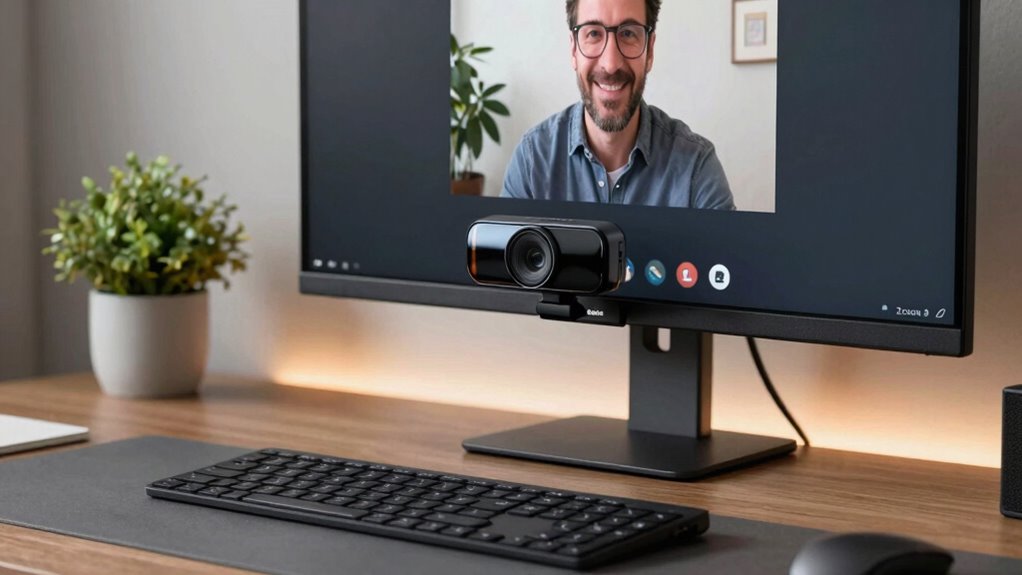
When selecting a webcam for Zoom meetings, clarity, reliability, and ease of use are key. The Logitech C920e stands out as the best overall choice for its consistent 1080p video quality and built-in microphone. For those seeking ultra-high resolution, the Logitech MX Brio offers 4K streaming, though at a higher price. The main tradeoffs involve balancing image quality against budget and features like low-light performance or autofocus. Keep reading to see how these options compare and find the best fit for your Zoom setup.

Get audio and creator gear delivered free with Prime
- Fast, free delivery on millions of items
- Prime Video, Amazon Music and more included
- Member-only deals all year
Complete the kit



Key Takeaways
- Top webcams generally offer 1080p resolution, but 4K models like the MX Brio deliver sharper images at a premium.
- Built-in microphones vary significantly; models with noise cancellation improve call clarity in noisy environments.
- Features like privacy covers and automatic low-light correction are common differentiators that add value or complexity.
- Price often correlates with resolution, autofocus, and additional features—balance your needs against your budget.
- Ease of setup and compatibility are crucial for non-technical users; plug-and-play models save time and frustration.
| Logitech C920e HD 1080p Webcam with Microphone and Privacy Cover |  | Best Overall for Professional Clarity | Field of View: 78° | Video Resolution: 1080p HD | Microphones: Dual omnidirectional | VIEW ON AMAZON | See Our Full Breakdown |
| Logitech C920S HD Pro Webcam with Privacy Shutter |  | Best for Privacy-Conscious Users | Video Resolution: 1080p/30fps | Autofocus: Yes | Light Correction: Yes | VIEW ON AMAZON | See Our Full Breakdown |
| Anker PowerConf C200 2K Webcam for PC/Laptop/Mac, Low-Light Correction |  | Best for Professional Video with Advanced Features | Resolution: 2K Ultra-Clear | Microphone: AI Noise Cancellation | Low-Light Performance: Superior | VIEW ON AMAZON | See Our Full Breakdown |
| Logitech MX Brio Ultra HD 4K Webcam – Graphite |  | Best for High-End Streaming & Professional Use | Resolution: 4K at 30fps, 1080p at 60fps | Sensor: Large pixels, advanced sensor | Microphones: Dual beamforming noise reduction | VIEW ON AMAZON | See Our Full Breakdown |
| NexiGo N60 1080P Webcam with Microphone, Privacy Cover, and Software Control |  | Best Budget-Friendly with Broad Compatibility | Resolution: 1920 x 1080 at 30fps | Lens: 3.6mm glass lens | Viewing Angle: 110 degrees | VIEW ON AMAZON | See Our Full Breakdown |
| EMEET 1080P Webcam with Microphone, C960 Web Camera, 2 Mics, Streaming Webcam |  | Best Overall Webcam for Zoom Meetings | Resolution: 1920 x 1080p | Microphones: 2 noise reduction microphones | Lens: 5-layer anti-glare, fixed focal length | VIEW ON AMAZON | See Our Full Breakdown |
| Acer A610 1080p Webcam for PC with Microphones |  | Best Value Webcam for Zoom Meetings | Resolution: 1920x1080p | Microphone: Dual noise-reduction microphones | Field of View: 83 degrees | VIEW ON AMAZON | See Our Full Breakdown |
| EMEET C960 1080P Webcam with Microphone, 2 Mics, 90° FOV, Computer Camera | 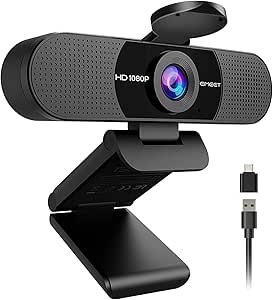 | Best for Wide-Angle Zoom Meetings | Resolution: 1920x1080p | Microphones: 2 omnidirectional mics | Field of View: 90° | VIEW ON AMAZON | See Our Full Breakdown |
| NexiGo N930AF Webcam with Microphone for Desktop and Laptop, 1080p HD, Autofocus, Privacy Cover, Noise Cancellation, Plug and Play |  | Best Autofocus Webcam for Zoom Meetings | Resolution: 1080p HD | Autofocus: Yes | Microphone: Built-in noise cancellation | VIEW ON AMAZON | See Our Full Breakdown |
| Logitech C920x HD Pro PC Webcam Full 1080p/30fps Video |  | Best for Seamless Streaming and Conference Calls | Resolution: Full 1080p at 30 fps | Autofocus: Yes | Lighting Adjustment: Yes | VIEW ON AMAZON | See Our Full Breakdown |
| Logitech Brio 101 Full HD 1080p Webcam for Streaming and Meetings – Black |  | Best for Eco-Conscious Users Seeking Quality and Simplicity | Resolution: Full HD 1080p | Connection: USB A | Built-in Microphone: Yes | VIEW ON AMAZON | See Our Full Breakdown |
| webcam for zoom meeting | Resolution | Compatibility |
|---|---|---|
| Logitech C920e HD 1080p Webcam | — | — |
| Logitech C920S HD Pro Webcam w | — | — |
| Anker PowerConf C200 2K Webcam | 2K Ultra-Clear | Windows 7+, macOS 10.11+ |
| Logitech MX Brio Ultra HD 4K W | 4K at 30fps, 1080p at 60fps | — |
| NexiGo N60 1080P Webcam with M | 1920 x 1080 at 30fps | — |
| EMEET 1080P Webcam with Microp | 1920 x 1080p | Windows 10/11, MacOS 10.14+, Linux, Android TV 7.0+ |
| Acer A610 1080p Webcam for PC | 1920x1080p | Windows, macOS |
| EMEET C960 1080P Webcam with M | 1920x1080p | Windows 10/11, macOS 10.14+ |
| NexiGo N930AF Webcam with Micr | 1080p HD | Windows, macOS, Linux |
| Logitech C920x HD Pro PC Webca | Full 1080p at 30 fps | Windows 11, Mac |
| Logitech Brio 101 Full HD 1080 | Full HD 1080p | Microsoft Teams, Zoom, Google Meet |
More Details on Our Top Picks
Logitech C920e HD 1080p Webcam with Microphone and Privacy Cover
The Logitech C920e stands out for delivering consistent, high-quality 1080p HD video with autofocus, making it ideal for professional Zoom meetings. Compared with the Logitech C920S, it offers similar video clarity but lacks a built-in privacy shutter, which might be a concern for security-conscious users. Its dual omnidirectional microphones ensure clear audio, yet it misses a dedicated mute button, requiring software controls. The fixed 78° field of view is perfect for individual or small group calls but offers no flexibility for wider shots. The adjustable clip and tripod compatibility make it versatile for various setups, though some users may find the fixed field limiting in larger rooms. Overall, this webcam is best suited for professionals who prioritize stable, reliable video with decent sound quality but don’t need advanced features or a wider view.
Pros:- High-quality 1080p HD video with autofocus
- Clear stereo audio with dual omnidirectional microphones
- Built-in privacy cover for security
- Versatile mounting options
Cons:- Fixed 78° field of view cannot be adjusted
- No dedicated microphone mute button
Best for: Professionals needing reliable, high-quality video for daily meetings in a fixed setup.
Not ideal for: Users requiring a wider field of view or built-in microphone mute controls for more dynamic presentations.
- Field of View:78°
- Video Resolution:1080p HD
- Microphones:Dual omnidirectional
- Autofocus:Yes
- Light Correction:Automatic
- Privacy Cover:Yes
Our verdict“This webcam offers a solid balance of video and audio quality for office professionals who prefer a straightforward setup.”
Logitech C920S HD Pro Webcam with Privacy Shutter
The Logitech C920S HD Pro is a reliable choice for those who value privacy features, offering full 1080p video at 30fps with vibrant clarity thanks to its glass lens. Compared with the Logitech C920e, it includes a privacy shutter—a major advantage for users who want quick security at the flip of a switch. While it provides stereo audio and autofocus, it doesn’t support 60fps or higher frame rates, which might impact smoothness during fast-paced interactions. Its fixed focus and limited frame rate make it less suitable for high-motion scenarios but perfect for standard meetings and recordings. The absence of a license for VCam software is a minor inconvenience, especially for users who want background removal. Overall, this webcam is best for executives or remote workers prioritizing privacy and crisp visuals over high frame rates or adjustable views.
Pros:- Full 1080p resolution with vibrant image quality
- Integrated privacy shutter for security
- Stereo microphones for natural sound
- Autofocus for clear images
Cons:- Limited to 30fps at 1080p
- No included VCam license for background editing
Best for: Remote workers and executives who prioritize security and clear image quality for professional calls.
Not ideal for: Gamers or streamers needing high frame rates and flexible focus for dynamic content.
- Video Resolution:1080p/30fps
- Autofocus:Yes
- Light Correction:Yes
- Includes Privacy Shutter:Yes
Our verdict“This webcam is ideal for security-conscious professionals seeking crisp visuals and privacy controls during meetings.”
Anker PowerConf C200 2K Webcam for PC/Laptop/Mac, Low-Light Correction
The Anker PowerConf C200 offers a step up with 2K resolution, providing sharper images suitable for detailed presentations or streaming. It surpasses the Logitech C920 in resolution, though it comes with a higher price tag and more complex setup. Its AI noise-canceling microphones ensure professional-quality audio, and its low-light performance is notably better, making it a strong choice for variable lighting environments. The adjustable viewing angles of 65°, 78°, and 95° offer flexibility for different room sizes or group calls, but the absence of a built-in storage option or a dedicated mute button could be downsides for some. The privacy cover adds security, yet the advanced features may require software configuration, which could be challenging for less tech-savvy users. Overall, this webcam is best for professionals who need high resolution and superior audio in a versatile package.
Pros:- High-resolution 2K video for crisp detail
- AI noise-canceling microphones
- Excellent low-light performance
- Multiple viewing angles for flexibility
Cons:- Higher price point
- Requires software setup for full feature access
Best for: Business users and content creators who need high-resolution video and advanced audio features for professional environments.
Not ideal for: Casual users or those seeking a simple plug-and-play option without adjustable angles or software setup.
- Resolution:2K Ultra-Clear
- Microphone:AI Noise Cancellation
- Low-Light Performance:Superior
- Viewing Angles:65°, 78°, 95°
- Privacy Cover:Yes
- Compatibility:Windows 7+, macOS 10.11+
Our verdict“This webcam suits professionals who demand high detail and clarity for meetings and streaming in varying lighting conditions.”
Logitech MX Brio Ultra HD 4K Webcam – Graphite
The Logitech MX Brio delivers stunning 4K resolution with AI-driven enhancements, making it ideal for users who need crisp, detailed video for high-stakes meetings or streaming. Its adjustable controls for white balance, exposure, and autofocus give users fine-grained image customization, unlike simpler models like the Logitech C920. The dual beamforming microphones reduce background noise effectively, and the built-in privacy shutter adds security. However, the premium price and reliance on USB-C can be barriers for some, and the feature-rich interface may be overwhelming for casual users. The Show Mode feature is a bonus for sharing notes or whiteboards during calls. This webcam is best suited for executives, content creators, or professionals who demand the highest quality and are comfortable with complex software settings.
Pros:- Stunning 4K resolution with AI enhancements
- Adjustable white balance and exposure
- Effective noise-reducing microphones
- Privacy shutter for security
Cons:- High price point
- Requires USB-C port for optimal performance
- Complex setup may be daunting for beginners
Best for: High-level professionals and streamers needing ultra-high resolution and advanced features for polished video output.
Not ideal for: Budget-conscious users or those with older computers lacking USB-C ports who prefer simple plug-and-play solutions.
- Resolution:4K at 30fps, 1080p at 60fps
- Sensor:Large pixels, advanced sensor
- Microphones:Dual beamforming noise reduction
- Connectivity:USB-C
- Features:Auto white balance, auto exposure, noise reduction
- Show Mode:Yes
Our verdict“This webcam is ideal for users who prioritize ultra-high-definition video and advanced controls over affordability and ease of use.”
NexiGo N60 1080P Webcam with Microphone, Privacy Cover, and Software Control
The NexiGo N60 offers a practical balance of 1080p video quality and broad compatibility, making it suitable for casual users and small business settings. Its fixed focus and wide 110° view are great for capturing larger groups or rooms, but may limit flexibility for close-up calls. The built-in noise-canceling microphone and privacy cover add security and clarity, comparable to more expensive models like the Logitech C920. Unlike higher-end webcams, it requires no driver installation, simplifying setup for various operating systems. However, the fixed focus might cause issues with varying distances, and it lacks advanced features like adjustable angles or AI enhancement. Overall, this webcam makes the most sense for users seeking a straightforward, reliable device at an affordable price for everyday meetings.
Pros:- High-quality 1080p video with clear image
- Built-in noise-canceling microphone
- Plug-and-play with broad OS compatibility
- Privacy cover for security
Cons:- Fixed focus limits flexibility
- No higher frame rate options
- Display screen info may be irrelevant for some
Best for: Small business owners and remote workers seeking a simple, reliable webcam for routine virtual meetings.
Not ideal for: Power users or streamers needing adjustable focus or high frame rate for dynamic content.
- Resolution:1920 x 1080 at 30fps
- Lens:3.6mm glass lens
- Viewing Angle:110 degrees
- Focus Type:Fixed
- Microphone:Built-in noise-canceling
- Privacy Cover:Yes
Our verdict“This webcam offers dependable performance for casual and professional use without complicated setup or features.”
EMEET 1080P Webcam with Microphone, C960 Web Camera, 2 Mics, Streaming Webcam
This model stands out for delivering reliable 1080p video quality combined with effective noise reduction microphones, making it an excellent choice for professional Zoom calls and streaming. Unlike the Logitech C920x, it offers automatic low-light correction, which can significantly improve visibility in dim environments. However, it lacks Windows Hello support and has a fixed focal length, limiting focus flexibility. Its portable, foldable design and wide compatibility make setup straightforward, but the absence of zoom or autofocus means it’s less suited for dynamic framing needs.
Pros:- High-quality 1080p video with clear image
- Effective noise reduction microphones
- Automatic low-light correction enhances visibility
- Plug-and-play with wide OS compatibility
Cons:- Incompatible with Windows Hello facial recognition
- Fixed focal length limits focus flexibility
Best for: Professionals who prioritize clear video and audio in varied lighting conditions without needing advanced focus controls
Not ideal for: Users who require facial recognition login or dynamic focus adjustments for more versatile use
- Resolution:1920 x 1080p
- Microphones:2 noise reduction microphones
- Lens:5-layer anti-glare, fixed focal length
- Field of View:90 degrees
- Compatibility:Windows 10/11, MacOS 10.14+, Linux, Android TV 7.0+
- Lighting:Automatic low-light correction
Our verdict“This webcam suits professionals seeking straightforward, high-quality video with crisp audio for everyday Zoom meetings.”
Acer A610 1080p Webcam for PC with Microphones
Compared with more premium options like the Logitech C920x, the Acer A610 offers solid 1080p video and dual microphones at a more accessible price point. Its 360° adjustable base and privacy cover add versatility and security, but it relies on fixed focus and doesn’t include built-in speakers, which could limit its convenience for some users. It’s especially well-suited to those who want a reliable, budget-friendly option that still provides decent video and audio quality for daily meetings.
Pros:- High-quality 1080p video for clear calls
- Dual noise-reduction microphones
- 360° adjustable with privacy cover
- Plug-and-play setup
Cons:- No built-in speakers
- Fixed focus, no autofocus feature
Best for: Budget-conscious remote workers or educators who need a dependable, straightforward webcam
Not ideal for: Content creators or users needing autofocus or built-in speakers for more dynamic use cases
- Resolution:1920x1080p
- Microphone:Dual noise-reduction microphones
- Field of View:83 degrees
- Adjustability:360° rotation
- Compatibility:Windows, macOS
- Special Features:Privacy cover
Our verdict“This webcam is a strong choice for users who want reliable 1080p video and flexible positioning without extra features.”
EMEET C960 1080P Webcam with Microphone, 2 Mics, 90° FOV, Computer Camera
The EMEET C960 excels with a wide 90° field of view, making it ideal for group meetings or collaborative environments, setting it apart from narrower-angle webcams like the NexiGo N930AF. Its dual omnidirectional microphones and auto light correction enhance audio and video quality in various lighting. Still, it does not support Windows Hello and depends heavily on good lighting for optimal results. Its plug-and-play USB connectivity and compatibility with multiple OS make it straightforward for multi-user setups.
Pros:- Wide 90° field of view for collaborative meetings
- Dual omnidirectional microphones
- Auto light correction for better image quality
- Plug-and-play with multiple OS compatibility
Cons:- No Windows Hello support
- No built-in speakers
Best for: Teams and educators needing a broad view of their workspace for engaging Zoom meetings
Not ideal for: Solo users or those requiring autofocus or internal speakers
- Resolution:1920x1080p
- Microphones:2 omnidirectional mics
- Field of View:90°
- Connectivity:USB Type-A & C adapters
- Special Features:Auto light correction
- Compatibility:Windows 10/11, macOS 10.14+
Our verdict“This webcam is well-suited for larger meetings where capturing more of the environment is beneficial.”
NexiGo N930AF Webcam with Microphone for Desktop and Laptop, 1080p HD, Autofocus, Privacy Cover, Noise Cancellation, Plug and Play
The NexiGo N930AF’s autofocus and noise-canceling microphone make it stand out for dynamic environments where framing needs to stay sharp, unlike the fixed focus of the Acer A610 or EMEET C960. Its privacy cover and plug-and-play setup offer security and ease of use, but its 47.5° viewing angle is narrower, making it less suitable for wide shots. It’s an excellent choice for individuals who move around or want consistently sharp images without manual adjustments.
Pros:- Autofocus for sharp images during movement
- Built-in noise-canceling microphone
- Privacy cover for security
- Easy setup with broad device compatibility
Cons:- Narrower 47.5° view
- Larger dimensions may be bulky
Best for: Business professionals and educators who move during meetings and need reliable focus tracking
Not ideal for: Group meetings or shared workspaces where a wider view is necessary
- Resolution:1080p HD
- Autofocus:Yes
- Microphone:Built-in noise cancellation
- Viewing Angle:47.5°
- Compatibility:Windows, macOS, Linux
- Special Features:Privacy cover
Our verdict“This webcam is ideal for users who prioritize sharp focus and audio clarity over wide-angle coverage.”
Logitech C920x HD Pro PC Webcam Full 1080p/30fps Video
The Logitech C920x provides dependable 1080p video at 30fps with autofocus and automatic lighting correction, making it a favorite for those who want steady, professional-looking streams and meetings. Its dual stereo microphones produce natural sound, but unlike the Logitech Brio, it lacks 4K capabilities and advanced features like internal HDR. It’s perfect for users who want a straightforward, reliable webcam with software options for background blurring, but it does not include a privacy shutter.
Pros:- 1080p/30fps video with autofocus
- Dual stereo microphones
- Includes background removal software
- Compatible with Windows and Mac
Cons:- No privacy shutter included
- Limited to 30fps at 1080p
Best for: Content creators and professionals needing reliable 1080p video with good audio and background options
Not ideal for: Users seeking 4K resolution or built-in privacy shutters for enhanced security
- Resolution:Full 1080p at 30 fps
- Autofocus:Yes
- Lighting Adjustment:Yes
- Microphones:Dual stereo mics
- Included Software:3-month XSplit VCam license
- Compatibility:Windows 11, Mac
Our verdict“This webcam is a solid pick for seamless, high-quality video conferencing and streaming without extra frills.”
Logitech Brio 101 Full HD 1080p Webcam for Streaming and Meetings – Black
The Logitech Brio 101 stands out for delivering crisp 1080p Full HD video with auto-light adjustment, making it a reliable choice for professional Zoom meetings. Compared with the Logitech C920e, which offers similar resolution but lacks eco-friendly design, the Brio 101 emphasizes sustainability by incorporating 77% recycled plastic. Its plug-and-play setup simplifies installation, and the privacy slide adds a crucial security feature. However, the absence of a USB C option might limit compatibility with newer devices, and the basic mount isn’t adjustable, which could hinder positioning flexibility. While it’s ideal for those who prioritize eco-conscious products with decent video quality, it’s less suited for users needing advanced features or seamless USB C connectivity.
Pros:- High-quality 1080p video with auto-light correction
- Easy to install with plug-and-play connection
- Built-in privacy slide for security and peace of mind
- Made with 77% recycled plastic, supporting eco-friendly initiatives
Cons:- Limited to USB A connection, potentially limiting compatibility with modern devices
- Basic mounting options without adjustable features
- Requires software for full feature access, which might be an extra step
Best for: Eco-conscious professionals or small business users who want decent HD video quality with simple setup and a focus on sustainability.
Not ideal for: Users with newer laptops or desktops that primarily support USB C, as this webcam only offers USB A connectivity, or those needing flexible mounting options.
- Resolution:Full HD 1080p
- Connection:USB A
- Built-in Microphone:Yes
- Privacy Cover:Yes
- Made with Recycled Plastic:77% post-consumer
- Compatibility:Microsoft Teams, Zoom, Google Meet
Our verdict“This webcam makes the most sense for environmentally conscious users who want reliable HD quality and simple operation without the need for advanced features.”

How We Picked
These webcams were evaluated based on several criteria: video quality, ease of use, build quality, microphone performance, compatibility with popular video conferencing platforms, and value for money. We prioritized models that consistently deliver clear, sharp images in typical Zoom meeting conditions, including low-light scenarios. Additional features like privacy covers, autofocus, and noise cancellation were also considered, as they enhance user experience. Our rankings reflect the best combination of these factors, providing options for different budgets and needs without sacrificing core usability.Factors to Consider When Choosing Webcam For Zoom Meetings
Choosing the right webcam for Zoom meetings involves more than just resolution. Here are key factors that influence your decision and common pitfalls to avoid.Resolution and Video Quality
Most Zoom users should aim for at least 1080p resolution, which provides clear, professional-looking video. Higher resolutions like 4K offer sharper detail but may require more powerful hardware and faster internet connections. Cheaper webcams often settle for 720p, which can appear blurry or pixelated on larger screens. Investing in a higher resolution webcam makes a noticeable difference in presentation quality, especially during larger or more formal meetings.
Built-in Microphone and Audio Quality
Since audio quality is as important as video, consider webcams with noise-canceling microphones. Basic models may have microphones that pick up background noise, making conversations less clear. Some high-end webcams include dual microphones or software enhancements that improve clarity. Avoid webcams with only basic microphones if you frequently meet in noisy environments, as poor audio can undermine your professionalism even with excellent video.
Ease of Use and Compatibility
Plug-and-play models that are compatible with Windows, Mac, and popular platforms like Zoom and Teams save setup time. Beware of webcams with complex drivers or software that can cause compatibility issues or require frequent updates. Consider models with a simple USB connection and minimal setup steps, especially if you need quick, reliable performance for daily meetings. Compatibility with your existing hardware and software ecosystem is vital to avoid frustration.
Additional Features and Privacy
Features like privacy covers, adjustable mounts, and automatic low-light correction add convenience and security. A privacy cover can prevent accidental camera activation when not in use, while low-light correction improves visibility in dim environments. However, extra features often come at a higher price or add complexity. Decide which features genuinely improve your experience and avoid paying extra for bells and whistles that won’t be used regularly.
Budget and Long-term Value
While cheaper webcams can suffice for casual meetings, investing in a mid-range or premium model often results in better durability, image quality, and audio. Consider how often you’ll use the webcam and whether upgrading will be worth the cost over time. Cheaper models might need replacement sooner, whereas a slightly higher initial investment can provide reliable performance for years. Balance your immediate needs with potential future requirements to find the best long-term value.
Frequently Asked Questions
Is 1080p resolution enough for professional Zoom meetings?
Yes, 1080p resolution generally provides sufficient clarity for most professional Zoom meetings, ensuring your image looks sharp without demanding high-end hardware or internet speeds. It strikes a good balance between quality and affordability. However, if you often present to large audiences or record meetings, a higher-resolution webcam like 4K might offer additional benefits, though the difference may be less noticeable on standard screens.
Should I prioritize a webcam with a built-in microphone or buy separately?
For most users, a webcam with a decent built-in microphone is sufficient, especially if you prefer a simple setup. However, if audio quality is critical—such as for podcasting, broadcasting, or noisy environments—buying a dedicated microphone can significantly improve sound clarity. For typical Zoom meetings, a webcam with noise-canceling microphones often balances convenience and quality well enough for professional use.
How important is low-light correction for Zoom meetings?
Low-light correction can dramatically improve video clarity if your environment isn’t well-lit. Without it, your image may appear grainy or dark, reducing professionalism and engagement. This feature is especially useful for remote workers in dimly lit rooms or during evening meetings. If your lighting is consistent and bright, it’s less critical, but it remains a valuable upgrade for variable lighting conditions.
Are more expensive webcams worth the extra cost?
Higher-priced webcams often offer better image quality, advanced features like autofocus, and enhanced microphones, making them suitable for frequent or professional use. However, the cost doesn’t always guarantee superior performance in every aspect; it depends on your specific needs. For occasional Zoom calls, a mid-range model may be perfectly adequate, while heavy users or content creators might benefit from investing in premium options.
Can I use a smartphone as a webcam for Zoom?
Yes, many apps allow you to turn your smartphone into a webcam, which can be a cost-effective alternative if you already own a good camera phone. These solutions often deliver excellent video quality and are easy to set up with the right software. However, they require a stable connection and may involve additional configuration, making dedicated webcams a more straightforward choice for most users seeking simplicity and reliability.
Conclusion
For casual users and those new to remote meetings, a basic 1080p webcam like the Logitech C920e offers excellent value and simplicity. Professionals seeking the best image quality and features might prefer the Logitech MX Brio, especially if they need 4K resolution or advanced adjustments. Budget-conscious buyers should consider mid-range options that balance performance and affordability, while content creators and frequent users will benefit from premium models with superior microphones and build quality. Ultimately, your choice depends on your specific meeting needs, budget, and whether you prioritize ease of use or advanced features.
Halloween Picks

Govee Outdoor Halloween Projector Light with 3D Effects

11.2-Foot Halloween Inflatable Pumpkin with LED Lights

12-Foot Inflatable Pumpkin Halloween Archway with LED Lights
As an affiliate, we earn on qualifying purchases.