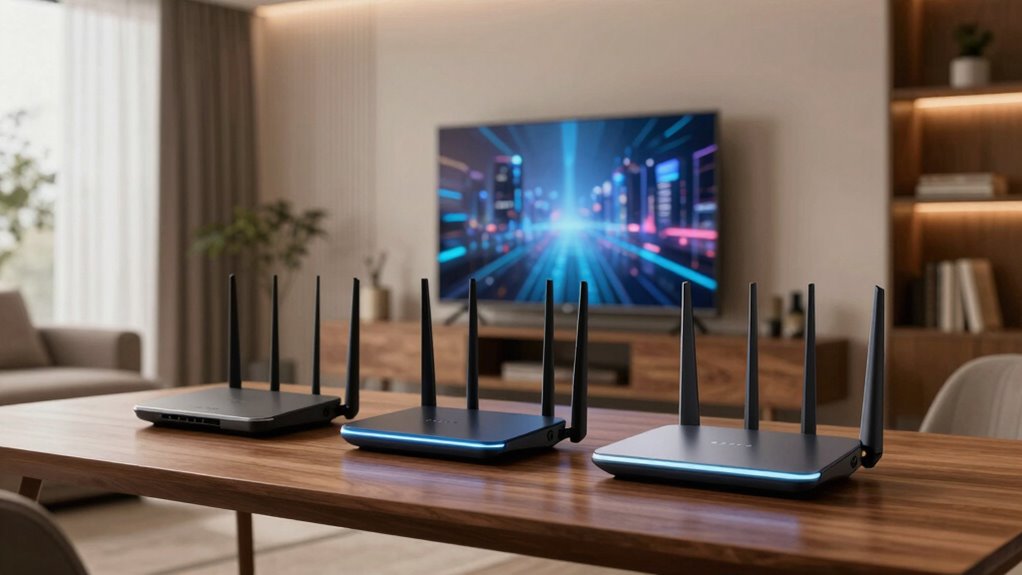

Choosing a Wi Fi 6E router for an apartment requires balancing high-speed performance, reliable coverage, and device capacity within a limited space. The eero Pro 6E stands out as the best overall due to its seamless mesh system and robust coverage. The TP-Link Deco XE75 offers excellent value with AI-driven mesh technology, while the TP-Link Archer AXE75 provides top-tier tri-band performance for tech enthusiasts. The main tradeoffs involve balancing cost against coverage and whether you prefer a single-router setup or a mesh system. Continue reading for a detailed comparison to find your ideal fit.

Get audio and creator gear delivered free with Prime
- Fast, free delivery on millions of items
- Prime Video, Amazon Music and more included
- Member-only deals all year
Complete the kit


Key Takeaways
- Mesh systems like the eero Pro 6E and Deco XE75 excel in providing widespread coverage in compact apartments.
- Tri-band routers such as the Archer AXE75 deliver better device management and faster speeds under heavy load.
- Value-oriented options like the TP-Link AX1800 cater to those on a budget but may sacrifice some coverage and speed.
- Performance varies greatly depending on router placement and apartment layout, making coverage a key factor.
- Choosing between a single-router and mesh system hinges on the size of your apartment and device density.
| eero Pro 6E Mesh Wi-Fi Router – Supports internet plans up to 2.5 Gbps, Coverage up to 2,000 sq. ft., Connect 100+ devices, 1-pack |  | Best Overall for Seamless Mesh Coverage in Apartments | Wi-Fi Standard: Wi-Fi 6E | Maximum Speed: 2.3 Gbps | Coverage Area: 2000 sq. ft. | VIEW ON AMAZON | See Our Full Breakdown |
| TP-Link AX1800 WiFi 6 Router (Archer AX21 V5) |  | Best Value for Balanced Performance and Security | Technology: Wi-Fi 6 (802.11ax) | Bands: Dual-band | Total Bandwidth: 1.8 Gbps | VIEW ON AMAZON | See Our Full Breakdown |
| TP-Link Deco XE75 AXE5400 Tri-Band WiFi 6E Mesh System – Covers up to 2900 Sq.Ft, Replaces WiFi Router and Extender, AI-Driven Mesh, 6GHz Band, 1-Pack |  | Best for High-Speed, Large Coverage Mesh in Apartments | Coverage: up to 2900 sq.ft. | WiFi Bands: Tri-Band (6 GHz, 5 GHz, 2.4 GHz) | Total Speed: up to 5,400 Mbps | VIEW ON AMAZON | See Our Full Breakdown |
| TP-Link AXE5400 Tri-Band WiFi 6E Router (Archer AXE75) |  | Best for Gaming and High-Performance Apartments | WiFi Speed: up to 5400 Mbps | Bands: Tri-Band (6 GHz, 5 GHz, 2.4 GHz) | Processor: 1.0 GHz dual-core CPU | VIEW ON AMAZON | See Our Full Breakdown |
| TP-Link Tri-Band WiFi 7 Router (Archer BE600) |  | Best for Large Apartments and Future-Proof High-Speed Networks | WiFi Bands: Tri-Band WiFi 7 | Total Bandwidth: 9.7 Gbps | Coverage: Up to 2,600 sq. ft. | VIEW ON AMAZON | See Our Full Breakdown |
| TP-Link Deco XE70 Pro AXE4900 Tri-Band WiFi 6E Mesh Router – 1 Pack |  | Best for Large, Device-Heavy Apartments with Seamless Coverage | Wi-Fi Standard: Wi-Fi 6E | Speed: up to 4.9 Gbps | Coverage: 2,900 sq. ft. | VIEW ON AMAZON | See Our Full Breakdown |
| wi fi 6e router for apartment | Coverage |
|---|---|
| eero Pro 6E Mesh Wi-Fi Router | — |
| TP-Link AX1800 WiFi 6 Router | — |
| TP-Link Deco XE75 AXE5400 Tri- | up to 2900 sq.ft. |
| TP-Link AXE5400 Tri-Band WiFi | — |
| TP-Link Tri-Band WiFi 7 Router | Up to 2,600 sq. ft. |
| TP-Link Deco XE70 Pro AXE4900 | 2,900 sq. ft. |
More Details on Our Top Picks
eero Pro 6E Mesh Wi-Fi Router – Supports internet plans up to 2.5 Gbps, Coverage up to 2,000 sq. ft., Connect 100+ devices, 1-pack
This eero Pro 6E excels in providing reliable, high-speed Wi-Fi 6E coverage across up to 2,000 sq. ft., making it ideal for apartment dwellers who want a mesh system that easily expands and supports many devices. Compared to the TP-Link AXE5400, the eero offers a more straightforward setup and better app management, but it may lack some advanced features like VPN support. Its main tradeoff is that full benefits depend on having compatible Wi-Fi 6E devices, and its price may be higher without supporting the 6 GHz band for all devices. This pick is best for residents wanting a simple, expandable mesh network with extensive device support, prioritizing ease over complex features.
Pros:- Supports fast Wi-Fi 6E speeds with low latency
- Coverage up to 2,000 sq. ft. for larger apartments
- Supports over 100 devices simultaneously
Cons:- Requires compatible Wi-Fi 6E devices for full speed benefits
- Additional features may require a subscription
Best for: Apartment residents needing reliable, extensive mesh coverage with minimal hassle
Not ideal for: Power users who require advanced VPN, security, or high-end wired options
- Wi-Fi Standard:Wi-Fi 6E
- Maximum Speed:2.3 Gbps
- Coverage Area:2000 sq. ft.
- Supported Devices:100+
- Ethernet Ports:1 x 2.5 Gb
- Backward Compatibility:Yes
Our verdict“Ideal for apartment dwellers seeking a straightforward, expandable mesh system with broad device support.”
TP-Link AX1800 WiFi 6 Router (Archer AX21 V5)
The TP-Link AX1800 strikes a balance between affordability and performance, supporting dual-band Wi-Fi 6 with speeds up to 1.8 Gbps. Unlike the eero Pro 6E, it lacks Wi-Fi 6E and the 6 GHz band but compensates with extensive coverage and advanced security features, including VPN support. Its main tradeoff is the need for a separate modem in most setups, and performance can vary depending on environment and device placement. This model makes the most sense for those who want reliable, high-speed Wi-Fi without the premium price or advanced mesh features, especially if they already have a good mesh setup or a small to medium apartment.
Pros:- Fast dual-band WiFi with up to 1.8 Gbps
- Supports multiple devices with OFDMA technology
- Includes advanced security and VPN support
Cons:- Requires a separate modem for most ISPs
- Does not support the 6 GHz band
Best for: Budget-conscious apartment residents needing solid Wi-Fi 6 performance with security features
Not ideal for: Users seeking Wi-Fi 6E or extensive mesh coverage in larger spaces
- Technology:Wi-Fi 6 (802.11ax)
- Bands:Dual-band
- Total Bandwidth:1.8 Gbps
- 5 GHz Speed:1200 Mbps
- 2.4 GHz Speed:574 Mbps
- Antennas:4 high-gain
Our verdict“A great budget-friendly option for apartment users who want reliable Wi-Fi 6 without complex mesh or Wi-Fi 6E features.”
TP-Link Deco XE75 AXE5400 Tri-Band WiFi 6E Mesh System – Covers up to 2900 Sq.Ft, Replaces WiFi Router and Extender, AI-Driven Mesh, 6GHz Band, 1-Pack
This Deco XE75 offers tri-band WiFi 6E with a dedicated 6 GHz band for minimal interference, providing up to 2900 sq.ft. of seamless coverage—ideal for larger apartments or those wanting a mesh system that replaces multiple extenders. Compared to the eero Pro 6E, the Deco provides a higher total speed and AI-driven mesh that adapts to real-time network needs, but it requires a modem for most ISPs and might need additional units for very large spaces. Its setup is straightforward via the Deco app, but some users might find a single pack insufficient for bigger layouts. This system makes the most sense for apartment owners prioritizing speed and coverage, especially with multiple devices or smart home gadgets.
Pros:- Fast tri-band WiFi with 6 GHz band for reduced interference
- Coverage up to 2900 sq.ft. with AI-driven mesh
- Easy setup via the Deco app
Cons:- Requires a modem for most internet providers
- Limited to 1 unit in this pack, may need more for larger areas
Best for: Apartment residents wanting a high-speed mesh system with extensive coverage and minimal interference
Not ideal for: Users with very limited space or those who prefer a single-router setup without mesh expansion
- Coverage:up to 2900 sq.ft.
- WiFi Bands:Tri-Band (6 GHz, 5 GHz, 2.4 GHz)
- Total Speed:up to 5,400 Mbps
- Number of Units:1
- Compatibility:All major ISPs
- Security:TP-Link HomeShield
Our verdict“Best suited for apartment owners seeking high-speed, reliable mesh coverage with advanced interference reduction.”
TP-Link AXE5400 Tri-Band WiFi 6E Router (Archer AXE75)
The Archer AXE75 delivers top-tier tri-band WiFi 6E speeds up to 5400 Mbps, making it highly suitable for gaming, streaming, and smart home integration in apartment settings. Its hardware supports mesh extension, VPN, and advanced security, outperforming simpler routers like the AX1800 in speed and hardware power. However, its setup can be complex for non-technical users, and the higher price reflects its premium features. Its robust dual-core CPU and high-speed memory ensure smooth multitasking, but the size and complexity mean it’s best for tech-savvy users or those with demanding network needs who want a future-proof device.
Pros:- High-speed tri-band WiFi with up to 5400 Mbps
- Supports mesh for broader coverage
- Includes VPN server and advanced security features
Cons:- Complex setup process for non-technical users
- Premium price point
Best for: Tech-savvy apartment residents who prioritize high-speed, low-latency connections for gaming and streaming
Not ideal for: Less experienced users or those with modest internet needs who may find setup intimidating
- WiFi Speed:up to 5400 Mbps
- Bands:Tri-Band (6 GHz, 5 GHz, 2.4 GHz)
- Processor:1.0 GHz dual-core CPU
- Memory:512 MB
- Supports Mesh:Yes
- Security:TP-Link HomeShield
Our verdict“Excellent choice for advanced users seeking high-speed, low-latency WiFi 6E in a demanding apartment environment.”
TP-Link Tri-Band WiFi 7 Router (Archer BE600)
The Archer BE600 offers WiFi 7 speeds up to 9.7 Gbps across three bands, making it ideal for large apartments with heavy streaming, gaming, and smart device use. Its multiple multi-gigabit ports support wired connections for demanding setups, and advanced security features ensure network safety. Compared to the AXE5400, this router’s higher maximum bandwidth and WiFi 7 support provide greater future-proofing, but its complex setup and large size could be overwhelming for less technical users. The premium price reflects its high-end hardware and extensive coverage, making it best for those who want a cutting-edge, high-speed network for a large space.
Pros:- High-speed WiFi 7 with up to 9.7 Gbps
- Extensive coverage suitable for large apartments
- Multiple multi-gigabit ports for wired devices
Cons:- Complex setup process
- Large physical size requiring significant space
Best for: Residents with large apartments seeking a high-speed, future-proof network with extensive wired and wireless options
Not ideal for: Users with small spaces or limited technical experience who prefer simple setups
- WiFi Bands:Tri-Band WiFi 7
- Total Bandwidth:9.7 Gbps
- Coverage:Up to 2,600 sq. ft.
- Ports:Multiple 10 Gbps and 2.5 Gbps ports
- Processor:Quad-core
- Security Features:TP-Link HomeShield
Our verdict“Perfect for tech enthusiasts wanting a high-performance, future-ready WiFi 7 solution for large apartments.”
TP-Link Deco XE70 Pro AXE4900 Tri-Band WiFi 6E Mesh Router – 1 Pack
The TP-Link Deco XE70 Pro stands out for its impressive combination of speed, coverage, and capacity, making it ideal for large apartments with many smart devices. With speeds reaching up to 4.9 Gbps and coverage of 2,900 sq. ft., it surpasses the eero Pro 6E’s coverage while supporting up to 200 devices—perfect for households with multiple streaming, gaming, and IoT gadgets. Its tri-band design ensures steady connections even during peak usage, and setup via the Deco app simplifies deployment. However, its premium price and reliance on an app for management could be drawbacks for budget-conscious or less tech-savvy users. Compared to the TP-Link AX1800, which offers lower speeds and fewer device connections, this router is better suited for demanding users but demands a higher investment.
Pros:- Fast Wi-Fi speeds up to 4.9 Gbps, ideal for demanding activities
- Extensive coverage of 2,900 sq. ft. suits large apartments
- Supports up to 200 devices simultaneously, reducing network congestion
- Easy to set up and manage via the Deco app
Cons:- Premium price may be prohibitive for budget-conscious buyers
- Requires app for setup and ongoing management, which may be inconvenient for some
Best for: Large households with extensive smart home setups and high bandwidth needs.
Not ideal for: Small apartments or users on a tight budget who don’t require extensive coverage or device capacity.
- Wi-Fi Standard:Wi-Fi 6E
- Speed:up to 4.9 Gbps
- Coverage:2,900 sq. ft.
- Ports:1 x 2.5 Gbps WAN/LAN, 2 x 1 Gbps LAN
- Device Capacity:up to 200 devices
- Number of Units:1-Pack
Our verdict“This mesh router makes the most sense for large, device-heavy apartments where seamless coverage and high speeds justify the higher cost.”
How We Picked
These products were selected based on a combination of performance metrics, ease of setup, build quality, and value for apartment environments. We prioritized routers that support Wi Fi 6E, ensuring future-proofing and high-speed capabilities suitable for modern apartment use. Mesh systems were favored for larger spaces, while tri-band routers were recognized for their speed and device management. Products were ranked by balancing real-world coverage, user capacity, and overall reliability, aiming to help apartment dwellers find the best fit for their needs.Factors to Consider When Choosing Wi Fi 6e Router For Apartments
When selecting a Wi Fi 6E router for an apartment, it’s essential to consider factors beyond raw speed. The layout of your space, number of devices, and future-proofing needs can significantly influence your choice. Understanding these broader considerations can prevent costly mistakes and ensure your network remains stable, fast, and scalable.Coverage and Mesh Capabilities
Apartment size and layout heavily influence coverage needs. Mesh systems like the eero Pro 6E and Deco XE75 are ideal for larger or irregularly shaped spaces because they eliminate dead zones. A single-router setup might suffice for smaller apartments but can struggle with signal strength at the far ends. When evaluating coverage, consider potential obstructions like walls and furniture, which can reduce effective signal range.
Device Capacity and Management
Many apartments now host numerous connected devices—from smartphones to smart home gadgets. Routers with higher device capacity and advanced management features prevent network congestion. Tri-band routers, such as the Archer AXE75, distribute bandwidth more effectively across multiple devices. Avoid overestimating your needs; choosing a router with more capacity than you currently require can future-proof your setup as your device ecosystem grows.
Speed and Future-Proofing
While gigabit speeds are impressive, they are only beneficial if your internet plan and devices support them. Wi Fi 6E offers lower latency and improved performance for demanding applications like streaming and gaming. Investing in a future-proof router ensures compatibility with upcoming devices and higher internet plans. However, remember that your actual experience also depends on your ISP’s plan and network conditions.
Ease of Setup and Maintenance
Ease of installation can make or break user satisfaction. Mesh systems often come with user-friendly apps that simplify setup and management, making them suitable for non-technical users. Consider the availability of firmware updates and customer support, which are vital for maintaining network security and performance over time. Complex routers with many features may require a steeper learning curve but offer more customization for advanced users.
Cost and Value
Higher-end Wi Fi 6E routers and mesh systems typically come with a higher price tag but offer better coverage, speed, and scalability. Budget options like the AX1800 may suffice for basic needs but could fall short as your device count or internet speed increases. Weigh the upfront cost against the long-term benefits of performance and reliability, especially if your apartment demands consistent high-speed connectivity.
Frequently Asked Questions
Will a Wi Fi 6E router significantly improve my apartment Wi-Fi?
Yes, a Wi Fi 6E router can provide faster speeds, lower latency, and better handling of multiple devices compared to previous Wi Fi standards. This is particularly noticeable in busy apartments with many connected gadgets. However, to fully benefit, your internet plan and devices should also support Wi Fi 6E. If your current setup is outdated or small, the improvements might be less perceptible.
Is a mesh system necessary for small apartments?
Not necessarily. Small apartments often have sufficient coverage with a high-quality single-router setup. However, if your apartment has thick walls or multiple rooms that cause dead zones, a mesh system like the Deco XE75 can ensure more consistent coverage. Mesh systems also offer easy scalability, making them a flexible choice if your needs change over time.
How do I know if my devices support Wi Fi 6E?
Most devices released in recent years will specify support for Wi Fi 6 or Wi Fi 6E in their specifications. Smartphones, laptops, and smart home gadgets are increasingly adopting Wi Fi 6E. Check the device’s technical specs or consult the manufacturer’s website to confirm compatibility. Upgrading to a Wi Fi 6E router makes sense only if your key devices can utilize the improved speeds and capacities.
Are tri-band routers worth the extra cost for an apartment?
Tri-band routers like the Archer AXE75 provide dedicated channels for high-speed data transmission, which can significantly improve performance under heavy load. For apartments with many devices or smart home hubs, this setup reduces congestion and latency. However, if your device count is low or your internet plan is modest, a dual-band or mesh system might deliver similar benefits at a lower price.
What is the main advantage of Wi Fi 6E over Wi Fi 6?
Wi Fi 6E extends the capabilities of Wi Fi 6 into the 6 GHz band, which offers additional spectrum for less interference and higher speeds. This is especially beneficial in densely populated areas or environments with many overlapping networks. However, to experience these advantages, both your router and devices need to support Wi Fi 6E, and your internet connection must be fast enough to take advantage of the new spectrum.
Conclusion
For most apartment dwellers, the eero Pro 6E stands out as the best overall choice thanks to its seamless mesh coverage and ease of use. Those seeking a strong balance of performance and affordability will find the TP-Link Deco XE75 compelling, especially for larger or more complex layouts. Tech enthusiasts or users with heavy device loads might prefer the TP-Link Archer AXE75 for its tri-band performance. Beginners or those on a tighter budget should consider simpler, more affordable options like the AX1800. Ultimately, your decision should align with your apartment size, device needs, and budget constraints.