
The best work from home gadgets solve a daily desk problem without adding clutter or setup hassle. I’d put the BlissTrends Foot Rest in the overall lead for its two height options, while the SUPERDANNY LED Desk Lamp stands out for adjustable, dimmable task lighting and the Spacrea Monitor Stand Riser for combining screen elevation with storage. The main tradeoff is choosing between comfort upgrades, workspace organization, and small convenience tools that work best as add-ons. A gadget only earns desk space if it suits your setup and routine. Read on for the full comparison and help choosing the right fit.
Complete the kit



Key Takeaways
- Adjustability separates useful comfort gear from fixed-position accessories: the BlissTrends foot rest offers two height settings, while the CasaZenith is a simpler alternative for buyers who want under-desk support without that stated adjustment feature.
- The most useful desk organizers do more than hold one item: Spacrea combines a monitor riser with a drawer and pen holders, while single-purpose memo boards and phone holders suit desks with a narrower clutter problem.
- Lighting is a functional upgrade, not just decoration: SUPERDANNY offers dimming and an adjustable gooseneck, features that help adapt illumination to the task and desk layout.
- Small convenience gadgets have narrower roles: the mug warmer, mini vacuum, shortcut sticker, and outlet extender address specific routines, so their value depends on whether those needs recur in your workday.
- There is no single best desk setup for everyone: the strongest choice depends on what causes the most friction—poor posture, dim work surfaces, scattered supplies, or everyday charging and cleanup.
| INCHOR Cord Organizer for Desk – Black |  | Best for Cable Clutter | Brand: INCHOR | Material: Silicone | Dimensions: 6.9 x 3.8 inches | VIEW ON AMAZON | See Our Full Breakdown |
| Taja To Do List Notepad, Undated Daily Planner for Work and Goal Setting |  | Best for Daily Task Planning | Brand: Taja | Model number: T005-PAD-Greenery Sway-L | Color: Greenery Sway | VIEW ON AMAZON | See Our Full Breakdown |
| Computer Monitor Memo Boards – 2 Pack Office Desk Organizer |  | Best for Visible Reminders | Brand: MDOZQ | Model number: memoholderflat2 | Quantity: 2 | VIEW ON AMAZON | See Our Full Breakdown |
| LISEN Cell Phone Stand for Desk, Adjustable & Stable Phone Holder for Office and Gaming |  | Best for Video Calls and Phone Viewing | Height range: 7.1–8.5 inches | Adjustable angle: 5°–85° | Compatible devices: Smartphones, tablets, small laptops, Nintendo Switch, Kindle, and iPad | VIEW ON AMAZON | See Our Full Breakdown |
| BlissTrends Foot Rest Under Desk with 2 Adjustable Heights |  | Best for Adjustable Under-Desk Support | Material: High-quality foam | Lower-layer dimensions: 16.2 x 9.9 x 2.0 inches | Upper-layer thickness: 3.7 inches | VIEW ON AMAZON | See Our Full Breakdown |
| Spacrea Dual Monitor Stand Riser with Drawer and 2 Pen Holders |  | Best for Dual-Monitor Desk Organization | Dimensions: 40.6 x 9.3 x 4.3 inches | Weight: 6 pounds | Material: Iron and plastic | VIEW ON AMAZON | See Our Full Breakdown |
| SUPERDANNY LED Desk Lamp for Office and Home, Eye-Caring, Dimmable, with Adjustable Gooseneck and USB Adapter | 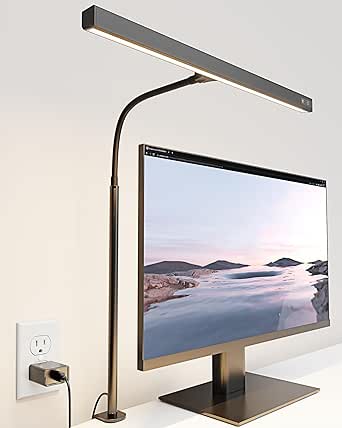 | Best for Adjustable Task Lighting | Power: 12W | Voltage: 5V | LED units: 60 | VIEW ON AMAZON | See Our Full Breakdown |
| Joyberg 3PCS Monitor Memo Board for Computer Monitors, Acrylic Sticky Note Holder, Office Desk Accessories |  | Best for Keeping Reminders in Sight | Quantity: 3 memo boards | Material: Acrylic | Size: 11 x 3.1 x 0.07 inches | VIEW ON AMAZON | See Our Full Breakdown |
| Synerlogic Word & Excel Shortcut Sticker – Laminated Vinyl (Rainbow, Small) |  | Best for Learning Windows Office Shortcuts | Subject: Word and Excel shortcuts | Material: Vinyl | Finish: Laminated | VIEW ON AMAZON | See Our Full Breakdown |
| Outlet Extender with Night Light, Multi Plug Wall Outlet, Surge Protector |  | Best for Consolidating Desk Power | AC outlets: 5 | USB ports: 4 | Voltage: 125V | VIEW ON AMAZON | See Our Full Breakdown |
| MDOZQ Office Desk Accessories 2pcs Sticky Note Holder Phone Holder |  | Best for Monitor-Side Organization | Number of items: 2 | Material: Transparent acrylic | Size: 0.98 x 3.15 inches | VIEW ON AMAZON | See Our Full Breakdown |
| House Gem Coffee Mug Warmer for Desk, Candle Warmer Plate, 12H Timer, Wood |  | Best for Keeping a Desk Drink Warm | Temperature settings: 130°F, 150°F, and 176°F | Plate size: 5.2 inches | Auto shutoff: 4-hour default; adjustable from 2 to 12 hours | VIEW ON AMAZON | See Our Full Breakdown |
| ODISTAR Mini Desktop Vacuum Cleaner – White (AA Battery) |  | Best Compact Desk Cleaner | Power source: Two AA batteries, not included | Runtime: Up to 4 hours | Dust capacity: 200 ml | VIEW ON AMAZON | See Our Full Breakdown |
| CasaZenith Foot Rest Under Desk |  | Best for Gentle Movement While Seated | Foot surface dimensions: 13 x 9.6 inches | Material: Thickened polypropylene (PP) | Base: Non-slip pad | VIEW ON AMAZON | See Our Full Breakdown |
| work from home gadget | Material | Dimensions |
|---|---|---|
| INCHOR Cord Organizer for Desk | Silicone | 6.9 x 3.8 inches |
| Taja To Do List Notepad | — | 9.8 x 6.5 inches |
| Computer Monitor Memo Boards | Transparent acrylic | — |
| LISEN Cell Phone Stand for Des | Metal with anti-slip silicone pads | — |
| BlissTrends Foot Rest Under De | High-quality foam | — |
| Spacrea Dual Monitor Stand Ris | Iron and plastic | 40.6 x 9.3 x 4.3 inches |
| SUPERDANNY LED Desk Lamp for O | — | 2 x 17 x 32 inches |
| Joyberg 3PCS Monitor Memo Boar | Acrylic | — |
| Synerlogic Word & Excel Shortc | Vinyl | 3.4 x 2.5 x 0.01 inches |
| Outlet Extender with Night Lig | — | 5.4 x 3.4 inches |
| MDOZQ Office Desk Accessories | Transparent acrylic | — |
| House Gem Coffee Mug Warmer fo | ABS | 5.86 x 5.86 x 1.21 inches |
| ODISTAR Mini Desktop Vacuum Cl | — | 3.1 x 3.1 x 2.85 inches |
| CasaZenith Foot Rest Under Des | Thickened polypropylene (PP) | — |
More Details on Our Top Picks
INCHOR Cord Organizer for Desk – Black
The INCHOR Cord Organizer earns its place as a practical fix for charging leads and other thin cables that slide behind a home-work desk. Its flexible silicone slots accept cables up to 6 mm thick, while the adhesive backing lets me place the organizers on a smooth desk edge without drilling. Compared with the Computer Monitor Memo Boards, which keep reminders in view, this pair addresses the less visible but often frustrating problem of cables slipping out of reach. The tradeoff is that it needs a clean, smooth mounting surface, and removal may leave residue. It also won’t accommodate thicker power cords, so I’d choose it for everyday charging and USB cables rather than a full cable-management setup.
Pros:- Keeps compatible cables within reach instead of letting them fall behind the desk
- Flexible silicone makes inserting and removing cables simple
- Adhesive installation requires no tools or holes
- Two organizers can be placed where separate cable groups are needed
Cons:- Adhesion is intended for clean, smooth surfaces and may not hold well on textured ones
- Removal may leave residue
- Cable slots are limited to diameters up to 6 mm
Best for: Remote workers who regularly unplug and reconnect slim phone, USB, or network cables at a smooth-surfaced desk
Not ideal for: People with thick power cords, textured desk surfaces, or rented furniture where adhesive residue is a concern
- Brand:INCHOR
- Material:Silicone
- Dimensions:6.9 x 3.8 inches
- Installation:Self-adhesive
- Color:Black
- Maximum cable diameter:0.26 inch (6 mm)
- Pack quantity:2
Our verdict“Choose this pair if slim charging cables keep disappearing behind a smooth desk, but skip it for thick cords or surfaces that cannot take adhesive.”
Taja To Do List Notepad, Undated Daily Planner for Work and Goal Setting
The Taja To Do List Notepad suits a home worker who prefers writing priorities down instead of keeping another digital task list open. Its daily sections give tasks and goals dedicated space, and the 100 gsm paper offers a sturdier writing surface than a basic tear-off pad. At 9.8 by 6.5 inches, it can stay beside a keyboard or travel between rooms without taking over a desk. Unlike the Computer Monitor Memo Boards, which keep reminders visible at eye level, this planner gives me a more structured page for sorting the day’s work. That structure comes with a small routine: the pages are undated, so I need to add dates myself. Its 52 sheets also make it a finite planning pad, not a permanent notebook.
Pros:- Dedicated sections help separate tasks, priorities, and goals
- 100 gsm sheets provide a substantial writing surface
- Transparent PP cover and thick paperboard back help protect the pad
- Compact dimensions make it easy to move around the home
Cons:- Undated pages require manual date entry
- The 52-sheet supply is limited compared with a reusable digital planner
- The listed color option offers limited personalization
Best for: Remote workers who want a portable paper planner with separate areas for daily tasks, priorities, and goals
Not ideal for: People who want a long-term bound planner, automatic date labels, or reminders that stay visible on the monitor
- Brand:Taja
- Model number:T005-PAD-Greenery Sway-L
- Color:Greenery Sway
- Pages:52
- Paper weight:100 gsm
- Dimensions:9.8 x 6.5 inches
- Cover:Transparent PP cover with thick paperboard back
Our verdict“Pick this notepad if handwritten daily planning helps you focus, but choose a monitor memo board if reminders need to stay in sight.”
Computer Monitor Memo Boards – 2 Pack Office Desk Organizer
These Computer Monitor Memo Boards turn unused space beside a display into a place for sticky notes, meeting reminders, or business cards. The transparent acrylic keeps the notes visible without adding an opaque panel across the screen, making this a good fit for people who want paper cues close to their line of sight. Compared with the Taja To Do List Notepad, these boards are better for quick reminders than for organizing a full day of tasks; the notepad offers more room for structured planning. This two-piece set can attach to both sides of a monitor or to other flat surfaces, but monitor fit is the deciding factor: the adhesive belongs on the black border, not the screen, and narrow bezels may leave too little mounting area.
Pros:- Adds visible storage space on both sides of a compatible monitor
- Transparent acrylic keeps reminders from blocking the display
- Lightweight boards can also be placed on cabinets, walls, and other flat surfaces
- Peel-off protective film allows installation and removal without tools
Cons:- Requires a sufficiently wide black monitor edge for adhesive placement
- Adhesive must not be applied directly to the screen
- Limited board area suits short notes better than detailed planning
Best for: Remote workers with a monitor’s broad black border who want meeting notes and short reminders visible without adding desk clutter
Not ideal for: People with narrow-bezel or edge-to-edge monitors, or anyone who needs a large writing surface for detailed task planning
- Brand:MDOZQ
- Model number:memoholderflat2
- Quantity:2
- Board size:11 x 3.1 inches
- Weight:0.11 kg
- Material:Transparent acrylic
- Installation:Adhesive attachment
Our verdict“Choose these boards for at-a-glance reminders if your monitor has enough border space; otherwise, the Taja notepad is a more flexible planning surface.”
LISEN Cell Phone Stand for Desk, Adjustable & Stable Phone Holder for Office and Gaming
The LISEN Cell Phone Stand gives a home worker a raised, adjustable place for a phone used during video calls, messaging, or reference checks. Its height adjusts from 7.1 to 8.5 inches, and the angle range lets me set the screen for a more comfortable view instead of repeatedly looking down at the desk. The cable opening also helps keep a charging lead routed through the stand. Compared with the Computer Monitor Memo Boards, this is a more useful choice when the phone itself needs to be visible and accessible, rather than when the main need is storing written reminders. Its metal construction and anti-slip pads support stability, but the stand’s small footprint and device limits mean it is not a substitute for a full-size tablet or laptop riser; assembly may also call for screw adjustment.
Pros:- Adjustable height and viewing angle help position a phone for desk use
- Charging opening and cable management keep a lead routed through the stand
- Metal construction and silicone pads help resist slipping and scratches
- Works with smartphones and a range of smaller devices
Cons:- Small stand dimensions may not suit larger devices
- Screw tightening or adjustment may be needed during assembly
- Does not provide the broad task-storage area of monitor memo boards
Best for: Remote workers who use a smartphone for video calls, two-factor codes, messaging, or a second information screen
Not ideal for: People seeking a full-size laptop or large-tablet stand, or a setup that must be ready without any assembly adjustment
- Height range:7.1–8.5 inches
- Adjustable angle:5°–85°
- Compatible devices:Smartphones, tablets, small laptops, Nintendo Switch, Kindle, and iPad
- Material:Metal with anti-slip silicone pads
- Cable feature:Built-in charging hole and cable management
- Included items:Phone holder stand, screw, hexagon screwdriver, and specification
Our verdict“Choose the LISEN stand if your phone is part of your workday and needs a raised, adjustable position, but look elsewhere for a large-device riser.”
BlissTrends Foot Rest Under Desk with 2 Adjustable Heights
The BlissTrends Foot Rest is the lineup’s posture-focused choice: its two foam layers let me change the height beneath my feet rather than relying on a fixed support. That flexibility can help a home worker find a more comfortable leg position at a desk, while the zippered, washable cover makes upkeep easier than it would be with an uncovered cushion. Compared with the LISEN Cell Phone Stand, which improves access to a screen, this pick addresses comfort during long seated stretches. The tradeoff is fit: its layered footprint needs room beneath the desk, and a very low desk may not leave enough clearance. Foam firmness is personal, too, so it may not feel supportive to everyone. It is a simple comfort aid, not a replacement for adjusting chair and desk height.
Pros:- Two layers allow height and thickness adjustments
- Removable cover with zipper can be washed
- Non-slip bottom helps keep the support in place
- Foam construction provides a cushioned surface for the feet
Cons:- Layered height may not fit beneath desks with limited clearance
- Foam firmness may feel insufficiently supportive to some users
- Soft construction may not provide the fixed, rigid support some buyers prefer
Best for: Remote workers who sit for long stretches and want a washable, height-adjustable cushion to support their feet under the desk
Not ideal for: People with low desk clearance, a preference for firm rigid support, or a need for a compact hard-surface footrest
- Material:High-quality foam
- Lower-layer dimensions:16.2 x 9.9 x 2.0 inches
- Upper-layer thickness:3.7 inches
- Number of pieces:2
- Adjustable:Yes, two layers
- Cover:Fabric with zipper; removable and washable
- Non-slip bottom:Yes
- Recommended uses:Back pain, knee pain, and lumbar pain
Our verdict“Choose this footrest if you want cushioned, washable support with two height options and have enough under-desk clearance.”
Spacrea Dual Monitor Stand Riser with Drawer and 2 Pen Holders
For a home office built around two screens, the Spacrea riser combines a wide monitor platform with useful small-item storage. Its 40.6-inch length can support two monitors while lifting them 4.3 inches, which may make screen positioning more comfortable and free up some desk area beneath. The drawer and two pen holders also give everyday work supplies a dedicated spot. Compared with the Joyberg 3PCS Monitor Memo Board, this is a much larger desk fixture: Joyberg keeps reminders near a screen, while Spacrea changes how the monitors and desktop are arranged. That added capacity comes with a substantial footprint, and the fixed height offers no fine-tuning. I’d choose it for a two-monitor setup with room to spare, not a compact desk or a single screen that needs only a small lift.
Pros:- Wide platform is designed to accommodate two monitors.
- Raises screens 4.3 inches, which can support a more comfortable viewing position.
- Built-in drawer and two pen holders help keep small supplies organized.
- Steel construction and anti-slip pads support a stable desktop setup.
Cons:- The 40.6-inch length takes up considerable desk width.
- Its fixed 4.3-inch height does not allow ergonomic fine-tuning.
- A single-monitor user may not need the size of this platform.
Best for: Remote workers using two monitors who have a wide desk and want a modest screen lift plus storage for pens and small supplies.
Not ideal for: People with narrow or crowded desks, or anyone who needs adjustable riser height rather than a fixed 4.3-inch lift.
- Dimensions:40.6 x 9.3 x 4.3 inches
- Weight:6 pounds
- Material:Iron and plastic
- Finish:Powder coated
- Color:Black
- Levels:1
- Special features:Drawer, two pen holders, extendable to 40 inches, 4.3-inch rise
Our verdict“Choose the Spacrea if you need a wide, organized base for two monitors and can spare the desk space.”
SUPERDANNY LED Desk Lamp for Office and Home, Eye-Caring, Dimmable, with Adjustable Gooseneck and USB Adapter
The SUPERDANNY desk lamp suits home workers who need lighting they can tailor to different tasks and times of day. Its three color temperatures, from 3000K to 6000K, and continuous dimming let you shift from warmer light to brighter, cooler illumination without changing lamps. The flexible gooseneck helps direct the beam toward paperwork or a keyboard, while touch controls simplify adjustments. Compared with the Outlet Extender with Night Light, this is made to light a work surface; the outlet extender’s light is a convenience feature, not a substitute for a task lamp. The tradeoff is that SUPERDANNY needs a USB power source and its stated maximum height may be limiting beside a very large monitor. I’d pick it for a desk needing aimed, adjustable light, not outdoor use or a setup without accessible USB power.
Pros:- Three color temperatures offer warm-to-cool lighting choices.
- Brightness adjusts continuously from 10% to 100%.
- Flexible gooseneck makes it easier to aim light at a specific work area.
- Touch controls and memory function simplify repeat adjustments.
Cons:- Requires a USB power source.
- Maximum height may not clear very large monitors or tall desk setups.
- Not water resistant, so it is intended for indoor dry locations.
Best for: Remote workers who read paper documents or work at a desk with changing lighting needs and want adjustable brightness and color temperature.
Not ideal for: People needing a waterproof lamp, a particularly tall light for a large display, or a lamp that plugs in without a USB power source.
- Power:12W
- Voltage:5V
- LED units:60
- Color temperatures:3000K, 4000K, 6000K
- Brightness control:10%–100%
- Beam angle:45°
- Maximum height:30 inches
- Dimensions:2 x 17 x 32 inches
- Materials:Aluminum, metal, silicone
Our verdict“Pick this lamp for a home desk where adjustable, directed task lighting matters more than extra power outlets.”
Joyberg 3PCS Monitor Memo Board for Computer Monitors, Acrylic Sticky Note Holder, Office Desk Accessories
The Joyberg memo boards are a small-footprint way to keep notes visible without using another section of the desk. The set includes three lightweight acrylic holders sized for attachment to the top or sides of a monitor, making reminders easier to spot while working. That makes them a more direct fit for visual task prompts than the Synerlogic Word & Excel Shortcut Sticker, which keeps a fixed reference on a keyboard or palm rest rather than holding changing notes. Joyberg’s low-key format has limits: the boards cannot attach directly to the screen, and narrow display edges may not provide a compatible mounting area. They also offer note storage rather than the ergonomic screen lift and drawer provided by the Spacrea Dual Monitor Stand Riser. I’d choose this set for lightweight reminders, not for larger papers or a desk organization overhaul.
Pros:- Three boards provide multiple places for reminders or notes.
- Lightweight acrylic adds little burden to a monitor.
- Designed to attach to monitor sides or the top and to be removable.
- Keeps quick-reference notes within view without using desk surface.
Cons:- Compatibility may be limited on monitors with narrow sides.
- Boards cannot be pasted directly onto the screen.
- Side-or-top attachment limits where notes can be positioned.
Best for: Remote workers who use sticky notes for daily tasks and have monitor edges or top surfaces that can accommodate attached memo boards.
Not ideal for: People with narrow-sided monitors, those who need to attach notes directly to the display, or anyone seeking storage for larger documents.
- Quantity:3 memo boards
- Material:Acrylic
- Size:11 x 3.1 x 0.07 inches
- Weight:0.15 kg
- Color:Black
- Model number:09XSQLYB0001
Our verdict“Choose Joyberg if visible sticky-note reminders are your main need and your monitor has suitable attachment space.”
Synerlogic Word & Excel Shortcut Sticker – Laminated Vinyl (Rainbow, Small)
The Synerlogic shortcut sticker is a compact reference for remote workers learning or frequently using Word and Excel on Windows. Placed on a keyboard palm rest, its shortcut prompts stay close at hand, so a user can check a command without reaching for a separate guide. Its laminated, waterproof vinyl construction is suited to a spot that may see regular handling, while the low-residue adhesive is intended to make repositioning or removal easier. Compared with the Joyberg 3PCS Monitor Memo Board, this is more specialized: Joyberg holds changing reminders, while Synerlogic supports recall of a fixed set of application commands. The small format keeps it unobtrusive, but also limits how much can be shown. It is designed for Windows 10/11, so Mac users should skip it; adhesive may also leave light residue that needs cleaning.
Pros:- Puts Word and Excel shortcut prompts within easy glance of the keyboard.
- Laminated vinyl is waterproof and suited to frequent handling.
- Low-residue adhesive is intended to support clean removal.
- Small dimensions can fit on many keyboard palm rests.
Cons:- Designed for Windows 10/11 rather than macOS.
- Covers only Word and Excel shortcuts, limiting its usefulness for other workflows.
- Adhesive may leave light residue that requires cleaning.
Best for: Windows 10/11 users who are learning or repeatedly checking Word and Excel keyboard shortcuts at a laptop or desktop keyboard.
Not ideal for: macOS users, people who do not use Word or Excel, or buyers who want a broad, changeable task-note area.
- Subject:Word and Excel shortcuts
- Material:Vinyl
- Finish:Laminated
- Water resistance:Waterproof
- Dimensions:3.4 x 2.5 x 0.01 inches
- Pieces:1
- Color:Rainbow
- Size:Small
Our verdict“Choose this sticker if you work in Word and Excel on Windows and want a compact shortcut reference beside your keyboard.”
Outlet Extender with Night Light, Multi Plug Wall Outlet, Surge Protector
For a home office with several devices competing for wall power, this outlet extender brings five outlets and four USB ports into one wall-mounted unit. The wide-spaced outlets are intended to make room for larger plugs, while the ambient-sensing night light adds a soft convenience feature that is separate from task lighting. Its surge protection and ETL certification also make it a more power-focused desk addition than the SUPERDANNY LED Desk Lamp, which addresses visibility rather than outlet capacity. The practical limit is space: the extender’s body can be awkward in a tight outlet location, and its USB-C port does not support devices needing 14–22V charging. This is a useful consolidation pick for a fixed indoor workspace, but I would not rely on it for every high-demand USB-C device or use it as a replacement for a desk lamp.
Pros:- Five outlets and four USB ports support several devices from one wall outlet.
- Wide-spaced outlets are designed to accommodate larger plugs.
- Ambient light sensor and manual control provide a built-in night light.
- Surge protection and ETL certification are listed safety features.
Cons:- The unit’s size may make it difficult to fit in tight spaces.
- USB-C port does not support devices requiring 14–22V charging.
- Night light is not a substitute for adjustable task lighting.
Best for: Remote workers who need to plug in several desk devices and charge compatible USB-powered accessories from one wall outlet.
Not ideal for: People with a cramped outlet location or USB-C devices that require 14–22V charging.
- AC outlets:5
- USB ports:4
- Voltage:125V
- Maximum current:15A
- Dimensions:5.4 x 3.4 inches
- Weight:239 g
- Plug type:Type B, 3-pin North American
- Lighting:Night light with ambient light sensor and manual control
Our verdict“Choose this extender if your home-office bottleneck is available outlets and your devices are compatible with its USB charging limits.”
MDOZQ Office Desk Accessories 2pcs Sticky Note Holder Phone Holder
The MDOZQ acrylic holders suit a home office where reminders and a phone tend to crowd the keyboard. The two pieces attach to a monitor’s black edge, turning otherwise unused space into spots for sticky notes, cards, photos, or a phone. Compared with the standalone LISEN Cell Phone Stand, this set combines phone support with memo storage, but it depends on having a compatible monitor bezel. Its clear, waterproof acrylic keeps the setup visually light and is easy to remove, though the strong adhesive can make repositioning tricky. Check the gap between the monitor edge and screen before attaching; these holders should not cover the display. Choose this set for vertical organization, not for a flexible phone stand you can move around your desk.
Pros:- Combines memo, card, photo, and phone storage in two monitor-mounted pieces
- Uses vertical monitor-edge space instead of taking up the desktop
- Waterproof transparent acrylic has a low-visual-clutter look
- Designed for removal without leaving traces
Cons:- Attaches to the black monitor edge, not directly to the screen
- Strong adhesive can make repositioning difficult
- Monitor clearance needs checking to avoid contact with the screen
Best for: Remote workers with a monitor that has a suitable black bezel who want notes, cards, and a phone within sight without using more desk space
Not ideal for: People with bezel-free monitors, little clearance beside the screen, or a preference for frequently moving their phone holder
- Number of items:2
- Material:Transparent acrylic
- Size:0.98 x 3.15 inches
- Item weight:0.18 kg
- Brand:MDOZQ
- Model number:memoholderbase2
Our verdict“Pick the MDOZQ set if your monitor has a compatible bezel and you want notes and a phone close at hand without adding a separate desk stand.”
House Gem Coffee Mug Warmer for Desk, Candle Warmer Plate, 12H Timer, Wood
The House Gem mug warmer is a practical pick for people who get pulled into calls or focused work and return to a cooled drink. Its three heat settings and memory function let you keep a preferred setting, while the adjustable timer and auto shutoff add a layer of unattended-use convenience. The 5.2-inch glass plate gives it a broader landing area than a small coaster, but the mug still needs a flat bottom; plastic cups are not recommended. Unlike the ODISTAR Mini Desktop Vacuum, this gadget has to stay near a power outlet, so it does not add portable flexibility. The corded, 36-watt design is a reasonable trade for steady desk use, but it will not heat every vessel or replace a kettle. It makes most sense for someone who regularly nurses a compatible mug at a home desk.
Pros:- Three temperature settings offer more control than a basic warming plate
- Adjustable timer with auto shutoff supports safer desk-side use
- Memory function retains the preferred setting
- 5.2-inch glass plate accommodates many flat-bottom mugs
Cons:- Requires a corded 110V power connection
- Plastic cups and mugs without flat bottoms are not recommended
- Does not replace a kettle or serve as a general-purpose drink heater
Best for: Home workers who sip coffee or tea slowly and use flat-bottom mugs at a desk with a nearby outlet
Not ideal for: People who use plastic or unusually shaped cups, need a cordless gadget, or want a device to heat drinks from cold
- Temperature settings:130°F, 150°F, and 176°F
- Plate size:5.2 inches
- Auto shutoff:4-hour default; adjustable from 2 to 12 hours
- Power:36 watts
- Voltage:110V
- Material:ABS
- Dimensions:5.86 x 5.86 x 1.21 inches
- Weight:458 g
Our verdict“Choose this warmer if you often leave a flat-bottom mug on your desk and want adjustable heat with timed shutoff.”
ODISTAR Mini Desktop Vacuum Cleaner – White (AA Battery)
For a work-from-home desk that collects crumbs, dust, or pet hair, the ODISTAR mini vacuum offers quick cleanup without bringing out a full-size vacuum. Its compact footprint and cordless AA-battery power make it easy to keep nearby or carry to a car, and the rotating head helps reach tight spots around a keyboard. The CasaZenith Foot Rest addresses comfort over a work session; this cleaner instead handles the small messes that accumulate during one. Its limits are tied to its size: the 200 ml capacity fills sooner than a household vacuum’s bin, and its single speed offers no adjustment for different surfaces. Two AA batteries are not included, and runtime can vary. Pick it for targeted touch-ups, not deep cleaning or a desk that needs frequent heavy-duty vacuuming.
Pros:- Cordless design works away from an outlet
- 360° rotating head helps reach corners and narrow desk spaces
- Compact 5.12-ounce body is easy to store or carry
- Up to four hours of runtime is specified
Cons:- Requires two AA batteries, which are not included
- 200 ml capacity may require frequent emptying
- One speed offers no suction adjustment, and battery runtime can vary
Best for: Remote workers who want a portable tool for occasional crumbs, dust, and hair on desks, keyboards, or in a car
Not ideal for: People who need sustained heavy-duty cleaning, adjustable suction, or a vacuum with a larger dust container
- Power source:Two AA batteries, not included
- Runtime:Up to 4 hours
- Dust capacity:200 ml
- Dimensions:3.1 x 3.1 x 2.85 inches
- Weight:5.12 ounces
- Number of speeds:1
- Filter type:Disk
- Warranty:1 year
Our verdict“Get the ODISTAR for portable, small-mess cleanup at a desk or in a car, but choose a larger vacuum for routine deep cleaning.”
CasaZenith Foot Rest Under Desk
The CasaZenith foot rest is aimed at seated workers who want to change foot position without adding a complex ergonomic setup. Its swingable platform allows forward-and-back movement, while the textured surface and built-in rollers provide a place to rest or massage the feet during desk work. Compared with the BlissTrends Foot Rest, which offers two adjustable heights, CasaZenith emphasizes a rocking motion and portability rather than height adjustment. The non-slip base helps keep it in place, and its snap-on construction is designed for tool-free assembly. The tradeoff is a more limited fit: the listed surface is 13 by 9.6 inches, and no weight capacity is specified. This suits workers seeking light movement and foot support, but those who need a height-adjustable platform or clear load guidance should look elsewhere.
Pros:- Swingable design supports gentle forward-and-back movement
- Textured surface and built-in rollers provide foot massage
- Non-slip base helps limit movement on the floor
- Lightweight snap-on construction is portable and requires no tools
Cons:- No weight capacity is specified
- Does not offer the two height settings found on the BlissTrends foot rest
- 13 x 9.6-inch surface may feel small for some users
Best for: Remote workers who want a compact, rocking foot platform with rollers for changing foot position during seated work
Not ideal for: People who need adjustable height, a larger foot platform, or a stated weight capacity before buying
- Foot surface dimensions:13 x 9.6 inches
- Material:Thickened polypropylene (PP)
- Base:Non-slip pad
- Design:Swingable, snap-on assembly
- Portability:Lightweight; fits in backpacks
Our verdict“Choose CasaZenith if you value a portable rocking foot rest with massage rollers more than adjustable height or a documented load limit.”
How We Picked
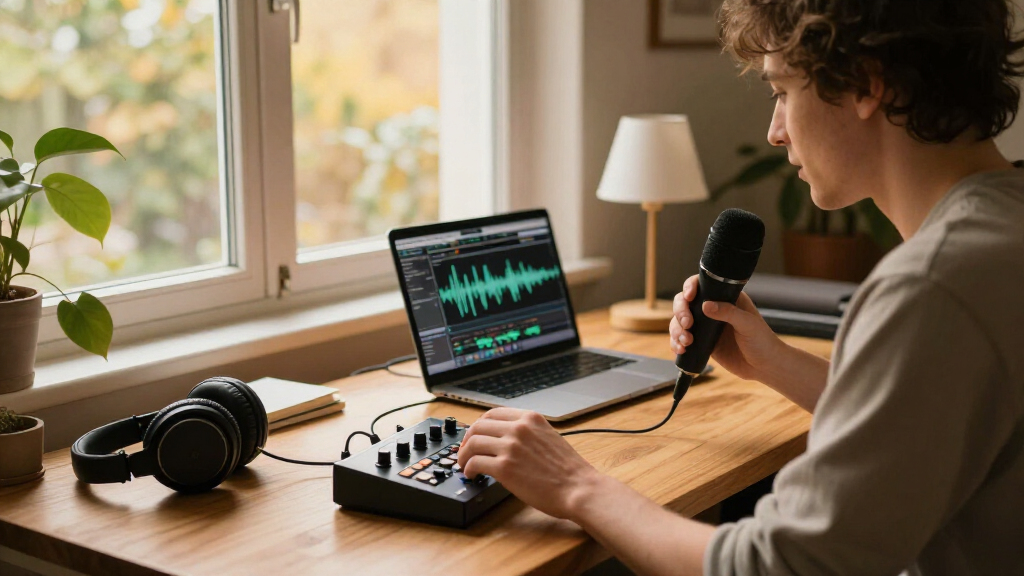
I compared these 14 work from home gadgets by the problems they address: desk organization, posture support, task lighting, device access, and small daily conveniences. I gave more weight to features that can make a repeated part of the workday easier, such as adjustable positioning, storage built into a riser, or a lamp with dimming, than to novelty alone. I also looked at setup demands, likely desk-space impact, and whether the product has a clear role rather than duplicating another item in the list.
The ranking logic favors useful fit and versatility over the number of features. The BlissTrends foot rest leads because its two height options give buyers more room to adapt under-desk support; the lamp and monitor riser follow as practical upgrades with distinct purposes. Focused accessories rank as good matches for specific routines, but lower for buyers who need a broader workspace improvement. Product details supplied here do not establish dimensions, compatibility, materials, or durability beyond the stated features, so I recommend checking those against your own desk before buying.
Factors to Consider When Choosing Work From Home Gadgets
I’d start with the friction point that interrupts your workday most often, then check whether a gadget fits the physical limits of your desk. These decisions can prevent a collection of small accessories from becoming another source of clutter.
Choose the problem before choosing the gadget
List the repeated annoyance you want to fix: reaching for your phone, searching for notes, working in dim light, or sitting with unsupported feet. A product aimed at the wrong problem can look useful yet add little to your routine. This roundup includes both broad helpers, such as a lamp or monitor riser, and narrow tools, such as a shortcut sticker or desktop vacuum. I’d prioritize the issue that affects the most work sessions, not the gadget with the longest feature list. If two problems matter, favor one item that addresses both only when its combined design still fits your workspace.
Measure the desk and check placement first
Desk accessories compete for surface area, outlet access, and movement space, so check your usable dimensions before ordering. A monitor riser needs room for the monitor base and anything stored beneath it; a phone holder needs to remain visible without blocking your main screen. Under-desk foot rests call for clear space where your legs can move, while a gooseneck lamp needs a stable mounting or standing position that does not crowd other equipment. Small items can still create visual clutter when several are grouped together. I’d sketch a quick layout or measure the intended spot rather than relying on product names to imply a compact fit.
Prioritize adjustment where your setup changes
Adjustability matters most when more than one person uses a desk, your chair or monitor position changes, or you switch between tasks. The BlissTrends foot rest names two height settings, and the SUPERDANNY lamp offers dimming and a flexible gooseneck; those controls can make a single accessory more adaptable. Fixed or less adjustable products may be perfectly suitable when your workspace is stable and you already know the position you need. Avoid paying for movement you will rarely use, but do not assume a fixed height will suit every chair and desk combination. Check which parts actually adjust and whether the adjustment range matches your setup.
Separate core upgrades from routine-specific extras
Some gadgets can improve a basic workspace, while others make sense only if they match a repeated habit. Lighting and posture support can address everyday comfort needs; a mug warmer or mini vacuum is more relevant when warm drinks or desktop crumbs are regular parts of your day. Outlet extenders also need careful attention to your existing sockets, plug shapes, and electrical requirements. Buying several convenience items at once can consume space without improving the work you do. I’d add a narrow-purpose accessory only after identifying a routine it will support often.
Look beyond the product name to compatibility and upkeep
Names can hint at a product’s purpose, but they do not answer every fit question. Check monitor thickness and available attachment space before choosing a memo board, and confirm the phone holder’s positioning works with your device and case. For a battery-powered mini vacuum, factor in battery access and replacement; for a mug warmer, check the operating instructions and the type of cup or surface it supports. Organizer pieces may also need periodic cleaning or rearranging as your desk routine changes. A few minutes spent checking the maker’s specifications can prevent a gadget from arriving with an inconvenient mismatch.
Pay more for flexibility or a better fit—not a bigger feature list
A higher-cost option is easier to justify when it provides a feature you will use regularly, such as useful adjustment, integrated storage, or task-specific control. The Spacrea riser combines screen elevation with a drawer and pen holders, while a simple memo board is a more focused choice for notes. If you already have a comfortable foot position or sufficient lighting, another comfort product may duplicate what you own. Compare each candidate with your current setup and ask whether it replaces an item, saves repeated effort, or solves an unmet need. For a first purchase, a single well-matched gadget is often a better test than buying several accessories at once.
Frequently Asked Questions
Which gadget should I buy first if my desk feels uncomfortable?
Start by identifying whether the discomfort comes from your feet, your lighting, or the way your monitor is positioned; those problems call for different solutions. The BlissTrends foot rest is the clearest match here if your feet need support and you want two height settings. The SUPERDANNY lamp addresses visibility rather than posture, while a monitor riser may help organize screen height and desk storage but does not replace an ergonomic assessment. Check your chair height and desk layout before adding an accessory. If discomfort is persistent, a gadget alone may not address the underlying setup issue.
Is a monitor riser or a monitor memo board more useful?
Choose a riser when you want to raise your monitor and gain a place for small desk items; the Spacrea model also specifies a drawer and pen holders. Choose a memo board when keeping reminders visible is the main goal and you do not need a platform beneath your screen. The two solutions use space differently: a riser occupies the area under the monitor, while a board attaches around the monitor edge. Check your monitor shape, available desk depth, and preferred note-taking habits before deciding. Buying both may make sense only if your layout has room and you will use each feature.
Do I need an adjustable foot rest, or will a basic one do?
An adjustable model is more useful when you are unsure which height suits your chair, share the workspace, or change seating positions. The BlissTrends option lists two height settings, giving it a flexibility advantage over the CasaZenith model as described here. A basic foot rest can still be a sensible choice if your chair and desk arrangement are fixed and you already know the support height you prefer. Check that the foot rest fits beneath your desk without restricting leg movement. If possible, compare its dimensions and adjustment details with your seated position rather than choosing by the product name alone.
Which desk gadgets are worth adding if I already own the basics?
Look for a gap your current setup still leaves, not a gadget that repeats something you already have. If glare or uneven task lighting is the issue, a dimmable lamp with an adjustable neck may add more than another organizer. If your desktop gets cluttered, a riser with storage or a targeted memo board could help; if notes and supplies are already in place, a coffee warmer or mini vacuum may better match a recurring routine. The outlet extender deserves a check against your existing power setup and device needs. Add one accessory at a time so you can tell whether it genuinely improves your workday.
How can I avoid buying a desk gadget that does not fit my setup?
Measure the intended location and compare it with the maker’s stated dimensions, attachment method, and compatibility notes. For monitor accessories, check the screen’s edges and available attachment points; for a stand, account for the monitor base and items stored underneath. Under-desk products need enough clearance for your legs, and a lamp needs a usable position that does not obstruct screens or work materials. Check power needs for electrical accessories and battery requirements for the mini vacuum. When details are missing, confirm them with the manufacturer rather than assuming a universal fit.
Conclusion
For the best overall comfort pick, I’d start with the BlissTrends Foot Rest because its two height options offer more flexibility than the simpler CasaZenith alternative. For a best value-style choice among focused upgrades, pick the Taja To Do List Notepad if organizing daily tasks is your main need; it is a direct tool rather than a broad desk-system purchase. The best premium-style upgrade in this lineup is the Spacrea Monitor Stand Riser for buyers who want a monitor platform with added storage, while the SUPERDANNY lamp is a strong specific choice for adjustable task lighting. For beginners, I’d choose one gadget that fixes the most obvious daily annoyance before adding accessories. For specific needs, pick the phone stand for convenient device viewing, the memo board for visible reminders, or the mug warmer and mini vacuum only if those routines are part of your workday.