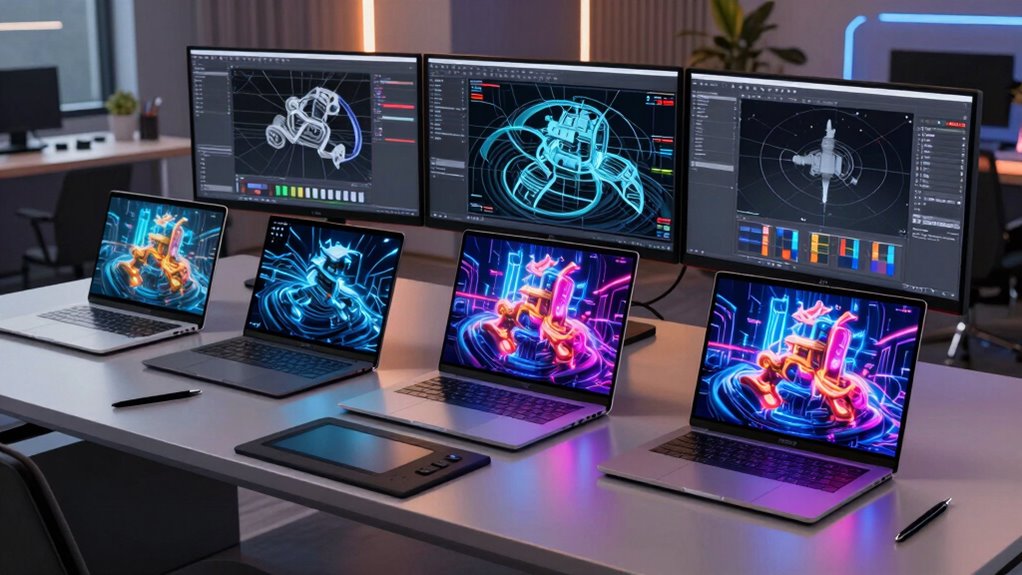
Finding the right workstation laptop for 3D tasks requires balancing power, portability, and reliability. The Dell Precision 7680 stands out as the top overall choice for its high-end specs and robust build. The HP ZBook Power offers excellent value with strong performance at a lower price point, while the Dell Precision 3561 is a solid option for those who need a renewed model. Buyers face tradeoffs between raw power, mobility, and budget, making it essential to weigh what matters most for your 3D workflow. Continue reading for detailed insights on each model and how they compare.

Get audio and creator gear delivered free with Prime
- Fast, free delivery on millions of items
- Prime Video, Amazon Music and more included
- Member-only deals all year
Complete the kit



Key Takeaways
- High-end CPUs like the Intel i9-13950HX deliver significant performance benefits for intensive 3D rendering, but come at a higher cost.
- GPU choice is critical; NVIDIA RTX Ada and A2000 options provide the best acceleration for demanding 3D applications.
- Memory capacity of 32GB DDR5 is a common standard for smooth multitasking and complex modeling, though some models offer even more.
- Build quality and reliability vary, with renewed options offering savings but potentially less longevity.
- Portability often competes with performance; larger screens and higher specs tend to increase weight and reduce battery life.
| Dell Precision 3561 15.6-Inch Workstation Laptop (Renewed) |  | Best Budget Workstation for 3D Professionals | Display: 15.6-inch, 1920×1080 FHD | Processor: Intel Core i7-11800H 11th Gen, 8-core, 2.3GHz (4.6GHz Turbo) | RAM: 32GB | VIEW ON AMAZON | See Our Full Breakdown |
| Dell Precision 7680 Laptop with NVIDIA RTX 2000 Ada 8GB, Intel i7-13850HX, 32GB DDR5 |  | Best for Heavy-Duty 3D and Creative Workflows | Display: 16-inch FHD+ (1920 x 1200), Anti-Glare | Processor: Intel Core i7-13850HX vPro | RAM: 32GB DDR5 | VIEW ON AMAZON | See Our Full Breakdown |
| HP ZBook Power Mobile Workstation Laptop (15.6″ FHD, Intel Core i7-12800H, 32GB DDR5, 1TB SSD, NVIDIA RTX A1000 4GB) – Renewed |  | Best Portable Power for 3D on the Move | Display: 15.6-inch FHD IPS | Processor: Intel Core i7-12800H | RAM: 32GB DDR5 | VIEW ON AMAZON | See Our Full Breakdown |
| Dell Precision 5570 Workstation Laptop |  | Best High-Resolution Display for Precision Work | Display: 15.6-inch non-touch | Processor: Intel i7-12700H | RAM: 32GB | VIEW ON AMAZON | See Our Full Breakdown |
| Dell Precision 7680 Laptop, 16-inch FHD+, Intel i9-13950HX, 32GB DDR5, 1TB SSD |  | Best for Maximum Power and Future-Proofing | Display: 16-inch FHD+ (1920 x 1200), anti-glare | Processor: Intel i9-13950HX vPro | RAM: 32GB DDR5 | VIEW ON AMAZON | See Our Full Breakdown |
| Dell Precision 7560 Workstation Laptop, 15.6″ FHD, Core i7-11850H, 512GB SSD, 32GB RAM, Nvidia RTX A2000, Windows 11 Pro, Silver (Renewed) |  | Best for Mid-Range Power and Portability | Display Size: 15.6 inches | Resolution: 1920×1080 | Processor: Intel Core i7-11850H, 8 cores @ 2.5GHz (up to 4.8GHz Turbo) | VIEW ON AMAZON | See Our Full Breakdown |
| workstation laptop for 3d | Processor | RAM | Storage | Display |
|---|---|---|---|---|
| Dell Precision 3561 15.6-Inch | Intel Core i7-11800H 11th Gen, 8-core, 2.3GHz (4.6GHz Turbo) | 32GB | 512GB SSD | 15.6-inch, 1920×1080 FHD |
| Dell Precision 7680 Laptop wit | Intel Core i7-13850HX vPro | 32GB DDR5 | 1TB PCIe NVMe M.2 SSD | 16-inch FHD+ (1920 x 1200), Anti-Glare |
| HP ZBook Power Mobile Workstat | Intel Core i7-12800H | 32GB DDR5 | 1TB SSD | 15.6-inch FHD IPS |
| Dell Precision 5570 Workstatio | Intel i7-12700H | 32GB | 1TB SSD | 15.6-inch non-touch |
| Dell Precision 7680 Laptop | Intel i9-13950HX vPro | 32GB DDR5 | 1TB PCIe NVMe SSD | 16-inch FHD+ (1920 x 1200), anti-glare |
| Dell Precision 7560 Workstatio | Intel Core i7-11850H, 8 cores @ 2.5GHz (up to 4.8GHz Turbo) | 32GB | 512GB SSD | — |
More Details on Our Top Picks
Dell Precision 3561 15.6-Inch Workstation Laptop (Renewed)
The Dell Precision 3561 stands out for offering solid professional performance at a more accessible price point, especially when compared to the Dell Precision 7680. With an Intel Core i7-11800H and 32GB RAM, it handles demanding 3D modeling and rendering tasks effectively. The Nvidia T1200 graphics provides decent GPU acceleration, but falls short of the high-end GPUs in pricier models, making it suitable for lighter to moderate workloads. Its 15.6-inch Full HD display is adequate for most design tasks, though it lacks touch capability, which could enhance workflow. The main tradeoff here is that being a renewed product might limit warranty coverage and reliability, so it’s better suited for budget-conscious professionals or students. Overall, this model makes the most sense for those needing robust specs without the premium price tag, provided they’re comfortable with the renewal status.
Pros:- Affordable price point for a professional-grade workstation
- Large 32GB RAM supports demanding multitasking
- Fast 512GB SSD enables quick data access
- Decent Nvidia T1200 graphics for moderate 3D work
Cons:- Renewed product may have limited warranty and uncertain longevity
- Non-touch display limits workflow flexibility
Best for: Budget-conscious professionals or students needing reliable 3D workstations without high-end GPU demands
Not ideal for: Power users requiring top-tier GPU performance or the latest hardware for intensive rendering tasks
- Display:15.6-inch, 1920×1080 FHD
- Processor:Intel Core i7-11800H 11th Gen, 8-core, 2.3GHz (4.6GHz Turbo)
- RAM:32GB
- Storage:512GB SSD
- Graphics:Nvidia T1200
- Operating System:Windows 11 Pro
Our verdict“This is a strong choice for budget-conscious users who need reliable 3D performance without the latest GPU tech.”
Dell Precision 7680 Laptop with NVIDIA RTX 2000 Ada 8GB, Intel i7-13850HX, 32GB DDR5
Compared with the Dell Precision 3561, the Dell Precision 7680 offers significantly higher performance for intense 3D rendering and CAD work. Its Intel i7-13850HX and 32GB DDR5 RAM provide a substantial boost in processing speed and memory bandwidth, ideal for complex modeling projects. The NVIDIA RTX 2000 Ada 8GB GPU complements this power, making it suitable for GPU-accelerated tasks like rendering and simulations. The 16-inch FHD+ display, with its anti-glare coating, supports multiple external monitors, enhancing productivity. However, its bulk and weight make it less portable, and the high price limits accessibility to professional users who need top-tier specs. This model is best suited for professionals who prioritize raw power over portability and are prepared for a premium investment.
Pros:- Exceptional processing power with latest-generation CPU
- High-capacity RTX 2000 GPU accelerates rendering tasks
- Fast DDR5 RAM boosts multitasking and data throughput
- Multiple connectivity options support multi-monitor setups
Cons:- Heavy and bulky, reducing portability
- Premium price, possibly limiting for casual users
Best for: Creative professionals engaged in demanding 3D rendering, CAD, and visual effects
Not ideal for: Travelers or users needing a lightweight portable workstation for occasional use
- Display:16-inch FHD+ (1920 x 1200), Anti-Glare
- Processor:Intel Core i7-13850HX vPro
- RAM:32GB DDR5
- Storage:1TB PCIe NVMe M.2 SSD
- Graphics:NVIDIA RTX 2000 Ada 8GB
- Connectivity:Thunderbolt 4, USB-C, USB-A, HDMI, Ethernet
- Warranty:3 years
Our verdict“This workstation excels for professionals who need high-end performance and can accommodate its size and cost.”
HP ZBook Power Mobile Workstation Laptop (15.6″ FHD, Intel Core i7-12800H, 32GB DDR5, 1TB SSD, NVIDIA RTX A1000 4GB) – Renewed
The HP ZBook Power offers a compelling balance between portability and professional-grade performance, making it ideal for those who need to work on 3D projects remotely or on-site. Its Intel Core i7-12800H and 32GB DDR5 RAM provide robust processing, comparable to more expensive models like the Dell Precision 7680, but in a lighter chassis. The NVIDIA RTX A1000 graphics, while not as powerful as RTX 2000 Ada, still supports GPU-accelerated workflows effectively. Its 15.6-inch IPS display ensures accurate color reproduction, essential for design. The all-aluminum build and MIL-STD 810H certification add durability for fieldwork, but it remains heavier than ultralight laptops, limiting for those prioritizing extreme portability. This pick is best for professionals who value mobility without sacrificing too much power.
Pros:- Good balance of portability and performance
- Durable build with MIL-STD 810H testing
- Rich connectivity options including Thunderbolt 4
- High-quality color-accurate display
Cons:- Heavier than ultralight laptops, less ideal for frequent travelers
- Renewed status may limit warranty coverage
Best for: Designers and engineers needing a portable yet capable 3D workstation
Not ideal for: Users who require the absolute highest GPU power or minimal weight for frequent travel
- Display:15.6-inch FHD IPS
- Processor:Intel Core i7-12800H
- RAM:32GB DDR5
- Storage:1TB SSD
- Graphics:NVIDIA RTX A1000 4GB
- Webcam:HD with privacy shutter
- Build:All-aluminum, MIL-STD 810H
Our verdict“This model is well-suited for professionals needing a portable workstation that doesn’t compromise on performance.”
Dell Precision 5570 Workstation Laptop
The Dell Precision 5570 emphasizes display quality and processing power, making it a top choice for detailed 3D modeling and visualization. With a 15.6-inch non-touch display and a high-end Intel i7-12700H processor, it provides smooth performance for complex tasks, rivaling the Dell Precision 3561 but with a more premium build. Its 1TB SSD and 32GB RAM ensure ample storage and multitasking capacity, while the Nvidia RTX A1000 graphics delivers professional GPU acceleration. The absence of a touchscreen might be a drawback for users who prefer direct interaction, but the high-resolution screen compensates with excellent color accuracy. The price can be steep, especially for a renewed model, but it’s justified for users who demand precision and power in a sleek form factor.
Pros:- High-performance processor with high core count
- Large 1TB SSD supports extensive project files
- Excellent color accuracy and high-resolution display
- Professional-grade Nvidia RTX graphics
Cons:- No touchscreen feature limits interaction options
- Higher price, especially in renewed condition
Best for: Designers and engineers requiring high-resolution displays and reliable performance
Not ideal for: Travelers needing ultra-light laptops or users seeking touch functionality
- Display:15.6-inch non-touch
- Processor:Intel i7-12700H
- RAM:32GB
- Storage:1TB SSD
- Graphics:Nvidia RTX A1000
- Operating System:Windows 11 Pro
Our verdict“Ideal for professionals demanding high display fidelity combined with strong processing power.”
Dell Precision 7680 Laptop, 16-inch FHD+, Intel i9-13950HX, 32GB DDR5, 1TB SSD
Compared to the HP ZBook Power, the Dell Precision 7680 offers an even more powerful experience for 3D professionals needing the latest in CPU and GPU performance. Its Intel i9-13950HX vPro and 32GB DDR5 RAM deliver top-tier processing and multitasking capabilities, ideal for rendering complex scenes or large datasets. The 16-inch FHD+ anti-glare display provides vibrant visuals, with excellent support for external 4K monitors thanks to Thunderbolt 4 ports. The build quality and security features match enterprise-grade standards, making it suitable for demanding work environments. The primary downside involves its weight and high cost, which could be overkill for casual or infrequent users. This model is best for professionals who require maximum raw power and are willing to invest in a future-proof workstation.
Pros:- Exceptional high-end CPU and GPU performance
- Vivid 16-inch display with anti-glare coating
- Supports multiple external 4K monitors
- Enterprise security and durability features
Cons:- Heavy and less portable for travel
- High price can be prohibitive for non-professionals
Best for: Power users who need the highest performance for 3D rendering, CAD, and video editing
Not ideal for: Casual users or those needing ultra-lightweight mobility for frequent travel
- Display:16-inch FHD+ (1920 x 1200), anti-glare
- Processor:Intel i9-13950HX vPro
- RAM:32GB DDR5
- Storage:1TB PCIe NVMe SSD
- Graphics:Intel UHD Graphics
- Ports:Thunderbolt 4, USB-C, USB-A, HDMI, Ethernet
- Warranty:3 years
Our verdict“This is the workstation of choice for professionals demanding maximum power and durability, regardless of portability concerns.”
Dell Precision 7560 Workstation Laptop, 15.6″ FHD, Core i7-11850H, 512GB SSD, 32GB RAM, Nvidia RTX A2000, Windows 11 Pro, Silver (Renewed)
The Dell Precision 7560 strikes a strong balance between performance and portability, making it a solid choice for professionals needing reliable 3D workstation capabilities without the premium price tag of the Precision 7680. Its Intel Core i7-11850H with Turbo Boost provides ample processing power for rendering and modeling, while 32GB RAM ensures smooth multitasking. The Nvidia RTX A2000 graphics card delivers solid 3D acceleration, comparable to the RTX A1000 in the HP ZBook Power, but at a more approachable price point. The 512GB SSD ensures fast data access, though the absence of touchscreen limits flexibility for interactive workflows. Compared to the Precision 7680, this model is less powerful but also more portable and budget-friendly. Its main tradeoff lies in the lack of detailed weight and battery info, which could impact portability decisions.
Pros:- Solid performance with 11th Gen Intel Core i7 and Turbo Boost
- Large 32GB RAM supports multitasking and complex workflows
- Powerful Nvidia RTX A2000 GPU for 3D rendering and visualization
- Fast SSD storage for quick data handling
Cons:- No touchscreen functionality for interactive modeling
- Weight and battery life details are missing, affecting portability assessment
- Renewed status may involve limited warranty or unknown wear
Best for: 3D artists and engineers who need a portable, reliable workstation with strong graphics capabilities for mid-level projects.
Not ideal for: Those working on extremely complex models or large simulations requiring maximum GPU power, as this lacks the top-tier GPU found in high-end models like the Precision 7680.
- Display Size:15.6 inches
- Resolution:1920×1080
- Processor:Intel Core i7-11850H, 8 cores @ 2.5GHz (up to 4.8GHz Turbo)
- RAM:32GB
- Storage:512GB SSD
- Graphics Card:Nvidia RTX A2000
- Operating System:Windows 11 Pro
- Weight:not specified
- Dimensions:9.53″L x 14.17″W x 1.08″Th
Our verdict“This model suits professionals who need a capable, portable workstation with balanced specs for mid-tier 3D work, but it might fall short for intensive rendering tasks requiring top GPU power.”

How We Picked
These laptops were evaluated based on a combination of performance, build quality, upgradeability, and value. Priority was given to models with powerful CPUs and professional GPUs capable of handling demanding 3D software like Maya, Blender, or SolidWorks. We also considered user-reported reliability, thermal management, and price-to-performance ratio. The ranking reflects which models best balance these factors for different types of users, from professionals needing top-tier power to those seeking more affordable options without sacrificing core capabilities.| workstation laptop for 3d | Processor | Graphics |
|---|---|---|
| Dell Precision 3561 15.6-Inch | Intel Core i7-11800H 11th Gen, 8-core, 2.3GHz (4.6GHz Turbo) | Nvidia T1200 |
| Dell Precision 7680 Laptop wit | Intel Core i7-13850HX vPro | NVIDIA RTX 2000 Ada 8GB |
| HP ZBook Power Mobile Workstat | Intel Core i7-12800H | NVIDIA RTX A1000 4GB |
| Dell Precision 5570 Workstatio | Intel i7-12700H | Nvidia RTX A1000 |
| Dell Precision 7680 Laptop | Intel i9-13950HX vPro | Intel UHD Graphics |
| Dell Precision 7560 Workstatio | Intel Core i7-11850H, 8 cores @ 2.5GHz (up to 4.8GHz Turbo) | — |
Factors to Consider When Choosing Workstation Laptop For 3d
Choosing a workstation laptop for 3D work involves understanding several key factors beyond raw specs. While high-performance CPUs and GPUs are essential, other considerations can significantly impact your workflow, usability, and long-term satisfaction. Here are the most important factors to keep in mind:Performance Power and CPU Choice
For 3D modeling and rendering, a high-end CPU such as an Intel i7-13850HX or i9-13950HX makes a noticeable difference in processing speed. Cheaper options might save money upfront but can bottleneck your workflow, especially with complex scenes. Prioritize multi-core, high-frequency processors for faster rendering times and smoother multitasking. Avoid models with older or lower-tier CPUs if your projects demand intense computational power.
GPU Capabilities
The GPU is often the most critical component for 3D work. Professional-grade cards like NVIDIA RTX A1000 or RTX Ada provide acceleration for rendering, viewport performance, and simulation. Cheaper or integrated graphics limit real-time feedback and can cause frustrating delays. Be cautious of models with only basic or consumer-grade GPUs if your workload involves detailed textures, large models, or GPU-accelerated rendering.
Memory and Storage
Ample RAM—ideally 32GB DDR5—is vital for handling large files and multitasking across multiple software. Insufficient memory leads to slowdowns and frequent swapping. Fast SSD storage, at least 1TB, minimizes load times and supports quick saving and retrieval of large projects. Consider upgrade options if you anticipate expanding your storage or RAM in the future to extend your laptop’s lifespan.
Build Quality and Reliability
Workstation laptops undergo heavy use, so durability and build quality matter. Reconditioned or renewed models can save money but may have reduced longevity. Prioritize brands known for robust construction and reliable components, especially if you travel frequently or work on-site. Also, check warranty options and customer support to protect your investment over time.
Portability vs. Power
High-performance components often add weight and reduce battery life. If you need to work remotely or travel often, consider lighter models with balanced specs. Conversely, if your workstation stays in one place, you might prioritize larger screens and better thermal management, even if that means a heavier device. Evaluate your typical usage environment to find the right balance.
Frequently Asked Questions
Can I use a gaming laptop for 3D work instead of a workstation?
While gaming laptops often have powerful GPUs, they typically lack the certified build quality, extensive warranty, and professional-grade features of dedicated workstations. For occasional 3D tasks, a high-end gaming laptop with a strong GPU might suffice, but for professional work, especially involving complex rendering or CAD, a true workstation offers more reliability, better thermal management, and certification for professional software.
Is 32GB of RAM enough for heavy 3D projects?
In most cases, 32GB of RAM provides ample headroom for complex 3D modeling, rendering, and multitasking. Larger projects with extensive textures or simulations may benefit from 64GB, but for typical professional workflows, 32GB strikes a good balance between performance and cost. Always consider future expandability if possible, to extend your device’s useful lifespan.
How important is GPU certification for 3D software?
Certified GPUs ensure compatibility and stability with professional 3D software like Maya or SolidWorks. While non-certified GPUs may work, they can introduce rendering issues or instability in critical workflows. Investing in a certified GPU, such as an NVIDIA RTX A-series, can save time and frustration, especially in demanding tasks like GPU-accelerated rendering or viewport navigation.
Should I prioritize portability over raw power?
This depends on your workflow. If you frequently work on-site or travel, a lighter, more portable model might be better, even if it sacrifices some performance. However, for intensive modeling and rendering tasks, a more powerful, heavier workstation with superior cooling can provide a more consistent experience. Balance your mobility needs with your performance requirements.
Are renewed or refurbished workstations reliable?
Renewed or refurbished models can offer significant savings, but their reliability depends on the seller and the refurbishment process. Look for reputable vendors that provide warranties and detailed refurbishment reports. While they can perform well for many years if properly maintained, they may have a shorter lifespan than brand-new models, so consider your long-term needs and support options.
Conclusion
For most professionals seeking a workhorse for 3D tasks, the Dell Precision 7680 makes the best overall choice thanks to its high-end specs and robust build. Those on a tighter budget will find excellent value in the HP ZBook Power, which balances performance with affordability. If you need a premium experience and maximum power, consider the Dell Precision 7680 with i9-13950HX. Beginners or casual users can opt for more affordable or less powerful models, while those with demanding workflows should prioritize high-end CPUs and GPUs. Ultimately, your choice should reflect your specific project needs and portability preferences.
Halloween Picks
halloween
As an affiliate, we earn on qualifying purchases.