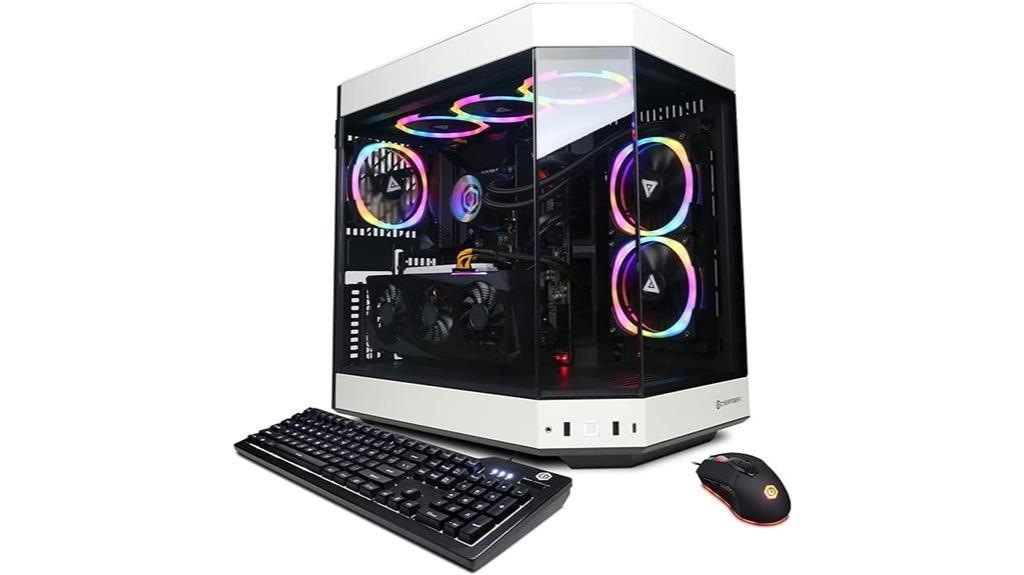

For a CyberPowerPC Gamer Xtreme review focused on high-performance gaming PCs, my best overall pick is the Gamer Xtreme VR with an Intel Core i5-14400F and GeForce RTX 5060 Ti: its stronger graphics card gives it the clearest performance edge among the closely matched midrange systems. The Ryzen 9 9900X and RTX 5070 configuration stands out for buyers who want more processing headroom, while the Ultra 5 225F and RTX 5060 models offer a more balanced starting point. The main tradeoffs are graphics performance versus processor power, and the cost of a higher-spec build versus the memory and storage it includes. Older or entry-level configurations can suit lighter gaming, but their lower graphics, memory, or storage specs limit their headroom. Read on for my full comparison and guidance on choosing the right fit.

Get audio and creator gear delivered free with Prime
- Fast, free delivery on millions of items
- Prime Video, Amazon Music and more included
- Member-only deals all year
Complete the kit


Key Takeaways
- The i5-14400F with RTX 5060 Ti is my best overall performance pick because its graphics hardware is stronger than the RTX 5060 and RTX 4060 options listed.
- The Ryzen 9 9900X and RTX 5070 pairing offers a higher processor tier and 12GB of graphics memory, but buyers should weigh that headroom against whether their games and workloads need it.
- Two RTX 5060 systems can suit different buyers: the Ultra 5 225F model with 32GB DDR5 and a 2TB SSD has a more generous listed memory and storage setup than the 16GB and 1TB configuration.
- The Ryzen 5 5500 with RX 6500 XT and the older i5-11400F with RTX 2060 are the entry-level choices; their 4GB graphics memory or 8GB system RAM makes them less suited to demanding new games.
- Processor names alone do not establish gaming performance: when comparing these desktops, the graphics card, its memory, system RAM, and the exact configuration matter just as much.
| CyberpowerPC Gamer Xtreme VR Gaming PC with Intel Core Ultra 5 225F and GeForce RTX 5060 8GB |  | Best Balanced Gamer Xtreme | Processor: Intel Core Ultra 5 225F, 3.3GHz (up to 4.9GHz) | Graphics: NVIDIA GeForce RTX 5060 8GB | Memory: 32GB DDR5 | VIEW ON AMAZON | See Our Full Breakdown |
| CyberPowerPC Gaming PC, AMD Ryzen 9 9900X, GeForce RTX 5070 12GB |  | Best for High-Performance Gaming and Creation | Processor: AMD Ryzen 9 9900X, 12 cores, 4.4GHz | Graphics: NVIDIA GeForce RTX 5070 12GB | Memory: 32GB DDR5, 4800MHz | VIEW ON AMAZON | See Our Full Breakdown |
| CyberPowerPC Gaming Desktop, AMD Ryzen 5 5500, Radeon RX 6500 XT 4GB |  | Best Entry-Level Pick | Processor: AMD Ryzen 5 5500, 6 cores, 3.6GHz | Graphics: AMD Radeon RX 6500 XT, 4GB GDDR6 | Memory: 16GB DDR4 | VIEW ON AMAZON | See Our Full Breakdown |
| CyberPowerPC Gaming PC, Intel Core i5-14400F, GeForce RTX 5060 8GB |  | Best Straightforward RTX 5060 Pick | Processor: Intel Core i5-14400F, 10 cores, 2.5GHz | Graphics: NVIDIA GeForce RTX 5060 8GB | Memory: 16GB DDR5, 4800MHz | VIEW ON AMAZON | See Our Full Breakdown |
| CyberPowerPC Gamer Xtreme Gaming Desktop – Intel Core Ultra 5 225F, 32GB DDR5 RAM, 2TB NVMe SSD, NVIDIA GeForce RTX 5060, Windows 11 Home |  | Best Gamer Xtreme Bundle | Processor: Intel Core Ultra 5 225F, 3.3GHz (up to 4.9GHz) | Graphics: NVIDIA GeForce RTX 5060 8GB | Memory: 32GB DDR5, 6400MHz | VIEW ON AMAZON | See Our Full Breakdown |
| CyberPowerPC Gamer Xtreme VR Gaming Desktop with Intel Core i5-13400F and GeForce RTX 4060 |  | Best for a Straightforward 1080p Gaming Setup | Processor: Intel Core i5-13400F, 2.5GHz | Graphics: NVIDIA GeForce RTX 4060, 8GB | Memory: 16GB DDR5 | VIEW ON AMAZON | See Our Full Breakdown |
| CyberPowerPC Gamer Xtreme VR Gaming Desktop with Intel Core i5-14400F and GeForce RTX 5060 Ti |  | Best Midrange Graphics Upgrade | Processor: Intel Core i5-14400F, 2.5GHz, 10 cores | Graphics: NVIDIA GeForce RTX 5060 Ti, 8GB | Memory: 16GB DDR5, 6000MHz | VIEW ON AMAZON | See Our Full Breakdown |
| CyberPowerPC Gamer Xtreme VR Gaming Desktop with Intel Core i5-13400F, GeForce RTX 5060 8GB, 16GB DDR5, 1TB SSD, Windows 11 Home | 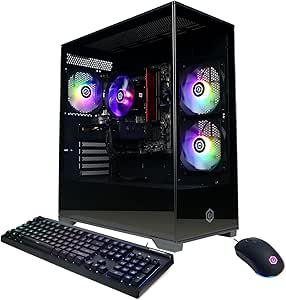 | Best Balanced RTX 5060 Pick | Processor: Intel Core i5-13400F, 2.5GHz, 10 cores | Graphics: NVIDIA GeForce RTX 5060, 8GB | Memory: 16GB DDR5, 6000MHz | VIEW ON AMAZON | See Our Full Breakdown |
| CyberPowerPC Gaming PC with Intel Core i9-14900KF and GeForce RTX 5070 12GB |  | Best Premium Performance | Processor: Intel Core i9-14900KF, 3.2GHz, 24 cores | Graphics: NVIDIA GeForce RTX 5070, 12GB | Memory: 32GB DDR5, 6000MHz | VIEW ON AMAZON | See Our Full Breakdown |
| CyberPowerPC Gamer Xtreme VR Gaming Desktop with Intel Core i5-11400F, 8GB RAM, GeForce RTX 2060, 500GB SSD, WiFi & Windows 11 Home |  | Best Older-Generation Entry Point | Processor: Intel Core i5-11400F, 2.6GHz, 6 cores | Graphics: NVIDIA GeForce RTX 2060, 6GB GDDR6 | Memory: 8GB DDR4 | VIEW ON AMAZON | See Our Full Breakdown |
| cyberpowerpc gamer xtreme review high performance gaming pc | Processor | Graphics | Memory | Storage |
|---|---|---|---|---|
| CyberpowerPC Gamer Xtreme VR G | Intel Core Ultra 5 225F, 3.3GHz (up to 4.9GHz) | NVIDIA GeForce RTX 5060 8GB | 32GB DDR5 | 2TB PCIe 4.0 NVMe SSD |
| CyberPowerPC Gaming PC | AMD Ryzen 9 9900X, 12 cores, 4.4GHz | NVIDIA GeForce RTX 5070 12GB | 32GB DDR5, 4800MHz | 1TB PCIe 4.0 NVMe SSD |
| CyberPowerPC Gaming Desktop | AMD Ryzen 5 5500, 6 cores, 3.6GHz | AMD Radeon RX 6500 XT, 4GB GDDR6 | 16GB DDR4 | 1TB PCIe 4.0 NVMe SSD |
| CyberPowerPC Gaming PC | Intel Core i5-14400F, 10 cores, 2.5GHz | NVIDIA GeForce RTX 5060 8GB | 16GB DDR5, 4800MHz | 1TB PCIe 4.0 NVMe SSD |
| CyberPowerPC Gamer Xtreme Gami | Intel Core Ultra 5 225F, 3.3GHz (up to 4.9GHz) | NVIDIA GeForce RTX 5060 8GB | 32GB DDR5, 6400MHz | 2TB PCIe 4.0 NVMe SSD |
| CyberPowerPC Gamer Xtreme VR G | Intel Core i5-13400F, 2.5GHz | NVIDIA GeForce RTX 4060, 8GB | 16GB DDR5 | 1TB PCIe Gen4 SSD |
| CyberPowerPC Gamer Xtreme VR G | Intel Core i5-14400F, 2.5GHz, 10 cores | NVIDIA GeForce RTX 5060 Ti, 8GB | 16GB DDR5, 6000MHz | 2TB PCIe 4.0 NVMe SSD |
| CyberPowerPC Gamer Xtreme VR G | Intel Core i5-13400F, 2.5GHz, 10 cores | NVIDIA GeForce RTX 5060, 8GB | 16GB DDR5, 6000MHz | 1TB PCIe 4.0 NVMe SSD |
| CyberPowerPC Gaming PC with In | Intel Core i9-14900KF, 3.2GHz, 24 cores | NVIDIA GeForce RTX 5070, 12GB | 32GB DDR5, 6000MHz | 2TB PCIe 4.0 NVMe SSD |
| CyberPowerPC Gamer Xtreme VR G | Intel Core i5-11400F, 2.6GHz, 6 cores | NVIDIA GeForce RTX 2060, 6GB GDDR6 | 8GB DDR4 | 500GB PCIe NVMe SSD |
More Details on Our Top Picks
CyberpowerPC Gamer Xtreme VR Gaming PC with Intel Core Ultra 5 225F and GeForce RTX 5060 8GB
This Gamer Xtreme pairs the Core Ultra 5 225F with an RTX 5060 8GB, giving me a well-rounded configuration for gaming alongside everyday creative and multitasking workloads. Its 32GB DDR5 memory and 2TB SSD are a step up from the Intel Core i5-14400F RTX 5060 model, which has 16GB RAM and 1TB storage; that extra capacity means fewer immediate compromises for large game libraries and simultaneous apps. The GPU remains the main limit for demanding high-resolution settings, so I would not choose it over an RTX 5070 system when graphics headroom is the priority. The 600W Gold-rated power supply is specified, but cooling details and upgrade paths are not. Its full-size case also needs room on or under a desk.
Pros:- RTX 5060 8GB provides dedicated graphics for current gaming workloads.
- 32GB DDR5 supports gaming while running other applications.
- 2TB PCIe 4.0 NVMe SSD offers generous fast storage.
- Wi-Fi 6 and Bluetooth 5.3 are built in.
Cons:- RTX 5060 8GB offers less graphics headroom than the RTX 5070 12GB system in this roundup.
- Cooling design and specific upgrade options are not provided.
- The 17.7 x 8.6 x 19.9-inch chassis may be awkward in a compact setup.
Best for: PC gamers who want an RTX 5060 system with 32GB memory and enough SSD space for a sizeable game library.
Not ideal for: Players targeting demanding high-resolution gaming or buyers who want documented cooling and upgrade options.
- Processor:Intel Core Ultra 5 225F, 3.3GHz (up to 4.9GHz)
- Graphics:NVIDIA GeForce RTX 5060 8GB
- Memory:32GB DDR5
- Storage:2TB PCIe 4.0 NVMe SSD
- Motherboard:Intel B860 chipset
- Power supply:600W 80 Plus Gold
- Connectivity:Wi-Fi 6, Bluetooth 5.3, Gigabit Ethernet
- Dimensions and weight:17.7 x 8.6 x 19.9 inches; 35 pounds
Our verdict“Choose this Gamer Xtreme if you want an RTX 5060 paired with generous memory and storage, rather than the stronger graphics of the RTX 5070 build.”
CyberPowerPC Gaming PC, AMD Ryzen 9 9900X, GeForce RTX 5070 12GB
This is the lineup’s most compelling choice when both processor and graphics capacity matter: the 12-core Ryzen 9 9900X and RTX 5070 12GB give it more headroom than either RTX 5060 system, especially for demanding games and heavier creative workloads. Compared with the CyberpowerPC Gamer Xtreme Core Ultra 5/RTX 5060, it trades half the listed SSD capacity for a stronger graphics card and a higher-core-count processor. That makes the 1TB drive a real limitation for players who keep many large games installed. Its 32GB DDR5, two USB-C ports, and stated one-year parts-and-labor warranty add useful everyday flexibility, but the product data does not specify cooling or upgrade details. I would pick it for performance, not for maximum out-of-box storage.
Pros:- RTX 5070 12GB offers more graphics headroom than the RTX 5060 options in this batch.
- 12-core Ryzen 9 9900X suits demanding multitasking and creation workloads.
- 32GB DDR5 supports gaming with other applications running.
- Two USB-C 3.2 ports and a stated one-year parts-and-labor warranty.
Cons:- The 1TB SSD is smaller than the 2TB drives in both Core Ultra 5 Gamer Xtreme options.
- Cooling configuration and upgrade details are not specified.
- Higher-performance components may draw more power than the RTX 5060 systems.
Best for: Gamers who want stronger graphics headroom and a 12-core processor for demanding play, streaming, or creation tasks.
Not ideal for: Buyers who need 2TB of built-in storage or want clear documentation of cooling and upgrade options.
- Processor:AMD Ryzen 9 9900X, 12 cores, 4.4GHz
- Graphics:NVIDIA GeForce RTX 5070 12GB
- Memory:32GB DDR5, 4800MHz
- Storage:1TB PCIe 4.0 NVMe SSD
- Motherboard:AMD B850 chipset
- Operating system:Windows 11 Home
- Connectivity and ports:Wi-Fi 6, Bluetooth 5.3, LAN, 2 USB-C 3.2, 4 USB-A 3.2, 2 USB-A 2.0
- Warranty:1 year parts and labor; lifetime tech support
Our verdict“Pick this build if graphics and CPU headroom matter more to you than the larger 2TB SSD offered by the Core Ultra 5 Gamer Xtreme models.”
CyberPowerPC Gaming Desktop, AMD Ryzen 5 5500, Radeon RX 6500 XT 4GB
Among these five systems, this is the entry-level route into PC gaming, built around a Ryzen 5 5500 and Radeon RX 6500 XT with 4GB of graphics memory. The 16GB of DDR4 and 1TB NVMe SSD cover a straightforward gaming setup, but this configuration has less memory and a less capable graphics tier than the RTX 5060 systems. That difference matters most in demanding games and when you want higher visual settings or more room for graphics-heavy workloads. Its Wi-Fi 5 and older Bluetooth 4.2 also trail the Wi-Fi 6 and Bluetooth 5.3 connections on the Core Ultra 5 Gamer Xtreme. I would treat it as a basic gaming choice, not a high-performance alternative; the provided data also leaves cooling and warranty specifics thin.
Pros:- Six-core Ryzen 5 5500 provides a capable foundation for everyday gaming.
- Dedicated Radeon graphics are preferable to relying on integrated graphics.
- 1TB PCIe 4.0 NVMe SSD provides fast local storage.
- Includes Wi-Fi, Bluetooth, Ethernet, and a mix of USB ports.
Cons:- RX 6500 XT has only 4GB of graphics memory, limiting headroom in demanding games.
- 16GB DDR4 is a step below the 32GB DDR5 in the Gamer Xtreme options.
- Wi-Fi 5 and Bluetooth 4.2 are older than the connectivity on the RTX 5060 builds.
Best for: First-time PC gamers focused on less demanding games who want a dedicated GPU and a 1TB SSD.
Not ideal for: Players seeking high-end graphics settings, demanding new games, or the memory and connectivity features of the RTX 5060 systems.
- Processor:AMD Ryzen 5 5500, 6 cores, 3.6GHz
- Graphics:AMD Radeon RX 6500 XT, 4GB GDDR6
- Memory:16GB DDR4
- Storage:1TB PCIe 4.0 NVMe SSD
- Motherboard:AMD B550 chipset
- Operating system:Windows 11 Home
- Connectivity:Wi-Fi 5, Bluetooth 4.2, Ethernet LAN
- Video outputs:HDMI and DisplayPort
Our verdict“Choose this desktop for a simpler entry into PC gaming, but skip it if high-performance graphics are the main goal.”
CyberPowerPC Gaming PC, Intel Core i5-14400F, GeForce RTX 5060 8GB
This configuration pairs a 10-core Core i5-14400F with an RTX 5060 8GB, putting current-generation NVIDIA graphics at the center of a more basic memory-and-storage setup. It is a clearer fit for buyers who prioritize the GPU over a large SSD: the Core Ultra 5 Gamer Xtreme has the same listed graphics card but doubles both RAM to 32GB and storage to 2TB. The 16GB of DDR5 and 1TB NVMe drive still provide a usable starting point, though a large game library or heavy multitasking may make the Xtreme’s extra capacity more appealing. Wi-Fi 6 and Bluetooth 5.3 are included. Its listed weight is over 12kg, and upgrade details are missing, so I would not choose it for a compact desk or a planned, well-documented upgrade path.
Pros:- RTX 5060 8GB provides a current dedicated graphics tier.
- Ten-core Core i5-14400F supports gaming and general multitasking.
- DDR5 memory and a PCIe 4.0 NVMe SSD provide a modern baseline.
- Wi-Fi 6 and Bluetooth 5.3 are included.
Cons:- 16GB RAM and 1TB storage are half the listed capacities of the Core Ultra 5 Gamer Xtreme.
- The listed weight is 12,840g, making it a substantial desktop to move.
- Specific cooling and upgrade options are not provided.
Best for: Gamers who want an RTX 5060 desktop with DDR5 and are comfortable starting with 16GB RAM and a 1TB SSD.
Not ideal for: Multitaskers and large-library gamers who want the 32GB memory and 2TB storage included with the Core Ultra 5 Gamer Xtreme.
- Processor:Intel Core i5-14400F, 10 cores, 2.5GHz
- Graphics:NVIDIA GeForce RTX 5060 8GB
- Memory:16GB DDR5, 4800MHz
- Storage:1TB PCIe 4.0 NVMe SSD
- Motherboard:Intel B760 chipset
- Operating system:Windows 11 Home
- Connectivity:Wi-Fi 6, Bluetooth 5.3, LAN
- Dimensions and weight:18.11 x 9.25 x 19.61 inches; 12,840g
Our verdict“Choose this build for an RTX 5060 with a straightforward DDR5 setup, or pick the Core Ultra 5 Gamer Xtreme if you need more memory and storage from the start.”
CyberPowerPC Gamer Xtreme Gaming Desktop – Intel Core Ultra 5 225F, 32GB DDR5 RAM, 2TB NVMe SSD, NVIDIA GeForce RTX 5060, Windows 11 Home
This Gamer Xtreme has the same core performance recipe as the other Core Ultra 5/RTX 5060 option: 32GB DDR5-6400, a 2TB PCIe 4.0 SSD, and an RTX 5060 8GB. Its standout practical extra is the included RGB keyboard and mouse, which makes it a more complete starting setup than the bare-system listings. Compared with the i5-14400F RTX 5060 desktop, it offers twice the listed RAM and storage, while the Ryzen 9/RTX 5070 system remains the stronger choice for graphics headroom. The supplied specs list a 600W Gold power supply and Wi-Fi 6, but do not describe cooling or upgrade options. The 24-pound weight is more manageable than the other Core Ultra 5 listing’s stated 35 pounds, though the chassis still takes up substantial desk space.
Pros:- 32GB DDR5-6400 supports gaming and heavier multitasking.
- 2TB PCIe 4.0 NVMe SSD provides fast, generous storage.
- RGB keyboard and mouse are included.
- 600W 80 Plus Gold power supply and Wi-Fi 6 are specified.
Cons:- RTX 5060 8GB has less graphics headroom than the RTX 5070 system.
- Cooling design and upgrade options are not detailed.
- The full-size 17.7 x 8.6 x 19.9-inch case may not suit small desk setups.
Best for: New PC gamers who want an RTX 5060 system with 32GB RAM, 2TB storage, and included keyboard and mouse.
Not ideal for: Buyers seeking stronger graphics than an RTX 5060 or a compact desktop footprint.
- Processor:Intel Core Ultra 5 225F, 3.3GHz (up to 4.9GHz)
- Graphics:NVIDIA GeForce RTX 5060 8GB
- Memory:32GB DDR5, 6400MHz
- Storage:2TB PCIe 4.0 NVMe SSD
- Motherboard:Intel B860 chipset
- Power supply:600W 80 Plus Gold
- Connectivity:Wi-Fi 6, Bluetooth 5.3, Gigabit Ethernet
- Included peripherals:RGB keyboard and mouse
- Dimensions and weight:17.7 x 8.6 x 19.9 inches; 24 pounds
Our verdict“Pick this Gamer Xtreme if you want a ready-to-start RTX 5060 setup with ample memory, storage, and included peripherals.”
CyberPowerPC Gamer Xtreme VR Gaming Desktop with Intel Core i5-13400F and GeForce RTX 4060
I’d pick this configuration for buyers who want a balanced, current-generation starting point without stepping up to the newer RTX 5060 systems. Its Core i5-13400F and RTX 4060 are a sensible pairing for gaming and everyday multitasking, while the 1TB Gen4 SSD gives more room for a game library than the 500GB drive in the older i5-11400F/RTX 2060 Gamer Xtreme. The tradeoff is that the newer RTX 5060 models offer a more recent graphics tier and WiFi 6, so this is less compelling for buyers focused on newer hardware or wireless longevity. I also see only 16GB of DDR5 and WiFi 5 listed, and the full-size case needs room. It makes the most sense as a capable, uncomplicated gaming desktop rather than an upgrade-heavy platform.
Pros:- Core i5-13400F pairs well with the RTX 4060 for gaming and general multitasking.
- 1TB PCIe Gen4 SSD offers more space than the 500GB drive in the older RTX 2060 configuration.
- 16GB DDR5 memory supports a modern baseline for games and everyday apps.
- Three display outputs are listed across HDMI and DisplayPort.
Cons:- WiFi 5 is older than the WiFi 6 connectivity listed on the RTX 5060 Gamer Xtreme models.
- The 16GB memory and 1TB storage may feel limiting to buyers with large game libraries or heavier workloads.
- The roughly 19.6-inch-tall tower may not suit small desk spaces.
Best for: PC gamers seeking a balanced Intel-and-NVIDIA desktop for 1080p play, with a 1TB SSD and no need for the newest listed GPU generation.
Not ideal for: Buyers prioritizing WiFi 6, a newer RTX 5060 graphics card, or a compact PC for a cramped desk.
- Processor:Intel Core i5-13400F, 2.5GHz
- Graphics:NVIDIA GeForce RTX 4060, 8GB
- Memory:16GB DDR5
- Storage:1TB PCIe Gen4 SSD
- Operating system:Windows 11 Home
- Motherboard:Intel B760 chipset
- Connectivity:WiFi 5, Bluetooth 4.2, Gigabit Ethernet
- Cooling:Air cooling
Our verdict“Choose this Gamer Xtreme if you want a well-balanced RTX 4060 desktop and value its 1TB SSD more than the newer graphics and WiFi features of the RTX 5060 options.”
CyberPowerPC Gamer Xtreme VR Gaming Desktop with Intel Core i5-14400F and GeForce RTX 5060 Ti
This is the stronger pick for buyers who want a step up from the RTX 4060 Gamer Xtreme without moving to the much more powerful Core i9-14900KF system. The RTX 5060 Ti and Core i5-14400F give this build a newer, more performance-focused gaming combination, while its 2TB NVMe SSD doubles the listed capacity of the RTX 5060 model with the i5-13400F. WiFi 6 and Bluetooth 5.3 also make its wireless specification more current than the RTX 4060 system’s WiFi 5 and Bluetooth 4.2. The compromises are less about its core components and more about incomplete practical details: the listing doesn’t specify cooling, power supply, or upgrade capacity, and no monitor or speakers are included. I’d favor it for gaming headroom and storage, not for a clearly documented upgrade path.
Pros:- RTX 5060 Ti provides a newer graphics option than the RTX 4060 in the other Gamer Xtreme listed here.
- Core i5-14400F has 10 cores for gaming and multitasking.
- 2TB PCIe 4.0 NVMe SSD offers twice the listed capacity of the i5-13400F/RTX 5060 model.
- WiFi 6 and Bluetooth 5.3 are newer connectivity standards than those on the RTX 4060 configuration.
Cons:- Cooling and power supply details are not provided in the supplied specifications.
- Upgrade options are not specified, leaving memory and component expansion uncertain.
- A monitor and speakers are not listed as included.
Best for: Gamers wanting a newer midrange GPU, 2TB of fast storage, and WiFi 6 in a desktop that avoids the Core i9 system’s higher-end focus.
Not ideal for: Buyers who need included display peripherals, confirmed upgrade details, or a thoroughly specified cooling and power setup.
- Processor:Intel Core i5-14400F, 2.5GHz, 10 cores
- Graphics:NVIDIA GeForce RTX 5060 Ti, 8GB
- Memory:16GB DDR5, 6000MHz
- Storage:2TB PCIe 4.0 NVMe SSD
- Operating system:Windows 11 Home
- Motherboard:Intel B760 chipset
- Connectivity:WiFi 6, Bluetooth 5.3, LAN
- Ports:1 HDMI, 2 DisplayPort, 2 USB-C 3.2, 3 USB-A 3.2, 4 USB-A 2.0
Our verdict“Choose this model for a newer midrange gaming GPU and roomy 2TB SSD, provided you do not need detailed upgrade or cooling information up front.”
CyberPowerPC Gamer Xtreme VR Gaming Desktop with Intel Core i5-13400F, GeForce RTX 5060 8GB, 16GB DDR5, 1TB SSD, Windows 11 Home
I’d place this as the balanced choice for buyers who want the newer RTX 5060 generation but don’t need the RTX 5060 Ti system’s larger 2TB drive. Its Core i5-13400F, 16GB of DDR5-6000 memory, and 1TB PCIe 4.0 SSD form a straightforward gaming setup, with WiFi 6 and Bluetooth 5.3 improving on the older RTX 4060 Gamer Xtreme’s wireless standards. Compared with the i5-14400F/RTX 5060 Ti model, it gives up the higher-tier graphics card and half the listed storage, but that pairing may be a better fit for buyers who want a simpler spec profile. The listing does not confirm memory or storage expansion, and 1TB can fill quickly with a large game collection. I’d choose it over the older RTX 2060 desktop for a more current core configuration.
Pros:- RTX 5060 offers a newer graphics generation than the RTX 4060 and RTX 2060 configurations listed here.
- Core i5-13400F and 16GB DDR5-6000 provide a capable base for gaming and daily use.
- WiFi 6 and Bluetooth 5.3 are more current than the RTX 4060 model’s wireless connectivity.
- Tempered side panel and RGB lighting add visible case features.
Cons:- The 1TB SSD provides less space than the 2TB drives in the RTX 5060 Ti and Core i9/RTX 5070 desktops.
- The listing does not specify expandable memory or storage options.
- At 28.6 pounds, it is a substantial tower rather than a convenient portable system.
Best for: Gamers who want an RTX 5060 desktop with WiFi 6, DDR5 memory, and a 1TB SSD without needing the Ti model’s 2TB capacity.
Not ideal for: Players who want the strongest graphics option in this group, a 2TB game library drive, or confirmed component-upgrade details.
- Processor:Intel Core i5-13400F, 2.5GHz, 10 cores
- Graphics:NVIDIA GeForce RTX 5060, 8GB
- Memory:16GB DDR5, 6000MHz
- Storage:1TB PCIe 4.0 NVMe SSD
- Operating system:Windows 11 Home
- Connectivity:WiFi 6, Bluetooth 5.3, LAN
- Ports:1 HDMI, 2 DisplayPort, 9 USB ports
- Case features:Tempered side panel, RGB lighting
Our verdict“Pick this configuration for a current RTX 5060 gaming foundation with WiFi 6, and move to the Ti model if you want more graphics headroom and 2TB storage.”
CyberPowerPC Gaming PC with Intel Core i9-14900KF and GeForce RTX 5070 12GB
This is the performance-first option in this group, with a Core i9-14900KF, RTX 5070 with 12GB, 32GB of DDR5-6000 memory, and a 2TB NVMe SSD. That makes it a substantial step beyond the i5-based Gamer Xtreme systems, including the RTX 5060 Ti model, particularly for buyers who also run demanding creative or multitasking workloads. Liquid CPU cooling and a Z790 motherboard distinguish it from the more basic air-cooled RTX 4060 configuration. The extra capability comes with meaningful compromises: the high-end processor and graphics card can demand more power, WiFi 5 is less current than the WiFi 6 on the RTX 5060 desktops, and the larger build needs room. I’d reserve this system for buyers who can make practical use of its stronger components rather than choosing it just for general gaming.
Pros:- Core i9-14900KF and RTX 5070 provide the highest-end listed CPU and GPU pairing in this batch.
- 32GB DDR5-6000 gives more memory headroom than the 16GB i5-based desktops.
- 2TB PCIe 4.0 NVMe SSD offers generous capacity for games and large working files.
- Liquid CPU cooling, Z790 motherboard, and lifetime tech support are listed.
Cons:- High-performance components can require more power than the i5-based alternatives.
- WiFi 5 and Bluetooth 4.2 are older wireless standards than the WiFi 6 and Bluetooth 5.3 listed on the RTX 5060 systems.
- The supplied details indicate a large, premium-class system that may be excessive for basic gaming needs.
Best for: Enthusiast gamers and creators who want a powerful Intel CPU, 12GB RTX graphics, 32GB memory, and 2TB of fast storage in one desktop.
Not ideal for: Budget-conscious players, buyers who mainly need a basic gaming PC, or anyone who prioritizes WiFi 6 and a smaller setup.
- Processor:Intel Core i9-14900KF, 3.2GHz, 24 cores
- Graphics:NVIDIA GeForce RTX 5070, 12GB
- Memory:32GB DDR5, 6000MHz
- Storage:2TB PCIe 4.0 NVMe SSD
- Operating system:Windows 11 Home
- Motherboard:Intel Z790 chipset
- Connectivity:WiFi 5, Bluetooth 4.2, USB-C, USB-A, LAN
- Cooling:Liquid CPU cooling
- Support:1-year parts and labor warranty; lifetime tech support
Our verdict“Choose this desktop when you can use its Core i9, RTX 5070, and 32GB memory for demanding gaming or creative work; otherwise, an i5-based Gamer Xtreme is a more proportionate fit.”
CyberPowerPC Gamer Xtreme VR Gaming Desktop with Intel Core i5-11400F, 8GB RAM, GeForce RTX 2060, 500GB SSD, WiFi & Windows 11 Home
This Gamer Xtreme is the older-generation entry in the group, built around an i5-11400F, RTX 2060, 8GB of DDR4, and a 500GB NVMe SSD. It still offers dedicated graphics and an SSD, but its memory and storage are notably leaner than the RTX 4060 system’s 16GB DDR5 and 1TB drive. Compared with the RTX 5060 Gamer Xtreme, it also uses an older graphics generation and WiFi 802.11ac. That makes it a less suitable choice for buyers seeking a high-performance, longer-lived setup without changes. The tempered glass and RGB lighting provide the familiar gaming-PC look, but they don’t offset the practical limits of 8GB memory and a small drive. I’d consider it only for a modest starter build where a memory upgrade is part of the plan.
Pros:- Six-core Core i5-11400F provides a dedicated desktop CPU for gaming and everyday tasks.
- RTX 2060 includes 6GB of GDDR6 graphics memory.
- 500GB PCIe NVMe SSD is faster for loading than a traditional hard drive.
- Tempered glass side panel and customizable RGB lighting add a gaming-oriented case design.
Cons:- 8GB DDR4 is substantially less memory than the 16GB DDR5 in the newer RTX 4060 and RTX 5060 systems.
- The 500GB SSD offers limited capacity compared with the 1TB and 2TB alternatives.
- Power supply wattage is not specified, and WiFi is 802.11ac.
Best for: First-time PC gamers seeking a basic dedicated-GPU desktop who are prepared to add memory and storage as their needs grow.
Not ideal for: Buyers who want a ready-to-go modern gaming configuration, heavy multitasking, or ample room for a large game library.
- Processor:Intel Core i5-11400F, 2.6GHz, 6 cores
- Graphics:NVIDIA GeForce RTX 2060, 6GB GDDR6
- Memory:8GB DDR4
- Storage:500GB PCIe NVMe SSD
- Operating system:Windows 11 Home
- Motherboard:Intel B560 chipset
- Connectivity:WiFi 802.11ac, Ethernet RJ-45
- Ports:6 USB 3.1, 2 USB 2.0, HDMI, DisplayPort
- Case features:Tempered glass side panel, RGB lighting
Our verdict“Choose this older Gamer Xtreme only if its basic RTX 2060 configuration suits your needs and you are ready to expand its memory and storage.”

How We Picked
I compared the ten listed configurations by the parts that most affect a gaming PC purchase: graphics card and graphics memory, processor tier, system RAM, and listed storage. I also considered how much room each build appears to offer for demanding games and multitasking, and whether its specs are clearly described. Where a product listing does not provide details such as RAM or storage, I avoid assuming those details.
The ranking favors balanced gaming capability over a high-end processor paired with a less capable graphics card, then accounts for memory and storage when configurations are otherwise close. That puts the i5-14400F with RTX 5060 Ti first for graphics-focused buyers, while the Ryzen 9 9900X and RTX 5070 earns attention for greater overall processing headroom. Configurations with RTX 5060 follow as more moderate choices, and older or lower-spec systems rank lower because their listed graphics, RAM, or storage leave less room for demanding games. Buyers should verify the exact configuration at checkout, since similar Gamer Xtreme names can describe meaningfully different hardware.
| cyberpowerpc gamer xtreme review high performance gaming pc | Motherboard |
|---|---|
| CyberpowerPC Gamer Xtreme VR G | Intel B860 chipset |
| CyberPowerPC Gaming PC | AMD B850 chipset |
| CyberPowerPC Gaming Desktop | AMD B550 chipset |
| CyberPowerPC Gaming PC | Intel B760 chipset |
| CyberPowerPC Gamer Xtreme Gami | Intel B860 chipset |
| CyberPowerPC Gamer Xtreme VR G | Intel B760 chipset |
| CyberPowerPC Gamer Xtreme VR G | Intel B760 chipset |
| CyberPowerPC Gamer Xtreme VR G | — |
| CyberPowerPC Gaming PC with In | Intel Z790 chipset |
| CyberPowerPC Gamer Xtreme VR G | Intel B560 chipset |
Factors to Consider When Choosing Cyberpowerpc Gamer Xtreme Review High Performance Gaming Pc
Choosing among these Gamer Xtreme PCs is less about finding the biggest processor number and more about matching the whole configuration to your games, display, and plans. I would check the exact component list before comparing similar model names, then decide which limits you are willing to accept: graphics capability, memory capacity, storage space, or upgrade needs.
Match the Graphics Card to Your Games and Display
For most gaming-focused comparisons, I start with the graphics card because it has a direct role in rendering game visuals. A stronger GPU can matter more than stepping up to a premium CPU if your main goal is smoother play or higher visual settings. Also compare graphics memory: these options include cards with 4GB, 8GB, and 12GB, which are not interchangeable just because they share a product family. Your monitor resolution and the games you play affect how much graphics capability you can use. Avoid buying a high-end CPU build on the assumption that the processor alone makes it the fastest gaming choice. Check independent performance results for the specific GPU and games you care about before deciding.
Judge the Whole Configuration, Not the Gamer Xtreme Name
CyberPowerPC uses the Gamer Xtreme name across desktops with different generations and classes of components. A shared case or series name does not mean two configurations offer similar gaming performance. Compare the complete CPU and GPU pairing, then check the listed RAM, storage, operating system, and connectivity. The ten options here range from an older RTX 2060 build to systems with RTX 5060 Ti or RTX 5070 graphics, so the series label alone is a poor shortcut. Retail listings can also omit details that affect value, such as the memory layout or exact motherboard. I would confirm those specifications before ordering rather than rely on a headline or product photo.
Choose RAM for Your Games and Multitasking
System memory affects how comfortably a PC handles a game alongside voice chat, browsers, launchers, and other apps. The listed 8GB option has the least headroom, while a 16GB configuration is a more practical baseline for many current gaming setups. A listed 32GB build offers more room for multitasking and demanding creative work, though more RAM does not automatically make games run faster if the graphics card is the limit. Check whether a system has room for additional memory and whether upgrades would require replacing existing modules. Also verify the memory generation and configuration instead of comparing capacity alone. If the listing does not state RAM, treat that as an unanswered question, not an invitation to guess.
Plan Storage Around Your Game Library
Storage capacity changes how many large games and applications you can keep installed without frequent housekeeping. Among the clearly specified configurations here, 500GB is the most restrictive, 1TB is a more flexible starting point, and 2TB gives a larger library more breathing room. These capacities do not tell you everything about drive speed or available expansion, so check the drive type and any open slots in the full specification. A common mistake is to spend the entire budget on a faster graphics card while overlooking a cramped system drive. If you regularly install and remove large games, extra capacity can be more useful than a component upgrade with little effect on your typical play. Confirm whether adding a second drive is straightforward before treating future expansion as a sure thing.
Decide When a Premium CPU Is Worth It
A higher-tier processor makes more sense if your PC will also handle processor-heavy work, frequent multitasking, or games that benefit from greater CPU capacity. For a gaming-only system, compare the processor and graphics card as a pair rather than paying extra for CPU capability while overlooking the GPU. The Ryzen 9 9900X and Core i9-14900KF options target buyers who want a more powerful processor tier alongside RTX 5070 graphics. That extra headroom may be useful for mixed workloads, but it is not a guarantee of a major improvement in every game. Check cooling, power supply, and motherboard details when available, especially for higher-performance parts. If the listing leaves those details unclear, factor that uncertainty into your decision.
Check Upgrade Details and Long-Term Fit
An upgrade plan can change which prebuilt PC makes sense, but it should rest on confirmed details rather than assumptions. Before buying, look for the power supply capacity, motherboard model, free memory slots, drive connections, and case clearance for larger graphics cards. These determine whether later upgrades are practical and whether a new component might call for supporting changes. Warranty terms and the process for opening or servicing the desktop can also affect how comfortable you are with upgrades. A less expensive system can be a reasonable starting point if its key components are replaceable and the platform supports your plans. If those details are unavailable, compare the PC as it ships instead of counting on upgrades to fix a mismatch.
Frequently Asked Questions
Is the RTX 5060 Ti Gamer Xtreme a better gaming pick than the RTX 5070 models?
It depends on the exact RTX 5070 configuration and what you value. The i5-14400F with RTX 5060 Ti is my best overall pick in this lineup for its stronger listed graphics tier than the RTX 5060 systems, while the RTX 5070 builds offer 12GB of graphics memory and pair it with higher-tier processors. A graphics card name alone does not settle the comparison, and performance varies by game, resolution, and settings. Look for independent tests of the exact GPUs in the games you play. If you also run processor-heavy applications, the 9900X or i9 pairing may matter more to you than the 5060 Ti system’s simpler balance.
Should I choose the Ultra 5 225F build with 32GB RAM and a 2TB SSD over an i5-14400F RTX 5060 system?
Choose based on the full configuration, not processor branding alone. The Ultra 5 225F model explicitly lists 32GB of DDR5 memory and a 2TB NVMe SSD, which gives it more stated memory and storage than the i5-13400F option listing 16GB and 1TB. If two choices have the same RTX 5060, those capacities can make a noticeable difference to multitasking and game-library space. The i5-14400F option may appeal if you prioritize its processor tier, but its listing should be checked for RAM and storage before you compare it fairly. Confirm each product’s exact specifications, since similar names can refer to different configurations.
Is a Gamer Xtreme with an RTX 2060 or RX 6500 XT still suitable for a first gaming PC?
Either may suit a beginner with modest expectations, older games, or a plan to upgrade later, but neither is the strongest choice here for demanding new releases. The RTX 2060 model lists 8GB of system RAM and a 500GB SSD, which leaves limited room for multitasking and installed games. The RX 6500 XT option has 4GB of graphics memory, a constraint to weigh carefully for newer titles. Before choosing either, check whether the RAM and storage can be expanded and compare current game performance at your target resolution. If you want a system with more room to grow without immediate upgrades, the newer RTX 5060 configurations are the safer place to start.
Do I need a Ryzen 9 or Core i9 Gamer Xtreme for gaming?
Not necessarily. A Ryzen 9 9900X or Core i9-14900KF can make sense for buyers who combine gaming with processor-heavy work or want more capacity for multitasking, but many gaming decisions depend more on the graphics card and the specific game. Both of these listed high-end CPU configurations pair with an RTX 5070, so compare that GPU and the complete system specs before paying for a premium processor tier. If your primary use is gaming, a well-matched midrange processor with a stronger GPU may suit you better. Check independent benchmarks for your games rather than assuming a larger CPU model number guarantees a visible improvement.
What should I verify before ordering a CyberPowerPC Gamer Xtreme with missing specs?
Confirm the exact CPU, graphics card, graphics memory, system RAM, storage capacity, and operating system for the configuration being sold. Then ask for the power supply and motherboard details if you may upgrade the GPU or add drives later. Check Wi-Fi and other connectivity only if those features matter for your setup, and confirm warranty coverage and service terms. Similar product names can hide differences in memory, storage, and component generations, so compare the written specification rather than relying on a listing image. If a key detail remains unavailable, decide whether the PC still fits your needs as currently described.
Conclusion
My best overall pick is the i5-14400F with RTX 5060 Ti, which gives this lineup its strongest clearly identified midrange gaming graphics option. For best value in listed specs, I would look at the Ultra 5 225F, RTX 5060 build with 32GB DDR5 and a 2TB NVMe SSD, while checking its full configuration before purchase. The best premium choices are the Ryzen 9 9900X or Core i9-14900KF paired with RTX 5070 graphics, particularly for buyers who also need processor headroom. For a first gaming PC, the RTX 5060 configurations are a more flexible starting point than the older RTX 2060 or RX 6500 XT systems, especially if you want to avoid immediate memory or graphics compromises. Buyers with a specific budget or upgrade plan may still prefer an entry-level build, but should verify its RAM, storage, and expansion options first.