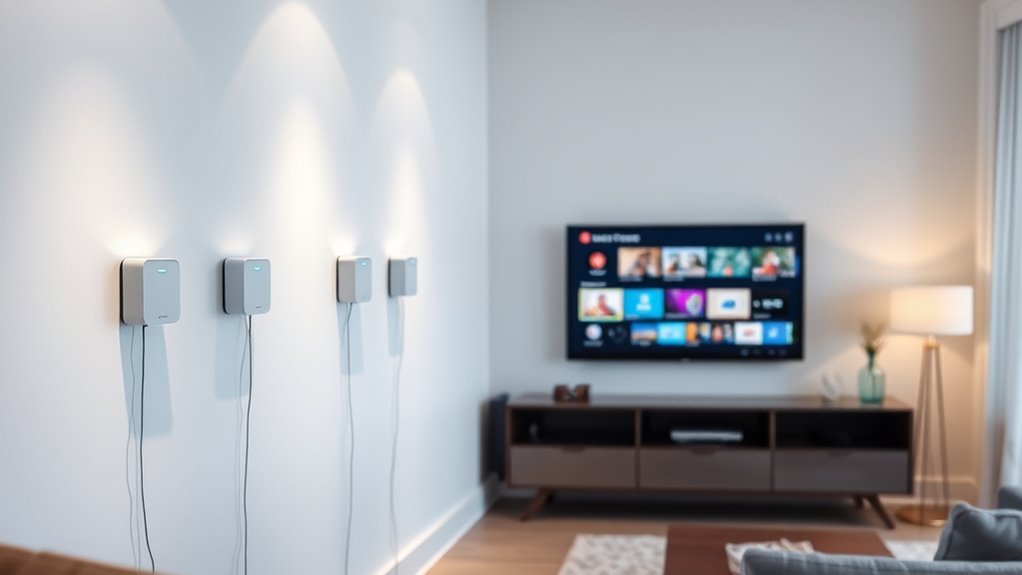

Mesh WiFi systems spread wireless coverage across multiple rooms using connected nodes, making them a practical choice when one router leaves dead zones. My best overall pick is the TP-Link Deco XE75, whose tri-band WiFi 6E design gives it a useful balance of coverage and capacity. For newer WiFi 7 hardware, the NETGEAR Orbi 770 stands out, while the TP-Link Deco X55 offers a more measured WiFi 6 option in several pack sizes. The main tradeoffs are coverage versus node count, current-device compatibility versus future-ready wireless standards, and simple setup versus more advanced controls. Read on for how these 15 systems differ and which one fits your home.

Get audio and creator gear delivered free with Prime
- Fast, free delivery on millions of items
- Prime Video, Amazon Music and more included
- Member-only deals all year
Complete the kit


Key Takeaways
- The Deco XE75 leads for balanced performance: its tri-band WiFi 6E approach separates it from the dual-band Deco X55 and the older AC1200-class systems.
- WiFi 7 is not automatically the right upgrade: Orbi 370, Orbi 770, eero 7, and Deco 7 models make the most sense when your devices and internet plan can benefit from newer hardware.
- Pack size changes the coverage equation: the Deco X55 appears as a one-, two-, and three-pack, while the S4 and several other models also offer different node counts.
- Lower wireless tiers still have a role: Tenda Nova MW5G, Deco S4, and Google WiFi AC1200 can suit basic coverage needs, but offer less headroom than newer WiFi 6 and WiFi 7 systems.
- Premium systems trade cost and simplicity for capacity: tri-band WiFi 7 kits such as Deco 7 Pro and Orbi 770 are aimed at demanding households, not every home with a coverage gap.
| Tenda Nova Mesh WiFi System MW5G, AC1200, 3-Pack |  | Best for Straightforward, Budget-Conscious Coverage | Coverage: Up to 3,500 sq. ft. | Units: 3-pack | Wireless standard: 802.11ac | VIEW ON AMAZON | See Our Full Breakdown |
| NETGEAR Orbi 370 Series WiFi 7 Mesh System, 3-Pack |  | Best for Large Homes and Newer Devices | Coverage: Up to 6,000 sq. ft. | Units: 3-pack | Wi-Fi technology: Wi-Fi 7 | VIEW ON AMAZON | See Our Full Breakdown |
| TP-Link Deco S4 Mesh AC1900 WiFi System, 3-Pack |  | Best Wi-Fi 5 Coverage Value | Coverage: Up to 5,500 sq. ft. | Units: 3 | Wi-Fi generation: Wi-Fi 5 | VIEW ON AMAZON | See Our Full Breakdown |
| TP-Link Deco XE75 AXE5400 Tri-Band WiFi 6E Mesh System, 3-Pack |  | Best for Wi-Fi 6E and Congested Networks | Coverage: Up to 7,200 sq. ft. | Units: 3-pack | Wi-Fi standard: Wi-Fi 6E | VIEW ON AMAZON | See Our Full Breakdown |
| TP-Link Deco X55 AX3000 WiFi 6 Mesh System, 1-Pack | 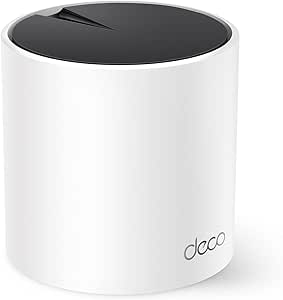 | Best Single-Node Starter | Units: 1 | Coverage: Up to 2,500 sq. ft. | Wi-Fi standard: Wi-Fi 6 (802.11ax) | VIEW ON AMAZON | See Our Full Breakdown |
| TP-Link Deco S4 2-Pack Whole Home Mesh WiFi System |  | Best Value for Wi-Fi 5 Homes | Coverage: Up to 3,800 sq. ft. | Wi-Fi generation: Wi-Fi 5 | Speed class: AC1900 | VIEW ON AMAZON | See Our Full Breakdown |
| TP-Link Deco X55 AX3000 WiFi 6 Mesh System (3-Pack) |  | Best for Large, Device-Heavy Homes | Coverage: Up to 6,500 sq. ft. | Wi-Fi standard: Wi-Fi 6 (802.11ax) | Speed class: AX3000 | VIEW ON AMAZON | See Our Full Breakdown |
| eero 7 Dual-Band Mesh Wi-Fi 7 Router (3-Pack) |  | Best for a Simple Wi-Fi 7 Upgrade | Wi-Fi standard: Wi-Fi 7 (IEEE 802.11a/b/g/n/ac/ax/be) | Coverage: Up to 6,000 sq. ft. | Units: 3 | VIEW ON AMAZON | See Our Full Breakdown |
| Eero 6+ Mesh WiFi System – Supports Internet Plans up to 1 Gbps, Covers 4,500 sq ft, Connects 75+ Devices, 3-Pack |  | Best for Smart-Home Simplicity | Coverage: Up to 4,500 sq. ft. | Wi-Fi standard: Wi-Fi 6 (802.11ax) | Units: 3 | VIEW ON AMAZON | See Our Full Breakdown |
| Deco 7 Pro Tri-Band WiFi 7 BE10000 Whole Home Mesh System 6-Stream 10 Gbps |  | Best Premium High-Capacity Mesh | Coverage: Up to 7,600 sq. ft. | Wi-Fi standard: Wi-Fi 7 (802.11be) | Speed class: BE10000; up to 10 Gbps | VIEW ON AMAZON | See Our Full Breakdown |
| TP-Link Deco X55 AX3000 WiFi 6 Mesh System (2-Pack) |  | Best Balanced Wi-Fi 6 Pick | Wi-Fi standard: Wi-Fi 6 (802.11ax) | Coverage: Up to 4,500 sq. ft. | Number of units: 2 | VIEW ON AMAZON | See Our Full Breakdown |
| Google Nest Wifi – Home Wi-Fi System – Mesh Router for Wireless Internet – 2 Pack |  | Best for Google Home Households | Wi-Fi standard: Wi-Fi 5 (802.11ac) | Coverage: Up to 4,400 sq. ft. | Number of units: 2 | VIEW ON AMAZON | See Our Full Breakdown |
| Deco 7 Dual-Band BE5000 WiFi 7 Mesh Wi-Fi System 4-Stream 5 Gbps, 240 MHz |  | Best Wi-Fi 7 Upgrade for Large Homes | Wi-Fi standard: Wi-Fi 7 (802.11be), with support for 802.11ax, 802.11ac, 802.11g, and 802.11n | Maximum speed: 5 Gbps | Coverage: Up to 6,600 sq. ft. | VIEW ON AMAZON | See Our Full Breakdown |
| NETGEAR Orbi 770 Series WiFi 7 Mesh System, 3 Pack |  | Best Premium, High-Capacity Coverage | Wi-Fi generation: Wi-Fi 7 | Wi-Fi speed: Up to 11 Gbps | Coverage: Up to 8,000 sq. ft. | VIEW ON AMAZON | See Our Full Breakdown |
| Google WiFi AC1200 Mesh Router System Bundle (3-Pack) – 4500 Sq Ft Coverage – Snow |  | Best Three-Node Wi-Fi 5 Coverage | Wi-Fi standard: Wi-Fi 5 (802.11ac) | Maximum data transfer rate: 1,200 Mbps | Coverage: Up to 4,500 sq. ft. | VIEW ON AMAZON | See Our Full Breakdown |
| mesh wifi system | Coverage | Wi-Fi standard | Units |
|---|---|---|---|
| Tenda Nova Mesh WiFi System MW | Up to 3,500 sq. ft. | — | 3-pack |
| NETGEAR Orbi 370 Series WiFi 7 | Up to 6,000 sq. ft. | — | 3-pack |
| TP-Link Deco S4 Mesh AC1900 Wi | Up to 5,500 sq. ft. | — | 3 |
| TP-Link Deco XE75 AXE5400 Tri- | Up to 7,200 sq. ft. | Wi-Fi 6E | 3-pack |
| TP-Link Deco X55 AX3000 WiFi 6 | Up to 2,500 sq. ft. | Wi-Fi 6 (802.11ax) | 1 |
| TP-Link Deco S4 2-Pack Whole H | Up to 3,800 sq. ft. | — | 2 |
| TP-Link Deco X55 AX3000 WiFi 6 | Up to 6,500 sq. ft. | Wi-Fi 6 (802.11ax) | 3 |
| eero 7 Dual-Band Mesh Wi-Fi 7 | Up to 6,000 sq. ft. | Wi-Fi 7 (IEEE 802.11a/b/g/n/ac/ax/be) | 3 |
| Eero 6+ Mesh WiFi System | Up to 4,500 sq. ft. | Wi-Fi 6 (802.11ax) | 3 |
| Deco 7 Pro Tri-Band WiFi 7 BE1 | Up to 7,600 sq. ft. | Wi-Fi 7 (802.11be) | — |
| TP-Link Deco X55 AX3000 WiFi 6 | Up to 4,500 sq. ft. | Wi-Fi 6 (802.11ax) | — |
| Google Nest Wifi | Up to 4,400 sq. ft. | Wi-Fi 5 (802.11ac) | — |
| Deco 7 Dual-Band BE5000 WiFi 7 | Up to 6,600 sq. ft. | Wi-Fi 7 (802.11be), with support for 802.11ax, 802.11ac, 802.11g, and 802.11n | — |
| NETGEAR Orbi 770 Series WiFi 7 | Up to 8,000 sq. ft. | — | — |
| Google WiFi AC1200 Mesh Router | Up to 4,500 sq. ft. | Wi-Fi 5 (802.11ac) | — |
More Details on Our Top Picks
Tenda Nova Mesh WiFi System MW5G, AC1200, 3-Pack
The Tenda Nova MW5G makes the most sense for a household that wants to replace Wi-Fi dead zones without paying for newer standards it may not use. Its three units are rated to cover up to 3,500 sq. ft., and app-based setup keeps mesh management approachable. Compared with the TP-Link Deco S4, the MW5G offers less stated coverage and a lower AC1200 class, so I would favor the Deco for a larger home or a busier network. The Tenda’s practical appeal is its simple, dual-band setup, not advanced capacity: it supports up to 80 devices, but its basic firewall and WPA2-only security are limitations for buyers seeking newer protections. Coverage also depends on walls and layout, so the stated area is not a guarantee.
Pros:- Three-unit system is rated for coverage up to 3,500 sq. ft.
- Tenda app supports setup and network management.
- Dual-band AC1200 design suits everyday browsing and streaming needs.
- Supports Amazon Alexa and Google Assistant.
Cons:- WPA2-PSK is the listed security protocol, with no WPA3 option.
- Basic firewall security may not suit buyers seeking more advanced network protection.
- Rated for up to 80 devices and offers less stated coverage than the TP-Link Deco S4.
Best for: Households in a modest-sized home that want app-guided mesh setup and do not need the latest Wi-Fi generation.
Not ideal for: Large households with more than 80 connected devices, or buyers who want Wi-Fi 6/6E and stronger modern security options.
- Coverage:Up to 3,500 sq. ft.
- Units:3-pack
- Wireless standard:802.11ac
- Wi-Fi class:AC1200
- Bands:Dual-band
- Maximum supported devices:Up to 80
- Ports:6
- Security:WPA2-PSK
Our verdict“Choose the MW5G for uncomplicated mesh coverage in a moderate-sized home, but pick a newer or higher-capacity system for a demanding household.”
NETGEAR Orbi 370 Series WiFi 7 Mesh System, 3-Pack
For buyers prioritizing broad coverage and a newer wireless standard, the NETGEAR Orbi 370 Series has the strongest stated reach in this group: up to 6,000 sq. ft. from its three-unit system. Wi-Fi 7 and speeds listed up to 5 Gbps give compatible devices room to benefit from newer hardware, while the Orbi app handles setup and management. That makes it a more future-focused choice than the TP-Link Deco S4, which is Wi-Fi 5, and a better fit for a spacious home than the single-unit Deco X55. The tradeoff is that advertised speed depends on the internet plan and client devices, and coverage varies with the building. NETGEAR Armor’s extra security features require a subscription after the included trial.
Pros:- Three units are rated to cover up to 6,000 sq. ft.
- Wi-Fi 7 support can serve compatible newer devices.
- Listed speeds reach up to 5 Gbps.
- Works with any internet provider and can be expanded with additional satellites.
Cons:- NETGEAR Armor security features require a subscription after the 30-day trial.
- Actual coverage and performance vary with home construction, connected devices, and internet service.
- The system’s capabilities may be wasted in a small home or with mostly older Wi-Fi devices.
Best for: Owners of larger homes with Wi-Fi 7 devices, multiple simultaneous users, and a need for expandable mesh coverage.
Not ideal for: Small-home buyers with older devices or modest coverage needs who would not benefit from Wi-Fi 7 or a three-unit system.
- Coverage:Up to 6,000 sq. ft.
- Units:3-pack
- Wi-Fi technology:Wi-Fi 7
- Listed maximum speed:Up to 5 Gbps
- Expandability:Up to 2,000 sq. ft. per satellite
- Internet provider compatibility:Any internet provider
- Security:NETGEAR Armor, with a 30-day free trial
Our verdict“Pick the Orbi 370 when a large home and Wi-Fi 7 readiness matter more than keeping the network simple and modest in scope.”
TP-Link Deco S4 Mesh AC1900 WiFi System, 3-Pack
The TP-Link Deco S4 is a sensible pick when broad coverage and a three-node setup matter more than having the newest Wi-Fi generation. Its stated reach of up to 5,500 sq. ft. exceeds the Tenda MW5G’s 3,500 sq. ft., while wired Ethernet backhaul can link nodes through Ethernet instead of relying entirely on a wireless connection. Each unit has two Ethernet ports, and the Deco app helps simplify setup; any unit can serve as the router. The main compromise is age: this is a Wi-Fi 5 system, so it lacks the newer standards offered by the Deco X55 and Orbi 370. The listed AC1900 class should not be confused with a guaranteed internet speed, and the system requires a modem for most providers.
Pros:- Three units are rated for up to 5,500 sq. ft. of coverage.
- Supports wired Ethernet backhaul between nodes.
- Two Ethernet ports per unit provide wired connection options.
- Any unit can serve as the router, and setup is managed through the Deco app.
Cons:- Wi-Fi 5 is older than the Wi-Fi 6 standard in the Deco X55.
- Two Ethernet ports per unit may constrain a wired-heavy setup.
- A modem is required for most internet providers.
Best for: Households needing broad multi-room coverage and Ethernet backhaul, but whose current devices and internet use do not call for Wi-Fi 6 or Wi-Fi 7.
Not ideal for: Buyers building a new network around Wi-Fi 6/7 devices, or homes that need more than two Ethernet ports per node.
- Coverage:Up to 5,500 sq. ft.
- Units:3
- Wi-Fi generation:Wi-Fi 5
- Wi-Fi class:AC1900
- Bands:Dual-band
- Ethernet ports:6 total; 2 per unit
- Wired Ethernet backhaul:Supported
- Compatibility:Works with all ISPs; modem required
Our verdict“Choose the Deco S4 for wide coverage and wired backhaul on a Wi-Fi 5 network, but favor the Deco X55 if you want Wi-Fi 6.”
TP-Link Deco XE75 AXE5400 Tri-Band WiFi 6E Mesh System, 3-Pack
The TP-Link Deco XE75 stands apart from the dual-band systems here by adding a dedicated 6 GHz band to its tri-band Wi-Fi 6E design. That extra band can give compatible devices another route through crowded wireless environments, while the three-unit kit is rated for up to 7,200 sq. ft. For buyers with 6E devices and a large home, it offers a more targeted upgrade than the Wi-Fi 5 Deco S4 and a broader stated coverage area than the Deco X55. But the extra band only benefits compatible devices, and real coverage depends on the home. Its app-based management and HomeShield security add useful controls, though managing multiple nodes may take more attention than a simpler system. A modem is required for most providers.
Pros:- Tri-band Wi-Fi 6E includes a 6 GHz band for compatible devices.
- Three units are rated to cover up to 7,200 sq. ft.
- Listed maximum speed is 5,400 Mbps.
- Includes TP-Link HomeShield and app-based setup.
Cons:- The 6 GHz band’s benefits require compatible client devices.
- Managing several mesh nodes may be more involved than using a basic system.
- A modem is required for most internet providers.
Best for: Households with Wi-Fi 6E devices, wireless congestion, and a large area to cover with a three-node mesh.
Not ideal for: Buyers whose devices do not support 6 GHz, or those seeking a basic, low-complexity replacement for a small home network.
- Coverage:Up to 7,200 sq. ft.
- Units:3-pack
- Wi-Fi standard:Wi-Fi 6E
- Bands:Tri-band, including 6 GHz
- Listed maximum speed:5,400 Mbps
- Ports:9 total
- Security:WPA3, WPA2, WPA-Personal
- Compatibility:All major ISPs
Our verdict“Choose the Deco XE75 when Wi-Fi 6E capacity and wide three-node coverage justify its added complexity over the Deco S4 or X55.”
TP-Link Deco X55 AX3000 WiFi 6 Mesh System, 1-Pack
The TP-Link Deco X55 one-pack is the flexible choice for someone who wants Wi-Fi 6 coverage in one area now and the option to add mesh units later. A single unit is rated for up to 2,500 sq. ft. and has three Ethernet ports, giving it more wired connection options than each Deco S4 node. Compared with the Deco X55 three-pack elsewhere in this roundup, this version is a starter rather than a ready-made whole-home mesh: the box contains just one unit, so it cannot spread coverage between multiple nodes on its own. Wi-Fi 6 and WPA3 support bring newer standards than the S4, but the dual-band design lacks the XE75’s 6 GHz band. A modem is required for most providers.
Pros:- Wi-Fi 6 support is newer than the Wi-Fi 5 standard in the Deco S4.
- One unit is rated for coverage up to 2,500 sq. ft.
- Three Ethernet ports support multiple wired devices.
- Supports WPA, WPA2, and WPA3 security protocols.
Cons:- Only one unit is included, unlike the three-node Deco XE75 or Deco S4 kits.
- Dual-band Wi-Fi does not include the 6 GHz band found on the Deco XE75.
- A modem is required for most internet providers.
Best for: Apartment residents or small-home buyers who want a Wi-Fi 6 router with Ethernet ports and may add compatible Deco units later.
Not ideal for: People who need mesh coverage across multiple floors or distant rooms immediately; this package includes only one unit.
- Units:1
- Coverage:Up to 2,500 sq. ft.
- Wi-Fi standard:Wi-Fi 6 (802.11ax)
- Wi-Fi class:AX3000
- Bands:Dual-band, 2.4 GHz and 5 GHz
- Ethernet ports:3 per unit
- Listed maximum data rate:3,000 Mbps
- Security:WPA, WPA2, WPA3
Our verdict“Buy this Deco X55 pack for a Wi-Fi 6 upgrade in a compact home or as a planned mesh starting point, not for whole-home multi-node coverage out of the box.”
TP-Link Deco S4 2-Pack Whole Home Mesh WiFi System
The Deco S4 2-Pack is a straightforward choice for replacing patchy Wi-Fi across a larger home without stepping up to newer standards. Its stated 3,800-square-foot coverage and two-node setup suit households that want mesh coverage and simple app management, while router and access point modes offer flexibility if a separate router is already in place. Compared with the Deco X55, the S4 uses Wi-Fi 5 and supports fewer devices, so it is a better fit for lighter network demands than busy homes with many simultaneous connections. Its two Ethernet ports per unit also provide basic wired-device options. The tradeoff is limited headroom: Wi-Fi 5 and dual-band operation may constrain performance as device counts and bandwidth needs grow. A modem is generally still required.
Pros:- Two nodes are specified to cover up to 3,800 square feet.
- Deco app setup and management keep routine configuration accessible.
- Router and access point modes suit different existing network arrangements.
- Two Ethernet ports per unit allow basic wired connections.
Cons:- Wi-Fi 5 is an older standard than the Wi-Fi 6 Deco X55.
- Dual-band operation and the stated support for up to 75 devices offer less room for crowded networks.
- A separate modem is generally needed for internet service.
Best for: Households with a modest number of connected devices that want app-managed mesh coverage across a larger home without needing Wi-Fi 6.
Not ideal for: Homes with many simultaneous users, newer Wi-Fi 6 devices, or demanding high-bandwidth workloads; the Wi-Fi 5 platform has less capacity headroom than the Deco X55.
- Coverage:Up to 3,800 sq. ft.
- Wi-Fi generation:Wi-Fi 5
- Speed class:AC1900
- Units:2
- Frequency band:Dual-band
- Ethernet ports:2 per unit
- Supported devices:Up to 75
- Security protocol:WPA2-PSK
Our verdict“Choose the Deco S4 if you want simple, wide-area mesh coverage for a relatively light-use home and do not need Wi-Fi 6.”
TP-Link Deco X55 AX3000 WiFi 6 Mesh System (3-Pack)
The Deco X55 3-Pack makes the strongest case for households that need broad coverage and room for a busy collection of connected devices. Its stated 6,500-square-foot coverage, Wi-Fi 6 support, and capacity for up to 150 devices give it more reach and network headroom than the Wi-Fi 5 Deco S4. Three Gigabit Ethernet ports per unit also make wired links practical for stationary equipment such as televisions, consoles, or desktop PCs. Compared with the newer Deco 7 Pro, the X55 gives up Wi-Fi 7 and tri-band capability, but its dual-band Wi-Fi 6 design may be a more sensible fit when those premium features are unnecessary. It still needs a modem, and the breadth of HomeShield and network settings may feel like extra complexity to buyers seeking only basic controls.
Pros:- Three-node coverage is specified for areas up to 6,500 square feet.
- Wi-Fi 6 and support for up to 150 devices suit a busy household.
- Three Gigabit Ethernet ports per unit offer useful wired connectivity.
- Deco app management and HomeShield security features are included.
Cons:- Dual-band Wi-Fi 6 has less advanced capacity than the tri-band Wi-Fi 7 Deco 7 Pro.
- A separate modem is required for most internet service setups.
- Advanced security and network features may take more effort to configure.
Best for: Families in large homes with many phones, computers, cameras, and smart devices who want Wi-Fi 6 coverage and multiple wired connections.
Not ideal for: Buyers who want Wi-Fi 7 or tri-band capacity, or people seeking the simplest possible feature set without advanced network controls.
- Coverage:Up to 6,500 sq. ft.
- Wi-Fi standard:Wi-Fi 6 (802.11ax)
- Speed class:AX3000
- Units:3
- Frequency band:Dual-band, 2.4 GHz and 5 GHz
- Ethernet ports:3 per unit; 6 total
- Supported devices:Up to 150
- Security protocols:WPA3, WPA2, WPA
Our verdict“Pick the Deco X55 when a large, device-heavy home needs Wi-Fi 6 coverage and wired ports more than Wi-Fi 7 features.”
eero 7 Dual-Band Mesh Wi-Fi 7 Router (3-Pack)
The eero 7 3-Pack is a streamlined route to Wi-Fi 7 for buyers who value app-led setup and want newer wireless support across a whole home. The stated 6,000-square-foot coverage and support for more than 120 devices place it in the same broad-coverage class as the Deco X55, while Wi-Fi 7 gives it a newer standard than that Wi-Fi 6 system. Each unit has two 2.5 GbE ports, which can accommodate faster wired links than standard Gigabit ports when the rest of the network supports them. The tradeoff is a dual-band design rather than the tri-band configuration of the Deco 7 Pro, and advanced security features may require a subscription. Buyers who want more flexibility beyond the eero ecosystem should compare alternatives before committing.
Pros:- Wi-Fi 7 support provides a newer wireless standard than the Wi-Fi 6 Deco X55.
- Three units are specified to cover up to 6,000 square feet.
- Two 2.5 GbE ports per unit support faster wired connections.
- Backward compatibility and app-based setup ease adoption in an existing eero network.
Cons:- Dual-band design lacks the extra band offered by the tri-band Deco 7 Pro.
- Advanced security features require an optional subscription.
- The eero ecosystem may limit flexibility for buyers mixing network platforms.
Best for: Households seeking a Wi-Fi 7 mesh upgrade with app-based setup, broad coverage, and multi-gigabit Ethernet ports.
Not ideal for: Buyers who want tri-band Wi-Fi 7, avoid optional security subscriptions, or prefer a system with less dependence on one product ecosystem.
- Wi-Fi standard:Wi-Fi 7 (IEEE 802.11a/b/g/n/ac/ax/be)
- Coverage:Up to 6,000 sq. ft.
- Units:3
- Supported devices:120+
- Ethernet ports:Two 2.5 GbE ports per unit
- Processor:1.1 GHz quad-core
- Memory:1,024 MB
- Warranty:3 years
Our verdict“Choose the eero 7 if you want an app-managed Wi-Fi 7 mesh with multi-gig ports and can accept dual-band operation and ecosystem tradeoffs.”
Eero 6+ Mesh WiFi System – Supports Internet Plans up to 1 Gbps, Covers 4,500 sq ft, Connects 75+ Devices, 3-Pack
The eero 6+ 3-Pack stands out for combining Wi-Fi 6 mesh coverage with a built-in smart-home hub, making it a practical pick for households already managing compatible Zigbee or Thread devices. Its 4,500-square-foot coverage is more modest than the Deco X55’s stated 6,500 square feet, so it fits better where dependable coverage matters more than maximum reach. The system supports internet plans up to 1 Gbps and connects more than 75 devices, providing a clear match for many typical connected homes. Compared with the newer eero 7, it gives up Wi-Fi 7 and 2.5 GbE ports, but the hub can reduce the need for separate smart-home hardware. Some features require a subscription or Amazon account, and its one-year limited warranty is shorter than the eero 7’s stated coverage.
Pros:- Built-in Zigbee and Thread smart-home hub can reduce the need for separate hubs.
- Three nodes are specified to cover up to 4,500 square feet.
- Wi-Fi 6 support and capacity for more than 75 devices suit many connected homes.
- Two auto-sensing Gigabit Ethernet ports provide wired connectivity.
Cons:- Coverage is less than the Deco X55’s stated 6,500 square feet.
- Some features require a subscription or Amazon account link.
- The one-year limited warranty is shorter than the three-year warranty listed for eero 7.
Best for: Smart-home households with compatible Zigbee or Thread devices that want Wi-Fi 6 mesh, guided app setup, and a built-in hub.
Not ideal for: Owners of very large homes or buyers seeking Wi-Fi 7, multi-gigabit ports, or subscription-free access to every feature.
- Coverage:Up to 4,500 sq. ft.
- Wi-Fi standard:Wi-Fi 6 (802.11ax)
- Units:3
- Supported devices:75+
- Supported internet speed:Up to 1 Gbps
- Ethernet ports:2 auto-sensing Gigabit ports
- Processor and memory:1 GHz dual-core; 512 MB RAM
- Warranty:1-year limited
Our verdict“Pick the eero 6+ if smart-home integration and straightforward Wi-Fi 6 management matter more than Wi-Fi 7 or maximum coverage.”
Deco 7 Pro Tri-Band WiFi 7 BE10000 Whole Home Mesh System 6-Stream 10 Gbps
The Deco 7 Pro BE10000 is the premium pick here for large homes with heavy wireless traffic and a real use for faster wired networking. Its tri-band Wi-Fi 7 design, six streams, and stated support for more than 200 devices give it more capacity ambition than the dual-band eero 7 or Wi-Fi 6 Deco X55. Coverage is specified at up to 7,600 square feet, while four 2.5G WAN/LAN ports per unit and USB 3.0 create more options for wired equipment and network storage. Those features matter most when the home’s internet service and connected devices can make use of them; they do not automatically improve every connection. The system costs a separate modem and may be more complicated to manage than the eero 7. For smaller or lighter-use homes, its added capacity may be unnecessary.
Pros:- Tri-band Wi-Fi 7 and six streams provide more capacity than the dual-band eero 7.
- Coverage is specified for areas up to 7,600 square feet.
- Support for over 200 devices suits demanding connected households.
- Four 2.5G WAN/LAN ports and USB 3.0 provide extensive connection options.
Cons:- A separate modem is required for internet service.
- Advanced settings may be harder to manage than the app-led eero 7 experience.
- Its premium capabilities may be unnecessary for smaller homes or modest internet use.
Best for: Owners of large, device-dense homes with Wi-Fi 7 clients, multi-gig networking needs, and the time or expertise to manage advanced settings.
Not ideal for: Smaller households, buyers using basic internet plans, or anyone who wants a simple setup without paying for capacity they will not use.
- Coverage:Up to 7,600 sq. ft.
- Wi-Fi standard:Wi-Fi 7 (802.11be)
- Speed class:BE10000; up to 10 Gbps
- Bands and streams:Tri-band; 6-stream
- Device support:Over 200 devices
- Ports:Four 2.5G WAN/LAN ports and USB 3.0
- Other supported standards:802.11ax, 802.11ac, 802.11g
- Management:TP-Link Deco app
Our verdict“Choose the Deco 7 Pro for a large, high-demand home that can use tri-band Wi-Fi 7 and multi-gig wired connections.”
TP-Link Deco X55 AX3000 WiFi 6 Mesh System (2-Pack)
The Deco X55 2-pack balances broad stated coverage with Wi-Fi 6, making it a strong middle ground for homes that need newer-device support without stepping up to Wi-Fi 7. Its two units are rated to cover 4,500 square feet, and three Ethernet ports on each unit give wired TVs, consoles, or computers more connection options than the two-port Deco 7 BE5000. The Deco app also provides a straightforward setup and network-management route. Its limits are clear: this is dual-band Wi-Fi 6, not the newer Wi-Fi 7 offered by the Deco 7 or the tri-band Orbi 770, and actual coverage depends on the home’s layout. I’d choose it for a practical mix of coverage and wired flexibility, but not for buyers chasing the latest wireless generation.
Pros:- Wi-Fi 6 support suits newer phones, computers, and other compatible devices.
- Two units are rated for coverage up to 4,500 square feet.
- Three Gigabit Ethernet ports per unit provide flexible wired connections.
- Deco app setup and management offer an accessible way to control the network.
Cons:- Dual-band design lacks the extra band found in the tri-band Orbi 770.
- Requires a separate modem for most internet service providers.
- Coverage and performance can vary with building materials and layout.
Best for: Households with a mix of Wi-Fi 6 devices that want broad two-node coverage and several wired connections for stationary gear.
Not ideal for: Buyers who want Wi-Fi 7, tri-band operation, or a system with a built-in modem.
- Wi-Fi standard:Wi-Fi 6 (802.11ax)
- Coverage:Up to 4,500 sq. ft.
- Number of units:2
- Device capacity:Up to 150 devices
- Frequency bands:Dual-band, 2.4 GHz and 5 GHz
- Ethernet ports:3 per unit; 6 total
- Maximum data transfer rate:4,804 Mbps
- Security protocols:WPA3, WPA2, WPA
Our verdict“Choose the Deco X55 if you want a capable Wi-Fi 6 mesh system with broad stated coverage and more wired ports than the Deco 7 BE5000.”
Google Nest Wifi – Home Wi-Fi System – Mesh Router for Wireless Internet – 2 Pack
The Google Nest Wifi 2-pack suits buyers who value app-based setup and Google Assistant voice control more than the newest Wi-Fi generation. Its two routers are rated for up to 4,400 square feet, close to the Deco X55’s stated coverage, but Nest Wifi uses Wi-Fi 5 rather than that model’s Wi-Fi 6. That difference makes the Deco X55 a stronger fit for households with newer devices or plans to update their network for current standards. Nest Wifi’s appeal is its Google-oriented control and the option to add units as coverage needs grow. The tradeoff is older wireless technology and limited listed port information, so it is less compelling for buyers seeking advanced wired flexibility or the higher speed ceilings of the Wi-Fi 7 Deco 7 and Orbi 770.
Pros:- Two routers are rated to cover up to 4,400 square feet.
- Google Assistant and Nest voice control fit naturally into Google-oriented homes.
- App-based setup and management reduce the need for manual configuration.
- Additional units can extend the mesh to larger areas.
Cons:- Wi-Fi 5 is an older standard than the Wi-Fi 6 Deco X55 and Wi-Fi 7 options in this roundup.
- The listed system has only two ports, limiting wired device connections.
- Real-world coverage depends on home materials and layout.
Best for: Households already using Google Assistant or Nest products that want app-managed mesh coverage across a larger home.
Not ideal for: People prioritizing Wi-Fi 6 or Wi-Fi 7, extensive wired connections, or clearly documented advanced network features.
- Wi-Fi standard:Wi-Fi 5 (802.11ac)
- Coverage:Up to 4,400 sq. ft.
- Number of units:2
- Frequency bands:Dual-band, 2.4 GHz and 5 GHz
- Maximum data transfer rate:2,200 Mbps
- Number of ports:2
- Control method:Voice control with Google Assistant and Nest
- Security protocol:WPA2-Enterprise
Our verdict“Pick Nest Wifi if Google voice control and simple app management matter more to you than moving beyond Wi-Fi 5.”
Deco 7 Dual-Band BE5000 WiFi 7 Mesh Wi-Fi System 4-Stream 5 Gbps, 240 MHz
The Deco 7 BE5000 brings Wi-Fi 7 and a stated 6,600-square-foot coverage area to buyers who want a newer mesh platform for a larger home. Compared with the Wi-Fi 6 Deco X55, it offers a newer wireless standard and a higher stated maximum speed, while its two 2.5 Gbps ports provide faster wired links than basic Gigabit connections. That makes it a more forward-looking choice for compatible devices and fast wired equipment. It is still a dual-band system, though, unlike the tri-band Orbi 770, and the supplied description warns that backhaul may need multiple units for best results. I’d favor it over older Wi-Fi 5 systems when future device support matters, but buyers needing three-band connectivity should look to the Orbi instead.
Pros:- Wi-Fi 7 support offers a newer standard than the Wi-Fi 6 Deco X55 and Wi-Fi 5 Nest Wifi.
- Stated coverage reaches up to 6,600 square feet.
- Two 2.5 Gbps ports support faster wired connections than Gigabit-only ports.
- Deco app management and AI-Roaming support a unified mesh network.
Cons:- Dual-band operation lacks the third band of the tri-band Orbi 770.
- A separate modem is needed for internet access.
- Backhaul performance may depend on using multiple units and careful placement.
Best for: Owners of larger homes with Wi-Fi 7 devices or fast wired equipment who want a newer mesh standard and app-based management.
Not ideal for: Buyers who need tri-band mesh, a built-in modem, or a setup whose performance is less dependent on unit placement and backhaul.
- Wi-Fi standard:Wi-Fi 7 (802.11be), with support for 802.11ax, 802.11ac, 802.11g, and 802.11n
- Maximum speed:5 Gbps
- Coverage:Up to 6,600 sq. ft.
- Frequency bands:Dual-band
- Number of ports:2
- Port speed:2.5 Gbps
- Security protocols:WPA3, WPA2, WPA-Personal
- Control method:App, remote, and voice
Our verdict“Choose the Deco 7 BE5000 for Wi-Fi 7 and broad stated coverage, but pick the Orbi 770 if tri-band operation is your priority.”
NETGEAR Orbi 770 Series WiFi 7 Mesh System, 3 Pack
The Orbi 770 3-pack is the premium choice here for homes that need extensive coverage and want Wi-Fi 7 in a tri-band mesh system. Its stated reach of up to 8,000 square feet exceeds the Deco 7 BE5000’s 6,600 square feet, while its listed speed reaches 11 Gbps. The three-unit package is suited to spreading coverage across larger or multi-storey layouts, and the system lists seven ports for wired connections. Compared with the dual-band Deco 7, Orbi’s third band gives buyers a different mesh design to consider, though real results still depend on placement and building materials. Its tradeoffs are the stated 100-device limit, the requirement for a separate modem, and Armor security that becomes subscription-based after the trial.
Pros:- Three units are rated for coverage up to 8,000 square feet.
- Wi-Fi 7 and tri-band operation distinguish it from the dual-band Deco 7 BE5000.
- Seven listed ports and 2.5 Gbps LAN bandwidth support wired equipment.
- Orbi app setup and management provide a single control point.
Cons:- The listed device capacity is up to 100, lower than the 150-device Deco X55 and Deco 7 claims.
- NETGEAR Armor requires a subscription after its trial.
- A separate modem is required, and real coverage varies with home layout.
Best for: Owners of large, multi-storey homes who want Wi-Fi 7, tri-band mesh, and multiple wired connections across a three-unit system.
Not ideal for: Smaller homes, households with more than 100 connected devices, or buyers who want to avoid a paid security subscription after the Armor trial.
- Wi-Fi generation:Wi-Fi 7
- Wi-Fi speed:Up to 11 Gbps
- Coverage:Up to 8,000 sq. ft.
- Number of units:3
- Device capacity:Up to 100 devices
- Frequency bands:Tri-band
- Number of ports:7
- LAN port bandwidth:2,500 Mbps
- Security protocol:WPA3
Our verdict“Choose the Orbi 770 if your large home can make use of its three-unit, tri-band Wi-Fi 7 coverage and you accept the ongoing Armor subscription tradeoff.”
Google WiFi AC1200 Mesh Router System Bundle (3-Pack) – 4500 Sq Ft Coverage – Snow
The Google WiFi AC1200 3-pack favors three mesh nodes over newer wireless technology: it is a Wi-Fi 5 system rated to cover 4,500 square feet. Compared with the two-unit Nest Wifi, this package adds a third node, which may help distribute coverage across a home with multiple separated areas. Its Google Home app management will suit buyers who prefer controlling the network from a phone, and WPA3 is listed as its security protocol. The tradeoff is its AC1200 Wi-Fi 5 specification, which makes it less suited to households seeking newer Wi-Fi 6 or Wi-Fi 7 capabilities than the Deco X55 or Deco 7. The supplied data also gives limited detail about ports and advanced network tools, so I’d choose it for simple three-node coverage rather than a feature-rich upgrade.
Pros:- Three units provide more placement flexibility than the two-unit Nest Wifi package.
- Stated coverage reaches up to 4,500 square feet.
- Google Home app management suits users already in Google’s smart-home ecosystem.
- WPA3 is listed as the security protocol.
Cons:- Wi-Fi 5 is older than the Wi-Fi 6 Deco X55 and Wi-Fi 7 systems in this roundup.
- AC1200 is a lower stated speed class than the other listed Wi-Fi 7 options.
- Product data provides limited detail on wired-port configuration and advanced network features.
Best for: Google Home users in a home with several coverage zones who prefer a three-node mesh kit and do not need the latest Wi-Fi standard.
Not ideal for: Households upgrading for Wi-Fi 6 or Wi-Fi 7, or buyers who need detailed wired-port specifications and advanced network controls.
- Wi-Fi standard:Wi-Fi 5 (802.11ac)
- Maximum data transfer rate:1,200 Mbps
- Coverage:Up to 4,500 sq. ft.
- Number of units:3
- Frequency bands:Dual-band
- LAN ports:3
- Security protocol:WPA3
- Control app:Google Home
Our verdict“Pick this Google WiFi bundle for simple three-node coverage and Google Home control, not for a current-generation Wi-Fi upgrade.”
How We Picked
I ranked these mesh WiFi systems by how well their stated wireless generation, band configuration, and pack size match real household needs. I gave extra weight to systems that offer useful performance headroom without forcing most buyers into the newest standard, which is why the Deco XE75 leads the roundup. I also considered whether the lineup provides clear choices for different home sizes and budgets, including the multiple pack sizes available for Deco X55 and Deco S4.
The order reflects the tradeoff between coverage, capacity, usability, and upgrade value, rather than treating the highest specification as an automatic winner. WiFi 7 models rank well for homes with compatible devices and demanding connections, while older AC systems remain relevant for straightforward coverage at modest network demands. Because placement, building materials, internet service, and client devices affect results, I avoid treating advertised coverage or speed figures as guarantees.
| mesh wifi system | Wi-Fi standard |
|---|---|
| Tenda Nova Mesh WiFi System MW | — |
| NETGEAR Orbi 370 Series WiFi 7 | — |
| TP-Link Deco S4 Mesh AC1900 Wi | — |
| TP-Link Deco XE75 AXE5400 Tri- | Wi-Fi 6E |
| TP-Link Deco X55 AX3000 WiFi 6 | Wi-Fi 6 (802.11ax) |
| TP-Link Deco S4 2-Pack Whole H | — |
| TP-Link Deco X55 AX3000 WiFi 6 | Wi-Fi 6 (802.11ax) |
| eero 7 Dual-Band Mesh Wi-Fi 7 | Wi-Fi 7 (IEEE 802.11a/b/g/n/ac/ax/be) |
| Eero 6+ Mesh WiFi System | Wi-Fi 6 (802.11ax) |
| Deco 7 Pro Tri-Band WiFi 7 BE1 | Wi-Fi 7 (802.11be) |
| TP-Link Deco X55 AX3000 WiFi 6 | Wi-Fi 6 (802.11ax) |
| Google Nest Wifi | Wi-Fi 5 (802.11ac) |
| Deco 7 Dual-Band BE5000 WiFi 7 | Wi-Fi 7 (802.11be), with support for 802.11ax, 802.11ac, 802.11g, and 802.11n |
| NETGEAR Orbi 770 Series WiFi 7 | — |
| Google WiFi AC1200 Mesh Router | Wi-Fi 5 (802.11ac) |
Factors to Consider When Choosing Mesh Wifi Systems
Choosing a mesh kit is less about chasing the largest headline number and more about matching the system to your home, devices, and internet service. These factors help distinguish a sensible coverage upgrade from hardware you may not use.
Match the WiFi generation to your devices
WiFi 7 can offer more headroom, but that benefit depends on having compatible client devices and a connection fast enough to make use of it. If most of your household devices are older, a WiFi 6 system such as the Deco X55 may be a better-balanced choice than paying for a WiFi 7 kit. WiFi 6E systems add access to the 6 GHz band, which can help in supported-device environments but will not improve every older phone or laptop. Check the wireless standards supported by your most-used devices before choosing. A newer router can still serve older clients, but those clients do not gain capabilities they lack. Choose the generation for the devices you expect to use, not only for a future upgrade that may be years away.
Choose node count around layout, not the advertised maximum
Open floor plans, thick walls, multiple floors, and long hallways affect coverage differently, so a square-foot figure cannot fully predict performance. More nodes can fill distant areas, but placing them too close together wastes equipment and can create a poor network layout. A node needs a strong connection back to the rest of the mesh; putting one inside a dead zone may leave it with a weak link. Start by identifying the rooms where coverage fails and the route between those rooms and the main router. Pack-size options such as the Deco X55 and Deco S4 make it easier to choose a starting configuration. If your home has difficult construction or separated wings, prioritize sensible node placement over simply buying the largest kit.
Understand dual-band versus tri-band mesh
Band count matters most when nodes communicate wirelessly and many devices use the network at once. A tri-band system can dedicate more wireless capacity to traffic between nodes, which may help preserve throughput across a multi-node setup. Dual-band systems can still work well in smaller homes or where nodes can connect by Ethernet. Do not assume that tri-band always means better results in every room: distance, interference, and placement remain major factors. Wired backhaul can reduce the pressure on wireless links and may change which system is the better fit. Weigh the benefit of extra bands against the simpler needs of your household.
Check internet speed and wired networking needs
A mesh system cannot make an internet plan faster than the service entering your home, though it can improve how reliably that connection reaches rooms. Households with a modest plan may get little practical value from hardware aimed at very high wireless capacity. If you use wired desktop computers, consoles, or network storage, check the number and type of Ethernet ports on each unit before buying. Wired connections between mesh nodes can also improve stability when wireless signals must pass through several walls. Consider where your modem sits and whether you can run cable to other rooms. These details can matter more to day-to-day performance than a large speed label.
Balance easy setup against control and maintenance
Some systems emphasize app-guided setup and straightforward network management, while others may offer more advanced options or ecosystem features. A simple interface can be a benefit when multiple people in a household need to manage guest access or check device status. Buyers who want detailed network settings should confirm that the controls they need are available before committing to a system. Also check how the manufacturer handles software updates, parental controls, and optional security features, since terms and included services can vary. A system that is easy to maintain is often a better fit than one with capabilities nobody will use. Prioritize the controls you need today and avoid assuming every feature is included without conditions.
Pay extra only for a specific capacity need
Premium WiFi 7 and tri-band systems are most compelling in households with compatible devices, many simultaneous users, or demanding local network activity. A busy home with video calls, gaming, large downloads, and wireless backhaul may benefit more than a small apartment with a few basic devices. For the latter, a simpler WiFi 6 or AC system may cover the need without unused capacity. Think about your next few years of devices and internet service, but do not buy on future-proofing alone. A higher tier is easier to justify when it solves a clear bottleneck, such as congested wireless links or a growing number of high-demand devices. Otherwise, invest in appropriate placement and node count first.
Frequently Asked Questions
Should I choose WiFi 7 or WiFi 6 for my home?
Choose WiFi 7 when you already have compatible devices, expect to add them soon, or need more capacity for a busy household. WiFi 6 remains a sensible fit for many homes, especially if the internet plan and client devices are not close to the limits of that standard. In this roundup, the Deco X55 is a more restrained WiFi 6 choice, while the Orbi 770 and Deco 7 models target buyers seeking newer hardware. Remember that a WiFi 7 router does not turn older devices into WiFi 7 clients. Compare the upgrade cost and your device mix before deciding.
Is a three-pack always better than a two-pack?
No. A third node helps only when it can improve coverage while maintaining a healthy connection to the mesh. In a smaller or open home, two well-placed units may cover the areas that matter without adding another device to manage. A third node can be useful across multiple floors or where walls and distance separate rooms, but poor placement may limit its benefit. The Deco X55 and Deco S4 are offered in different pack sizes, which lets buyers match the setup to their floor plan. Map the weak spots before selecting a pack.
Can I use a mesh system with my existing modem or router?
Most mesh systems connect to a modem or modem-router, but the best setup depends on what your current equipment supports. If your provider supplied a combined modem and router, using the mesh system in access-point mode or putting the existing router into bridge mode may avoid competing routing functions. The available modes vary by product, so check the setup instructions for the exact model. You may also need to keep the provider device for phone service or other features. Before buying, confirm which device will handle routing and whether your provider permits the required configuration.
Will a mesh WiFi system fix slow internet in every room?
It can improve weak wireless coverage, but it cannot repair a slow connection from your internet provider or eliminate every source of interference. First compare a wired speed test near the modem with wireless results in the problem rooms. If the wired connection is already slow, contact your provider or investigate the modem and service plan. If speeds fall mainly with distance or through walls, a mesh layout may help. Node placement matters: each unit needs a reliable path back to the network. Mesh is a coverage solution, not a cure for every network problem.
Is an older AC1200 mesh system still a reasonable choice?
An AC1200-class kit can still suit basic browsing, streaming, and coverage needs when the household has a modest internet plan and older devices. The Tenda Nova MW5G and Google WiFi AC1200 represent this simpler tier in the roundup. Their main limitation is reduced headroom compared with newer WiFi 6 and WiFi 7 options, especially as device counts and workloads grow. Consider how long you plan to keep the system and whether you expect to add newer, faster devices. If you need capacity for a demanding household, a newer standard is the safer match.
Conclusion
For the strongest balance of current capability and practical home coverage, I recommend the TP-Link Deco XE75 as best overall. The TP-Link Deco X55 is my best value direction for buyers who want WiFi 6 and a choice of one-, two-, or three-pack configurations without prioritizing WiFi 7. For a premium setup, compare the NETGEAR Orbi 770 and Deco 7 Pro according to your need for newer wireless capacity and tri-band hardware. Beginners who want a straightforward mesh entry point can look at the Google Nest WiFi or a Deco S4 kit, while accepting their older wireless generation. For basic coverage on a modest network, the Tenda Nova MW5G or Google WiFi AC1200 may fit; for a multi-node home with compatible WiFi 7 devices, consider Orbi 370, Orbi 770, eero 7, or the Deco 7 systems. Choose the system that fits your layout and devices, rather than buying extra capacity you cannot use.
Evergreen bestsellers Picks
bestsellers
As an affiliate, we earn on qualifying purchases.