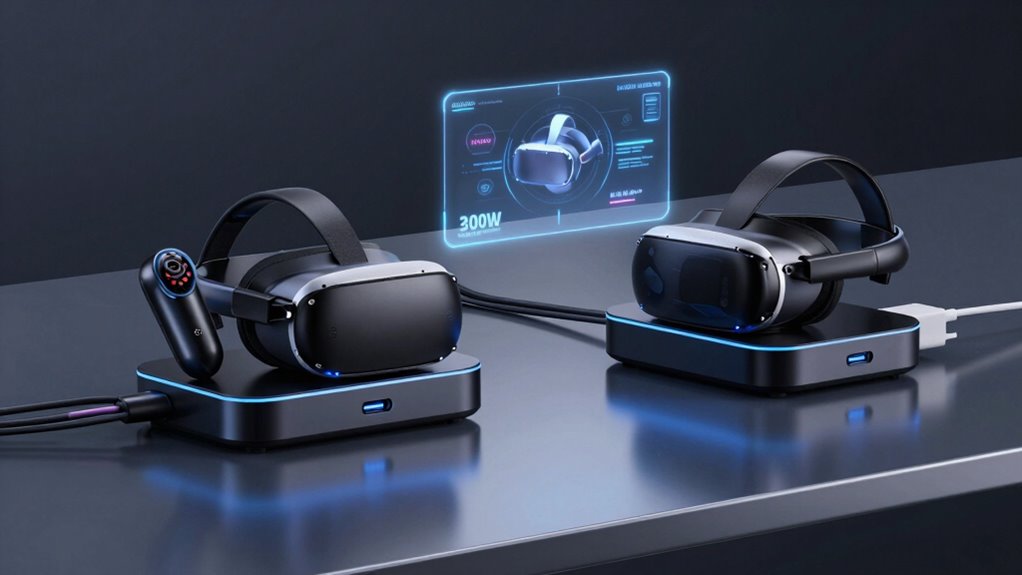

Choosing a 300W USB-C charging station for VR gear is less about the biggest number on the box and more about matching the ports and charging standards to your headset, controllers, and other devices. My strongest all-around match is the 300W GaN 10-port station: its stated USB-C output and 100–240V input make it the clearest fit for a mixed VR setup. The 380W dual-100W station is a better candidate when laptop-class USB-C charging matters, while the 400W 24-port unit makes more sense for a large charging shelf of low-power accessories than for a headset that needs USB-C Power Delivery.

Get audio and creator gear delivered free with Prime
- Fast, free delivery on millions of items
- Prime Video, Amazon Music and more included
- Member-only deals all year
The central tradeoff is usable per-port power versus port count. A high total-wattage figure does not mean every port can supply that amount, and a station with many 5V ports may handle controllers or phones but not meet a headset’s charging needs. I rank the options by how clearly their supplied specifications support VR-related charging, alongside flexibility, setup convenience, and limitations a buyer should check before connecting gear.
Complete the kit


Key Takeaways
- The 300W GaN 10-port model is the clearest match here for a VR charging corner, with four USB-C ports rated up to 45W each and 100–240V input.
- The two 380W stations offer higher stated total power, but buyers should confirm each USB-C port’s output and how power is divided before relying on them for headsets and laptops together.
- The 400W 24-port unit is built around 5V output; its high port count does not make it a strong choice for USB-C Power Delivery headsets.
- The 150W 30-port hub can organize many low-power accessories, but its 5V output and 150W total limit make it a secondary charging shelf rather than the main VR power source.
- For any station, check the headset maker’s charging requirements, cable rating, and port-level output; total wattage alone cannot establish compatibility.
| 300W GaN Charging Station 10 Port USB-C Charger Block and Hub |  | Best Overall for a Mixed VR Charging Setup | Total power: 300W | USB-C ports: 4, up to 45W each | USB-A ports: 4, up to 20W each | VIEW ON AMAZON | See Our Full Breakdown |
| 380W USB C Charger Block with 4 USB Cables Dual 100W Charging Station |  | Best for Laptop-and-VR Gear Together | Total power: 380W | Port count: 8 | Advertised high-power charging: Dual 100W charging | VIEW ON AMAZON | See Our Full Breakdown |
| 380W USB C Charger Block with 4 USB Cables Dual 100W Charging Station |  | Best for a Cable-Ready Desk Setup | Total power: 380W | USB-C ports: 4 | USB-A ports: 3 | VIEW ON AMAZON | See Our Full Breakdown |
| 24 Ports 400W Charging Station for Multiple Devices with 10 Cables |  | Best for Many Low-Power Accessories | Total power: 400W | Total ports: 24 | Port mix: 12 USB-C and 12 USB-A | VIEW ON AMAZON | See Our Full Breakdown |
| USB C Charger Station 150W, 30 Port USB Charging Hub for Multiple Devices |  | Best for Organizing a Large Accessory Collection | Total power: 150W | Port count: 30 | Listed output voltage: 5V | VIEW ON AMAZON | See Our Full Breakdown |
| 300w usb c charging station for vr gear | Total power | Input voltage | Listed output voltage | Included cables |
|---|---|---|---|---|
| 300W GaN Charging Station 10 P | 300W | 100–240V | — | — |
| 380W USB C Charger Block with | 380W | 100–240V | 20V | 4 USB-C cables |
| 380W USB C Charger Block with | 380W | — | — | One braided 100W USB-C, two USB-C-to-C, one power cord |
| 24 Ports 400W Charging Station | 400W | 220V | 5V | 10 mixed cables |
| USB C Charger Station 150W | 150W | 240V | 5V | — |
More Details on Our Top Picks
300W GaN Charging Station 10 Port USB-C Charger Block and Hub
This is my lead pick because it is the only listing that pairs a 300W total rating with a specific USB-C port figure: four USB-C ports, each listed at up to 45W. That gives a buyer a more useful starting point for assigning a headset to one port and controllers or a phone to others. Its 100–240V input also gives it a clearer travel and international-use profile than the 220V-only 24-port alternative, though buyers still need to check plug compatibility.
The station has four USB-A ports rated up to 20W each, and the description says it can charge as many as ten devices. That mix is practical if the VR corner includes older USB-A accessories as well as USB-C gear. Included 6-foot and 10-foot cables may help place the unit away from a play area, but the listing does not specify what those cables are rated for or which are included for each connection. I would verify that the cable supplied for the headset supports the required charging rate.
Compared with the 380W models, this station has a lower total figure but more transparent per-port information. Compared with the high-port-count 24- and 30-port units, it is more relevant to devices that need stronger USB-C output. Its drawbacks are real: the listing gives limited safety detail, says nothing about port prioritization, and warns that sustained high output may create heat. I would not assume every port can deliver its maximum at once just because the total is 300W.
Pros:- Four USB-C ports are listed at up to 45W each, making output easier to plan.
- 300W total capacity and ten-device charging suit a shared gear area.
- 100–240V input is more flexible than the 220V-only listing in this group.
- 6-foot and 10-foot cables can help position the station away from the play space.
Cons:- The listing does not detail USB-C PD profiles or how power is allocated across ports.
- Safety features are not described in detail, and prolonged heavy output may produce heat.
- Cable ratings and the exact distribution of included cables are unclear.
Best for: VR owners who want a central station for a headset, controllers, phone, and other USB-C or USB-A accessories, and value stated per-port output.
Not ideal for: Buyers needing documented USB-C PD profiles, verified simultaneous maximum output, or detailed safety and thermal specifications before purchase.
- Total power:300W
- USB-C ports:4, up to 45W each
- USB-A ports:4, up to 20W each
- Input voltage:100–240V
- Device capacity:Up to 10 devices
- Included cable lengths:6 ft and 10 ft
- Connector types:USB-C and USB-A
Our verdict“I would start here for a VR setup because its USB-C port ratings are clearer than those of the higher-wattage rivals.”
380W USB C Charger Block with 4 USB Cables Dual 100W Charging Station
This 380W station is the strongest alternative for a desk where VR equipment shares charging space with a laptop. Its title promotes dual 100W charging, and the description lists an eight-port layout, GaN construction, and four included USB-C cables. Those details suggest a more capable mixed-device role than the 5V-only 24-port station, but the supplied specifications do not spell out the full port map or confirm how the advertised 100W outputs behave when other ports are occupied.
That missing allocation information matters in a VR setup. A headset may be charging while controllers, a phone, or a laptop draw power too, so the 380W headline cannot tell me what any one device will receive under simultaneous use. The listing also gives 20V and 3A figures, which do not fully explain every port’s capabilities. I would confirm the exact output profiles and whether the included cables support the advertised charging speeds before choosing it for a headset that has particular requirements.
Compared with the 300W GaN 10-port pick, this model offers a higher total rating and promotes two 100W outputs, but it provides less specific USB-C port information in the supplied details. Its included cables may simplify setup, though multiple cables can also make a compact charging area feel crowded. The best case for this model is a VR station that also needs laptop charging; for headset-and-controller charging alone, the clearer per-port figures on the 300W option are more persuasive.
Pros:- 380W stated total capacity leaves room for a broader mix of devices.
- The product title promotes dual 100W charging for higher-power devices.
- GaN design is intended to reduce charger size compared with less compact designs.
- Four USB-C cables and a power cord are listed as included.
Cons:- The supplied information does not identify the full output rating of every port.
- Power sharing during simultaneous charging is not explained.
- Four included cables can add clutter, and cable speed ratings are not stated.
Best for: Buyers charging a VR headset alongside a laptop and several personal devices, provided they verify port-level output and cable ratings.
Not ideal for: Anyone who needs a fully documented port map or wants to connect VR gear without checking how the claimed 100W outputs are shared.
- Total power:380W
- Port count:8
- Advertised high-power charging:Dual 100W charging
- Input voltage:100–240V
- Listed output voltage:20V
- Listed output current:3A
- Included cables:4 USB-C cables
- Charging technology:GaN
Our verdict“I would choose this over the 300W model when laptop charging is a priority, but only after confirming its per-port output and sharing behavior.”
380W USB C Charger Block with 4 USB Cables Dual 100W Charging Station
This second 380W option has a similar name and broad purpose to the previous model, but its supplied details give a clearer cable inventory: four USB-C ports, three USB-A ports, one braided 100W USB-C cable, two USB-C-to-C cables, and a power cord. That makes it easier to picture how a permanent desk station might be connected. The listed cable lengths—3.3, 6.6, and 5 feet—also offer some placement choices for keeping charging leads away from a headset’s movement area.
Its seven stated ports and 380W total suggest room for a VR headset, controllers, and other devices, with potential capacity for a laptop. Still, the listing does not provide individual port output or explain power distribution. The title’s dual-100W claim is useful as a signal, but I would not treat it as confirmation that any two chosen ports will each maintain 100W while the rest are occupied. The 300W station remains easier to evaluate because it gives explicit USB-C and USB-A port limits.
For buyers who want more included cables than the 300W model specifies, this one may reduce the need to source leads separately. That convenience comes with a need to keep the bundle organized, and the available specs do not state the input-voltage range even though similar models in the roundup list one. I would check regional compatibility as well as the precise port map before using it as the only power source for a VR corner.
Pros:- Four USB-C and three USB-A ports provide a mix for modern and older accessories.
- Includes a braided 100W USB-C cable, two USB-C-to-C cables, and a power cord.
- Listed cable lengths can help with tidier desk placement.
- 380W total rating and GaN construction target a high-capacity, compact setup.
Cons:- Individual port output and simultaneous power sharing are not specified.
- The supplied details do not state the input-voltage range.
- Multiple included leads may complicate a small play area.
Best for: Desk-based VR owners who want several included cables and expect to charge a headset, controllers, and possibly a laptop in one place.
Not ideal for: Buyers who prioritize a documented per-port power table, confirmed universal input, or a minimal cable setup.
- Total power:380W
- USB-C ports:4
- USB-A ports:3
- Advertised high-power charging:Dual 100W charging
- Included cables:One braided 100W USB-C, two USB-C-to-C, one power cord
- Cable lengths:3.3 ft, 6.6 ft, and 5 ft
- Charging technology:GaN
Our verdict“I would favor this version over its similarly named counterpart for a cable-ready desk, while still treating its per-port power as unverified.”
24 Ports 400W Charging Station for Multiple Devices with 10 Cables
The appeal here is organization at scale: 24 ports, split evenly between USB-C and USB-A, plus ten mixed cables and a heavy iron frame. That could suit a household, club, or VR demo area where many controllers, phones, and small accessories need a shared charging shelf. A stated 400W total sounds generous, but the listing specifies 5V output and 5A total current. Those figures make it a poor match for assuming laptop-class USB-C charging or higher-voltage headset charging.
This distinction is why I rank it below both 380W stations and the 300W GaN pick for core VR equipment. Port quantity helps when many devices can charge at the same time, but it does not replace the voltage and protocol a headset requires. The listing describes an intelligent chip and safety protections, including over-temperature, overvoltage, short-circuit, and overload protection. Those are useful features for a crowded charging area, yet the 5V-only output remains the main constraint for gear that expects USB-C Power Delivery.
Its iron construction and case-friendly slots favor a stable, shared location rather than a portable setup. The supplied input specification says 220V, which is narrower than the 100–240V range listed for the leading 300W unit; buyers should verify their local electrical requirements. I would choose this as an accessory organizer when the devices suit its output, not as the one station expected to power every part of a VR kit.
Pros:- 24 total ports include 12 USB-C and 12 USB-A connections.
- Ten mixed cables are included for setting up a shared charging area.
- The iron housing and case-friendly slots suit a fixed, busy station.
- Listing describes protections against heat, voltage and current faults, shorts, and overloads.
Cons:- Listed 5V output does not establish support for higher-voltage USB-C charging.
- The 220V input specification may not suit every region.
- Heavy iron construction is less practical for moving or travel.
Best for: Shared spaces that charge many 5V accessories, controllers, and phones and need a sturdy, high-port-count station.
Not ideal for: VR owners who need documented USB-C PD or higher-voltage charging for their headset, or who want a light, travel-friendly station.
- Total power:400W
- Total ports:24
- Port mix:12 USB-C and 12 USB-A
- Listed output voltage:5V
- Listed total output current:5A
- Input voltage:220V
- Construction:Heavy-duty iron
- Included cables:10 mixed cables
Our verdict“I would use this for a crowded accessory shelf, not as my main VR-headset charger, because its 5V output is the limiting factor.”
USB C Charger Station 150W, 30 Port USB Charging Hub for Multiple Devices
This 30-port hub prioritizes quantity and a compact footprint over high-power charging. It may help keep a collection of phones, small accessories, and compatible controllers charging from one location, with stated protection against overcurrent, overcharging, and short circuits. For a VR setup, that makes it more of an organizer than a primary station: its 150W total and 5V output do not provide the same stated headroom as the 300W option, and the listing does not give a USB-C PD profile for headset charging.
Compared with the 24-port, 400W station, this hub has six more ports but a much lower total power figure. Both listings specify 5V output, so neither should be selected for a headset on the assumption that its USB-C-shaped connector guarantees higher-voltage charging. The 30-port layout may be useful when the gear list includes many low-draw devices, but the output must be shared across a large number of connections; plugging in more devices does not create more available power.
I would place it last for a buyer seeking one 300W-class VR charging station, since its stated total is 150W. It can still make sense as a secondary hub for accessories, especially when port organization matters more than charging a headset quickly. Its listing says 240V input while also identifying a North American two-pin plug, so I would verify electrical compatibility and the intended regional version before ordering. The product details also say standard cables are needed for best results, adding another item to manage.
Pros:- 30 ports can organize a large set of compatible low-power devices.
- Compact design is intended to save space on a desk or shelf.
- Built-in protections are listed for overcurrent, overcharging, and short circuits.
- Broad device compatibility is claimed for phones and tablets.
Cons:- 150W total capacity is below the 300W target in this roundup.
- The stated 5V output does not confirm higher-voltage USB-C headset charging.
- The listing’s 240V input and North American plug details warrant a compatibility check.
Best for: Owners with many low-power USB accessories who want a single hub to reduce outlet and desk clutter.
Not ideal for: Buyers seeking a 300W-class station, a verified headset fast-charging solution, or strong per-port output information.
- Total power:150W
- Port count:30
- Listed output voltage:5V
- Listed total output current:30A
- Input voltage:240V
- Plug type:North American two-pin
- Power source:Corded electric
Our verdict“I would add this as a high-port-count accessory hub, but not choose it as the main charging station for a power-hungry VR setup.”

How We Picked
I ranked these products for one specific job: charging a VR headset and its surrounding gear from a shared station. That can mean a headset, one or more controllers, a phone, headphones, and perhaps a laptop or battery pack. Since the supplied listings do not identify specific VR headset compatibility or verify USB-C Power Delivery profiles for every model, I distinguish documented output details from broad claims such as “fast charging.”
My first filter is whether the listing gives useful information about USB-C output, not merely total wattage. Then I weigh the number and mix of ports, input-voltage range, included cables, physical practicality, and stated protections. A 300W station with four USB-C ports and 45W listed per port is easier to evaluate for a headset setup than a 400W station whose output is described as 5V only. I also treat missing details as a buying limitation, not as proof that a device cannot work.
The ranking favors clearer fit for mixed VR gear over raw port totals. The 300W GaN unit leads because it offers the most explicit USB-C port rating among the supplied options. The 380W models follow for their higher stated capacity and broader potential use, but their available details leave questions about port allocation. The 24-port and 30-port options rank lower for headset use because their stated 5V output makes them better suited to accessories than to devices requiring higher-voltage USB-C charging.
Factors to Consider When Choosing 300w Usb C Charging Station For Vr Gear
For VR charging, I would start with the headset’s own power requirements, then match the station and cable to them. The product’s total wattage is only one part of the decision; port-level output and USB-C charging support determine whether a particular connection is suitable.
Match the headset’s charging requirement
Check the headset maker’s guidance for its required charger output and whether it supports USB-C Power Delivery. Do the same for battery straps or external battery packs. A USB-C connector describes the shape of the plug, not the charging protocol or power level. In this roundup, the 300W GaN station gives the most useful starting detail with four USB-C ports listed at up to 45W each. The 5V-only descriptions on the 24-port and 30-port hubs do not establish that they will satisfy devices requiring a higher-voltage USB-C supply.
If a headset requires a particular profile, compare that requirement directly with the station’s port specification rather than relying on “fast charging” language. When a listing omits the relevant profile, I would ask the manufacturer or select a charger with clearer documentation.
Do not treat total wattage as per-port wattage
A 380W or 400W total rating does not mean a single USB-C port can supply 380W or 400W. The total is shared across connected devices, and the station may reduce output when several ports are in use. The 380W models promote dual 100W charging, but the supplied descriptions do not explain how those outputs are allocated during simultaneous use. The 300W model states a maximum for each USB-C port, which is more informative, though it still does not say every port can run at its maximum at once.
Plan for realistic simultaneous use: headset, controllers, phone, and any laptop or battery pack. If high-power devices will run together, look for a detailed port allocation table and confirm its conditions. Without one, treat headline wattage as a broad capacity claim rather than a guarantee for each connection.
Choose the right mix of USB-C and USB-A
Modern headsets and charging accessories often use USB-C, but older docks, cables, and small devices may use USB-A. The 300W station combines four ports of each type, while the 24-port station splits its 24 connections evenly between the two formats. The 380W model with the clearer listed port mix gives four USB-C and three USB-A connections. Think about the devices you actually charge; a large count is not useful if the ports do not match your cables or charging needs.
For headset-first use, prioritize appropriate USB-C output. USB-A ports can still be valuable for controllers and accessories, but their presence does not substitute for USB-C Power Delivery when a connected device requires it. A small number of well-specified ports can serve a VR setup better than a much larger number of low-voltage connections.
Check cables, placement, and electrical input
Use a cable rated for the charging rate and protocol you need. Included cables can simplify setup, but the listings do not consistently specify the rating of every cable. The 300W model’s 6-foot and 10-foot lengths may help move the station away from the play space; the cable bundle in the second 380W model may suit a fixed desk. Keep leads out of the headset’s movement path and avoid putting a charger where ventilation is blocked.
Input voltage also matters. The 300W station and one 380W option list 100–240V input, while the 24-port model lists 220V and the 30-port model lists 240V alongside a North American plug description. Confirm the intended electrical version and plug before use, especially when buying for a region different from the listing’s stated supply details.
Set expectations for accessory hubs
High-port-count stations can be useful for controllers, phones, and other small devices, but they may not be suitable as the only charger for a headset. The 24-port and 30-port choices advertise many connections yet state 5V output. I would treat them as accessory organizers unless the headset manufacturer confirms that the output meets its requirements. The 30-port model also totals 150W, so it does not meet the 300W target implied by this buying search.
For a compact VR corner, fewer ports with clearer power details can be a better fit than a bulky station designed to charge a whole collection. For a club or family shelf, extra ports and a sturdy housing may carry more weight, provided each device is compatible with the output.
Frequently Asked Questions
Is a 300W charging station automatically suitable for a VR headset?
No. The total rating describes the station’s combined capacity, not necessarily the power or charging protocol available from an individual port. Check the headset’s required voltage, current, and USB-C charging support against the port specification. Among these options, the 300W GaN model lists up to 45W per USB-C port, but buyers should still confirm that its supported output matches their headset.
Can I charge a headset and controllers at the same time?
These stations are designed for multiple devices, but the amount of power available to each port may change as more devices are connected. The listings do not provide complete simultaneous-output tables for every model. I would connect the headset to a port with a suitable stated rating, then use remaining ports for controllers and accessories while watching for any manufacturer guidance about shared output.
Is the 400W 24-port station a better VR choice than the 300W model?
Not based on total wattage alone. The 24-port station lists 5V output, which makes it more clearly suited to compatible low-power accessories than to a headset needing higher-voltage USB-C charging. The 300W model provides a stated maximum of 45W for each of its four USB-C ports, giving a VR buyer more relevant information even though its total rating is lower.
Do included USB-C cables guarantee fast charging?
No. The connector type does not show a cable’s power rating or confirm that it supports the charging protocol required by a device. Some listed bundles mention a 100W cable, but not every cable in every package has a stated rating. Match the cable rating to both the station’s output and the headset’s requirements, and check which cable is intended for the high-power port.
Which station should I choose for a VR headset, controllers, and laptop?
I would compare the 300W GaN station and the two 380W models first. The 300W option provides clearer USB-C port ratings, while the 380W options promote higher total capacity and dual 100W charging. Since the 380W listings do not fully describe port allocation, confirm their output during simultaneous use before relying on one for a laptop and headset together. Choose according to verified port behavior, not the total number alone.
Conclusion
For most buyers building a VR headset-and-accessory charging corner, I would begin with the 300W GaN 10-port station because its USB-C port limits are the clearest in this group. If a laptop will share the station, compare the two 380W models and verify their port map, power sharing, cable ratings, and regional input details before choosing. The 24-port unit suits buyers with many compatible 5V accessories and a fixed charging shelf; the 30-port hub is better treated as a secondary organizer for low-power devices.
My final rule is simple: verify the headset’s charging requirement at the port level. For a headset-first setup, choose documented USB-C output over a larger port count or total-wattage headline. For a shared household or demo area, extra ports and sturdy construction may matter more, but only for devices that match the stated output.