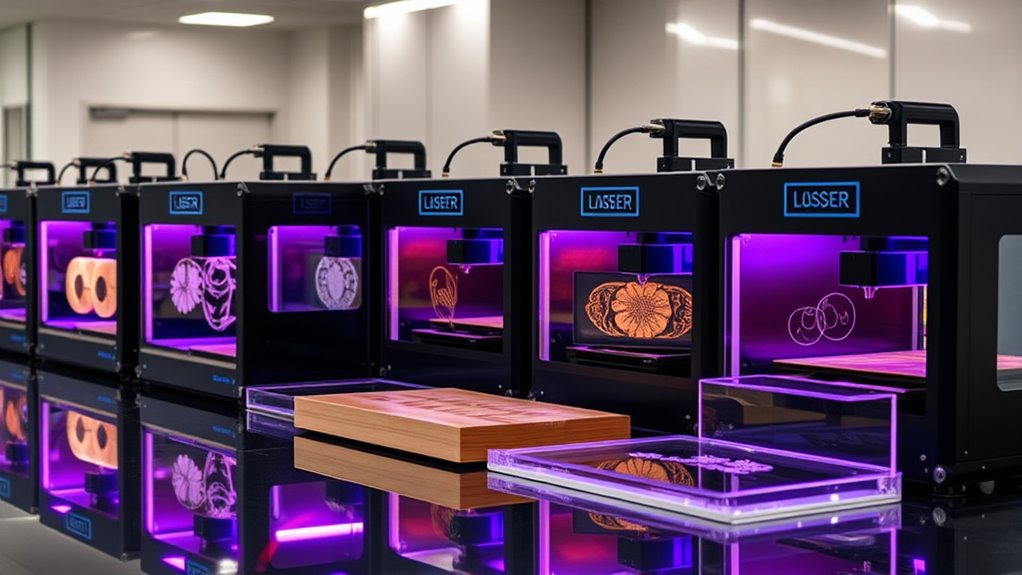

Among these laser engravers, my best overall pick is the xTool F2 Ultra 60W MOPA & 40W Diode for buyers who want two laser types in one machine. The xTool P2S 55W CO2 stands out for broader cutting work, while the xTool F2 Ultra 60W MOPA Fiber is a more focused choice for detailed metal marking. The main tradeoff is whether to prioritize material range, cutting capacity, fine marking, ease of use, or a lower-cost entry point. Enclosure, workspace, software, and the materials you actually plan to process can matter as much as headline wattage. Read on for the full breakdown of how these 15 machines differ and which buyer each one suits.

Get audio and creator gear delivered free with Prime
- Fast, free delivery on millions of items
- Prime Video, Amazon Music and more included
- Member-only deals all year
Complete the kit


Key Takeaways
The dual-laser xTool F2 Ultra leads this lineup for versatility because it pairs 60W MOPA fiber marking with a 40W diode for a wider mix of work.
Fiber, diode, CO2, and UV machines serve different jobs: metal marking, general craft materials, cutting, and fine glass work are not interchangeable tasks.
The xTool P2S 55W CO2 is the more purpose-built choice for buyers prioritizing cutting, while a fiber machine is a better fit for metal marking.
Enclosure and workflow features vary as much as laser power; enclosed designs, cameras, positioning aids, and rotary support can make repeated projects easier to manage.
Entry-level and compact options trade capability for accessibility: the Twotrees TTS-55 Pro and 10W-class machines suit narrower tasks better than buyers needing broad material coverage or production capacity.
| xTool F2 Ultra Single 60W MOPA Fiber Laser Engraver |  | Best for Metal Production | Laser power: 60W | Engraving area: 8.7 × 8.7 inches; expandable to 8.7 × 19.7 inches with auto conveyor | Cameras: Dual 48MP AI cameras | VIEW ON AMAZON | See Our Full Breakdown |
| GWEIKE G2 Max 50W Fiber Laser Engraver with 3D & Deep Engraving |  | Best Portable Fiber-Laser Pick | Laser power: 50W | Wavelength: 1064nm | Working area: 150 × 150mm | VIEW ON AMAZON | See Our Full Breakdown |
| xTool F1 Ultra 20W Fiber & Diode Dual Laser Engraver |  | Best Dual-Laser All-Rounder | Laser system: 20W fiber and diode lasers | Working area: 220 × 220mm; expandable to 220 × 500mm | Maximum speed: 10,000mm/s | VIEW ON AMAZON | See Our Full Breakdown |
| TOOCAA 20W Laser Engraver and Cutter Machine with Rotary Roller Set and Enclosed Design |  | Best Enclosed Craft Workhorse | Laser power: 20W | Engraving area: 16.34 × 15.55 inches | Bed size: 22 × 22 inches | VIEW ON AMAZON | See Our Full Breakdown |
| Aliencell X1 Lite 40W Photo-quality Laser Engraver Cutter with <5% Deviation |  | Best for Large Craft Projects | Laser power: 40W | Engraving area: 26 × 21 inches | Acceleration: 20,000mm/s² | VIEW ON AMAZON | See Our Full Breakdown |
| xTool M2 10W Laser Engraver with Dual Cameras, Enclosed Safe Design for DIY Crafts |  | Best for Camera-Guided Home Crafting | Laser power: 10W | Safety class: Class 1 | Weight: 36.2 pounds | VIEW ON AMAZON | See Our Full Breakdown |
| xTool F2 Ultra UV Laser Engraver, 5W UV Laser 3D Inner Fine Glass Engraving |  | Best for Fine Glass and Crystal Engraving | Laser power: 5W (5000mW) | Spot size: <10 μm | Maximum speed: 15,000 mm/s | VIEW ON AMAZON | See Our Full Breakdown |
| TOOCAA NOVA 20W Laser Cutter and Engraver with AI Camera, Live Auto Positioning, 600 mm/s Speed, Class 1 Enclosed, AI Material Recognition – Wood, Acrylic, Metal, Rotary Tumblers |  | Best Enclosed 20W All-Rounder | Laser power: 20W (20000mW) | Maximum cutting speed: 600 mm/s | Camera: 5MP HD AI camera | VIEW ON AMAZON | See Our Full Breakdown |
| BlazeX M3 10W Laser Engraver Machine with Smart Camera |  | Best Lightweight 10W Pick | Power: 10W | Advertised precision: 0.01 mm | Weight: 14.97 pounds | VIEW ON AMAZON | See Our Full Breakdown |
| xTool M2 20W Color Craft Laser Engraver with Dual Cameras and CMYK Inkjet Printer |  | Best for Combined Color Printing and Laser Crafting | Power: 20W | Laser output power: 20000mW | Included configuration: M2 Basic + CMYK Inkjet + RA3 Lite | VIEW ON AMAZON | See Our Full Breakdown |
| xTool P2S 55W CO2 Laser Cutter, Smart Desktop CO2 Laser Engraver and Cutter |  | Best for Large CO2 Projects | Laser type and power: CO2, 55W | Work area: 26 x 14 inches | Maximum engraving speed: 600 mm/s | VIEW ON AMAZON | See Our Full Breakdown |
| xTool F2 Ultra 60W MOPA & 40W Diode Dual Laser Engraver |  | Best for High-Volume, Multi-Material Work | MOPA fiber laser power: 60W | Diode laser power: 40W | Work area: 8.7 x 8.7 inches; expandable to 8.7 x 19.7 inches | VIEW ON AMAZON | See Our Full Breakdown |
| xTool F2 5W IR & 15W Diode Dual Laser Engraver with Built-in 50MP Camera, Ultra Fast 6000mm/s, 3D Embossing, Metal Color Marking, Portable Desktop Machine |  | Best Compact Dual-Laser Pick | IR laser power: 5W | Diode laser power: 15W | Camera: 50MP built-in | VIEW ON AMAZON | See Our Full Breakdown |
| xTool S1 40W Laser Cutter and Engraver with Rotary Bundle |  | Best Enclosed Machine for Beginners | Laser power: 40W | Bed size: 23.93 x 15.16 inches | Maximum listed speed: 600 mm/s | VIEW ON AMAZON | See Our Full Breakdown |
| Twotrees TTS-55 Pro Laser Engraver 5500mW |  | Best Open-Frame Value for Hands-On Hobbyists | Laser output: 5,500 mW | Working area: 300 x 300 mm | Laser focus spot: 0.08 x 0.46 mm | VIEW ON AMAZON | See Our Full Breakdown |
| laser engraver | Weight | Laser power |
|---|---|---|
| xTool F2 Ultra Single 60W MOPA | 66.9 pounds | 60W |
| GWEIKE G2 Max 50W Fiber Laser | 22 pounds | 50W |
| xTool F1 Ultra 20W Fiber & Dio | 43.8 pounds | — |
| TOOCAA 20W Laser Engraver and | 61.9 pounds | 20W |
| Aliencell X1 Lite 40W Photo-qu | 65 pounds | 40W |
| xTool M2 10W Laser Engraver wi | 36.2 pounds | 10W |
| xTool F2 Ultra UV Laser Engrav | — | 5W (5000mW) |
| TOOCAA NOVA 20W Laser Cutter a | — | 20W (20000mW) |
| BlazeX M3 10W Laser Engraver M | 14.97 pounds | — |
| xTool M2 20W Color Craft Laser | 41.7 pounds | — |
| xTool P2S 55W CO2 Laser Cutter | 130.7 pounds | — |
| xTool F2 Ultra 60W MOPA & 40W | 67.9 pounds | — |
| xTool F2 5W IR & 15W Diode Dua | 10 pounds | — |
| xTool S1 40W Laser Cutter and | 86.8 pounds | 40W |
| Twotrees TTS-55 Pro Laser Engr | 8.23 pounds | — |
More Details on Our Top Picks
xTool F2 Ultra Single 60W MOPA Fiber Laser Engraver
I’d put the xTool F2 Ultra Single first for buyers whose work centers on metal rather than mixed-material crafts. Its 60W MOPA fiber laser supports deep engraving, 3D embossing, and color marking, while speeds up to 15,000mm/s and an expandable work area can help with repeat jobs and larger batches. Compared with the GWEIKE G2 Max, it offers more laser power and a larger potential workspace, but the GWEIKE is much lighter and lists a standard 150 × 150mm area. Dual 48MP cameras and stated 0.2mm positioning accuracy help with placement, though this feature set may be more than a hobbyist needs. The tradeoff is a 66.9-pound Class 4 machine that needs room, safety planning, and a confident setup process.
Pros:- 60W MOPA fiber laser supports deep engraving, embossing, and metal color marking.
- Dual 48MP cameras support precise job placement and workflow setup.
- Up to 15,000mm/s speed suits repeat production work.
- Workspace expands from 8.7 × 8.7 inches to 8.7 × 19.7 inches with the auto conveyor.
Cons:- At 66.9 pounds, it is difficult to move and needs a substantial work surface.
- Class 4 operation calls for careful safety controls.
- Its specialized fiber-laser focus is less suited to buyers prioritizing broad craft-material versatility.
Best for: Small metal-product businesses and makers producing personalized stainless steel, silver, or gold items in batches.
Not ideal for: Beginners seeking a simple all-purpose craft engraver, or buyers who lack dedicated workspace and Class 4 laser safety provisions.
- Laser power:60W
- Engraving area:8.7 × 8.7 inches; expandable to 8.7 × 19.7 inches with auto conveyor
- Cameras:Dual 48MP AI cameras
- Maximum speed:15,000mm/s
- Weight:66.9 pounds
- Dimensions:16.88 × 11.57 × 20.5 inches
- Laser class:Class 4
Our verdict“Choose the F2 Ultra Single for high-volume metal marking and engraving when its power and expandable workspace justify the size and setup demands.”
GWEIKE G2 Max 50W Fiber Laser Engraver with 3D & Deep Engraving
The GWEIKE G2 Max is a strong fit for buyers who want fiber-laser metal work without committing to the larger footprint of the xTool F2 Ultra Single. Its 50W, 1064nm fiber laser is specified for deep engraving, cutting, 3D carving, and color marking; the 150 × 150mm work area gives room for substantial pieces, and the detachable design makes repositioning more manageable. It shares the F2 Ultra Single’s 15,000mm/s top speed, but the xTool has 60W power and an expandable conveyor workspace, making it the more production-oriented choice. GWEIKE instead lists WiFi and USB connectivity, LightBurn compatibility, and a 22-pound weight. The stated 0.001mm accuracy is appealing for fine work, but this remains a Class 4 laser, so portability does not remove the need for proper safety arrangements.
Pros:- 50W fiber laser supports deep engraving, 3D carving, metal cutting, and color marking.
- 150 × 150mm working area accommodates larger workpieces than a compact marking bed.
- Detachable design and 22-pound listed weight make relocation easier than with the xTool F2 Ultra Single.
- WiFi, USB, and LightBurn compatibility offer several workflow options.
Cons:- Class 4 operation requires appropriate safety precautions and protective equipment.
- Its 50W power and fixed listed work area are less production-oriented than the 60W xTool F2 Ultra Single with conveyor expansion.
- The fiber-laser focus is less versatile for buyers whose projects center on wood, fabric, or other craft materials.
Best for: Metal engravers who need a detachable fiber-laser setup for detailed work across a range of locations or workstations.
Not ideal for: Shops needing an expandable conveyor workspace or buyers who want a low-safety-burden, beginner-oriented enclosed machine.
- Laser power:50W
- Wavelength:1064nm
- Working area:150 × 150mm
- Maximum speed:15,000mm/s
- Listed accuracy:0.001mm
- Connectivity and software:WiFi, USB, GLaser, LightBurn
- Weight:22 pounds
- Safety class:Class 4
Our verdict“Pick the G2 Max for flexible, detailed metal work in a detachable fiber-laser format, but choose the xTool F2 Ultra Single for more power and expandable batch capacity.”
xTool F1 Ultra 20W Fiber & Diode Dual Laser Engraver
The xTool F1 Ultra earns its place for buyers who need one machine to move between metal marking and craft materials. Its 20W fiber and diode lasers cover metals alongside wood, acrylic, leather, glass, and more, a broader material mix than the fiber-focused xTool F2 Ultra Single or GWEIKE G2 Max. That versatility comes with lower listed speed: up to 10,000mm/s versus 15,000mm/s for both fiber alternatives. A 220 × 220mm work area, expandable with an optional conveyor, supports batch work, while the enclosed cover, smoke extraction, fire alarm, and emergency stop give it a more safety-focused package than the listed Class 4 fiber machines. However, it weighs 43.8 pounds, and the conveyor is sold separately. I’d favor it for mixed-material production, not for buyers focused exclusively on the fastest metal engraving.
Pros:- Fiber and diode lasers cover metals as well as wood, acrylic, leather, glass, and other listed materials.
- 220 × 220mm work area can expand to 220 × 500mm with an optional conveyor.
- Enclosed cover, smoke extraction, fire alarm, and emergency stop add safety features.
- Supports 3D embossing, deep engraving, and cutting.
Cons:- Maximum listed speed of 10,000mm/s is below the 15,000mm/s fiber speed of the xTool F2 Ultra Single and GWEIKE G2 Max.
- Auto conveyor is sold separately.
- At 43.8 pounds and 18 × 17 × 24 inches, it needs a stable, dedicated area.
Best for: Small businesses and serious makers who regularly engrave both metal products and nonmetal materials on one machine.
Not ideal for: Metal-only production shops prioritizing maximum fiber-laser speed, or buyers who need a conveyor included for expanded batch capacity.
- Laser system:20W fiber and diode lasers
- Working area:220 × 220mm; expandable to 220 × 500mm
- Maximum speed:10,000mm/s
- Camera:16MP SMART CAMERA
- Listed materials:Metals, wood, acrylic, leather, glass, rubber, fabric
- Safety features:Enclosed cover, smoke extraction, fire alarm, emergency stop
- Weight:43.8 pounds
- Dimensions:18 × 17 × 24 inches
Our verdict“Choose the F1 Ultra if your jobs span metal and craft materials; choose a dedicated fiber model if metal throughput is the main priority.”
TOOCAA 20W Laser Engraver and Cutter Machine with Rotary Roller Set and Enclosed Design
I’d choose the TOOCAA 20W for craft-focused buyers who value an enclosed machine and a sizeable work area more than fiber-laser metal effects. Its 16.34 × 15.55-inch engraving area and stated compatibility with wood, metal, acrylic, and leather make it a broad workshop option, while the enclosure is a practical difference from the specialist fiber machines: the xTool F2 Ultra Single and GWEIKE G2 Max are aimed more directly at detailed metal marking and require Class 4 precautions. TOOCAA lists 0.01mm cutting precision and a maximum speed of 40,000mm/min, but these figures should not be read as a direct speed comparison with machines specified in mm/s. The tradeoffs are its 61.9-pound weight, setup complexity, and separately sold laser modules. I’d also verify the included configuration before planning around its stated capabilities.
Pros:- Enclosed design suits a more contained workshop setup than the listed open-format fiber-laser alternatives.
- 16.34 × 15.55-inch engraving area accommodates sizable craft projects.
- Listed material compatibility includes wood, metal, acrylic, and leather.
- Aerospace-grade aluminum frame is specified for the machine.
Cons:- At 61.9 pounds, it is cumbersome to move and needs a dedicated location.
- Laser modules and other accessories may be sold separately, so buyers should check the package configuration.
- Setup may be challenging for beginners without technical help.
Best for: Home studios and small customization shops seeking an enclosed engraver for wood, acrylic, leather, and occasional metal projects.
Not ideal for: Metal specialists seeking fiber-laser color marking or buyers who need a lightweight machine with a simple out-of-box setup.
- Laser power:20W
- Engraving area:16.34 × 15.55 inches
- Bed size:22 × 22 inches
- Maximum listed cutting thickness:8mm pinewood
- Maximum listed speed:40,000mm/min
- Listed cutting precision:0.01mm
- Frame material:Aerospace-grade aluminum
- Weight:61.9 pounds
Our verdict“The TOOCAA makes sense for craft studios wanting a large enclosed work area, but metal-focused buyers should look at the fiber-laser options instead.”
Aliencell X1 Lite 40W Photo-quality Laser Engraver Cutter with <5% Deviation
The Aliencell X1 Lite stands out for a large 26 × 21-inch bed and an enclosed design, making it a better fit for wide craft pieces than the TOOCAA 20W’s 16.34 × 15.55-inch engraving area. Its 40W laser, auto-focus, and LightBurn compatibility target hobbyists or small businesses handling wood, leather, acrylic, fabric, paper, and metal. The listed Class 1 safety certification and fire-resistant enclosure also distinguish it from the Class 4 fiber machines, though buyers still need to follow the manufacturer’s safety instructions. This is not the pick for the deepest or most specialized metal work: the xTool F2 Ultra Single and GWEIKE G2 Max are purpose-built fiber options for that job. The X1 Lite’s tradeoffs are its 65-pound weight, setup and calibration needs, and limited ability to cut very thick material.
Pros:- 26 × 21-inch engraving area accommodates larger projects than the TOOCAA 20W.
- 40W laser and auto-focus support efficient setup across listed materials.
- Fully enclosed, fire-resistant design with listed Class 1 safety certification.
- LightBurn compatibility suits users who want a recognized software workflow.
Cons:- At 65 pounds, it is difficult to relocate once set up.
- Setup and calibration may take extra effort.
- The 40W laser is not positioned for very thick cuts or specialist fiber-laser metal work.
Best for: Makers and small businesses producing large-format signs, panels, and craft goods from wood, leather, acrylic, fabric, or paper.
Not ideal for: Metal shops seeking deep engraving or buyers who need a compact, easy-to-move machine for thick-stock cutting.
- Laser power:40W
- Engraving area:26 × 21 inches
- Acceleration:20,000mm/s²
- Frequency:20kHz
- Safety certification:Class 1
- Listed materials:Wood, leather, acrylic, felt, fabric, paper, metal
- Auto-focus:Yes
- Weight:65 pounds
Our verdict“Choose the X1 Lite for large enclosed craft projects, but pick a fiber engraver if deep metal marking is your main task.”
xTool M2 10W Laser Engraver with Dual Cameras, Enclosed Safe Design for DIY Crafts
The xTool M2 10W suits home crafters who want help positioning designs without moving up to a more specialized machine. Its dual cameras provide a workspace preview, which can reduce placement guesswork when personalizing wood, leather, fabric, felt, or paper. The enclosed Class 1 design also makes it a more home-oriented choice than the xTool F2 Ultra UV, which is aimed at precision work on glass and other delicate materials. The tradeoff is modest laser power: this M2 is better suited to craft engraving and lighter cutting than demanding production work. It also weighs 36.2 pounds, so it is not a grab-and-go tool. Optional modules add capabilities, but they are not included in this basic configuration.
Pros:- Dual cameras help preview and position designs on the work surface.
- Class 1 enclosure is suited to home crafting workflows.
- Works with a broad selection of craft materials, including wood, leather, fabric, and paper.
- Software templates and an AI image generator support custom project setup.
Cons:- 10W output is not suited to industrial workloads or demanding cuts.
- CMYK inkjet and rotary capabilities require separately purchased modules.
- At 36.2 pounds, it is cumbersome to move between work areas.
Best for: Home crafters who want camera-assisted placement and an enclosed machine for personalized projects on materials such as wood, leather, and fabric.
Not ideal for: Small-business operators who need higher throughput or deeper cutting, and buyers who expect printing or rotary functions in the basic package.
- Laser power:10W
- Safety class:Class 1
- Weight:36.2 pounds
- Dimensions:28 x 25 x 12 inches
- Model number:MLM-K610-001
- Color:M2 Basic
- Warranty:1 year
Our verdict“Choose this M2 for camera-guided, enclosed home crafting, but skip it if you need stronger cutting or bundled add-on modules.”
xTool F2 Ultra UV Laser Engraver, 5W UV Laser 3D Inner Fine Glass Engraving
The xTool F2 Ultra UV fills a narrower role than the general-purpose xTool M2: it is built around fine marking on glass, crystal, acrylic, and other delicate materials. Its under-10 μm spot size and cold UV source are intended to produce detailed work with clean edges, a useful distinction for gifts, glassware, and trophies where surface damage is unwelcome. Dual 48MP cameras and 2D-to-3D software can simplify positioning and relief-style design work, while the stated 15,000 mm/s speed favors repeated jobs. This is not the safer home-craft alternative to the enclosed Class 1 TOOCAA NOVA: the F2 is listed as a Class 4 laser and calls for strict safety measures and ventilation. Its desktop workspace also limits workpiece size.
Pros:- Under-10 μm spot size supports very fine engraving detail.
- Cold UV source is designed to create clean edges without charring or pre-coating.
- Dual 48MP cameras and AI-assisted 2D-to-3D software aid setup.
- 15,000 mm/s maximum speed is suited to repeat batch jobs.
Cons:- Class 4 operation requires strict safety procedures and proper ventilation.
- Enclosed desktop workspace restricts maximum workpiece dimensions.
- Its 5W UV configuration is specialized rather than a broad substitute for higher-power cutting machines.
Best for: Makers and small gift businesses focused on detailed engraving inside or on glass, crystal, acrylic, and similar delicate materials.
Not ideal for: Casual home users seeking a low-supervision enclosed craft machine, or shops that need to process large workpieces.
- Laser power:5W (5000mW)
- Spot size:<10 μm
- Maximum speed:15,000 mm/s
- Cameras:Dual 48MP
- Workspace:Enclosed desktop unit
- Safety class:Class 4
- Warranty:12 months
Our verdict“Pick the F2 Ultra UV for fine glass and crystal work, not as a general-purpose or casual-use home engraver.”
TOOCAA NOVA 20W Laser Cutter and Engraver with AI Camera, Live Auto Positioning, 600 mm/s Speed, Class 1 Enclosed, AI Material Recognition – Wood, Acrylic, Metal, Rotary Tumblers
The TOOCAA NOVA 20W is the most balanced pick here for buyers who want an enclosed machine that can engrave, cut, and handle cylindrical items. Its 5MP AI camera supports live positioning and material recognition, while the included 360° rotary kit means tumblers and bottles are part of the standard setup rather than a separate-module project like the xTool M2 10W. The Class 1 enclosure and dual-channel exhaust also suit shared home or classroom spaces better than the Class 4 xTool F2 Ultra UV. At 20W, it offers more output than the 10W M2, but the supplied data still flags limits on thicker cuts compared with higher-wattage machines. Its roughly 27-by-19-inch package footprint also asks for dedicated bench space.
Pros:- Class 1 fully enclosed design is appropriate for shared workspaces.
- AI camera offers live preview, positioning, and material recognition.
- 360° rotary kit is included for bottles and tumblers.
- Dual-channel exhaust helps manage smoke and keep the workspace cleaner.
Cons:- Large package footprint can be difficult to accommodate in a compact workspace.
- 20W output limits cutting depth on thicker materials compared with higher-wattage machines.
- At 33.3 pounds, moving it around the workspace is not convenient.
Best for: Home workshops, classrooms, and small businesses that want an enclosed 20W engraver with camera positioning and a bundled rotary kit.
Not ideal for: Makers with very limited bench space or production users whose regular work requires cutting thick stock.
- Laser power:20W (20000mW)
- Maximum cutting speed:600 mm/s
- Camera:5MP HD AI camera
- Safety class:Class 1 fully enclosed
- Exhaust system:Patented dual-channel exhaust
- Rotary kit:360° rotary for tumblers and bottles
- Package dimensions:26.93 x 18.74 x 9.06 inches
- Item weight:33.3 pounds
Our verdict“Choose the NOVA if you want an enclosed 20W machine with a rotary kit included, but look elsewhere for thick-stock cutting or a compact footprint.”
BlazeX M3 10W Laser Engraver Machine with Smart Camera
The BlazeX M3 10W stands apart from the heavier enclosed machines in this group: its listed weight is just 14.97 pounds, making it the lighter option for a small studio or a workspace that needs occasional rearranging. A smart camera supports design placement, and the stated 0.01 mm precision targets detailed engraving on projects involving wood, metal, glass, or leather. Compared with the xTool M2 10W, the M3 is positioned as a lighter, software-flexible alternative, but its product data gives much less detail about its enclosure and working area. That makes it harder to judge for home safety and larger pieces. Its 10W output also limits cutting thicker material, and the described setup may be a steeper start for complete beginners.
Pros:- Listed weight of 14.97 pounds makes it lighter than the xTool M2 10W.
- Smart camera helps preview and place designs.
- Advertised 0.01 mm precision supports detailed engraving.
- Compatibility includes Windows, macOS, iOS, and Android.
Cons:- 10W power is not suited to cutting thicker materials.
- Setup may be complex for complete beginners.
- Product data provides limited detail about the work area and safety enclosure.
Best for: DIY makers and small-studio owners who value a lighter 10W machine, camera-assisted placement, and compatibility across several operating systems.
Not ideal for: First-time users who want the clearest setup guidance, or buyers who need verified enclosure details, a large work area, or substantial cutting power.
- Power:10W
- Advertised precision:0.01 mm
- Weight:14.97 pounds
- Dimensions:4.3 x 1.2 x 4.7 inches
- Listed material:Metal
- Compatibility:Windows, macOS, iOS, Android
Our verdict“Consider the M3 if a lighter 10W machine and broad device compatibility matter most, but choose a better-documented enclosed model for a first home setup.”
xTool M2 20W Color Craft Laser Engraver with Dual Cameras and CMYK Inkjet Printer
This xTool M2 20W is the lineup’s clearest choice for crafters who want inkjet color printing alongside laser engraving and cutting in one setup. The included CMYK inkjet gives it a broader creative role than the xTool M2 10W Basic, which needs separately purchased modules for added functions, while the dual cameras help with design placement. Its 20W output also gives it more cutting potential than that 10W configuration, and the product description lists compatibility with more than 300 materials. The tradeoff is a heavier, more involved machine: at 41.7 pounds, it needs a settled workspace, and setup may take technical familiarity. Buyers seeking a simple enclosed engraver may find the Class 1 TOOCAA NOVA 20W a more direct fit, particularly if rotary work matters more than color printing.
Pros:- Combines CMYK inkjet printing with laser engraving and cutting.
- Dual cameras support real-time workspace preview and design placement.
- 20W output offers more capability than the 10W M2 Basic configuration.
- The product description lists compatibility with more than 300 materials.
Cons:- At 41.7 pounds, it is difficult to move frequently.
- Setup may require technical familiarity.
- IR laser capability is sold separately.
Best for: Home crafters and small creative businesses that want laser projects and CMYK inkjet color printing in the same machine.
Not ideal for: Buyers prioritizing portability, straightforward setup, or bundled rotary engraving rather than integrated color printing.
- Power:20W
- Laser output power:20000mW
- Included configuration:M2 Basic + CMYK Inkjet + RA3 Lite
- Weight:41.7 pounds
- Dimensions:27.5 x 24.88 x 10.75 inches
- Model number:MLM-K610-001
- Warranty:1 year
- Item package quantity:1
Our verdict“Choose this M2 when integrated CMYK printing expands your craft work; choose the lighter 10W M2 or rotary-equipped TOOCAA NOVA if that feature is not a priority.”
xTool P2S 55W CO2 Laser Cutter, Smart Desktop CO2 Laser Engraver and Cutter
The xTool P2S is the strongest fit here for makers who need to cut sizable wood or acrylic pieces rather than focus mainly on small engravings. Its 55W CO2 laser and 26-by-14-inch bed support thicker materials and larger jobs than the compact xTool F2, while auto-passthrough can accommodate longer stock. Dual cameras and LiDAR autofocus help position designs without as much manual measuring, a practical advantage across a broad work area. The tradeoff is substantial: at 130.7 pounds and more than 44 inches long, it needs a permanent, sturdy workspace. Its safety features and exhaust system are useful, but they do not make this a casual tabletop choice. I’d pick it over the xTool S1 when CO2 cutting capacity and camera positioning matter most; the S1 is the less imposing alternative.
Pros:- 55W CO2 laser is suited to cutting thicker materials in fewer passes.
- 26-by-14-inch work area accommodates projects larger than the xTool F2’s compact format.
- Auto-passthrough supports longer workpieces.
- Dual cameras, LiDAR autofocus, and fire-detection features aid positioning and operation.
Cons:- At 130.7 pounds, it requires sturdy placement and is difficult to relocate.
- Its 44.09-inch length demands substantially more space than compact desktop engravers.
- A one-year warranty is limited compared with the long-term needs of a production machine.
Best for: Makers and small shops regularly cutting large or thick wood and acrylic pieces who have room for a dedicated machine.
Not ideal for: Apartment hobbyists or anyone needing a portable engraver; its weight and large footprint make frequent moving or compact workspaces impractical.
- Laser type and power:CO2, 55W
- Work area:26 x 14 inches
- Maximum engraving speed:600 mm/s
- Positioning and focus:Dual 16MP cameras and LiDAR autofocus
- Material:Aluminum alloy
- Dimensions:44.09 x 29.13 x 13.78 inches
- Weight:130.7 pounds
- Warranty:1 year
Our verdict“Choose the P2S for large-format CO2 cutting and engraving if you can dedicate a sturdy workspace to it.”
xTool F2 Ultra 60W MOPA & 40W Diode Dual Laser Engraver
The xTool F2 Ultra pairs a 60W MOPA fiber laser with a 40W diode, giving production-minded buyers a broader material range than a single-laser machine. The fiber source is the more specialized route for metal marking, including color effects, while the diode adds capacity for wood and acrylic. Its listed 15,000 mm/s speed, dual 48MP cameras, and expandable conveyor area are geared toward repeat jobs and batches. Compared with the xTool P2S, it trades a much larger CO2 bed and long-stock passthrough for a smaller footprint and a fiber-and-diode combination. That makes it a better fit for mixed-material production than large sheet cutting. I would not choose it as a first laser: setup and calibration can be involved, and its Class 4 designation calls for strict safety practices.
Pros:- Combines 60W MOPA fiber and 40W diode sources for varied material workflows.
- Expandable work area reaches 8.7 x 19.7 inches with the auto conveyor.
- Dual 48MP AI cameras support detailed positioning and batch setup.
- Listed speed of up to 15,000 mm/s suits repeated production jobs.
Cons:- Class 4 laser operation demands careful safety controls.
- Setup and calibration may be challenging for beginners.
- Its 8.7-inch base work-area width is modest for larger individual pieces.
Best for: Small production businesses and experienced makers processing batches of metal and nonmetal parts who need both fiber and diode capabilities.
Not ideal for: First-time users seeking a simple, lower-complexity machine, or shops focused on large-format sheet cutting like the xTool P2S.
- MOPA fiber laser power:60W
- Diode laser power:40W
- Work area:8.7 x 8.7 inches; expandable to 8.7 x 19.7 inches
- Maximum listed speed:15,000 mm/s
- Maximum cutting thickness:2 mm metal, 20 mm acrylic, 23 mm wood
- Positioning accuracy:0.2 mm
- Cameras:Dual 48MP AI cameras
- Weight:67.9 pounds
Our verdict“Choose the F2 Ultra for fast, mixed-material batch work if you have the experience and safety setup for a Class 4 machine.”
xTool F2 5W IR & 15W Diode Dual Laser Engraver with Built-in 50MP Camera, Ultra Fast 6000mm/s, 3D Embossing, Metal Color Marking, Portable Desktop Machine
The xTool F2 is the portable, small-job counterpart to the larger xTool F2 Ultra: it combines a 5W IR laser and 15W diode in a machine listed at just 10 pounds. That pairing gives hobbyists and mobile customizers more material options than a basic diode engraver, including metal color marking and 3D embossing. Its 50MP camera helps place designs accurately, while the stated 6,000 mm/s speed is aimed at quick small-batch work. This is not a substitute for the P2S or the F2 Ultra when project size, cutting power, or continuous production is the priority. The compact format limits its work capacity, and users still need to learn safe operation and setup. I’d favor it over the F2 Ultra for portability, not for heavier production demands.
Pros:- Dual 5W IR and 15W diode lasers broaden its engraving options.
- 50MP built-in camera supports accurate design placement.
- Listed maximum speed of 6,000 mm/s can help with small-batch jobs.
- At 10 pounds, it is much easier to move than the F2 Ultra or P2S.
Cons:- Compact format limits the size and volume of work it can handle.
- Its laser power is not a match for the higher-output F2 Ultra or P2S when cutting is the priority.
- Setup and Class 4 safety requirements call for technical care.
Best for: Mobile personalization sellers and hobbyists making small, detailed batches who want both diode and IR engraving in a portable format.
Not ideal for: Shops cutting thick stock or processing large workpieces; its listed power and compact size favor smaller projects.
- IR laser power:5W
- Diode laser power:15W
- Camera:50MP built-in
- Maximum listed speed:6,000 mm/s
- Weight:10 pounds
- Dimensions:6.89 x 9.33 inches
- Features:3D embossing and metal color marking
- Design:Portable, fully enclosed desktop machine
Our verdict“Pick the F2 for portable, detailed small-batch engraving, but choose a larger, higher-powered machine for substantial cutting or production.”
xTool S1 40W Laser Cutter and Engraver with Rotary Bundle
The xTool S1 40W is a sensible middle ground for buyers who want a full-size enclosed cutter without stepping up to the P2S’s 55W CO2 system. Its 23.93-by-15.16-inch bed offers room for sizable projects, and the included rotary bundle adds a route to engraving cylindrical items. Enclosure, flame sensors, and an emergency stop make its safety setup more approachable than an open-frame machine such as the Twotrees TTS-55 Pro, though users still need to follow laser safety practices. At 86.8 pounds, it is far from portable, and its listed 600 mm/s speed does not match the F2 Ultra’s much higher stated rate. I’d choose the S1 for accessible, enclosed wood and acrylic work; the P2S makes more sense when higher CO2 cutting power is the deciding factor.
Pros:- Large 23.93 x 15.16-inch bed accommodates substantial projects.
- Enclosed design, flame sensors, and emergency stop add practical safety measures.
- 40W laser power and listed 600 mm/s speed support cutting and engraving work.
- Rotary bundle extends its use to cylindrical items.
Cons:- At 86.8 pounds, it needs a dedicated, stable location.
- Its footprint is too large for many compact workspaces.
- The 40W system offers less cutting power than the xTool P2S’s 55W CO2 laser.
Best for: Newer makers and established hobbyists who want an enclosed, larger-bed machine for wood and acrylic projects, with rotary work available.
Not ideal for: People with limited space or buyers seeking a lightweight machine; also less suited to users who need the P2S’s higher-power CO2 capacity.
- Laser power:40W
- Bed size:23.93 x 15.16 inches
- Maximum listed speed:600 mm/s
- Material compatibility:Wood, metal, and acrylic
- Safety features:Enclosed design, flame sensors, and emergency stop
- Frame material:Aerospace-grade aluminum
- Weight:86.8 pounds
- Bundle:Rotary bundle
Our verdict“Choose the S1 if you want an enclosed, roomy machine with rotary capability and can give it a permanent workspace.”
Twotrees TTS-55 Pro Laser Engraver 5500mW
The Twotrees TTS-55 Pro takes a simpler, more hands-on approach than the enclosed xTool S1: its 5.5W laser and 300-by-300mm work area suit hobbyists engraving or making lighter cuts in materials such as wood, leather, and acrylic. Wi-Fi, online access, and TF-card support provide several ways to send jobs, while the stated 0.1mm engraving accuracy offers a useful reference for detail work. Compared with the xTool F2, it lacks a dual-laser system and camera-assisted positioning, so it is less suited to quick material changes or guided alignment. Its open-frame format and required technical setup make it a less reassuring choice for beginners than the enclosed S1. I’d consider it for a budget-conscious tinkerer who values a generous work area and connectivity over enclosure and automation.
Pros:- 300 x 300mm work area gives hobby projects room to spread out.
- Wi-Fi, online control, and TF-card support offer multiple job-transfer methods.
- Listed 0.1mm engraving accuracy suits detailed designs.
- 32-bit dual-core control board supports machine control.
Cons:- 5.5W output is limited compared with the 40W S1 and higher-power machines in this lineup.
- Open-frame operation requires extra attention to laser safety.
- Technical setup may take more effort than using a camera-equipped, enclosed machine.
Best for: Hands-on hobbyists comfortable with machine setup who want a 300-by-300mm work area and flexible job transfer options.
Not ideal for: Beginners prioritizing an enclosed safety setup, or users who need high-power cutting, camera positioning, or a dual-laser material range.
- Laser output:5,500 mW
- Working area:300 x 300 mm
- Laser focus spot:0.08 x 0.46 mm
- Engraving accuracy:0.1 mm
- Maximum listed speed:30,000 mm/min
- Control board:32-bit dual-core MCU
- Connectivity:Wi-Fi, online control, and TF card
- Weight:8.23 pounds
Our verdict“Choose the TTS-55 Pro for affordable-feeling, hands-on hobby work and a roomy bed, not for enclosed operation or heavy cutting.”

How We Picked
I compared these laser engravers by matching their laser type and stated power to the work buyers are likely to do: marking metals, engraving wood, cutting craft materials, working with glass, or handling mixed projects. I also weighed enclosure and safety design, usable workflow features such as cameras and positioning aids, rotary support, and whether a machine’s stated capabilities point to a focused tool or a more flexible shop machine. These criteria matter because a higher wattage number alone does not tell a buyer how well a machine fits a particular material or task.
The ranking gives more weight to useful capability across likely projects, while still recognizing that a specialized machine can be the better choice for a specific job. The xTool F2 Ultra dual-laser model ranks first for its broad toolset; the P2S and dedicated fiber or UV models rank strongly when their specialized strengths match the buyer’s needs. Compact, lower-powered, or more narrowly equipped options sit lower for broad-use recommendations, not because they lack a role, but because they ask the buyer to accept more limits. I have not treated advertised speed, camera counts, or bundled accessories as proof of real-world output quality.
Factors to Consider When Choosing Laser Engravers
Before choosing among these machines, I would start with the work itself rather than a wattage comparison. A laser engraver is a system: laser type, enclosure, work area, software, ventilation, and material compatibility all shape what it can do safely and efficiently. These checks can prevent paying for features that do not help your projects—or buying a machine that cannot perform your main task.
Match the Laser Type to Your Main Material
Fiber lasers are the natural starting point for buyers focused on marking metals, while diode machines are commonly aimed at craft work such as wood engraving and some cutting tasks. CO2 machines often appeal to buyers who want a dedicated cutter and engraver for a different mix of sheet materials. UV models target finer marking applications, including delicate glass work, rather than serving as a universal replacement for fiber or diode. A common mistake is buying a dual-laser model for theoretical versatility when most projects need only one process. List your three most frequent materials and verify each against the manufacturer’s compatibility guidance before comparing machines.
Treat Cutting and Engraving as Separate Requirements
A machine that marks a material well may not cut it efficiently, and a specification that sounds powerful does not guarantee a useful cut in your chosen thickness. Decide whether your work is mostly surface marking, photo engraving, or cutting out shapes, since those jobs place different demands on the laser and workspace. Buyers often focus on engraving detail and only later discover that cutting speed or material thickness is the real bottleneck. Ask what thickness you need to cut regularly, not just what you might attempt once. If cutting is central to your workflow, favor machines designed around that use instead of paying extra for marking modes you will rarely use.
Check the Full Safety and Ventilation Setup
An enclosed machine can reduce exposure to the beam and help contain smoke, but it does not remove the need to manage fumes. Confirm what ventilation connections, filtration options, interlocks, and protective measures are included or required for your planned materials. A class designation or enclosure label should not be treated as permission to operate without reading the manual and following local safety guidance. Some materials release harmful fumes when processed, so verify suitability rather than experimenting with unknown plastics or coatings. Buyers should budget space and setup effort for exhaust routing before choosing a machine based on its footprint alone.
Choose a Work Area for Real Projects, Not Just the Machine
Measure the largest item you expect to engrave, including any jig, rotary attachment, or clearance needed to load it. A generous work area can help with batch jobs, but it also takes more bench space and may require a larger ventilation arrangement. Compact machines can be easier to place and store, yet they may force you to split designs or reposition work more often. Rotary compatibility is useful for tumblers and other curved objects, but check what attachments are supported and how they affect usable clearance. A quick sketch of your workspace and typical project dimensions can rule out poor fits before purchase.
Value Workflow Features by How Often You Repeat Jobs
Cameras, live positioning, and material-recognition features can reduce setup friction, especially when placing designs on many small items or repeating a batch. They do not replace careful alignment, material tests, or suitable design software. For occasional one-off crafts, a simpler machine may be easier to learn and maintain than a feature-heavy system. For frequent personalized orders, automation can save time across many jobs, so the added complexity may be worthwhile. Before buying, check software compatibility, file formats, update requirements, and whether the workflow features address a task you perform often.
Compare Ownership Needs Alongside Machine Capability
Laser purchases can bring ongoing needs such as lenses or other consumables, cleaning, ventilation maintenance, software setup, and replacement parts. A lower-powered machine may be a sensible choice for learning or light craft work, but it can become limiting if project volume or material range grows. A premium multi-laser system can reduce the need for separate tools, yet it also brings a more involved setup and a larger commitment to one ecosystem. Look for clear documentation, support access, and replacement-part availability rather than judging ownership only by the feature list. The best fit is the machine whose operating demands match your space, skill level, and expected workload.
Frequently Asked Questions
Can one laser engraver handle both metal and wood projects?
Some machines in this lineup combine laser types, including the xTool F2 Ultra dual-laser model and the xTool F1 Ultra, which are intended to cover more than one material category. That does not mean every laser engraves every metal or wood equally well, or that one source can replace a dedicated machine for demanding work. Check the manufacturer’s material guidance and confirm whether your goal is marking, engraving, or cutting. If most of your work is one material, a specialized machine may be a simpler and more efficient fit. Choose a dual-laser system when the second capability will see regular use.
Should I choose a fiber laser or a CO2 laser?
Start with your primary task: fiber models in this roundup are oriented toward metal marking, while the xTool P2S is a 55W CO2 cutter and engraver aimed at a different mix of work. Neither category is a universal winner, and their capabilities should not be compared by wattage alone. Check whether your materials and desired results are supported by the specific model, then consider work area and ventilation. If you need frequent metal marking, a fiber option is the more direct match. If cutting is a central requirement, examine the CO2 model’s stated material and thickness limits.
Are enclosed laser engravers a better choice for a home workspace?
An enclosure can help contain light and smoke and may make a machine easier to integrate into a shared workspace, but it does not make operation risk-free. You still need to follow safety instructions, use suitable ventilation, and confirm that each material is safe to process. The TOOCAA NOVA, TOOCAA 20W, xTool M2, and other enclosed designs differ in workflow and features, so compare more than the enclosure label. Check the actual exhaust setup and the space needed for the machine and its accessories. For home use, a suitable location and ventilation plan matter as much as choosing an enclosed model.
Is a camera or auto-positioning feature worth choosing over more laser power?
It depends on whether setup accuracy or processing capacity is the bigger obstacle in your work. Cameras and positioning aids can help place artwork on small objects and repeat layouts, while more laser power may matter more for the material and task the machine is built to handle. Neither feature guarantees better results without correct focus, material settings, and test runs. If you make one-off projects, workflow automation may add little value; if you personalize batches, it can reduce repeated setup work. Compare the feature against a task you do often rather than treating it as a general upgrade.
What should a first-time buyer prioritize over maximum wattage?
A new buyer should first confirm that the machine works with their intended materials and fits their workspace, ventilation plan, and project dimensions. A clear enclosure, manageable software workflow, and useful documentation can matter more at the start than choosing the highest power listed. The xTool M2 10W, BlazeX M3 10W, and other more accessible desktop options suit different workflows, so compare their features rather than assuming all entry-level machines are alike. Think about whether your projects are mostly engraving or cutting, since that changes which specifications deserve attention. Leave room in your plan for material testing and safe operating practices.
Conclusion
For the broadest capability in this group, I recommend the xTool F2 Ultra 60W MOPA & 40W Diode as the best overall pick. Buyers seeking a best value should compare the simpler 10W-class and entry-focused options against their actual material needs rather than pay for unused features; the Twotrees TTS-55 Pro is the clearest low-power, focused alternative. For a best premium choice centered on metal marking, the xTool F2 Ultra 60W MOPA Fiber is the specialist option, while the xTool P2S 55W CO2 suits buyers who prioritize cutting. Beginners should look closely at the enclosed xTool M2 10W or the camera-equipped BlazeX M3 10W and select based on workflow and workspace fit. For specific needs, choose the xTool F2 Ultra UV for fine glass work, the xTool S1 40W with rotary bundle for rotary-oriented projects, or a dedicated fiber model for metal; let your most frequent job make the final call.