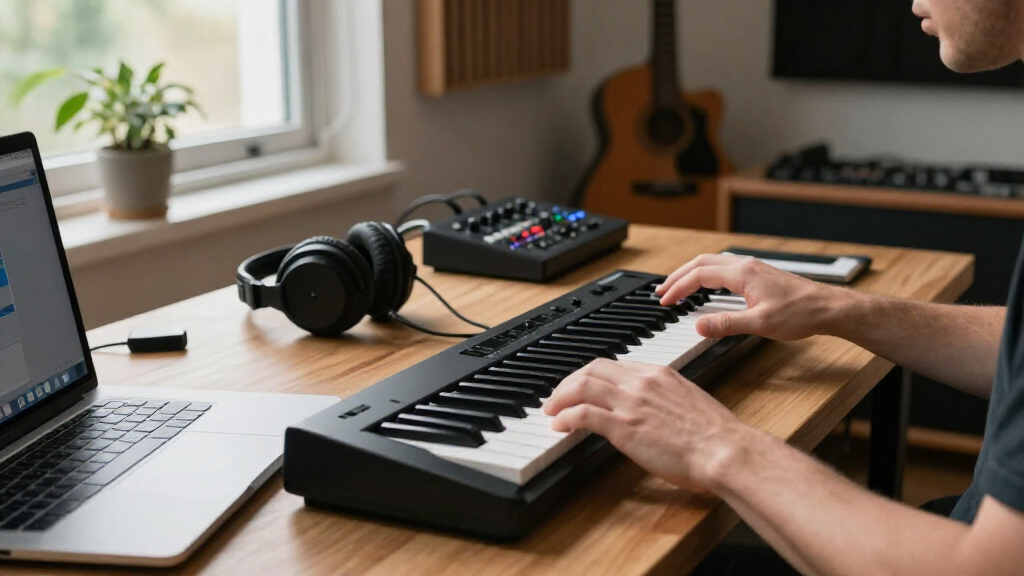
For music production, the Akai Professional MPK Mini IV is my best overall pick among these wireless-minded MIDI keyboards, pairing portable 25-key control with pads and hands-on editing features. The Arturia MiniLab 3 stands out for its useful production controls, while the M-VAVE K5 is a more direct choice for buyers who want Bluetooth MIDI in a compact controller. The main tradeoff is that wireless convenience, key count, control layout, and software compatibility do not always come together in one keyboard. Some models rely on USB, while others offer wireless connectivity or built-in sounds, so check the connection method that fits your setup. Continue reading for the full breakdown and help choosing the right keyboard for your workflow.

Get audio and creator gear delivered free with Prime
- Fast, free delivery on millions of items
- Prime Video, Amazon Music and more included
- Member-only deals all year
Complete the kit


Key Takeaways
- The MPK Mini IV leads as an all-rounder because it combines a compact 25-key layout with production-oriented controls, while the LPK25 is a simpler choice for players who mainly need keys.
- Wireless claims need a closer look. The lineup includes Bluetooth-focused M-VAVE and DaierTek models, but several popular Akai and Arturia controllers are USB-oriented rather than wireless-first.
- More pads do not automatically mean a better production tool. The M-VAVE models with 16 RGB or backlit pads suit beat triggering, while the MPK Mini Plus and STARRYKEY-37 PLAY offer more keys for broader playing range.
- Thirty-seven keys change the playing experience more than extra buttons do. The MPK Mini Plus and Donner STARRYKEY-37 PLAY are stronger fits for two-handed parts than the 25-key options, though they take more space.
- The K32 is a different kind of portable instrument. Its built-in sounds, speaker, and rechargeable battery favor standalone play, while most other picks are designed to control sounds in a computer or mobile setup.
| Akai Professional LPK25 25-Key USB MIDI Keyboard Controller |  | Best for a Simple, Lightweight Setup | Keys: 25 velocity-sensitive mini keys | Connectivity: USB | Dimensions: 3.96 x 13.68 x 1.44 inches | VIEW LATEST PRICE | See Our Full Breakdown |
| M-VAVE 25-Key Wireless MIDI Keyboard Controller with Drum Pads |  | Best for Wireless Beat-Making Controls | Keys: 25 velocity-sensitive mini keys | Drum pads: 8 velocity-sensitive RGB-backlit pads | Knobs: 8 assignable knobs | VIEW LATEST PRICE | See Our Full Breakdown |
| M-VAVE K5 25-Key Bluetooth MIDI Keyboard Controller |  | Best for Wireless Pitch Control | Model: K5 | Keys: 25 velocity-sensitive mini keys | Drum pads: 8 RGB-backlit velocity-sensitive pads | VIEW LATEST PRICE | See Our Full Breakdown |
| Donner DMK 25 Pro USB-C MIDI Keyboard Controller, 25-Key, Black |  | Best for Guided Practice and DAW Learning | Keys: 25 | Drum pads: 8 | Connectivity: USB Type-C | VIEW LATEST PRICE | See Our Full Breakdown |
| Akai Professional MPK Mini IV 25-Key USB-C MIDI Keyboard Controller, Black |  | Best for a Feature-Rich Studio Workstation | Keys: 25 velocity-sensitive mini keys | Pads: 8 velocity- and pressure-sensitive RGB MPC pads | Knobs: 8 assignable 360-degree knobs | VIEW LATEST PRICE | See Our Full Breakdown |
| Arturia MiniLab 3 25-Key MIDI Controller, White |  | Best for Hands-On DAW Control | Keys: 25 slim synth-action keys with velocity control | Pads: 8 velocity- and pressure-sensitive RGB pads | Controls: 8 rotary encoders, 4 faders, and 2 capacitive touch sensors | VIEW LATEST PRICE | See Our Full Breakdown |
| DaierTek 25-Key Portable Bluetooth and USB MIDI Keyboard Controller |  | Best for Wireless Desktop-to-Mobile Switching | Keys: 25 velocity-sensitive keys | Pads: 8 RGB backlit, velocity-sensitive pads with aftertouch | Controls: 8 assignable encoders and 2 capacitive touch strips | VIEW LATEST PRICE | See Our Full Breakdown |
| Akai Professional MPK Mini MK3 25-Key USB MIDI Keyboard Controller |  | Best for Beat-Making Basics | Keys: 25 velocity-sensitive mini keys | Pads: 8 velocity-sensitive MPC-style pads | Knobs: 8 assignable 360-degree knobs | VIEW LATEST PRICE | See Our Full Breakdown |
| Donner STARRYKEY-37 PLAY 37-Key MIDI Keyboard Controller |  | Best for Standalone Practice and Composition | Keys: 37 spring-loaded mini keys | Built-in voices: 128 | Pads: 16 RGB pads | VIEW LATEST PRICE | See Our Full Breakdown |
| M-VAVE 25-Key Mini MIDI Keyboard Controller with Wireless Connectivity |  | Best for Long Battery Life and Pad Control | Keys: 25 velocity-sensitive keys | Pads: 16 RGB backlit velocity-sensitive pads | Rotary encoders: 8 assignable | VIEW LATEST PRICE | See Our Full Breakdown |
| Akai Professional MPK Mini Plus 37-Key USB MIDI Keyboard Controller |  | Best for Hardware-Rich Production | Keys: 37 velocity-sensitive mini keys | Connectivity: USB, MIDI I/O, CV/Gate | Pads: 8 RGB MPC pads | VIEW LATEST PRICE | See Our Full Breakdown |
| M-VAVE MIDI Keyboard Controller with 25 Keys and 16 RGB Pads |  | Best Portable Pick with a Spec Check | Keys: 25 velocity-sensitive keys listed; product information conflicts on key count | Pads: 16 RGB backlit velocity-sensitive pads | Controls: 8 assignable rotary encoders; 2 pitch-bend touch strips | VIEW LATEST PRICE | See Our Full Breakdown |
| M-VAVE SMK25_8 MIDI Keyboard Controller with 25 Keys and 16 RGB Pads |  | Best for Mobile Beatmaking | Model: SMK25_8 | Keys: 25 velocity-sensitive keys | Pads: 16 RGB backlit velocity-sensitive pads | VIEW LATEST PRICE | See Our Full Breakdown |
| M-VAVE 25-Key MIDI Keyboard Controller with 16 Backlit Drum Pads |  | Best for Straightforward USB-C or Bluetooth Setup | Keys: 25 velocity-sensitive keys | Drum pads: 16 RGB backlit, velocity-sensitive pads | Rotary encoders: 8 assignable | VIEW LATEST PRICE | See Our Full Breakdown |
| K32 Wireless 32-Key MIDI Keyboard Controller with Built-In Sounds, Speaker, and Rechargeable Battery |  | Best Standalone Wireless Keyboard | Keys: 32 | Connectivity: Wireless BLE MIDI | Battery life: Up to 6 hours | VIEW LATEST PRICE | See Our Full Breakdown |
| wireless MIDI keyboards for music production | Keys | Connectivity | Pads |
|---|---|---|---|
| Akai Professional LPK25 25-Key | 25 velocity-sensitive mini keys | USB | — |
| M-VAVE 25-Key Wireless MIDI Ke | 25 velocity-sensitive mini keys | Bluetooth and USB | — |
| M-VAVE K5 25-Key Bluetooth MID | 25 velocity-sensitive mini keys | Bluetooth and USB | — |
| Donner DMK 25 Pro USB-C MIDI K | 25 | USB Type-C | — |
| Akai Professional MPK Mini IV | 25 velocity-sensitive mini keys | USB-C and full-size MIDI Out | 8 velocity- and pressure-sensitive RGB MPC pads |
| Arturia MiniLab 3 25-Key MIDI | 25 slim synth-action keys with velocity control | USB | 8 velocity- and pressure-sensitive RGB pads |
| DaierTek 25-Key Portable Bluet | 25 velocity-sensitive keys | Bluetooth and USB MIDI | 8 RGB backlit, velocity-sensitive pads with aftertouch |
| Akai Professional MPK Mini MK3 | 25 velocity-sensitive mini keys | USB 2.0 Type B | 8 velocity-sensitive MPC-style pads |
| Donner STARRYKEY-37 PLAY 37-Ke | 37 spring-loaded mini keys | USB, MIDI, and wireless | 16 RGB pads |
| M-VAVE 25-Key Mini MIDI Keyboa | 25 velocity-sensitive keys | USB-C and Bluetooth | 16 RGB backlit velocity-sensitive pads |
| Akai Professional MPK Mini Plu | 37 velocity-sensitive mini keys | USB, MIDI I/O, CV/Gate | 8 RGB MPC pads |
| M-VAVE MIDI Keyboard Controlle | 25 velocity-sensitive keys listed; product information conflicts on key count | USB, USB Type-C, Bluetooth | 16 RGB backlit velocity-sensitive pads |
| M-VAVE SMK25_8 MIDI Keyboard C | 25 velocity-sensitive keys | USB, USB Type-C, Bluetooth | 16 RGB backlit velocity-sensitive pads |
| M-VAVE 25-Key MIDI Keyboard Co | 25 velocity-sensitive keys | Bluetooth, USB-C | — |
| K32 Wireless 32-Key MIDI Keybo | 32 | Wireless BLE MIDI | — |
More Details on Our Top Picks
Akai Professional LPK25 25-Key USB MIDI Keyboard Controller
The Akai Professional LPK25 is the simplest fit here for producers who want a compact keyboard and already plan to work at a computer. Its USB connection keeps setup straightforward, while octave buttons, sustain, and an arpeggiator add useful playing options without crowding the small controller. Compared with the wireless M-VAVE 25-Key Controller, it gives up Bluetooth, pads, and knobs, so it is less suited to untethered beat-making or hands-on mixing. In return, its controls stay focused on playing keys, and the listed weight of 0.48 kg makes it easy to carry. The tradeoff is clear: 25 mini keys are limiting for two-handed parts, and this controller needs a DAW or other music software to make sound.
Pros:- Lightweight, compact body is easy to carry alongside a laptop
- Velocity-sensitive mini keys support dynamic MIDI performances
- Arpeggiator, sustain button, and octave controls add useful playing options
- Eight programmable presets help retain preferred controller setups
Cons:- USB-only connectivity does not suit wireless music-making
- 25 mini keys restrict range and can feel cramped for longer parts
- Requires a computer or compatible device with music software for sound
Best for: Computer-based producers who want a lightweight keyboard for entering melodies, bass lines, or short parts into a DAW.
Not ideal for: Players who need Bluetooth operation, drum pads, or a wider key range for extended two-handed performances.
- Keys:25 velocity-sensitive mini keys
- Connectivity:USB
- Dimensions:3.96 x 13.68 x 1.44 inches
- Weight:0.48 kg
- Presets:8 programmable slots
- Performance features:Arpeggiator, clock, octave up/down buttons, sustain button
- Compatibility:Mac and PC; supports popular DAWs and music applications
Our verdict“Choose the LPK25 if you want a straightforward, highly portable keyboard for computer-based MIDI input and do not need wireless control or pads.”
M-VAVE 25-Key Wireless MIDI Keyboard Controller with Drum Pads
For beat-makers who want more than keys in a portable Bluetooth controller, the M-VAVE 25-Key Wireless MIDI Keyboard combines eight velocity-sensitive RGB pads with eight assignable knobs. That makes it more hands-on than the Akai LPK25, which is lighter and simpler but lacks both wireless connectivity and dedicated beat controls. Bluetooth and a built-in battery rated for about 16 hours suit mobile sessions, while USB provides a wired option. Smart chord and scale features can help turn a short keyboard into a more flexible sketching tool. The tradeoff is that the 25 mini keys still limit playing range, and the supplied information describes a semi-weighted feel rather than a full-size weighted keybed. Buyers should choose it for portable production controls, not piano-like playing.
Pros:- Bluetooth and USB connectivity support wireless or wired sessions
- Built-in 2,000 mAh battery is rated for approximately 16 hours
- Eight velocity-sensitive RGB pads and eight assignable knobs expand hands-on control
- Smart chord and scale features support quick idea generation
Cons:- 25 mini keys can feel cramped and limit playing range
- Semi-weighted mini keys do not replace a full-size weighted keyboard
- Wireless use depends on keeping the rechargeable battery charged
Best for: Mobile producers and beat-makers who want Bluetooth, pads, and assignable knobs for sketching rhythms and controlling a DAW.
Not ideal for: Pianists seeking full-size or weighted keys, or producers who need a wider keyboard for extended performances.
- Keys:25 velocity-sensitive mini keys
- Drum pads:8 velocity-sensitive RGB-backlit pads
- Knobs:8 assignable knobs
- Connectivity:Bluetooth and USB
- Battery:2,000 mAh; approximately 16 hours
- Compatible platforms:Windows, Mac OS, Android, iOS
- Supported software:Ableton Live, FL Studio, Logic Pro X, Reason, Cubase, Studio One, GarageBand, and others
Our verdict“Pick this M-VAVE if wireless beat-making and a mix of keys, pads, and knobs matter more than a piano-style keybed.”
M-VAVE K5 25-Key Bluetooth MIDI Keyboard Controller
The M-VAVE K5 is a strong match for mobile producers who want Bluetooth operation plus controls for shaping notes and playing drum parts. Its two pitch-control touch strips give it a different emphasis from the M-VAVE 25-Key Wireless Controller with Drum Pads: both offer Bluetooth, eight pads, and eight assignable controls, but the K5 explicitly adds touch strips for pitch gestures. USB remains available when a wired connection suits a studio setup, and its battery is rated for about 16 hours. Broad compatibility across computers and mobile platforms helps it fit mixed-device workflows. The main compromise is shared with other 25-key mini controllers: the range is short, and the available details do not establish a distinct advantage in key feel over its M-VAVE sibling.
Pros:- Bluetooth and USB offer wireless and wired connection options
- Two touch strips provide an alternative way to control pitch
- Eight velocity-sensitive RGB pads and eight assignable encoders support beat-making and DAW control
- Compatibility includes Windows, Mac, Android, and iOS
Cons:- 25 mini keys limit range and may feel cramped for some players
- Battery life is rated at about 16 hours, so wireless sessions require charging
- Its feature set overlaps heavily with the other M-VAVE wireless 25-key option
Best for: Mobile performers and producers who want Bluetooth MIDI with touch-strip pitch control, pads, and assignable knobs.
Not ideal for: Players who prefer full-size keys or need more than two octaves for piano parts and wide-ranging arrangements.
- Model:K5
- Keys:25 velocity-sensitive mini keys
- Drum pads:8 RGB-backlit velocity-sensitive pads
- Knobs:8 assignable rotary encoders
- Connectivity:Bluetooth and USB
- Battery:2,000 mAh; about 16 hours of use
- Touch controls:2 touch strips for pitch control
- Compatibility:Windows, Mac OS, Android, iOS
Our verdict“Choose the K5 over the other M-VAVE wireless 25-key model if its pitch-control touch strips are useful to your performance workflow.”
Donner DMK 25 Pro USB-C MIDI Keyboard Controller, 25-Key, Black
The Donner DMK 25 Pro stands apart by pairing a compact controller with 40 keyboard teaching courses and a clear OLED display. Its 16 scale modes, chord controls, arpeggio, and note repeat make it useful for building parts without relying only on traditional keyboard technique. Compared with the Bluetooth-equipped M-VAVE K5, however, the Donner is a wired USB-C controller, so it is less convenient for untethered mobile sessions. Its eight drum pads and multiple transport and performance controls make it more production-focused than the basic Akai LPK25, but it still needs DAW software to produce sound. The included software access adds a starting point for computer-based work; mobile users may need to buy an adapter, depending on their device.
Pros:- OLED display makes settings and controller information easier to read
- Sixteen scale modes plus arpeggio, note repeat, and chord controls support idea generation
- Eight drum pads and transport controls add practical DAW interaction
- Includes access to 40 keyboard teaching courses and DAW software options
Cons:- USB-C connection does not provide wireless MIDI operation
- Requires DAW software to produce sound
- Some mobile devices may need a separately purchased adapter
Best for: Newer producers who want a compact USB-C controller with guided keyboard courses and built-in scale and chord tools.
Not ideal for: Buyers who need Bluetooth MIDI, standalone sound, or a guaranteed plug-in connection to a mobile device without an adapter.
- Keys:25
- Drum pads:8
- Connectivity:USB Type-C
- Display:OLED
- Scale modes:16
- Controls:Arpeggio, note repeat, chord functions, 4 wheels, 6 transport controls
- Compatibility:PC, Mac, Android, iOS
- Included learning and software:40 keyboard teaching courses; access to Cubase LE, Cubasis, and WaveLab LE
Our verdict“Choose the DMK 25 Pro if learning aids and scale-focused production tools matter more than Bluetooth freedom.”
Akai Professional MPK Mini IV 25-Key USB-C MIDI Keyboard Controller, Black
The Akai Professional MPK Mini IV is the most studio-oriented wired choice in this group, bringing a full-color display, eight assignable knobs, and eight velocity- and pressure-sensitive MPC pads to a compact 25-key format. Its USB-C connection and full-size MIDI Out offer more connection flexibility than the USB-only LPK25, while the wireless M-VAVE models are better suited to untethered sessions. Chord and scale modes, an arpeggiator, pitch and modulation wheels, and a large included sound collection make it a capable center for producing on a desk or connecting to external MIDI gear. That breadth comes with a familiar limitation: it is not a wireless controller, and its mini keys are less comfortable for extended piano parts.
Pros:- USB-C and full-size MIDI Out support computer-based production and external MIDI gear
- Pressure-sensitive RGB MPC pads offer expressive drum and sample triggering
- Full-color display and eight assignable knobs provide useful hands-on control
- Arpeggiator, chord and scale modes, wheels, and included sounds support varied workflows
Cons:- USB-C connection does not provide wireless MIDI
- 25 mini keys may feel cramped for extended keyboard playing
- Requires compatible software or devices to use as a MIDI controller
Best for: Producers who want a compact, control-rich studio keyboard with expressive pads, USB-C, and MIDI Out for external gear.
Not ideal for: Musicians who prioritize Bluetooth operation, full-size keys, or a simple controller with minimal controls.
- Keys:25 velocity-sensitive mini keys
- Pads:8 velocity- and pressure-sensitive RGB MPC pads
- Knobs:8 assignable 360-degree knobs
- Connectivity:USB-C and full-size MIDI Out
- Display:Full-color screen
- Supported platforms:Mac, Windows, and mobile setups
- Included sounds:1,000+ sounds
- Additional features:Arpeggiator, chord mode, scale mode, pitch and modulation wheels
Our verdict“Choose the MPK Mini IV if you want the broadest wired studio controls and MIDI Out, rather than Bluetooth portability or a larger keybed.”
Arturia MiniLab 3 25-Key MIDI Controller, White
I’d pick the Arturia MiniLab 3 when direct control over a production session matters more than wireless freedom. Its eight encoders, four faders, pads, and touch controls give you more ways to shape and trigger sounds than the Akai MPK Mini MK3, which has eight knobs but no faders. The included Ableton Live Lite and Analog Lab Intro can also help a new producer get started without sourcing every tool separately. The tradeoff is that this is a USB-only controller, so it needs a cable and a connected computer; it is not the pick for untethered mobile setups. Its 25 slim keys also limit two-handed parts, making it better for beat-making and compact desk work than extended keyboard performance.
Pros:- Eight encoders and four faders provide broad hands-on control.
- Eight velocity- and pressure-sensitive RGB pads support expressive triggering.
- Includes Ableton Live Lite, Analog Lab Intro, and UVI Model D.
- Compact design fits a crowded production desk.
Cons:- USB connection is required; there is no wireless option.
- The 25-key range can constrain chords and two-handed playing.
- Slim synth-action keys may not suit players who prefer larger keys.
Best for: Producers who want a compact, cable-connected controller with faders, pads, and bundled software for hands-on DAW work.
Not ideal for: Mobile producers seeking Bluetooth operation or keyboard players who need more than 25 keys.
- Keys:25 slim synth-action keys with velocity control
- Pads:8 velocity- and pressure-sensitive RGB pads
- Controls:8 rotary encoders, 4 faders, and 2 capacitive touch sensors
- Features:Built-in arpeggiator, mini display, and clickable browsing knob
- Connectivity:USB
- Compatibility:Mac and Windows 10
- Included software:Ableton Live Lite, Analog Lab Intro, and UVI Model D
- Dimensions and weight:8.6 x 14 x 2.1 inches; 3.1 pounds
Our verdict“Choose the MiniLab 3 if you value plentiful DAW controls and included software more than Bluetooth portability.”
DaierTek 25-Key Portable Bluetooth and USB MIDI Keyboard Controller
The DaierTek 25-key makes the most sense if you want Bluetooth operation alongside a conventional USB connection, with a built-in battery for sessions away from a desk. Its stated 16-hour battery life and support for Windows, Mac, Android, and iOS make it more flexible across devices than the USB-only Arturia MiniLab 3. Eight velocity-sensitive pads with aftertouch, assignable encoders, and pitch and modulation touch strips cover the basics for beat-making and sound control. Wireless MIDI setup is not equally simple on every platform, though: some devices require a compatible app or driver. Like the other 25-key options here, it leaves little room for wider keyboard parts, and it produces no sound by itself, so your device still needs a DAW or compatible music software.
Pros:- Bluetooth and USB MIDI offer two connection options.
- Built-in 2,000 mAh battery is rated for about 16 hours of operation.
- Works with Windows, Mac, Android, and iOS.
- Velocity-sensitive pads with aftertouch add expressive input.
Cons:- Bluetooth setup may require a compatible app or MIDI driver.
- It requires music software or a DAW and has no built-in sound generation.
- The 25-key range limits extended parts.
Best for: Producers who want one battery-powered controller for Bluetooth MIDI sessions across computers, phones, and tablets.
Not ideal for: Buyers who want a plug-and-play wireless setup on every device or a keyboard with built-in sounds.
- Keys:25 velocity-sensitive keys
- Pads:8 RGB backlit, velocity-sensitive pads with aftertouch
- Controls:8 assignable encoders and 2 capacitive touch strips
- Display:Mini display
- Connectivity:Bluetooth and USB MIDI
- Battery:2,000 mAh; rated for about 16 hours
- Compatibility:Windows, Mac OS, Android, and iOS
- Sound:Requires music software or a DAW; does not produce sound by itself
Our verdict“Choose the DaierTek if cross-device Bluetooth and battery power matter more than built-in sounds or a larger keyboard range.”
Akai Professional MPK Mini MK3 25-Key USB MIDI Keyboard Controller
For a straightforward beat-making setup, I’d put the Akai MPK Mini MK3 ahead of more feature-heavy choices when the priority is a familiar set of pads, knobs, and performance tools. Its eight MPC-style pads work with Note Repeat and Full Level, while the arpeggiator and pitch/modulation joystick add useful input without crowding the compact layout. Compared with the Arturia MiniLab 3, it forgoes faders and pressure-sensitive pads, so it offers less varied hands-on control; in return, its layout keeps the focus on drum triggering and basic parameter tweaks. It connects by USB and needs a computer and DAW, rather than offering the wireless mobility of the DaierTek. Mini keys are a real limitation for players who want a more natural or spacious playing feel.
Pros:- Eight MPC-style velocity-sensitive pads include Note Repeat and Full Level functions.
- Eight assignable 360-degree knobs support parameter control.
- Built-in arpeggiator and pitch/modulation joystick add performance options.
- Includes production software and sound content.
Cons:- USB connection and a computer or DAW are required for production.
- Mini keys may feel cramped for players with larger hands or wider parts.
- It lacks the faders and pressure-sensitive pads found on the Arturia MiniLab 3.
Best for: Beat-makers who want a compact, USB-powered controller centered on MPC-style pads and essential performance tools.
Not ideal for: Wireless mobile producers, players who dislike mini keys, or users seeking faders and pressure-sensitive pads.
- Keys:25 velocity-sensitive mini keys
- Pads:8 velocity-sensitive MPC-style pads
- Knobs:8 assignable 360-degree knobs
- Performance features:Built-in arpeggiator, pitch and modulation joystick, Note Repeat, and Full Level
- Connectivity:USB 2.0 Type B
- Compatibility:Mac and Windows
- Included content:Music production software and sound content
- Material:Plastic
Our verdict“Choose the MPK Mini MK3 for a compact, pad-focused beat-making setup if wireless operation and larger keys are not priorities.”
Donner STARRYKEY-37 PLAY 37-Key MIDI Keyboard Controller
The Donner STARRYKEY-37 PLAY stands apart because it combines MIDI control with 128 built-in voices, letting you compose or practice without first opening a software instrument. Its 37 mini keys also give melodies and chord parts more room than the 25-key Akai MPK Mini MK3. A 64-step sequencer, seven arpeggiator modes, chord functions, 16 RGB pads, and four faders make it the most self-contained performance-focused option in this group. That breadth comes with tradeoffs: the spring-loaded mini keys are not a full-size playing experience, and buyers should note that access to the four DAW software types is handled through customer service. Its wireless connection adds flexibility, but the listed data does not specify battery life or wireless protocol.
Pros:- 128 built-in voices allow sound output without an additional VST instrument.
- 37 keys provide more playing range than the 25-key controllers.
- 64-step sequencer, seven arpeggiator modes, and chord functions support idea creation.
- Includes 40 keyboard courses and compatibility with desktop and mobile platforms.
Cons:- Spring-loaded mini keys may not suit players who prefer full-size keys.
- The four DAW software types are obtained through customer service.
- Wireless protocol and battery-life details are not specified in the supplied product data.
Best for: Songwriters and learners who want a wider mini-key range, onboard sounds, and sequencing tools for practice and sketching ideas.
Not ideal for: Players who need full-size keys, or buyers who want clearly specified wireless and battery details before choosing.
- Keys:37 spring-loaded mini keys
- Built-in voices:128
- Pads:16 RGB pads
- Controls:8 rotary encoders and 4 faders
- Sequencer and arpeggiator:64-step sequencer and 7 arpeggiator modes
- Connectivity:USB, MIDI, and wireless
- Supported platforms:Windows, macOS, iOS, iPadOS, and Android
- Included learning content:40 keyboard courses
- Included DAW software:4 types, obtained through customer service
Our verdict“Choose the STARRYKEY-37 PLAY if onboard sounds, lessons, and extra key range matter more than full-size keys or clearly documented wireless details.”
M-VAVE 25-Key Mini MIDI Keyboard Controller with Wireless Connectivity
The M-VAVE 25-key wireless controller is a strong fit for producers who want a portable unit with plenty of drum input and fewer charging interruptions. Its 16 RGB velocity-sensitive pads double the pad count on the DaierTek 25-key, while its stated battery life of about 18 hours exceeds the DaierTek’s roughly 16-hour rating. USB-C gives you a wired alternative to Bluetooth, and compatibility spans desktop and mobile platforms. The tradeoff is the familiar 25-key limit: this is more suited to beat programming and short melodic parts than broader keyboard performance. Android users also need a Type-C-to-Type-C cable, so Bluetooth may not remove every connection hurdle. Compared with the USB-only Akai MPK Mini MK3, this model is the more flexible choice for untethered sessions, but it does not list bundled software or built-in sounds.
Pros:- Bluetooth and USB-C support wireless and wired connections.
- Built-in 2,000 mAh battery is rated for about 18 hours of use.
- 16 velocity-sensitive RGB pads provide more drum triggers than the DaierTek’s eight.
- Compatible with Windows, macOS, Android, and iOS.
Cons:- The 25-key range limits larger parts and two-handed playing.
- Android connection requires a Type-C-to-Type-C cable.
- The supplied product data does not list bundled software or built-in sounds.
Best for: Mobile beat-makers who want Bluetooth, a long stated battery runtime, and a larger pad bank for drum input.
Not ideal for: Keyboard players who need more than 25 keys, or Android users expecting wireless setup without a cable requirement.
- Keys:25 velocity-sensitive keys
- Pads:16 RGB backlit velocity-sensitive pads
- Rotary encoders:8 assignable
- Connectivity:USB-C and Bluetooth
- Battery:Built-in 2,000 mAh battery; rated for about 18 hours
- Compatibility:Windows, macOS, Android, and iOS
- Material:ABS plastic
Our verdict“Choose the M-VAVE if you want a wireless 25-key controller with 16 pads and a longer stated battery runtime than the DaierTek.”
Akai Professional MPK Mini Plus 37-Key USB MIDI Keyboard Controller
The MPK Mini Plus is the strongest fit here for producers who want a keyboard to control both a DAW and external instruments. Its 37 mini keys give more room for chords and melodic parts than the 25-key M-VAVE controllers, while MIDI I/O and CV/Gate let it reach hardware that a Bluetooth-focused controller may not handle directly. The built-in 64-step sequencer can sketch a drum or melodic idea without a computer, adding a workflow advantage over the simpler portable options in this group. Eight pads and eight knobs provide hands-on control, and MPC Beats is included. The tradeoff is that it is USB-connected rather than wireless, and its mini keys may not suit players who want a full-size playing feel. Its single USB port also limits connection options.
Pros:- 37 keys provide more room for chords and melodies than 25-key controllers.
- MIDI I/O and CV/Gate support connections to external music hardware.
- Built-in 64-step sequencer can capture drum and melodic ideas without a computer.
- Includes eight RGB MPC pads, eight assignable knobs, MPC Beats, and NKS integration.
Cons:- No Bluetooth or other wireless connection is listed.
- Mini keys may feel cramped for players accustomed to full-size keys.
- Only one USB port limits connection flexibility.
Best for: DAW producers who also sequence or control external MIDI and CV/Gate hardware and want more than two octaves of compact keys.
Not ideal for: Buyers who need Bluetooth freedom, full-size keys, or several USB connections for a crowded studio setup.
- Keys:37 velocity-sensitive mini keys
- Connectivity:USB, MIDI I/O, CV/Gate
- Pads:8 RGB MPC pads
- Assignable knobs:8
- Sequencer:64-step; one drum track and one melodic track
- Supported platforms:Mac, Windows
- Included software:MPC Beats
- Additional integration:NKS
Our verdict“Choose the MPK Mini Plus if external hardware control and sequencing matter more than wireless operation.”
M-VAVE MIDI Keyboard Controller with 25 Keys and 16 RGB Pads
This M-VAVE is aimed at producers who want a battery-powered Bluetooth controller with enough pads for beat work, plus keys and knobs for melodic and mixing tasks. Its listed 16 velocity-sensitive pads outnumber the K32’s eight, while Bluetooth and an approximately 18-hour battery make it better suited to untethered sessions than the USB-only Akai MPK Mini Plus. The two touch strips add pitch-bend and modulation control without taking up much space. There is, however, a serious listing inconsistency: the title says 25 keys, while product information reportedly conflicts with that count. I would verify the key layout with the seller before buying. Android users also need a Type-C-to-Type-C cable, so wireless portability does not remove every connection wrinkle.
Pros:- Bluetooth and a built-in 2,000 mAh battery support portable sessions.
- 16 velocity-sensitive RGB pads offer room for drum and sample triggering.
- Eight assignable encoders and two touch strips provide hands-on control.
- Listed support spans Windows, Mac, Android, iOS, and several major DAWs.
Cons:- Product information conflicts on the key count, so buyers should verify the layout before ordering.
- Android connection requires a Type-C-to-Type-C cable.
- A 25-key layout, if accurate, limits playing range compared with the 37-key Akai MPK Mini Plus.
Best for: Mobile or laptop-based beatmakers who want Bluetooth, a long stated battery runtime, and a large pad bank, and can confirm the key count before purchase.
Not ideal for: Buyers who need reliable, clearly verified specifications or a keyboard with more than two octaves for extended parts.
- Keys:25 velocity-sensitive keys listed; product information conflicts on key count
- Pads:16 RGB backlit velocity-sensitive pads
- Controls:8 assignable rotary encoders; 2 pitch-bend touch strips
- Connectivity:USB, USB Type-C, Bluetooth
- Battery:2,000 mAh; about 18 hours of use
- Compatible platforms:Windows, Mac OS, Android, iOS
- Compatible software:FL Studio, Ableton Live, Cubase, Logic Pro X, Bitwig, Reason, Studio One, GarageBand
- Included components:USB cable, MIDI cable
Our verdict“Consider this M-VAVE for portable pad-heavy production only after confirming whether the controller has 25 or 37 keys.”
M-VAVE SMK25_8 MIDI Keyboard Controller with 25 Keys and 16 RGB Pads
The SMK25_8 brings together the practical essentials for a compact mobile production setup: Bluetooth, a built-in battery rated for about 18 hours, 25 velocity-sensitive keys, and 16 pads. Unlike the preceding M-VAVE listing, this model’s supplied description consistently identifies it as a 25-key controller, making its compact layout easier to judge. Its eight encoders and separate pitch-bend and modulation strips give it more direct performance control than a keyboard with keys alone. Compared with the Akai MPK Mini Plus, it trades the extra keys, hardware MIDI I/O, CV/Gate, and built-in sequencer for wireless portability and a larger pad count. Android users still need a Type-C-to-Type-C cable, and the 25-key span is a real constraint for two-handed parts.
Pros:- Bluetooth and an approximately 18-hour battery rating suit portable production.
- 16 velocity-sensitive RGB pads support drum programming and sample triggering.
- Eight assignable encoders plus pitch-bend and modulation strips add hands-on control.
- Compatible with major desktop and mobile platforms and a broad list of DAWs.
Cons:- The 25-key range is restrictive for extended or two-handed parts.
- Android connection requires a Type-C-to-Type-C cable.
- Does not list the MPK Mini Plus’s MIDI I/O, CV/Gate, or built-in sequencer.
Best for: Producers making beats on a phone, tablet, or laptop who want Bluetooth, battery power, and a generous set of velocity-sensitive pads.
Not ideal for: Players who need a wider keyboard range, hardware MIDI or CV/Gate connections, or a built-in step sequencer.
- Model:SMK25_8
- Keys:25 velocity-sensitive keys
- Pads:16 RGB backlit velocity-sensitive pads
- Rotary encoders:8 assignable
- Touch controls:2 capacitive pitch-bend and modulation strips
- Connectivity:USB, USB Type-C, Bluetooth
- Battery:2,000 mAh; about 18 hours of use
- Compatible platforms:Windows, Mac OS, Android, iOS
- Compatible software:FL Studio, Ableton Live, Cubase, Logic Pro X, Bitwig, Reason, Studio One, GarageBand
Our verdict“Pick the SMK25_8 for wireless, pad-focused mobile beatmaking rather than hardware integration or a broad keyboard range.”
M-VAVE 25-Key MIDI Keyboard Controller with 16 Backlit Drum Pads
This M-VAVE is a sensible match for producers who want a compact controller with both USB-C and Bluetooth, without needing the extra bundled details called out for the SMK25_8. It has the same core arrangement—25 velocity-sensitive keys, 16 RGB pads, eight encoders, and pitch-bend and modulation touch strips—so the choice between these two M-VAVE models comes down largely to the supplied listing and what connection format suits the setup. Like the SMK25_8, it has a 2,000 mAh battery rated for about 18 hours; compared with the Akai MPK Mini Plus, it gives up a wider keyboard, hardware I/O, and sequencing in favor of wireless use and more pads. The compact footprint is useful for travel, but the limited key range can constrain melody writing, and Android still requires a Type-C-to-Type-C cable.
Pros:- Bluetooth and USB-C allow wireless sessions or a wired connection.
- 16 velocity-sensitive RGB pads provide substantial drum and sample control.
- Eight assignable encoders and touch strips cover common performance controls.
- Built-in battery is rated for about 18 hours of use.
Cons:- 25 keys provide less playing space than the 37-key Akai MPK Mini Plus.
- Android connection requires a Type-C-to-Type-C cable.
- No built-in sequencer or hardware MIDI I/O is listed.
Best for: Portable producers who want a simple Bluetooth-and-USB-C controller with many pads for beat programming and DAW control.
Not ideal for: Keyboard players who need a wider playing range, or studio owners who need MIDI I/O, CV/Gate, or onboard sequencing.
- Keys:25 velocity-sensitive keys
- Drum pads:16 RGB backlit, velocity-sensitive pads
- Rotary encoders:8 assignable
- Touch controls:Pitch-bend and modulation strips
- Connectivity:Bluetooth, USB-C
- Battery capacity:2,000 mAh
- Battery life:About 18 hours
- Compatible platforms:Windows, Mac OS, Android, iOS
- Supported software:FL Studio, Ableton Live, Cubase, Logic Pro X, Bitwig, Reason, Studio One, GarageBand
Our verdict“Choose this model if you want a compact Bluetooth/USB-C pad controller and do not need a wider keybed or hardware sequencing.”
K32 Wireless 32-Key MIDI Keyboard Controller with Built-In Sounds, Speaker, and Rechargeable Battery
The K32 is the most self-contained option in this batch: its built-in sounds and speaker let it make sound without a computer, while BLE MIDI can send performance data wirelessly to compatible music software. That makes it a different proposition from the M-VAVE 25-key controllers, which focus on Bluetooth DAW control and a larger pad bank but do not list onboard sounds or speakers. Its 32 keys also offer more playing room than those 25-key models, though less than the Akai MPK Mini Plus’s 37. Eight assignable knobs, eight drum pads, an OLED display, and dedicated sound buttons support hands-on use. The tradeoffs are a stated battery life of up to six hours—shorter than the M-VAVE’s stated runtime—and a pairing process that depends on compatible software and the Synido BLE Connect app.
Pros:- Built-in sounds and speaker allow standalone playing without a computer.
- 32 keys provide more range than the 25-key M-VAVE controllers.
- BLE MIDI supports wireless control with compatible music software.
- Includes eight knobs, eight drum pads, an OLED display, and dedicated sound buttons.
Cons:- Battery life is rated for up to six hours, shorter than the M-VAVE controllers’ stated runtime.
- The compact 32-key range may limit parts that need a broader span.
- Wireless pairing requires compatible music software and the Synido BLE Connect app.
Best for: Songwriters and portable producers who want to play built-in sounds without a computer and also send MIDI wirelessly to compatible software.
Not ideal for: Buyers who need long battery sessions, a full-range keyboard, or a setup that pairs without a companion app and compatible software.
- Keys:32
- Connectivity:Wireless BLE MIDI
- Battery life:Up to 6 hours
- Built-in features:Sounds and speaker
- Controls:8 assignable knobs, 8 drum pads, OLED display, dedicated sound buttons
- Companion app:Synido BLE Connect
Our verdict“Choose the K32 if standalone sound and wireless MIDI matter more than long battery life or an expansive keyboard range.”
How We Picked
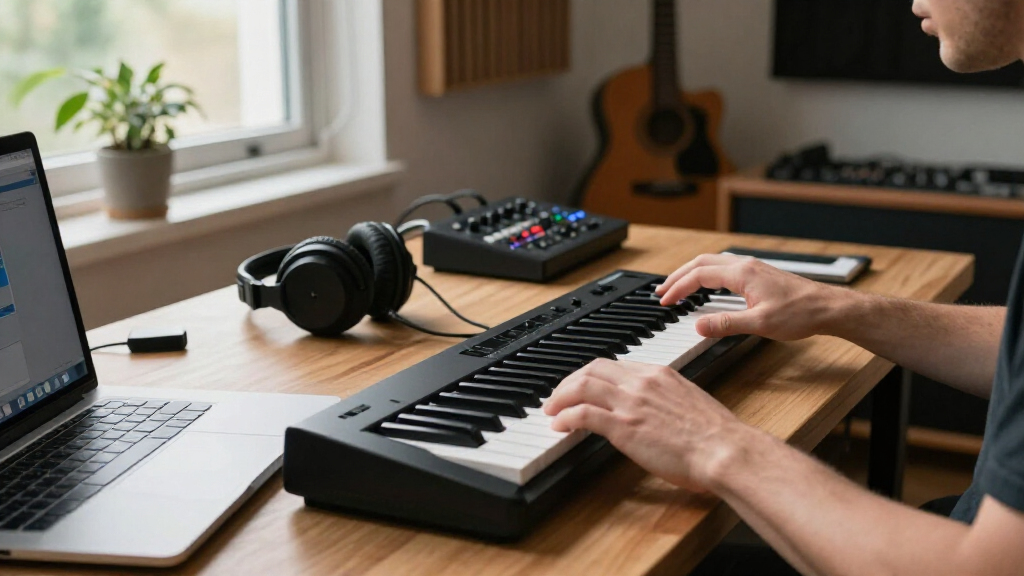
I ranked these keyboards by how well they support a real music-production setup: the usefulness of their key count and playing controls, the clarity of their wireless or USB connection options, their portability, and whether their pads and knobs help with common tasks such as drum programming and parameter control. I also considered how easy each model is to match with a computer, tablet, or mobile workflow, and whether its feature set justifies the space and setup effort it asks of the buyer.
The order favors versatile controllers with clear production utility, not simply the highest number of pads or the word “wireless” in a listing. That puts the MPK Mini IV near the top as a balanced compact controller, while dedicated Bluetooth options rise for buyers prioritizing cable-free use. USB-oriented models remain relevant, but they rank lower for this specific search because wireless MIDI is the defining need. Since product configurations and wireless support can vary, I would confirm connection details and device compatibility before buying.
Factors to Consider When Choosing Wireless MIDI Keyboards For Music Production
Wireless MIDI can simplify a desk or mobile setup, but the keyboard is only one part of the signal path. I recommend choosing around your host device, playing style, and the amount of hands-on control you actually use rather than treating wireless connectivity as the whole decision.
Check What “Wireless” Means in Your Setup
A Bluetooth MIDI connection sends performance data, not the sound of a virtual instrument, so your computer, tablet, or phone still needs to run the instrument software. Some controllers in this roundup are explicitly positioned around Bluetooth, while others are principally USB models and should not be assumed to work wirelessly. Confirm whether the keyboard supports Bluetooth MIDI, a wireless adapter, or only a cable before planning a cable-free rig. Also check that your host operating system and music software can receive the controller’s MIDI messages. Bluetooth can add setup steps and may not suit every latency-sensitive performance, so test the complete device-and-software combination when possible. For a stable studio desk, USB may be the simpler choice; for mobile sketching, wireless support may matter more.
Choose Key Count for the Parts You Play
Twenty-five keys keep a controller easy to carry, but they can limit two-handed chords, bass lines, and melodies played across a wider range. The 37-key choices in this group offer more room before you need to use octave controls, which can make arranging parts feel less interrupted. A small keyboard is often enough for drum input, short bass patterns, and entering notes into a piano roll. Do not choose a larger model solely because it appears more capable: measure your desk and think about whether you will actually play beyond a short range. Key feel and key size also affect comfort, especially during longer sessions. If you perform parts live, prioritize playable range; if you mainly program notes, compactness may be the better trade.
Match Pads and Knobs to Your Production Habits
Pads are useful when you trigger drums, samples, or clips directly, but their value depends on how your software maps them. A large pad count can reduce mouse use only if the pads are responsive and straightforward to assign in your chosen DAW. Knobs and other controls can speed up sound shaping, mixer adjustments, or filter automation, yet unfamiliar mappings may take time to configure. Before buying, list the actions you repeat most often and see whether the controller has controls suited to them. A keyboard with fewer pads but better access to the parameters you use may serve a session better than one with a crowded control surface. Treat included software and preset mappings as helpful extras, not a substitute for confirming compatibility.
Plan for Power, Pairing, and Mobile Use
A wireless controller still needs power, and its power arrangement can determine whether it is convenient away from a desk. Check whether it uses a rechargeable battery, replaceable batteries, or USB power, and account for charging during travel. Pairing procedures and reconnection behavior matter when moving between a laptop and a tablet; a quick setup is more useful than wireless support that requires repeated troubleshooting. If you plan to play outdoors or without a computer, distinguish a MIDI controller from a standalone keyboard with its own sounds and speaker. Built-in sound can make a controller more self-contained, but it may not offer the software-instrument flexibility of a DAW-based rig. Verify both the power method and the actual audio path before treating a product as a complete portable setup.
Spend More for Workflow, Not a Longer Feature List
Paying more makes sense when a larger key range, better control layout, or broader software integration will change how you work every session. It is less compelling when the extra feature is a pad bank you rarely touch or a control you could handle just as quickly with a mouse. Beginners often benefit from a familiar, uncomplicated layout and dependable compatibility more than advanced performance controls. Producers who play parts by hand may value extra keys more than additional lights or pads. Consider what your next setup might include, such as a tablet, a second instrument, or live performance, but avoid buying for a hypothetical workflow that is not yet part of your routine. The best fit is the one that removes a repeated friction point without adding more setup than it saves.
Frequently Asked Questions
Can I use any of these keyboards wirelessly with my DAW?
No; the roundup includes both wireless-focused models and USB-oriented controllers, so the product name alone is not enough to confirm cable-free use. Check for explicit Bluetooth MIDI support or a compatible wireless adapter, then verify that your computer or mobile device can receive MIDI from it. A wireless MIDI connection controls software instruments but does not transmit their audio to speakers or headphones. You may still need a separate audio connection from your host device. If your DAW setup depends on a wired connection, a USB controller can be the more predictable choice.
Will Bluetooth MIDI introduce enough delay to affect playing?
Bluetooth MIDI performance depends on the controller, host device, software, and the rest of the audio setup, so there is no single delay level that applies to every rig. Many producers find wireless input suitable for composing and arranging, but players who need a tightly responsive feel should test their exact system. Audio buffer settings can affect perceived response even when the MIDI connection itself is working properly. A wired USB connection is a sensible fallback for recording parts where timing feel matters most. Check whether your chosen software supports Bluetooth MIDI directly rather than relying on an unverified workaround.
Should I choose a 25-key keyboard or a 37-key model?
Choose 25 keys if portability, drum input, and short melodic or bass parts are your main jobs. A 37-key model gives you more room for two-handed playing and reduces how often you need octave controls, which helps when recording fuller parts. That added range takes up more space and may be less convenient to carry. The MPK Mini Plus and Donner STARRYKEY-37 PLAY are the lineup’s clearest larger-range alternatives, while most other options keep to 25 keys. Think about the parts you regularly play, not just the largest part you might record once in a while.
Do I need built-in sounds for music production?
Not if you plan to use a DAW or mobile music app: a standard MIDI controller can trigger software instruments without making sound on its own. Built-in sounds and a speaker are more useful when you want to practice or make music away from a computer. The K32 is the standout in this roundup for that more self-contained approach. Its onboard sound does not replace the flexibility of a full software instrument library, though. Decide whether standalone play is a real part of your routine before prioritizing it over a controller’s keys, pads, or DAW controls.
What should I verify before buying a Bluetooth MIDI controller for a tablet?
Confirm that the specific tablet model and operating system support the keyboard’s Bluetooth MIDI method, and check whether your music app can connect to external MIDI devices. Look for any required pairing steps, companion apps, or adapters rather than assuming Bluetooth audio support covers MIDI. Check the controller’s power source too, since wireless pairing does not make a device independent of power. If you use the tablet while charging or connect audio accessories, make sure the ports and adapters will fit your setup. A short compatibility check can prevent a controller from becoming a desk-only device when you wanted a mobile rig.
Conclusion
For most compact production setups, my best overall choice is the Akai Professional MPK Mini IV, with the Arturia MiniLab 3 as a strong alternative for producers who value hands-on controls. For a wireless-first workflow, compare the Bluetooth-focused M-VAVE K5 and DaierTek against your host device and software before choosing. The best value depends on whether you need a simple portable keyboard or the extra pads and controls found on several M-VAVE models; I would prioritize confirmed compatibility over a longer feature list. Beginners can start with a straightforward 25-key controller such as the Akai LPK25, while players who want more range should look at the MPK Mini Plus or STARRYKEY-37 PLAY. For standalone play with onboard sound and a speaker, the K32 is the specific-use pick; if you want a DAW controller, favor connection support and controls that fit your actual workflow.
Halloween Picks

10 ft Halloween Inflatable Archway with Built-in LEDs

Pumpkin Halloween Fog Machine with 12-Color LED Lights, Bluetooth Speaker, and Remote

Panefright Halloween Window Projector – Scary Projector for Spooky Decor
As an affiliate, we earn on qualifying purchases.