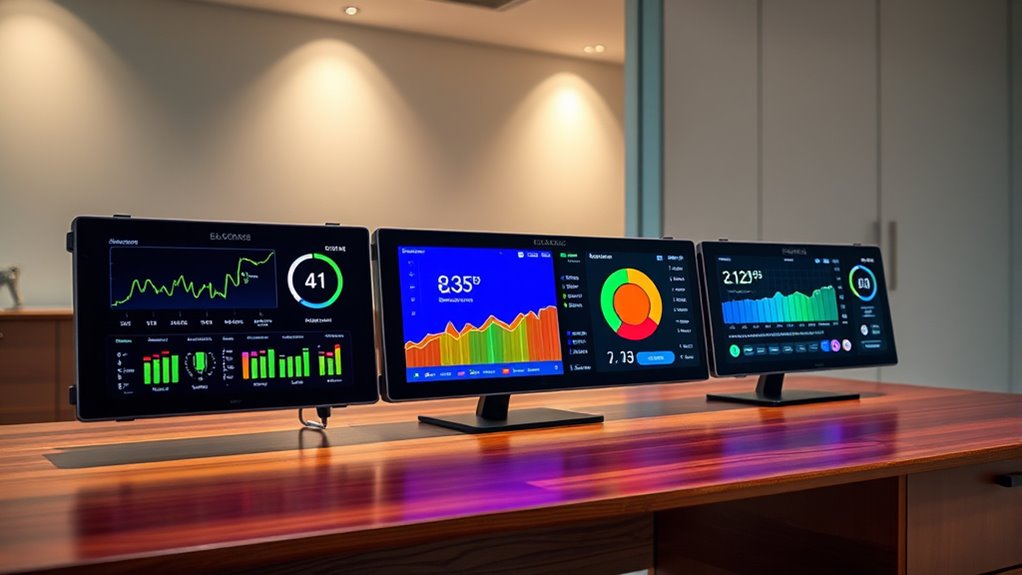

Electricity usage monitors range from plug-in meters for individual appliances to sensor-based systems that track circuits across your home. My best overall pick is the Emporia Vue 3, which offers broad home monitoring and automation features; the P3 P4400 Kill A Watt is a straightforward choice for checking one appliance, while the Refoss monitor suits buyers who want local data and Home Assistant support. The main tradeoff is between simple, portable readings and the wider view, setup work, and connectivity that whole-home systems bring. Some plug-in models also vary in display features, cord design, and whether a multi-pack is useful for your routine. Read on for how the options compare and which type fits your energy-tracking goals.

Get audio and creator gear delivered free with Prime
- Fast, free delivery on millions of items
- Prime Video, Amazon Music and more included
- Member-only deals all year
Complete the kit


Key Takeaways
- Whole-home visibility requires a different setup: The Emporia Vue 3, 16-sensor monitor, Meross, and Refoss options track circuits rather than just one appliance at a time.
- Plug-in meters fit focused checks: The P3 P4400 and P4460 and the HBN, Upgraded Watt Meter, and other plug-in picks are more direct for measuring devices at the outlet.
- Smart features change the decision: Home Assistant support, open API access, and local operation matter more to automation-focused buyers than to someone who only wants a reading on a display.
- Multi-packs trade single-device flexibility for coverage: The two-pack watt meters make it easier to check multiple appliances, but buyers should first confirm they have enough suitable outlets and need simultaneous readings.
- The comparison separates convenience from range: Plug-in meters are easier to place and move, while circuit monitors can show more of a home’s usage but ask more of the buyer during installation and setup.
| HBN Watt Meter Plug with Backlight, Power Consumption Monitor, 9 Display Modes |  | Best for Easy-to-Read Plug-In Monitoring | Maximum wattage: 1875 W | Display modes: 9 | Connectivity: Wi-Fi (no detailed app or remote-control features listed) | VIEW ON AMAZON | See Our Full Breakdown |
| P3 P4400 Kill A Watt Electricity Usage Monitor |  | Best for Detailed Appliance Measurements | Monitoring settings: Day, week, month, and year | Display: Large LCD | Measurement accuracy: 0.2–2.0% | VIEW ON AMAZON | See Our Full Breakdown |
| Smart Home Energy Monitor with 16 50A Circuit Sensors, Real-Time Power & Cost Tracking, Compatible with Home Assistant |  | Best for Local Home Assistant Monitoring | Number of sensors: 16 | Supported voltages: 120/240 VAC; 415Y/240 VAC (no Delta) | Connectivity: 2.4 GHz Wi-Fi | VIEW ON AMAZON | See Our Full Breakdown |
| Upgraded Watt Meter Power Meter Plug Home Energy Monitor with 8 Display Modes |  | Best for Overload Alerts | Power source: Corded electric | Minimum operating voltage: 120 V | Measurement type: Electrical | VIEW ON AMAZON | See Our Full Breakdown |
| Emporia Vue 3 Home Energy Monitor – Smart Home Automation Module and Real-Time Electricity Usage Monitor |  | Best for Whole-Home and Solar Monitoring | Model: EMV3A-2P-16 | System type: Whole-home monitor with 16 circuit sensors | Certification: CE, UL | VIEW ON AMAZON | See Our Full Breakdown |
| Watt Meter Power Monitor Plug with 7 Modes Display |  | Best for Detailed Plug-Level Readings | Monitoring parameters: Power, energy, voltage, current, hertz, power factor, cost, minimum/maximum power, cumulative time | Display size: 2.36 x 1.85 inches | Display modes: 7 | VIEW ON AMAZON | See Our Full Breakdown |
| 2 Pack Upgraded Watt Meter, Power Meter Plug Electricity Usage Monitor |  | Best for Monitoring Two Appliances | Pack quantity: 2 watt meter plugs | Monitoring: Power, energy, voltage, current, and other electrical parameters | Overload power: Adjustable from 0 to 3680W | VIEW ON AMAZON | See Our Full Breakdown |
| Meross Smart Energy Consumption Monitor with Circuit Monitoring and Home Assistant Support |  | Best for Home Assistant Circuit Tracking | Supported electrical systems: Single-phase 2-wire, single-split phase 3-wire, and 3-phase 4-wire Wye | Main circuit capacity: 200A | Branch circuit capacity: 60A | VIEW ON AMAZON | See Our Full Breakdown |
| Refoss Smart Home Energy Monitor with Open API, Home Assistant, No Cloud |  | Best for Local Solar Automation | Model: EM16P | Main current sensors: 2 sensors, 200A each | Branch current sensors: 16 sensors, 1–60A each | VIEW ON AMAZON | See Our Full Breakdown |
| Watt Meter Power Usage Monitor with 7 Modes Display and Cord |  | Best for Hard-to-Reach Outlets | Power source: 110V AC | Measurement types: Amperes, volts, watts, kWh, hertz, and power factor | Display size: 2.36 x 1.85 inches | VIEW ON AMAZON | See Our Full Breakdown |
| P3 International P4460 Kill A Watt EZ Electricity Usage Monitor |  | Best for Detailed Appliance Analysis | Display: Large LCD | Measurements: Kilowatt-hour, voltage, line frequency, and power factor | Backup memory: Yes | VIEW ON AMAZON | See Our Full Breakdown |
| 2 Pack Watt Meter Power Meter Plug Home Energy Monitor Electricity Usage Monitor |  | Best for Monitoring Two Appliances | Pack quantity: 2 monitors | Measurement type: Wattmeter | Measured parameters: Wattage, voltage, current, and energy consumption | VIEW ON AMAZON | See Our Full Breakdown |
More Details on Our Top Picks
HBN Watt Meter Plug with Backlight, Power Consumption Monitor, 9 Display Modes
The HBN is a straightforward choice for checking individual appliances, with a backlit LCD that is easier to read than a screen you have to angle toward the light. Its nine display modes cover common measurements such as watts, voltage, current, and accumulated energy, while outage data storage helps preserve tracking if power is interrupted. Compared with the P3 P4400 Kill A Watt, the HBN emphasizes a clear display and simple button operation rather than stated measurement accuracy and cost estimates across set time periods. It also avoids the panel work required by the Emporia Vue 3, but can monitor only one plugged-in appliance at a time. Cumulative data needs a manual reset, and its listed Wi-Fi specification does not come with detailed app or remote-control features.
Pros:- Backlit LCD is easier to read in dim rooms.
- Nine display modes show several electrical measurements.
- Stores data through power outages.
- Push-button controls make operation and resetting straightforward.
Cons:- Cumulative data requires a manual reset.
- Monitors only devices that can connect to a standard outlet.
- No detailed app or remote-control features are provided.
Best for: People who want to check the energy use of standard-outlet appliances with an easy-to-read screen and simple controls.
Not ideal for: Households that want circuit-by-circuit or remote app monitoring, or buyers who need cumulative readings to reset automatically.
- Maximum wattage:1875 W
- Display modes:9
- Connectivity:Wi-Fi (no detailed app or remote-control features listed)
- Material:Plastic
- Dimensions:2.68 x 1.47 x 4.72 inches
- Warranty:1 year
Our verdict“Choose the HBN for readable, hands-on checks of individual appliances, not whole-home or app-based monitoring.”
P3 P4400 Kill A Watt Electricity Usage Monitor
The P3 P4400 suits buyers who want more than a watt reading from a plug-in monitor. It measures voltage, amps, line frequency, and power factor, and its stated accuracy range gives technically minded users useful context when comparing appliances. Its daily, weekly, monthly, and yearly settings help turn energy readings into a longer-term picture; that makes it more informative for cost tracking than the HBN Watt Meter Plug, which focuses on a backlit display and multiple measurement modes. The tradeoff is a narrower fit: the P4400 is specified for 115V appliances and must be connected to each device in turn. Its range of readings may also feel less approachable than a basic plug monitor, and it does not provide the circuit-wide view of the Emporia Vue 3.
Pros:- Measures kWh, volts, amps, watts, line frequency, and power factor.
- Offers day, week, month, and year monitoring settings.
- Large LCD presents readings without requiring an app.
- Stated measurement accuracy range is 0.2–2.0%.
Cons:- Limited to 115V appliances, with a maximum rating of 15A.
- Must be moved between devices for individual readings.
- Multiple measurements and setup may be confusing for casual users.
Best for: DIY energy savers who want to inspect individual 115V appliances and compare electrical measurements over daily to yearly periods.
Not ideal for: Buyers seeking whole-home monitoring, app-based remote access, or a simple readout with few technical measurements.
- Monitoring settings:Day, week, month, and year
- Display:Large LCD
- Measurement accuracy:0.2–2.0%
- Power compatibility:AC 115 V; 15 A maximum; 125 V
- Functions:Counts kWh; measures volts, amps, wattage, line frequency, and power factor
Our verdict“Pick the P3 P4400 if you want detailed electrical readings and time-based tracking from individual 115V appliances.”
Smart Home Energy Monitor with 16 50A Circuit Sensors, Real-Time Power & Cost Tracking, Compatible with Home Assistant
This panel-mounted monitor is aimed at people who want to see multiple circuits at once, rather than plug a meter into appliances one by one. Its 16 sensors provide a broader view of household loads, while local Wi-Fi operation, MQTT, and Home Assistant compatibility appeal to buyers who want automation data without cloud dependence. Compared with the Emporia Vue 3, it also targets circuit-level tracking but puts more emphasis on local integrations and privacy. The cost of that flexibility is setup: installing sensors in a circuit panel and configuring a smart-home connection calls for technical confidence, and there is no built-in display. It supports specified single-phase and some three-phase configurations, not Delta, so buyers should check their electrical system before choosing it.
Pros:- Sixteen sensors allow monitoring across multiple circuits.
- Local operation avoids dependence on cloud services or internet access for monitoring.
- Supports Home Assistant and MQTT integrations.
- Tracks real-time power use and electricity costs.
Cons:- Panel installation and setup require technical knowledge.
- No built-in display; readings are viewed through an app or integration.
- Supports only specified electrical configurations and excludes Delta.
Best for: Technically confident homeowners or shared-house operators who want local, circuit-level usage data integrated with Home Assistant or MQTT.
Not ideal for: Renters who cannot access or modify the panel, buyers uncomfortable with electrical installation, or households needing a built-in screen or unsupported Delta configuration.
- Number of sensors:16
- Supported voltages:120/240 VAC; 415Y/240 VAC (no Delta)
- Connectivity:2.4 GHz Wi-Fi
- Compatibility:Home Assistant, MQTT
- Warranty:1 year
- Dimensions:3.1 x 1.2 x 4.18 inches
- Weight:4.05 pounds
Our verdict“Choose this monitor for local, integration-friendly circuit tracking if you can handle panel installation and configuration.”
Upgraded Watt Meter Power Meter Plug Home Energy Monitor with 8 Display Modes
This plug-in meter earns its place for buyers who want overload protection alongside usage readings. Its visual warning and backlit LCD make it useful for checking an appliance at the outlet, and its eight modes include measurements such as power, voltage, current, frequency, power factor, and total cost. Compared with the HBN Watt Meter Plug, it has fewer display modes but adds a stated overload warning; the HBN, by contrast, lists outage data storage. Neither replaces a panel monitor such as the Smart Home Energy Monitor with 16 50A Circuit Sensors, which can track multiple circuits. This model is limited to US standard sockets, and its memory function does not retain detailed electrical measurements after power loss. Buyers also need to clear accumulated data manually.
Pros:- Overload protection includes a visual warning.
- Backlit LCD displays readings in dim conditions.
- Eight modes include power, voltage, current, frequency, power factor, and total cost.
- Memory function retains data after power loss.
Cons:- Works with US standard sockets and is not suitable for international outlets.
- Does not store detailed current, voltage, power, or power-factor data.
- Accumulated data must be cleared manually.
Best for: US households that want a plug-in appliance monitor with a visible overload warning and several on-screen electrical readings.
Not ideal for: International buyers, people who need stored measurement histories, or households seeking whole-home circuit monitoring.
- Power source:Corded electric
- Minimum operating voltage:120 V
- Measurement type:Electrical
- Compatible devices:Appliances that fit a standard US socket
- Display modes:8
- Color:Grey
- Dimensions:5.5 x 3.5 x 2.5 inches
Our verdict“Pick this plug meter if overload warnings matter more than detailed historical storage or whole-home coverage.”
Emporia Vue 3 Home Energy Monitor – Smart Home Automation Module and Real-Time Electricity Usage Monitor
The Emporia Vue 3 is the stronger fit for households that want to track whole-home usage, individual circuits, and solar or net-metered power from one panel-installed system. Its 16 sensors provide broader coverage than a plug-in meter such as the P3 P4400 Kill A Watt, which measures one connected appliance at a time. App access across iPhone, Android, and web also makes ongoing monitoring easier to check from different devices. Compared with the Smart Home Energy Monitor with 16 50A Circuit Sensors, the Vue 3 lists UL certification and solar/net-metering support, while the other model emphasizes cloud-independent operation and Home Assistant/MQTT compatibility. The Vue 3 requires 2.4 GHz Wi-Fi and internet, and panel installation may be a hurdle; three-phase systems need additional sensors.
Pros:- Monitors whole-home use and critical circuits with 16 sensors.
- Supports solar and net metering.
- UL certified.
- Usage data is available through iPhone, Android, and web apps.
Cons:- Requires 2.4 GHz Wi-Fi and an internet connection.
- Circuit-panel installation may be complex for some buyers.
- Additional sensors are needed for three-phase systems.
Best for: Homeowners with solar or net metering who want app-based whole-home and circuit-level electricity tracking.
Not ideal for: Renters without panel access, buyers seeking cloud-independent monitoring, or households that need three-phase coverage without purchasing additional sensors.
- Model:EMV3A-2P-16
- System type:Whole-home monitor with 16 circuit sensors
- Certification:CE, UL
- Connectivity:2.4 GHz Wi-Fi and internet required
- Product dimensions:10 x 5 x 5 inches
- Item weight:4.99 pounds
- Color:White
- Included components:Energy monitor, current transformers, wire harness, Wi-Fi antenna assembly, wire nuts, and splicing wires
Our verdict“Choose the Emporia Vue 3 for app-based whole-home and solar tracking if you have panel access and reliable internet.”
Watt Meter Power Monitor Plug with 7 Modes Display
This plug-in monitor suits buyers who want more than a basic wattage reading: its seven display modes cover energy, voltage, current, frequency, power factor, cost, and minimum or maximum power. The large LCD and adjustable backlight make readings easier to check at the outlet, while saved usage data helps retain a record between checks. Compared with the corded Watt Meter Power Usage Monitor with 7 Modes Display and Cord, this model has no extension lead, so it takes up less space but offers less flexibility when an appliance’s plug is awkward to reach. The tradeoff is setup: buyers may need to adjust the overload limit and backlight behavior manually. It also works as a standalone monitor, not a smart-home device, so readings cannot be checked remotely.
Pros:- Tracks multiple electrical measures, including energy, cost, and power factor
- Large LCD with adjustable backlight settings
- Memory retains previous usage data
- Adjustable overload protection up to 3680W
Cons:- Overload limit and backlight settings may require manual adjustment
- No app, remote access, or smart-home integration
- Direct-plug design may be awkward for appliances with hard-to-reach plugs
Best for: Households that want detailed readings for individual plug-in appliances and can read the display at the outlet
Not ideal for: Buyers who need remote monitoring, smart-home automation, or an extension cord to reach a hard-to-access outlet
- Monitoring parameters:Power, energy, voltage, current, hertz, power factor, cost, minimum/maximum power, cumulative time
- Display size:2.36 x 1.85 inches
- Display modes:7
- Backlight options:10 minutes, 1 hour, 4 hours, 8 hours, or always on
- Overload protection:Default 3680W; adjustable from 0 to 3680W
- Memory:Records previous usage data
Our verdict“Choose this monitor for broad, readable appliance-level measurements, but pick the corded Watt Meter model if outlet access is the bigger problem.”
2 Pack Upgraded Watt Meter, Power Meter Plug Electricity Usage Monitor
The main advantage here is straightforward: two meters in one pack let buyers track separate appliances without moving a single monitor back and forth. Each unit measures several electrical parameters and adds overload and consumption alarms, useful for checking a device’s draw or noticing usage that crosses a chosen threshold. Compared with the single Watt Meter Power Monitor Plug with 7 Modes Display, this set is better for side-by-side appliance checks, though the supplied details do not specify the same breadth of display modes or readings such as cost and cumulative time. The backlit displays and data memory add convenience, but setup can take more attention than a basic plug meter. These are US-outlet monitors, not a fit for international sockets, and they do not provide app-based tracking.
Pros:- Two meters allow simultaneous monitoring of separate appliances
- Measures power, energy, voltage, current, and other electrical parameters
- Overload and consumption alarms can flag selected conditions
- Data memory retains usage history after power loss
Cons:- Setup for overload thresholds and backlight timing may be confusing
- Designed for US standard outlets and not listed as internationally compatible
- No app or remote monitoring features are specified
Best for: Homeowners who want to compare usage on two US-outlet appliances at the same time
Not ideal for: International users or buyers who want app access, smart-home automation, or a single monitor with explicitly listed cost and cumulative-time readings
- Pack quantity:2 watt meter plugs
- Monitoring:Power, energy, voltage, current, and other electrical parameters
- Overload power:Adjustable from 0 to 3680W
- Backlight duration:10 minutes, 1 hour, 4 hours, 8 hours, or always on
- Data memory:Saves usage history after power loss
- Dimensions:5.2 x 2.7 x 2.4 inches
- Weight:13 ounces
- Outlet compatibility:US standard outlets
Our verdict“Pick this set if monitoring two appliances at once matters more than having smart controls or a highly specified display.”
Meross Smart Energy Consumption Monitor with Circuit Monitoring and Home Assistant Support
Unlike plug-in meters such as the Watt Meter Power Monitor Plug with 7 Modes Display, this Meross monitor tracks a home’s electrical circuits rather than one appliance at a time. Its support for main and branch circuit monitoring gives users a broader view of where household power goes, while Home Assistant, Open API, and web control suit people who want data available to their own systems. Storage of up to five years can help reveal longer-term patterns, and the listed electrical certifications and two-year warranty add reassurance for a more involved installation. The tradeoff is that it has no built-in display; checking readings depends on an app or compatible control method. Installation also calls for more electrical knowledge than plugging in a meter, and compatibility is limited to US home electrical systems.
Pros:- Monitors multiple circuits rather than a single appliance outlet
- Works with Home Assistant, Open API, and web control
- Stores data for up to five years
- ETL and UL 61010 certifications and a two-year warranty are specified
Cons:- Installation may require electrical knowledge
- No built-in display; readings rely on an app or connected control method
- Supports US home electrical systems only
Best for: Home Assistant users who want circuit-level household energy data, including for solar-use analysis
Not ideal for: Renters, appliance-only users, or anyone who wants a simple plug-in monitor with readings shown directly on the device
- Supported electrical systems:Single-phase 2-wire, single-split phase 3-wire, and 3-phase 4-wire Wye
- Main circuit capacity:200A
- Branch circuit capacity:60A
- Data storage:Up to 5 years
- Compatibility:Home Assistant, Open API, and web control
- Certifications:ETL, UL 61010
- Warranty:2 years
Our verdict“Choose Meross for connected, circuit-level monitoring; choose a plug-in meter if you only need to check individual appliances without installation.”
Refoss Smart Home Energy Monitor with Open API, Home Assistant, No Cloud
The Refoss EM16P is aimed at technically minded households that want local energy data and automation, especially where solar use is a priority. Its two 200A main sensors and 16 branch sensors give it a more detailed circuit-level view than the Meross monitor, whose listed branch capacity is 60A but does not specify a sensor count. Refoss also states measurement accuracy of ±1% at 200A and ±2% at low current, plus storage for up to five years. No-cloud control and Home Assistant support suit buyers who prefer to keep energy data within their own setup. The downside is a more demanding installation and integration process than either monitor offers at the outlet. It also lacks built-in Wi-Fi and relies on external antennas, so setup and placement may need extra attention.
Pros:- Supports two main sensors and up to 16 branch sensors
- Local control avoids reliance on cloud services
- Specified accuracy of ±1% at 200A and ±2% at low current
- Stores data for up to five years and carries a two-year warranty
Cons:- Setup and Home Assistant integration require technical knowledge
- Branch sensors support 1–60A and main sensors support up to 200A
- No built-in Wi-Fi; relies on external antennas
Best for: Solar households with Home Assistant experience that want local monitoring across main and branch circuits
Not ideal for: Beginners seeking a plug-and-play appliance monitor or buyers who need built-in Wi-Fi and a simple display
- Model:EM16P
- Main current sensors:2 sensors, 200A each
- Branch current sensors:16 sensors, 1–60A each
- Accuracy:±1% at 200A; ±2% at low current
- Data storage:Up to 5 years
- Installation:Clamp-on, non-invasive
- Certifications:ETL, UL 61010
- Warranty:2 years
Our verdict“Choose the Refoss EM16P for local, multi-circuit solar automation if you are comfortable with a more technical setup.”
Watt Meter Power Usage Monitor with 7 Modes Display and Cord
This watt meter’s 13-inch extension cord is its clearest distinction: it gives users more room to position the display or connect an appliance whose plug is difficult to access. It otherwise covers familiar plug-level readings, including watts, kWh, voltage, current, frequency, and power factor, with a backlit LCD, overload protection, and data memory. Compared with the direct-plug Watt Meter Power Monitor Plug with 7 Modes Display, it trades a more compact connection for easier placement. Both focus on local readings rather than apps or remote control, so neither suits buyers building a connected energy system. The monitor is specified for 110V AC, and users may need to adjust the overload and backlight settings manually. Its extension cord helps with access, but does not replace whole-home circuit monitoring.
Pros:- 13-inch extension cord helps reach awkward outlet and appliance arrangements
- Displays watts, kWh, amperes, volts, hertz, and power factor
- Large LCD has adjustable backlight settings
- Includes overload protection and data memory
Cons:- Specified for 110V AC and may not suit other electrical systems
- Overload and backlight settings require manual setup
- No app or remote monitoring features are specified
Best for: US households that want to measure an appliance in a cramped or awkward outlet while keeping the display accessible
Not ideal for: Buyers who need whole-home circuit data, smart-home integration, or monitoring beyond the specified 110V AC supply
- Power source:110V AC
- Measurement types:Amperes, volts, watts, kWh, hertz, and power factor
- Display size:2.36 x 1.85 inches
- Backlight options:10 minutes, 1 hour, 4 hours, 8 hours, or always on
- Overload protection:Adjustable up to 3680W; default 3680W
- Extension cord length:13 inches
- Weight:10 ounces
- Memory:Data memory function
Our verdict“Choose this model over a direct-plug watt meter when outlet access and display placement matter more than a compact connection.”
P3 International P4460 Kill A Watt EZ Electricity Usage Monitor
The P4460 Kill A Watt EZ suits buyers who want more than a simple wattage reading. It tracks kilowatt-hours, voltage, line frequency, and power factor, while its 0.2% stated accuracy and backup memory support closer comparisons between appliances or usage periods. Its large LCD keeps those readings visible, and the monitor can help forecast costs by day, week, month, or year. Compared with the 2 Pack Watt Meter Power Meter Plug, the P4460 offers a wider set of named electrical measurements and a specific accuracy figure, but you get one monitor rather than two. It is also a wall-socket device for indoor use, so it is less flexible to place than a whole-home monitor. The setup interface may take patience if you only want a quick wattage check.
Pros:- Measures kilowatt-hours, voltage, line frequency, and power factor
- Large LCD presents readings directly on the device
- Backup memory retains data through power interruptions
- Supports cost forecasts across day, week, month, and year
Cons:- Requires an indoor wall socket, limiting placement and portability
- Only one monitor is included
- Setup interface may feel complex for buyers seeking a basic reading
Best for: Homeowners who want to compare individual appliances using energy, voltage, frequency, and power-factor readings.
Not ideal for: Buyers who need two monitors at once, outdoor use, or whole-home circuit tracking rather than measurements at an indoor outlet.
- Display:Large LCD
- Measurements:Kilowatt-hour, voltage, line frequency, and power factor
- Backup memory:Yes
- Power source:Indoor wall socket
- Stated accuracy:Within 0.2%
Our verdict“Choose the P4460 if detailed, individual-appliance measurements matter more to you than getting two simpler monitors in one set.”
2 Pack Watt Meter Power Meter Plug Home Energy Monitor Electricity Usage Monitor
This two-monitor set is a practical choice when you want to measure two appliances at the same time, such as a refrigerator and a desktop setup. Each unit tracks wattage, voltage, current, and energy use, with a backlit display for reading results in dim rooms and data memory for retaining prior usage information. Compared with the P3 International P4460 Kill A Watt EZ, the main advantage is quantity: you can monitor two outlets without moving one device back and forth. The P4460, however, specifies measurements for line frequency and power factor and gives a stated accuracy figure, details not listed here. These monitors are designed for standard US appliances, and clearing readings requires a manual reset. The display light also switches off after 10 minutes.
Pros:- Includes two monitors for simultaneous appliance checks
- Tracks wattage, voltage, current, and energy consumption
- Backlit display aids reading in low-light spaces
- Data memory retains previous usage information
Cons:- Manual reset is required to clear data
- Limited to standard US outlets and compatible appliances
- Backlight turns off automatically after 10 minutes
Best for: US households that want to compare energy use from two plug-in appliances without moving a single meter between outlets.
Not ideal for: Buyers who need measurements beyond wattage, voltage, current, and energy use, or who want a continuously lit display without timed shutoff.
- Pack quantity:2 monitors
- Measurement type:Wattmeter
- Measured parameters:Wattage, voltage, current, and energy consumption
- Display:Backlit; light switches off after 10 minutes
- Power source:Corded electric
- Minimum operating voltage:120 V AC
- Compatible devices:Standard US appliances
- Item dimensions:4.7 x 4.5 x 2.3 inches
- Item weight:10 ounces
Our verdict“Choose this two-pack if checking two standard US appliances at once matters more than the P4460’s listed frequency and power-factor measurements.”

How We Picked
I ranked these electricity usage monitors by how well their monitoring approach matches a real household task: checking one appliance, comparing several devices, or tracking circuits across a home. I weighed the usefulness of the readings and display or app experience alongside setup demands, supported integrations, flexibility, and the practical value of included sensors or multiple meters. A meter that is easy to use for a narrow job can outrank a more connected model for that job, but it cannot replace a whole-home system when circuit-level coverage is the goal.
The order also reflects tradeoffs rather than a feature count. Emporia Vue 3 leads for buyers seeking a broad home view with smart-home potential; simpler P3 plug-in meters rank well for accessible appliance checks. Models with Home Assistant, open API, or no-cloud positioning stand out for connected users who value control, while duplicate plug designs and multi-packs are best judged by how many devices the buyer needs to measure. I treat installation complexity and dependence on smart features as real costs, not automatic upgrades.
Factors to Consider When Choosing Electricity Usage Monitors
Before choosing a meter, decide what question you want it to answer. A reading for one appliance calls for a different tool than a breakdown of household circuits, and smart-home integration only helps if you plan to use it. These distinctions can prevent buying a capable monitor that is needlessly involved—or a simple plug-in meter that cannot provide the coverage you need.
Choose Appliance-Level or Whole-Home Monitoring
A plug-in meter measures a device through an outlet, making it useful for portable appliances that can be safely connected that way. A circuit monitor uses sensors in the electrical panel and can show usage across multiple circuits, which is a better match for questions about larger household patterns. Do not assume a plug-in reading represents everything on a circuit, or that a panel monitor will identify every appliance without the right sensor setup. If you only want to compare a few devices, whole-home coverage may add installation work without answering a more useful question. If you want to find broader household loads, an outlet meter may leave too many gaps.
Check What the Reading Can Tell You
Some buyers want a live power reading; others want accumulated energy use or an estimated cost over time. Those are different tasks, so check which measurements the monitor displays or records before choosing. Cost estimates depend on entering an electricity rate that matches your bill, and a single flat rate may not reflect time-based billing. Short checks can reveal whether a device draws power while running, but they may miss patterns that only appear over longer periods. Match the monitoring period and data detail to the decision you plan to make, rather than treating every extra display mode as equally useful.
Account for Installation and Electrical Fit
Plug-in meters are usually the simpler route, but they still need a compatible outlet and must suit the appliance’s electrical requirements. Panel-based systems call for more preparation: buyers should verify their panel layout, available space, sensor fit, and comfort with installation before ordering. A sensor count is useful only if it matches the circuits you want to monitor, and a crowded or unusual panel can complicate placement. If you are unsure about electrical-panel work, consult a qualified electrician rather than treating a product listing as an installation guide. A little fit-checking upfront can prevent ending up with a monitor that cannot be installed as planned.
Decide Whether Smart-Home Features Will Get Used
Home Assistant compatibility, an open API, and local or no-cloud operation can matter if you want to build automations or keep data within your home network. They add less value if your goal is simply to read a meter display now and then. Check how the product connects, what features require an app or account, and whether the integrations support the way you already manage your smart home. Cloud-dependent services can also introduce reliance on an account or network connection, while local setups may take more configuration. Pay for connectivity when it solves a specific task, not just because it appears on a feature list.
Buy One Meter or a Multi-Pack?
A two-pack can help compare devices or leave meters in separate locations, but it does not automatically give you a unified household dashboard. Think about whether you need readings at the same time or can measure appliances one after another with a single unit. Separate plug-in meters may suit occasional checks, while repeated comparisons call for a setup that makes readings easy to record consistently. Check that each location has a suitable outlet and that the meters will not block neighboring sockets or create an awkward arrangement. Choose multiple units for a real coverage need, not just because having more hardware sounds convenient.
Prioritize Data Access and Long-Term Use
Energy monitoring is most useful when the readings remain available long enough to compare patterns. Before buying, check whether data is shown only on the device, retained in an app, or accessible through an integration. A display-only meter may be enough for a quick appliance check, but trend tracking or automation can call for stored data and a compatible platform. Also think about who will use the readings: a simple interface can matter more in a shared household than a long list of advanced options. The right balance is the least complicated monitor that still preserves the information you need.
Frequently Asked Questions
Should I choose a plug-in meter or a whole-home monitor?
Choose a plug-in meter when you want to measure an appliance that connects through a compatible outlet and prefer a portable, direct reading. Choose a whole-home monitor when you need circuit-level visibility or want a broader view of household usage. The two formats answer different questions, so neither is a universal substitute for the other. Before buying a panel system, confirm that its sensors fit your electrical panel and that you are comfortable with the installation requirements. If your main goal is checking a handful of appliances, starting with a plug-in unit is often the simpler path.
Can an electricity usage monitor tell me exactly what my bill will be?
A monitor can help estimate energy costs, but its estimate may differ from your bill. The result depends on entering an electricity rate that reflects your plan, and some plans vary by time or include charges beyond energy use. A short measurement also may not capture how often or how long an appliance runs across a billing period. Use the monitor to compare usage patterns and identify likely contributors, then check its assumptions against your utility bill. Treat cost figures as guidance unless the rate and billing details are accurately represented.
Do I need Home Assistant or an open API to use these monitors?
No. A plug-in meter with a display can serve buyers who only want to check readings at the outlet. Home Assistant support and open API access matter when you want to bring data into an existing smart-home setup, create automations, or customize how information is handled. Those options can require extra configuration, so they are not automatically easier than using a standard app or display. Check the specific integration and its data access before relying on it for a planned automation. If you will not use connected features, prioritize readable results and straightforward operation instead.
Are two-pack plug-in meters better than buying one meter?
Two units are useful if you need to measure more than one appliance at a time or want meters available in separate rooms. If you only perform occasional checks, one portable meter may cover the same tasks without leaving extra hardware unused. A two-pack also does not necessarily combine readings into one dashboard, so check how each unit presents or stores its data. Consider whether nearby outlets can accommodate the meters without blocking other plugs. Your measurement routine—not the number of units in the package—should drive the choice.
What should I check before installing a panel-based energy monitor?
Confirm that the monitor supports your electrical service and that its sensors suit the number and type of circuits you plan to track. Look at the panel’s available space and layout, since sensor placement can be difficult in a crowded panel. Review the installation requirements and decide whether you need a qualified electrician to complete the work safely. Also check what happens after installation: app setup, network needs, and any account or integration requirements can affect day-to-day use. If you cannot verify fit and setup from the product details, resolve those questions before purchasing.
Conclusion
For most buyers who want a broader household view and smart-home options, my best overall recommendation is the Emporia Vue 3. For best value in a focused appliance check, the P3 P4400 Kill A Watt is the straightforward pick; beginners who want an outlet-based meter without panel installation should start with the same simple category, including the P3 P4460. Buyers seeking a best premium or automation-focused option should compare the Refoss and Meross systems against the Emporia based on local control, integrations, and installation fit. For specific multi-appliance needs, one of the two-pack watt meters can make simultaneous checks more convenient. Choose a circuit monitor for household coverage, a connected system for data and automation, or a plug-in meter for portable, one-device-at-a-time readings.
Evergreen bestsellers Picks
bestsellers
As an affiliate, we earn on qualifying purchases.