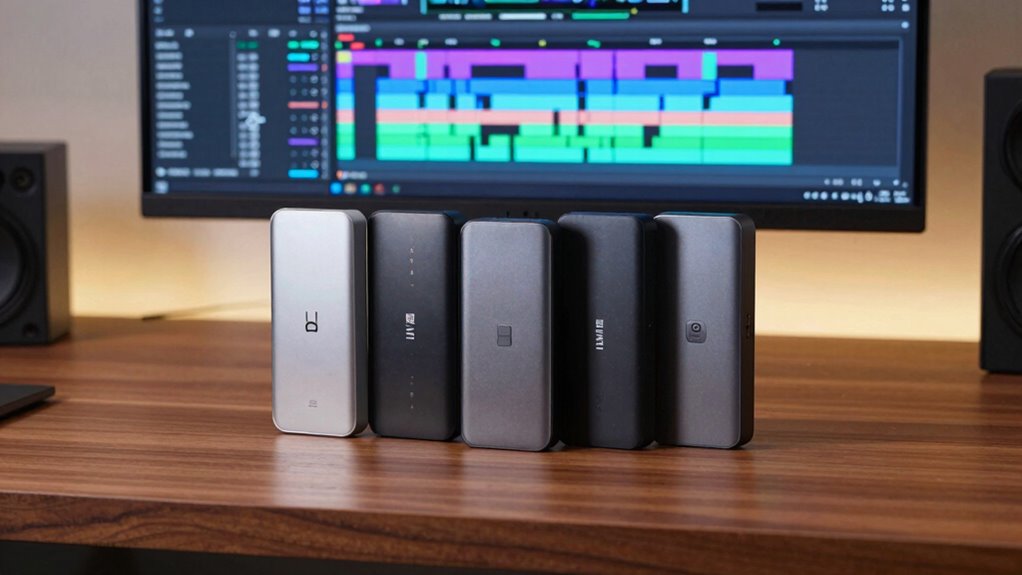

When it comes to video editing, fast and reliable storage is essential, and Thunderbolt drives are often the top choice for professionals. The best drives deliver high transfer speeds, robust build quality, and seamless compatibility with editing systems. The SanDisk Professional 24TB G-RAID Project 2 stands out as the overall top pick thanks to its massive capacity and enterprise-grade performance. For those prioritizing speed, the SanDisk PRO-G40 SSD offers blazing-fast data transfers, while the LaCie Rugged Thunderbolt provides ruggedness for on-the-go editing. However, each comes with tradeoffs—such as cost, portability, or capacity—that buyers need to weigh. Continue reading for a detailed breakdown of the best Thunderbolt drives for video editing in 2026.

Get audio and creator gear delivered free — and shop member deals
- Fast, free delivery on millions of items
- Access to Prime Big Deal Days deals on October 6–7
- Prime Video, Amazon Music and more included
Complete the kit


Key Takeaways
- High transfer speeds are essential for seamless editing of 4K and 8K footage, making SSDs more suitable than HDDs for most professionals.
- Durability and portability vary widely; rugged drives excel for field work but often come at a higher price point.
- Capacity demands depend on project size; drives with higher storage are better for long-term workflows but may be more expensive.
- Compatibility with Thunderbolt 3 and Thunderbolt 4 ensures future-proofing and easier integration with modern editing setups.
- Price-performance ratio varies, with premium drives offering higher speeds and durability, but more affordable options still deliver solid performance.
| SanDisk Professional 24TB G-RAID Project 2 External Hard Drive HDD, Thunderbolt 3, USB 3.2, 7200RPM Ultrastar Hard Drive |  | Best Overall for Large-Scale Video Projects | Capacity: 24TB (up to 48TB in RAID 0) | Drive Speed: 7200RPM | Interface: Thunderbolt 3 (40Gbps), USB 3.2 Gen 2×1 (10Gbps) | VIEW ON AMAZON | See Our Full Breakdown |
| SanDisk Professional 2TB PRO-G40 SSD – Thunderbolt 3 & USB-C, IP68 Dust/Water Resistant, External Solid State Drive |  | Best Rugged Portable SSD for On-Location Editing | Storage Capacity: 2TB | Max Read Speed: 2700MB/s | Max Write Speed: 1900MB/s | VIEW ON AMAZON | See Our Full Breakdown |
| G-Technology 4TB G-DRIVE with Thunderbolt 3 and USB-C Desktop External Hard Drive, Silver |  | Best High-Speed HDD for Stationary Workstations | Digital Storage Capacity: 4TB | Hard Disk Interface: USB 3.1 | Connectivity Technology: Thunderbolt 3, USB-C | VIEW ON AMAZON | See Our Full Breakdown |
| SanDisk 1TB Extreme Portable SSD |  | Best Compact High-Speed Portable SSD | Capacity: 1TB | Transfer Speed: up to 2000MB/s | Protection Rating: IP65 | VIEW ON AMAZON | See Our Full Breakdown |
| LaCie d2 Professional 10TB External Hard Drive |  | Best Large-Capacity HDD with Professional Reliability | Capacity: 10TB | Speed: up to 240MB/s | Interface: USB-C, Thunderbolt 3 | VIEW ON AMAZON | See Our Full Breakdown |
| SABRENT Rocket Nano XTRM 2TB External SSD – Thunderbolt 3 & USB 3.2 Gen 2 |  | Best Overall Portable Thunderbolt SSD for Video Editors | Storage Capacity: 2TB | Interface: Thunderbolt 3, USB 3.2 Gen 2 | Max Speed: 2700 MB/s (Thunderbolt 3), 900 MB/s (USB 3.2) | VIEW ON AMAZON | See Our Full Breakdown |
| SABRENT Rocket XTRM 5 2TB Thunderbolt 5 Portable SSD |  | Best Ultra-Fast Thunderbolt 5 Drive for High-End Editing | Capacity: 2TB | Connection: Thunderbolt 5 | Transfer Speeds: Up to 64Gbps | VIEW ON AMAZON | See Our Full Breakdown |
| LaCie Rugged 2TB Portable Hard Drive with Thunderbolt and USB 3.0, Orange |  | Best Durable Choice for On-Location Video Work | Capacity: 2TB | Connectivity: Thunderbolt, USB 3.0 | Speed: up to 240 MB/s | VIEW ON AMAZON | See Our Full Breakdown |
| 1TB External Hard Drive, Up to 2100MB/s, USB 3.2 Gen 2 External SSD |  | Best Compact High-Speed SSD for On-the-Go Editing | Storage Capacity: 1TB | Max Transfer Speed: 2100MB/s | Interface: USB 3.2 Gen 2 | VIEW ON AMAZON | See Our Full Breakdown |
| LaCie Rugged Thunderbolt USB-C 4TB External Hard Drive |  | Best Large-Capacity Durable Drive for Archiving and Editing | Storage Capacity: 4TB | Connectivity: Thunderbolt, USB-C, USB 3.0 | Speed: Up to 130MB/s | VIEW ON AMAZON | See Our Full Breakdown |
| thunderbolt drives for video editing | Capacity |
|---|---|
| SanDisk Professional 24TB G-RA | 24TB (up to 48TB in RAID 0) |
| SanDisk Professional 2TB PRO-G | — |
| G-Technology 4TB G-DRIVE with | — |
| SanDisk 1TB Extreme Portable S | 1TB |
| LaCie d2 Professional 10TB Ext | 10TB |
| SABRENT Rocket Nano XTRM 2TB E | — |
| SABRENT Rocket XTRM 5 2TB Thun | 2TB |
| LaCie Rugged 2TB Portable Hard | 2TB |
| 1TB External Hard Drive | — |
| LaCie Rugged Thunderbolt USB-C | — |
More Details on Our Top Picks
SanDisk Professional 24TB G-RAID Project 2 External Hard Drive HDD, Thunderbolt 3, USB 3.2, 7200RPM Ultrastar Hard Drive
The SanDisk Professional G-RAID Project 2 stands out for its massive 24TB capacity, making it ideal for extensive video editing workflows that demand high storage. Its RAID 0 configuration boosts performance, offering transfer speeds up to 540MB/s, which is significantly faster than traditional HDDs like the LaCie d2. However, the lack of redundancy in RAID 0 presents a risk for critical data. The inclusion of a PRO-BLADE SSD slot allows further expansion, a feature not available in the G-Technology G-DRIVE, giving it an edge for future scalability. Setup complexity might challenge less tech-savvy users, especially with RAID configurations. This drive makes the most sense for professionals handling large projects needing fast, expandable storage, but those seeking simple plug-and-play solutions might prefer other options.
Pros:- Massive 24TB capacity suitable for large video libraries
- High transfer speeds up to 540MB/s with Thunderbolt 3
- Expandable with PRO-BLADE SSD for additional performance
Cons:- RAID 0 setup offers no data redundancy, increasing risk of data loss
- Complex configuration may intimidate non-technical users
Best for: Video editors working on large, ongoing projects requiring maximum storage and performance scalability.
Not ideal for: Casual users or those needing simple, redundancy-focused backups, since RAID 0 offers no data protection.
- Capacity:24TB (up to 48TB in RAID 0)
- Drive Speed:7200RPM
- Interface:Thunderbolt 3 (40Gbps), USB 3.2 Gen 2×1 (10Gbps)
- Transfer Speed:Up to 540MB/s read, 490MB/s write
- Additional Features:PRO-BLADE SSD slot, color-coded cable indicators
Our verdict“This drive is best suited for professional editors managing large-scale projects who prioritize speed and capacity over simplicity.”
SanDisk Professional 2TB PRO-G40 SSD – Thunderbolt 3 & USB-C, IP68 Dust/Water Resistant, External Solid State Drive
The SanDisk PRO-G40 SSD delivers blazing-fast speeds up to 2700MB/s, making it a top choice for editors who need quick data transfers on the go. Its rugged design, featuring IP68 dust and water resistance, crush resistance, and drop protection from 3 meters, surpasses the durability of the SanDisk Extreme Portable SSD. The aluminum core adds to its robustness, but this premium build comes at a higher price point, which may deter budget-conscious buyers. Its large size could impact portability for those needing ultra-compact solutions. This drive is ideal for fieldwork or demanding environments, where durability and speed are critical, but it might be overkill for stationary studio editing setups.
Pros:- Speeds up to 2700MB/s for rapid data transfer
- Rugged, IP68-rated dust and water resistance
- Drop and crush resistance for tough environments
Cons:- Premium price may be prohibitive for some users
- Larger size reduces portability compared to smaller drives
Best for: Professionals who need ultra-fast, rugged storage for on-site shooting and editing in harsh environments.
Not ideal for: Editors with tight budgets or those prioritizing ultra-compact form factors for frequent travel, as it is relatively bulky and expensive.
- Storage Capacity:2TB
- Max Read Speed:2700MB/s
- Max Write Speed:1900MB/s
- Connectivity:Thunderbolt 3 (40Gbps), USB-C
- Dust/Water Resistance:IP68
- Drop Resistance:3 meters
Our verdict“This SSD is perfect for field professionals needing speed and durability, but less so for budget-conscious or ultra-portable users.”
G-Technology 4TB G-DRIVE with Thunderbolt 3 and USB-C Desktop External Hard Drive, Silver
The G-Technology G-DRIVE excels with its reliable 4TB capacity, delivering consistent transfer speeds of around 250MB/s, which is adequate for most video editing workflows. Its all-aluminum enclosure provides both durability and sleek style, outperforming basic external drives in build quality. Unlike the LaCie Rugged, it’s designed for a more stationary setup, making it less suitable for on-the-go editing. Its slightly heavier weight and lack of included backup software might concern users seeking more integrated solutions. This drive makes the most sense for editors working in a dedicated studio environment who need fast, dependable storage that balances capacity and speed without the expense of enterprise-level drives.
Pros:- Fast data transfer at around 250MB/s
- Robust all-aluminum case for durability
- Large 4TB capacity suitable for extensive projects
Cons:- Heavier at 2.7 pounds, less portable for travel
- No bundled backup software or encryption features
Best for: Video professionals working in a stable environment who need reliable, high-speed storage on Mac or Windows platforms.
Not ideal for: Travelers or outdoor shooters requiring rugged, portable drives, since it lacks rugged features and is relatively heavy.
- Digital Storage Capacity:4TB
- Hard Disk Interface:USB 3.1
- Connectivity Technology:Thunderbolt 3, USB-C
- Form Factor:3.5 inches
- Rotational Speed:7200 rpm
- Read Speed:250 MB/s
Our verdict“This drive is well-suited for dedicated editing stations where speed and durability are priorities over portability.”
SanDisk 1TB Extreme Portable SSD
The SanDisk Extreme Portable SSD offers impressive speeds up to 2000MB/s, making it a compelling choice for editors who need quick file transfers in a compact form. Its IP65 rating for water and dust resistance and drop protection up to 3 meters make it more durable than many portable drives like the LaCie Rugged. The encrypted 256-bit AES security ensures data safety during transport. While its speed is excellent for mobile workflows, the 1TB capacity might be limiting for large projects, and the price could be a concern for budget-conscious buyers. Its small size makes it ideal for field work or quick transfers, but it’s less suited for extensive storage needs in a studio environment.
Pros:- Fast transfer speeds up to 2000MB/s
- Robust with IP65 water and dust resistance
- Compact, portable design
Cons:- Limited to 1TB capacity, less suitable for large projects
- Price may be high relative to capacity
Best for: On-the-go video editors needing high-speed, durable storage that fits easily into a pocket or bag.
Not ideal for: Users requiring large storage capacity for ongoing projects or those with tight budgets, given the premium price of portable SSDs.
- Capacity:1TB
- Transfer Speed:up to 2000MB/s
- Protection Rating:IP65
- Drop Protection:Up to 3 meters
- Encryption:256-bit AES
Our verdict“This SSD is ideal for mobile professionals who prioritize speed and durability over capacity and cost.”
LaCie d2 Professional 10TB External Hard Drive
The LaCie d2 Professional offers a substantial 10TB of storage with transfer speeds up to 240MB/s, making it suitable for large media libraries. Its enterprise-class BarraCuda Pro drives ensure reliability, and the aluminum enclosure helps reduce noise and vibration—beneficial for long editing sessions. Compared to SSD options like the SanDisk PRO-G40, it provides a more economical solution for massive storage, though at slower speeds. The drive’s compatibility with both USB-C and Thunderbolt 3 increases flexibility, but it relies on HDD technology, which is inherently slower than SSDs, potentially bottlenecking high-speed workflows. This makes it perfect for archiving or less time-sensitive storage needs, rather than fast editing tasks requiring SSD speeds.
Pros:- Massive 10TB capacity for extensive media storage
- Reliable enterprise-class drives for durability
- Compatibility with USB-C and Thunderbolt 3
Cons:- Slower transfer speeds compared to SSDs, maxing out at 240MB/s
- Speed variability based on usage and file size
Best for: Producers and editors with large media archives who need reliable, high-capacity storage at a lower cost than SSDs.
Not ideal for: High-speed editing workflows or projects requiring rapid read/write speeds, as HDDs lag behind SSDs in speed.
- Capacity:10TB
- Speed:up to 240MB/s
- Interface:USB-C, Thunderbolt 3
- Drive Type:Enterprise-class HDD
- Form Factor:Desktop
- Warranty:5 years
Our verdict“This drive is best suited for large-scale offline storage and backups rather than real-time editing workflows.”
SABRENT Rocket Nano XTRM 2TB External SSD – Thunderbolt 3 & USB 3.2 Gen 2
The SABRENT Rocket Nano XTRM stands out for its combination of high-speed data transfer up to 2700 MB/s and portability, making it ideal for on-the-go video editing professionals. Compared with the LaCie Rugged, it offers faster speeds and a more compact, lightweight design, though it comes at a premium price and is limited to 2TB capacity. Its aluminum chassis and included silicone sleeve ensure durability, and compatibility across Mac, PC, and Linux simplifies workflows. However, its cost may be prohibitive for casual users, and the 2TB limit could be restrictive for larger projects. This drive makes the most sense for mobile editors who prioritize speed and portability over bulk storage.Pros:- High-speed data transfer up to 2700 MB/s, ideal for 4K or 8K workflows
- Compact and lightweight design for easy portability
- Durable aluminum chassis with silicone sleeve for protection
- Includes both Thunderbolt and USB-C cables for versatile connectivity
Cons:- Premium price may be a barrier for some users
- Limited to 2TB capacity, which could be restrictive for large projects
Best for: Professional video editors needing a portable, high-speed drive for editing on the move.
Not ideal for: Users seeking large storage capacity at a lower price point or those with less demanding speed requirements.
- Storage Capacity:2TB
- Interface:Thunderbolt 3, USB 3.2 Gen 2
- Max Speed:2700 MB/s (Thunderbolt 3), 900 MB/s (USB 3.2)
- Dimensions:2.95 x 1.34 x 0.71 inches
- Weight:1.69 oz
- Material:Aluminum
Our verdict“This drive is perfect for mobile video editors who need speed and durability in a compact form factor.”
SABRENT Rocket XTRM 5 2TB Thunderbolt 5 Portable SSD
The SABRENT Rocket XTRM 5 truly pushes the limits with transfer speeds up to 64Gbps via Thunderbolt 5, making it ideal for editors working with massive 8K files or multi-camera projects. It offers broader compatibility across Thunderbolt 3, 4, and USB4 devices, unlike the Rocket Nano XTRM, which is limited to Thunderbolt 3. Its rugged aluminum and silicone build ensures durability on set or in transit, and being bus-powered simplifies setup. The main tradeoff is its premium price and the need for Thunderbolt 5 or compatible ports to realize its full potential. This makes it a smart choice for top-tier professionals seeking maximum throughput and broad device compatibility.Pros:- Extremely fast transfer speeds up to 64Gbps for large file handling
- Broad compatibility with Thunderbolt 3, 4, and USB4
- Rugged aluminum and silicone construction for durability
- Bus-powered, no external power needed
Cons:- High price point may be prohibitive for some users
- Requires Thunderbolt 5 or Thunderbolt 4 ports to access full speed
Best for: High-end video professionals with Thunderbolt 5 or Thunderbolt 4 systems needing the fastest possible external storage.
Not ideal for: Casual editors or those with older systems lacking Thunderbolt 4 or 5 ports, as they won’t access full speeds.
- Capacity:2TB
- Connection:Thunderbolt 5
- Transfer Speeds:Up to 64Gbps
- Build Material:Aluminum and Silicone
- Power:Bus-powered
Our verdict“This drive is best suited for top-tier professionals with the latest Thunderbolt ports demanding maximum transfer speeds.”
LaCie Rugged 2TB Portable Hard Drive with Thunderbolt and USB 3.0, Orange
The LaCie Rugged 2TB combines toughness with decent data transfer speeds up to 240 MB/s, making it suitable for rough environments where physical protection is paramount. Compared to SSD options like the Rocket Nano, its hard drive-based design offers more storage at a lower cost but sacrifices speed. Its shock, water, and dust resistance make it ideal for outdoor shoots or field work. The hardware RAID options add flexibility for speed or security, but the 2TB capacity might be limiting for large projects, and its transfer speed pales compared to SSDs. This drive shines for editors who need durability over raw speed, especially in challenging locations.Pros:- Shock, drop, dust, and water resistant for rugged environments
- Supports Thunderbolt and USB 3.0 for versatile connectivity
- Hardware RAID 0/1 for performance or data security
- Affordable high-capacity storage
Cons:- Limited to 2TB capacity, which may be insufficient for large projects
- Transfer speeds are significantly lower than SSD options
Best for: Field-based video editors requiring a rugged, reliable drive for outdoor or on-location shoots.
Not ideal for: Studio editors working mainly indoors with large files, who would benefit more from faster SSDs.
- Capacity:2TB
- Connectivity:Thunderbolt, USB 3.0
- Speed:up to 240 MB/s
- Durability:Shock, drop up to 5 feet, dust and water resistant
- Features:Hardware RAID 0/1
Our verdict“This is a solid choice for outdoor or mobile editors prioritizing durability over speed.”
1TB External Hard Drive, Up to 2100MB/s, USB 3.2 Gen 2 External SSD
This portable NVMe SSD delivers solid transfer speeds up to 2100MB/s, making it well-suited for high-bitrate recording, editing, and quick transfers. Its rugged aluminum shell adds water and drop protection, comparable to the LaCie Rugged but with faster performance. Compared with the Rocket Nano, it offers a slightly smaller capacity but at a lower price point, and its speeds depend on supporting interfaces and conditions. Its compact size makes it perfect for creators who need high-speed access in a small package, though actual usable space may be less than labeled. This drive is ideal for creators seeking a balance of speed, portability, and durability.Pros:- High transfer speeds up to 2100MB/s for efficient workflow
- Water- and drop-proof aluminum shell for durability
- Small, lightweight, and highly portable
- Compatible with multiple platforms including Windows, Mac, and gaming consoles
Cons:- Slightly less storage than larger drives, potentially limiting for big projects
- Speeds depend heavily on compatible interfaces and conditions
Best for: Creators needing fast, portable storage for high-resolution footage in various environments.
Not ideal for: Users with large storage demands or systems not supporting USB 3.2 Gen 2 speeds, limiting potential performance.
- Storage Capacity:1TB
- Max Transfer Speed:2100MB/s
- Interface:USB 3.2 Gen 2
- Dimensions:2.85 × 1.52 × 0.40 inches
- Protection Features:Water and drop-proof
Our verdict“This drive balances speed and portability, making it ideal for mobile creators demanding quick data access.”
LaCie Rugged Thunderbolt USB-C 4TB External Hard Drive
The LaCie Rugged Thunderbolt USB-C offers substantial 4TB storage with a maximum transfer rate of 130MB/s, focusing on durability and capacity. It’s suited for long-term storage and backup rather than raw speed, making it a different category from the SSDs like the Rocket Nano or the 1TB NVMe. Its rugged build handles drops, dust, and water, ideal for fieldwork and long-term archiving. The included Adobe Creative Cloud subscription adds value for creative professionals. The main tradeoff is the slower transfer rate, which could bottleneck high-speed editing workflows. This drive is best for those prioritizing large storage, durability, and reliable performance over speed.Pros:- Large 4TB capacity for extensive storage needs
- Highly durable, resistant to drops, dust, and water
- Includes a one-month Adobe Creative Cloud subscription
- Reliable for long-term storage and backups
Cons:- Transfer speed of only 130MB/s may slow editing workflows
- Bulkier and heavier than portable SSDs
Best for: Editors needing large, durable storage for archiving footage or backup in challenging environments.
Not ideal for: Speed-sensitive workflows or editors working exclusively in a studio setting with access to faster SSDs.
- Storage Capacity:4TB
- Connectivity:Thunderbolt, USB-C, USB 3.0
- Speed:Up to 130MB/s
- Durability:Drop, dust, water resistant
- Included Software:1-month Adobe Creative Cloud
Our verdict“This drive suits editors who need large, durable storage for archiving rather than fast editing performance.”

How We Picked
Our evaluation focused on performance, build quality, and compatibility, specifically tailored for video editing workflows. We prioritized drives that offer high transfer speeds—especially SSDs—along with reliable connectivity and durability. Cost was also a factor, but we favored drives that deliver consistent, professional-grade performance. Drives were ranked based on their ability to handle large video files efficiently, their ease of use, and how well they balance price with features. The lineup aims to include a range of options for different budgets and use cases, from portable solutions to high-capacity desktop drives.
Factors to Consider When Choosing Thunderbolt Drives For Video Editing
Choosing the right Thunderbolt drive for video editing involves more than just looking at speeds. Several factors influence how well a drive fits your workflow, durability needs, and budget. Understanding these considerations can help you avoid common pitfalls like underestimating storage needs or overpaying for features you won’t use. Here are key factors to keep in mind when selecting a Thunderbolt drive for your editing projects.
Performance and Speed
Speed is paramount for editing high-resolution footage smoothly. SSDs generally offer faster transfer rates than HDDs, with Thunderbolt 3 and 4 supporting speeds up to 40Gbps. For 4K or higher editing, prioritize drives that can sustain read/write speeds of at least 1,000MB/s. However, remember that real-world performance depends on your system and file sizes, so choosing a drive with a slight overhead ensures more reliable performance.
Capacity Needs
Assess your typical project size and storage requirements to avoid running out of space mid-edit. Large projects or 8K footage demand drives with multiple terabytes of capacity, often favoring desktop models. For portable editing, smaller capacities may suffice, but be prepared for frequent transfers or external backups. Balancing capacity with cost is key—more storage generally means a higher expense, especially with SSDs.
Portability and Durability
If you frequently work in the field, rugged drives with water and dust resistance offer peace of mind. However, these tend to be bulkier and more expensive. Conversely, lightweight, portable SSDs are easier to carry but may sacrifice some durability. Consider your work environment carefully—if you’re on the move, investing in a rugged model can prevent data loss from accidental drops or exposure to elements.
Compatibility and Future-Proofing
Ensure your drive supports Thunderbolt 3 or 4 to maximize compatibility with current and future systems. Thunderbolt 4 offers backward compatibility and additional features like daisy chaining, which can simplify cabling setups. Also, check if the drive supports other interfaces like USB-C, providing versatility if you switch devices. Compatibility issues can cause frustrating delays, so verify your system’s specifications before purchasing.
Price and Value
High-performance drives come at a premium, but not all expensive options are necessary for every user. Evaluate whether the speed and capacity justify the cost for your workflow. For casual or hobbyist editing, mid-range SSDs may suffice, while professionals handling large projects should consider investing in high-end models. Aim for a balance of features and budget to avoid overspending on unnecessary extras.
Frequently Asked Questions
Do I need an SSD or HDD for video editing?
For most video editing tasks, especially with 4K or higher resolution footage, SSDs are preferable due to their higher transfer speeds and lower latency. HDDs can still work for archiving or storing completed projects but tend to slow down editing workflows because of their slower read/write speeds. Investing in an SSD ensures smoother playback and faster rendering, which is critical for professional editing. However, SSDs are more expensive per terabyte, so a mixed setup might be ideal for some users.
Can I use a non-Thunderbolt drive for professional video editing?
While non-Thunderbolt drives can be used for editing, they typically don’t match the speed and reliability of Thunderbolt-enabled options. Thunderbolt drives support higher data transfer rates essential for high-resolution footage, reducing lag and rendering times. If your editing software and hardware support Thunderbolt, choosing a compatible drive offers significant workflow benefits. For systems limited to USB-C or other interfaces, ensure the drive’s performance specifications meet your editing demands.
Is it worth paying more for a rugged Thunderbolt drive?
Yes, if you often work outside a controlled environment, rugged drives can save you from data loss due to drops, shocks, or exposure to dust and water. They tend to be more durable and provide peace of mind during field shoots. However, rugged drives usually come at a higher cost and are bulkier than portable SSDs. For stationary editing setups, investing in a less rugged but faster or higher-capacity drive might provide better value.
How do I know if a drive supports Thunderbolt 4?
Check the product specifications carefully—look for explicit mention of Thunderbolt 4 compatibility. Many drives list support for Thunderbolt 3, which is backward compatible with Thunderbolt 4 ports, but not all. Thunderbolt 4 offers additional features like daisy chaining and guaranteed minimum performance levels. Confirm your computer’s port compatibility and verify the drive’s specs to ensure seamless performance and future-proofing.
Should I prioritize speed or capacity when choosing a drive?
It depends on your typical workflow. If you frequently work with large files or 4K/8K footage, prioritizing speed—particularly with SSDs—reduces editing lag and rendering times. On the other hand, if your projects are smaller or you need long-term storage, larger capacity drives are more practical, even if they are slower or more affordable HDDs. Ideally, find a balance that meets your immediate editing needs while providing room for growth.
Conclusion
For professional editors handling large, high-resolution projects, the SanDisk Professional 24TB G-RAID Project 2 offers unmatched capacity and reliability, making it the best overall pick. Budget-conscious users or hobbyists will find the SanDisk Extreme Portable SSD to provide excellent speed at a more affordable price. For those seeking the fastest data transfer rates, the SanDisk PRO-G40 SSD stands out as the premium choice. Beginners should consider portable options like the LaCie Rugged, which combine ease of use with durability. Finally, users needing rugged, field-ready drives should look at models like the LaCie Rugged Thunderbolt, balancing durability with performance for on-the-go editing.
Fall Picks
fall essentials
As an affiliate, we earn on qualifying purchases.