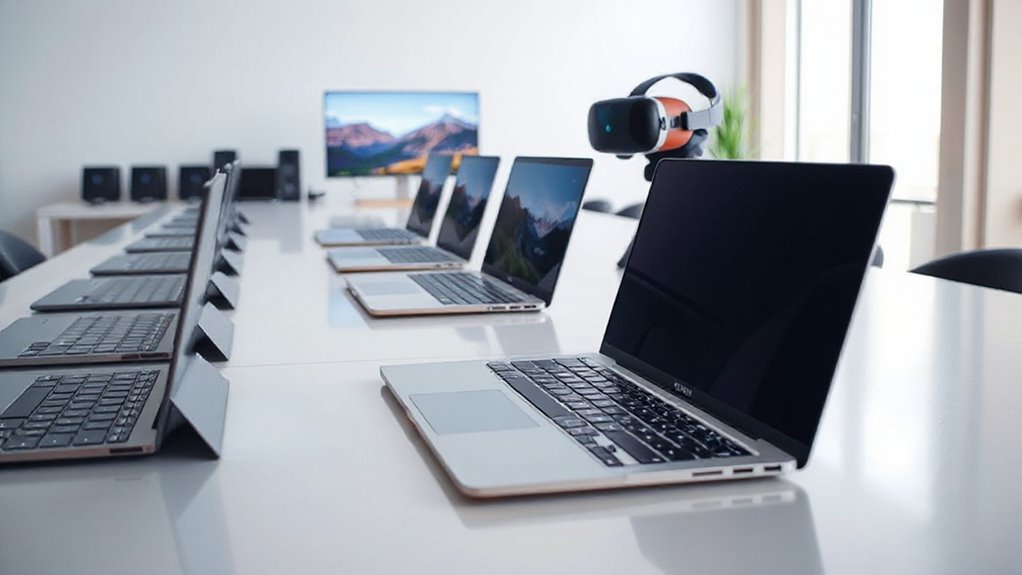

A VR-ready laptop for creators needs more than a fast processor: a dedicated GPU, enough memory, and the right connections all shape how well it handles VR and creative software. My best overall pick is the Acer Nitro V 16S AI, whose RTX 5060 Laptop GPU and 32GB of memory make it the strongest fit here for GPU-heavy work. The Dell Precision 7680 with RTX 2000 Ada is a better match for workstation-focused workflows, while the 17.3-inch NIMO models favor a larger screen and Ryzen 9 processing over dedicated graphics. The tradeoff is clear: prioritize GPU capability for VR, or screen size and CPU for other creative tasks. Read on for the full breakdown and help choosing the right balance.
Complete the kit



Key Takeaways
- The Acer Nitro V 16S AI is the clearest VR-first choice in this group because its RTX 5060 Laptop GPU is paired with 32GB of RAM; none of the listed NIMO models specifies a dedicated GPU.
- The Dell Precision 7680 models occupy a different lane: their RTX 2000 Ada graphics and Core i7-13850HX suit workstation-oriented creative applications, with the 64GB configuration offering more memory headroom than the 32GB version.
- NIMO’s Ryzen 9 8945HS models are not interchangeable. The 32GB/1TB configuration is strongest for multitasking among the listed NIMOs, while the 16GB models vary in storage and listed features.
- A Radeon 780M integrated GPU is a major VR tradeoff. The NIMO listings may suit CPU-focused creative work, but buyers should check their headset and application requirements before treating “VR ready” in a title as proof of compatibility.
- The roundup exposes a choice between GPU certainty and screen space. Acer and Dell list discrete graphics, while the 17.3-inch NIMO options offer a larger built-in workspace but provide less evidence of suitability for demanding VR graphics.
| Acer Nitro V 16S AI Gaming Laptop |  | Best Overall for VR-Capable Creator Work | Processor: AMD Ryzen 7 260 | Graphics: NVIDIA GeForce RTX 5060 Laptop GPU, 8GB GDDR7 | Memory: 32GB DDR5 5600MHz | VIEW ON AMAZON | See Our Full Breakdown |
| NIMO 17.3 FHD AI Gaming Laptop, Ryzen 9 8945HS, 32GB DDR5, 1TB SSD |  | Best Large-Screen Multitasking Pick | Processor: AMD Ryzen 9 8945HS | Graphics: Integrated AMD Radeon 780M | Memory: 32GB DDR5 5600MHz; two slots, supports up to 64GB | VIEW ON AMAZON | See Our Full Breakdown |
| NIMO 17.3 Gaming Laptop, Ryzen 9 8945HS, 16GB RAM, 512GB SSD |  | Best Starter Pick for Light Creative Work | Processor: AMD Ryzen 9 8945HS | Graphics: Integrated AMD Radeon 780M | Memory: 16GB RAM | VIEW ON AMAZON | See Our Full Breakdown |
| Dell Precision 7680 Laptop with NVIDIA RTX 2000 Ada 8GB, Intel Core i7-13850HX, 32GB DDR5, 1TB SSD |  | Best for Professional Workflows | Processor: Intel Core i7-13850HX vPro, 20 cores, 28 threads, up to 5.3GHz | Graphics: NVIDIA RTX 2000 Ada, 8GB GDDR6 | Memory: 32GB DDR5 | VIEW ON AMAZON | See Our Full Breakdown |
| NIMO 17.3 Gaming Laptop, Ryzen 9 8945HS, 16GB RAM, 1TB SSD |  | Best for Large Projects on a Tight Storage Budget | Processor: AMD Ryzen 9 8945HS | Graphics: Integrated AMD Radeon 780M | Memory: 16GB RAM | VIEW ON AMAZON | See Our Full Breakdown |
| NIMO 17.3 Gaming Laptop with Ryzen 9 8945HS, 16GB RAM, 1TB SSD, Radeon 780M, VR Ready, Backlit Keyboard, Fingerprint, Windows 11 | | Best Large-Screen Option for Lighter Creative Work | Display: 17.3-inch, 1920 × 1080 | Processor: AMD Ryzen 9 8945HS, 8 cores, up to 5.2 GHz | Graphics: AMD Radeon 780M | VIEW ON AMAZON | See Our Full Breakdown |
| Dell Precision 7680 Laptop with NVIDIA RTX 2000 Ada 8GB, Intel i7-13850HX, 64GB DDR5, 16-inch FHD+ Display |  | Best for Professional VR and GPU-Heavy Creation | Display: 16-inch FHD+ LCD, 1920 × 1200 | Processor: Intel Core i7-13850HX vPro | Graphics: NVIDIA RTX 2000 Ada, 8GB GDDR6 | VIEW ON AMAZON | See Our Full Breakdown |
| vr ready laptop for creator | Processor | Graphics | Memory | Storage |
|---|---|---|---|---|
| Acer Nitro V 16S AI Gaming Lap | AMD Ryzen 7 260 | NVIDIA GeForce RTX 5060 Laptop GPU, 8GB GDDR7 | 32GB DDR5 5600MHz | 1TB PCIe Gen 4 SSD; two M.2 slots, one available |
| NIMO 17.3 FHD AI Gaming Laptop | AMD Ryzen 9 8945HS | Integrated AMD Radeon 780M | 32GB DDR5 5600MHz; two slots, supports up to 64GB | 1TB SSD; two M.2 2280 PCIe 4.0 x4 slots |
| NIMO 17.3 Gaming Laptop | AMD Ryzen 9 8945HS | Integrated AMD Radeon 780M | 16GB RAM | 512GB SSD |
| Dell Precision 7680 Laptop wit | Intel Core i7-13850HX vPro, 20 cores, 28 threads, up to 5.3GHz | NVIDIA RTX 2000 Ada, 8GB GDDR6 | 32GB DDR5 | 1TB PCIe NVMe M.2 SSD |
| NIMO 17.3 Gaming Laptop | AMD Ryzen 9 8945HS | Integrated AMD Radeon 780M | 16GB RAM | 1TB SSD |
| NIMO 17.3 Gaming Laptop with R | AMD Ryzen 9 8945HS, 8 cores, up to 5.2 GHz | AMD Radeon 780M | 16GB RAM | 1TB SSD |
| Dell Precision 7680 Laptop wit | Intel Core i7-13850HX vPro | NVIDIA RTX 2000 Ada, 8GB GDDR6 | 64GB DDR5 | 1TB PCIe NVMe SSD |
More Details on Our Top Picks
Acer Nitro V 16S AI Gaming Laptop
I rank the Acer Nitro V 16S AI first because it is the only option here with a clearly specified discrete GeForce RTX GPU, the most relevant advantage for VR workloads and GPU-accelerated creative software. Its RTX 5060 Laptop GPU has 8GB of GDDR7 memory, while the NIMO 17.3-inch models rely on integrated Radeon 780M graphics; that makes the Acer the more credible starting point for VR, 3D scenes, and effects-heavy editing. The 32GB RAM and 1TB SSD also suit larger projects without an immediate memory upgrade. The tradeoff is a 16-inch 1920 x 1200 workspace rather than the NIMO models’ larger 17.3-inch panel, and its 4.6-pound weight is still a load to carry. I would verify headset connectivity and software requirements before buying, since the listing does not specify a VR certification.
Pros:- RTX 5060 Laptop GPU with 8GB GDDR7 is the strongest clearly specified graphics option among these listings for VR-oriented workloads.
- 32GB DDR5 memory supports multitasking across creative applications.
- 1TB PCIe Gen 4 SSD and a second M.2 slot, with one slot available, provide useful project storage and expansion.
- 16-inch 1920 x 1200 display covers 100% sRGB and runs at 180Hz.
Cons:- The 16-inch screen gives less working area than the 17.3-inch NIMO alternatives.
- At 4.6 pounds, it is not a particularly light travel laptop.
- The provided details do not confirm VR certification or list specific headset connections.
Best for: Creators who want a portable-enough Windows laptop with discrete graphics for VR applications, 3D work, and GPU-assisted editing.
Not ideal for: Buyers who prioritize a large 17.3-inch editing canvas or need a stated professional VR certification and confirmed headset compatibility.
- Processor:AMD Ryzen 7 260
- Graphics:NVIDIA GeForce RTX 5060 Laptop GPU, 8GB GDDR7
- Memory:32GB DDR5 5600MHz
- Storage:1TB PCIe Gen 4 SSD; two M.2 slots, one available
- Display:16-inch WUXGA IPS, 1920 x 1200, 180Hz, 100% sRGB
- Wireless:Wi-Fi 6 and Bluetooth
- Weight:4.6 pounds
- Operating system:Windows 11 Home
Our verdict“Choose the Acer for the clearest combination of discrete graphics, 32GB memory, and creator-friendly display specs in this group.”
NIMO 17.3 FHD AI Gaming Laptop, Ryzen 9 8945HS, 32GB DDR5, 1TB SSD
The NIMO 17.3-inch with 32GB RAM is the better fit for creators whose daily work centers on large documents, timelines, reference material, and light editing rather than headset-driven rendering. Its Ryzen 9 8945HS and 32GB DDR5 give multitasking more breathing room than the 16GB NIMO configurations, and two M.2 slots plus memory support up to 64GB leave room to grow. But the Radeon 780M is integrated graphics, not a substitute for the Acer Nitro V 16S AI’s RTX 5060 when a VR application depends on a discrete GPU. The large 17.3-inch 1080p display is useful for desk work, though its stated 60Hz refresh rate and glossy finish are less compelling for motion-sensitive work than the Acer’s 180Hz screen. I would treat the “VR” marketing as unverified: the supplied specs do not establish headset readiness.
Pros:- Ryzen 9 8945HS and 32GB DDR5 suit heavy browser, office, coding, and everyday creative multitasking.
- 17.3-inch 1920 x 1080 screen offers more workspace than the Acer Nitro V 16S AI’s 16-inch panel.
- Two DDR5 SO-DIMM slots support up to 64GB, and two M.2 slots provide storage expansion.
- USB4, USB-C, HDMI 2.1, three USB-A ports, and an SD card reader reduce dependence on hubs.
Cons:- Integrated Radeon 780M graphics are a major limitation for demanding VR and GPU-heavy 3D work.
- The 60Hz glossy display is less suited to fast motion and glare-prone workspaces than the Acer’s 180Hz panel.
- The 17.3-inch chassis is broad and less convenient to carry than a smaller-screen laptop.
Best for: Students and home-based creators who need a roomy screen, substantial RAM, upgrade options, and smooth everyday multitasking.
Not ideal for: VR creators, 3D artists, or video editors whose software relies on a discrete GPU for rendering or headset performance.
- Processor:AMD Ryzen 9 8945HS
- Graphics:Integrated AMD Radeon 780M
- Memory:32GB DDR5 5600MHz; two slots, supports up to 64GB
- Storage:1TB SSD; two M.2 2280 PCIe 4.0 x4 slots
- Display:17.3-inch 1920 x 1080 LCD, 60Hz, glossy
- Ports:USB4, USB-C, HDMI 2.1, three USB-A, SD card reader, 3.5mm combo jack
- Wireless:Wi-Fi 6E and Bluetooth 5.2
- Battery:58Wh
Our verdict“Pick this NIMO for large-screen productivity and memory headroom, not as a dependable choice for demanding VR creation.”
NIMO 17.3 Gaming Laptop, Ryzen 9 8945HS, 16GB RAM, 512GB SSD
This NIMO is the entry point for buyers who want a large screen and a capable modern processor for coursework, photo adjustments, and general creative tasks, without paying for workstation-class hardware. The Ryzen 9 8945HS is shared with the other NIMO models, but this version has just 16GB RAM and a 512GB SSD, giving it less room for simultaneous apps and large media libraries than the 32GB/1TB NIMO. Its Radeon 780M integrated graphics can handle everyday visuals, but the Acer Nitro V 16S AI is the much stronger choice when VR or GPU-intensive creation is central, thanks to its discrete RTX 5060. USB4 is a useful connection for compatible external displays and peripherals, and the listing mentions eGPU docks; however, that does not make the laptop’s built-in graphics VR-ready. The 17.3-inch size also favors a desk over frequent travel.
Pros:- Ryzen 9 8945HS offers a strong processor platform for everyday multitasking and light creative applications.
- 17.3-inch Full HD display provides more room for documents and side-by-side windows than a smaller laptop.
- USB4 supports compatible data, display, and external-device connections, including the listed eGPU-dock use.
- Fingerprint login, webcam privacy switch, and backlit keyboard add practical daily conveniences.
Cons:- Integrated Radeon 780M graphics are a poor match for demanding VR compared with the Acer Nitro V 16S AI’s RTX 5060.
- 16GB RAM and 512GB SSD provide less project headroom than the 32GB/1TB NIMO configuration.
- A 17.3-inch chassis is cumbersome for buyers who carry a laptop frequently.
Best for: Students and beginner creators focused on office work, online classes, basic photo tasks, and media who want a large display.
Not ideal for: VR creators, 3D artists, or anyone routinely working with large video projects who needs more graphics power, memory, or internal storage.
- Processor:AMD Ryzen 9 8945HS
- Graphics:Integrated AMD Radeon 780M
- Memory:16GB RAM
- Storage:512GB SSD
- Display:17.3-inch 1920 x 1080 LCD
- Connectivity:USB4, USB-C, HDMI, USB-A
- Security:Fingerprint reader and webcam privacy switch
- Operating system:Windows 11
Our verdict“Choose this NIMO for beginner-level creative tasks and a spacious screen, but skip it if VR or large production projects are a priority.”
Dell Precision 7680 Laptop with NVIDIA RTX 2000 Ada 8GB, Intel Core i7-13850HX, 32GB DDR5, 1TB SSD
The Dell Precision 7680 earns its place for creators and engineers who value a workstation platform and professional application support over portability or a high-refresh display. Its RTX 2000 Ada 8GB is a discrete GPU, making it a more credible VR and 3D-work option than the integrated Radeon 780M in the NIMO laptops; the Acer Nitro V 16S AI, though, has a newer GeForce RTX 5060 and a 180Hz screen, so it is the more appealing choice for creators prioritizing gaming-style graphics and smooth motion. Dell counters with Windows 11 Pro, ISV certification, and a 20-core i7-13850HX, a combination aimed at demanding professional software. The costs of that workstation focus are tangible: its 5.9-pound weight and 45% NTSC display make it less attractive for mobile color-critical editing, and battery runtime is not specified.
Pros:- RTX 2000 Ada with 8GB GDDR6 provides discrete graphics for professional 3D and VR-oriented workloads.
- 20-core, 28-thread Intel Core i7-13850HX is specified for demanding workstation applications.
- ISV certification and Windows 11 Pro suit professional software environments.
- Thunderbolt 4 and HDMI support connection to external displays and accessories.
Cons:- At 5.9 pounds and over an inch thick, it is heavier and bulkier than the Acer Nitro V 16S AI.
- The 16-inch display’s 45% NTSC gamut is a limitation for color-critical creative work.
- Battery runtime is not provided, making unplugged-work expectations difficult to judge.
Best for: Engineers and professional creators using certified CAD, 3D, or production applications who need a discrete workstation GPU and Windows Pro.
Not ideal for: Traveling creators seeking a light machine, or color-focused editors who need a wider-gamut display and a stated high refresh rate.
- Processor:Intel Core i7-13850HX vPro, 20 cores, 28 threads, up to 5.3GHz
- Graphics:NVIDIA RTX 2000 Ada, 8GB GDDR6
- Memory:32GB DDR5
- Storage:1TB PCIe NVMe M.2 SSD
- Display:16-inch FHD+ 1920 x 1200, anti-glare, 45% NTSC
- Networking:Wi-Fi 6E and Bluetooth 5.2
- Battery:83Wh, six-cell
- Weight:5.9 pounds
- Operating system:Windows 11 Pro 64-bit
Our verdict“Choose the Precision for certified professional workflows and workstation graphics, but favor the Acer for a lighter, higher-refresh creator-gaming balance.”
NIMO 17.3 Gaming Laptop, Ryzen 9 8945HS, 16GB RAM, 1TB SSD
This NIMO makes the most sense for creators who want a 17.3-inch screen and 1TB SSD for a growing collection of files, while mainly doing everyday productivity and lighter creative work. Against the 512GB NIMO configuration, the extra storage reduces the need to offload projects immediately; against the 32GB/1TB NIMO, however, its 16GB RAM leaves less capacity for heavy multitasking or larger edits. The Ryzen 9 8945HS is a capable processor, but its integrated Radeon 780M graphics remain the deciding limitation for VR. The Acer Nitro V 16S AI is a much more suitable choice for headset-focused creation because it has a discrete RTX 5060, although its screen is smaller. A 100W USB-C PD charger and fingerprint reader add everyday convenience, but the listing does not establish VR certification or describe a dedicated GPU.
Pros:- 1TB SSD offers more built-in project storage than the 512GB NIMO configuration.
- Ryzen 9 8945HS supports demanding everyday multitasking and light creative workloads.
- Large 17.3-inch 1920 x 1080 display suits desk-based work and split-screen tasks.
- USB-C PD charging, backlit keyboard, and fingerprint reader support convenient daily use.
Cons:- Integrated Radeon 780M graphics are substantially less suitable for demanding VR than the Acer Nitro V 16S AI’s discrete GPU.
- 16GB RAM is less accommodating for large creative projects than the 32GB NIMO configuration.
- The 17.3-inch body is less convenient to carry than a compact creator laptop.
Best for: Creators who keep substantial files on their laptop and mostly handle documents, media, or light editing at a desk.
Not ideal for: VR developers, 3D creators, and video editors who need discrete graphics or more than 16GB of memory for complex projects.
- Processor:AMD Ryzen 9 8945HS
- Graphics:Integrated AMD Radeon 780M
- Memory:16GB RAM
- Storage:1TB SSD
- Display:17.3-inch 1920 x 1080 LCD, 60Hz
- Ports:USB-C, USB-A, HDMI
- Power:100W USB-C PD charging
- Weight:3.8 pounds
Our verdict“Pick this model over the 512GB NIMO if local storage matters most, but choose the Acer or a workstation laptop for serious VR creation.”
NIMO 17.3 Gaming Laptop with Ryzen 9 8945HS, 16GB RAM, 1TB SSD, Radeon 780M, VR Ready, Backlit Keyboard, Fingerprint, Windows 11
The NIMO 17.3 pairs an eight-core Ryzen 9 8945HS with a roomy Full HD screen, making it a good fit for creators who value workspace and processor speed for editing, multitasking, and general production work. Its Radeon 780M integrated graphics are the key tradeoff: compared with the discrete NVIDIA RTX 2000 Ada in the Dell Precision 7680, they offer less headroom for demanding VR applications and GPU-heavy 3D projects. The USB-C 4.0 connection is useful for fast peripherals, but the listed specs do not establish the kind of dedicated VR graphics performance the Dell provides. The 1TB SSD gives projects room to live locally, while 16GB of RAM may constrain larger creative workloads. At 4.6 pounds, it is lighter than the Dell, though still a substantial 17.3-inch machine.
Pros:- Ryzen 9 8945HS and eight cores suit CPU-heavy multitasking and editing.
- 17.3-inch Full HD display provides a broad workspace without an external monitor.
- 1TB SSD offers useful capacity for active creative projects.
- USB-C 4.0, fingerprint login, and a webcam privacy switch add practical convenience.
Cons:- Radeon 780M integrated graphics are a weaker fit for demanding VR and GPU-heavy creation than the Dell Precision 7680’s RTX 2000 Ada.
- 16GB RAM may limit larger projects or heavy creative multitasking.
- At 4.6 pounds, it is not especially convenient for frequent travel.
Best for: Creators who want a large built-in display and strong CPU performance for everyday editing, multitasking, and lighter VR or creative workloads.
Not ideal for: VR creators running demanding headsets, complex 3D scenes, or GPU-intensive rendering who need more graphics headroom and memory than integrated Radeon graphics and 16GB RAM provide.
- Display:17.3-inch, 1920 × 1080
- Processor:AMD Ryzen 9 8945HS, 8 cores, up to 5.2 GHz
- Graphics:AMD Radeon 780M
- Memory:16GB RAM
- Storage:1TB SSD
- Operating system:Windows 11
- Connectivity:USB-C 4.0, Bluetooth, Wi-Fi 802.11a/b/g/n/ac
- Weight:4.6 pounds
Our verdict“Choose the NIMO for a spacious screen and capable CPU in lighter creative work, but pick the Dell Precision 7680 for more demanding VR and GPU tasks.”
Dell Precision 7680 Laptop with NVIDIA RTX 2000 Ada 8GB, Intel i7-13850HX, 64GB DDR5, 16-inch FHD+ Display
The Dell Precision 7680 is the stronger choice here for creators whose VR work overlaps with 3D design, engineering, or other GPU-heavy tasks. Its RTX 2000 Ada with 8GB of GDDR6 is a dedicated workstation GPU, giving it a more appropriate graphics foundation than the integrated Radeon 780M in the NIMO 17.3. The 64GB of DDR5 memory also leaves more room for large scenes and simultaneous applications than the NIMO’s 16GB. Thunderbolt 4, HDMI, and Ethernet support a more elaborate desk setup, including multiple external displays. The tradeoffs are substantial: this model weighs 5.9 pounds, and its 16-inch FHD+ display is smaller than the NIMO’s 17.3-inch panel. Its listed specs also do not specify a display refresh rate, so buyers should check headset and application requirements before choosing it for VR.
Pros:- RTX 2000 Ada with 8GB GDDR6 provides dedicated graphics for demanding creative and VR workloads.
- 64GB DDR5 supports large projects and heavier multitasking than the NIMO 17.3’s 16GB.
- Thunderbolt 4, HDMI, USB-A, and Ethernet offer flexible connections for a workstation setup.
- MIL-STD-810H testing and a 1080p webcam suit professional use.
Cons:- At 5.9 pounds, it is the less portable option compared with the NIMO 17.3.
- The 16-inch FHD+ display is smaller than the NIMO’s 17.3-inch screen, and no refresh rate is specified.
- The supplied specs do not confirm specific VR headset compatibility or display output configurations.
Best for: Professional creators, engineers, and VR developers who need workstation-class graphics, generous memory, and broad wired connectivity for complex projects.
Not ideal for: Travel-focused creators who prioritize a lighter laptop or a larger built-in screen, and buyers who need confirmed headset compatibility or a specified high-refresh-rate display.
- Display:16-inch FHD+ LCD, 1920 × 1200
- Processor:Intel Core i7-13850HX vPro
- Graphics:NVIDIA RTX 2000 Ada, 8GB GDDR6
- Memory:64GB DDR5
- Storage:1TB PCIe NVMe SSD
- Operating system:Windows 11 Pro
- Connectivity:Wi-Fi 6E, Bluetooth 5.2, Thunderbolt 4, USB-C, USB-A, HDMI, Ethernet
- Weight:5.9 pounds
Our verdict“Pick the Dell Precision 7680 if dedicated graphics and 64GB of memory matter more than carrying weight and screen size.”
How We Picked
I ranked these laptops by how well their listed specifications support the actual mix of VR use and creative work: graphics hardware first, then processor, memory, storage, display size, and practical features. A named discrete GPU matters more for VR rendering and GPU-accelerated creative tools than a high CPU core count on its own. I also treated memory capacity as a meaningful difference for large projects, multitasking, and content creation rather than assuming every 16GB configuration is equivalent to a 32GB one.
The order reflects how clearly each listing supports a creator who wants to work in VR, not a general laptop ranking. That puts the Acer first for its RTX 5060 Laptop GPU and 32GB RAM, followed by the Precision models for their RTX 2000 Ada graphics and workstation positioning. The NIMO options rank lower for VR-focused buyers because they list Radeon 780M integrated graphics, even where the processor and screen size look appealing. Product listings do not give full details on headset ports, GPU power limits, cooling, or display color coverage, so I avoid treating missing specifications as confirmed strengths.
| vr ready laptop for creator | Processor | Graphics | Operating system |
|---|---|---|---|
| Acer Nitro V 16S AI Gaming Lap | AMD Ryzen 7 260 | NVIDIA GeForce RTX 5060 Laptop GPU, 8GB GDDR7 | Windows 11 Home |
| NIMO 17.3 FHD AI Gaming Laptop | AMD Ryzen 9 8945HS | Integrated AMD Radeon 780M | — |
| NIMO 17.3 Gaming Laptop | AMD Ryzen 9 8945HS | Integrated AMD Radeon 780M | Windows 11 |
| Dell Precision 7680 Laptop wit | Intel Core i7-13850HX vPro, 20 cores, 28 threads, up to 5.3GHz | NVIDIA RTX 2000 Ada, 8GB GDDR6 | Windows 11 Pro 64-bit |
| NIMO 17.3 Gaming Laptop | AMD Ryzen 9 8945HS | Integrated AMD Radeon 780M | — |
| NIMO 17.3 Gaming Laptop with R | AMD Ryzen 9 8945HS, 8 cores, up to 5.2 GHz | AMD Radeon 780M | Windows 11 |
| Dell Precision 7680 Laptop wit | Intel Core i7-13850HX vPro | NVIDIA RTX 2000 Ada, 8GB GDDR6 | Windows 11 Pro |
Factors to Consider When Choosing Vr Ready Laptop For Creators
Before choosing, decide which part of your creative workflow must run well on the laptop itself. VR rendering, video editing, 3D work, and graphic design stress different components, and a prominent “VR ready” label does not replace checking the exact GPU and headset requirements. These broader checks can prevent a capable-looking laptop from becoming a poor fit for your projects.
Match the GPU to the Headset and Applications
Start with the VR headset’s published PC requirements and the requirements for the apps you plan to run. A discrete GPU such as the RTX 5060 Laptop GPU or RTX 2000 Ada provides a clearer basis for demanding VR work than an integrated Radeon 780M, but the name alone does not guarantee a particular frame rate. Laptop GPUs can perform differently depending on their power limits and cooling, details that are not given for every model here. Check whether your software favors gaming-class or workstation-class graphics before choosing between the Acer and Dell. Also confirm the headset’s connection needs, since a graphics chip cannot compensate for missing or unsuitable ports.
Choose Memory for the Projects You Actually Make
Memory affects how comfortably a laptop handles large timelines, complex scenes, and several creative applications at once. The listed 32GB configurations provide more room for those workloads than the 16GB NIMO versions, while the 64GB Precision configuration is the largest-memory option in this group. Do not assume that RAM can be upgraded later: check the exact model’s memory layout and service information first. If your work is mainly light editing or design, paying for capacity you will not use may be less useful than choosing a stronger GPU. For VR and heavier creative projects, low memory can create a bottleneck even when the processor is fast.
Treat “VR Ready” as a Claim to Verify
Product titles can use “VR ready” broadly, so verify the exact GPU, headset support, and application requirements before buying. This matters most for the NIMO models: their listings name Radeon 780M graphics rather than a discrete GPU, a difference that can limit demanding VR workloads. Look for published compatibility guidance from both the headset maker and the software developer. Check the ports required by your headset and any adapters you may need, since ports vary between laptop configurations. If the seller does not provide those details, treat compatibility as unconfirmed rather than inferring it from the title.
Balance Screen Size Against Your Mobile Setup
A 17.3-inch display gives more room for timelines, panels, and reference material, which can help when you work away from an external monitor. The NIMO models stand out on screen size, while Acer and the listed Precision configurations use 16-inch displays. A larger panel usually means a larger machine to carry, so think about how often you move between studios, classrooms, and client sites. Screen size also says nothing by itself about color accuracy or brightness; check those specifications if your work depends on reliable color judgments. For VR sessions, the laptop display is often secondary to the headset, making graphics and connectivity higher priorities.
Plan Storage Around Active Projects
Each listing specifies either a 512GB or 1TB SSD, and the larger capacity leaves more space for active projects, source footage, and applications. VR assets and video files can fill a drive quickly, but a larger SSD does not make a laptop render faster by itself. Consider where you will keep backups and archived work before treating internal storage as your only project space. External SSDs can help, though they add another item to carry and depend on suitable ports and transfer speeds. Check the exact laptop’s upgrade options if you expect your storage needs to grow.
Pay More for the Bottleneck You Need to Remove
Choose upgrades according to the constraint in your workflow rather than the most impressive headline specification. A GPU-heavy VR creator should prioritize discrete graphics, while someone handling large scenes or concurrent applications may benefit more from the Precision’s 64GB configuration. A strong CPU can help with encoding and CPU-based tasks, but it does not turn integrated graphics into a substitute for a dedicated VR GPU. Likewise, a bigger screen is useful for workspace but should not outweigh compatibility requirements. Compare the exact configuration, since products sharing a model family can differ in RAM, storage, and display details.
Frequently Asked Questions
Can a NIMO laptop with Radeon 780M handle PC VR?
It may work for some lighter or specifically supported use cases, but the listed Radeon 780M is integrated graphics, not a dedicated GPU. That makes it a less certain choice for demanding PC VR than the Acer or Dell models with named discrete graphics. Check the headset maker’s minimum and recommended GPU requirements, then verify support for the exact games or creative applications you plan to use. Do not rely on the words “VR ready” in a product title alone. If VR performance is the main reason for buying, favor a configuration with a discrete GPU and confirmed headset compatibility.
Should I choose the Acer RTX 5060 or a Dell Precision with RTX 2000 Ada?
The Acer is the stronger fit for a buyer prioritizing the listed RTX 5060 Laptop GPU and 32GB of memory for VR-oriented creative work. The Precision’s RTX 2000 Ada and Core i7-13850HX make it a workstation-class alternative for workflows that benefit from its professional graphics positioning. Application support and certification can matter as much as raw specifications, so check whether your creative software has specific workstation GPU requirements. The Dell’s 64GB configuration is the better match here if memory capacity is a key need. Neither listing provides enough information to make a definitive performance comparison across all workloads.
Is 16GB of RAM enough for VR and creative software?
It can be enough for lighter projects and basic multitasking, but it leaves less headroom for larger creative files, demanding applications, and VR software running together. This roundup’s 16GB NIMO options also pair that memory with integrated Radeon 780M graphics, so buyers should weigh both limitations rather than judging RAM alone. The 32GB Acer and NIMO configurations offer more breathing room, while the 64GB Precision is aimed at memory-intensive work. Check whether the laptop’s RAM can be upgraded before purchase. If it cannot, select capacity based on the projects you expect to run over the laptop’s useful life.
Does a 17.3-inch display make a laptop better for creators?
A larger screen can make timelines, editing panels, and reference material easier to arrange without an external monitor. It does not automatically provide better color accuracy, brightness, or resolution, so verify those details for any color-sensitive work. The 17.3-inch NIMO models also list integrated graphics, making screen size a separate benefit from VR capability. If the laptop will spend most of its time connected to a studio display, a smaller model with stronger graphics may serve you better. For frequent travel, weigh the workspace gain against the extra bulk.
Which configuration is the better fit if I need both VR and lots of storage?
Among the listed options, the Acer pairs a discrete RTX 5060 Laptop GPU with a 1TB SSD, giving it the clearest combination of VR-oriented graphics and listed storage capacity. The Dell Precision with RTX 2000 Ada also lists a 1TB SSD, with the 64GB version offering more memory for large workloads. A 1TB drive can still fill quickly with raw footage, project files, and VR assets, so plan for backups or additional storage. Verify the exact configuration before ordering, especially when product listings combine multiple specifications. For a final compatibility check, match the headset’s port requirements to the laptop’s documented connections.
Conclusion
For the best overall balance of listed discrete graphics and memory, I would choose the Acer Nitro V 16S AI. The best premium, workstation-focused choice is the Dell Precision 7680 with RTX 2000 Ada and 64GB RAM, while the 32GB Precision version suits buyers who want the same graphics positioning with less memory. The best value-oriented fit among the NIMOs is the Ryzen 9 8945HS configuration with 32GB RAM and a 1TB SSD, provided VR is not its main workload. For beginners focused on general creative tasks rather than demanding PC VR, a 16GB NIMO can be a simpler large-screen starting point, but I would verify upgrade options and software requirements first. For VR-focused creators, prioritize the Acer or a compatible Precision configuration; choose a NIMO only after confirming that its integrated graphics meet your specific headset and application needs.