

Browser extensions can secretly serve as backdoors, risking your editorial team’s security. Malicious or unchecked extensions may grant unwanted access to sensitive data, workflows, or network infrastructure. To safeguard your organization, review and restrict extension permissions, use trusted sources, deploy management tools, and continuously monitor installed add-ons. Ensuring your team understands these risks is crucial. Stay with us to learn how to identify threats and implement effective protective measures.

Get audio and creator gear delivered free with Prime
- Fast, free delivery on millions of items
- Prime Video, Amazon Music and more included
- Member-only deals all year
Key Takeaways
- Regularly audit and remove unnecessary or suspicious browser extensions to minimize potential backdoors.
- Enforce strict permission controls and restrict extension access to sensitive data.
- Use centralized management tools to block or approve only trusted extensions across the team.
- Educate staff on extension risks and promote cautious installation and permission granting.
- Ensure all browsers and extensions are up-to-date with security patches to prevent exploitation.
browser extension security management tools
As an affiliate, we earn on qualifying purchases.
As an affiliate, we earn on qualifying purchases.
Why Browser Extensions Are a Hidden Threat to Editorial Security

Browser extensions may seem like helpful tools, but they often pose a hidden threat to editorial security. Extension vulnerabilities can give malicious actors access to sensitive data, compromise workflows, or manipulate content. Because extensions are designed to integrate deeply with browsers, they can bypass traditional security measures. Without proper security awareness, your team might unknowingly install risky extensions, exposing your organization to cyber threats. Many users overlook the importance of vetting extensions thoroughly, assuming they’re safe by default. This complacency creates an entry point for attackers. Staying informed about extension vulnerabilities and fostering security awareness among team members is essential. Recognizing the risks helps prevent security breaches and maintains the integrity of your editorial environment. Additionally, extension permissions can sometimes grant more access than necessary, increasing the likelihood of exploitation. Understanding browser security models can help in implementing better controls and reducing potential vulnerabilities. Implementing security best practices for extensions is crucial for safeguarding sensitive editorial content, especially considering how security vulnerabilities can be exploited through seemingly benign tools. Being aware of extension update policies can also help in maintaining a secure browser environment by ensuring timely patches and reducing outdated software risks.
How Extensions Can Create Backdoors Into Your Organization

Extensions can serve as covert entry points into your organization when malicious actors exploit their permissions. If an extension requests broad or unnecessary permissions, it can access sensitive data, inject malicious scripts, or exfiltrate information without your knowledge. Attackers often design malicious extensions to appear legitimate, making user awareness critical. When users install extensions without understanding their permissions, they unwittingly grant backdoor access. Once inside, these backdoors can be used to compromise your network, steal credentials, or launch further attacks. Regularly reviewing extension permissions and educating your team on safe installation practices reduce this risk. Being aware of common exploitation techniques helps in identifying suspicious activity early. It’s also important to understand extension permissions and how they can be misused to strengthen your defenses against covert entry points and protect your organization’s security. Incorporating connected fitness technology into your security protocols can help monitor and mitigate vulnerabilities associated with digital tools. Recognizing digital tool vulnerabilities enables organizations to implement targeted safeguards effectively. Additionally, maintaining a comprehensive security awareness program ensures your team remains vigilant against emerging threats.
Recognizing Malicious and Vulnerable Browser Extensions

Identifying malicious or vulnerable browser extensions requires careful scrutiny of their behavior and permissions. Pay attention to signs that an extension may be problematic, such as unexpected data requests or excessive user permissions. Here are key points to watch for:
- Suspicious Permissions: Extensions requesting access beyond their functionality, like reading your browsing history or personal data, can be a sign of malicious intent. Being cautious about excessive permissions helps protect your privacy.
- Unverified Extension Developer: Extensions from unknown or untrusted developers can pose risks, especially if they don’t have a reputable presence. Verifying the developer’s credibility can help prevent installing compromised extensions.
- Frequent Updates or Hidden Code: Rapid updates or obfuscated code may indicate malicious intent or vulnerabilities. Monitoring update frequency and code transparency can reveal potential issues.
- Unusual Behavior: Unexpected pop-ups, redirects, or data leaks often signal a compromised extension. Being aware of common exploitation techniques can alert you to signs of malicious activity.
- Understanding the Security Risks associated with browser extensions can help you better evaluate their safety before installation. Being aware of common exploitation techniques used by malicious extensions can further improve your security vigilance. Additionally, regularly reviewing your installed extensions and removing those that are unnecessary or suspicious can significantly reduce your attack surface. Awareness of Vulnerable Extensions and their potential entry points is crucial for maintaining a secure browsing environment.
Assessing Your Organization’s Extension Security Status

To effectively assess your organization’s extension security status, start by conducting a thorough inventory of all installed browser extensions across your network. This step helps you identify which extensions are active, outdated, or potentially risky. Implement a strict extension vetting process to evaluate their trustworthiness and relevance to work tasks. Regularly review and remove unnecessary or suspicious extensions, and document approved ones for accountability. Additionally, prioritize user training to educate staff about the dangers of unsafe extensions and how to recognize potential threats. Empowering your team with knowledge reduces accidental installations of malicious add-ons and promotes a security-conscious culture. Conducting a security assessment can help identify vulnerabilities related to browser extensions, ensuring comprehensive protection. Continuous assessment and clear policies ensure your organization stays protected against backdoors that exploit browser extensions, including the importance of extension management best practices to maintain security. Incorporating extension security strategies can further strengthen your defenses by establishing standardized controls and monitoring mechanisms. Understanding and applying security controls related to extension use is essential for maintaining a resilient security posture. Moreover, aligning extension policies with support breakfast principles can promote a holistic approach to organizational security.
Best Practices for Choosing Safe and Trusted Extensions

Choosing safe and trusted browser extensions requires a proactive approach to guarantee they meet security and functionality standards. To do this, consider these best practices:
- Check extension reputation: Look for extensions with high ratings and positive reviews from users.
- Assess user privacy policies: Ensure the extension clearly states how it handles your data and respects user privacy.
- Verify source legitimacy: Download extensions only from official stores or trusted developers.
- Review permissions requested: Be cautious if an extension asks for excessive access beyond its functionality.
- Understand potential security risks: Recognize that browser extensions can serve as a backdoor if not properly vetted, emphasizing the importance of thorough evaluation before installation. Additionally, understanding that extension vetting processes are crucial can help you identify trustworthy options and avoid potential security breaches. Being aware of network infrastructure and the role of secure connections can further aid in recognizing trustworthy extensions that align with overall security best practices. Ensuring that your security protocols are up-to-date can also minimize vulnerabilities associated with third-party extensions.
How to Enforce Policies for Extension Usage in Your Team

Enforcing policies for extension usage in your team is essential to maintain security and productivity. You must control user access to prevent risky extensions from slipping in. Implement centralized policies through browser management tools to guarantee compliance. Use a table like this to clarify your approach:
| Policy Aspect | Implementation Strategy | Monitoring & Enforcement |
|---|---|---|
| User Access | Restrict extension installation | Regular audits |
| Approved Extensions | Create a whitelist | Block unauthorized extensions |
| Policy Enforcement | Use management consoles | Enforce automatic updates |
| Training | Educate team on risks | Reinforce policies regularly |
| Incident Response | Address policy violations | Maintain logs for review |
Additionally, understanding smart home technology concepts such as privacy and responsible AI use can inform better security practices for managing browser extensions and safeguarding sensitive information. Recognizing security best practices is crucial to effectively mitigate potential threats associated with browser extensions. Incorporating security protocols into your policies helps establish a proactive defense against emerging threats. Regularly reviewing access controls ensures that only authorized team members can modify extension permissions, further reducing vulnerabilities. Moreover, staying informed about emerging security threats enables your team to adapt policies proactively and strengthen your overall security posture.
How to Audit and Remove Risky or Unnecessary Extensions

Regularly auditing your browser extensions is crucial to identify and eliminate those that pose security risks or are no longer necessary. Start by reviewing extension permissions to understand what access each one has. Next, evaluate whether the permissions align with their functions and if any seem excessive. Increase user awareness by informing team members about risky extensions and encouraging reporting. Then, follow these steps:
- Remove extensions with unnecessary or overly broad permissions.
- Disable or delete extensions that are no longer in use.
- Check for extensions that haven’t been updated recently.
- Confirm that all remaining extensions are essential for your team’s workflow.
Understanding how small systems work helps you assess whether an extension’s permissions are justified based on its function.
This process helps reduce attack surfaces and ensures your team uses only trusted, necessary tools.
Using Management Tools to Control Browser Extensions Organization-Wide

Using management tools to control browser extensions helps you guarantee security policies across your organization. Implementing centralized extension policies, role-based access controls, and regular audits keeps potential risks in check. These strategies ensure you maintain oversight and prevent malicious extensions from slipping through.
Centralized Extension Policies
Managing browser extensions across an organization requires centralized policies and management tools that give you control over what users can install. This guarantees strong extension governance and consistent policy enforcement. To achieve this, you should:
- Define approved extension lists to prevent unvetted add-ons.
- Use management tools to block or restrict installation of risky extensions.
- Regularly audit installed extensions for compliance and security.
- Enforce policies uniformly across all devices to minimize vulnerabilities.
Implementing these steps helps you reduce potential backdoors and maintains control over browser environments. Centralized extension policies streamline management, minimize security gaps, and ensure your team adheres to organizational standards. By actively governing extensions, you prevent malicious or unnecessary add-ons from undermining your security posture.
Role-Based Access Control
Have you considered how role-based access control (RBAC) can strengthen your organization’s browser extension security? RBAC helps you implement precise access control and privilege management, limiting extension installation and permissions based on roles. With management tools, you can set clear boundaries, ensuring only authorized team members manage extensions organization-wide. This reduces the risk of malicious or unnecessary extensions slipping through. Use the table below to define roles and their privileges:
| Role | Privileges |
|---|---|
| Editor | Install and manage approved extensions |
| Reviewer | Approve or restrict extension permissions |
| Administrator | Full access, including policy enforcement |
RBAC streamlines privilege management, making your extension security more resilient.
Regular Extension Audits
Regular extension audits are essential for maintaining control over your organization’s browser environment. They help you build a thorough extension inventory, identify risky add-ons, and prevent potential vulnerabilities. Here’s what you should focus on:
- Conduct frequent extension inventory checks to track all installed extensions organization-wide.
- Use management tools to disable or remove outdated or unnecessary extensions.
- Implement vulnerability scanning to detect security flaws or malicious behaviors.
- Regularly review extension permissions to ensure they align with your security policies.
Performing these audits keeps your team protected, reduces the attack surface, and ensures compliance. By proactively managing your extensions, you stop potential backdoors before they become a threat and safeguard your organization’s digital assets.
How to Limit Extension Permissions Through Browser Settings
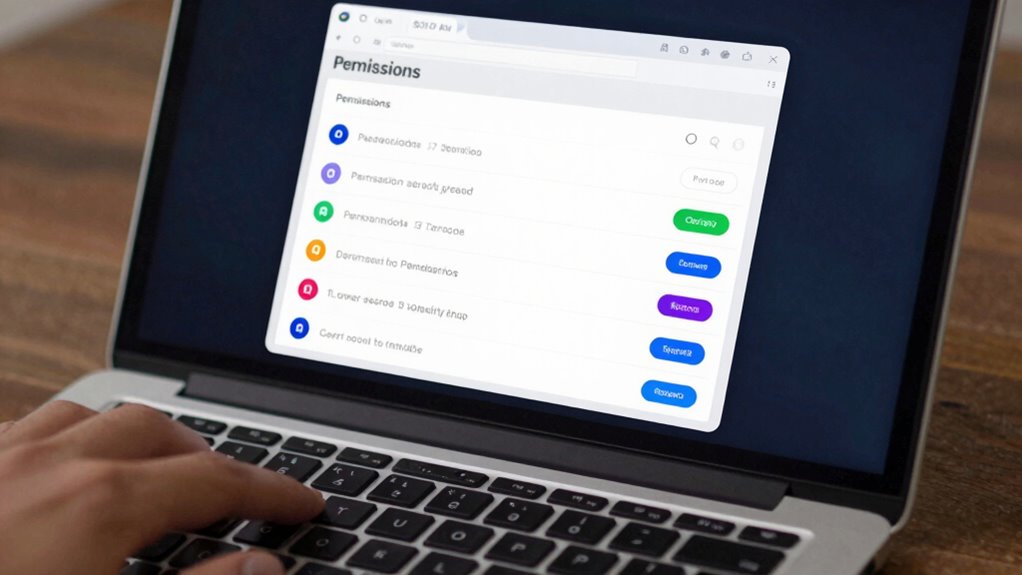
To protect your privacy, it’s essential to control what permissions your browser extensions have. You can do this by adjusting your browser settings to limit extension permissions. First, access your browser’s extension management page, usually found in the settings menu. Review each extension’s permissions and disable any unnecessary access, such as site data or notifications. Many browsers allow you to set permissions on a per-extension basis, giving you tighter control. For example, you can restrict extensions from accessing your browsing history or clipboard. Regularly updating your browser settings guarantees that only trusted extensions have the permissions they need. By actively managing extension permissions through browser settings, you reduce the risk of malicious activity or data leaks, strengthening your overall security.
Educating Your Editorial Team About Extension Security Risks

Educating your editorial team about extension security risks is essential because unawareness can lead to inadvertent exposure of sensitive information or security breaches. Increasing user awareness helps your team recognize potential threats from malicious extensions and understand the importance of managing extension permissions carefully. To do this effectively, focus on these key points:
- Understanding extension permissions: Explain how permissions can grant access to sensitive data.
- Recognizing suspicious extensions: Teach team members to identify untrustworthy or unnecessary extensions.
- Avoiding risky installs: Encourage installing only from trusted sources.
- Regular reviews: Promote ongoing checks on installed extensions to maintain security hygiene.
Keeping Browsers and Extensions Up to Date to Patch Vulnerabilities

To keep your browser secure, you need to regularly check for updates and guarantee auto-updates are enabled. This way, vulnerabilities in both the browser and extensions get patched promptly. Staying current minimizes the risk of exploits that could compromise your system.
Regular Version Checks
Regularly checking for updates is essential because outdated browsers and extensions often harbor vulnerabilities that hackers can exploit. Staying current helps guarantee you address security flaws caused by user behavior and extension compatibility issues. To stay protected, consider these steps:
- Set reminders to review browser and extension versions weekly.
- Confirm that your extensions are compatible with the latest browser updates.
- Manually check for updates if automatic updates aren’t enabled.
- Remove outdated or unsupported extensions immediately.
Automatic Updates Enabled
Enabling automatic updates for your browser and extensions guarantees they stay current without requiring your constant attention. This proactive approach patches vulnerabilities as soon as updates are released, reducing the risk of exploitation. When automatic updates are active, you ensure that security fixes reach your team promptly. Consider implementing extension whitelisting to control which plugins can be installed or updated, minimizing risks from malicious extensions. Keep in mind the table below, highlighting key benefits:
| Benefit | Description | Action |
|---|---|---|
| Timely Security Patches | Automatic updates install patches automatically | Enable auto-update settings |
| Reduced Manual Oversight | No need to check for updates manually | Use extension whitelisting |
| Consistent Security Posture | Ensures all browsers stay protected | Regularly review extensions |
Monitoring Network Activity for Signs of Extension Exploits

Since malicious extensions often operate covertly, monitoring network activity becomes essential for detecting signs of exploits. By analyzing network traffic, you can identify suspicious activity that may indicate an extension is misusing your resources. Here are key steps to improve your monitoring efforts:
- Track unusual data transfers that don’t match normal browsing patterns.
- Identify unexpected external connections initiated by extensions.
- Monitor for excessive or recurring requests to unknown domains.
- Set alerts for anomalies in network traffic volume or destinations.
Regularly reviewing network logs helps you catch malicious activity early. Detecting suspicious activity ensures you can respond swiftly before exploits escalate, protecting your team’s data and maintaining secure browsing environments.
Security Tools to Detect and Block Malicious Extensions

Security tools can help you monitor extension permissions to spot suspicious activity early. They also detect malicious behavior in real-time, preventing threats before they cause harm. By blocking dangerous extensions instantly, these tools keep your browsing safer and more secure.
Extension Permission Monitoring
How can you guarantee that browser extensions aren’t secretly overstepping their permissions? The key is robust extension permission monitoring combined with effective user consent management. Here’s how you can stay ahead:
- Regularly review extension permissions to identify unnecessary or excessive access.
- Use security tools that alert you when an extension requests new or elevated permissions.
- Implement policies that require re-authorization for permission changes.
- Educate your team on the importance of scrutinizing extension permissions before installation.
Malicious Activity Detection
Monitoring extension permissions is vital, but it’s not enough to prevent malicious activity. To effectively detect threats, you need security tools that analyze extension behavior and identify suspicious patterns. Implementing sandboxing protocols isolates extensions, preventing malicious code from accessing sensitive data or system resources. These protocols help contain potential damage before it spreads. Additionally, rigorous extension vetting processes evaluate new extensions for malicious intent before deployment. Automated detection tools can flag extensions exhibiting abnormal activity, such as unauthorized data access or network communication. Combining sandboxing with thorough vetting creates a layered defense that catches malicious activity early. By proactively monitoring and analyzing extension behavior, you reduce the risk of backdoors opening into your editorial environment. This approach strengthens your security posture against evolving threats.
Real-Time Threat Blocking
To effectively block malicious extensions in real time, you need tools that swiftly identify and respond to threats as they emerge. These security tools monitor extension permissions and user activity, flagging suspicious behavior immediately. Consider these features:
- Automated detection of extensions requesting excessive or unusual permissions.
- Real-time alerts to raise user awareness about potential risks.
- Immediate blocking of extensions that exhibit malicious activity.
- Continuous updates to adapt to new threat vectors and tactics.
What To Do If a Browser Extension Is Compromised?

If you suspect that a browser extension has been compromised, quick action is crucial to protect your data and privacy. First, review the extension’s permissions—if it requests more access than necessary, consider disabling or removing it. Check for unusual activity, such as unexpected pop-ups or redirects. Inform your IT team or security personnel immediately, and update your passwords if you suspect any breach. User education plays a critical role; ensure your team understands the risks of granting excessive extension permissions and knows how to identify suspicious behavior. Remove or disable the compromised extension promptly and replace it with trusted alternatives. Regularly audit installed extensions to prevent future vulnerabilities, and reinforce best practices around extension management to safeguard your workflow.
How to Foster a Security-Conscious Culture Among Editors

Building a security-conscious culture among editors starts with clear communication and consistent training. You should implement regular employee training sessions to reinforce security policies and best practices. To foster awareness, consider these steps:
Building a security-aware culture requires clear communication and ongoing training for editors.
- Clearly outline security policies, emphasizing the risks of browser extensions.
- Use real-world examples to demonstrate potential breaches and consequences.
- Encourage open dialogue for questions and concerns about security practices.
- Reinforce policies through periodic reminders and updates.

Despite the widespread risks posed by browser extensions, many editorial teams have successfully prevented breaches by implementing targeted security measures. One effective approach is extension sandboxing, which isolates extension processes, limiting their access to sensitive data and reducing the impact of potential exploits. Additionally, teams focus on shaping user behavior through strict policies and training, encouraging editors to avoid installing unverified extensions. Regular audits of installed extensions help identify and remove malicious or unnecessary ones, further reducing attack surfaces. Some organizations enforce the use of approved extension repositories, ensuring only secure, vetted tools are used. These strategies collectively create a layered defense that minimizes the risk of extension-related breaches, emphasizing the importance of technical controls combined with user awareness.
Emerging Threats and Trends in Browser Extension Security

As organizations strengthen their defenses against extension-related breaches, attackers are developing more sophisticated methods to bypass existing security measures. Emerging threats in extension security focus on exploiting weaknesses in extension development and undermining user privacy. Here are key trends to watch:
Attackers are evolving tactics to bypass security and threaten user privacy through extension vulnerabilities.
- Malicious updates—attackers hijack extension update processes to inject malware.
- Obfuscated code—criminals use obfuscation techniques to hide malicious intent within extension code.
- Permission abuse—extensions requesting excessive permissions to access sensitive data.
- Supply chain attacks—compromising legitimate extension sources to distribute malicious versions.
Staying ahead means understanding these emerging threats and how attackers manipulate extension development to compromise user privacy. Vigilance and proactive security measures are essential to defend your organization.
Resources and Tools to Strengthen Extension Security in Your Organization

To effectively defend your organization against malicious extension threats, leveraging specialized resources and tools is essential. Implementing extension sandboxing isolates extensions, preventing malicious code from spreading. Enforce strict privacy policies to control data access and protect sensitive information. Use security scanning tools to detect vulnerabilities before extensions are deployed. Regularly review and update extension permissions to minimize risks.
| Resource/Tool | Purpose | Benefit |
|---|---|---|
| Extension Sandboxing | Isolates extensions from core system | Prevents malicious spread |
| Privacy Policy Checkers | Ensures data access compliance | Protects user and organizational data |
| Security Scanners | Detect vulnerabilities early | Reduces exploit risk |
| Permission Review Tools | Manages extension privileges | Limits malicious potential |
| Policy Enforcement Platforms | Automates compliance adherence | Maintains ongoing security |
Final Tips to Protect Your Editorial Environment From Extension Backdoors

Securing your editorial environment against extension backdoors requires proactive measures and vigilant oversight. First, implement strict extension sandboxing to limit what each extension can access, reducing potential damage. Second, review and minimize user permissions for installed extensions; only grant necessary access. Third, establish a policy for regularly auditing extension activity and removing risky or outdated extensions promptly. Fourth, educate your team on extension risks and best practices, emphasizing the importance of cautious permission granting. By combining extension sandboxing with controlled user permissions, you create a layered defense that minimizes backdoor entry points. Regular oversight and staff awareness are essential in maintaining a secure, backdoor-resistant editorial environment.
Frequently Asked Questions
How Do Malicious Extensions Bypass Traditional Security Measures?
Malicious extensions bypass traditional security measures by exploiting extension permissions, which often grant broad access to your browsing data and system functions. They can operate unnoticed if you’re unaware of the risks, making user awareness essential. You might install extensions without understanding their permissions, allowing malicious code to run in the background. Regularly review extension permissions and educate your team on safe practices to prevent these backdoors from compromising your security.
What Are Signs That an Extension Has Been Compromised?
Your extension might be compromised if you notice strange behavior, like unexpected pop-ups or data leaks. Check extension permissions—if they ask for more access than necessary, that’s a red flag. Stay alert and increase user awareness; suspicious updates or unfamiliar activity could signal tampering. Trust your instincts—if something feels off, it probably is, and you should remove or disable the extension immediately to protect your team.
How Often Should Extension Security Policies Be Reviewed?
You should review your extension security policies at least quarterly to stay ahead of emerging threats. Incorporate extension update best practices, such as timely updates and rigorous testing, into your review process. Additionally, reinforce employee training programs to guarantee your team understands security protocols and recognizes potential risks. Regular reviews help identify vulnerabilities early, keeping your editorial team protected and maintaining a secure browsing environment.
Can Open-Source Extensions Be Inherently Safer Than Proprietary Ones?
Open-source extensions can be inherently safer because their transparency allows you to see the code, making community vetting easier. When you choose open-source options, you benefit from collective scrutiny, which helps identify vulnerabilities faster. However, safety still depends on active maintenance and community involvement. You should regularly review extension updates and guarantee the community continues to vet and improve the code to keep your editorial team secure.
What Role Do Browser Developers Play in Extension Security?
Did you know that over 70% of extension vulnerabilities stem from developer oversight? Browser developers play a vital role in extension security by enforcing strict guidelines on extension permissions and conducting rigorous reviews. They’re responsible for holding developers accountable for secure coding practices, which directly impacts user safety. By maintaining high standards, browser developers can prevent malicious extensions from exploiting users, making the web a safer environment for everyone.
Conclusion
Ironically, the very tools meant to boost your productivity can silently open doors to chaos. As you tighten security, remember that malicious extensions lurk like shadows in your browser’s corners. Stay vigilant—because in the digital world, a single compromised extension can turn your editorial team into unwitting pawns. Protect your environment before it’s too late; after all, a backdoor left open is the last thing you want to read about in the headlines.
Halloween Picks
halloween
As an affiliate, we earn on qualifying purchases.