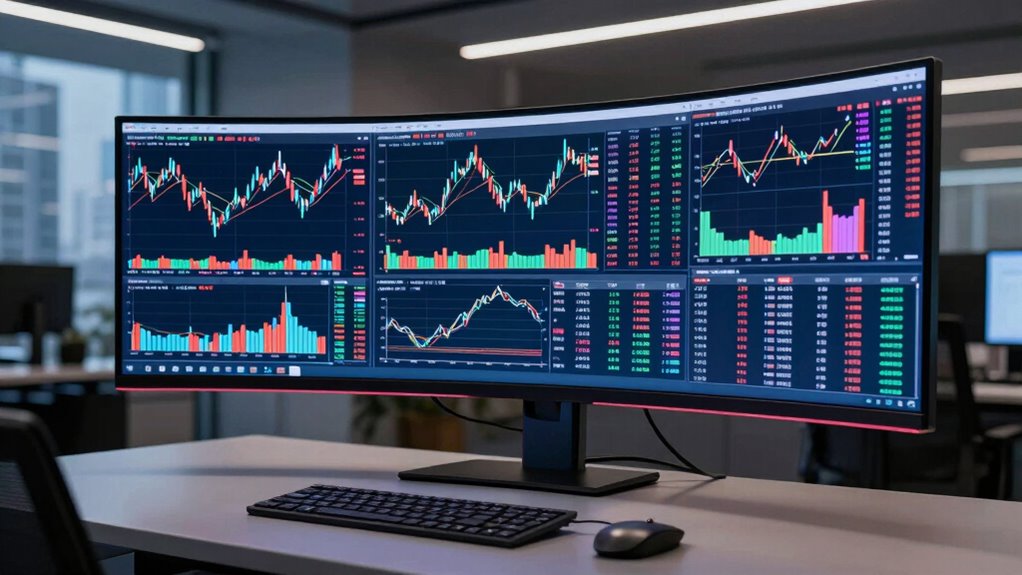
Choosing an ultrawide monitor for trading requires balancing screen real estate, clarity, and responsiveness. The Samsung 34″ Odyssey G5 stands out as the best overall for its immersive curved display and solid performance. The CRUA 49-Inch DQHD offers an expansive view ideal for multi-tasking, while the Samsung 49” Business Curved Ultrawide provides versatile connectivity and professional features. These choices highlight the key tradeoffs in this category: size versus desk space, resolution versus refresh rate, and price versus advanced features. Continue reading for a detailed breakdown of each option and what makes them suited for different trading needs.

Get audio and creator gear delivered free — and shop member deals
- Fast, free delivery on millions of items
- Access to Prime Big Deal Days deals on October 6–7
- Prime Video, Amazon Music and more included
Complete the kit


Key Takeaways
- Size and curvature significantly impact immersion and workspace comfort, with larger screens like 49-inch models excelling for multi-window setups.
- Higher refresh rates (120Hz-165Hz) are beneficial for smoother interactions, especially during fast market movements, but often come at a higher cost.
- Connectivity options such as USB-C and multiple HDMI/DisplayPort inputs provide greater flexibility for professional setups.
- Panel type (IPS vs VA) influences color accuracy and contrast, affecting how well traders can differentiate data and charts.
- Price varies widely, with premium models offering advanced features like HDR and ergonomic adjustments, but mid-range options often suffice for most trading tasks.


| ultrawide monitor for trading | Resolution | Refresh Rate | HDR |
|---|---|---|---|
| Samsung 34′ Odyssey G5 Ultra-W | WQHD | 165Hz | HDR10 |
| CRUA 49-Inch DQHD Ultrawide Cu | 5120×1440 (DQHD) | 165Hz | — |
| Samsung 49” Business Curved Ul | Dual QHD (5120×1440) | 120Hz | DisplayHDR 400 |
| Dell 34 Monitor S3425DW | WQHD | 120Hz | HDR ready |
| Sceptre 34-Inch Curved Ultrawi | 3440 x 1440 WQHD | 180Hz/165Hz | — |
| LG 34U530A-W 34-inch UltraWide | 2560 x 1080 | 100Hz | VESA DisplayHDR 400 |
| Samsung 34" ViewFinity S50GC S | Ultra-WQHD | 100Hz | HDR10 |
More Details on Our Top Picks
Samsung 34′ Odyssey G5 Ultra-Wide Gaming Monitor with 1000R Curved Screen
This monitor is designed primarily for gamers seeking an immersive experience, with its 1000R curvature creating a wrap-around feel that surpasses flat screens like the Dell S3425DW. Its WQHD resolution and 165Hz refresh rate deliver smooth, vibrant visuals, ideal for fast-paced gaming or multimedia consumption. However, the large 34-inch size might be a challenge for smaller desks, and its focus on gaming means it lacks professional ergonomic features or extensive connectivity options. Compared to the other ultrawides in this list, the Odyssey G5 emphasizes visual immersion but sacrifices some versatility for gaming performance.
Pros:- Immersive 1000R curved display enhances visual engagement
- High 165Hz refresh rate with 1ms response for responsive gameplay
- Vibrant HDR10 support for rich colors
Cons:- Large size may not fit compact desk setups
- Limited to gaming and multimedia use, lacking productivity features
Best for: Gamers who prioritize immersive visuals and fast response times for gaming and multimedia.
Not ideal for: Professionals or traders who need precise color accuracy, extensive connectivity, or ergonomic adjustments.
- Screen Size:34 inches
- Curvature:1000R
- Resolution:WQHD
- Refresh Rate:165Hz
- Response Time:1ms (MPRT)
- HDR:HDR10
Our verdict“This monitor excels for users seeking an immersive gaming experience but isn’t ideal for detailed trading setups requiring multitasking or color precision.”
CRUA 49-Inch DQHD Ultrawide Curved Gaming Monitor, 165Hz, FreeSync, Black
The 49-inch CRUA monitor offers an expansive 5120×1440 resolution on a curved display, making it a strong choice for traders who need maximum screen real estate and multitasking capabilities, especially when compared with smaller ultrawides like the Dell S3425DW. Its 165Hz refresh rate and fast response time support smooth gameplay and scrolling. The adjustable stand and multiple ports boost flexibility, but the absence of built-in speakers and the potential bulkiness may be drawbacks for smaller spaces or users seeking a more streamlined setup. This model stands out for combining large size with high resolution, but it demands a powerful graphics card to fully utilize its capabilities.
Pros:- Massive 49-inch curved display for immersive multitasking
- High 5120×1440 resolution with vibrant colors and fast 165Hz refresh rate
- Adjustable stand and multiple ports for flexible setup
Cons:- No built-in speakers, requiring external audio solutions
- Bulky design may not suit small desks or office environments
Best for: Traders and content creators who need a huge, high-resolution display with versatile connectivity for multitasking.
Not ideal for: Users with limited desk space or those seeking a budget-friendly, compact ultrawide.
- Display Size:49 inches
- Resolution:5120×1440 (DQHD)
- Refresh Rate:165Hz
- Response Time:1 ms
- Contrast Ratio:3000:1
- Viewing Angle:178 degrees
Our verdict“This monitor is perfect for users who want a large, high-res display for multitasking, gaming, and content creation, provided they have space and a capable GPU.”
Samsung 49” Business Curved Ultrawide Dual QHD Monitor with USB-C, HDMI, DisplayPort, 120Hz, HDR 400, Built-in Speakers, Height Adjustable Stand, 2024
The Samsung LS49C954UANXZA balances large-scale productivity with multimedia needs, offering a 49-inch curved dual QHD display that rivals the size of the CRUA but with a focus on ergonomic features like a height-adjustable stand and versatile connectivity, including USB-C with 90W charging. While its 120Hz refresh rate supports smooth visuals, it’s not quite as gaming-oriented as the Odyssey G5 or CRUA, making it more suited to professionals who juggle multiple applications or need a large, comfortable workspace. Compared to the Dell S3425DW, it offers more connectivity options and a higher-end design, but it doesn’t reach 4K resolution, which might matter for some users.
Pros:- Extensive 49-inch curved display enhances multitasking
- Versatile connectivity including USB-C with 90W charging
- Height-adjustable stand for ergonomic comfort
Cons:- Limited to Dual QHD resolution, not 4K
- HDR performance varies with lighting and content
Best for: Professionals and traders who value a large, ergonomic, and versatile display for multitasking and multimedia.
Not ideal for: Gamer-focused users seeking ultra-high refresh rates or ultra-wide gaming features.
- Screen Size:49 inches
- Resolution:Dual QHD (5120×1440)
- Refresh Rate:120Hz
- HDR:DisplayHDR 400
- Connectivity:USB-C (90W), HDMI, DisplayPort
- Stand:Height adjustable
Our verdict“This monitor suits professionals needing a large, adjustable display with strong connectivity, but isn’t tailored for high-end gaming or 4K content creation.”
Dell 34 Monitor S3425DW, WQHD VA, 120Hz, FreeSync Premium, Eye Comfort
The Dell S3425DW offers a solid balance of visual quality and comfort, with its WQHD VA panel providing deep contrast and vivid colors—key advantages over the more gaming-focused Odyssey G5’s HDR support. Its 120Hz refresh rate ensures smooth scrolling and visuals, while the Eye Comfort technology is a plus for traders working long hours. However, it lacks detailed ergonomic adjustments and extensive connectivity options, which could limit its flexibility in a busy trading environment. Compared with the CRUA, it emphasizes color accuracy and comfort, making it suitable for those who need both color fidelity and prolonged use.
Pros:- Deep contrast with VA panel for vivid, true-to-life colors
- Blue light reduction technology for extended use comfort
- Smooth visuals with 120Hz refresh rate and FreeSync Premium
Cons:- Limited ergonomic adjustments, mostly tilt only
- No mention of built-in speakers or extensive connectivity
Best for: Traders and professionals who value color accuracy, contrast, and eye comfort for extended periods.
Not ideal for: Gamers or users needing ultra-wide resolutions or highly adjustable stands for ergonomic customization.
- Screen Size:34 inches
- Resolution:WQHD
- Panel Type:VA
- Refresh Rate:120Hz
- HDR:HDR ready
- Connectivity:USB-C (up to 65W)
Our verdict“This monitor offers high contrast and eye comfort ideal for prolonged trading or content work, but lacks advanced ergonomic features.”
Sceptre 34-Inch Curved Ultrawide WQHD Monitor (3440 × 1440), 180Hz/165Hz, DisplayPort x2, 99% sRGB, 1ms, Built-in Speakers, Machine Black, 2025
This Sceptre model stands out for its high 180Hz refresh rate and rapid 1ms response time, making it a top choice for traders who also enjoy fast-paced gaming or need ultra-smooth visuals. Compared with the Samsung ViewFinity, it offers a higher refresh rate, which can benefit traders needing quick updates, but it sacrifices some color depth and HDR capabilities. The curved design enhances immersion and focus, especially beneficial for multitasking across multiple windows. However, being a 2025-specific model, it may have limited compatibility with older hardware, and its premium features come at a higher price. The built-in speakers and modern aesthetic add value for those seeking an all-in-one setup.
Pros:- Exceptional 180Hz refresh rate for smooth visuals
- Rapid 1ms response time reduces ghosting
- Curved screen enhances focus during multi-window trading
Cons:- Limited to the 2025 model year, possibly affecting compatibility
- Higher price point due to gaming-oriented features
Best for: Traders who prioritize fast refresh rates and immersive screens for quick decision-making and multitasking
Not ideal for: Professionals who need ultra-high resolution or color accuracy for detailed analysis and design work
- Size:34 inches
- Resolution:3440 x 1440 WQHD
- Refresh Rate:180Hz/165Hz
- Response Time:1ms
- Color Coverage:99% sRGB
- Ports:DisplayPort x2
Our verdict“This monitor suits traders who need speed and immersion, accepting some premium costs and compatibility considerations.”
LG 34U530A-W 34-inch UltraWide WFHD IPS Computer Monitor with HDR, 100Hz, USB-C, Adjustable Stand
This LG model makes the list for its versatile 21:9 aspect ratio combined with vibrant IPS visuals and HDR support, ideal for traders who juggle multiple data streams and creative tasks. While the resolution of 2560×1080 is lower than some competitors, the IPS panel offers consistent color and wide viewing angles, which are vital for detailed chart analysis or multitasking. The adjustable stand and USB-C connectivity provide ergonomic comfort and convenience, but the resolution may feel insufficient on a 34-inch screen compared to higher-res options like the Samsung ViewFinity. Its moderate refresh rate of 100Hz is suitable for trading but less ideal for high-end gaming. The built-in stereo speakers add value but may not satisfy audio purists.
Pros:- Wide 21:9 aspect ratio enhances multitasking
- Vibrant HDR visuals with high contrast
- USB-C and adjustable stand improve ergonomics and connectivity
Cons:- Lower resolution may impact clarity on larger screens
- Speakers are basic and may not satisfy audiophiles
Best for: Creative traders and multitaskers who value color accuracy, adjustability, and flexible connectivity
Not ideal for: High-performance gamers or traders seeking ultra-high resolution for detailed chart analysis
- Display Size:34 inches
- Resolution:2560 x 1080
- Panel Type:IPS
- Refresh Rate:100Hz
- HDR:VESA DisplayHDR 400
- Connectivity:USB Type-C, HDMI, DisplayPort
Our verdict“This monitor fits traders who need flexible, colorful, and ergonomic features over ultra-high resolution or gaming speed.”
Samsung 34″ ViewFinity S50GC Series Ultra-WQHD Monitor, 100Hz, HDR10, AMD FreeSync, Black
This Samsung model earns its spot for its Ultra-WQHD resolution, vivid HDR10 support, and eye care features, making it ideal for traders who value detailed visuals and reduced eye strain during long sessions. Its wide 21:9 aspect ratio supports multitasking, but the 100Hz refresh rate isn’t tailored for high-speed gaming or rapid chart updates, unlike the Sceptre’s 180Hz. The borderless, sleek design minimizes distractions, enhancing focus amid multiple windows. The absence of built-in speakers may be a downside for users seeking an all-in-one multimedia experience, and its higher price reflects premium features like PIP and PBP. Overall, this monitor balances vibrant visuals and productivity features well, especially for extended work periods.
Pros:- Ultra-WQHD resolution with vivid HDR10 support
- Eye care features to reduce fatigue
- Borderless design minimizes visual clutter
Cons:- Limited to 100Hz, less suited for high-speed trading or gaming
- No built-in speakers for multimedia convenience
Best for: Traders who prioritize vivid, detailed visuals and multitasking with minimal distractions
Not ideal for: Gamers or fast-paced traders needing higher refresh rates for rapid updates
- Size:34 inches
- Resolution:Ultra-WQHD
- Refresh Rate:100Hz
- HDR:HDR10
- Contrast Ratio:3000:1
- Inputs:2 x HDMI 2.2, 1 x DisplayPort 1.2
Our verdict“This monitor is ideal for traders seeking vibrant visuals and multitasking efficiency, accepting that it’s less suited for high-speed gaming or audio needs.”

How We Picked
These monitors were selected based on performance, build quality, usability, and value for traders. Priority was given to screens that offer ample real estate, high resolution, and fast refresh rates to handle multiple data streams and quick decision-making. Connectivity options and ergonomic features also played a role, ensuring the monitors could integrate seamlessly into professional trading setups. The ranking reflects a balance between feature set, price point, and overall usability, aiming to recommend options suitable for different levels of traders—from beginners to pros.| ultrawide monitor for trading | HDR |
|---|---|
| Samsung 34′ Odyssey G5 Ultra-W | HDR10 |
| CRUA 49-Inch DQHD Ultrawide Cu | — |
| Samsung 49” Business Curved Ul | DisplayHDR 400 |
| Dell 34 Monitor S3425DW | HDR ready |
| Sceptre 34-Inch Curved Ultrawi | — |
| LG 34U530A-W 34-inch UltraWide | VESA DisplayHDR 400 |
| Samsung 34" ViewFinity S50GC S | HDR10 |
Factors to Consider When Choosing Ultrawide Monitor For Trading
When choosing an ultrawide monitor for trading, several factors influence how well it will meet your needs. Beyond size and resolution, considerations like refresh rate, panel type, and connectivity impact your experience. Understanding these aspects helps prevent common pitfalls such as overspending on unnecessary features or choosing a screen that doesn’t match your workspace. A balanced approach ensures you get a monitor that enhances your trading efficiency without overpaying for features you won’t use.Size and Curvature
Size determines how much information you can view simultaneously, with 34-inch and 49-inch screens being popular for trading. A larger display improves multi-window management, but it also requires more desk space and can be overwhelming if your setup is compact. Curvature enhances immersion and reduces eye strain by matching the natural curve of your eyes, especially on ultra-wide screens. Consider your workspace layout and preference for immersion versus practicality when selecting size and curvature.
Resolution and Panel Type
Resolution impacts clarity; QHD (1440p) is common, but ultrawide 4K or DQHD (5120 x 1440) offers sharper images for detailed charts. IPS panels provide better color accuracy and viewing angles, ideal for detailed data analysis, while VA panels offer higher contrast but narrower viewing angles. For trading, clarity and color accuracy often outweigh slight differences in contrast, so understanding panel types helps avoid disappointment if colors appear dull or viewing angles are limited.
Refresh Rate and Response Time
While 60Hz is standard for most monitors, higher refresh rates like 120Hz or 165Hz deliver smoother visuals, especially during rapid market movements. Response time also matters if you switch quickly between data sources or need minimal lag. Traders who rely on quick reactions benefit from higher refresh rates, but these models tend to be pricier. Balancing refresh rate with your budget and workflow is key to avoiding unnecessary spending.
Connectivity and Ergonomics
Multiple input options such as USB-C, HDMI, and DisplayPort increase compatibility with various devices, reducing cable clutter. USB-C is especially useful for Mac users or those wanting a single-cable connection for video and charging. Ergonomic features like height adjustment, tilt, and swivel help position the monitor for maximum comfort during long trading sessions. Overlooking these factors can lead to discomfort or limited flexibility, impacting long-term usability.
Price and Additional Features
Prices vary from budget-friendly to premium, with extra features like HDR, built-in speakers, and advanced calibration adding to the cost. While premium models offer enhanced visuals and customization, they aren’t always necessary for effective trading. Focus on core features—size, resolution, and connectivity—first, then consider add-ons if your budget allows. Avoid overspending on features that won’t improve your trading performance.
Frequently Asked Questions
Is a 49-inch ultrawide monitor better for trading than a 34-inch?
A 49-inch ultrawide provides more screen real estate, which can be advantageous for managing multiple charts and data streams simultaneously. However, it also requires more space and can be overwhelming if your desk setup is limited. For traders who need extensive multitasking and have a spacious workspace, a 49-inch monitor makes sense. Conversely, a 34-inch might be more practical for smaller desks or those who prefer a less immersive experience while still offering ample viewing area.
Should I prioritize refresh rate over resolution for trading?
For trading, a higher refresh rate (like 120Hz or 165Hz) improves visual smoothness during rapid market movements, reducing lag and motion blur. Resolution impacts how sharp the images and data are, which is crucial for detailed chart analysis. Ideally, a monitor that balances both—such as a 1440p or 4K ultrawide with a 120Hz refresh rate—serves most traders well. Prioritizing refresh rate is beneficial if quick reactions are essential, but don’t sacrifice resolution entirely, as clarity is equally important.
Are curved screens better for long trading sessions?
Curved screens can reduce eye strain by matching the natural curve of your field of view, making extended trading sessions more comfortable. They also enhance immersion, which helps focus on multiple data streams. However, some traders find curved displays less practical for precise window placement or external viewing angles. The choice depends on personal preference and workspace layout, but generally, a curved ultrawide can lessen fatigue during long hours of trading.
Is HDR necessary for a trading monitor?
High Dynamic Range (HDR) enhances contrast and color depth, making charts and data more vivid. While it isn’t a must-have for trading, it can improve visual clarity, especially when working with detailed graphics or color-coded data. However, HDR support often comes with a higher price and requires compatible content or software to see the benefits. For most traders, good contrast and color accuracy from IPS panels are more important than HDR, which is more beneficial for media consumption.
How much should I spend on a quality ultrawide monitor for trading?
Expect to spend between $500 and $1,200 for a reliable ultrawide monitor suited for trading. Budget models under $500 may lack key features such as high refresh rates or ergonomic adjustments, limiting their effectiveness. Mid-range options around $700-$900 often provide a good mix of size, resolution, and connectivity, suitable for most traders. Premium models exceeding $1,000 deliver advanced features like HDR, higher refresh rates, and better build quality but are best for professional or serious traders who need every possible advantage.
Conclusion
For casual traders or those just starting, the Dell S3425DW offers excellent value with a solid mix of features. Serious professionals will benefit from the Samsung 49” Business Curved Ultrawide for its expansive workspace and versatile connectivity. Those seeking a premium experience should consider the Samsung ViewFinity S50GC for its high resolution and color accuracy. Budget-conscious buyers should focus on models like the LG 34U530A-W, which balances affordability with essential features. Ultimately, your choice depends on your workspace size, budget, and how much multitasking you need—pick accordingly to enhance your trading efficiency.
As an affiliate, we earn on qualifying purchases.Evergreen bestsellers Picks
bestsellers