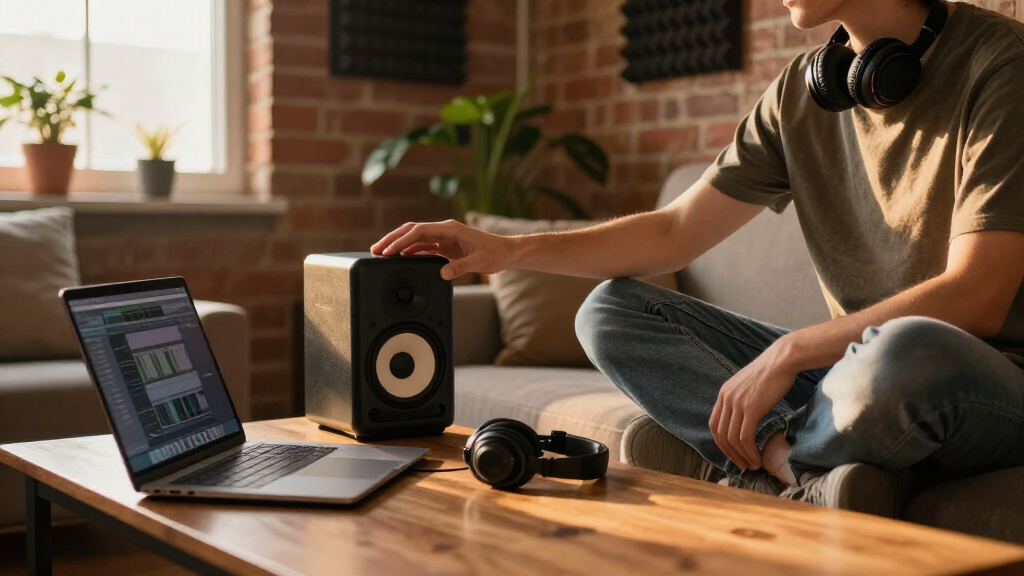

Studio monitor speakers are built to tell you the truth about your mix, and the right pair depends on your room, your budget, and how much low-end accuracy you actually need. The Yamaha HS5 (Pair) takes the top spot here because its midrange honesty and consistent stereo imaging hold up against monitors costing twice as much, making it the safest all-around choice for mixing. If you work at a desk in a small room, the PreSonus Eris 3.5 delivers remarkable clarity for the price, while the JBL 305P MkII is the pick when you want a bigger, more forgiving sound with stronger bass from a 5-inch woofer. The main tradeoff in this category is size versus truthfulness: larger woofers give you fuller bass without a subwoofer, but smaller monitors are easier to position correctly in tight spaces. Read on for the full breakdown of all 12 models.

Get audio and creator gear delivered free with Prime
- Fast, free delivery on millions of items
- Prime Video, Amazon Music and more included
- Member-only deals all year
Complete the kit



Key Takeaways
- The Yamaha HS5 and JBL 305P MkII separated themselves through mix translation — mixes balanced on them sounded right on car speakers and earbuds, which cheaper monitors in this lineup couldn’t consistently achieve.
- At the compact end, the PreSonus Eris 3.5 and Mackie CR3.5 proved that 3.5-inch monitors have real limits on bass response, but the PreSonus won that matchup with tighter imaging and cleaner high frequencies.
- Yamaha‘s HS3 and HS4 share the HS5’s voicing philosophy at lower prices, giving budget buyers a coherent upgrade path — but both lose the low-mid detail that makes the HS5 worth the extra spend.
- Bluetooth connectivity (Edifier MR3) and tone controls (Mackie CR3.5) add convenience, but both features can mask mix problems, so they suit content creators more than mixing engineers.
- The Edifier MR4 and R1280T deliver the warmest, most listenable sound of the budget tier, which makes them better for casual listening than for decisions about EQ and levels.
| Yamaha HS4 Powered Studio Monitor (Pair) |  | Best Compact Studio Pick | Type: 2-way bass-reflex powered speaker (pair) | Woofer: 4.5 inches | Tweeter: 1 inch dome | VIEW LATEST PRICE | See Our Full Breakdown |
| PreSonus Eris 3.5 Powered Studio Monitors (Pair) |  | Best Value Pick | Power: 50W total | Speaker Size: 3.5 inches | Frequency Response: 80 Hz – 20 kHz | VIEW LATEST PRICE | See Our Full Breakdown |
| Yamaha HS4 Powered Studio Monitor in White, Pair |  | Best Aesthetic Choice | Type: Powered studio monitor (pair) | Color: White | Woofer: 4.5 inches | VIEW LATEST PRICE | See Our Full Breakdown |
| Yamaha HS5 Powered Studio Monitor, Pair |  | Best Overall | Monitors Included: 2 | Woofer: 5 inches | Tweeter: 1 inch dome | VIEW LATEST PRICE | See Our Full Breakdown |
| Edifier MR3 Powered Studio Monitor Speakers (Pair) |  | Best Wireless Flexibility | Speaker Type: Powered monitor (pair) | Woofer: 3.5 inches | Frequency Coverage: Up to 40 kHz | VIEW LATEST PRICE | See Our Full Breakdown |
| JBL 305P MkII 5″ 2-Way Active Powered Studio Monitors (Pair) |  | Best Sweet Spot for Mixing | Woofer Size: 5 inches | Amplifier Power: 2 x 41 Watts | Inputs: XLR, TRS | VIEW LATEST PRICE | See Our Full Breakdown |
| M-AUDIO BX3 3.5-inch Wired Studio Monitors Pair |  | Best Budget Desktop Pair | Driver Size: 3.5 inches | Woofer Material: Kevlar | Tweeter Type: Silk dome | VIEW LATEST PRICE | See Our Full Breakdown |
| Edifier R1280T Powered Bookshelf Speakers |  | Best Dual-Purpose Listening Pair | Power: 42 Watts RMS | Driver Size: 4-inch full-range | Tweeter: 13mm silk dome | VIEW LATEST PRICE | See Our Full Breakdown |
| PreSonus Eris E4.5 2-Way 4.5″ Near Field Studio Monitor (Pair) |  | Best Tuned Compact Monitor | Speaker Size: 4.5 inches | Power: 50 Watts | Tweeter: 1-inch silk dome | VIEW LATEST PRICE | See Our Full Breakdown |
| Edifier MR4 Powered Studio Monitors, 4-inch Active Reference Speakers | 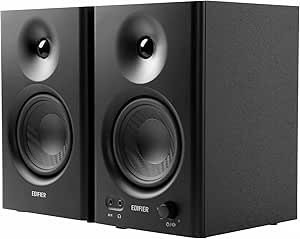 | Best Flat Response Under $200 | Speaker Size: 4 inches | Tweeter Diameter: 2.5 cm silk dome | Frequency Response: Up to 20 kHz | VIEW LATEST PRICE | See Our Full Breakdown |
| Yamaha HS3 Powered Studio Monitor (Pair, Black) |  | Best Trusted-Brand Compact Pick | Packaging: Pair | Woofer: 3.5 inches | Tweeter: 0.75-inch dome | VIEW LATEST PRICE | See Our Full Breakdown |
| Mackie CR3.5 Studio Monitors (Pair) |  | Best Hybrid Pick for Work and Play | Woofer Size: 3.5 inches | Tweeter: Silk dome | Connectivity: TRS, RCA, 3.5mm input | VIEW LATEST PRICE | See Our Full Breakdown |
| studio monitor speaker | Tweeter | Inputs | Frequency Response |
|---|---|---|---|
| Yamaha HS4 Powered Studio Moni | 1 inch dome | XLR/TRS combo, RCA, stereo mini | 60 Hz – 22 kHz (-10 dB) |
| PreSonus Eris 3.5 Powered Stud | — | — | 80 Hz – 20 kHz |
| Yamaha HS4 Powered Studio Moni | 1 inch dome | XLR/TRS combo, RCA, stereo mini | 60 Hz – 22 kHz |
| Yamaha HS5 Powered Studio Moni | 1 inch dome | XLR and TRS phone jack | 54 Hz – 30 kHz |
| Edifier MR3 Powered Studio Mon | — | — | — |
| JBL 305P MkII 5" 2-Way Active | — | XLR, TRS | — |
| M-AUDIO BX3 3.5-inch Wired Stu | — | 1/4-inch, 1/8-inch, RCA | — |
| Edifier R1280T Powered Bookshe | 13mm silk dome | 2 x AUX (3.5mm and RCA) | — |
| PreSonus Eris E4.5 2-Way 4.5" | 1-inch silk dome | 1/4-inch TRS, RCA, 1/8-inch TRS aux | — |
| Edifier MR4 Powered Studio Mon | — | — | Up to 20 kHz |
| Yamaha HS3 Powered Studio Moni | 0.75-inch dome | — | 70 Hz – 22 kHz |
| Mackie CR3.5 Studio Monitors | Silk dome | — | — |
More Details on Our Top Picks
Yamaha HS4 Powered Studio Monitor (Pair)
The Yamaha HS4 brings the trusted HS-series sound signature into a footprint small enough for cramped desktop setups, and that is its entire reason for being here. The Room Control and High Trim switches let you tame bass buildup from wall-adjacent desks — a feature the PreSonus Eris 3.5 matches only partially with its simple high/low knobs, and one that the Edifier MR3 handles through an app instead of hardware. Yamaha’s tuning is deliberately revealing, which is exactly what mixing demands.
The tradeoff is bass. With a 4.5-inch woofer reaching only down to 60 Hz, anyone producing bass-heavy electronic music will want the HS5 or a subwoofer. Compared with the Eris 3.5, you get more honest midrange but less convenience, since the HS4 lacks a front-panel headphone jack and volume control, forcing you to adjust gain at the rear.
Pros:- Faithful HS-series tuning with clear, unflattering mids and highs for mixing decisions
- Room Control and High Trim switches for compensating for desk and wall placement
- XLR/TRS combo, RCA, and stereo mini inputs cover pro and consumer gear alike
- Small footprint suits tight desktop production spaces
Cons:- 60 Hz low-frequency limit means sub-bass content simply disappears from your monitoring
- 26W per speaker struggles to fill larger rooms with clean headroom
- No front-panel volume or headphone output, which is inconvenient for daily desktop use
Best for: Home producers and podcasters working at a small desk who want Yamaha’s honest mixing sound without the size or price of the HS5
Not ideal for: Producers of hip-hop, EDM, or any bass-driven genre — the 60 Hz floor hides low-end problems that will surface on bigger systems
- Type:2-way bass-reflex powered speaker (pair)
- Woofer:4.5 inches
- Tweeter:1 inch dome
- Frequency Response:60 Hz – 22 kHz (-10 dB)
- Output Power:26W per speaker
- Inputs:XLR/TRS combo, RCA, stereo mini
- Included:Stereo mini-RCA cable, speaker cable, anti-slip pads
Our verdict“A smart middle ground for small-desk producers who prioritize honest Yamaha sound over convenience features and deep bass.”
PreSonus Eris 3.5 Powered Studio Monitors (Pair)
Dollar for dollar, the Eris 3.5 is the strongest argument on this list. It undercuts the Yamaha HS4 while adding the daily-driver features Yamaha omits: a front-panel volume knob and a headphone output that silences the speakers automatically. For content creators who toggle between monitors and headphones all day, that alone changes how the desk works.
The compromise is precision. PreSonus tunes these to sound pleasing rather than clinical, and the 3.5-inch drivers roll off at 80 Hz — noticeably higher than the HS4’s 60 Hz — so sub-bass is effectively invisible. The high/low EQ knobs help rough room correction, but they are broader and less surgical than Yamaha’s Room Control approach. Compared with the Mackie CR3.5, the Eris wins on included accessories and input flexibility, holding its position as the value benchmark in this size class.
Pros:- Front-panel volume control and headphone jack make it genuinely practical for everyday desktop use
- 50W of power delivers more output than its size suggests, with low distortion
- Adjustable high- and low-frequency tuning for basic room matching
- Compact cabinets fit desks where 5-inch monitors simply cannot go
Cons:- 80 Hz frequency floor and 3.5-inch drivers leave sub-bass unmonitored
- Sound signature leans enjoyable rather than neutral, which can mislead mixing decisions
- No Bluetooth or wireless connectivity at all
Best for: Beginners, streamers, and content creators who want a major upgrade over desktop speakers without studio-grade pricing
Not ideal for: Serious mix engineers — the flattering tuning and 80 Hz low end will mask problems you need to hear
- Power:50W total
- Speaker Size:3.5 inches
- Frequency Response:80 Hz – 20 kHz
- Speaker Type:Active (pair)
- Mounting:Desktop, bookshelf
- Enclosure Material:Composite, silk, wood
- Extras:Headphone output, high/low EQ controls, front volume
Our verdict“The best entry point for creators who want studio-style sound and everyday convenience on a budget.”
Yamaha HS4 Powered Studio Monitor in White, Pair
This is the same monitor as the black HS4 — identical drivers, identical 60 Hz to 22 kHz response, identical Room Control and High Trim switches — so the decision here is purely about the room it lives in. In bright, minimalist, or client-facing spaces like video edit suites and photography studios, a pair of white monitors reads as intentional design rather than gear clutter. That distinction matters more than it sounds: creators who work in visible spaces often end up hiding speakers in cabinets, which wrecks acoustics.
Functionally, it carries the same strengths and weaknesses as its black sibling. The 4.5-inch woofer cannot reproduce sub-bass, and 26W per side limits it to near-field listening, so the Yamaha HS5 remains the better call if accuracy below 60 Hz matters more than aesthetics. Some buyers pay a small premium for the white finish, which stings when the acoustics are identical.
Pros:- Identical acoustic performance and tuning to the standard HS4
- White finish suits visible, client-facing creative spaces
- Same Room Control and High Trim calibration switches as the rest of the HS line
- Full input selection: XLR/TRS combo, RCA, and stereo mini
Cons:- Often priced slightly above the acoustically identical black version
- White cabinets show scuffs, dust, and cable marks more readily over time
- Same 60 Hz bass limitation as the black HS4
Best for: Design-conscious creators and professionals whose studios are visible to clients and want monitors that match a bright, minimal space
Not ideal for: Buyers chasing maximum performance per dollar — the black HS4 sounds identical and is often cheaper
- Type:Powered studio monitor (pair)
- Color:White
- Woofer:4.5 inches
- Tweeter:1 inch dome
- Frequency Response:60 Hz – 22 kHz
- Output Power:26W + 26W
- Inputs:XLR/TRS combo, RCA, stereo mini
Our verdict“Buy it when the look of your workspace matters as much as the sound — otherwise stick with the black HS4 and save the difference.”
Yamaha HS5 Powered Studio Monitor, Pair
If I had to point one buyer at a single pair on this list for serious work, it would be the HS5. The step up from the HS4 is not subtle: the 5-inch woofer extends response down to 54 Hz and reaches up to 30 kHz, while 70W of amplification per speaker delivers the headroom that mixing at realistic volumes requires. This is the monitor that translated into an industry standard precisely because it tells you the truth — minimal coloration, no flattery, and mixes that survive translation to cars and earbuds.
Those virtues come with friction. There is no volume control on the speaker, so you will want a monitor controller or audio interface with a reliable output knob, unlike the front-panel convenience of the PreSonus Eris 3.5. Placement also demands real estate; in a tiny bedroom studio, the smaller HS4 or a compact option like the JBL 305P MkII may integrate more easily. But for a dedicated mixing space, the HS5 is the safest long-term investment here.
Pros:- Industry-standard flat response that translates reliably across playback systems
- 70W bi-amplification provides clean headroom at mixing volumes
- Extended 54 Hz – 30 kHz frequency range reveals detail smaller monitors miss
- Balanced XLR and TRS inputs for professional signal chains
Cons:- No onboard volume control — a monitor controller or interface volume is effectively required
- Larger cabinets need careful placement and breathing room, which small desks cannot offer
- Rear-panel switches make frequent tuning adjustments inconvenient
Best for: Home and project studio owners doing regular mixing work who want an industry-standard reference monitor they will not outgrow
Not ideal for: Tight desktop setups and casual listeners — the size, rear-panel controls, and unflattering tuning are overkill for media consumption
- Monitors Included:2
- Woofer:5 inches
- Tweeter:1 inch dome
- Frequency Response:54 Hz – 30 kHz
- Power:70W
- Inputs:XLR and TRS phone jack
Our verdict“The dependable professional default — buy it once, build your mixing skills against an honest reference.”
Edifier MR3 Powered Studio Monitor Speakers (Pair)
The MR3 plays a different game than everything else here: it is the only monitor in this lineup with Bluetooth 5.4, and that changes who it serves. Being able to flip from a wired mix session on balanced TRS to casual listening from a phone — without touching a cable — makes this the strongest pick for desks that pull double duty as production and leisure stations. Hi-Res Audio certification and app-based EQ modes give it a tuning flexibility the Yamaha HS4 and HS5 lack entirely.
The catches are real, though. An 18W RMS rating puts it well below the HS5’s 70W, and the plastic enclosure lacks the inert feel of Yamaha’s cabinets, which can color the low-mids. This option makes the most sense for producers at beginner-to-intermediate level and editors who value convenience; anyone doing final mix decisions should treat it as a secondary reference rather than a primary one.
Pros:- Bluetooth 5.4 plus RCA, AUX, and balanced TRS covers every source you own
- Hi-Res Audio certification with genuinely wide frequency coverage
- App-based EQ and sound modes allow tuning without reaching behind cabinets
- Front headphone output keeps it practical for desktop workflows
Cons:- 18W RMS output limits loudness and headroom compared with the Yamaha HS5
- Plastic enclosure feels less premium and can introduce cabinet resonance
- App-dependent controls may frustrate users who prefer physical switches
Best for: Beginner producers, video editors, and general listeners who want one pair of speakers for both wired monitoring and wireless casual listening
Not ideal for: Mix engineers and larger rooms — the modest power and plastic cabinet fall short of professional reference standards
- Speaker Type:Powered monitor (pair)
- Woofer:3.5 inches
- Frequency Coverage:Up to 40 kHz
- Connectivity:Bluetooth 5.4, balanced TRS, RCA, AUX
- Signal-to-Noise Ratio:85 dB
- Control Method:App
- Certification:Hi-Res Audio
Our verdict“The connectivity chameleon of the group — ideal when your speakers need to juggle production duty and everyday streaming alike.”
JBL 305P MkII 5″ 2-Way Active Powered Studio Monitors (Pair)
The JBL 305P MkII stands out for its Image Control Waveguide, which produces a wider sweet spot than anything else in this lineup — including the Yamaha HS5, its closest 5-inch rival. That matters if you move around a console or share a mix position with a collaborator, because the stereo image holds up off-axis. Dual 41W amplifiers give it headroom the smaller PreSonus Eris E4.5 simply can’t match, so transients stay clean at higher volumes. The rear room control switches let you tame boundary bass when placed near walls, a feature the Edifier MR4 only partially addresses. The tradeoff: this is the priciest step up for beginners, the cabinets eat desk space, and you’ll need to actually spend time with calibration to hear them at their best.
Pros:- Wide, stable sweet spot from the waveguide design
- Dual amplifiers keep dynamics clean at volume
- Room control switches for bass and treble boundary correction
- Solid MDF build that holds up in daily studio use
Cons:- Larger footprint than compact desktop monitors
- Requires deliberate room calibration to sound accurate
- Priced above true entry-level options
Best for: Home producers and podcast engineers who mix seriously and need reliable imaging at moderate room sizes
Not ideal for: Buyers on a tight budget or with shallow desks — the cabinets are big and the price sits well above entry-level
- Woofer Size:5 inches
- Amplifier Power:2 x 41 Watts
- Inputs:XLR, TRS
- Enclosure Material:MDF
- Peak SPL:108 dB
- Dimensions:11.7 x 7.3 x 9.1 inches
Our verdict“If accurate mixes matter more than saving money or desk space, this is the pick that rewards the investment.”
M-AUDIO BX3 3.5-inch Wired Studio Monitors Pair
For sheer value, the M-Audio BX3 undercuts the Mackie CR3.5 while offering something most cheap desktop speakers don’t: Kevlar woofers and a bi-amplified design usually reserved for pricier models. Compared with the PreSonus Eris 3.5, the BX3 leans slightly more convenient for desk life, with front-panel controls and a genuinely useful accessory bundle including cables and software. The EQ knobs let you shape the tone for gaming, streaming, or casual production without touching software. The honest limitation is physics: 3.5-inch drivers won’t reproduce low bass, so anyone producing bass-heavy electronic music will want a subwoofer eventually — the JBL 305P MkII reaches deeper out of the box. Still, as a first pair or a compact streaming setup, the price-to-performance ratio is hard to argue with.
Pros:- Kevlar woofers deliver clarity rare at this price
- Front EQ controls for quick tone shaping
- Multiple inputs including 1/8-inch and RCA
- Includes cables, foam feet, and bundled software
Cons:- 3.5-inch drivers limit bass extension
- Needs some setup and calibration to sound balanced
Best for: Streamers, gamers, and first-time producers who want studio-style sound on a tight budget
Not ideal for: Producers working bass-heavy genres — the small drivers can’t reproduce deep low end without a sub
- Driver Size:3.5 inches
- Woofer Material:Kevlar
- Tweeter Type:Silk dome
- Cabinet Material:Acoustically-inert MDF
- Inputs:1/4-inch, 1/8-inch, RCA
- Included Accessories:Passive and active speakers, foam feet, interconnect cables, software
Our verdict“The most sensible entry point in this roundup for anyone who wants studio DNA without the studio invoice.”
Edifier R1280T Powered Bookshelf Speakers
The Edifier R1280T occupies a different lane than the rest of this lineup: it’s a powered bookshelf speaker first and a studio monitor second. Unlike the Edifier MR4, which aims for a flat reference response, the R1280T is voiced slightly warmer — great for enjoying music, less ideal for critical mixing decisions. Its real advantages are comfort features the studio-focused models skip: a remote control, dual AUX inputs, and side-panel tone controls that make it effortless as a living-room or desktop listening pair. Build quality with the wooden MDF enclosure feels a step above plastic-cabinet budget monitors. The tradeoffs are real: 42W RMS limits it to smaller rooms, there’s no balanced input for pro audio interfaces, and mixing engineers will find the tuning too forgiving for honest translation.
Pros:- Attractive wooden enclosure that suits home decor
- Remote control for convenient volume and tone adjustment
- Dual AUX inputs for switching between sources
- Warm, pleasant tuning that flatters music
Cons:- 42W RMS output limits use to small rooms
- No balanced inputs for professional audio interfaces
- Tuning is too colored for critical mixing
Best for: Listeners who want one pair for both casual music enjoyment and light desktop media work
Not ideal for: Mixing engineers who need a neutral, unflattering reference response and balanced inputs
- Power:42 Watts RMS
- Driver Size:4-inch full-range
- Tweeter:13mm silk dome
- Inputs:2 x AUX (3.5mm and RCA)
- Enclosure:Wooden MDF with vinyl finish
Our verdict“Choose these if your desk doubles as a listening space; skip them if mixing accuracy is the priority.”
PreSonus Eris E4.5 2-Way 4.5″ Near Field Studio Monitor (Pair)
The PreSonus Eris E4.5 splits the difference between the tiny Eris 3.5 and the full-size JBL 305P MkII: the 4.5-inch driver reaches lower than the 3.5 while the 50W amp keeps the cabinet desktop-friendly. What separates it from similarly sized rivals like the Edifier MR4 is the room tuning controls — high-pass and acoustic-space settings that compensate for wall proximity and desktop reflections, which genuinely changes what you hear in an untreated room. Input flexibility is strong too, with TRS, RCA, and 1/8-inch jacks covering both pro interfaces and consumer gear. The compromise is bass extension: below roughly 70 Hz things fade, and while the optional Eris Sub 8BT fixes that, it doubles the system cost. Near-field placement is also mandatory — these lose focus beyond a couple of meters.
Pros:- Room tuning controls that genuinely help in untreated spaces
- Accurate, neutral midrange for mixing decisions
- Three input types covering pro and consumer sources
- Compact footprint with more reach than 3.5-inch models
Cons:- Bass rolls off without an optional subwoofer
- Effective only at close listening distances
Best for: Producers in small, untreated rooms who want tuning controls that adapt the speakers to their space
Not ideal for: Anyone mixing in a larger room or needing sub-bass reach without adding a subwoofer
- Speaker Size:4.5 inches
- Power:50 Watts
- Tweeter:1-inch silk dome
- Inputs:1/4-inch TRS, RCA, 1/8-inch TRS aux
- Low-End Expansion:Optional Eris Sub 8BT subwoofer
Our verdict“The smartest mid-size choice if your room fights your monitors and you’d rather tune the speakers than treat the walls.”
Edifier MR4 Powered Studio Monitors, 4-inch Active Reference Speakers
Where the Edifier R1280T flatters your music, the MR4 tells the truth — its flat response curve is the reason it belongs in this roundup as a genuine reference tool, not a dressed-up consumer speaker. Compared with the PreSonus Eris E4.5, the MR4 trades away room-tuning sophistication but keeps balanced TRS inputs alongside RCA and AUX, so it interfaces cleanly with professional gear at a lower price. The front-mounted high/low frequency knobs make it easy to dial in a workable tone without software, and the compact 4-inch cabinets suit tight desks better than the JBL 305P MkII. The honest weaknesses: bass depth is modest, the 85 dB signal-to-noise ratio is merely adequate, and the flat tuning that makes it useful for mixing makes casual listening feel clinical compared with Edifier’s own consumer bookshelf models.
Pros:- Genuinely flat response for accurate mixing at a low price
- Balanced TRS input alongside RCA and AUX
- Front-panel high/low frequency and volume controls
- Compact desktop-friendly cabinet size
Cons:- Modest bass depth from the 4-inch woofer
- 85 dB signal-to-noise ratio trails pricier monitors
- Clinical tuning makes casual listening less fun
Best for: Budget-conscious producers and content creators who need an honest reference response without pro-level pricing
Not ideal for: Listeners who mostly want enjoyable music playback — the flat tuning sounds deliberately unexciting
- Speaker Size:4 inches
- Tweeter Diameter:2.5 cm silk dome
- Frequency Response:Up to 20 kHz
- Signal-to-Noise Ratio:85 dB
- Connectivity:RCA, AUX, TRS
- Enclosure Material:Wood
- Mounting Type:Tabletop
Our verdict“The cheapest honest pair here — buy it for what mixes need, not for what ears enjoy.”
Yamaha HS3 Powered Studio Monitor (Pair, Black)
Buyers who want Yamaha’s HS-series accuracy in a footprint small enough for a dorm desk or bedroom studio will find the HS3 makes a lot of sense. The 3.5-inch woofer and room control and high trim switches — inherited from the larger HS5 — are what separate it from casual desktop speakers like the Mackie CR3.5: you can tame bass buildup when the speakers sit against a wall, which matters for honest mixing. Frequency response reaches down to 70 Hz, respectable for this size, though it can’t match the low end of the JBL 305P MkII. Inputs span XLR, TRS, RCA, and stereo mini, so it plugs into an interface or a laptop with equal ease. The tradeoff is simplicity: no Bluetooth, no tone knob, no headphone jack — pure wired monitoring.
Pros:- Room control and high trim switches for adapting to placement
- Pro-grade connectivity: XLR, TRS, RCA, and stereo mini
- Accurate, neutral tuning consistent with the respected HS family
- Genuinely compact footprint for near-field desktop work
Cons:- No headphone output or Bluetooth for flexible listening
- 26 W output and 3.5-inch woofer limit low-end reach and volume
Best for: Home producers and video editors with tight desk space who want flat, mix-ready sound from a legacy pro-audio brand
Not ideal for: Buyers wanting casual flexibility — no Bluetooth, tone shaping, or headphone output means media consumers should look at the Edifier MR4 or Mackie CR3.5 instead
- Packaging:Pair
- Woofer:3.5 inches
- Tweeter:0.75-inch dome
- Frequency Response:70 Hz – 22 kHz
- Power Output:26 W
- Connectivity:XLR, TRS, RCA, Stereo Mini
- Enclosure:Wood
- Tuning Controls:Room control, high trim
Our verdict“The HS3 is the pick for small-space creators who prioritize honest, mixable sound over convenience features.”
Mackie CR3.5 Studio Monitors (Pair)
Not everyone buying desktop monitors is mixing an album. The Mackie CR3.5 earns its spot by splitting the difference between studio-style clarity and everyday entertainment: a tone knob lets you warm up music or gaming sessions, while TRS, RCA, and 3.5mm inputs plus a headphone output cover nearly any source you own. The switchable desktop/bookshelf mode is a smart touch the Yamaha HS3 lacks — it compensates for boundary placement so the sound stays balanced whether the speakers sit on your desk or a shelf. Compared with the PreSonus Eris 3.5, the woven woofer gives the Mackie a slightly richer, more fun character, though that coloration is exactly why serious mix engineers may pass. No wireless and no subwoofer output cap its ceiling for bigger rooms.
Pros:- Tone knob for switching between critical listening and casual enjoyment
- Headphone output for private monitoring
- Desktop/bookshelf placement switch adapts to boundary effects
- Broad input selection: TRS, RCA, and 3.5mm
Cons:- Voicing is warmer and less neutral than true reference monitors
- No subwoofer output or Bluetooth connectivity
Best for: Students, gamers, and hobbyist producers who want one pair of speakers for both casual listening and light production work
Not ideal for: Mixing engineers who need flat reference tuning — the tone control and colored voicing make the Yamaha HS3 or Eris series the better tool
- Woofer Size:3.5 inches
- Tweeter:Silk dome
- Connectivity:TRS, RCA, 3.5mm input
- Headphone Output:Yes
- Tone Control:Adjustable tone knob
- Placement Modes:Switchable desktop / bookshelf
- Color:Black
Our verdict“If your desk doubles as a studio and an entertainment center, the CR3.5 covers both jobs without demanding a second speaker purchase.”
How We Picked
I ranked these 12 studio monitor speakers by the factors that actually change what you hear at a desk: frequency response honesty, stereo imaging precision, build quality, input flexibility, and value relative to the competition. Accuracy came first because a monitor’s only job is to reveal flaws — models that flattered the source with scooped mids or boosted bass ranked lower even when they were enjoyable to hear. I also weighed real-world usability: balanced TRS/XLR inputs, front-panel volume and headphone jacks, and room-correction controls all matter more in daily work than raw wattage numbers.
The lineup was ordered with mixing-capable monitors first, then desktop and content-creation monitors, because buyers searching for studio monitors overwhelmingly need decision-making tools, not just nice-sounding speakers. Duplicate form factors — like the Yamaha HS4 in black and white — were kept separate only where finish genuinely affects placement options, and otherwise treated as the same sonic product. Where two monitors sound similar, price, warranty, and connectivity broke the tie.
Factors to Consider When Choosing Studio Monitor Speakers
Before choosing a pair from the list above, it helps to understand what actually separates a mixing tool from a pair of good-sounding speakers — and where buyers most often overspend or underspend.Woofer Size and Your Room
Woofer size determines how deep your monitors reach before the low end rolls off, but a bigger driver is only an advantage if your room can support it. In an untreated bedroom or office, a 5-inch monitor’s bass output reflects off walls and creates false low-end buildup that leads you to under-mix the bass, and that problem gets worse with every inch of woofer you add. A 3.5 to 4.5-inch model like the Eris 3.5 or Edifier MR4 is often the more accurate choice in a small room, even though its spec sheet looks weaker. The mistake to avoid is buying an 8-inch pair for a 10×10 room — you’ll hear the room, not the mix. Match the driver to your space first, then think about adding a subwoofer later once the room is treated.
Flat Response Versus Pleasant Sound
Every monitor in this roundup makes a trade between honesty and enjoyment, and knowing which you need saves money. Mixing monitors like the Yamaha HS5 are deliberately unflattering: the midrange is forward because that’s where vocals, guitars, and most mix decisions live. Consumer-leaning models like the Edifier R1280T apply gentle warmth and treble smoothing that makes music sound pleasant but hides harshness you’d want to fix. If you produce podcasts, edit video, or just want great desktop sound, that pleasant tuning is a feature, not a flaw. If you release music, choose the pair that occasionally sounds harsh — fatiguing monitors usually make better decisions than flattering ones.
Connectivity and Input Types
Input selection is where cheap monitors quietly cost you money in adapters and compromised signal paths. Balanced TRS and XLR inputs reject electrical noise from computers and interfaces, which matters more than most buyers expect once a desk fills with gear. The Edifier MR3 stands out in the budget tier for offering balanced TRS alongside Bluetooth and AUX, covering both studio and casual use cases. Models with only RCA inputs, like the R1280T, are fine for an interface with unbalanced outs but pick up hum over longer cable runs. A front-panel headphone jack is another underrated feature — it lets you check mixes on headphones without re-routing cables mid-session.
Tone Controls: Help or Hindrance
Several monitors here — the Mackie CR3.5, Eris E4.5, and Edifier MR4 — include EQ or acoustic-space switches, and how you use them changes what your monitors are worth. These controls exist to compensate for placement problems: a bass cut switch for monitors pushed against a wall, or a high-frequency tilt for a hard, reflective room. Used that way, they’re legitimate tools. The mistake is treating them as a user-facing tone control that you adjust by taste, because every tweak detaches what you hear from what the mix actually contains. Set them once based on placement, then leave them alone. If you find yourself constantly adjusting tone settings, the problem is your room, not your speakers.
Single Pair Versus Upgrade Path
Buyers often agonize between spending more now versus upgrading later, and the honest answer depends on how you work. Yamaha’s HS line makes the upgrade path easy because the HS3, HS4, and HS5 share a voicing signature, so your ears don’t relearn everything when you move up. In contrast, jumping from a consumer-tuned Edifier to a mixing monitor means rebuilding your mental reference of what ‘correct’ sounds like, which takes weeks. My general advice: if music is your job or serious hobby, buy the most honest monitor you can afford now and treat the room — acoustic treatment improves accuracy more than another $200 on speakers. If monitors are one tool among many, a versatile mid-tier pair serves you better than a specialist you’ll underuse.
Frequently Asked Questions
Do I need 5-inch monitors, or are 3.5-inch models enough for mixing?
For most home studios in small, untreated rooms, 3.5 to 4.5-inch monitors are genuinely sufficient for mixing everything above roughly 70Hz — vocals, guitars, drums, and most melodic content. Their weakness is the deepest octave: kick drum fundamentals and 808-style bass lines fall off, so you’ll make low-end decisions partly on faith unless you cross-check on headphones. The PreSonus Eris 3.5 and Mackie CR3.5 both handle this well for their size, but the Eris 3.5 images more precisely, which matters for panning and reverb decisions. Choose 5-inch monitors like the Yamaha HS5 or JBL 305P MkII if you mix bass-heavy genres, have at least a meter of space behind the speakers, or can add basic bass traps. Otherwise, put the savings toward acoustic treatment or better headphones for low-end verification.
Is the Yamaha HS4 worth it over the HS3, or should I stretch to the HS5?
The HS4’s larger woofer buys you modestly deeper bass and slightly more clean volume than the HS3, which matters if you produce full arrangements rather than voiceovers or solo instruments. But the gap between the HS4 and HS5 is where the real difference lives: the HS5 resolves low-mid detail — the 200-500Hz region where mud accumulates — noticeably better, and that’s exactly where budget monitors usually blur. If your budget stops at the HS4, you still get Yamaha’s honest midrange character and a coherent upgrade path later, so it’s not a dead end. My honest recommendation is that the HS5 is the version of this lineup worth saving for, while the HS3 makes more sense than the HS4 if you’re purely desktop-bound, since its smaller woofer suits tight placement anyway. The white HS4 is identical acoustically — choose it only if aesthetics affect where you can place the speakers.
Are Bluetooth studio monitors like the Edifier MR3 acceptable for real mixing work?
Yes, with a clear understanding of what Bluetooth is for. When you connect via the MR3’s balanced TRS inputs, you’re hearing the same wired signal path any monitor offers, and its Hi-Res certification and flat-ish tuning make it legitimate for desk mixing at its price. Bluetooth exists for convenience — checking how a rough mix sounds from your phone, or casual listening between sessions — and every Bluetooth codec compresses the audio, so never make mix decisions over it. The risk is psychological more than technical: easy wireless playback encourages casual listening on your reference monitors, which slowly dilutes your memory of what they’re supposed to sound like. If you mix on wired and stream on Bluetooth, the MR3 is one of the smarter hybrid designs in this price bracket. If wireless tempts you to skip the cable, buy a wired-only monitor instead.
Why are the Edifier R1280T so popular if they’re not accurate studio monitors?
Because most buyers who search for studio monitors actually want excellent desktop speakers, and the R1280T delivers that with a wooden enclosure and warm, easy tuning at a price that undercuts true monitors. For video editing, streaming, gaming, and background listening, its gentle treble and rounded bass are assets — long sessions stay comfortable where honest monitors can fatigue you. The tradeoff is real for anyone releasing music: its warmth masks harshness in the upper mids and its bass is fuller than the frequency response justifies, so mixes balanced on it tend to come out thin and dull elsewhere. If that describes your use case, the R1280T is arguably better value than any monitor here. If you mix, the Edifier MR4 keeps the same brand strengths while tuning far closer to neutral, making it the Edifier to pick for production work.
Do I need an audio interface to use these monitors, or can I plug them into my computer?
It depends on the connections your chosen pair offers and how seriously you record. Every monitor here works from a computer’s headphone jack or an RCA output using adapters, and for casual listening or editing that’s perfectly fine — the Mackie CR3.5 and M-Audio BX3 are especially easy in this regard. The case for an interface is about the recording side, not playback: interfaces give you proper microphone preamps, low-latency monitoring, and balanced outputs that reject the hum and hiss a computer’s audio section often injects. If you record vocals or instruments, budget for a basic interface before upgrading your monitors. If you only produce with samples or edit existing audio, the RCA/AUX-equipped models in this lineup let you skip that purchase entirely. Just keep cable runs short — under two meters — if you stay unbalanced.
Conclusion
Matching these 12 studio monitor speakers to buyer types is straightforward once you’re honest about your room and your work. The Yamaha HS5 (Pair) is my best overall pick — its midrange honesty, imaging, and room-tuning switches make it the monitor most likely to improve your actual mixes, and it earned the top spot by translating mixes better than anything else here. The PreSonus Eris 3.5 is the best value, delivering imaging and clarity that embarrass its price, provided you accept small-monitor bass limits. For budget-conscious beginners building a first setup, the Yamaha HS3 offers the most credible entry point into honest monitoring, with a natural upgrade path within the HS family. The JBL 305P MkII serves as the best premium-leaning choice for bass-heavy production and slightly larger rooms, where its 5-inch woofer and forgiving character pay off. For specific needs: content creators and podcasters should look at the Edifier MR3 for its Bluetooth flexibility, casual listeners and video editors will love the Edifier R1280T, and anyone in a genuinely tight space who still wants decision-making sound should choose the PreSonus Eris E4.5 or Mackie CR3.5. Whatever you choose, remember that placement and a little acoustic treatment will change what you hear more than any upgrade within this price range — so buy the honest pair that fits your room, not the biggest box your budget allows.