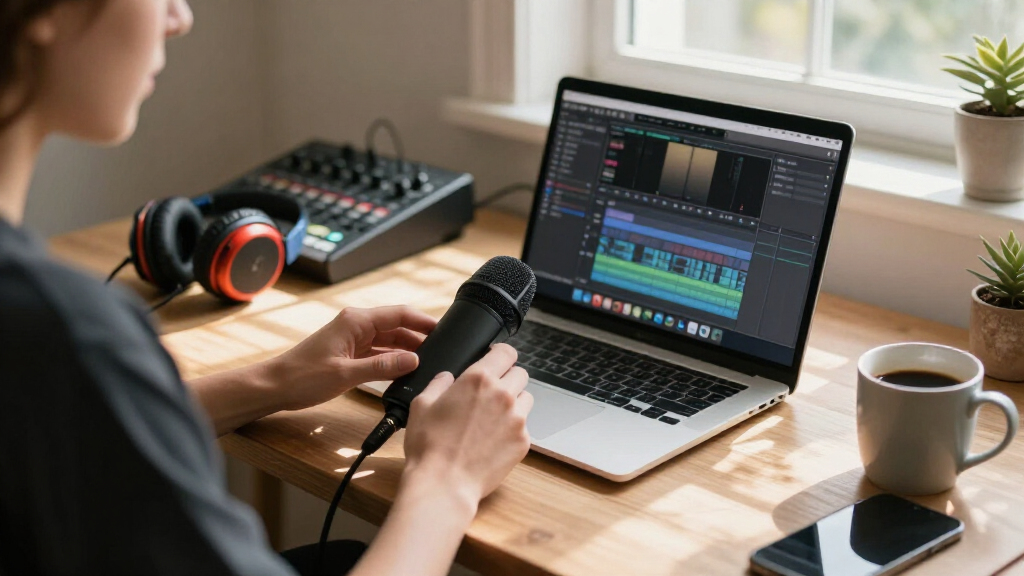

For streamers who want clean, broadcast-style audio without an audio interface, a USB microphone is the simplest path to better sound. The Logitech Blue Yeti stands out as my best overall pick thanks to its four pickup patterns and Blue VOICE software, which give it flexibility no budget mic in this lineup can match. If you want strong value, the FIFINE AmpliGame A6T kit bundles a boom arm and shock mount for less than many bare microphones, while the Audio-Technica AT2020USB-X is the pick for streamers who care most about raw sound quality. The main tradeoff you’ll face is between condenser mics that capture rich detail but also room noise, and dynamic mics like the FIFINE AM8T that reject background clutter in untreated rooms. Read on for the full breakdown and which mic fits your space, budget, and streaming style.

Get audio and creator gear delivered free — and shop member deals
- Fast, free delivery on millions of items
- Access to Prime Big Deal Days deals on October 6–7
- Prime Video, Amazon Music and more included
Complete the kit



Key Takeaways
- The Blue Yeti won best overall because its four pickup patterns and Blue VOICE effects software let it adapt to solo streaming, co-hosted couch streams, and podcasting — flexibility no other mic in this lineup offers.
- Six of the fourteen mics here come from FIFINE, and the comparison revealed clear quality tiers within the brand: the AM8T dynamic and A6T kit outperform the budget K669B by a wide margin in build and noise handling.
- Sub-$30 options like the Amazon Basics condenser and the gooseneck mics work for casual streaming, but they all shared weak gain and flimsy stands — the money you save goes straight to build quality.
- Dynamic mics (the FIFINE AM8T) beat condensers for streamers in untreated, noisy rooms, while condensers (AT2020USB-X, T669) sound fuller only when your room is quiet.
- Monitoring and onboard controls matter more than spec sheets suggest: mics with a headphone jack and tap-to-mute (A6T, TONOR, AM8T) make live streaming far easier than software-only mute buttons.








| USB microphone for streaming | Connectivity | Polar Pattern | Compatibility |
|---|---|---|---|
| Plug & Play USB Computer Micro | USB | — | Windows, Mac |
| Amazon Basics Condenser Microp | USB | Cardioid (Unidirectional) | Windows, Mac (PC/laptop) |
| FIFINE AmpliGame A6T USB Gamin | — | Cardioid | Windows, Mac OS, PS4, PS5 |
| TONOR Gaming Microphone Set wi | USB-A (2.0/3.0) | Unidirectional | — |
| Gaming Microphone for PC: USB | USB, 3.5mm jack | Unidirectional (Cardioid) | — |
| FIFINE AmpliGame A6V USB Gamin | USB | Cardioid | Windows, Mac OS, PS4, PS5 |
| Logitech Blue Yeti USB Microph | USB | — | PC, Mac |
| FIFINE T669 Studio Condenser U | — | Cardioid | PC, Mac (not Xbox) |
| MAONO A04 USB Microphone | USB, USB Type-C | Cardioid | — |
| FIFINE AmpliGame AM8T XLR/USB | USB and XLR | Cardioid | — |
| FIFINE K669B USB Microphone | — | Cardioid | PC, Mac, PS4, PS5 |
| Audio-Technica AT2020USB-X Car | USB-C to USB-A | Cardioid | — |
| ZealSound Podcast Microphone f | USB-C with Lightning adapters included | — | Windows, Mac, PS4, PS5, iPhone, iPad, Android |
| USB Microphone with Adjustable | USB plug and play | — | Windows 7/8/10/11, macOS |
More Details on Our Top Picks
Plug & Play USB Computer Microphone with Flexible Gooseneck and Mute Button LED
At this price, this gooseneck mic isn’t trying to compete with full streaming kits like the FIFINE AmpliGame A6T — and that honesty is its strength. There’s no boom arm, no shock mount, and no headphone jack for monitoring, but the flexible metal gooseneck lets you bend it exactly where you need it, which fixed-base mics like the Amazon Basics condenser can’t do. The omni-directional pickup is a double-edged sword: convenient for casual group chat or dictation, but it will happily capture your keyboard clacks and fan noise during a stream. The mute button with LED indicator is a genuinely useful touch at this price point.
Pros:- Extremely affordable plug-and-play setup
- Flexible gooseneck allows precise positioning
- Mute button with clear LED status indicator
- Durable metal construction for the price
Cons:- Omni-directional pattern captures unwanted background noise
- No headphone jack for zero-latency monitoring
Best for: Casual gamers, students, and anyone who needs a cheap second mic for voice chat or video calls
Not ideal for: Serious streamers — the omni-directional pattern will pull in keyboard and room noise that cardioid mics reject
- Connectivity:USB
- Microphone Type:Omni-directional
- Cable Length:1.8m / 6ft
- Compatibility:Windows, Mac
- Material:Metal gooseneck, ABS shockproof base
- Additional Features:Mute button, LED indicator, windproof fluffy caps
Our verdict“A serviceable voice-chat mic for tight budgets, but streamers serious about audio quality should step up to a cardioid option.”
Amazon Basics Condenser Microphone for PC, Cardioid Pickup, USB Mic for Streaming, Recording, and Podcasting, 360° Adjustable Stand, Plug and Play, Black
This is the no-frills entry point for someone who wants a real condenser capsule without paying for RGB lighting or a boom arm. Compared with the TONOR TC310+, you lose the gain control and lighting entirely — but you also skip the steeper setup learning curve. The cardioid pattern means it focuses on your voice instead of the whole room, a real upgrade over omni-directional budget mics like the gooseneck pick above. The one-tap mute is the only control you get, and the desk stand, while adjustable, transmits vibration if you type during streams. Think of it as the mic you buy to find out whether streaming is your thing before investing in a full kit.
Pros:- Cardioid pattern focuses on voice rather than room noise
- Simple plug-and-play with no drivers
- One-tap mute for quick control
- 360° adjustable stand included
Cons:- No gain control or headphone monitoring
- Desk stand transmits keyboard and desk vibrations
Best for: First-time podcasters and streamers testing the waters on a minimal budget
Not ideal for: Anyone with a mechanical keyboard nearby — the desk stand transmits vibrations and the capsule still picks up background noise
- Connectivity:USB
- Polar Pattern:Cardioid (Unidirectional)
- Form Factor:Large Diaphragm
- Compatibility:Windows, Mac (PC/laptop)
- Special Feature:One-tap mute
- Weight:0.2 kg
- Frequency Response:20 Hz – 20 kHz
Our verdict“A sensible, low-risk first mic that covers the basics, provided you stream in a quiet room.”
FIFINE AmpliGame A6T USB Gaming Microphone Kit
This is the pick where everything comes in the box: boom arm, shock mount, pop filter, and the mic itself. That completeness is what separates it from the Amazon Basics condenser, which leaves you buying accessories separately, and from the desk-stand B0BXPFNNF9 RGB mic, which saves desk clutter but sacrifices positioning flexibility. The cardioid condenser capsule delivers clean voice capture, and the 8.2ft USB-C cable gives you real freedom to route around your setup. The RGB gradient lighting is cosmetic, not functional — if you don’t care about aesthetics, you’re partly paying for pixels. You’ll also need desk edge space for the C-clamp boom arm, so cramped battlestation owners should think twice.
Pros:- Complete kit includes boom arm, shock mount, and pop filter
- Cardioid pattern keeps voice clean during gameplay
- Long 8.2ft USB-C cable for flexible routing
- Works with Windows, Mac, PS4, and PS5
Cons:- RGB lighting inflates the price for users who don’t want it
- C-clamp boom arm requires suitable desk edge space
Best for: New streamers who want one purchase to cover mic, boom arm, shock mount, and pop filter
Not ideal for: Minimalists with small desks — the boom arm and clamp demand real space, and the RGB adds nothing for podcast-only users
- Microphone Type:USB Condenser
- Polar Pattern:Cardioid
- Interface:USB-C to USB-A/C
- Cable Length:8.2ft (2.5m)
- Compatibility:Windows, Mac OS, PS4, PS5
- Lighting:RGB gradient
- Included Accessories:Shock mount, pop filter, boom arm, C-clamp
Our verdict“The easiest one-box path from ‘no streaming gear’ to ‘fully rigged setup’ without compatibility guesswork.”
TONOR Gaming Microphone Set with Boom Arm, USB Condenser Microphone for Content Creators, RGB Lighting, Tap Mute, Gain Control, Streaming Equipment
Where the FIFINE A6T gives you a full kit, the TONOR TC310+ goes a step further on hands-on control: dedicated gain adjustment and tap-to-mute mean you can fix your levels mid-stream without opening software. That’s a genuine advantage over the Amazon Basics mic, which offers nothing beyond a mute tap. The boom arm’s multiple adjustable joints allow finer positioning than most single-hinge competitors. The tradeoff is complexity — beginners may find the multi-part setup more involved than a plug-in-and-go desk mic, and it’s tethered to a USB 2.0/3.0 port on a PC rather than offering console compatibility. If you stream regularly and adjust your audio live, though, the gain knob alone justifies the step up.
Pros:- On-mic gain control for live level adjustments
- Tap-to-mute is fast and reliable mid-stream
- Multi-joint boom arm enables precise positioning
- Customizable RGB lighting with adjustable modes and brightness
Cons:- Setup is more involved than plug-and-play desk mics
- Requires a PC USB 2.0/3.0 port — no console support
Best for: Regular streamers who want to tweak gain and mute on the fly without touching software settings
Not ideal for: Console streamers and absolute beginners — it’s PC-focused and the multi-joint setup takes patience
- Connectivity:USB-A (2.0/3.0)
- Polar Pattern:Unidirectional
- Type:USB Condenser
- Signal-to-Noise Ratio:78 dB
- Hardware Platform:PC
- Controls:Tap mute, gain control
- Material:ABS, alloy steel
Our verdict“The right pick if you stream often enough that hardware gain and mute controls will actually get used.”
Gaming Microphone for PC: USB Condenser Mic with RGB Lights, Mute Button, Pop Filter, Compatible with PS4/5 & Computers
This mic’s standout trick is the built-in headphone jack for real-time monitoring — something the Amazon Basics condenser lacks entirely, and genuinely valuable for hearing exactly what your audience hears. Combined with PS4/PS5 compatibility, it’s a stronger console choice than the PC-only TONOR TC310+. The weighted metal base keeps it planted on a desk, which is simpler than wrestling a boom arm, but it also means you can’t float the mic over your keyboard the way the FIFINE A6T kit allows. The one-touch mute sensor with visual feedback is quick, and the cardioid tri-capsule design keeps game-room noise reasonably contained for the price.
Pros:- Built-in headphone jack for zero-latency monitoring
- Works with PS4/PS5 as well as PC and Mac
- Weighted metal base stays stable during intense sessions
- One-touch mute with visual indicator
Cons:- Fixed desk base can’t be repositioned like a boom arm
- Footprint is bulky for small setups
- Requires USB power, limiting portability
Best for: Console streamers and gamers who want zero-latency headphone monitoring without a boom-arm setup
Not ideal for: Owners of cramped desks or keyboard-heavy gamers — the weighted base footprint is bulkier than a clamp-mounted boom arm
- Connectivity:USB, 3.5mm jack
- Polar Pattern:Unidirectional (Cardioid)
- Form Factor:Tri-Capsule Array
- Compatible Devices:PC, PS4, PS5, headphones
- Signal-to-Noise Ratio:78 dB
- Sensitivity:45 dB
- Special Features:Mute sensor, RGB lighting, monitoring jack
Our verdict“A smart pick for console-first streamers who value direct monitoring over mounting flexibility.”
FIFINE AmpliGame A6V USB Gaming Microphone with RGB Lighting
This option stands out for bundling nearly everything a new streamer needs into one affordable box: shock mount, pop filter, tripod, and a mic with onboard quick mute and gain control. The 192kHz sampling spec looks impressive on paper, though most streaming platforms compress audio anyway — the real benefit is clean, detailed voice capture rather than raw spec bragging rights. Compared with the FIFINE T669, the A6V trades the boom arm for RGB lighting and touch controls, which makes more sense for a visible desk setup on camera. The seven-color gradient syncs nicely with a gaming rig, but streamers running minimalist or professional-looking backgrounds may find it a distraction. There is also no XLR path here, so unlike the AmpliGame AM8T, this mic has no upgrade route if you later move to an audio interface.
Pros:- Complete accessory bundle with shock mount, pop filter, and tripod included
- Onboard quick mute and gain control without needing software
- RGB lighting complements a gaming setup on camera
- Wide compatibility including PS4 and PS5
Cons:- No XLR option, locking you into USB forever
- RGB lighting cannot be fully hidden and may clash with professional branding
- Tripod stand takes up desk space and is less flexible than a boom arm
Best for: New Twitch or YouTube streamers who want a complete plug-and-play kit with aesthetic flair
Not ideal for: Streamers planning to upgrade to an XLR audio interface later, since USB is the only output
- Sampling Rate:192kHz
- Polar Pattern:Cardioid
- SNR:70dB
- RGB Lighting:Gradient RGB with 7 colors
- Connectivity:USB
- Cable Length:6.6 feet
- Compatibility:Windows, Mac OS, PS4, PS5
Our verdict“Buy this if you want a colorful, all-in-one starter mic for streaming; skip it if you ever plan to go the XLR route.”
Logitech Blue Yeti USB Microphone (Blackout)
Few USB microphones match the Blue Yeti’s four pickup patterns — cardioid, omni, bidirectional, and stereo — which is why this model is better suited to creators who podcast with guests, record music, or stream, all with one mic. Compared with single-pattern options like the MAONO A04, the Yeti is far more flexible for multi-person recording: omni mode captures a room, while bidirectional handles face-to-face interviews. The tradeoff is complexity. Full functionality depends on Logitech’s G HUB software, where Blue VO!CE effects live, and the learning curve there will frustrate anyone who just wants plug-and-play simplicity — the FIFINE T669 handles that job with zero software. The included desktop stand is serviceable but wobbles compared with a proper boom arm, so budget for a mount if you gesture a lot on stream.
Pros:- Four pickup patterns cover nearly every recording scenario
- Blue VO!CE software adds broadcast-style effects and modulation
- Full onboard control of gain, mute, and headphone volume
- True plug-and-play hardware installation on PC and Mac
Cons:- Best features locked behind G HUB software with a non-trivial learning curve
- Included desktop stand is less stable than a boom arm
- Large footprint crowds small desks
Best for: Podcasters and multi-format creators who need one mic for solo streaming, interviews, and room recording
Not ideal for: Buyers who want zero software setup, since G HUB is required for the best features
- Pickup Patterns:Cardioid, Omni, Bidirectional, Stereo
- Connectivity:USB
- Software:Blue VO!CE via Logitech G HUB
- Controls:Headphone volume, pattern selection, mute, mic gain
- Included Accessories:Desktop stand
- Compatibility:PC, Mac
Our verdict“This pick makes the most sense for creators working across formats who will invest time in the software; pure simplicity-seekers should look elsewhere.”
FIFINE T669 Studio Condenser USB Microphone
The T669 is the value champion of this lineup because it includes a full 30-inch boom arm, shock mount, and pop filter at a price where competitors often ship just the mic. That boom arm is the key differentiator: compared with the FIFINE AmpliGame A6V’s tripod, the T669 frees up desk space and lets you position the capsule close to your mouth, which dramatically improves presence on stream. Sound quality is solid, clean cardioid capture for voice work, though it won’t match more refined condensers like the Audio-Technica AT2020USB-X in detail. The main weakness is noise rejection — as a condenser, it picks up keyboard clacks and room echo if placement is sloppy, and there’s no onboard gain control to dial things in. Xbox streamers are out of luck entirely due to compatibility limits.
Pros:- Complete kit includes boom arm, shock mount, and pop filter
- Boom arm positioning greatly improves voice presence on stream
- Genuinely plug-and-play with no drivers or software
- Durable metal build for the price
Cons:- Condenser capsule captures keyboard and room noise readily
- No onboard controls like mute or gain
- Incompatible with Xbox consoles
Best for: Budget-conscious podcasters and streamers who want a boom arm setup without buying accessories separately
Not ideal for: Streamers in echoey rooms or with loud mechanical keyboards, since the condenser picks up ambient noise
- Connection:USB
- Polar Pattern:Cardioid
- Frequency Response:Wide
- Boom Arm Reach:30 inches
- Included Accessories:Boom arm, pop filter, USB cable, shock mount
- Compatibility:PC, Mac (not Xbox)
Our verdict“The best bang-for-buck full kit here if you have a reasonably quiet room and want the boom arm included.”
MAONO A04 USB Microphone, 192kHz/24Bit Condenser Mic Kit
What separates the MAONO A04 from the rest of this lineup is device flexibility — the USB-C connectivity means it works with phones and tablets alongside PC, Mac, PS4, and PS5, making it a smart pick for streamers who go live from a phone or record mobile content. The professional sound chipset and 16mm capsule deliver noticeably richer voice than the Amazon Basics condenser, and the all-metal build feels like a more expensive mic. Against the FIFINE T669, the A04 offers similar kit completeness — arm, shock mount, pop filter, plus a foam windscreen — but its frequency response tops out at 16kHz, so it lacks the airy top-end detail of higher-spec mics. Note that the boom arm is somewhat flimsy under the weighty all-metal body, and like the T669, it’s a no-go on Xbox.
Pros:- USB-C support extends compatibility to mobile phones and tablets
- Professional sound chipset with a 16mm capsule for rich vocal tone
- Full accessory kit including arm, shock mount, pop filter, and windscreen
- Robust all-metal construction
Cons:- Frequency response capped at 16kHz loses high-end clarity
- Included arm stand is less sturdy than the mic’s weight deserves
- No Xbox compatibility
Best for: Creators who stream or record across phones, consoles, and computers and want one mic for everything
Not ideal for: Audiophile voice-over work, since the 16kHz frequency ceiling dulls high-frequency detail
- Connectivity:USB, USB Type-C
- Sample Rate / Bit Depth:192kHz / 24Bit
- Polar Pattern:Cardioid
- Capsule:16mm
- Frequency Range:30Hz – 16kHz
- Signal-to-Noise Ratio:70dB
- Compatible Devices:PC, Mac, PS4, PS5, mobile phones
Our verdict“Choose this if multi-device streaming from phone, console, and PC is your reality; dedicated studio vocalists may want wider frequency range.”
FIFINE AmpliGame AM8T XLR/USB Gaming Microphone Set
The AM8T answers the biggest limitation of every other mic in this batch: it offers both USB and XLR outputs, so you can start plug-and-play today and add an audio interface later without buying a new microphone. That alone makes it the most future-proof pick here. It’s also a dynamic capsule, unlike the condensers on the FIFINE T669 or MAONO A04, which means far better rejection of keyboard noise and room echo — a real advantage for streamers in untreated bedrooms. Onboard tap-to-mute, a gain knob, and real-time headphone monitoring round out a genuinely pro feature set. The tradeoffs: you’ll need to buy an XLR cable separately when you upgrade, the desk clamp only fits tables under 2 inches thick, and dynamics demand close positioning, so the included boom arm is less of a bonus and more of a requirement.
Pros:- Dual USB and XLR outputs provide a real upgrade path
- Dynamic capsule rejects keyboard and background noise better than condensers
- Onboard mute, gain control, and zero-latency monitoring
- Sturdy boom arm included for flexible positioning
Cons:- XLR cable not included, adding cost to the eventual upgrade
- Desk clamp limited to tables under 2 inches thick
- Requires close mic technique that some streamers find awkward on camera
Best for: Streamers who want to start on USB now and graduate to an XLR interface setup without replacing the mic
Not ideal for: Casual users unwilling to mic closely or fuss with positioning, since dynamic capsules need proximity
- Connectivity:USB and XLR
- Microphone Type:Dynamic
- Polar Pattern:Cardioid
- Sensitivity:-50dB
- RGB Lighting:Customizable, tap to control
- Included Accessories:Boom arm stand, C-clamp, USB-C cable
- Desk Clamp Compatibility:Desktop thickness up to 2 inches
Our verdict“The smart buy for serious streamers planning an XLR future — dynamic noise rejection and dual outputs no other mic here matches.”
FIFINE K669B USB Microphone, Condenser Recording Mic for Vocals and Meetings
For anyone who wants to start streaming without spending more than thirty dollars, the FIFINE K669B is the sensible entry point in this lineup. The plug-and-play design means no drivers, no phantom power, and no configuration anxiety — a genuine advantage over feature-heavy options like the ZealSound K66, whose gain, echo, and noise-reduction controls can overwhelm a first-time streamer. The metal build also feels sturdier than the gooseneck models in this roundup, which lean on flexible plastic arms. The tradeoff is limited flexibility: USB-A only, no headphone jack for monitoring your own voice, and no mute button, so coughing mid-broadcast means reaching for software controls. Compared with the pricier FIFINE T669, it lacks a boom arm and shock mount, but for clean, understandable voice audio on a tight budget, this pick makes the most sense.
Pros:- Plug-and-play setup with no drivers or phantom power required
- Durable all-metal construction rare at this price
- Onboard volume knob for quick output adjustment
- Clear, crisp voice capture with basic noise reduction
Cons:- No headphone jack, so you cannot monitor yourself in real time
- USB-A only — no USB-C support for modern laptops without adapters
- No mute button; silencing mid-stream requires software controls
Best for: First-time streamers and students who need acceptable voice quality for under thirty dollars
Not ideal for: Streamers who need zero-latency self-monitoring or an onboard mute button — this mic has neither
- Connection:USB-A
- Polar Pattern:Cardioid
- Cable Length:5.9 feet
- Build:Metal
- Compatibility:PC, Mac, PS4, PS5
- Power:USB-powered, no phantom power needed
Our verdict“Buy this if you want the cheapest reliable way to sound better than a headset mic; skip it if monitoring and muting matter to your workflow.”
Audio-Technica AT2020USB-X Cardioid Condenser USB Microphone
The AT2020USB-X stands out for studio-grade audio fidelity, and its 24-bit/96 kHz resolution puts it a clear step above the MAONO A04 and every other condenser here for streamers who care about how their voice actually sounds. The built-in headphone jack with direct monitoring is the feature the cheaper FIFINE models skip, letting you hear exactly what your audience hears without latency. Compared with the Blue Yeti, it trades multi-pattern flexibility for a tighter, more focused cardioid pickup that rejects room noise better in untreated spaces — a meaningful difference if you stream from a bedroom rather than a treated studio. The drawbacks are real, though: no XLR output means no upgrade path to an audio interface later, and the price sits well above most of this lineup. This model is better suited to streamers building a long-term setup than bargain hunters.
Pros:- High-resolution 24-bit/96 kHz audio beyond most USB mics in this price class
- Zero-latency headphone monitoring built in
- Hardware mute button with clear LED status indicator
- Trusted Audio-Technica condenser heritage with desk stand and adapters included
Cons:- No XLR output, so there is no path to professional interface workflows
- Cardioid-only pattern limits flexibility compared with the Blue Yeti’s four modes
- Noticeably pricier than the FIFINE and TONOR options in this roundup
Best for: Serious podcasters and streamers in untreated rooms who prioritize voice fidelity over gadget features
Not ideal for: Buyers planning to move to an XLR interface setup — USB-only locks out that upgrade path
- Polar Pattern:Cardioid
- Sampling Rate:24-bit/96 kHz
- Frequency Response:Extended
- Connectivity:USB-C to USB-A
- Monitoring:Built-in headphone jack
- Mute Button:Yes (red LED when muted)
- Included Accessories:Desk stand, USB-C to USB-A cable, USB-A to USB-C adapter
Our verdict“If voice quality is your brand and you stream long-term from one desk, this is the premium pick; if you want maximum features per dollar, look elsewhere in this lineup.”
ZealSound Podcast Microphone for PC, Noise Cancellation USB Mic with Gain, Volume Adjustment & Mute Button
What makes the ZealSound K66 distinct in this roundup is device flexibility: with included Lightning adapters, it works with iPhones, iPads, and Android devices alongside Windows, Mac, and consoles — something no FIFINE or Audio-Technica model here can claim. For creators streaming from a phone on TikTok Live one day and a PC setup the next, that versatility is the whole point. Feature density is another strength: adjustable gain, zero-latency monitoring, echo control, a noise-reduction mode, and a mute button give it more hands-on control than the FIFINE K669B, though far less audio refinement than the AT2020USB-X. The tradeoffs cut both ways — those layered controls demand a learning curve before they help rather than confuse, and the noise reduction softens but does not eliminate background noise in genuinely loud rooms. This pick makes the most sense for multi-platform creators, not purists chasing fidelity.
Pros:- Works across iPhone, iPad, Android, Windows, Mac, PS4, and PS5 with included adapters
- Zero-latency headphone monitoring with adjustable volume
- Onboard gain, echo, and mute controls for live adjustment
- Dedicated noise-reduction mode for cleaner streams
Cons:- Layered controls create a real learning curve for beginners
- Noise reduction cannot fully handle very noisy environments
- Audio resolution trails the AT2020USB-X despite similar-or-higher feature count
Best for: Multi-platform creators who stream to phones, tablets, and PCs and want onboard controls
Not ideal for: Audio purists who want the cleanest signal path — the processing and controls add complexity without matching AT2020USB-X fidelity
- Frequency Response:40Hz–18kHz
- Sampling Rate:46kHz
- Sensitivity:–45dB ±3dB
- Connectivity:USB-C with Lightning adapters included
- Compatibility:Windows, Mac, PS4, PS5, iPhone, iPad, Android
- Controls:Gain, volume, echo, mute button
- Features:Noise reduction mode, zero-latency monitoring
Our verdict“Choose this if your streaming life spans phone and desktop; choose a dedicated desktop mic if you never leave your PC.”
USB Microphone with Adjustable Gooseneck, Mute Button, and Noise-Canceling Technology
This gooseneck mic occupies a different niche than the broadcast-style condensers dominating this roundup: it is a minimal-footprint communication mic, not a voice-performance tool. The 360-degree flexible arm lets you bend it out of the way between matches or position it close for voice commands and dictation, while the mute button with LED indicator gives it one clear advantage over the cheaper FIFINE K669B, which has no hardware mute at all. Plug-and-play operation on Windows and macOS means zero setup friction. The honest tradeoff: it will not make your voice sound rich or broadcast-ready the way the TONOR gaming mic set or AT2020USB-X can — this is about intelligible comms, not stream personality. Compatibility is also narrow, excluding Xbox, Android, and Raspberry Pi, so console-focused buyers should look at FIFINE options instead.
Pros:- 360-degree gooseneck positions exactly where needed and folds away when not in use
- Hardware mute button with LED indicator for instant silencing
- Plug-and-play on Windows and macOS with no drivers
- Small footprint keeps desk space free compared with boom-arm kits
Cons:- Audio quality trails full condenser mics like the AT2020USB-X by a wide margin
- Incompatible with Xbox, Android, and Raspberry Pi
- Gooseneck design offers no shock mount or vibration isolation
Best for: PC gamers and remote workers who want clear voice chat and dictation without a boom-arm mic dominating the desk
Not ideal for: Streamers building a vocal brand — audio quality is comms-level, not broadcast-level
- Design:360-degree adjustable gooseneck
- Connectivity:USB plug and play
- Compatibility:Windows 7/8/10/11, macOS
- Mute Button:Yes
- LED Indicator:Yes
- Noise Cancellation:Yes
- Cable Length:6 feet
- Material:Metal pipe, ABS stand
Our verdict“Buy this for clutter-free voice chat and dictation; buy a real condenser if your voice is the product.”
How We Picked
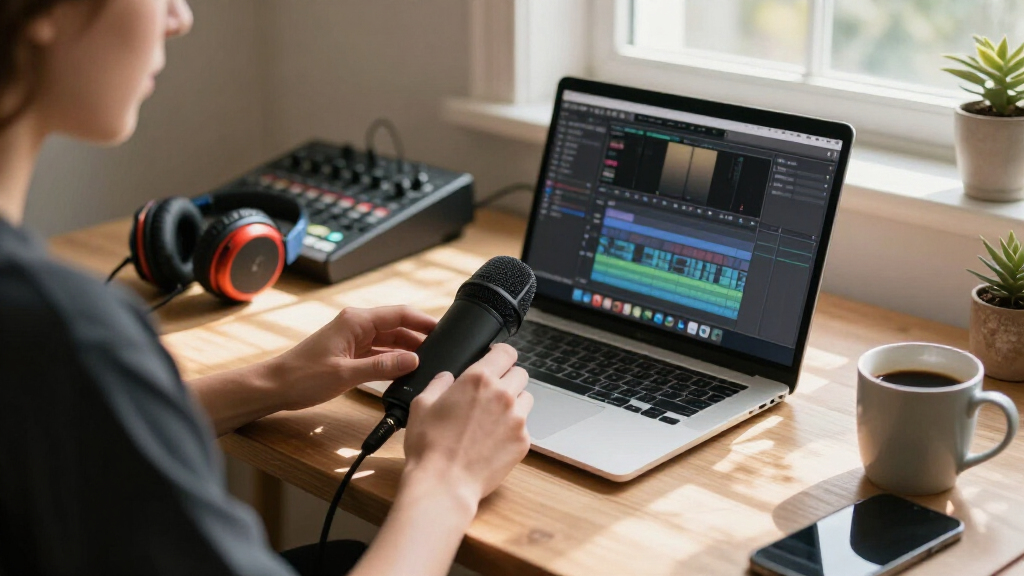
My ranking starts with audio performance in a real streaming context — not just frequency response numbers. I prioritized mics that keep voice clear during live gameplay, reject keyboard and fan noise, and avoid the harsh sibilance that plagues cheap condensers. Dynamic capsules got extra credit for untreated rooms, since most streamers don’t record in a treated studio. I also weighed usability features that matter mid-stream: a headphone jack for zero-latency monitoring, a physical mute button you can hit without looking, and gain control on the mic itself rather than buried in software.
From there, I scored each mic on build quality and kit completeness — whether a boom arm, shock mount, or pop filter was included, and whether the stand would survive daily adjustments. Finally, I applied a value filter: a $30 mic that performs like a $30 mic doesn’t outrank a $60 kit that performs like a $100 one. That’s why complete kits like the FIFINE A6T and TONOR set rank above cheaper bare mics, and why the Blue Yeti and AT2020USB-X earn their premium prices with capabilities budget options simply don’t have.
| USB microphone for streaming | Polar Pattern |
|---|---|
| Plug & Play USB Computer Micro | — |
| Amazon Basics Condenser Microp | Cardioid (Unidirectional) |
| FIFINE AmpliGame A6T USB Gamin | Cardioid |
| TONOR Gaming Microphone Set wi | Unidirectional |
| Gaming Microphone for PC: USB | Unidirectional (Cardioid) |
| FIFINE AmpliGame A6V USB Gamin | Cardioid |
| Logitech Blue Yeti USB Microph | — |
| FIFINE T669 Studio Condenser U | Cardioid |
| MAONO A04 USB Microphone | Cardioid |
| FIFINE AmpliGame AM8T XLR/USB | Cardioid |
| FIFINE K669B USB Microphone | Cardioid |
| Audio-Technica AT2020USB-X Car | Cardioid |
| ZealSound Podcast Microphone f | — |
| USB Microphone with Adjustable | — |
Factors to Consider When Choosing USB Microphone For Streaming
Before you pick a mic from the list above, it helps to understand what actually separates a good streaming mic from a disappointing one. These are the factors that shaped my rankings — and the mistakes I see buyers make most often.Condenser vs. Dynamic: Your Room Decides for You
The single biggest decision is capsule type, and most buyers get it wrong by defaulting to condenser because it sounds “studio-grade.” A condenser mic captures rich detail but also picks up everything: mechanical keyboards, ceiling fans, echo off bare walls. If you stream from a bedroom with no acoustic treatment, a dynamic mic like the FIFINE AM8T will sound cleaner despite technically capturing less detail. Condensers shine in quiet, soft-furnished rooms where that extra detail isn’t drowned out by reflections. Many buyers upgrade from a condenser to a dynamic and are surprised their room noise problem disappears overnight. Match the mic to your space, not to a spec sheet.
Zero-Latency Monitoring Is Non-Negotiable
A headphone jack on the mic itself lets you hear exactly what your audience hears, with no delay. Without it, you’re either guessing how you sound or dealing with the echo from monitoring through your PC’s audio path — a problem software can’t fully fix. This is why mics like the FIFINE T669 and AmpliGame A6T punch above their price: they include monitoring where many budget mics cut it to save cost. If you plan to stream with music, sound effects, or game audio, onboard monitoring becomes even more valuable because you can balance your voice against everything else in real time. Treat this feature as a baseline requirement, not a bonus.
Onboard Controls vs. Software Everything
A physical mute button you can tap mid-sentence is worth more than any software feature. When a coughing fit or a family member walks in, you need silence instantly and without alt-tabbing. The same goes for gain knobs — adjusting mic sensitivity with a dial on the mic beats digging through OBS or Windows settings every time your voice changes distance. Mics like the TONOR and FIFINE A6V handle this well with tap-to-mute and dedicated gain control. Software suites like Blue VOICE add real value for effects and processing, but only after the hardware basics are covered. Prioritize physical controls first, fancy software second.
What’s in the Kit Matters as Much as the Mic
Budget buyers often compare mic prices without noticing that a bare mic still needs a boom arm, shock mount, and pop filter — easily another $30-50 if bought separately. That’s why complete kits dominated my value rankings: the FIFINE A6T and TONOR sets include the accessories that make a stream look and sound professional. A desk stand that vibrates every time you type will ruin an otherwise good mic, which is why the flimsy stands on cheap gooseneck models held them back. If you’re comparing a $50 mic alone against a $70 kit, the kit is usually the better deal. Do the math on the full setup, not just the microphone.
Beware RGB and Specs That Don’t Matter
RGB lighting looks great on camera, and there’s nothing wrong with wanting a mic that matches your setup — but it should never be the reason you pay extra. Some of the best-sounding mics here (Audio-Technica AT2020USB-X, FIFINE T669) have zero lighting, while some weaker mics lean on visuals to justify their price. Similarly, ignore marketing specs like 192kHz/24-bit sample rates: streaming platforms compress your audio anyway, and no listener can hear the difference between 48kHz and 192kHz on Twitch or YouTube. Spend your budget on the capsule, the accessories, and the controls — not the numbers on the box.
Future-Proofing: The XLR Question
If you see yourself upgrading your audio seriously in a couple of years, a hybrid USB/XLR mic like the FIFINE AM8T is a smarter buy than a pure USB model. It works plug-and-play today, but when you eventually buy an audio interface, the same mic carries forward. This saves you from replacing a $60-100 purchase down the road. That said, if you’re a casual streamer happy with USB simplicity forever, don’t pay extra for XLR capability you’ll never use. The upgrade path only matters for people serious enough about audio to eventually own an interface. Be honest about which streamer you are.
Frequently Asked Questions
Is a USB microphone good enough for streaming, or do I need XLR?
For the vast majority of streamers, USB is genuinely good enough — platforms like Twitch and YouTube compress your audio heavily anyway, so the theoretical quality advantage of XLR rarely survives compression. What XLR actually buys you is better preamps, more control, and the ability to run multiple mics, which matters for podcasts or co-hosted setups. The Blue Yeti and Audio-Technica AT2020USB-X both produce streaming audio that most listeners cannot distinguish from entry-level XLR chains. If you want a middle path, the FIFINE AM8T offers both USB and XLR outputs so you can start simple and upgrade later without buying a new mic. Choose XLR only when you have a specific reason, not because forums told you USB is amateur.
Why does my USB microphone pick up my keyboard and fan noise?
Almost certainly because you bought a condenser mic, which is designed to capture detail across a wide area — including your mechanical keyboard and room fan. This isn’t a defect; it’s how condensers work. You have three fixes: move the mic closer to your mouth (4-6 inches) and reduce gain so it stops listening to the whole room, add soft furnishings to kill reflections, or switch to a dynamic mic like the FIFINE AM8T that only hears what’s directly in front of it. Position fixes help immediately and cost nothing, but if your room is genuinely loud, a dynamic capsule is the only real solution. Software noise suppression in OBS or NVIDIA Broadcast can also reduce the problem, though it can make voices sound processed.
Do I need a boom arm, or is the included desk stand fine?
Included stands work for testing a mic, but almost every streamer upgrades within months. A boom arm lets you position the mic at the right distance and angle without cluttering your desk, and it isolates the mic from desk vibrations — keyboard thumps and mouse clicks travel straight up a desk stand into your audio. That’s why my value picks lean toward kits like the FIFINE A6T and TONOR set, which include a boom arm from day one. If your mic comes with a basic stand, budget roughly $20-30 for an arm. The exception is compact gooseneck mics, which trade positioning flexibility for a smaller footprint and are fine for casual, desk-bound streaming.
Is a $25 microphone actually usable for streaming, or will it sound bad?
A $25 mic is usable, but the ceiling is low and the tradeoffs are consistent across every budget model I compared. Expect thin sound, weak gain that forces you to crank software levels (adding hiss), lightweight stands, and no monitoring jack. The Amazon Basics condenser is the honest example: it works, it’s better than a headset mic, and it’s a reasonable way to test whether streaming sticks before investing. But if you already stream regularly, spending $50-70 on a kit like the FIFINE A6T buys dramatically better voice quality, real accessories, and features you won’t outgrow in three months. My rule: cheap mics are for trying streaming, not for doing it.
Are RGB lighting and high sample rates worth paying extra for?
RGB is worth it only if it genuinely matters to your stream’s look — some creators film their desk setup, and a matching mic is part of the brand. But never let lighting pull you toward a weaker-sounding mic at the same price. Sample rates are an even easier call: 192kHz/24-bit marketing means nothing for streaming, because Twitch and YouTube compress your audio down to a fraction of that quality regardless of what you record at. The mics that top my rankings (Blue Yeti, AT2020USB-X) don’t win on spec-sheet numbers — they win on capsule quality, controls, and accessories. Pay for the sound and the features you’ll actually use, and treat everything on the box as decoration.
Conclusion
The right pick comes down to what kind of streamer you are. For best overall, the Logitech Blue Yeti is the safest bet — its pickup patterns, Blue VOICE software, and monitoring make it the most versatile mic in this lineup, and the one least likely to need replacing. The best value goes to the FIFINE AmpliGame A6T kit, which includes a boom arm, shock mount, and tap-to-mute for a price that undercuts many bare microphones. For best premium, the Audio-Technica AT2020USB-X delivers the cleanest voice capture here, provided your room is quiet enough to do it justice.
Beginners who aren’t sure streaming will stick should start with the Amazon Basics condenser or the FIFINE K669B — cheap, simple, and easy to upgrade from. For specific needs: streamers in noisy, untreated rooms should choose the FIFINE AM8T dynamic mic, mobile creators who stream from phones will appreciate the ZealSound’s device compatibility, and anyone who wants a future XLR upgrade path gets it in the AM8T. Whatever you choose, a headphone jack, a physical mute button, and a boom arm will do more for your stream than any spec on the box.
Fall Picks
fall essentials
As an affiliate, we earn on qualifying purchases.