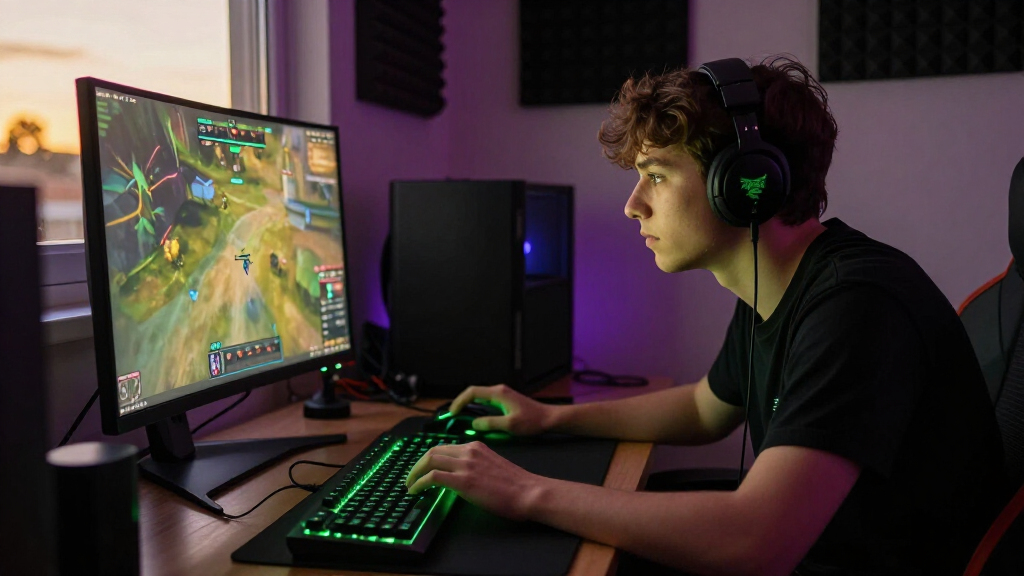

The best Razer gaming setup depends on which part of your desk needs an upgrade: for an all-around audio pick, I’d start with the BlackShark V3 Pro, while the Basilisk V3 suits players who want a feature-rich wired mouse. The BlackWidow V4 X adds a mechanical keyboard with dedicated controls, and the compact Leviathan V2 X makes sense when you want desk audio without a headset. These products fill different roles, so the main tradeoffs are wired reliability versus wireless freedom, personal audio versus speakers, and extra controls versus a simpler setup. Razer’s lineup also includes lower-cost wired peripherals and a gaming chair, but not every item will suit every desk or budget. Read on for the full comparison and help choosing the pieces that fit your setup.

Get audio and creator gear delivered free with Prime
- Fast, free delivery on millions of items
- Prime Video, Amazon Music and more included
- Member-only deals all year
Complete the kit


Key Takeaways
- The BlackShark V3 Pro is the most complete headset pick in this group, while the wired V2 X is a simpler choice for buyers who can do without wireless freedom and active noise cancellation.
- The Basilisk V3 prioritizes wired control and extra inputs; the Basilisk V3 X HyperSpeed trades its cable for wireless convenience, so the better fit depends on how you use your desk.
- Audio choice changes how the setup feels: headsets keep sound personal, while the compact Leviathan V2 X and Nommo Chroma speakers suit shared listening at the desk.
- The BlackWidow V4 X brings mechanical keys and dedicated controls to a setup, but it takes more desk space and adds more complexity than a basic keyboard.
- The roundup spans individual upgrades rather than matched bundles. Choose compatible pieces around your play habits and desk space instead of assuming the listed products form one coordinated kit.
| Razer BlackShark V3 Pro Wireless ANC Gaming Headset for PC, Black |  | Best Premium Headset | Wireless latency: As low as 10 ms with HyperSpeed Wireless Gen-2 | Drivers: TriForce Bio-Cellulose 50 mm Gen-2 | Frequency response: 12 Hz–28 kHz | VIEW LATEST PRICE | See Our Full Breakdown |
| Razer BlackShark V2 X Gaming Headset with 7.1 Surround Sound |  | Best Lightweight Wired Headset | Driver size: 50 mm titanium-coated drivers | Weight: 240 g | Connection: 3.5 mm audio jack | VIEW LATEST PRICE | See Our Full Breakdown |
| Razer DeathAdder Essential Ergonomic Wired Gaming Mouse, Black |  | Best Simple Wired Mouse | Sensor: 6,400 DPI optical | Connectivity: Wired | Programmable buttons: 5 | VIEW LATEST PRICE | See Our Full Breakdown |
| Razer Kraken Gaming Headset with Retractable Microphone, Black/Blue |  | Best for Comfortable Wired Sessions | Driver size: 50 mm | Surround sound: Software-enabled 7.1 on Windows 10 64-bit | Microphone: Retractable, cardioid, noise-isolating | VIEW LATEST PRICE | See Our Full Breakdown |
| Razer Basilisk V3 Wired Ergonomic Gaming Mouse |  | Best for Custom Controls | Connectivity: USB wired | Design: Ergonomic with thumb rest | Programmable buttons: 11 | VIEW LATEST PRICE | See Our Full Breakdown |
| Razer BlackWidow V4 X Mechanical Gaming Keyboard with Yellow Switches |  | Best for Quiet, Macro-Heavy Play | Connectivity: Wired | Switch type: Linear Yellow | Switch actuation point: 1.2 mm | VIEW LATEST PRICE | See Our Full Breakdown |
| Razer BlackShark V3 X HyperSpeed Wireless Gaming Headset | 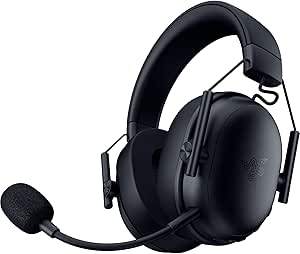 | Best Multi-Device Wireless Value | Driver size: 50 mm | Microphone: Detachable HyperClear cardioid, 9.9 mm | Connectivity: 2.4 GHz wireless, Bluetooth, USB | VIEW LATEST PRICE | See Our Full Breakdown |
| Razer BlackShark V3 Wireless Gaming Headset, Black |  | Best for Long Wireless Sessions | Battery life: 70 hours | Weight: 270 g | Driver size: 50 mm titanium-coated | VIEW LATEST PRICE | See Our Full Breakdown |
| Razer Leviathan V2 X Compact PC Gaming Soundbar |  | Best Compact Audio Upgrade | Audio output: Stereo | Drivers: Two full-range drivers and two passive radiators | Connectivity: USB-C, Bluetooth 5.0 | VIEW LATEST PRICE | See Our Full Breakdown |
| Razer Nommo Chroma 2.0 Gaming Speakers |  | Best for Separated Desktop Stereo | Speaker configuration: 2.0 stereo | Driver size: 3 inches | Connectivity: USB or 3.5 mm auxiliary | VIEW LATEST PRICE | See Our Full Breakdown |
| Razer Barracuda X Wireless Gaming & Mobile Headset, Quartz Pink |  | Best for Gaming and Mobile | Connectivity: 2.4GHz wireless and Bluetooth | Drivers: TriForce 40mm | Battery life: Up to 50 hours | VIEW LATEST PRICE | See Our Full Breakdown |
| Razer Soma Chroma Ergonomic Gaming Chair with Reactive RGB Lighting |  | Best for a Lighting-Centered Setup | Lighting: Razer Chroma RGB, syncs with more than 300 games | Seat cushion: Dual-density foam | Lumbar support: Built-in lumbar arch | VIEW LATEST PRICE | See Our Full Breakdown |
| Razer Basilisk V3 X HyperSpeed Wireless Gaming Mouse |  | Best for Wireless Customization | Connectivity: Razer HyperSpeed Wireless and Bluetooth | Customizable controls: 9 | Optical sensor: 18,000 DPI | VIEW LATEST PRICE | See Our Full Breakdown |
| Razer gaming setup | Connectivity |
|---|---|
| Razer BlackShark V3 Pro Wirele | 2.4 GHz wireless, Bluetooth 5.3, USB wired, and 3.5 mm analog |
| Razer BlackShark V2 X Gaming H | — |
| Razer DeathAdder Essential Erg | Wired |
| Razer Kraken Gaming Headset wi | 3.5 mm headphone jack |
| Razer Basilisk V3 Wired Ergono | USB wired |
| Razer BlackWidow V4 X Mechanic | Wired |
| Razer BlackShark V3 X HyperSpe | 2.4 GHz wireless, Bluetooth, USB |
| Razer BlackShark V3 Wireless G | 2.4 GHz wireless, Bluetooth 5.3, USB |
| Razer Leviathan V2 X Compact P | USB-C, Bluetooth 5.0 |
| Razer Nommo Chroma 2.0 Gaming | USB or 3.5 mm auxiliary |
| Razer Barracuda X Wireless Gam | 2.4GHz wireless and Bluetooth |
| Razer Soma Chroma Ergonomic Ga | 2.4GHz and Bluetooth |
| Razer Basilisk V3 X HyperSpeed | Razer HyperSpeed Wireless and Bluetooth |
More Details on Our Top Picks
Razer BlackShark V3 Pro Wireless ANC Gaming Headset for PC, Black
Low-latency wireless, active noise cancellation, and broad device support make the BlackShark V3 Pro the most feature-rich headset in this batch. Its 2.4 GHz connection is rated as low as 10 ms, while Bluetooth, USB, and 3.5 mm options let it move between a gaming PC, console, and phone. Compared with the wired Razer Kraken, it offers more freedom and ANC; the Kraken keeps things simpler with in-line controls and cooling gel cushions. The V3 Pro’s up to 70-hour battery life suits long sessions, but its roughly 367 g weight is higher than the 240 g BlackShark V2 X. THX Spatial Audio is limited to Windows, so its strongest setup benefits depend on the platform.
Pros:- 2.4 GHz wireless latency rated as low as 10 ms
- Hybrid ANC and several wired and wireless connection options
- Up to 70 hours of battery life over 2.4 GHz
- Detachable microphone and THX Spatial Audio on Windows
Cons:- At approximately 367 g, it is heavier than the BlackShark V2 X
- THX Spatial Audio support is limited to Windows
- Its many features may be unnecessary for players who are happy with a basic wired headset
Best for: PC and console players who want wireless flexibility, ANC, and one headset for gaming and mobile audio
Not ideal for: Players who prioritize a very light headset or need THX Spatial Audio on a non-Windows device
- Wireless latency:As low as 10 ms with HyperSpeed Wireless Gen-2
- Drivers:TriForce Bio-Cellulose 50 mm Gen-2
- Frequency response:12 Hz–28 kHz
- Microphone:Detachable HyperClear Full Band 12 mm
- Noise cancellation:Hybrid active noise cancellation
- Connectivity:2.4 GHz wireless, Bluetooth 5.3, USB wired, and 3.5 mm analog
- Battery life:Up to 70 hours on 2.4 GHz
- Weight:Approximately 367 g
- Compatibility:PC, Mac, PlayStation, Nintendo Switch, and mobile devices
Our verdict“Choose the BlackShark V3 Pro if you want a premium, multi-device wireless headset and can accept its added weight and Windows-limited spatial audio.”
Razer BlackShark V2 X Gaming Headset with 7.1 Surround Sound
At 240 g, the BlackShark V2 X is the lightest headset in this group, which makes it a sensible pick for players who want a simple fit for long sessions. Its 3.5 mm connection works across PC, Mac, PlayStation, Xbox One, and Switch, giving it broader everyday utility than a PC-only accessory. The Razer Kraken adds a retractable mic and cooling gel-infused cushions, while the V2 X keeps its design lighter and more straightforward. Its closed earcups help limit sound leakage, and the cardioid mic is designed to focus on voice. The tradeoff is a wired-only connection, and software-enabled 7.1 surround is limited to 64-bit Windows 10; Xbox One may also need a separate stereo adapter.
Pros:- Lightweight 240 g design
- 3.5 mm connection supports several PC and console platforms
- Closed earcups help reduce sound leakage
- Cardioid microphone is designed to focus on voice
Cons:- Software-enabled 7.1 surround is limited to 64-bit Windows 10
- Wired connection offers less movement freedom than the BlackShark V3 Pro
- Xbox One may require a separately purchased stereo adapter
Best for: Players who want a lightweight, wired headset for switching among PC and console setups
Not ideal for: Wireless-focused players or Xbox One users who do not want to source a separate stereo adapter
- Driver size:50 mm titanium-coated drivers
- Weight:240 g
- Connection:3.5 mm audio jack
- Microphone:Razer HyperClear cardioid mic
- Surround sound:Software-enabled 7.1 on 64-bit Windows 10
- Compatibility:PC, Mac, PS4, Xbox One, and Nintendo Switch
Our verdict“Pick the BlackShark V2 X for a lightweight, cross-platform wired headset, especially if wireless features are not a priority.”
Razer DeathAdder Essential Ergonomic Wired Gaming Mouse, Black
The DeathAdder Essential is the straightforward mouse pick for a Razer setup: wired, ergonomic, and equipped with five programmable buttons. Its 6,400 DPI sensor and on-the-fly sensitivity adjustment cover everyday gaming needs without the denser control layout of the Razer Basilisk V3, which offers 11 buttons, a thumb rest, and a dual-mode scroll wheel. That simpler layout can be easier to settle into, while the rubberized scroll wheel is intended to provide a controlled grip. The cost of keeping things basic is fewer shortcuts and no stated wireless option. The supplied product data does not specify weight or additional sensor features, so buyers who need a highly configurable mouse may find the Basilisk V3 a better match.
Pros:- On-the-fly DPI adjustment
- Five programmable buttons support remapping and macros
- Mechanical switches rated for up to 10 million clicks
- Rubberized scroll wheel is designed for a controlled grip
Cons:- Wired connection restricts movement compared with the Basilisk V3 X HyperSpeed
- Five programmable buttons offer fewer shortcuts than the Basilisk V3
- No DPI range beyond the 6,400 DPI sensor is provided in the supplied product data
Best for: Players who want an ergonomic, wired Razer mouse with a few programmable controls and simple sensitivity switching
Not ideal for: Macro-heavy players or buyers seeking wireless movement and extensive scroll-wheel options
- Sensor:6,400 DPI optical
- Connectivity:Wired
- Programmable buttons:5
- Switch durability:Up to 10 million clicks
- Color:Black
- Scroll wheel:Ridged, rubberized design
Our verdict“Choose the DeathAdder Essential for a simple wired Razer mouse, and look to the Basilisk V3 if you need more buttons and scroll controls.”
Razer Kraken Gaming Headset with Retractable Microphone, Black/Blue
Cooling gel-infused cushions and in-line controls give the Kraken a comfort-first, no-battery approach to a Razer gaming setup. The retractable noise-isolating microphone tucks away when it is not needed, and the flexible aluminum frame is designed to keep the headset manageable through regular play. Compared with the BlackShark V2 X, the Kraken puts more emphasis on cushion design and adds convenient volume and mute controls on the cable; both use a 3.5 mm connection and have Windows-limited software surround. The Kraken is less suitable for players who want wireless freedom or broad platform-independent surround support. Its 7.1 feature works only on 64-bit Windows 10, so console players should treat it as a wired stereo headset.
Pros:- Cooling gel-infused oval cushions are designed for extended comfort
- Retractable cardioid mic can be stowed when not in use
- In-line volume wheel and microphone mute switch
- Flexible bauxite aluminum frame
Cons:- 3.5 mm wired connection limits movement compared with the BlackShark V3 Pro
- Software-enabled 7.1 surround is limited to 64-bit Windows 10
Best for: Players who want a wired headset with easy cable controls, a retractable mic, and cooling gel-infused cushions
Not ideal for: Players who want wireless play or rely on software-enabled surround sound outside Windows 10 64-bit
- Driver size:50 mm
- Surround sound:Software-enabled 7.1 on Windows 10 64-bit
- Microphone:Retractable, cardioid, noise-isolating
- Audio controls:In-line volume wheel and microphone mute switch
- Frame:Bauxite aluminum
- Connectivity:3.5 mm headphone jack
- Compatible devices:PC, PS4, PS5, Nintendo Switch, Xbox One, Xbox Series X|S, and mobile
- Color:Black/Blue
Our verdict“The Kraken suits players who value cable controls and cushioned comfort more than wireless convenience.”
Razer Basilisk V3 Wired Ergonomic Gaming Mouse
Eleven programmable buttons and a dual-mode scroll wheel make the Basilisk V3 the control-heavy mouse in this batch. Its ergonomic shape and thumb rest suit players who want extra inputs within reach, while the HyperScroll wheel can switch between tactile scrolling and free-spin for different tasks. That richer layout separates it from the DeathAdder Essential, which is a simpler five-button wired choice; the Basilisk is more adaptable but takes more setup. Its 26,000 DPI Focus+ sensor and 11 Chroma RGB zones add tuning options, while Synapse is required for button and lighting customization. The wired USB connection also means less freedom to reposition than the Basilisk V3 X HyperSpeed. This is a better fit for a desk-centered setup than for players prioritizing wireless movement.
Pros:- Eleven programmable buttons support a wide range of shortcuts
- Thumb rest and ergonomic shape support a relaxed hand position
- Dual-mode HyperScroll wheel offers tactile and free-spin modes
- Focus+ 26K DPI sensor and 11 customizable Chroma zones
Cons:- USB wired connection limits movement compared with the Basilisk V3 X HyperSpeed
- Button and lighting customization requires Razer Synapse
- Its extra controls may be unnecessary for players who prefer the DeathAdder Essential’s simpler layout
Best for: PC players who want an ergonomic wired mouse with many programmable inputs and adjustable scroll behavior
Not ideal for: Players who prefer wireless movement or want a mouse that needs little software customization
- Connectivity:USB wired
- Design:Ergonomic with thumb rest
- Programmable buttons:11
- Scroll wheel:Dual-mode HyperScroll tilt wheel
- RGB lighting:11 customizable Chroma zones
- Optical sensor:Focus+ 26K DPI
- Switches:Optical Mouse Switches Gen 2
- Switch lifespan:Up to 70 million clicks
Our verdict“Pick the Basilisk V3 if you want extensive wired controls and scroll options, and skip it if wireless movement matters more.”
Razer BlackWidow V4 X Mechanical Gaming Keyboard with Yellow Switches
The BlackWidow V4 X is the keyboard pick for players who want fast linear switches and extra commands within easy reach. Its 1.2 mm actuation and six programmable macro keys suit games with repeated actions, while sound dampening helps keep key noise less intrusive. Per-key Chroma lighting also makes it easier to distinguish zones or match the rest of a Razer setup. Compared with a wireless option like the BlackShark V3 X HyperSpeed, this keyboard is firmly a desk-bound component: it needs a cable and does not resist spills. Those tradeoffs make sense for a fixed PC setup, where the dedicated media controls and macros can be useful every session. Skip it if a clean cable-free desk or spill protection matters more than onboard controls.
Pros:- Six programmable macro keys add quick access to repeated commands
- Linear Yellow switches have a short 1.2 mm actuation point
- Sound dampening and quiet switches reduce typing noise
- Per-key Chroma lighting and dedicated media controls
Cons:- Wired connection limits desk flexibility
- No water resistance, so spills can damage it
Best for: PC players who keep a permanent desk setup and use programmable commands for games or everyday tasks
Not ideal for: Players who need a wireless keyboard or want protection against spills
- Connectivity:Wired
- Switch type:Linear Yellow
- Switch actuation point:1.2 mm
- Layout and key count:QWERTY, 104 keys
- Macro keys:6 programmable
- Backlighting:Per-key Chroma RGB
- Keycaps:Doubleshot ABS
- Compatibility:Windows 11, macOS 14 Sonoma
Our verdict“Choose the BlackWidow V4 X for a fixed gaming desk where quiet linear keys and six macros matter more than wireless freedom.”
Razer BlackShark V3 X HyperSpeed Wireless Gaming Headset
The BlackShark V3 X HyperSpeed suits players who want one lightweight headset for more than a single connection type. It supports 2.4 GHz wireless, Bluetooth, and USB, so it can fit a PC setup while also connecting to compatible consoles or a phone. Its 270 g build and detachable cardioid microphone keep the focus on practical everyday use, while 50 mm drivers and 7.1 surround sound are aimed at positional game audio. Compared with the BlackShark V3 Wireless, the V3 X has a simpler feature set in the supplied product details; the V3 Wireless specifies simultaneous audio from two devices, EQ customization, and 70-hour battery life. Platform support can also affect surround sound and other features, so check compatibility for your gear before choosing this flexible, lighter-featured pick.
Pros:- 2.4 GHz wireless, Bluetooth, and USB connectivity
- Detachable cardioid microphone focuses voice pickup
- 270 g design with plush earcups
- 50 mm drivers and 7.1 surround sound support positional listening
Cons:- Some features, including surround sound, depend on platform compatibility
- Product details do not specify battery life
Best for: Players who move between a gaming PC, compatible console, and mobile device and want one headset with several connection options
Not ideal for: Buyers who prioritize simultaneous two-device audio, specified long battery life, or platform-independent surround features
- Driver size:50 mm
- Microphone:Detachable HyperClear cardioid, 9.9 mm
- Connectivity:2.4 GHz wireless, Bluetooth, USB
- Surround sound:7.1
- Weight:270 g
Our verdict“Pick the BlackShark V3 X HyperSpeed if multi-connection flexibility matters more than the extra specified features of the BlackShark V3 Wireless.”
Razer BlackShark V3 Wireless Gaming Headset, Black
For a headset-centered Razer setup, the BlackShark V3 Wireless brings low-latency audio, a 70-hour battery life, and a detachable wideband microphone together in a 270 g design. Simultaneous audio from 2.4 GHz and Bluetooth is useful when a player wants game sound and another connected device available at once. Its customizable EQ gives more control over the sound profile than the supplied details list for the BlackShark V3 X HyperSpeed. The key limitation is compatibility: this model does not work with Xbox, despite supporting PC, Mac, PlayStation, Nintendo Switch, and mobile devices. Buyers seeking broad wireless use across those platforms get a more specified feature set here; Xbox owners should choose another headset in the roundup.
Pros:- Specified battery life of up to 70 hours
- Simultaneous 2.4 GHz and Bluetooth audio
- Low wireless latency listed as low as 10 ms
- Detachable wideband microphone and 270 g weight
Cons:- Not compatible with Xbox consoles
- No water resistance specified in the product details
Best for: PC, Mac, PlayStation, or Switch players who want long battery life, customizable EQ, and simultaneous wireless audio
Not ideal for: Xbox players or anyone building a setup around Xbox headset compatibility
- Battery life:70 hours
- Weight:270 g
- Driver size:50 mm titanium-coated
- Microphone:Detachable HyperClear Super Wideband, 9.9 mm
- Wireless latency:As low as 10 ms
- Connectivity:2.4 GHz wireless, Bluetooth 5.3, USB
- Compatible devices:PC, Mac, PlayStation, Nintendo Switch, mobile
- Xbox compatibility:Not compatible
Our verdict“Choose the BlackShark V3 Wireless for long sessions across supported platforms, provided Xbox compatibility is not required.”
Razer Leviathan V2 X Compact PC Gaming Soundbar
The Leviathan V2 X is the space-saving speaker choice for a PC desk where a headset is not always the right fit. Its compact bar sits beneath a monitor, and USB-C carries both power and audio, avoiding a separate power connection. Bluetooth 5.0 lets it switch to a mobile device, while 14 Chroma lighting zones tie its look into other Razer gear. Compared with the tabletop Nommo Chroma, this soundbar takes up less desk width and keeps the speakers together, but it does not offer separate left and right speaker placement. Its stereo output and computer-first design also make it a focused desktop choice rather than a flexible room audio system. Choose it when space and simple cabling outweigh speaker separation.
Pros:- Compact bar fits beneath a monitor
- USB-C carries power and audio through one cable
- Bluetooth 5.0 supports a mobile device connection
- 14-zone Chroma RGB lighting
Cons:- Stereo soundbar does not provide separated left and right speaker placement
- Designed primarily for computer use and is not water resistant
Best for: PC gamers with limited desk space who want speakers beneath a monitor and an easy way to connect a phone
Not ideal for: Listeners who want separated tabletop speakers or a sound system designed for use beyond a computer desk
- Audio output:Stereo
- Drivers:Two full-range drivers and two passive radiators
- Connectivity:USB-C, Bluetooth 5.0
- Lighting:Razer Chroma RGB, 14 zones
- Mounting type:Bar mount
- Bluetooth range:10 meters
- Maximum volume output:Up to 90 dB
Our verdict“Pick the Leviathan V2 X when desk space and one-cable USB-C setup matter more than separate speakers.”
Razer Nommo Chroma 2.0 Gaming Speakers
The Nommo Chroma makes more sense than a soundbar when you have room to place speakers on either side of a monitor. Its 3-inch woven glass-fiber drivers, rear-facing bass ports, and adjustable bass control give this 2.0 set more placement and tuning flexibility than the compact Leviathan V2 X. USB or 3.5 mm connections also make it straightforward to add to a PC or Mac desk, and Chroma lighting carries the Razer setup theme across the speakers. The tradeoff is space: two tabletop units take up more room than one bar beneath a display. Razer Synapse also has stated system requirements, including an internet connection and 100 MB of free disk space. Choose these when stereo separation and bass adjustment matter more than a compact footprint.
Pros:- Separate 2.0 stereo speakers allow placement on either side of a monitor
- 3-inch woven glass-fiber drivers
- Rear-facing bass ports and adjustable bass control
- USB and 3.5 mm auxiliary connectivity
Cons:- Two tabletop speakers use more desk space than the Leviathan V2 X
- Razer Synapse requires an internet connection and 100 MB of free disk space
Best for: PC and Mac players with room on both sides of a monitor who want separate stereo speakers and adjustable bass
Not ideal for: Desk users short on surface space or buyers who want a single compact bar with USB-C power and audio
- Speaker configuration:2.0 stereo
- Driver size:3 inches
- Connectivity:USB or 3.5 mm auxiliary
- Power source:Corded electric
- Mounting type:Tabletop
- Color:Black
- System requirements:PC or Mac with free USB port; Windows 7 or macOS X 10.9 or higher for Razer Synapse
Our verdict“Choose the Nommo Chroma if your desk can accommodate two speakers and you value stereo separation and bass adjustment.”
Razer Barracuda X Wireless Gaming & Mobile Headset, Quartz Pink
The Barracuda X is the most flexible headset in this group for someone who moves between a gaming setup and a phone. SmartSwitch dual wireless supports 2.4GHz and Bluetooth, so you can use the USB-C dongle for gaming and Bluetooth for mobile listening. Compared with the Razer BlackShark V3 Pro Wireless ANC Gaming Headset, this model puts more emphasis on lightweight portability and quick device changes than on a dedicated premium headset feature set. Its 250g frame and memory foam cushions suit longer sessions, while the detachable mic makes it less cumbersome to carry. The tradeoff is that 2.4GHz gaming depends on the dongle, which may be awkward with phones that lack USB-C. The Quartz Pink finish is distinctive, but less understated than black alternatives.
Pros:- 2.4GHz and Bluetooth connectivity support gaming and mobile listening
- Up to 50 hours of stated battery life with USB-C charging
- Lightweight 250g design with memory foam cushions
- Detachable HyperClear cardioid microphone is easier to stow for travel
Cons:- 2.4GHz mode requires the USB-C dongle, which can be inconvenient with some phones
- Quartz Pink may not suit buyers seeking a subdued setup
Best for: Players who alternate between PC or console gaming and Bluetooth listening on a phone, and want a light headset they can pack away.
Not ideal for: Buyers who want a dongle-free mobile gaming connection or prefer a neutral colorway.
- Connectivity:2.4GHz wireless and Bluetooth
- Drivers:TriForce 40mm
- Battery life:Up to 50 hours
- Charging:USB-C
- Microphone:Detachable HyperClear cardioid
- Weight:250g
- Color:Quartz Pink
Our verdict“Choose the Barracuda X if you want one lightweight headset for gaming and mobile use and are comfortable carrying its USB-C dongle.”
Razer Soma Chroma Ergonomic Gaming Chair with Reactive RGB Lighting
The Soma Chroma is the lineup’s furniture pick for buyers who want the chair itself to take part in the room’s lighting. Its reactive Chroma RGB syncs with more than 300 games, giving it a more integrated visual role than the Razer Nommo Chroma 2.0 Gaming Speakers, whose lighting accompanies desktop audio. Comfort features include a dual-density foam cushion, built-in lumbar arch, and a backrest that reclines up to 155°, while the reinforced steel frame provides structural support. That combination makes the chair more than a lighting display, though the available details leave practical fit questions unanswered: no dimensions or weight capacity are provided. Lighting also needs USB-C power, so buyers should plan for a nearby power source and cable placement. It suits a coordinated setup best when its size and fit can be confirmed.
Pros:- Reactive Chroma RGB lighting syncs with more than 300 games
- Dual-density foam cushion and built-in lumbar arch support longer sessions
- Backrest reclines up to 155°
- Reinforced steel frame
Cons:- RGB lighting requires a USB-C power source and adds cable planning
- No dimensions or weight capacity are provided in the product data
Best for: Razer setup builders who want reactive game-synced lighting in their chair and have a USB-C power source nearby.
Not ideal for: Buyers who need verified dimensions or weight capacity before choosing a chair, or who want a chair without powered lighting.
- Lighting:Razer Chroma RGB, syncs with more than 300 games
- Seat cushion:Dual-density foam
- Lumbar support:Built-in lumbar arch
- Frame:Reinforced steel
- Maximum recline:155°
- Power:USB-C
- Connectivity:2.4GHz and Bluetooth
Our verdict“Pick the Soma Chroma if reactive lighting is a priority and you can confirm the chair fits your space and needs.”
Razer Basilisk V3 X HyperSpeed Wireless Gaming Mouse
The Basilisk V3 X HyperSpeed is the mouse for players who want extra controls and freedom from a fixed cable. Its nine programmable controls can put commands or macros within reach, while HyperSpeed wireless and Bluetooth give it two connection options. Compared with the Razer DeathAdder Essential Ergonomic Wired Gaming Mouse, the Basilisk offers more wireless flexibility and customization, but it relies on battery power and has stated battery life that varies with use. The 18,000 DPI optical sensor and Chroma RGB add tuning and visual options for a coordinated Razer desk. Its long stated battery life may reduce charging or battery changes, although the Bluetooth and HyperSpeed figures differ substantially. This makes it a better fit for players who value programmable inputs over a simpler wired mouse.
Pros:- Nine programmable controls support custom commands and macros
- Offers both HyperSpeed wireless and Bluetooth connectivity
- Up to 18,000 DPI optical sensor
- Long stated battery life in both connection modes
Cons:- Battery life varies with use, so actual runtime may differ
- Wireless operation requires battery management
Best for: Wireless PC players who want programmable controls for macros or game commands and may switch between dongle and Bluetooth connections.
Not ideal for: Buyers who prefer a wired mouse without battery management or do not need customizable side controls.
- Connectivity:Razer HyperSpeed Wireless and Bluetooth
- Customizable controls:9
- Optical sensor:18,000 DPI
- Battery life:Up to 285 hours with HyperSpeed Wireless; up to 535 hours with Bluetooth
- Switch lifespan:Up to 60 million clicks
- Lighting:Razer Chroma RGB with 16.8 million colors
- Color:Black
Our verdict“Choose the Basilisk V3 X if wireless flexibility and programmable controls matter more to you than a simple wired setup.”
How We Picked
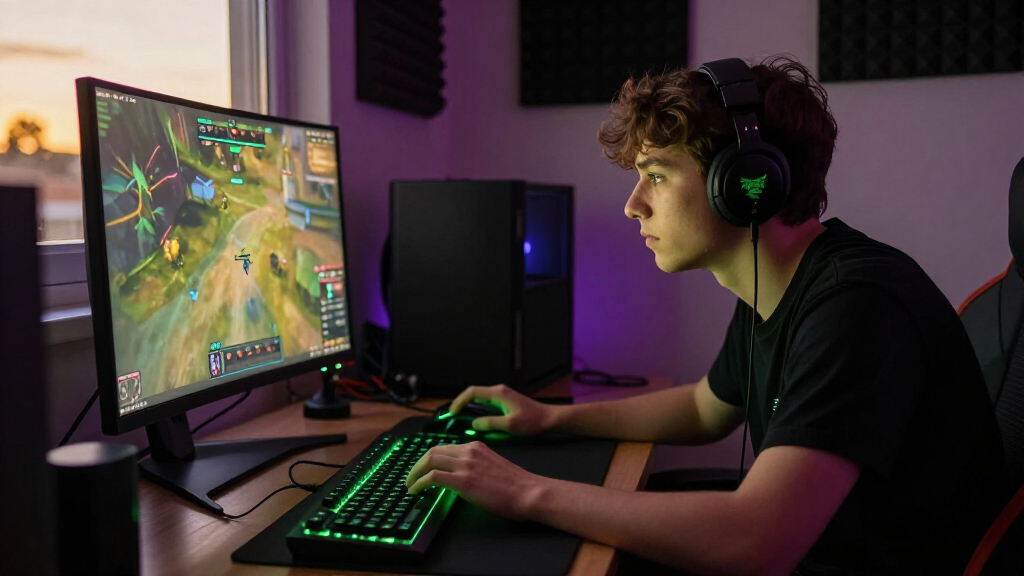
I judged these 13 products as possible building blocks for a Razer gaming setup, focusing on the job each one does and the tradeoffs it brings. For headsets, I weighed connection type, stated audio and microphone features, and suitability for PC, mobile, or mixed use. For mice and keyboards, I compared ergonomics, wired or wireless operation, and useful controls; for speakers and the chair, I considered desk footprint, listening needs, and the role each adds to a setup.
The order favors products that can serve a broad range of gaming setups, then gives more specialized options a clear place for buyers whose priorities differ. That puts the BlackShark V3 Pro and Basilisk V3 near the front as capable central upgrades, while simpler wired gear earns value and beginner roles through straightforward use. Compact audio, mobile-friendly wireless gear, and the RGB chair rank by fit for narrower needs. I treated listed features as evidence of intended use, not proof of real-world performance, and weighed drawbacks such as cables, desk space, and limited versatility alongside each product’s strengths.
Factors to Consider When Choosing Best Razer Gaming Setups
Building a setup is easier when I decide how I play and use my desk before choosing individual devices. These broader checks can help avoid buying overlapping gear or features that do not fit your routine.
Choose One Main Audio Route
Start by deciding whether you want sound contained in a headset or audible across the room. A headset can keep game audio private and put a microphone close at hand, while desktop speakers make casual listening easier without wearing anything. Owning both can make sense if you switch between late-night sessions and shared listening, but it is unnecessary if one mode covers nearly all your play. Check whether your computer has enough convenient connections for the audio devices you plan to keep plugged in. Also think about voice chat: a speaker setup can send game audio into an open microphone, so headset use may be simpler for frequent calls. Pick the listening arrangement first, then compare models within that role.
Treat Wireless as a Convenience Tradeoff
Wireless gear helps when you move between devices, dislike cable drag, or want a less cluttered desk. It also means managing charging and checking that the product supports the devices you use. Wired peripherals avoid battery upkeep and can suit a stationary PC setup, though cables need routing and can limit movement. A common mistake is choosing wireless for every device without asking whether each one needs to move. You might get more practical benefit from a wireless headset and a wired keyboard or mouse than from making the whole desk cordless. Before buying, check the connection options and compatibility details for your specific computer or console.
Match Mouse Shape and Controls to Your Play
A mouse that feels comfortable for your hand and grip can matter more over a long session than a long list of extra controls. Added buttons help when you regularly assign commands or shortcuts, but unused controls can complicate a simple setup. Wired and wireless versions of a similar mouse can feel like very different choices once you account for cable routing and charging habits. If you are unsure, identify the games you play most and the actions you want close to your thumb. Check dimensions and shape details where available, since a product description alone cannot tell you how it will fit your hand. Avoid paying attention only to feature count when fit is the part you will notice throughout every session.
Plan Desk Space Before Adding a Keyboard or Speakers
Measure the desk area you can actually spare, including room for mouse movement and monitor stands. A keyboard with dedicated controls can be useful, but it still needs to fit without crowding the devices you use most. A compact soundbar can take less room than a broader speaker arrangement, while speakers also need space where sound can travel clearly. Buyers often estimate the footprint by looking only at a product’s width and forget cable paths or the space needed to reach controls. Decide where each device will sit before ordering, especially if the desk is already full. Extra desk gear is helpful only when it leaves your main play area comfortable.
Pay for Features You Will Use
Higher-tier features make sense when they solve a problem you encounter often, such as wanting wireless audio or noise reduction in a busy environment. A simpler wired headset or mouse may be a better fit if your setup stays in one place and you prefer fewer settings to manage. RGB lighting can tie a desk together visually, but it does not replace comfort, connection compatibility, or useful controls. Make a short list of the features that would change your day-to-day use, then treat the rest as optional. This keeps a setup from becoming a collection of upgrades that each add cost and complexity without changing how you play. Spend on the parts you interact with most often first.
Build in Stages and Check Compatibility
You do not need to replace every part of a gaming setup at once. Upgrade the device that currently limits your sessions, then see whether the rest of the desk still meets your needs. Before adding a headset, speakers, mouse, or keyboard, check its stated platform support and the connections available on your computer or console. Headset features can vary by platform, and some functions may depend on compatible software or hardware. Buying several devices together can also make it harder to tell which change actually improved your setup. A staged approach keeps each purchase tied to a clear need and makes it easier to catch compatibility gaps early.
Frequently Asked Questions
Should I choose the BlackShark V3 Pro or a simpler wired headset?
Choose the BlackShark V3 Pro if wireless use and its listed active noise cancellation features address needs you have regularly. A wired option such as the BlackShark V2 X is a more direct fit when you stay at one PC and prefer not to manage charging. Compare connection support for your devices before choosing, since headset features can depend on the platform. Think about your room, too: noise cancellation may matter more in a busy space than in a quiet one. The best pick is the one whose extra features solve a real problem in your sessions.
Is a gaming headset or desktop speaker setup better for voice chat?
A headset is usually the more straightforward choice when you chat often, since its microphone sits close and game audio stays near you. Speakers can be more comfortable for general listening, but their sound may reach an open microphone and distract other people on a call. Your room and microphone setup affect how much this matters. If you alternate between solo play and shared listening, keeping both options can be useful when desk space allows. Otherwise, choose based on which activity you do most rather than buying two audio systems by default.
Is the wireless Basilisk worth choosing over the wired Basilisk V3?
The wireless Basilisk V3 X HyperSpeed makes more sense if you value a cable-free desk or move the mouse between compatible devices. The wired Basilisk V3 suits a stationary setup where avoiding battery upkeep matters more. Before deciding, check the controls and features you care about on each model rather than assuming the wireless version is identical in every respect. Also consider how often you use the mouse: daily use makes comfort and connection habits more noticeable than occasional play does. Choose the connection style that fits your routine, then confirm platform compatibility.
Can I use the compact Leviathan V2 X instead of a headset?
The Leviathan V2 X can suit desk listening when you want audio without wearing a headset, particularly for solo play or casual use. It will not offer the privacy of headphones, and people nearby may hear your game. Voice chat also takes more care because speakers can feed sound back into a microphone. If you share a room or play late, a headset may be the more practical main audio device. Treat a compact soundbar as a different listening style, not a direct substitute for every headset use.
Which Razer gear should I upgrade first if I am new to gaming setups?
Start with the device that causes the most friction in your current sessions: unclear audio, an uncomfortable mouse, or a keyboard that lacks controls you actually use. A straightforward wired peripheral can be easier to set up than adding several wireless devices and their charging routines at once. Check compatibility with your computer or console before placing an order, and leave room on your desk for the gear you already own. You can add speakers, lighting, or a chair later if they solve a specific need. This approach keeps a first setup useful without making every purchase at once.
Conclusion
For most buyers building around one major upgrade, I’d choose the BlackShark V3 Pro as the best overall headset and the Basilisk V3 as the best all-around wired mouse. The BlackShark V2 X and DeathAdder Essential are the simpler value and beginner picks for players who want familiar wired gear. For a premium-leaning setup, pair feature-rich choices such as the BlackWidow V4 X with the headset or mouse that fits your routine; the Soma Chroma chair is a more specialized choice for buyers specifically seeking RGB seating. Choose the Leviathan V2 X for compact desk audio, the Nommo Chroma for a speaker-based setup, or the Barracuda X Quartz Pink when mobile-friendly wireless use and its color suit your needs. Match each purchase to your space, play habits, and device compatibility to finish with a setup that feels cohesive.
Halloween Picks
halloween
As an affiliate, we earn on qualifying purchases.